1
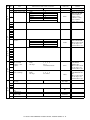
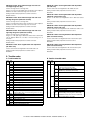
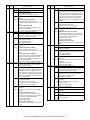
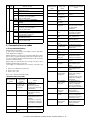
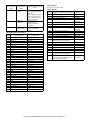
8. D-D (Duplex to Duplex) mode paper/
document transport (Duplex model)
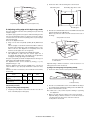
C. Operational descriptions
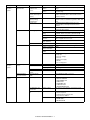
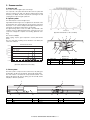
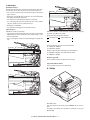
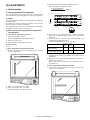
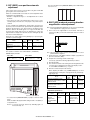
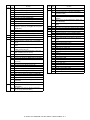
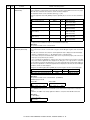
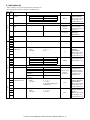
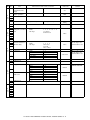
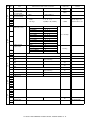
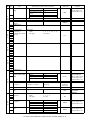
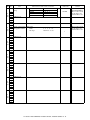
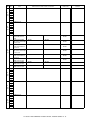
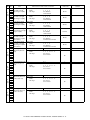
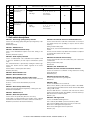
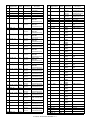
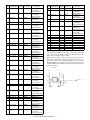
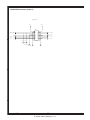
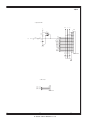
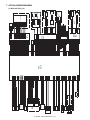
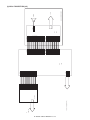
Time chart (Tray feed)
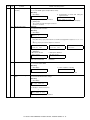
Document set
SPID ON
A. Initial state
Set duplex documents on the document tray.
Document set sensor
Set paper on the cassette. (In the duplex mode, the manual feed tray
cannot be selected.)
Document feed unit lamp ON
PSW ON
MIRM rotation
(Copier side)
MM rotation
CPFS ON
Main motor rotation
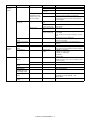
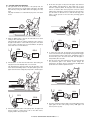
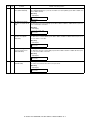
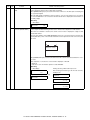
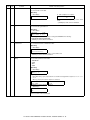
B. Front copy
Copy start
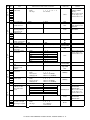
Document transport:
The scanner is shifted
to the exposure position.
(SPF side)
SPF motor rotation
SPFM rotation
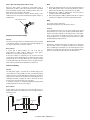
The document feed roller feeds the document from the paper feed
roller to the PS roller.
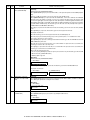
• The document is exposed in the exposure section, and sent to the
document exit section
• by the transport/paper exit roller.
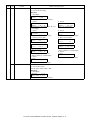
Paper feed
Document feed
SPUS ON
• R-SPF gate solenoid ON
• The document is sent to the intermediate tray.
(but not discharged completely.)
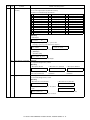
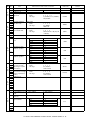
PPD ON
Synchronization
RRC ON
Document transport sensor
SPPD ON
Paper transport
Document transport
(Transfer)
(Exposure)
(Fusing)
(Document exit)
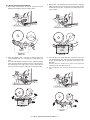
• The document is stopped once, then switchback operation is
performed.
(To the back copy)
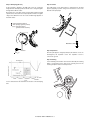
Paper transport:
The document is passed through the paper feed roller and the PS
roller by the paper feed roller
POD ON
and the images on the front surface are transferred.
• The paper is passed through the fusing section and the lower side of
the gate section to the paper exit tray side, (but not discharged
completely.)
(Paper exit)
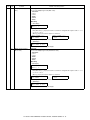
In the zooming mode, the magnification ratio in the sub
scanning direction (paper transport direction) is adjusted
by changing the document transport speed.
• It is stopped once and switchback operation is performed.
(To the back copy)
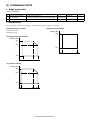
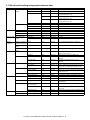
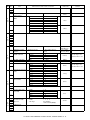
PSW
MIRR M
SPF M
CL
SPUS
SPPD
625msec
756msec
SCANST
752msec
MAIN M
CPFS1
RRS
PPD1
PPD2
POD
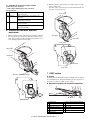
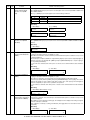
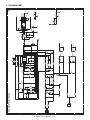
D. Cases where a document jam is caused
1) When SPPD is ON (document remaining) when the power is
turned on.
2) When SPPD is not turned ON within about 1.5 sec (at 100% copy)
after starting the document feed operation.
3) When SPPD is not turned on within about 4.7 sec (at 100% copy)
after turning on SPPD.
4) When the SPF document jam release door or the OC cover is
opened during document transport (SPF motor rotating).
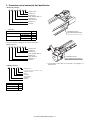
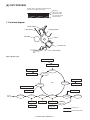
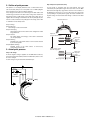
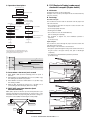
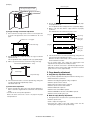
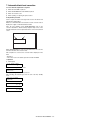
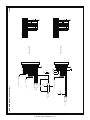
E. RSPF (SPF) open/close detection (book
document detection)
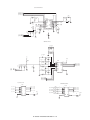
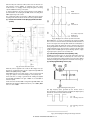
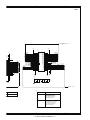
RSPF (SPF) open/close detection (book document) detection is performed by detecting the interval between the reference lines on the
white Mylar attached to the paper exit guide (document scanning section) by the scanner (CCD) and detecting the varied quantity.
B
A
(Floating)
(White Mylar)
Reference line
(CCD)
Reference line
B
A
A - B = Varied quantity of pixels
(pixel)
AL-1661CS OPERATIONAL DESCRIPTIONS 7 - 8