1
I
I
1
I
I
,•
••
•I
>
2)
3)
4)
}
,.
i1
5)
.,N
III
II
6)
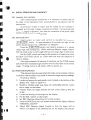
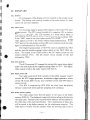
Approx imately 90 seconds after initial switching to "ST ·BY". the sign
will disappear from the screen and the sign "READY" will be displayed on the screen. T he radar is now in ready and available for
operation.
Press ing the Ix.MIT / OFFIswitch enab les the radar to transmit and
targets will be displayed on the screen.
By pressing the IST.BY/OFFI switch the radar will return to the
standby condition with the transmitte r "OFF" and "ST·BY" appears
on the screen.
By pressing the IST .BY/ OFF Iand Ix.MIT / OFF! switches simultaneously, the radar will turn off and all alpha -numeric informa tions will
extinguish.
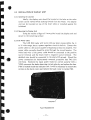
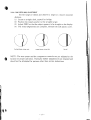
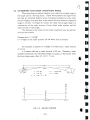
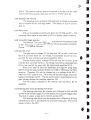
T UNE
Press the IT UNEIkey until th e area aro und the "T " on the bar graph
located on the lower righthand corner of the display dark ens. Now
press the blue Iu pi or IDOWNI key to adjust the tuning of radar.
Observe the display while adjusting the tune control and adjust for the
most targets. The bar gr aph gives an indicati on of the tune setting.
GAIN
Press the IGAINI key ustil the area around the "G" on the bar graph
darkens. Now press the Iupi or IDOWNI keys to adjust the gain. The
gain control varies the sensitivity of the receiver.
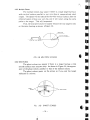
SEA CLUTTER (S.CL)
Press the Is.cLI key until the area ar ound the "S" on the bar graph
darkens. Now the sea-clutter adjustment can be controlled by (less
than 3 miles) clutter from waves .
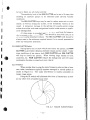
ELECTRONIC BEARING LINE (EBL)
Press the IEBLI key until the area around EBL darkens. A digital
bearing readout will appear and a dotted bearing line will appear on
the screen. By pressing the Iupi or lOOWNIkeys to EBL line can be
moved to any location on the screen to take a relative bearing
reading. When the Iu p iorloowNI keys are first pressed, the EBL line
moves in l' increments. If you hold the key in, the EBL will move in
large increments. To tum off the EBL, press the IEBLlkey.
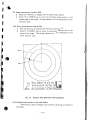
VARIABLE RANGE MARKER (VRM)
Press the IVRMI key until the area around VRM darkens. A digital
range read ing will appear and a dotted range ring will appear if the
ran ge of the radar is more than the digital VRM readout. Th e Ju p ior
IDOWN I key will vary the VRM to enable you to tak e a range reading
of a target. To turn off the VRM, press the VRM key.
- 19-
£41,;;:;4