1
Section Two
Understanding Your Scale
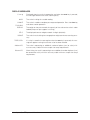
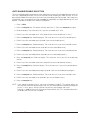
KEYBOARD FUNCTIONS
zero
Assigns the pan and whatever is currently being weighed a value of zero. While
the scale is determining a stable weight reading, the display will indicate “bUSY”.
NOTE: If a tare value is stored in memory it will be cleared.
sample
size
count
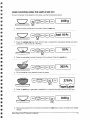
Displays preprogrammed sample sizes (10, 25, 50, or 100 pieces).
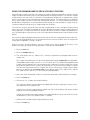
Instructs the scale to begin or resume counting. This key may also be used to
“update” the average piece weight for increased counting accuracy.
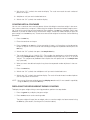
setup/cal
Instructs the scale to enter a setup or perform a calibration.
apw
Instructs the scale to accept an average piece weight entry.
clear
tare
gross
Clears the last number entered or operation requested, and displays weight.
Instructs the scale to accept a numerical tare weight entry. If a container is
placed on the pan, pressing tare assigns its weight as the “tare” (i.e. container
weight) and saves it in memory. The display will read net weight (i.e. contents
weight).
Toggles between the gross weight and the net weight.
(gross weight - tare weight = net weight)
print
Scale sends displayed and stored or programmed information to a printer, computer (or other RS-232 peripheral device).
units
Converts the weighing units of measure (e.g. changes from grams to ounces).
accum
Sums and stores the results of multiple weighing or counting operations.
id
Instructs the scale to store an identification number of up to 25 digits (e.g. a part
number or account number) to be printed or transmitted to a peripheral device.
display
Instructs the scale to recall the value stored in any of the various registers (e.g.
tare, accumulate, etc.).
reset
Sets all counting and weighing registers to zero. Clears all volatile ID registers.
Assigns the pan and whatever is currently being weighed a value of zero. Displays full scale capacity.
•
Instructs scale to enter a decimal point during numeric entry.
Setra Super CountTM Operator's Manual
5