1
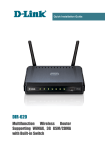
DIR-320
Quick Installation Guide
System Requirements and Equipment
•
A computer with any operating system that supports a web browser.
•
A web browser to access the web-based interface of the router:
◦ Apple Safari 5 and later
◦ Google Chrome 5 and later
◦ Microsoft Internet Explorer 7 and later
◦ Mozilla Firefox 5 and later
◦ Opera 10 and later.
•
A NIC (Ethernet or Wi-Fi adapter) to connect to the router.
•
An 802.11b, g, or n Wi-Fi adapter to create a wireless network.
•
A USB modem to connect to the Internet1.
◦ A WiMAX USB modem to connect to the Internet via a WiMAX
network.
!
Some WiMAX operators require subscribers to activate their WiMAX
USB modems prior to using them. Please, refer to connection
guidelines provided by your operator when concluding the agreement
or placed on its website.
◦ A 3G USB modem to connect to the Internet via a 3G GSM or
CDMA network.
!
Your USB modem should be equipped with an active identification
card (SIM or R-UIM) of your operator.
For CDMA USB modems, it is required to disable the PIN code check
on the identification card prior to connecting the USB modem to the
router.
1 Contact your operator to get information on the service coverage and fees.
3