1
b.
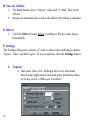
Snapshot Delay: When self-timer is enabled, select the number of seconds to delay capture.
c. Enable Audio: This allows you to record video with audio.
Adjust the volume by moving the slider across the slide bar.*
d. Snapshot Image Format: Select JPEG for compressed pictures
and BMP for uncompressed pictures.
*Note: An external microphone is required for this function.
2.
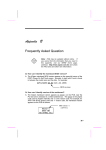
Video*
*Depending on the
camera model, not all
Video Quality options
are available.
a.
b.
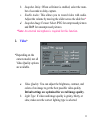
Video Quality: You can adjust the brightness, contrast, and
colors of an image to get the best possible video quality.
Default settings are optimized for overall image quality.
Light Type: If video and image quality is grainy, blurry, or
slow, make sure the correct lighting type is selected.
11