1
How to send Snapshots and Videos
America Online
AOL does not support MAPI functions. If you click the Send
button in the Veo Mobile Connect application, it will not respond.
a. To send V-Mail and Snapshots to AOL and non-AOL members:
i. Click on the AOL Write icon.
ii. Click on the Attachments button.
iii. Click on the Attach button and change the directory to
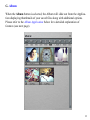
C:\Program Files\Veo Mobile Connect\Album.
iv. Double click on the desired file, i.e., cap[###].exe for V-Mail or
cap[###].bmp/.jpg files for Snapshots.
v. The file should appear in the Attachments window. Click OK.
vi. Your V-Mail/snapshot is attached. To send, click Send Now.
16