1
Computer System HyperTools
Tevion TSD-DR40HD User Guide
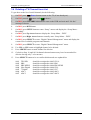
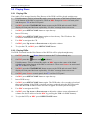
5.3.4 Deleting a TV Program Recorded on HDD
After successfully recording and perhaps viewing a TV program on hard disk you will usually
want to delete it to make room for new recordings.
1.
On TRC press
Power button to turn on the TV (if not already on).
2.
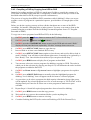
On TRC pressed
button until
3.
On DRC press STANDBY/ON button to turn on the DVR and wait until “Hello” display
on front panel has been replaced by “No disc” message shown on screen.
4.
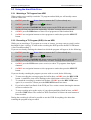
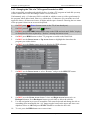
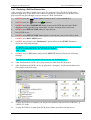
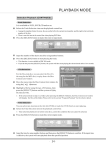
On DRC press HDD button to show TV programs recorded on the Hard Disk.
5.
On DRC use the Down Arrow or Up Arrow button to highlight the data about the
program you wish to delete:
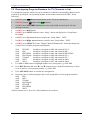
6.
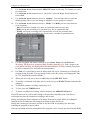
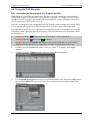
On DRC press the Right Arrow button to display the HDD submenu:
2
is shown.
.
7.
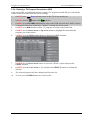
On DRC use the Down Arrow button to select the “Delete” option and press the
SELECT button.
8.
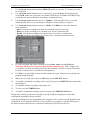
On DRC press the Left Arrow to Yes and press the SELECT button to confirm the
deletion.
9.
The selected program will have disappeared from the list.
10.
To exit, press the HDD button one or more times.
F:\Our Files\Our Computers\User Guides\Tevion (Wintal)\Tevion TSD-DR40HD DVR Performance Log.doc
18/5/08 at 10:57
Page 22