1
My modem dials but is unable to connect to the Internet. Why?
The access number, username or password may be wrong or non-functioning.
There may also be excessive line noise generated by other devices using the same
line.
Try the following:
• Verify that your dial-up settings, such as your access number and username,
are correct.
• Use a different initialization string.
• Use your modem on a different access number.
• Disconnect other devices on the same line as the modem, and ensure that your
modem is directly connected to a wall outlet telephone jack, and not through a
splitter, fax machine or similar device.
What do I do if my modem is unable to dial out?
The modem driver may be corrupted, there may be problems with the Bluetooth or
serial port connection, or third-party software or drivers may be conflicting with
your modem’s software.
Try the following:
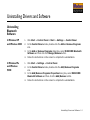
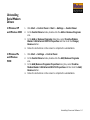
• Uninstall all modem drivers (including old ones) on your computer, and then
reinstall the drivers for your modem. For more information on uninstalling
drivers, see "Uninstalling Serial Modem Drivers" on page 5-2.
• Use the modem on a different serial port.
• Disable third-party applications, such as fax or PDA software, as these
applications may prevent the modem from functioning.
Frequently Asked Questions B-4