1
4
MergePoint 5224/5240 Service Processor Manager User Guide
Web Manager
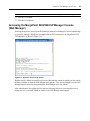
The Web Manager may be used when the MergePoint 5224/5240 SP manager is managed as a
standalone. If the MergePoint 5224/5240 SP manager is managed through DSView 3 management
software, access to the Web Manager is usually disabled.
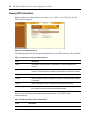
When the Web Manager is enabled, both authorized and administrative users can launch the Web
Manager from a supported browser using HTTP or HTTPS. Authorized users can use the Web
Manager to perform management actions on target devices, manage power on devices plugged into
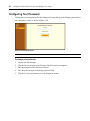
optional Intelligent Power Distribution Units (IPDUs) and change their own passwords. Only
administrative users have access to the MergePoint 5224/5240 SP manager screens used for
configuring users or target devices.
See Chapter 3 for information about using the Web Manager that is required for authorized and
administrative users.
Browser access to the Web Manager is achieved in one of the following ways:
•
Through the Ethernet port
•
Through dialing into one of the modem or PC phone card types described in Dial-in Access on
page 19
Types of Users
Two predefined administrators are root and admin, and they cannot be deleted. Either root or admin
can add regular user accounts and can authorize users to access management features on target
devices. Any regular users added to the admin group become administrative users able to perform
MergePoint 5224/5240 SP manager administration as described in the MergePoint 5224/5240
Service Processor Manager Installer and Administrator Guide. The default password for root and
admin is cyclades and should be changed immediately to prevent unauthorized access.
The admin user (and any optionally added administrative users) can do the following:
•
Access the Web Manager and use any of its functions
•
Access the MergePoint 5224/5240 SP manager’s console and use the unrestricted shell
•
Invoke the MergePoint 5224/5240 SP manager configuration utility, cli
•
Invoke any Linux commands available to the non-root user
•
Invoke any Linux commands available to the root user by using the sudo command
The root user can do the following:
•
Access the MergePoint 5224/5240 SP manager’s console and use the unrestricted shell
•
Invoke the MergePoint 5224/5240 SP manager configuration utility, cli
•
Invoke any Linux commands available to the root user
The root user cannot access the Web Manager.