1
Red Hat Ent erprise Linux 6 Clust er Administ rat ion
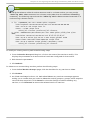
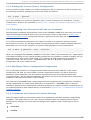
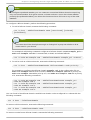
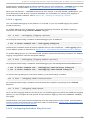
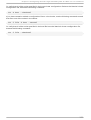
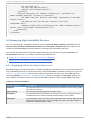
Note that installing only the rg manag er will pull in all necessary dependencies to create an HA
cluster from the HighAvailability channel. The l vm2-cl uster and g fs2-uti l s packages are part
of ResilientStorage channel and may not be needed by your site.
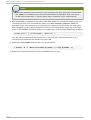
Warning
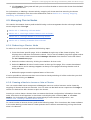
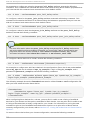
After you install the Red Hat High Availability Add-On packages, you should ensure that your
software update preferences are set so that nothing is installed automatically. Installation on a
running cluster can cause unexpected behaviors.
Upgrading Red Hat High Availability Add-On Software
It is possible to upgrade the cluster software on a given major release of Red Hat Enterprise Linux
without taking the cluster out of production. D oing so requires disabling the cluster software on one
host at a time, upgrading the software, and restarting the cluster software on that host.
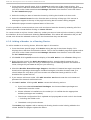
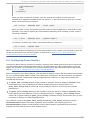
1. Shut down all cluster services on a single cluster node. For instructions on stopping cluster
software on a node, refer to Section 8.1.2, “ Stopping Cluster Software” . It may be desirable to
manually relocate cluster-managed services and virtual machines off of the host prior to
stopping rg manag er.
2. Execute the yum upd ate command to update installed packages.
3. Reboot the cluster node or restart the cluster services manually. For instructions on starting
cluster software on a node, refer to Section 8.1.1, “ Starting Cluster Software” .
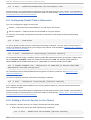
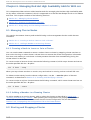
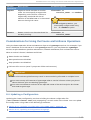
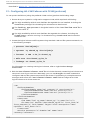
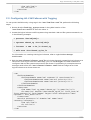
1.5. Configuring Red Hat High Availabilit y Add-On Soft ware
Configuring Red Hat High Availability Add-On software consists of using configuration tools to
specify the relationship among the cluster components. The following cluster configuration tools are
available with Red Hat High Availability Add-On:
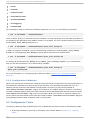
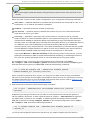
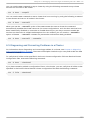
C o n g a — This is a comprehensive user interface for installing, configuring, and managing Red
Hat High Availability Add-On. Refer to Chapter 3, Configuring Red Hat High Availability Add-On With
Conga and Chapter 4, Managing Red Hat High Availability Add-On With Conga for information about
configuring and managing High Availability Add-On with C o n g a.
The ccs command — This command configures and manages Red Hat High Availability Add-On.
Refer to Chapter 5, Configuring Red Hat High Availability Add-On With the ccs Command and
Chapter 6, Managing Red Hat High Availability Add-On With ccs for information about configuring and
managing High Availability Add-On with the ccs command.
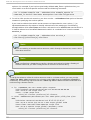
Command-line tools — This is a set of command-line tools for configuring and managing Red Hat
High Availability Add-On. Refer to Chapter 7, Configuring Red Hat High Availability Manually and
Chapter 8, Managing Red Hat High Availability Add-On With Command Line Tools for information about
configuring and managing a cluster with command-line tools. Refer to Appendix E, Command Line
Tools Summary for a summary of preferred command-line tools.
16