1
3 Host Adapter Layout
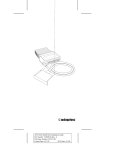
This diagram shows the APA-358 components.
4 Default Settings
The MiniSCSi EPP operates correctly with its factory
default settings in most PCs. The default settings are
Parameter
Host Adapter SCSI ID
Host Adapter Termination
Port Address
Speed Selection
Extended Translation for Drives Over
1 GByte
1
2
Default Setting
7
Enabled
378h (Options: 278h, 3BCh1)
Fastest possible for EPP2
Automatic (Enabled)
The 3BCh setting can only be used for bidirectional and unidirectional configurations; it is not applicable for EPP.
Use the /M switch to lower the transfer rate as required for certain parallel ports.
See The MiniSCSI EPP Does Not Function on page 7 and the Software User
Guide for more details on the /M options.
5 Installation
Hardware installation involves plugging the
MiniSCSI EPP into a parallel printer port and connecting it to the applicable SCSI device(s). Follow the
steps carefully in each subsection below to correctly
install the MiniSCSI EPP.
3
A
AAAA
AAAA
AAAA
A
AAAAAAAA
AAAAAAAA
AAAAAAAA
AAAAAAAA
AAAAAAAA
AAAAAAAA
AAAAAAAA
AAAAAAAA
AAAAAAAA
AAAAAAAA
AAAAAAAA
AAAAAA
AA
A
AA
APA-358 Installation Guide
A
AA
A
AA
A
AA
Part
Number:
510604-00,
Rev.
A
A
AA
A
AA
A
AA
Print
Spec
Number:
492717-00
A
AA
A
AA
A
AA
Current
Date:
5/19/94
ECN
Date:
5/31/94
A
AA
A
AAAAAAAAAAAAAAAAAAAAAAAAAAAAAAAAAAAAAAAAAAAAAAAAAAAAAA
AA