1
ENGLISH
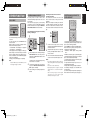
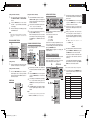
LISTENING THROUGH HEADPHONES
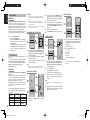
DOLBY HEADPHONE MODE
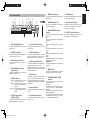
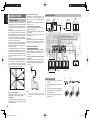
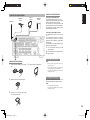
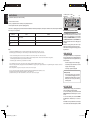
This jack may be used to listen to the unit’s output
through a pair of headphones. Be certain that the
headphones have a standard 1/4” stereo phono
plug.
Note that the speakers will automatically be turned
off when the headphone jack is in use.
ATTENUATION TO ANALOG INPUT SIGNAL
This feature simulates the waveforms of the actual
sounds heard from the speakers.
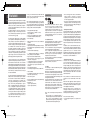
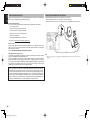
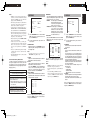
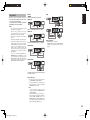
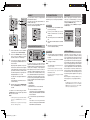
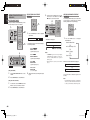
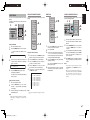
When headphones are used, the MENU button
automatically switches to the Dolby headphone
mode.
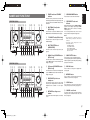
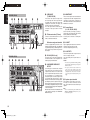
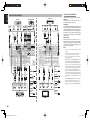
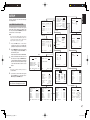
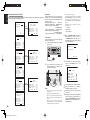
The OSD that appears when the MENU button is
pressed is shown below.
REC
-
T.DISP
PRESET
+
PTY
-
F.DIRECT
TUNING
+
DISC+
ANGLE
SUB TITLE
CH-SEL
V-OFF
ATT.
TV
DVD
VCR
DSS
TUNER
CD
CDR
MD
BASS
AUDIO
TREBLE
AV SURROUND RECEIVER SR5002
INPUT SELECTOR
HEAD PHONE
MULTI
SPEAKER
MULTI
SURROUND
MODE
PURE
DIRECT
AUTO
HT-EQ
SIMPLE
SETUP
DOLBY HP MODE : ON
SURROUND
: OFF
STANDBY
POWER ON/STANDBY
SETUP MIC
MENU
PHONES
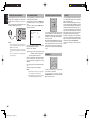
Notes:
• When using headphones, the surround mode will
change to BYPASS and Dolby Headphone by
MENU and Cursor button.
• The surround mode returns to the previous setting
as soon as the headphone plug is removed from the
jack.
• The tone control function can not work through the
headphones output.
L LEVEL
R LEVEL
:
:
0 dB
0 dB
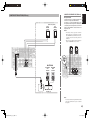
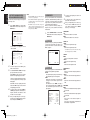
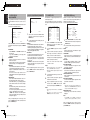
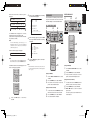
DOLDBY HP (Headphone) MODE can be selected
with the left and right cursor buttons.
BYPASS → ON → BYPASS
BYPASS: Bypasses the Dolby headphone mode
and delivers ordinary 2-channel stereo.
ON: Dolby headphone mode active.
When the PURE DIRECT and SOURCE DIRECT
mode is selected, Dolby surround processing is
bypassed and “✽✽✽” is displayed as the mode
indication.
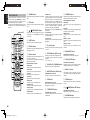
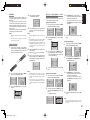
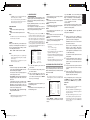
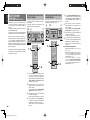
If the selected analog audio input signal is greater
than the capable level of internal processing, the
“PEAK” indicator will light up on the front display. If
this happens, you should press the ATT button on
the remote controller.
“ATT” indicator will be illuminated when this function
is activated. The signal-input level is reduced by
about half. Attenuation will not work with the output
signal of TAPE-OUT, CD/CDR-OUT and VCR-OUT.
This function is memorized for each individual input
source.
Notes:
• The surround mode returns to the previous setting as
soon as the plug is removed from the jack.
• The Dolby Headphone function will not work when
32 or 96 kHz PCM digital signals are input.
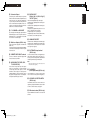
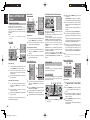
This unit is equipped for future expansion through the
use of Multi channel Super Audio CD multichannel
player or DVD-Audio player.
When this is selected, the input signals connected to
the L(front left), R (front right), CENTER, SL (surround
left), SR (surround right) and SBL (surround back left)
and SBR (surround back right) channels of the 7.1
CH. In jacks are output directly to the front (left and
right), center, surround (left and right) and surround
back speaker systems as well as the pre-out jacks
without passing through the surround circuitry.
In addition, the signal input to the SW (subwoofer)
jack is output to the PRE OUT SW (subwoofer) jack.
When 7.1 CH. INPUT is selected, the last video input
used remains routed to the Monitor Outputs.
This permits simultaneous viewing with video
sources.
SPEAKER A/B
M-CH ST
STEREO
NIGHT
7
8
9
CL
CH/ CAT
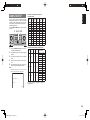
The surround mode can be selected when mode is
ON.
L/R LEVEL can be set in the ±10 dB range.
7.1 CH INPUT
INFO
7.1CH IN
A/D
0
+10
P.SCAN
HT-EQ
MEMO
VOLUME
SPKR A/B
MUTE
MULTI/ CAT
M-SPKR
MENU
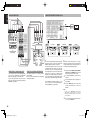
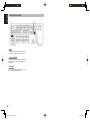
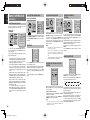
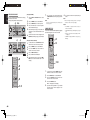
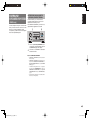
This unit has speaker system - A and speaker
system- B for front L/R channels.
You can select these systems by pressing
SPEAKERS A/B button on the front panel or SPKAB on the remote controller.
40
SR4002-5002U DFU_01_E2_2.indd 40
07.7.9 2:47:39 PM