1
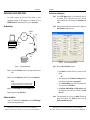
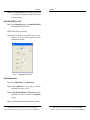
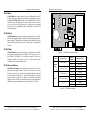
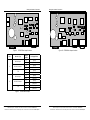
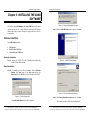
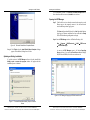
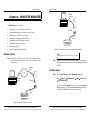
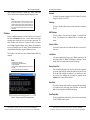
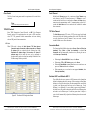
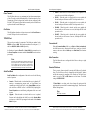
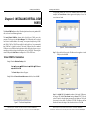
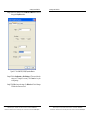
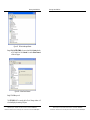
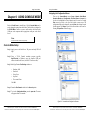
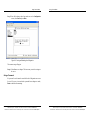
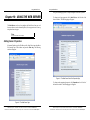
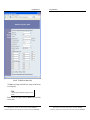
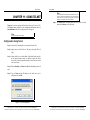
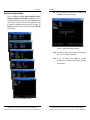
Using ESP Manager Exit Help • • Using ESP Manager • Allows you to Exit the ESP Manager program Protocol - Displays the currently selected TCP or UDP mode for the Serial Server. Accesses the About vcomui dialogue box, which indicates the software version number • Port - Displays the port number for each Serial Server port. • Flow Control - Indicates what type of flow control is configured for • Status - Indicates whether each port is currently In Use or Not Used. each port. Server Icons Pane Firmware Upgrade, Virtual COM Configuration, Searching Server, Uninstall Virtual COM and Monitor Port Status can also be selected using Status Bar Displays the current status of the software in the bottom, left corner of the screen icons located in the left window. Serial Server / Virtual COM Lists To make management of lists of serial server easier, lists can be sorted by clicking on any tab heading. Scrolling bars facilitate scrolling through long lists. • Protocol - Displays the currently selected TCP or UDP mode for the Serial Server. • Port - Displays the port number for each Serial Server port. • COM Name - Displays the name of the computer COM port mapped to • Updating • Searching reachable servers… Upon opening the ESP Manager software it will automatically execute Searching Server and search for all reachable ESR90x serial servers. listed once for each port. IP Address - Displays the IP Address for the Serial Server. All ports in a Serial Server have the same the same IP address. Ready Search for Servers Serial Server List • Server Name - Displays the name of the Serial Server. The name is • • Step 4: To manually initiate a search for servers, click Searching Servers (under the Servers menu or the icon on the left side of the screen). The Search Setup box will appear. It provides two options for searching for servers on the network: each Serial Server port. If no computer port has been mapped it displays Not mapped. • Step 5: Enter the IP Address assigned to the desired Serial Server or click Search all reachable servers, then OK. IP Address is used to find Status - The Status indicates the mapped virtual COM port condition. o Not Connected is shown when a program does not have the o Connected is shown when that mapped port is Open for use. Serial Server units that are not on the same subnet. (Routers on the network will block the standard broadcast used to find servers if Search all reachable servers is selected.) The user must set an IP address that conforms to the LAN addressing scheme. port Open. Virtual COM List • COM Name - Displays the number of the COM port mapped to each The Searching window is shown until all active Serial Servers on the LAN are listed in the Serial Server List window. Serial Server port. • Specify the IP Address of the Serial Server Search all reachable servers IP Address - Displays the IP Address for the Serial Server. All ports in a Serial Server have the same IP address. Manual Documentation Number: ESR90x-1705m Chapter 4 B&B Electronics Mfg Co Inc – 707 Dayton Rd - Ottawa IL 61350 - Ph 815-433-5100 - Fax 815-433-5104 – www.bb-elec.com B&B Electronics Ltd – Westlink Commercial Park – Oranmore, Galway, Ireland – Ph +353 91-792444 – Fax +353 91-792445 – www.bb-europe.com 27 28 Chapter 4 Manual Documentation Number ESR90x-1705m B&B Electronics Mfg Co Inc – 707 Dayton Rd - Ottawa IL 61350 - Ph 815-433-5100 - Fax 815-433-5104 – www.bb-elec.com B&B Electronics Ltd – Westlink Commercial Park – Oranmore, Galway, Ireland – Ph +353 91-792444 – Fax +353 91-792445 – www.bb-europe.com