1
English
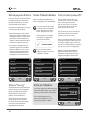
Alarm Settings
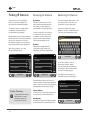
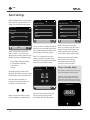
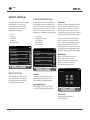
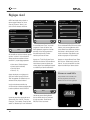
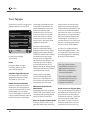
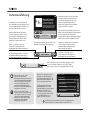
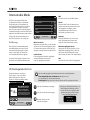
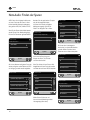
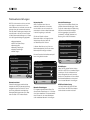
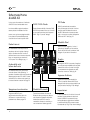
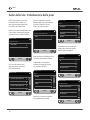
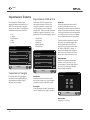
AXiS X3 is equipped with two programmable
alarm clocks. From the Home Screen, click
‘Alarms”, the go to the Alarm status screen.
16.20pm 31 Jul 2013
16.20pm 31 Jul 2013
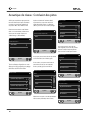
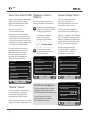
Set alarm frequency
Select alarm source
DAB
OFF
16.20pm 31 Jul 2013
Alarm settings
Alarm 1
Off
Alarm 2
Off
Alarm
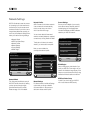
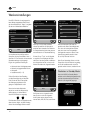
To edit or review an alarm, press either
Alarm 1 or Alarm 2. A summary screen
displaying the current alarm selections will be
displayed, there are four adjustable settings:
• Alarm Enable / Frequency selection
• Time (and Date if applicable)
• Alarm Source
• Volume
Simply press any setting to review or edit it.
Pressing the “Back” button will save your changes
and take you back to the main summary screen.
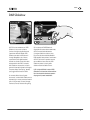
When either alarm is activated, mini
icon(s) as picture below will appear in the
top section of your AXiS X3 screen.
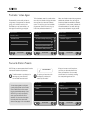
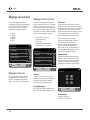
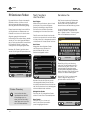
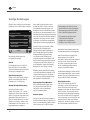
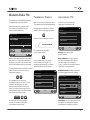
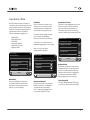
Alarms can be set to activate Once, Every
Day, Each Weekday or on Weekend Days.
24
Daily
FM
Once
iPod
Weekend
Internet Radio
If you select “Once”, in addition to setting the
alarm time, you will also need to set a specific
date. The date setting screen behaves in the
same manner as the time setting screen.
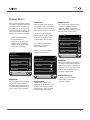
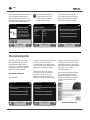
If DAB, or FM is chosen for the alarm
source, you will also be given the option of
waking to the “last listened” station or one
the your preset favourites. This selection
can be made by pressing “My Favourites”.
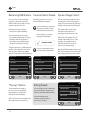
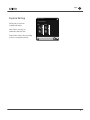
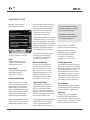
Press “Time” to adjust the time of alarm
activation. Using the up and down arrows
above the hours and minutes, set the specific
time that you wish the alarm to sound.
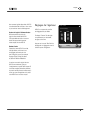
Pressing volume will display the “Select
Alarm Volume” screen, where you
can predefine the volume level that
you wish your alarm to activate at.
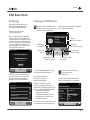
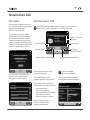
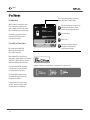
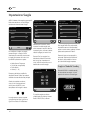
Alarms in Standby Mode
16.20pm 31 Jul 2013
Set alarm time
06 : 56
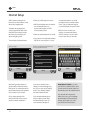
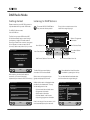
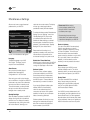
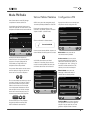
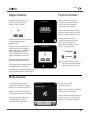
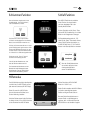
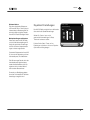
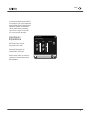
When AXiS X3 is in standby mode, if an alarm is set,
its icon will be displayed on screen as pictured.
In the bottom right hand corner of the screen, a
shortcut button is also provided which takes you
straight back to the main alarm summary screen at
any time, to check and/or change the alarm settings.
Monday 12 Oct
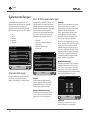
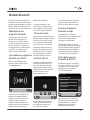
Alarms can be set to wake you with audio
from any one of the following modes:
Internet Radio, DAB, FM, iPod or Buzzer.
15:27