1
200 en | ACCESS CONTROL (D9412GV4/D7412GV4)
D9412GV4/D7412GV4/D7212GV4
NOTICE!
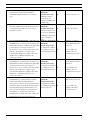
To Reduce False Alarms, maintain D# Deactivate on Open? as the default (Yes). This helps
prevent the door from bouncing open and causing a false alarm.
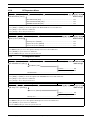
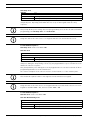
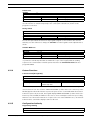
D# RTE Shunt Only?
Default:
Selection:
Yes
No
No
Yes or No
Programmed shunt time activates so door can be manually opened.
RTE automatically activates the programmed strike and shunt time.
Use this program item to disable the strike, but still activate the programmed shunt time at a
Request to Enter (RTE) area.
NOTICE!
Use this parameter when a user can open a door manually without relying on a token or card
to activate the strike (such as with a push bar).
NOTICE!
When RTE Shunt Only is Yes, RTE Events are not logged, reported, or printed.
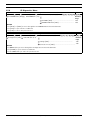
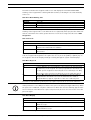
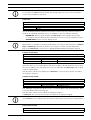
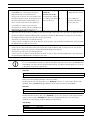
D# REX Shunt Only?
Default:
Selection:
Yes
No
No
Yes or No
Programmed shunt time activates so the door can be manually opened.
REX automatically activates the programmed strike and shunt time.
Use this program item to disable the door strike, but activate the programmed D# Shunt Time
upon a request to exit (REX) from an area.
NOTICE!
Use this parameter when a user can open a door manually without relying on a token or card
to activate the strike (such as with a push bar).
NOTICE!
When REXShunt Only is Yes, REX Events are not logged, reported, or printed.
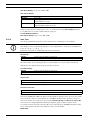
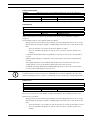
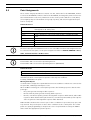
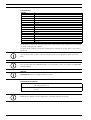
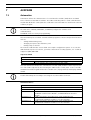
9.3
Event Profile
This programming category is used to determine if events are created for:
–
Access Granted and Access Denied
–
Door Requests
–
Door state changes due to manual (keypad) or automatic scheduled or armed state
changes (skeds/hold open on disarm, normal on armed) operation.
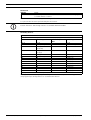
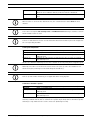
NOTICE!
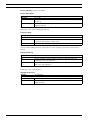
RTE Events require Access Granted to be programmed as Yes.
F.01U.218.312 | 04 | 2012.03
Program Entry Guide
Bosch Security Systems, Inc.