1
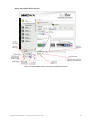
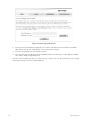
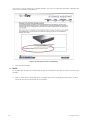
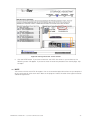
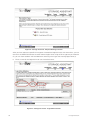
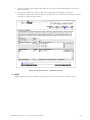
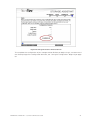
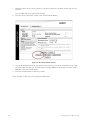
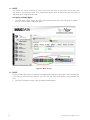
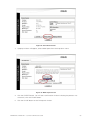
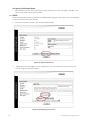
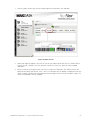
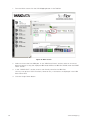
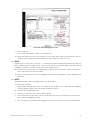
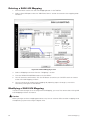
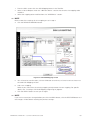
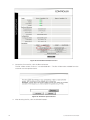
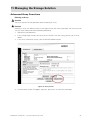
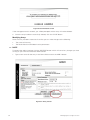
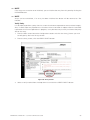
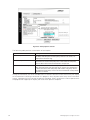
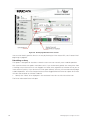
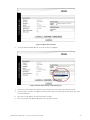
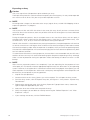
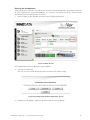
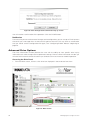
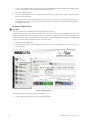
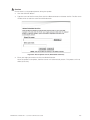
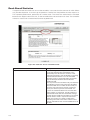
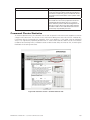
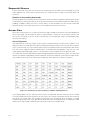
1. From the Main screen click the SAN Mapping button in the Tool Bar. 2. Select a Host HBA port under the “HBA Port Name” section that contains the mapping to be modified. 3. Select the mapping to be modified from the “MAPPINGS” section. NOTE Make a note of the settings for this mapping to use in step 6. 4. Click the REMOVE MAPPING button. Figure 51. SAN LUN Mapping Screen 5. You will receive a confirmation, click the OK button to continue, or Cancel to exit and return to the SAN LUN Mapping window. 6. Add a new mapping. Refer to your notes from the existing mapping to help create the new mapping. For specific details, see ”Creating a SAN LUN Mapping” beginning on page 65. 7. Click the APPLY button to save your changes. NOTE If you wish to cancel your changes before you click the APPLY button, click the RESTORE button and the changes will be cleared restoring the previous settings. MAXDATA SR1202 M1 – StorView® RAID User Guide 69