1
APPENDIX A
CONFIGURING AMOS SCSI DISK
DRIVES
A.1BOOTING FROM A SCSI DRIVE (AMOS ONLY)
This section describes the process of making your new SCSI drive bootable. Your
drive was formatted by Alpha Micro prior to shipment, therefore the procedure for
formatting the drive is not discussed. However, the SCSI drive format program,
FMTSCZ, is described in detail in Alpha Micro’s System Commands Reference
Manual.
A.1.1Loading the Software
The first step towards making your SCSI drive bootable is to download the operating
system. The easiest way to download the software is to create a bootable VCR tape.
If your system has an optional floppy disk drive, this is also a good way to transfer
software onto your new drive.
Bootable VCR Tape:
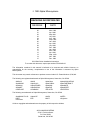
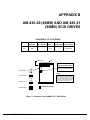
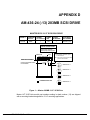
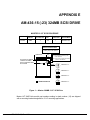
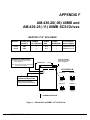
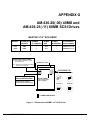
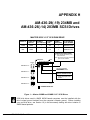
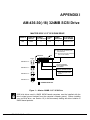
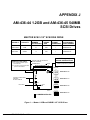
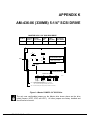
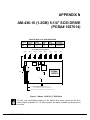
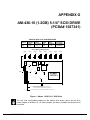
In the illustrations showing the SCSI disk drive jumper configurations, there is a table
showing the number of logicals and the bitmap size for each drive. Although the
bitmap size is not used when configuring the system initialization command file, the
bitmap size is needed when making a bootable WRMGEN file. You can use this
information to make a WARMBOOT tape for loading software on your new SCSI drive.
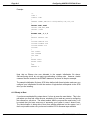
For example, let’s say you are replacing your 40MB drive with a larger capacity 80MB
SCSI disk drive with three logicals. Let’s also assume the 40MB drive is still
operational. To create a WARMBOOT monitor that is compatible with your new 80MB
drive, follow the steps outlined below:
LOG SYS: RETURN
WRMGEN 80MB.WRM RETURN
Input monitor name: AMOSL.MON RETURN
PDI-00436-20, Rev. A15