1
Chapter 1: Welcome to Mbox Pro
Welcome to the Mbox® Pro FireWire audio and
MIDI interface from Avid®.
Mbox Pro provides your FireWire-equipped computer with six channels of analog audio input, six
channels of analog audio output, two channels of
S/PDIF digital audio input and output, MIDI and
Word Clock I/O, and two front panel headphone
outputs with independent level controls. Mbox Pro
provides professional-quality mic preamps and
24-bit/192 kHz analog-to-digital and digital-toanalog converters.
Mbox Pro integrates with Pro Tools® software, and
is compatible with third-party audio and MIDI
applications that support the CoreAudio (Mac) or
ASIO (Windows) standard.
Mbox Pro Features
The Mbox Pro provides the following:
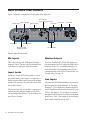
Audio Inputs and Outputs
Mbox Pro provides up to eight discrete channels of
input and up to eight discrete channels of output,
using the following analog and digital I/O:
Analog Inputs
• Two channels of analog audio input with high
quality microphone preamps (inputs 1–2). Each
input channel 1–2 provides:
• 48v Phantom Power and inserts
• Two XLR/TRS (Mic/DI) combo connectors
on the front panel, and two 1/4-inch TRS Line
connectors with switchable +4/-10 input level
on the rear panel
• Mic preamps feature a –20 dB pad and softlimit switch separately on each analog input
channel
• Mic/DI signal is adjusted by the Gain knob
for each channel
Chapter 1: Welcome to Mbox Pro
1