1
1
11. Verify that the system recognizes the tape drive.
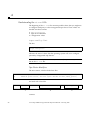
#mt -f /dev/rmt/remote_number status
•
A correct response would resemble:
#mt -f /dev/rmt/3 status
Other tape drive:
sense key(0x0)= No Additional Sense
file no= 0
block no= 0
#
residual= 0
retries= 0
Other tape drive on the first line of the output indicates that the tape
drive is correctly recognized. The rest of the output does not matter.
•
Incorrect responses include:
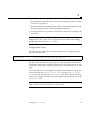
• No tape loaded or drive offline indicates there is no cartridge
in the drive or that the cartridge is not yet loaded. Install a cartridge or
wait for the cartridge load to complete and retry the mt status
command.
• No such file or directory indicates there is no tape drive
attached to that rmt (remote) number. Try another remote number.
• SCSI tape drive indicates the st.conf entry is incorrect. You must
edit the st.conf file and reboot until you no longer see SCSI tape
drive.
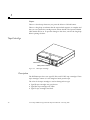
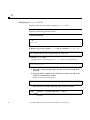
The Tape In Use LED should be lit, signifying that the drive is ready for use.
Go to Chapter 2, “Operation".
Note – If the tape drive does not complete POST, or if the right or left side
LEDs blink repeatedly, go to “Troubleshooting” on page 6.
Installation
5