1
DuraLAN Fast Ethernet NICs User’s Guide
Before you Begin
■
Verify that all system, memory, and NIC requirements are met,
see System Requirements, page 1-2.
■
Verify that the new Adaptec DuraLAN NIC(s) have been
installed properly in the server, see Chapter 3, DuraLAN NIC
Installation.
■
Check your system for installed DuraLAN NIC drivers. If a
DuraLAN Standard driver, Duralink64 Failover driver, or
Duralink64 Port Aggregation driver exists, it must be removed.
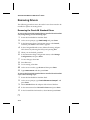
For information about driver removal see Removing Drivers,
page 9-12.
■
Verify that IntraNetWare Service Pack 6 or later is installed for
NetWare 4.11. This pack may be downloaded from:
http://suport.novell.com
Note on NetWare
When you are installing Adaptec DuraLAN NICs, it is a good idea
to document where each port physically resides in the server,
especially when two or more identical NICs exist. This is important
because ports are identified by generic port names, such as Adptsf1,
Adptsf2, Adptsf3, etc.
Port names are assigned to ports in the order that the system scans
these ports at boot time. Consequently, whenever you physically
rearrange the network cards, the port names change as well.
After you have installed Duralink64 Failover use configsf to
reconfigure the driver when necessary. (See Modifying the Driver
Configuration, page 10-16.)
10-2