1
Installing Duralink64 NetWare Client
Windows
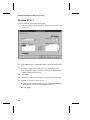
This section describes how to install the ADPTSF 32-bit driver for
Novell Client32. Please note that Adaptec does not support 16-bit
drivers.
Note: This procedure requires the NDIS driver with
Client32. Do not use an ODI driver!
1
If you are using Windows NT 4.0, install the Microsoft
Windows NT Service Pack 3 or later and then restart the
system.
2
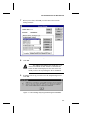
Install the DuraLAN Standard driver. Instructions are
provided in Installing the NetWare Standard Driver on page 9-4.
3
Install the Client32 software, see your Novell documentation
for instructions.
Connecting Clients to the NetWare Server
Connecting clients to the NetWare Duralink64 server requires the
NDIS driver. Do not use an ODI driver! See the appropriate section:
■
Installing the NetWare Failover Driver on page 10-3.
■
Installing the NetWare Port Aggregation Driver on page 11-3.
12-5