1
91-5637-50-00_E5965C CIB_R0.qxd
6/23/2003
12:14 PM
Page 19
Handset Phonebook
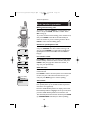
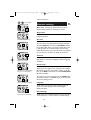
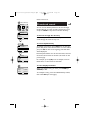
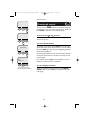
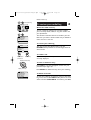
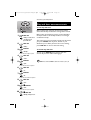
Select Directory.
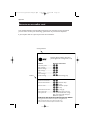
New phonebook entries
1 Directory
Alice
Bob
Chris
Deborah
FIND
1 of 37
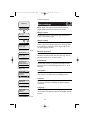
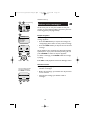
To enter a name
NEW
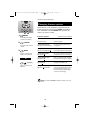
1 Directory
Enter Name
Pat Johnson
Press dial pad buttons once for the first letter, twice for
the second, three times for the third. Continue for
lower-case letters. To enter a number, continue
pressing the button until the number appears.
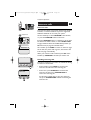
Press once to enter “A” (4 times for “a”).
OK
<—
1 Directory
Enter Number
9085550100
OK
<—
Press twice to enter “B” (5 times for “b”).
2
Press 3 times to enter “C” (6 times for “c”).
Press 7 times to enter “2”.
The cursor moves to the right when you press another
dial pad button or the RIGHT NavKey button (press
twice to enter a space). When the name is complete,
press OK.
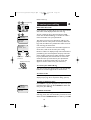
Pat Johnson
908-555-0100
Ringer:
< Default >
• Press the <-- button to erase letters if you make a
mistake.
Picture:
• Press 1 repeatedly to enter an ampersand (&),
apostrophe ('), comma (,), period (.), or numeral (1).
SAVE
< [none] >
<—
Press SAVE to complete entry,
or down NavKey to customize
entry with ringer or picture.
Pat Johnson
908-555-0100
Ringer:
< Melody 1>
Picture:
SAVE
< [none] >
<—
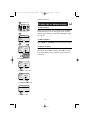
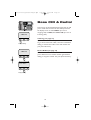
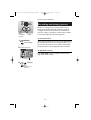
To enter a number
Use the dial pad to enter up to 32 digits. When the
number is complete, press OK.
• Press the <-- button to erase numbers if you make a
mistake.
• To enter a 3-second dialing pause, press and hold
# until “P” appears.
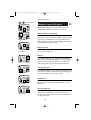
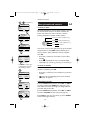
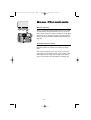
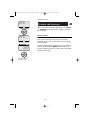
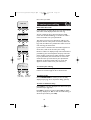
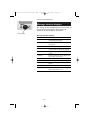
Customizing entries
Pat Johnson
908-555-0100
Ringer:
Melody 1
Picture:
SAVE
<—
Pat Johnson
908-555-0100
Ringer:
Melody 1
Picture:
EDIT
NEW
Press the DOWN NavKey button, then LEFT or RIGHT
to choose a distinctive RINGER (see page 15). If you
have Caller ID service, the ringer you assign will alert
you when this person calls.
Press the DOWN NavKey button, then LEFT or RIGHT
to insert a PICTURE into this entry (see page 14).
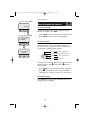
Press SAVE to save your new entry (or press CANCEL
to discard changes and exit).
19