1
91-5637-50-00_E5965C CIB_R0.qxd
6/23/2003
12:13 PM
Page 1
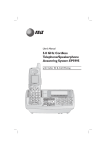
User Manual (Part 2)
5.8 GHz Cordless
Speakerphone/
Answering System
E5965C
Table of contents
Getting Started
Handset Calls Log
Quick reference guide ........................2
Parts checklist .......................................4
Before you begin ..................................5
Telephone base installation................6
Battery installation & charging ..........7
Wall mounting ......................................8
Belt clip & optional headset...............9
To review voice messages ...............27
To review Caller ID log ...................28
To dial a Caller ID entry ..................29
To review redial log ..........................30
Base Caller ID & Redial
To review Caller ID log ...................32
To dial a Caller ID entry ..................33
To review redial log ..........................34
Telephone Operation
Basic handset operation ...................10
Basic base operation .........................11
Options during calls ..........................12
Intercom calls .....................................13
Handset screen images.....................14
Handset sounds & alerts ..................15
Handset settings.................................16
Base settings........................................17
Answering System Operation
Answering system operation ..........35
Day and time announcements ........36
Outgoing announcements................37
Announce Only mode ......................38
Changing feature options .................39
Message playback ...............................40
Recording and playing memos ........41
Message window displays.................42
Remote access....................................43
Handset Phonebook Directory
New phonebook entries ..................19
Phonebook search .............................20
To dial, edit or delete entries .........21
Appendix
Display screen status icons..............44
Alert tones & indicator lights..........45
Adding new handsets ........................46
Charging spare batteries ..................47
In case of difficulty .............................48
INDEX..................................................50
Technical specifications ....................52
Remote access wallet card ..............53
Base Phonebook Directory
New phonebook entries ..................23
Phonebook search .............................24
To dial, edit or delete entries .........25
1