1
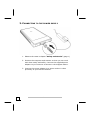
4. CONNECTING TO THE PC
Make sure your scanner software has been installed already (see
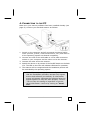
page 8). Connect your flat bed scanner as follows:
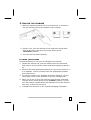
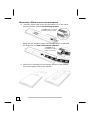
1. Switch on the computer and all connected peripheral equipment (monitor, printer, external hard drive, etc.) and wait until the operating system has booted completely.
2. Connect one end of the USB cable to a free USB connection
socket on your computer and the other end to the scanner.
3. Connect the other end to the scanner.
4. Switch the device on by means of the On/Off Switch on the back
of it. The LED on the front will indicate readiness for operation.
5. The scanner will be recognized and the installation process will
be concluded by the operating system.
Â
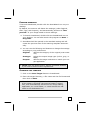
Note: If your operating system is configured so
that the installation procedure accepts only signed
drivers and software (the default) an information
screen will appear. Although the software lacks the
digital signature it may still work properly. Click on
“Tell me why this testing is important” to get detailed information. Confirm by clicking on “Continue”.
SETUP
11