1
Using vObjects
About vObjects
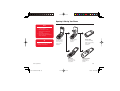
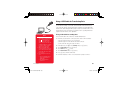
vObject is a collective name for file formats that enable your phone and other vObject
compatible phones, PCs and other devices to exchange and mutually use data such as
Contacts list entries and Calendar data.
You can send and receive vObjects as mail attachments (page 137) or transfer them by
BluetoothTM, infrared or via a USB cable. Received files can be used on your phone. If
you save vObjects to a memory card, you can use them directly from other memory card
compatible phones, PCs and other devices. Similarly, vObjects saved to a memory card
from other phones, PCs and other devices can be used on your phone.
◆ vObject compatible software is required to use the data of vObjects on a PC or
other device.
◆ Depending on the software used, vObjects may not be displayed properly.
◆ Depending on the contents of vObjects, the import of vObjects received from
another Vodafone mobile phone, PC or other device may not be possible.
◆ Depending on the contents of vObjects, the exchange of vObjects between a
vObject compatible phone and PC or other device may not be possible.
◆ When vObjects include many characters, all vObject may not be able to be sent or
received.
Data Folder
902T-e-manual-06.indd 190
190
05.6.9 4:58:59 PM