1
CAUTION
Installation and service must be performed by
authorized personnel only.
b.
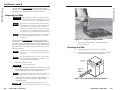
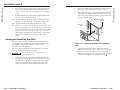
The HSA 822MS’s machined surfaces and moving parts make
them vulnerable to damage caused by mishandling during
shipment if they are improperly packaged. If, for any reason,
you need to return an HSA to Extron, first contact Extron to
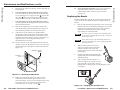
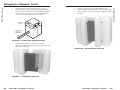
obtain a return kit. The return kit, which reduces the chances of
damage during shipment, includes a sturdy shipping carton,
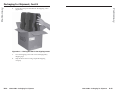
shipping restraints, and foam cut to fit the HSA (figure B-1).
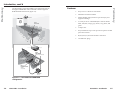
Figure B-1 — HSA 822MS return kit
Package an HSA for shipment as follows:
1.
Contact the Extron S3 Sales & Technical Support Hotline to
obtain a return kit. Extron will send the repair kit to the
location you specify.
2.
Disconnect all cables, remove any AAPs, remove the
HSA 822MS from the table or desk, and remove the surface
block as follows:
a.
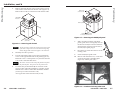
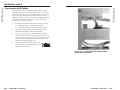
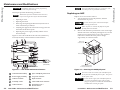
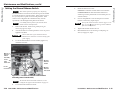
Reach through the cable access holes on the
underside of the HSA and cut the tie wraps that route
the AAP cables out of the way (figure B-2).
Figure B-2 — Cable tie-downs inside the HSA
(seen from underneath)
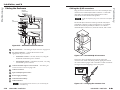
c.
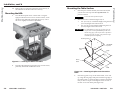
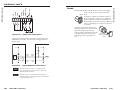
For both AAP/RJ-45 panels, remove the top and
bottom screws on the right and left sides of the panel
(figure B-3). Lift the panels away from the enclosure
as far as the connected cables allow and then allow
the panels to dangle, supported by their connected
cables.
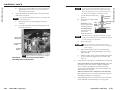
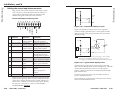
Activate the motor to raise the platform and then
disconnect the AC power.
Ensure that AC power is disconnected before
servicing the HSA unit.
When AC power is removed, the platform may sink
partially down into the HSA.
B-2
HSA 822MS • Packaging for Shipment
HSA 822MS • Packaging for Shipment
B-3
Preliminary
Preliminary
Packaging for Shipment