1
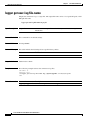
Cisco SCE 2000 and SCE 1000 CLI
Command Reference
Release 3.8.x
February 20, 2014
Cisco Systems, Inc.
www.cisco.com
Cisco has more than 200 offices worldwide.
Addresses, phone numbers, and fax numbers
are listed on the Cisco website at
www.cisco.com/go/offices.
Text Part Number: OL-26797-03
THE SPECIFICATIONS AND INFORMATION REGARDING THE PRODUCTS IN THIS MANUAL ARE SUBJECT TO CHANGE WITHOUT NOTICE. ALL
STATEMENTS, INFORMATION, AND RECOMMENDATIONS IN THIS MANUAL ARE BELIEVED TO BE ACCURATE BUT ARE PRESENTED WITHOUT
WARRANTY OF ANY KIND, EXPRESS OR IMPLIED. USERS MUST TAKE FULL RESPONSIBILITY FOR THEIR APPLICATION OF ANY PRODUCTS.
THE SOFTWARE LICENSE AND LIMITED WARRANTY FOR THE ACCOMPANYING PRODUCT ARE SET FORTH IN THE INFORMATION PACKET THAT
SHIPPED WITH THE PRODUCT AND ARE INCORPORATED HEREIN BY THIS REFERENCE. IF YOU ARE UNABLE TO LOCATE THE SOFTWARE LICENSE
OR LIMITED WARRANTY, CONTACT YOUR CISCO REPRESENTATIVE FOR A COPY.
The Cisco implementation of TCP header compression is an adaptation of a program developed by the University of California, Berkeley (UCB) as part of UCB’s public
domain version of the UNIX operating system. All rights reserved. Copyright © 1981, Regents of the University of California.
NOTWITHSTANDING ANY OTHER WARRANTY HEREIN, ALL DOCUMENT FILES AND SOFTWARE OF THESE SUPPLIERS ARE PROVIDED “AS IS” WITH
ALL FAULTS. CISCO AND THE ABOVE-NAMED SUPPLIERS DISCLAIM ALL WARRANTIES, EXPRESSED OR IMPLIED, INCLUDING, WITHOUT
LIMITATION, THOSE OF MERCHANTABILITY, FITNESS FOR A PARTICULAR PURPOSE AND NONINFRINGEMENT OR ARISING FROM A COURSE OF
DEALING, USAGE, OR TRADE PRACTICE.
IN NO EVENT SHALL CISCO OR ITS SUPPLIERS BE LIABLE FOR ANY INDIRECT, SPECIAL, CONSEQUENTIAL, OR INCIDENTAL DAMAGES, INCLUDING,
WITHOUT LIMITATION, LOST PROFITS OR LOSS OR DAMAGE TO DATA ARISING OUT OF THE USE OR INABILITY TO USE THIS MANUAL, EVEN IF CISCO
OR ITS SUPPLIERS HAVE BEEN ADVISED OF THE POSSIBILITY OF SUCH DAMAGES.
Cisco and the Cisco logo are trademarks or registered trademarks of Cisco and/or its affiliates in the U.S. and other countries. To view a list of Cisco trademarks, go to this
URL: www.cisco.com/go/trademarks. Third-party trademarks mentioned are the property of their respective owners. The use of the word partner does not imply a partnership
relationship between Cisco and any other company. (1110R)
Any Internet Protocol (IP) addresses used in this document are not intended to be actual addresses. Any examples, command display output, and figures included in the
document are shown for illustrative purposes only. Any use of actual IP addresses in illustrative content is unintentional and coincidental.
Cisco SCE 2000 and SCE 1000 CLI Command Reference
© 2012 - 2014 Cisco Systems, Inc. All rights reserved.
CONTENTS
About this Guide
CHAPTER
1
1
Command-Line Interface
Introduction
1-1
1-1
Authorization and Command Levels (Hierarchy) 1-2
CLI Authorization Levels 1-2
CLI Command Mode Hierarchy 1-3
Prompt Indications 1-6
Navigating Between Authorization Levels and Command Modes
Configuring the Physical Ports 1-9
1-7
CLI Help Features 1-10
Partial Help 1-10
Argument Help 1-10
Navigational and Shortcut Features 1-12
Command History 1-12
Keyboard Shortcuts 1-12
Auto-Completion 1-13
FTP User Name and Password 1-14
The "do" Command: Executing Commands Without Exiting
Managing Command Output 1-15
Scrolling the Screen Display 1-15
Filtering Command Output 1-15
Redirecting Command Output to a File
Creating a CLI Script
CHAPTER
2
CLI Command Reference
Introduction
?
1-14
1-16
1-17
2-1
2-1
2-2
aaa accounting commands
aaa authentication attempts
2-3
2-5
aaa authentication enable default
aaa authentication login default
2-6
2-8
Cisco SCE 2000 and SCE 1000 CLI Command Reference
OL-26797-03
i
Contents
accelerate-packet-drops
access-class
2-10
2-12
access-list
2-14
active-port
2-16
application slot replace force completion
asymmetric-L2-support
2-18
attack-detector default
2-20
attack-detector
2-17
2-22
attack-detector <number>
2-24
attack-detector TCP-port-list|UDP-port-list
attack-filter
2-29
attack-filter dont-filter | force-filter
2-31
attack-filter subscriber-notification ports
auto-fail-over
blink
2-36
2-37
2-38
boot system
2-39
calendar set
2-41
cd
2-34
2-35
auto-negotiate
bandwidth
2-27
2-43
clear arp-cache
2-44
clear interface linecard counters
clear interface linecard flow-filter
2-45
2-46
clear interface linecard mac-resolver arp-cache
clear interface linecard mpls vpn
clear interface linecard subscriber
2-47
2-48
2-49
clear interface linecard subscriber db counters
clear interface linecard TpReportCounters
clear interface linecard traffic-counter
2-50
2-51
2-52
clear interface linecard vas-traffic-forwarding vas counters health-check
clear interface linecard vpn
2-54
clear interface linecard vpn name upstream-mpls all
clear interface range
clear logger
2-53
2-55
2-56
2-57
clear management-agent notifications counters
2-59
Cisco SCE 2000 and SCE 1000 CLI Command Reference
ii
OL-26797-03
Contents
clear rdr-formatter
2-60
clear scmp name counters
clock read-calendar
clock set
2-61
2-62
2-63
clock summertime
clock timezone
2-64
2-67
clock update-calendar
configure
2-68
2-69
connection-mode (SCE 1000 platform)
2-70
connection-mode (SCE 2000 platform)
2-71
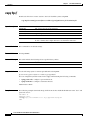
copy
2-73
copy ftp://
2-74
copy-passive
2-76
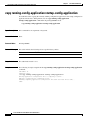
copy running-config-application startup-config-application
copy running-config-party-db startup-config-party-db
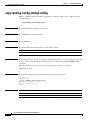
copy running-config startup-config
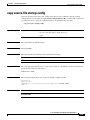
copy source-file ftp://
2-82
2-85
copy startup-config destination-file
2-86
copy startup-config-party-db backupfile
cpa-client destination
dir
2-90
2-94
2-95
2-97
duplex
2-98
enable
2-100
enable password
end
2-102
2-104
erase startup-config-all
exit
2-91
2-92
disable
do
2-87
2-89
default subscriber template all
delete
2-80
2-83
copy source-file startup-config
cpa-client retries
2-78
2-105
2-106
failure-recovery operation-mode
flow-capture
2-108
2-109
Cisco SCE 2000 and SCE 1000 CLI Command Reference
OL-26797-03
iii
Contents
flow-capture controllers
2-113
force failure-condition (SCE 2000 only)
help
2-115
2-116
history
2-118
history size
hostname
2-119
2-120
interface gigabitethernet
interface linecard
interface mng
2-121
2-123
2-124
interface range gigabitethernet
ip access-class
ip address
2-128
2-129
ip advertising
2-131
ip default-gateway
2-133
ip domain-lookup
2-134
ip domain-name
2-136
ip filter fragment
2-138
ip filter monitor
2-140
ip ftp password
2-142
ip ftp username
2-143
ip host
2-144
ip name-server
2-145
ip radius-client retry limit
ip route
2-146
2-147
ip rpc-adapter
2-149
ip rpc-adapter port
2-151
ip rpc-adaptor security-level
ip ssh
2-126
2-153
2-154
ip ssh access-class
ip ssh key
2-156
2-158
ip-tunnel IPinIP DSCP-marking-skip
ip-tunnel IPinIP skip
ip-tunnel l2tp skip
l2tp identify-by
line vty
2-160
2-162
2-164
2-166
2-168
Cisco SCE 2000 and SCE 1000 CLI Command Reference
iv
OL-26797-03
Contents
link failure-reflection
link mode
2-169
2-171
link port-enhanced-recovery
logger add-user-message
logger device
2-173
2-174
2-175
logger device user-file-log max-file-size
logger get support-file
2-177
logger get user-log file-name
logging facility
logging host
2-181
2-183
2-184
logging rate-limit
logging trap
logout
2-178
2-179
logging message-counter
logging on
2-176
2-186
2-188
2-190
mac-resolver arp
2-191
management-agent sce-api ignore-cascade-violation
management-agent sce-api logging
2-194
management-agent sce-api timeout
2-195
management-agent system
mkdir
more
2-196
2-198
2-199
more running-config-all
2-201
more running-config-application
more running-config-party-db
more startup-config-all
2-209
more startup-config-party-db
more user-log
2-205
2-207
more startup-config-application
mpls
2-193
2-213
2-215
2-217
2-218
mpls vpn pe-id
2-220
no mpls vpn pe-database
no subscriber
2-222
2-223
no subscriber mappings included-in
party mapping ip-address name
2-225
2-226
Cisco SCE 2000 and SCE 1000 CLI Command Reference
OL-26797-03
v
Contents
party mapping ip-range
party name
2-227
2-228
party template index
2-229
periodic-records aggregate-by-cpu
ping
2-232
pqi install file
2-233
pqi rollback file
2-234
pqi uninstall file
2-235
pqi upgrade file
2-236
pwd
2-230
2-238
queue
2-239
rdr-formatter category number buffer-size
rdr-formatter category number name
rdr-formatter destination
2-241
2-243
2-245
rdr-formatter destination protocol NetflowV9 template data timeout
rdr-formatter forwarding-mode
rdr-formatter history-size
rdr-formatter protocol
2-250
2-252
2-253
rdr-formatter protocol NetflowV9 dscp
rdr-formatter rdr-mapping
reload
rename
salt
2-255
2-258
2-259
2-260
2-261
sce-url-database add-entry
sce-url-database import
2-262
2-264
sce-url-database protection
2-267
sce-url-database remove-all
2-270
scmp
2-254
2-257
reload shutdown
rmdir
2-248
2-271
scmp keepalive-interval
2-273
scmp loss-of-sync-timeout
scmp name
2-274
2-275
scmp reconnect-interval
2-277
scmp subscriber force-single-sce
2-278
Cisco SCE 2000 and SCE 1000 CLI Command Reference
vi
OL-26797-03
Contents
scmp subscriber id append-to-guid
2-279
scmp subscriber send-session-start
script capture
script print
script run
2-281
2-282
2-283
2-284
script stop
2-286
service-bandwidth-prioritization-mode
service password-encryption
service rdr-formatter
service telnetd
2-288
2-290
2-292
service timestamps
setup
2-287
2-294
2-296
show access-lists
2-300
show applications slot tunable
show blink
2-302
show calendar
show clock
2-301
2-303
2-304
show failure-recovery operation-mode
show hostname
show hosts
2-305
2-306
2-307
show interface gigabitethernet
show interface linecard
2-308
2-309
show interface linecard accelerate-packet-drops
show interface linecard application
2-310
2-311
show interface linecard asymmetric-L2-support
2-312
show interface linecard asymmetric-routing-topology
show interface linecard attack-detector
show interface linecard attack-filter
2-313
2-315
2-318
show interface linecard cascade connection-status
2-320
show interface linecard cascade peer-sce-information
show interface linecard cascade redundancy-status
show interface linecard connection-mode
show interface linecard counters
show interface linecard cpa-client
2-322
2-324
2-325
2-327
2-329
show interface linecard duplicate-packets-mode
2-331
Cisco SCE 2000 and SCE 1000 CLI Command Reference
OL-26797-03
vii
Contents
show interface linecard flow-capture
2-332
show interface linecard flow-open-mode
show interface linecard ip-tunnel
2-334
show interface linecard ip-tunnel IPinIP
show interface linecard l2tp
2-333
2-335
2-336
show interface linecard link mode
2-337
show interface linecard link-to-port-mappings
show interface linecard mac-mapping
2-339
show interface linecard mac-resolver arp
show interface linecard mpls
2-338
2-340
2-341
show interface linecard mpls vpn
2-342
show interface linecard periodic-records aggregation
2-344
show interface linecard physically-connected-links (SCE 2000 only)
show interface linecard sce-url-database
2-346
show interface linecard sce-url-database protection
2-347
show interface linecard service-bandwidth-prioritization-mode
show interface linecard shutdown
show interface linecard silent
2-345
2-348
2-349
2-350
show interface linecard subscriber
2-351
show interface linecard subscriber aging
2-353
show interface linecard subscriber anonymous
2-354
show interface linecard subscriber anonymous-group
show interface linecard subscriber db counters
show interface linecard subscriber mapping
show interface linecard subscriber name
2-355
2-356
2-359
2-362
show interface linecard subscriber name breach-state
2-364
show interface linecard subscriber name bucket-state
2-365
show interface linecard subscriber name bucket-state id
show interface linecard subscriber properties
2-367
2-368
show interface linecard subscriber sm-connection-failure
show interface linecard subscriber templates
2-371
show interface linecard subscriber tp-mappings statistics
show interface linecard subscriber tp-ip-range
2-369
2-372
2-373
show interface linecard subscriber mapping included-in tp-ip-range
show interface linecard subscriber max-subscribers
2-374
2-376
Cisco SCE 2000 and SCE 1000 CLI Command Reference
viii
OL-26797-03
Contents
show interface linecard tos-marking
2-377
show interface linecard TpReportCounters
show interface linecard traffic-counter
show interface linecard traffic-rule
2-379
2-381
2-382
show interface linecard vas-traffic-forwarding
show interface linecard virtual-links
show interface linecard vlan
2-386
2-388
show interface linecard vlan translation
show interface linecard vpn
show inventory
2-394
show ip advertising
2-395
2-396
show ip default-gateway
show ip route
2-400
2-401
show ip rpc-adapter
2-403
2-404
show line vty
show log
2-397
2-398
show ip radius-client
show ip ssh
2-392
2-393
show ip access-class
show ip filter
2-389
2-390
show interface linecard wap
show interface mng
2-383
2-405
2-406
show logger device
2-407
show management-agent
2-409
show management-agent sce-api quota
show party name
show pqi file
2-410
2-411
2-412
show pqi last-installed
show rdr-formatter
2-413
2-414
show rdr-formatter connection-status
show rdr-formatter counters
2-418
show rdr-formatter destination
show rdr-formatter enabled
2-416
2-420
2-422
show rdr-formatter forwarding-mode
show rdr-formatter history-size
2-424
2-426
Cisco SCE 2000 and SCE 1000 CLI Command Reference
OL-26797-03
ix
Contents
show rdr-formatter protocol NetflowV9 dscp
show rdr-formatter rdr-mapping
show rdr-formatter statistics
show running-config
2-429
2-431
2-433
show running-config-all
2-435
show running-config-application
show running-config-party-db
show scmp
2-443
show snmp
2-445
show snmp community
2-448
show snmp enabled
2-449
2-441
2-450
show snmp location
show snmp mib
2-451
2-452
show snmp traps
show sntp
2-453
2-454
show startup-config
2-455
show startup-config-all
2-456
show startup-config-application
show startup-config-party-db
show system operation-status
show system-uptime
show tacacs
show timezone
show version
2-462
2-464
2-466
show telnet status
show users
2-460
2-465
show telnet sessions
2-468
2-469
2-470
2-471
2-472
show version all
2-474
show version software
silent
2-439
2-447
show snmp contact
show snmp host
2-428
2-476
2-477
snmp-server
2-478
snmp-server community
snmp-server contact
2-479
2-480
Cisco SCE 2000 and SCE 1000 CLI Command Reference
x
OL-26797-03
Contents
snmp-server enable traps
snmp-server host
2-481
2-483
snmp-server interface
2-484
snmp-server location
2-485
sntp broadcast client
2-486
sntp server
2-487
sntp update-interval
speed
2-488
2-489
subscriber aging
2-490
subscriber anonymous-group export csv-file
2-492
subscriber anonymous-group import csv-file
2-493
subscriber anonymous-group name ip-range
2-494
subscriber capacity-options
2-497
subscriber downstream-split-flow-pull
subscriber export csv-file
2-500
subscriber import csv-file
2-502
subscriber ip-linger-stats
2-503
subscriber ip-linger-time
2-504
subscriber max-subscribers
subscriber name property
2-499
2-505
2-507
subscriber sm-connection-failure
2-509
subscriber template export csv-file
2-511
subscriber template import csv-file
2-512
subscriber tp-mappings
2-513
subscriber tp-ip-range name ip-range target-tp
2-515
subscriber tp-ip-range {import | export} csv-file
2-517
tacacs-server host
tacacs-server key
2-519
2-521
tacacs-server timeout
telnet
timeout
tracert
2-523
2-524
2-525
2-526
traffic-counter
traffic-rule
tunable value
2-527
2-529
2-533
Cisco SCE 2000 and SCE 1000 CLI Command Reference
OL-26797-03
xi
Contents
unzip
2-535
username
2-536
username privilege
2-538
vas-traffic-forwarding
2-540
vas-traffic-forwarding traffic-link
2-542
vas-traffic-forwarding traffic-link auto-select
vas-traffic-forwarding vas health-check
2-544
2-546
vas-traffic-forwarding vas server-id health-check
vas-traffic-forwarding vas server-id vlan
vas-traffic-forwarding vas server-group
2-551
2-553
vas-traffic-forwarding vas server-group failure
vas-traffic-forwarding vas server-id
virtual-links index direction
vlan
2-555
2-557
2-559
2-563
vlan translation
wap
2-548
2-565
2-567
Cisco SCE 2000 and SCE 1000 CLI Command Reference
xii
OL-26797-03
About this Guide
Revised: February 20, 2014, OL-26797-03
Introduction
This guide contains Command-Line Interface (CLI) commands to maintain the SCE platform. This guide
assumes a basic familiarity with telecommunications equipment and installation procedures.
This reference provides a complete listing of all commands at the admin authorization level or below,
with examples of how to use each command to perform typical SCE platform management functions.
Note
This guide applies only to the Cisco SCE 2000 and the Cisco SCE1000 platforms. For information
concerning CLI commands for the Cisco SCE8000 platform, refer to the Cisco SCE8000 CLI Command
Reference.
Audience
This guide is intended for the networking or computer technician responsible for configuring and
maintaining the SCE platform on-site. It is also intended for the operator who manages the SCE
platform(s). This guide does not cover high-level technical support procedures available to Root
administrators and Cisco technical support personnel.
Cisco SCE 2000 and SCE 1000 CLI Command Reference
OL-26797-03
1
Document Revision History
The Document Revision History below records changes to this document.
Table 1
Document Revision History
Revision
OL-26797-03
Cisco Service Control
Release and Date
Change Summary
Release 3.8.x
February 20, 2014
Updated the output examples of the following
commands:
•
more running-config-all
•
more startup-config-all
•
show running-config-all
•
more running-config-all
OL-26797-02
Release 3.8.x
December 21, 2012
Updated for 3.8.x.
OL-26797-01
Release 3.8.x
September 17, 2012
First version of this document (new for the Release
3.8.x train).
Organization
This guide contains the following sections:
Table 2
Document Organization
Section
Title
Description
1
Command-Line Interface, page 1-1
Describes how to use the SCE platform
Command-Line Interface (CLI), its hierarchical
structure, authorization levels and its help
features.
2
CLI Command Reference, page 2-1
Provides an alphabetical list of the available CLI
commands that you can use to configure the SCE
platform
Related Publications
This Cisco SCE 2000 and SCE 1000 CLI Command Reference should be used in conjunction with the
following SCE platform manuals to provide a detailed explanation of the commands:
•
Cisco SCE 2000 and SCE 1000 Software Configuration Guide
•
Cisco SCE 2000 4xGBE Installation and Configuration Guide
•
Cisco SCE 1000 2xGBE Installation and Configuration Guide
For information regarding CLI commands for the Cisco SCE8000 platform, refere to Cisco SCE8000
CLI Command Reference.
Cisco SCE 2000 and SCE 1000 CLI Command Reference
2
OL-26797-03
Conventions
This document uses the following conventions:
Table 3
Conventions
Convention
Indication
bold font
Commands and keywords and user-entered text appear in bold font.
italic font
Document titles, new or emphasized terms, and arguments for which you supply
values are in italic font.
[ ]
Elements in square brackets are optional.
{x | y | z}
Required alternative keywords are grouped in braces and separated by
vertical bars.
[x | y | z]
Optional alternative keywords are grouped in brackets and separated by
vertical bars.
string
A nonquoted set of characters. Do not use quotation marks around the string or
the string will include the quotation marks.
courier
font
Terminal sessions and information the system displays appear in courier font.
< >
Nonprinting characters such as passwords are in angle brackets.
[ ]
Default responses to system prompts are in square brackets.
!, #
An exclamation point (!) or a pound sign (#) at the beginning of a line of code
indicates a comment line.
Note
Means reader take note.
Tip
Means the following information will help you solve a problem.
Caution
Timesaver
Warning
Means reader be careful. In this situation, you might perform an action that could result in equipment
damage or loss of data.
Means the described action saves time. You can save time by performing the action described in
the paragraph.
Means reader be warned. In this situation, you might perform an action that could result in
bodily injury.
Cisco SCE 2000 and SCE 1000 CLI Command Reference
OL-26797-03
3
Obtaining Documentation and Submitting a Service Request
For information on obtaining documentation, submitting a service request, and gathering additional
information, see the monthly What’s New in Cisco Product Documentation, which also lists all new and
revised Cisco technical documentation, at:
http://www.cisco.com/en/US/docs/general/whatsnew/whatsnew.html
Subscribe to the What’s New in Cisco Product Documentation as a Really Simple Syndication (RSS) feed
and set content to be delivered directly to your desktop using a reader application. The RSS feeds are a free
service and Cisco currently supports RSS version 2.0.
Cisco SCE 2000 and SCE 1000 CLI Command Reference
4
OL-26797-03
CH A P T E R
1
Command-Line Interface
Revised: February 20, 2014, OL-26797-03
Introduction
This chapter describes how to use the SCE platform Command-Line Interface (CLI), its hierarchical
structure, authorization levels and its help features. The Command-Line Interface is one of the SCE
platform management interfaces.
The CLI is accessed through a Telnet session or directly via the console port on the front panel of the
SCE platform. When you enter a Telnet session, you enter as the simplest level of user, in the User Exec
mode.
The SCE platform supports up to eleven concurrent CLI sessions; five sessions initiated by Telnet
connection, five sessions by SSH connection, and one session on the console port.
•
Authorization and Command Levels (Hierarchy), page 1-2
•
CLI Help Features, page 1-10
•
Navigational and Shortcut Features, page 1-12
•
Managing Command Output, page 1-15
•
Creating a CLI Script, page 1-17
Cisco SCE 2000 and SCE 1000 CLI Command Reference
OL-26797-03
1-1
Chapter 1
Command-Line Interface
Authorization and Command Levels (Hierarchy)
Authorization and Command Levels (Hierarchy)
•
CLI Command Mode Hierarchy, page 1-3
•
Prompt Indications, page 1-6
•
Navigating Between Authorization Levels and Command Modes, page 1-7
When using the CLI there are two important concepts that you must understand to navigate:
•
Authorization Level — Indicates the level of commands you can execute. A user with a simple
authorization level can only view some information in the system, while a higher level administrator
can actually make changes to configuration.
This manual documents commands at the user exec, privileged exec, and admin authorization levels.
•
Command Hierarchy Level — Provides you with a context for initiating commands. Commands are
broken down into categories and you can only execute each command within the context of its
category. For example, to configure parameters related to the Line Card, you need to be within the
Linecard Interface Configuration Mode. CLI Command Mode Hierarchy, page 1-3
The following sections describe the available Authorization and Command Hierarchy Levels and how to
maneuver within them.
The on-screen prompt indicates both your authorization level and your command hierarchy level, as well
as the assigned host name.
Note
Throughout the manual, SCE is used as the sample host name.
CLI Authorization Levels
The SCE platform has four authorization levels, which represent the user access permissions. When you
initially connect to the SCE platform, you automatically have the most basic authorization level, that is
User, which allows minimum functionality.
To monitor the system, you must have Viewer authorization, while to perform administrative functions
on the SCE platform, you must have Admin or Root authorization. A higher level of authorization is
accessed by logging in with appropriate password, as described in the procedures below.
In each authorization level, all the commands of the lower authorization layers are available in addition
to commands that are authorized only to the current level.
The following CLI commands are related to authorization levels:
•
enable
•
disable
Cisco SCE 2000 and SCE 1000 CLI Command Reference
1-2
OL-26797-03
Chapter 1
Command-Line Interface
Authorization and Command Levels (Hierarchy)
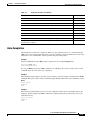
Each authorization level has a value (number) corresponding to it. When using the CLI commands, use
the values, not the name of the level, as shown in Table 1-1.
Table 1-1
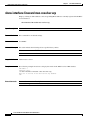
Authorization Levels
Level
Description
Value Prompt
User
Password required. This level enables basic operational functionality.
0
>
Viewer Password required. This level enables monitoring functionality. All show
5
commands are available to the Viewer authorization level, with the exception
of those that display password information.
>
Admin Password required. For use by general administrators, the Admin
authorization level enables configuration and management of the SCE
platform.
10
#
Root
15
#>
Password required. For use by technical field engineers, the Root
authorization level enables configuration of all advanced settings, such as
debug and disaster recovery. The Root level is used by technical engineers
only.
CLI Command Mode Hierarchy
The set of all CLI commands is grouped in hierarchical order, according to the type of the commands.
The first two levels in the hierarchy are the User Exec and Privileged Exec modes. These are
non-configuration modes in which the set of available commands enables the monitoring of the SCE
platform, file system operations, and other operations that cannot alter the configuration of the SCE
platform.
The next levels in the hierarchy are the Global and Interface configuration modes, which hold a set of
commands that control the global configuration of the SCE platform and its interfaces. Any of the
parameters set by the commands in these modes should be saved in the startup configuration, such that
in the case of a reboot, the SCE platform restores the saved configuration.
Table 1-2 shows the available CLI modes.
Table 1-2
CLI Modes
Mode
Description
Level
User Exec
Initial mode. Also allows
monitoring of the system (show
commands).
User/Viewer SCE >
Privileged Exec
General administration; file
system manipulations and
control of basic parameters that
do not change the configuration
of the SCE platform.
•
Admin
•
SCE #
•
Root
•
SCE #>
Configuration of general system
parameters, such as DNS, host
name, and time zone.
•
Admin
•
SCE (config)#
•
Root
•
SCE (config)#
Global Configuration
Prompt indication
>
Cisco SCE 2000 and SCE 1000 CLI Command Reference
OL-26797-03
1-3
Chapter 1
Command-Line Interface
Authorization and Command Levels (Hierarchy)
Table 1-2
CLI Modes (continued)
Mode
Description
Interface Configuration Configuration of specific system
interface parameters, for the
following interface modes.
•
linecard interface
•
management interface
•
specific traffic interface
Level
Prompt indication
•
Admin
•
SCE(config if)#
•
Root
•
SCE(config if)#>
Interface Range
Configuration
Configuration of a range of
traffic interfaces.
•
Admin
•
SCE(config if range)#
•
Root
•
SCE(config if range)#>
Line Configuration
Configuration of Telnet lines,
such as an access-list.
•
Admin
•
SCE (config-line)#
•
Root
•
SCE (config-line)#>
When you login to the system, you have the User authorization level and enter User Exec mode.
Changing the authorization level to Viewer does not change the mode. Changing the authorization level
to Admin automatically moves you to Privileged Exec mode. To move to any of the configuration modes,
you must enter commands specific to that mode.
The list of available commands in each mode can be viewed using the question mark ‘?’ at the end of the
prompt.
Cisco SCE 2000 and SCE 1000 CLI Command Reference
1-4
OL-26797-03
Chapter 1
Command-Line Interface
Authorization and Command Levels (Hierarchy)
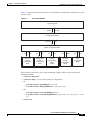
Figure 1-1 illustrates the hierarchical structure of the CLI modes, and the CLI commands used to enter
and exit a mode.
Figure 1-1
CLI Command Modes
User Exec Mode
Enable
Disable
Privileged Exec Mode
Configure
Exit
Global Configuration Mode
Exit
E2
Line Card
Interface
Configuration
Mode
Exit
Management
Interface
Configuration
Mode
E3
Exit
Interface
Configuration
Mode
(Traffic)
E4
Exit
Interface
Range
Configuration
Mode
E5
Exit
Line
Configuration
Mode
210640
E1
Interface Configuration Mode
The following commands are used to enter the different configure interface modes and the Line
Configuration Mode:
•
E1 interface Linecard 0
•
E2 interface Mng 0/1 or 0/2 (management port, all platforms)
•
E3:
– SCE 1000: interface GigabitEthernet 0/1 or 0/2
– SCE 2000: interface TenGigabitEthernet 0/1, 0/2, 0/3, or 0/4
•
E4:
– SCE 1000: interface range GigabitEthernet 0/1-2
– SCE 2000: interface range TenGigabitEthernet 0/<port-range (any range between 1 and
4)>
•
E5 line vty 0
Cisco SCE 2000 and SCE 1000 CLI Command Reference
OL-26797-03
1-5
Chapter 1
Command-Line Interface
Authorization and Command Levels (Hierarchy)
Note
Although the system supports up to five concurrent Telnet connections, you cannot configure them
separately. This means that any number you enter in the line vty command (0, 1, 2, 3 or 4 ) will act as a
0 and configure all five connections together.
Note
In order for the auto-completion feature to work, when you move from one interface configuration mode
to another, you must first exit the current interface configuration mode (as illustrated in the above
figure).
Example:
This example illustrates moving into and out of configuration modes as follows:
•
Enter global configuration mode
•
Configure the SCE platform time zone
•
Enter Mng Interface configuration mode for Mng port 1
•
Configure the speed of the management interface
•
Exit the Mng Interface configuration mode to the global configuration mode
•
Enter the Linecard Interface configuration
•
Define the link mode
•
Exit Linecard Interface configuration mode to the global configuration mode
•
Exit global configuration mode
SCE#configure
SCE(config)#clock timezone PST -10
SCE(config)#interface Mng 0/1
SCE(config if)#speed 100
SCE(config if)#exit
SCE(config)#interface Linecard 0
SCE(config if)#link mode all-links forwarding
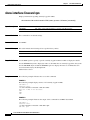
SCE(config if)#exit
SCE(config)#exit
sce#
Prompt Indications
The on-screen prompt indicates your authorization level, your command hierarchy level, and the
assigned host name. The structure of the prompt is:
<hostname (mode-indication) level-indication>
Authorization levels are indicated as listed in Table 1-3.
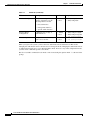
Table 1-3
Prompt Indications: Authorization levels
This prompt...
Indicates this...
>
indicates User and Viewer levels
#
indicates Admin level
#>
indicates Root level
Cisco SCE 2000 and SCE 1000 CLI Command Reference
1-6
OL-26797-03
Chapter 1
Command-Line Interface
Authorization and Command Levels (Hierarchy)
Command modes are indicated as listed in Table 1-4.
Table 1-4
Prompt Indications: Command Modes
This command hierarchy...
Is indicated as...
User Exec
SCE>
Privileged Exec
sce#
Global Configuration
SCE
(config)#
Interface Configuration
SCE
(config if)#
Interface Range Configuration
SCE
(config if range)#
Line Configuration
SCE
(config-line)#
Example:
The prompt SCE1(config if)# indicates:
•
The name of the SCE platform is SCE1
•
The current CLI mode is Interface configuration mode
•
The user has Admin authorization level
Navigating Between Authorization Levels and Command Modes
The authorization levels and command modes function together in one hierarchy. The User and Viewer
authorization levels have only a single command mode. When you enter either the Admin or Root
authorization level (which function in parallel), you enter the Privileged Exec command mode. From
this command mode you can access the other command modes.
•
User Exec authorization level
•
Viewer authorization level
•
Privileged Exec command mode (you are now in either Admin or Root authorization level)
•
Global Configuration command mode
From this command mode, the following Interface Command Modes can be accessed:
– Management Interface Configuration
– Linecard Interface Configuration
– GigabitEthernet Interface Configuration (GBE traffic interfaces)
– Interface Range Configuration (range of traffic interfaces)
– Line Configuration
Cisco SCE 2000 and SCE 1000 CLI Command Reference
OL-26797-03
1-7
Chapter 1
Command-Line Interface
Authorization and Command Levels (Hierarchy)
Table 1-5 summarizes how to navigate the CLI command hierarchy.
Table 1-5
CLI Command Hierarchy
Authorization Level or
Command Mode
Use this command to access
Use this command to
exit
User Exec
Not applicable
logout or exit (exits the
current CLI session)
Viewer
enable 5
disable
Privileged Exec
enable 10 or enable 15 (accesses root level)
disable
Global Configuration
configure
exit (exits to Privileged
Exec)
end (exits to User Exec)
Management Interface
Configuration
(management)
interface Mng 0/1 or 0/2
Linecard Interface
Configuration
interface linecard 0
exit (exits to Global
Configuration)
end (exits to User Exec)
exit (exits to Global
Configuration)
end (exits to User Exec)
GigabitEthernet Interface
Configuration (traffic)
SCE 2000: interface gigabitethernet 0/1, 0/2, exit (exits to Global
Configuration)
0/3, or 0/4
SCE 1000: interface gigabitethernet 0/1 or
0/2
end (exits to User Exec)
OR
SCE 2000: interface range gigabitethernet
0/<port-range (any range between 1 and 4)
SCE 1000: interface range gigabitethernet
0/1-2
Line Configuration
line vty 0
exit (exits to Global
Configuration)
end (exits to User Exec)
Cisco SCE 2000 and SCE 1000 CLI Command Reference
1-8
OL-26797-03
Chapter 1
Command-Line Interface
Authorization and Command Levels (Hierarchy)
Configuring the Physical Ports
The SCE platform contains the following physical port interfaces:
•
Management:
The following commands are used to configure the management port:
– ip address
– duplex
– speed
– active-port
– auto-fail-over
•
Gigabit Ethernet
The following commands are used to configure the Gigabit Ethernet line ports. These are the
commands for which the range interface mode is relevant; use the range interface command to
configure more than one interface at a time if you are configuring them to identical values.
– auto-negotiate
– bandwidth
– queue
Cisco SCE 2000 and SCE 1000 CLI Command Reference
OL-26797-03
1-9
Chapter 1
Command-Line Interface
CLI Help Features
CLI Help Features
CLI provides context sensitive help. Two types of context sensitive help are supported:
•
Partial Help, page 1-10
•
Argument Help, page 1-10
Partial Help
To obtain a list of commands that begin with a particular character string, enter the abbreviated command
entry immediately followed by a question mark (?). This form of help is called partial help, because it
lists only the keywords or arguments that begin with the abbreviation you entered.
Example:
The following example illustrates how typing c? displays all available arguments that start with the letter
c.
SCE(config)#snmp-server c?
Community contact
SCE(config)#snmp-server c
Argument Help
To obtain a list of command’s associated keywords or parameters, type a question mark (?) in place of a
keyword or parameter on the command line.
Note that if <Enter> is acceptable input, the symbol <cr> represents the Enter key.
Example:
The following example illustrates how to get a list of all arguments or keywords expected after the
command snmp-server.
SCE(config)#snmp-server ?
community Define community string
contact
Set system contact
enable
Enable the SNMP agent
host
Set traps destination
interface Set interface parameters
SCE(config)# snmp-server
When asking for help on particular parameter, the system informs you of the type of data that is an
accepted legal value. The types of parameters supported are:
STRING:
When a String is expected, you can enter any set of characters or digits. If the string
has a space as one of its characters, use double-quote (“) marks to enclose the string.
DECIMAL: Any decimal number. Positive number is assumed, for negative numbers use the “–”
symbol.
HEX:
A hexadecimal number; must start with either 0x or 0X.
Cisco SCE 2000 and SCE 1000 CLI Command Reference
1-10
OL-26797-03
Chapter 1
Command-Line Interface
CLI Help Features
Example:
The following example illustrates the use of ? to get help on commands syntax. In this example, you can
enter either the word running-config, or any name of a file, after the word copy.
SCE#copy ?
running-config
startup-config
STRING
SCE#copy
Copy running configuration file
Backup the startup-config to a specified destination
Source file
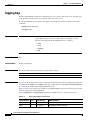
Table 1-6 summarizes the CLI help features.
Table 1-6
Getting Help
Command
Purpose
?
List all commands available for a particular
command mode
<abbreviated-command-entry>?
Obtain a list of commands that begin with a
particular character string.
Example:
(Do not leave a space between the command and
question mark.)
c?
calendar cd clear
copy copy-passive
clock
configure
<abbreviated-command-entry><Tab>
Complete a partial command name.
Example:
en <Tab>
enable
<command>?
List the keywords associated with the specified
command.
<command keyword> ?
List the arguments associated with the specified
keyword.
Example:
Leave a space between the keyword and question
mark
show ?
access-lists
Show all access-lists
Cisco SCE 2000 and SCE 1000 CLI Command Reference
OL-26797-03
1-11
Chapter 1
Command-Line Interface
Navigational and Shortcut Features
Navigational and Shortcut Features
•
Command History, page 1-12
•
Keyboard Shortcuts, page 1-12
•
Auto-Completion, page 1-13
•
FTP User Name and Password, page 1-14
•
The "do" Command: Executing Commands Without Exiting, page 1-14
Command History
CLI maintains a history buffer of the most recent commands you used in the current CLI session for
quick retrieval. Using the keyboard, you can navigate through your last commands, one by one, or all
commands that start with a given prefix. By default, the system saves the last 30 commands you typed.
You can change the number of commands remembered using the history size command.
To use the history functions, use the keys shown in Table 1-7.
Table 1-7
Keyboard Shortcuts for History Functions
Arrow
Shortcut
Description
Up arrow
Ctrl-P
Move cursor to the previous command with the same prefix.
Down arrow
Ctrl-N
Moves the cursor to the next command with the same prefix
as original.
Ctrl-L
Re-display the current command line.
Ctrl-R
Keyboard Shortcuts
The SCE platform has several keyboard shortcuts that make it easier to navigate and use the system.
Table 1-8 shows the keyboard shortcuts available.
You can get a display the keyboard shortcuts at any time by typing help bindings.
Table 1-8
Keyboard Shortcuts
Description
Shortcut key
Navigational shortcuts
Move cursor one character to the right.
CTRL-F /->
Move cursor one character to the left.
CTRL-B /<-
Move cursor one word to the right (forward).
ESC-F
Move cursor one word to the left (backward).
ESC-B
Move cursor to the start of the line.
CTRL-A
Move cursor to the end of the line.
CTRL-E
Editing shortcuts
Cisco SCE 2000 and SCE 1000 CLI Command Reference
1-12
OL-26797-03
Chapter 1
Command-Line Interface
Navigational and Shortcut Features
Table 1-8
Keyboard Shortcuts (continued)
Description
Shortcut key
Delete the character where the cursor is located.
CTRL-D
Delete from the cursor position to the end of the word.
ESC-d
Delete the character before the current location of the cursor.
Backspace
Delete the character before the current location of the cursor.
CTRL-H
Deletes from the cursor position to the end of the line
CTRL-K
Deletes all characters from the cursor to the beginning of the line
CTRL-U
Delete the word to the left of the cursor.
CTRL-W
Recall the last item deleted.
CTRL-Y
Completes the word when there is only one possible completion.
<Tab>
Completes the word when there is only one possible completion. (Same
functionality as <Tab>.)
CTRL-I
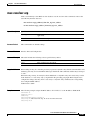
Auto-Completion
The CLI interface features tab completion. When you type in the first letters of a command and type
<Tab>, the system automatically fills in the rest of the command or keyword. This feature works only
when there is one command that could be possible using the starting letters.
Example 1
The letters snm followed by <Tab> will be completed to the command snmp-server.
SCE(config)#snm <Tab>
SCE(config)#snmp-server
If you type <Enter> instead of <Tab>, and there is no ambiguity, the system actually carries out the
command that is the result of the auto-completion.
Example 2
The following example displays how the system completes a partial (unique) command for the enable
command. The system carries out the command using the default authorization level (10) when you press
Enter.
SCE>en <Enter>
Password:
sce#
Example 3
The following example illustrates how to use the completion feature with a non-default value for the
argument. In this example, the enable command is completed using the specified value (15) for the
authorization level.
SCE>en 15 <Enter>
Password:
sce#
Cisco SCE 2000 and SCE 1000 CLI Command Reference
OL-26797-03
1-13
Chapter 1
Command-Line Interface
Navigational and Shortcut Features
FTP User Name and Password
CLI enables saving FTP user name and password to be used in FTP operations—download and upload,
per session.
These settings are effective during the current CLI session.
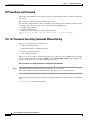
The following example illustrates how to set FTP password and user name and the use in these settings
for getting a file named config.tmp from a remote station using FTP protocol.
sce#ip FTP password 1234
sce#ip FTP username cisco
sce#copy ftp://@10.10.10.10/h:/config.tmp myconf.txt
connecting 10.1.1.253 (user name cisco password 1234) to retrieve config.tmp
sce#
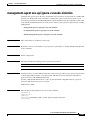
The "do" Command: Executing Commands Without Exiting
There are four configuration command modes:
•
Global configuration mode
•
Management interface configuration mode
•
Interface configuration mode
•
Line configuration mode
When you are in one of these configuration modes, it is possible to execute an EXEC mode command
(such as a show command) or a privileged EXEC (such as show running-config ) without exiting to the
relevant command mode. Use the 'do' command for this purpose.
How to execute an exec mode command from a configuration command mode
Step 1
At the SCE(config)# (or SCE(config if)# ) prompt, type do <command>.
The specified command executes without exiting to the appropriate exec command mode.
The following example shows how to display the running configuration while in interface configuration
mode.
SCE(config if#) do show running-config
Cisco SCE 2000 and SCE 1000 CLI Command Reference
1-14
OL-26797-03
Chapter 1
Command-Line Interface
Managing Command Output
Managing Command Output
•
Scrolling the Screen Display, page 1-15
•
Filtering Command Output, page 1-15
•
Redirecting Command Output to a File, page 1-16
Some commands, such as many show commands, may have many lines of output. There are several ways
of managing the command output:
•
Scrolling options — When the command output is too large to be displayed all at once, you can
control whether the display scrolls line by line or refreshes the entire screen.
•
Filtering options — You can filter the output so that output lines are displayed only if they include
or exclude a specified expression.
•
Redirecting to a file — You can send the output to a specified file.
Note that by default, the show commands act the same as the more commands; that is, the output is
displayed interactively a single screen at a time. Use the no more (on page ) command to disable this
feature so that show commands display the complete output all at one time.
Scrolling the Screen Display
The output of some show and dir commands is quite lengthy and cannot all be displayed on the screen
at one time. Commands with many lines of output are displayed in chunks of 24 lines. You can choose
to scroll the display line by line or refresh the entire screen. At the prompt after any line, you can type
one of the following keys for the desired action:
•
<Enter>- Show one more line
•
<Space>- Show 24 more lines (a new chunk)
•
<g>- Stop prompting for more
•
<?>- Display a help string showing possible options
•
Any other key- Quit showing the file
Filtering Command Output
You can filter the output of certain commands, such as show, more, and dir, so that output lines are
displayed only if they include or exclude a specified expression. The filtering options are as follows:
•
include — Shows all lines that include the specified text.
•
exclude — Does not show any lines that include the specified text.
•
begin — Finds the first line that includes the specified text, and shows all lines starting from that
line. All previous lines are excluded.
Cisco SCE 2000 and SCE 1000 CLI Command Reference
OL-26797-03
1-15
Chapter 1
Command-Line Interface
Managing Command Output
The syntax of filtered commands is as follows:
•
<command>| include <expression>
•
<command>| exclude <expression>
•
<command>| begin <expression>
Following is an example of how to filter the show version command to display only the last part of the
output, beginning with the version information.
sce# show version | begin revision
Redirecting Command Output to a File
You can redirect the output of commands, such as show, more, and dir, to a file. When writing the output
of these commands to a file, you can specify either of the following options:
•
redirect — The new output of the command will overwrite the existing contents of the file.
•
append — The new output of the command will be appended to the existing contents of the file.
The syntax of redirection commands is as follows:
•
<command>| redirect <file-name>
•
<command>| append <file-name>
Following is an example of how to do the following:
•
Filter the more command to display from a csv subscriber file only the gold package subscribers.
•
Redirect that output to a file named current_gold_subscribers. The output should not overwrite
existing entries in the file, but should be appended to the end of the file.
sce# more subscribers_10.10.2004 include gold | append current_gold_subscribers
Cisco SCE 2000 and SCE 1000 CLI Command Reference
1-16
OL-26797-03
Chapter 1
Command-Line Interface
Creating a CLI Script
Creating a CLI Script
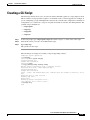
The CLI scripts feature allows you to record several CLI commands together as a script and play it back.
This is useful for saving repeatable sequence of commands, such as software upgrade. For example, if
you are configuring a group of SCE platforms and you want to run the same configuration commands on
each platform, you could create a script on one platform and run it on all the other SCE platforms. The
available script commands are:
•
script capture
•
script stop
•
script print
•
script run
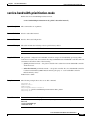
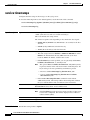
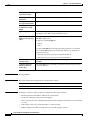
Step 1
At the sce# prompt, type script capture sample1.scr where sample1.scr is the name of the script.
Step 2
Perform the actions you want to be included in the script.
Step 3
Type script stop.
The system saves the script.
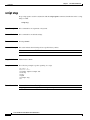
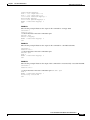
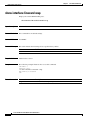
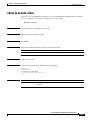
The following is an example of recording a script for upgrading software.
SCE#script capture upgrade.scr
sce#configure
SCE(config)#boot system new.pkg
Verifying package file...
Package file verified OK.
SCE(config)#exit
sce#copy running-config startup-config
Writing general configuration file to temporary location...
Extracting files from ‘/tffs0/images/new.pkg’...
Verifying package file...
Package file verified OK.
Device ‘/tffs0/’ has 81154048 bytes free, 21447973 bytes are needed for extraction, all is
well.
Extracting files to temp locations...
Renaming temp files...
Extracted OK.
Backing-up general configuration file...
Copy temporary file to final location...
sce#script stop
sce#
Cisco SCE 2000 and SCE 1000 CLI Command Reference
OL-26797-03
1-17
Chapter 1
Command-Line Interface
Creating a CLI Script
Cisco SCE 2000 and SCE 1000 CLI Command Reference
1-18
OL-26797-03
CH A P T E R
2
CLI Command Reference
Revised: February 20, 2014, OL-26797-03
Introduction
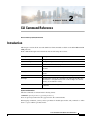
This chapter contains all the user and admin level CLI commands available on the SCE 2000 and SCE
1000 platforms.
Each command description is broken down into the following sub-sections:
Description
Description of what the command does.
Command Syntax
The general format of the command.
Syntax Description
Description of parameters and options for the command.
Default
If relevant, the default setting for the command.
Mode
The mode (command line) from which the command can be
invoked.
Usage guidelines
Information about when to invoke the command and additional
details.
Authorization
The level of user authorization required for using the command.
Example
An illustration of how the command looks when invoked. Because
the interface is straightforward, some of the examples are obvious,
but they are included for clarity.
Related Commands
Other commands that might be used in conjunction with the
command.
Syntax and Conventions
The CLI commands are written in the following format:
command required-parameter [optional-parameter]
no is an optional parameter that may appear before the command name.
When typing commands, you may enclose parameters in double-quote marks, and you must do so when
there is a space within a parameter name.
Cisco SCE 2000 and SCE 1000 CLI Command Reference
OL-26797-03
2-1
Chapter 2
CLI Command Reference
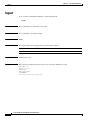
?
?
Lists all of the commands available for the current command mode. You can also use the ? command to
get specific information on a keyword or parameter. To obtain a list of commands that begin with a
particular character string, enter the abbreviated command entry immediately followed by a question
mark (?). This form of help is called partial help, because it lists only the keywords or arguments that
begin with the abbreviation you entered.
?
Syntax Description
This command has no arguments or keywords.
Command Default
This command has no default settings
Command Modes
All
Command History
This table includes the following release-specific history entries:
Release
Modification
2.5.7
This command was introduced.
Usage Guidelines
To list a command’s associated keywords or arguments, enter a question mark (?) in place of a keyword
or parameter on the command line. This form of help is called argument help because it lists the
keywords or arguments that apply based on the command, keywords, and arguments you have already
entered.
Examples
The following example shows ways of requesting help using the ? wildcard.
SCE(config)#ip ?
default-gateway
domain-lookup
domain-name
host
name-server
Sets the default gateway
Enables the IP DNS-based host name-to-address translation
Define a default domain name
Add a host to the host table
Specify the address of one or more name servers to use for name and
address resolution
Add IP routing entry
route
SCE(config)#ip d?
default-gateway domain-lookup domain-name
SCE(config)#ip de?
default-gateway
SCE(config)#ip de
Cisco SCE 2000 and SCE 1000 CLI Command Reference
2-2
OL-26797-03
Chapter 2
CLI Command Reference
aaa accounting commands
aaa accounting commands
Use the no form of the command to disable TACACS+ accounting.
aaa accounting commands level default stop-start group tacacs+
no aaa accounting commands level default
Syntax Description
level
The privilege level for which to enable the TACACS+ accounting
0: User
5: Viewer
10: Admin
15: Root
Command Default
By default, TACACS+ accounting is disabled.
Command Modes
Global configuration
Command History
This table includes the following release-specific history entries:
Usage Guidelines
Release
Modification
3.0.3
This command was introduced.
If TACACS+ accounting is enabled, the SCE platform sends an accounting message to the TACACS+
server after every command execution. The accounting message is logged in the TACACS+ server for
the use of the network administrator.
The start-stop keyword (required) indicates that the accounting message is sent at the beginning and the
end (if the command was successfully executed) of the execution of a CLI command.
Authorization: admin
Examples
The following example enables TACACS+ accounting for the admin privilege level (10).
SCE>enable 10
Password:<cisco>
SCE#config
SCE(config)# aaa accounting commands 10 default stop-start group tacacs+
SCE(config)#
Cisco SCE 2000 and SCE 1000 CLI Command Reference
OL-26797-03
2-3
Chapter 2
CLI Command Reference
aaa accounting commands
Related Commands
Command
Description
aaa authentication
attempts
Sets the maximum number of login attempts that will be permitted before a
Telnet session is terminated.
aaa authentication
enable default
Specifies which privilege level authentication methods are to be used, and
in what order of preference.
aaa authentication
login default
Specifies which login authentication methods are to be used, and in what
order of preference.
tacacs-server host
Defines a new TACACS+ server host that is available to the SCE platform
TACACS+ client.
tacacs-server key
Defines the global default encryption key for the TACACS+ server hosts.
Cisco SCE 2000 and SCE 1000 CLI Command Reference
2-4
OL-26797-03
Chapter 2
CLI Command Reference
aaa authentication attempts
aaa authentication attempts
aaa authentication attempts login number-of-attempts
Syntax Description
number-of-attempts
Command Default
Default number-of-attempts = 3
Command Modes
Global configuration
Command History
This table includes the following release-specific history entries:
Usage Guidelines
the maximum number of login attempts that will be permitted before the
telnet session is terminated
Release
Modification
3.0.0
This command was introduced.
The maximum number of login attempts is relevant only for Telnet sessions. From the local console, the
number of re-tries is unlimited.
Authorization: admin
Examples
The following example shows how to set the maximum number of logon attempts to five.
SCE>enable 10
Password:<cisco>
SCE#config
SCE(config)# aaa authentication attempts login 5
SCE(config)#
Related Commands
Command
Description
aaa authentication
Enables TACACS+ accounting.
accounting commands
aaa authentication
enable default
Specifies which privilege level authentication methods are to be used, and
in what order of preference.
aaa authentication
login default
Specifies which login authentication methods are to be used, and in what
order of preference.
Cisco SCE 2000 and SCE 1000 CLI Command Reference
OL-26797-03
2-5
Chapter 2
CLI Command Reference
aaa authentication enable default
aaa authentication enable default
Specifies which privilege level authentication methods are to be used, and in what order of preference.
Use the no form of the command to delete the privilege level authentication methods list.
aaa authentication enable default method1 [method2...]
no aaa authentication enable default
Syntax Description
method
Command Default
Default privilege level authentication method = enable only
Command Modes
Global configuration
Command History
This table includes the following release-specific history entries:
Usage Guidelines
the privilege level authentication methods to be used. You may specify up
to four different methods, in the order in which they are to be used.
Release
Modification
3.0.0
This command was introduced.
Use this command to configure "backup" privilege level authentication methods to be used in the event
of failure of the primary privilege level authentication method. The following method options are
available:
•
group tacacs+ : Use TACACS+ authentication.
•
local : Use the local username database for authentication.
•
enable (default): Use the " enable " password for authentication
•
none : Use no authentication.
If the privilege level authentication methods list is deleted, the default privilege level authentication
method only (enable password) will be used. TACACS+ authentication will not be used.
Authorization: admin
Examples
This example shows how to configure privilege level authentication methods.
SCE>enable 10
Password:<cisco>
SCE#config
SCE(config)# aaa authentication enable default group tacacs+ enable none
SCE(config)#
Cisco SCE 2000 and SCE 1000 CLI Command Reference
2-6
OL-26797-03
Chapter 2
CLI Command Reference
aaa authentication enable default
Related Commands
Command
Description
aaa authentication
login default
Specifies which login authentication methods are to be used, and in what
order of preference.
aaa authentication
Enables TACACS+ accounting.
accounting commands
aaa authentication
attempts
Sets the maximum number of login attempts that will be permitted before a
Telnet session is terminated.
show tacacs
Displays statistics for the TACACS+ servers.
Cisco SCE 2000 and SCE 1000 CLI Command Reference
OL-26797-03
2-7
Chapter 2
CLI Command Reference
aaa authentication login default
aaa authentication login default
Specifies which login authentication methods are to be used, and in what order of preference. Use the
no form of the command to delete the login authentication methods list.
aaa authentication login default method1 [method2...]
no aaa authentication login default
Syntax Description
method
Command Default
Default login authentication method = enable only
Command Modes
Global configuration
Command History
This table includes the following release-specific history entries:
Usage Guidelines
the login authentication methods to be used. You may specify up to four
different methods, in the order in which they are to be used.
Release
Modification
3.0.0
This command was introduced.
Use this command to configure "backup" login authentication methods to be used in the event of failure
of the primary login authentication method.
The following method options are available:
•
group tacacs+ : Use TACACS+ authentication.
•
local : Use the local username database for authentication.
•
enable (default): Use the " enable " password for authentication
•
none : Use no authentication.
If the login authentication methods list is deleted, the default login authentication method only (enable
password) will be used. TACACS+ authentication will not be used.
Authorization: admin
Examples
This example shows how to configure login authentication methods.
SCE>enable 10
Password:<cisco>
SCE#config
SCE(config)# aaa authentication login default group tacacs+ enable none
SCE(config)#
Cisco SCE 2000 and SCE 1000 CLI Command Reference
2-8
OL-26797-03
Chapter 2
CLI Command Reference
aaa authentication login default
Related Commands
Command
Description
aaa authentication
enable default
Specifies which privilege level authentication methods are to be used, and
in what order of preference.
aaa authentication
Enables TACACS+ accounting.
accounting commands
aaa authentication
attempts
Sets the maximum number of login attempts that will be permitted before a
Telnet session is terminated.
show tacacs
Displays statistics for the TACACS+ servers.
Cisco SCE 2000 and SCE 1000 CLI Command Reference
OL-26797-03
2-9
Chapter 2
CLI Command Reference
accelerate-packet-drops
accelerate-packet-drops
Enables the drop-wred-packets-by-hardware mode. This improves performance, but prevents the
application from being able to count all dropped packets. Use the no form to disable the
drop-wred-packets-by-hardware mode, enabling the software to count all dropped packets (at the
expense of some loss of performance).
accelerate-packet-drops
no accelerate-packet-drops
Syntax Description
This command has no arguments or keywords.
Command Default
By default, accelerate-packet-drops (the drop-wred-packets-by-hardware mode) is enabled.
Command Modes
Interface Linecard Configuration
Command History
This table includes the following release-specific history entries:
Usage Guidelines
Release
Modification
3.0.0
This command was introduced.
By default, the SCE platform hardware drops WRED packets (packets that are marked to be dropped due
to BW control criteria). However, this presents a problem for the user who needs to know the number of
dropped packets per service.
The user can disable the drop-wred-packets-by-hardware mode. The application can then retrieve the
number of dropped packets for every flow and provide the user with better visibility into the exact
number of dropped packets and their distribution.
Note that counting all dropped packets has a considerable affect on system performance, and therefore,
by default, the drop-wred-packets-by-hardware mode is enabled.
Note
The MIB object tpTotalNumWredDiscardedPackets counts dropped packets. The value in this counter is
absolute only in no accelerate-packet-drops mode. When in accelerate-packet-drops mode (default
mode), this MIB counter provides only a relative value indicating the trend of the number of packet
drops, with a factor of approximately 1:6.
Authorization: admin
Cisco SCE 2000 and SCE 1000 CLI Command Reference
2-10
OL-26797-03
Chapter 2
CLI Command Reference
accelerate-packet-drops
Examples
The following example shows how to disable the drop-wred-packets-by-hardware mode so that the
application can count all dropped packets.
SCE>enable 10
password:<cisco>
SCE#>config
SCE(config)#interface linecard 0
SCE(config if)#no accelerate-packet-drops
SCE(config if)#
Related Commands
Command
Description
show interface linecard
accelerate-packet-drops
Displays the currently configured hardware packet drop mode.
Cisco SCE 2000 and SCE 1000 CLI Command Reference
OL-26797-03
2-11
Chapter 2
CLI Command Reference
access-class
access-class
Restricts Telnet server access to those addresses listed in the specified access list. Use the no form of
this command to either remove a specified ACL or to set the Telnet server to accept access from any IP
address.
access-class number in
no access-class [number ] in
Syntax Description
number
Command Default
By default, no access list is configured (Telnet access is available from any IP address).
Command Modes
Line Configuration Mode
Command History
This table includes the following release-specific history entries:
An access-list number (1–99).
Release
Modification
2.5.7
This command was introduced.
Usage Guidelines
Authorization: admin
Examples
The following are examples of the access-class command:
EXAMPLE 1
The following example configures an access class for all Telnet lines.
SCE>enable 10
Password:<cisco>
SCE#config
SCE(config)#line vty 0
SCE(config-line)#access-class 1 in
SCE(config-line)#
EXAMPLE 2
The following example removes an access class for Telnet lines.
SCE>enable 10
Password:<cisco>
SCE#config
SCE(config)#line vty 0
SCE(config-line)#no access-class 1 in
SCE(config-line)#
Cisco SCE 2000 and SCE 1000 CLI Command Reference
2-12
OL-26797-03
Chapter 2
CLI Command Reference
access-class
Related Commands
Command
Description
access-list
Adds an entry to the bottom of the specified access list.
show access-lists
Shows all access-lists or a specific access list.
Cisco SCE 2000 and SCE 1000 CLI Command Reference
OL-26797-03
2-13
Chapter 2
CLI Command Reference
access-list
access-list
Adds an entry to the bottom of the specified access list. Use the no form of the command to remove an
entry from the specified access list.
access-list number permission address
no access-list number
Syntax Description
number
An access-list number (1–99).
permission
Indicates whether the IP address should be allowed or denied access permission as
described in the Valid Permission Values table in the Usage Guidelines.
address
Addresses to be matched by this entry as described in the Valid Address Values table
in the Usage Guidelines.
Command Default
This command has no default settings.
Command Modes
Global configuration
Command History
This table includes the following release-specific history entries:
Usage Guidelines
Release
Modification
2.5.7
This command was introduced.
The SCE platform can be configured with Access Control Lists (ACLs), which are used to permit or deny
incoming connections on any of the management interfaces. An access list is an ordered list of entries,
each consisting of the following:
•
A permit/deny field
•
An IP address
•
An optional wildcard “mask” defining an IP address range
The order of the entries in the list is important. The default action of the first entry that matches the
connection is used. If no entry in the Access List matches the connection, or if the Access List is empty,
the default action is deny. Table 2-1 lists the valid permission values.
Table 2-1
Valid Permission Values
deny
Deny access to list member
permit
Permit access to list member.
Cisco SCE 2000 and SCE 1000 CLI Command Reference
2-14
OL-26797-03
Chapter 2
CLI Command Reference
access-list
Table 2-1
Valid Permission Values (continued)
any
All IP addresses are matched by this entry. This is equivalent to specifying the address
0.0.0.0 255.255.255.255
ip-address
The IP address or range of IP addresses, matched by this entry. This can be one address
in the x.x.x.x format or a range of addresses in the format x.x.x.x y.y.y.y where x.x.x.x
specifies the prefix bits common to all IP addresses in the range, and y.y.y.y is a mask
specifying the bits that are ignored. In this notation, ‘1’ means bits to ignore. For example,
the address 0.0.0.0 255.255.255.255 means any IP address. The address 10.0.0.0
0.1.255.255 means IP addresses from 10.0.0.0 to 10.1.255.255. The address 1.2.3.4
0.0.0.255 means IP addresses from 1.2.3.0 to 1.2.3.255 (A more natural way of expressing
the same range is 1.2.3.0 0.0.0.255).
Authorization: admin
Examples
The following examples illustrate the use of this command.
EXAMPLE 1
The following example adds entries to the bottom of access-list 1. The first entry permits access to
10.1.1.0 through 10.1.1.255. The second entry denies access to any address. Together this list allows
access only to addresses 10.1.1.*.
SCE>enable 10
Password:<cisco>
SCE#config
SCE(config)#access-list 1 permit 10.1.1.0 0.0.0.255
SCE(config)#access-list 1 deny any
SCE(config)#
EXAMPLE 2
The following example defines access list 2, a list that denies access to all IP addresses in the range:
10.1.2.0 to 10.1.2.255, permits access to all other addresses in the range 10.1.0.0 to 10.1.15.255, and
denies access to all other IP addresses. Note that since the first range is contained within the second
range, the order of entries is important. If they had been entered in the opposite order, the deny entry
would not have any effect.
SCE>enable 10
Password:<cisco>
SCE#config
SCE (config)#access-list 2 deny 10.1.2.0 0.0.0.255
SCE (config)#access-list 2 permit 10.1.0.0 0.0.15.255
SCE(config)#
Related Commands
Command
Description
access-class
Restricts Telnet server access to those addresses listed in the specified
access list.
snmp-server
community
Sets a community string.
show access-lists
Shows all access-lists or a specific access list.
Cisco SCE 2000 and SCE 1000 CLI Command Reference
OL-26797-03
2-15
Chapter 2
CLI Command Reference
active-port
active-port
Specifies which management port is currently active.
active-port
Syntax Description
This command has no arguments or keywords.
Command Default
Default Mng port is 0/1.
Command Modes
Mng Interface Configuration
Command History
This table includes the following release-specific history entries:
Usage Guidelines
Release
Modification
3.0.0
This command was introduced.
The command must be executed from the Mng interface that is to be defined as the active port, as
follows:
•
Use the interface mng command, specifying the desired port number (0/1 or 0/2), to enter the proper
command mode.
•
Execute the active-port command.
The use of this command varies slightly depending on whether the management interface is configured
as a redundant interface (auto fail-over disabled)
•
auto fail-over enabled (automatic mode): the specified port becomes the currently active port, in
effect forcing a fail-over action even if a failure has not occurred.
•
auto fail-over disabled (manual mode): the specified port should correspond to the cabled Mng port,
which is the only functional port and therefore must be and remain the active management port
Authorization: admin
Examples
The following example shows how to use this command to configure Mng port 2 as the currently active
management port.
SCE>enable 10
Password:<cisco>
SCE#config
SCE(config)#interface mng 0/2
SCE(config if)#active-port
SCE(config if)#
Cisco SCE 2000 and SCE 1000 CLI Command Reference
2-16
OL-26797-03
Chapter 2
CLI Command Reference
application slot replace force completion
application slot replace force completion
Forces the current application replace process to complete and immediately start finalization (killing all
old flows).
application slot slot-number replace force completion
Syntax Description
slot-number
Command Default
This command has no default settings.
Command Modes
Privileged EXEC
Command History
This table includes the following release-specific history entries:
The number of the identified slot. Enter a value of 0.
Release
Modification
3.0.3
This command was introduced.
Usage Guidelines
Authorization: admin
Examples
The following example illustrates how to force the application replace operation to complete
immediately.
SCE>enable 10
Password:<cisco>
SCE#application slot 0 replace force completion
SCE#
Cisco SCE 2000 and SCE 1000 CLI Command Reference
OL-26797-03
2-17
Chapter 2
CLI Command Reference
asymmetric-L2-support
asymmetric-L2-support
Configures the system to treat flows as having asymmetric layer 2 characteristics (including Ethernet,
VLAN, MPLS, and L2TP), for the purpose of packet injection.
Use the no form of the command to disable asymmetric L2 support.
asymmetric-L2-support
no asymmetric-L2-support
Syntax Description
This command has no arguments or keywords.
Command Default
By default, asymmetric layer 2 support is disabled.
Command Modes
Interface Linecard Configuration
Command History
This table includes the following release-specific history entries:
Usage Guidelines
Note
Release
Modification
3.1.6
This command was introduced.
You should enable asymmetric layer 2 support in cases where the following conditions apply for any
flows:
•
Each direction of the flow has a different pair of MAC addresses
•
The routers do not accept packets with the MAC address of the other link
'Asymmetric routing topology' support and 'asymmetric tunneling support' are two separate features.
Asymmetric routing topology refers to topologies where the SCE platform might see some flows only
in one direction (upstream/downstream). Asymmetric tunneling support (asymmetric L2 support) refers
to the ability to support topologies where the SCE platform sees both directions of all flows, but some
of the flows may have different layer 2 characteristics (like MAC addresses, VLAN tags, MPLS labels
and L2TP headers), which the SCE platform must specifically take into account when injecting packets
into the traffic (such as in block and redirect operations). Note as well, that in order to support
asymmetric layer 2, the SCE platform switches to asymmetric flow open mode, which incurs a certain
performance penalty. This is NOT the case for asymmetric routing topology.
Authorization: admin
Cisco SCE 2000 and SCE 1000 CLI Command Reference
2-18
OL-26797-03
Chapter 2
CLI Command Reference
asymmetric-L2-support
Examples
The following example shows how to use this command.
SCE>enable 10
Password:<cisco>
SCE#configure
SCE(config)#interface linecard 0
SCE(config if)# asymmetric-L2-support
Related Commands
Command
Description
show interface linecard asymmetric-L2-support
Displays the current asymmetric layer 2
support configuration.
Cisco SCE 2000 and SCE 1000 CLI Command Reference
OL-26797-03
2-19
Chapter 2
CLI Command Reference
attack-detector default
attack-detector default
Defines default thresholds and attack handling action. If a specific attack detector is defined for a
particular situation (protocol/attack direction/side), it will override these defaults. Use the no version of
this command to delete the user-defined defaults. The system defaults will then be used.
attack-detector default protocol protocol attack-direction attack-direction side side [action
action ] [open-flows open-flows] [ddos-suspected-flows ddos-suspected-flows]
[suspected-flows-ratio suspected-flows-ratio] [notify-subscriber | dont-notify-subscriber]
[alarm |noalarm]
no attack-detector default protocol protocol attack-direction attack-direction side side [action
action] [open-flows open-flows] [ddos-suspected-flows ddos-suspected-flows]
[suspected-flows-ratio suspected-flows-ratio]
Syntax Description
Command Default
protocol
TCP, UDP, IMCP, other
attack-direction
attack-source, attack-destination, both
side
subscriber, network, both
action
report, block
open-flows
Threshold for concurrently open flows (new open flows per second).
ddos-suspected-flows
Threshold for DDoS-suspected flows (new suspected flows per second).
suspected-flows-ratio
Threshold for ratio of suspected flow rate to open flow rate.
The default values for the default attack detector are:
•
Action = Report
•
Thresholds — Varies according to the attack type
•
Subscriber notification = Disabled
•
Sending an SNMP trap = Disabled
Command Modes
LineCard Interface Configuration
Command History
This table includes the following release-specific history entries:
Usage Guidelines
Release
Modification
2.5.7
This command was introduced.
The following arguments must always be specified:
•
protocol
•
attack-direction
•
side
Cisco SCE 2000 and SCE 1000 CLI Command Reference
2-20
OL-26797-03
Chapter 2
CLI Command Reference
attack-detector default
The following arguments are optional:
•
action
•
open-flows
•
ddos-suspected-flows
•
suspected-flows-ratio
Use the optional keywords as follows:
•
Use the notify-subscriber keyword to enable subscriber notification.
•
Use the dont-notify-subscriber keyword to disable subscriber notification.
•
Use the alarm keyword to enable sending an SNMP trap.
•
Use the no-alarm keyword to disable sending an SNMP trap.
Use the attack-detector <number> command to configure a specific attack detector.
Authorization: admin
Examples
The following examples illustrate the use of the attack-detector default command:
EXAMPLE 1
The following example configures a default attack detector for TCP flows from the attack source.
SCE>enable 10
Password:<cisco>
SCE#config
SCE(config)#interface LineCard 0
SCE(config if)#attack-detector default protocol TCP attack-direction attack-source side
both action report open-flows 500 ddos-suspected-flows 75 suspected-flows-ratio 50
SCE(config if)#
EXAMPLE 2
The following example enables subscriber notification for the specified default attack detector.
SCE>enable 10
Password:<cisco>
SCE#config
SCE(config)#interface LineCard 0
SCE(config if)#attack-detector default protocol TCP attack-direction attack-source side
both notify-subscriber
SCE(config if)#
Related Commands
Command
Description
attack-detector <number>
Configures a specific attack detector for a particular
attack type (protocol/attack direction/side) with the
assigned number.
attack-filter subscriber-notification ports
Specifies a port as subscriber notification port.
show interface LineCard attack-detector
Displays the configuration of the specified attack
detector.
Cisco SCE 2000 and SCE 1000 CLI Command Reference
OL-26797-03
2-21
Chapter 2
CLI Command Reference
attack-detector
attack-detector
Enables the specified attack detector and assigns an access control list (ACL) to it.
attack-detector number access-list access-list
Syntax Description
number
The attack detector number.
access-list
The number of the ACL containing the IP addresses selected by this
detector
Command Default
This command has no default settings.
Command Modes
LineCard Interface Configuration
Command History
This table includes the following release-specific history entries:
Usage Guidelines
Release
Modification
2.5.7
This command was introduced.
Use the following commands to define the attack detector and the ACL:
•
attack-detector
•
access-list
Authorization: admin
Examples
The following example enables attack detector number "2", and assigns ACL "8".
SCE>enable 10
Password:<cisco>
SCE#config
SCE(config)#interface LineCard 0
SCE(config if)#attack-detector 2 access-list 8
SCE(config if)#
Related Commands
Command
Description
access-list
Adds an entry to the bottom of the specified access list.
attack-detector <number>
Configures a specific attack detector for a particular attack
type (protocol/attack direction/side) with the assigned
number.
Cisco SCE 2000 and SCE 1000 CLI Command Reference
2-22
OL-26797-03
Chapter 2
CLI Command Reference
attack-detector
show interface LineCard
attack-detector
Displays the configuration of the specified attack detector.
show access-lists
Shows all access-lists or a specific access list.
Cisco SCE 2000 and SCE 1000 CLI Command Reference
OL-26797-03
2-23
Chapter 2
CLI Command Reference
attack-detector <number>
attack-detector <number>
Configures a specific attack detector for a particular attack type (protocol/attack direction/side) with the
assigned number. Use the default form of this command to configure the default attack detector for the
specified attack type. Use the no form of this command to delete the specified attack detector.
attack-detector number protocol (((TCP|UDP) [dest-port destination port ])|ICMP|other|all)
attack-direction attack-direction side side [action action ] [open-flows open-flows ]
[ddos-suspected-flows ddos-suspected-flows ] [suspected-flows-ratio suspected-flows-ratio ]
[notify-subscriber|dont-notify-subscriber] [alarm|no-alarm]
no attack-detector number
attack-detector default protocol (((TCP|UDP) [dest-port destination port ])|ICMP|other|all)
attack-direction attack-direction side side [action action ] [open-flows open-flows ]
[ddos-suspected-flows ddos-suspected-flows ] [suspected-flows-ratio suspected-flows-ratio ]
[notify-subscriber|dont-notify-subscriber] [alarm|no-alarm]
no attack-detector default protocol (((TCP|UDP) [dest-port destination port ])|ICMP|other|all)
attack-direction attack-direction side side
default attack-detector {all |all-numbered}
default attack-detector number protocol (((all | IMCP | other | TCP | UDP) [dest-port
destination port attack-direction attack-direction side side
Syntax Description
number
Assigned number for attack-detector
protocol
TCP, UDP, IMCP, other
destination port
{TCP and UDP protocols only): Defines whether the default attack detector
applies to specific (port-based) or not specific (port-less) detections.
specific, not-specific, both
Command Default
attack-direction
single-side-destination, single-side-both, dual-sided, all
side
subscriber, network, both
action
report, block
open-flows-rate
Threshold for rate of open flows (new open flows per second).
suspected-flows-rate
Threshold for for rate of suspected DDoS flows (new suspected flows per
second)
suspected-flows-ratio
Threshold for ratio of suspected flow rate to open flow rate.
The default values for the default attack detector are:
•
Action = Report
•
Thresholds = Varies according to the attack type
•
Subscriber notification = Disabled
•
Sending an SNMP trap = Disabled
Cisco SCE 2000 and SCE 1000 CLI Command Reference
2-24
OL-26797-03
Chapter 2
CLI Command Reference
attack-detector <number>
Command Modes
LineCard Interface Configuration
Command History
This table includes the following release-specific history entries:
Usage Guidelines
Release
Modification
2.5.7
This command was introduced.
If a specific attack detector is defined for a particular attack type, it will override the configured default
attack detector.
The following arguments must always be specified:
•
protocol
•
attack-direction
•
side
The following arguments are optional:
•
action
•
open-flows
•
ddos-suspected-flows
•
suspected-flows-ratio
Use the appropriate keyword to enable or disable subscriber notification by default:
•
notify-subscriber : Enable subscriber notification.
•
dont-notify-subscriber: Disable subscriber notification.
Use the appropriate keyword to enable or disable sending an SNMP trap by default:
•
alarm : Enable sending an SNMP trap.
•
no-alarm : Disable sending an SNMP trap.
If the selected protocol is either TCP or UDP, specify whether the destination port is specific, not
specific, or both. If the destination port or ports are specific, the specific destination ports are configured
using the attack-detector, page 2-22command.
Use the attack-detector, page 2-22command to enable a configured attack detector.
Use the attack-detector default, page 2-20command to configure a default attack detector.
Authorization: admin
Examples
The following examples illustrate the use of the attack-detector <number> command:
EXAMPLE 1
The following example configures the attack detector number "2".
SCE>enable 10
Password:<cisco>
SCE#config
SCE(config)#interface LineCard 0
SCE(config if)# attack-detector 2 protocol UDP dest-port not-specific attack-direction
Cisco SCE 2000 and SCE 1000 CLI Command Reference
OL-26797-03
2-25
Chapter 2
CLI Command Reference
attack-detector <number>
single-side-destination side both action block open-flows-rate 500 suspected-flows-rate
500 suspected-flows-ratio 50 notify-subscriber alarm
SCE(config if)#
EXAMPLE 2
The following example deletes attack detector number "2".
SCE>enable 10
Password:<cisco>
SCE#config
SCE(config)#interface LineCard 0
SCE(config if)#no attack-detector 2
SCE(config if)#
EXAMPLE 3
The following example disables subscriber notification for attack detector number "2".
SCE>enable 10
Password:<cisco>
SCE#config
SCE(config)#interface LineCard 0
SCE(config if)#attack-detector 2 protocol UDP dest-port not-specific attack-direction
single-side-destination side both dont-notify- subscriber
SCE(config if)#
Related Commands
Command
Description
attack-detector
Enables the specified attack detector and assigns an access
control list (ACL) to it.
attack-detector
TCP-port-list|UDP-port-list
Defines the list of destination ports for specific port
detections for TCP or UDP protocols.
attack-filter subscriber-notification
ports
Specifies a port as subscriber notification port.
attack-detector default
Defines default thresholds and attack handling action.
show interface LineCard
attack-detector
Displays the configuration of the specified attack detector.
Cisco SCE 2000 and SCE 1000 CLI Command Reference
2-26
OL-26797-03
Chapter 2
CLI Command Reference
attack-detector TCP-port-list|UDP-port-list
attack-detector TCP-port-list|UDP-port-list
Defines the list of destination ports for specific port detections for TCP or UDP protocols.
attack-detector number (tcp-port-list|udp-port-list) (all | (port1 [port2...]) )
Syntax Description
number
Number of the attack detector for which this list of specific ports is relevant
port1, port2
List of up to 15 specific port numbers.
Command Default
This command has no default settings.
Command Modes
LineCard Interface Configuration
Command History
This table includes the following release-specific history entries:
Usage Guidelines
Release
Modification
3.0.0
This command was introduced.
TCP and UDP protocols may be configured for specified ports only (port-based). Use this command to
configure the list of specified destination ports per protocol.
Up to 15 different TCP port numbers and 15 different UDP port numbers can be specified.
Configuring a TCP/UDP port list for a given attack detector affects only attack types that have the same
protocol (TCP/UDP) and are port-based (i.e. detect a specific destination port). Settings for other attack
types are not affected by the configured port list(s).
Specify either TCP-port-list or UDP-port-list.
Use the all keyword to include all ports in the list.
Authorization: admin
Examples
This example shows how to configure the destination port list for the TCP protocol for attack detector
#10.
SCE>enable 10
Password:<cisco>
SCE#config
SCE(config)#interface LineCard 0
SCE(config if)#attack-detector 10 TCP-port-list 100 101 102 103
SCE(config if)#
Cisco SCE 2000 and SCE 1000 CLI Command Reference
OL-26797-03
2-27
Chapter 2
CLI Command Reference
attack-detector TCP-port-list|UDP-port-list
Related Commands
Command
Description
attack-detector <number>
Configures a specific attack detector for a particular attack type
(protocol/attack direction/side) with the assigned number.
attack-filter (LineCard
Interface Configuration)
Enables specific attack detection for a specified protocol and attack
direction.
Cisco SCE 2000 and SCE 1000 CLI Command Reference
2-28
OL-26797-03
Chapter 2
CLI Command Reference
attack-filter
attack-filter
Enables specific attack detection for a specified protocol and attack direction. Use the no form of the
command to disable attack detection.
attack-filter protocol (((TCP|UDP) [dest-port destination port ])|ICMP|other|all)
attack-direction attack-direction
no attack-filter protocol (((TCP|UDP) [dest-port destination port ])|ICMP|other|all)
attack-direction attack-direction
Syntax Description
protocol
TCP, UDP, IMCP, other
destination port
{TCP and UDP protocols only): Defines whether the default attack detector
applies to specific (port-based) or not specific (port-less) detections.
specific, not-specific, both
attack-direction
Command Default
single-side-destination, single-side-both, dual-sided, all
By default, attack-filter is enabled.
Default protocols = all protocols (no protocol specified)
Default attack direction = all directions
Default destination port = both port-based and port-less
Command Modes
LineCard Interface Configuration
Command History
This table includes the following release-specific history entries:
Usage Guidelines
Release
Modification
2.5.7
This command was introduced.
Specific attack filtering is configured in two steps:
•
Enabling specific IP filtering for the particular attack type (using this command).
•
Configuring an attack detector for the relevant attack type (using the attack-detector <number>,
page 2-24command). Each attack detector specifies the thresholds that define an attack and the
action to be taken when an attack is detected.
In addition, the user can manually override the configured attack detectors to either force or prevent
attack filtering in a particular situation (using the attack filter force filter | don't-filter command).
By default, specific-IP detection is enabled for all attack types. You can configure specific IP detection
to be enabled or disabled for a specific, defined situation only, depending on the following options:
•
For a selected protocol only.
•
For TCP and UDP protocols, for only port-based or only port-less detections.
Cisco SCE 2000 and SCE 1000 CLI Command Reference
OL-26797-03
2-29
Chapter 2
CLI Command Reference
attack-filter
•
For a selected attack direction, either for all protocols or for a selected protocol.
If the selected protocol is either TCP or UDP, specify whether the destination port is specific
(port-based), not specific (port-less), or both. If the destination port or ports are specific, the specific
destination ports are configured using the attack-detector TCP-port-list|UDP-port-list,
page 2-27command.
Authorization: admin
Examples
The following examples illustrate the use of this command.
EXAMPLE 1
The following example shows how to enable specific, dual-sided attack detection for TCP protocol only.
SCE>enable 10
Password:<cisco>
SCE#config
SCE(config)#interface LineCard 0
SCE(config if)#attack-filter protocol TCP dest-port specific attack-direction dual-sided
SCE(config if)#
EXAMPLE 2
The following example shows how to enable single-sided attack detection for ICMP protocol only.
SCE>enable 10
Password:<cisco>
SCE#config
SCE(config)#interface LineCard 0
SCE(config if)# attack-filter protocol ICMP attack-direction single-side-source
SCE(config if)#
EXAMPLE 3
The following example disables attack detection for all non TCP, UDP, or ICMP protocols.
SCE>enable 10
Password:<cisco>
SCE#config
SCE(config)#interface LineCard 0
SCE(config if)#no attack-filter protocol other attack-direction all
SCE(config if)#
Related Commands
Command
Description
attack-detector
TCP-port-list|UDP-port-list
Defines the list of destination ports for specific port detections
for TCP or UDP protocols.
attack-detector <number>
Configures a specific attack detector for a particular attack type
(protocol/attack direction/side) with the assigned number.
show interface LineCard
attack-filter
Displays the attack filtering configuration.
Cisco SCE 2000 and SCE 1000 CLI Command Reference
2-30
OL-26797-03
Chapter 2
CLI Command Reference
attack-filter dont-filter | force-filter
attack-filter dont-filter | force-filter
This command prevents attack filtering for a specified IP address/protocol. If filtering is already in
process, it will be stopped. When attack filtering has been stopped, it remains stopped until explicitly
restored by another CLI command (either specific or general). Use the no form of this command to
restore attack filtering. The force-filter keyword forces attack filtering for a specified IP
address/protocol. When attack filtering has been forced, it continues until explicitly stopped by another
CLI command (either specific or general). Use the no form of this command to stop attack filtering.
attack-filter force-filter action (block|report) protocol ((TCP|UDP) [dest-port (port-number
|not-specific)]|ICMP|other) attack-direction
(((single-side-source|single-side-destination|single-side-both) ip ip-address )|(dual-sided
source-ip ip-address destination-ip ip-address )) side side
attack-filter dont-filter protocol ((TCP|UDP) [dest-port (port-number
|not-specific)]|ICMP|other) attack-direction
(((single-side-source|single-side-destination|single-side-both) ip ip-address )|(dual-sided
source-ip ip-address destination-ip ip-address )) side side
no attack-filter dont-filter protocol ((TCP|UDP) [dest-port (port-number
|not-specific)]|ICMP|other) attack-direction
(((single-side-source|single-side-destination|single-side-both) ip ip-address )|(dual-sided
source-ip ip-address destination-ip ip-address )) side side
no attack-filter force-filter protocol ((TCP|UDP) [dest-port (port-number
|not-specific)]|ICMP|other) attack-direction
(((single-side-source|single-side-destination|single-side-both) ip ip-address )|(dual-sided
source-ip ip-address destination-ip ip-address )) side side
no attack-filter force-filter all
no attack-filter dont-filter all
Syntax Description
action (force-filter
command only)
Specifies the action the force-filter command should perform:
•
block
•
report
protocol
TCP, UDP, ICMP, or Other
destination port
(TCP and UDP protocols only): Defines whether specific IP detection is
forced or prevented for the specified port number or is port-less
(non-specific).
port-number, not-specific
attack direction
Defines whether specific IP detection is forced or prevented for single-sided
or dual-sided attacks.
•
Single-sided: specify the direction (single-side-source,
single-side-destination, single-side-both) and the IP address.
•
Dual-sided: Specify 'dual-sided' and both the source and the
destination IP addresses.
Cisco SCE 2000 and SCE 1000 CLI Command Reference
OL-26797-03
2-31
Chapter 2
CLI Command Reference
attack-filter dont-filter | force-filter
ip-address
side
IP address from which traffic will not be filtered.
•
For single-sided filtering, only one IP address is specified.
•
For dual-sided filtering, both a source IP address and a destination IP
address are specified.
subscriber, network, both
Command Default
This command has no default settings.
Command Modes
Linecard Interface Configuration
Command History
This table includes the following release-specific history entries:
Usage Guidelines
Release
Modification
3.1.0
This command was introduced.
After configuring the attack detectors, the SCE platform automatically detects attacks and handles them
according to the configuration. However, there are scenarios in which a manual intervention is desired,
either for debug purposes, or because it is not trivial to reconfigure the SCE attack-detectors properly.
The user can use the CLI attack filtering commands to do the following:
•
Prevent/stop filtering of an attack related to a protocol, direction and specified IP address.
•
Force filtering (with a specific action) of an attack related to a protocol, direction and specified IP
address.
Attack filtering can be prevented for a specified IP address/protocol by executing a dont-filter CLI
command. If filtering is already in process, it will be stopped. When attack filtering has been stopped, it
remains stopped until explicitly restored by another CLI command (either force-filter or no dont-filter).
Attack filtering can be forced for a specified IP address/protocol. Forced attack filtering will continue
until undone by an explicit CLI command (either no force-filter or dont-filter).
Use the all keyword to restore or stop all filtering.
Authorization: admin
Examples
The following are examples of the attack-filter command:
EXAMPLE 1
The following example prevents attack filtering for the specified conditions.
SCE>enable 10
Password:<cisco>
SCE#config
SCE(config)#interface linecard 0
SCE(config if)#attack-filter dont-filter protocol other attack-direction
single-side-source ip 10.10.10.10 side both
SCE(config if)#
Cisco SCE 2000 and SCE 1000 CLI Command Reference
2-32
OL-26797-03
Chapter 2
CLI Command Reference
attack-filter dont-filter | force-filter
EXAMPLE 2:
The following example restores all attack filtering.
SCE>enable 10
SCE#config
SCE(config)#interface linecard 0
SCE(config if)#no attack-filter dont-filter all
SCE(config if)#
Password:<cisco>
EXAMPLE 3:
The following example forces attack filtering.
SCE>enable 10
Password:<cisco>
SCE#config
SCE(config)#interface linecard 0
SCE(config if)#attack-filter force-filter protocol TCP dest-port not-specific
attack-direction dual-sided source-ip 10.10.10.10 destination-ip 20.20.20.20 side both
SCE(config if)#
EXAMPLE 4:
The following example stops all forced attack filtering.
SCE>enable 10
Password:<cisco>
SCE#config
SCE(config)#interface linecard 0
SCE(config if)#no attack-filter force-filter all
SCE#
Related Commands
Command
Description
attack-filter
Enables specific attack detection for a specified protocol and attack
direction.
Cisco SCE 2000 and SCE 1000 CLI Command Reference
OL-26797-03
2-33
Chapter 2
CLI Command Reference
attack-filter subscriber-notification ports
attack-filter subscriber-notification ports
Specifies a port as subscriber notification port. TCP traffic from the subscriber side to this port will never
be blocked by the attack filter, leaving it always available for subscriber notification. Use the no form of
this command to remove the port from the subscriber notification port list.
attack-filter subscriber-notification ports port
no attack-filter subscriber-notification ports port
Syntax Description
port
Command Default
This command has no default settings.
Command Modes
Linecard Interface Configuration
Command History
This table includes the following release-specific history entries:
Usage Guidelines
Port number. One port can be specified as the subscriber notification port.
Release
Modification
2.5.7
This command was introduced.
Use this command to configure the port to be used for subscriber notification as configured using the
attack-filter and attack-detector <number> commands.
Authorization: admin
Examples
The following example specifies port 100 as the subscriber notification port.
SCE>enable 10
Password:<cisco>
SCE#config
SCE(config)#interface linecard 0
SCE(config if)#attack-filter subscriber-notification ports 100
SCE(config if)#
Related Commands
Command
Description
attack-detector
default
Defines default thresholds and attack handling action.
attack-detector
<number>
Configures a specific attack detector for a particular attack type
(protocol/attack direction/side) with the assigned number.
show interface
linecard attack-filter
Displays the attack filtering configuration.
Cisco SCE 2000 and SCE 1000 CLI Command Reference
2-34
OL-26797-03
Chapter 2
CLI Command Reference
auto-fail-over
auto-fail-over
Enables automatic fail-over on the Mng ports. Use the no form of the command to disable automatic
fail-over on the Mng ports.
auto-fail-over
no auto-fail-over
Syntax Description
This command has no arguments or keywords.
Command Default
By default, the auto fail-over mode is enabled.
Command Modes
Interface Management Configuration
Command History
This table includes the following release-specific history entries:
Usage Guidelines
Release
Modification
3.0.0
This command was introduced.
This parameter can be configured for either management port, and is applied to both ports with one
command.
The automatic mode must be enabled to support management interface redundancy. This mode
automatically switches to the backup management link when a failure is detected in the currently active
management link.
When the automatic fail-over mode is disabled, by default Mng port 1 is the active port. If Mng port 2
will be the active port, it must be explicitly configured as such (see active-port )
Authorization: admin
Examples
This example shows how to disable the auto fail-over mode.
SCE>enable 10
Password:<cisco>
SCE#config
SCE(config)#interface Mng 0/1
SCE(config if)#no auto-fail-over
SCE(config if)#
Related Commands
Command
Description
active-port
Specifies which management port is currently active.
Cisco SCE 2000 and SCE 1000 CLI Command Reference
OL-26797-03
2-35
Chapter 2
CLI Command Reference
auto-negotiate
auto-negotiate
Configures the GigabitEthernet interface auto-negotiation mode. Use this command to either enable or
disable auto-negotiation. When set to no auto-negotiate, auto-negotiation is always disabled, regardless
of the connection mode.
auto-negotiate
no auto-negotiate
default auto-negotiate
Syntax Description
This command has no arguments or keywords.
Command Default
By default, auto-negotiation is:
•
On for inline connection mode
•
Off for receive-only connection mode
Command Modes
GigabitEthernet Interface Configuration
Command History
This table includes the following release-specific history entries:
Usage Guidelines
Release
Modification
2.5.7
This command was introduced.
Note that auto-negotiation does not work when the SCE platform is connected via an optical splitter
(receive-only connection mode).
Authorization: admin
Examples
The following example configures GigabitEthernet line interface #1 (0/1) to perform no
auto-negotiation.
SCE>enable 10
Password:<cisco>
SCE#config
SCE(config)#interface GigabitEthernet 0/1
SCE(config if)#no auto-negotiate
SCE(config if)#
Related Commands
Command
Description
show interface
GigabitEthernet
Displays the details of a GigabitEthernet Interface.
Cisco SCE 2000 and SCE 1000 CLI Command Reference
2-36
OL-26797-03
Chapter 2
CLI Command Reference
bandwidth
bandwidth
Sets Ethernet shaping for the GigabitEthernet line interfaces.
bandwidth bandwidth burst-size burstsize
Syntax Description
Command Default
bandwidth
Bandwidth measured in kbps.
burstsize
Burst size in bytes.
bandwidth = 100000K (100 Mbps)
burst-size = 5000 (5K bytes)
Command Modes
GigabitEthernet Interface Configuration
Command History
This table includes the following release-specific history entries:
Usage Guidelines
Release
Modification
2.5.7
This command was introduced.
This command is valid for a specified GigabitEthernet line interface only. It must be executed explicitly
for each interface.
Authorization: admin
Examples
The following sets bandwidth and burst size for a Gigabit Ethernet line interface (0/2) of a SCE 2000
4xGBE or SCE 1000 2xGBE.
SCE>enable 10
Password:<cisco>
SCE#config
SCE(config)#interface GigabitEthernet 0/2
SCE(config if)#bandwidth 100000 burstsize 5000
SCE(config if)#
Related Commands
Command
Description
interface
gigabitethernet
Enters GigabitEthernet Interface Configuration mode to configure a
specified Gigabit Ethernet line interface.
queue
Sets the queue shaping.
Cisco SCE 2000 and SCE 1000 CLI Command Reference
OL-26797-03
2-37
Chapter 2
CLI Command Reference
blink
blink
Blinks a slot LED for visual identification. Use the no form of this command to stop the slot blinking.
blink slot slot-number
no blink slot slot-number
Syntax Description
slot-number
Command Default
Not blinking
Command Modes
Privileged EXEC
Command History
This table includes the following release-specific history entries:
The number of the identified slot. Enter a value of 0.
Release
Modification
2.5.7
This command was introduced.
Usage Guidelines
Authorization: admin
Examples
The following example configures the SCE platform to stop blinking:
SCE>enable 10
Password:<cisco>
SCE#no blink slot 0
SCE#
Related Commands
Command
Description
show blink
Displays the blinking status of a slot.
Cisco SCE 2000 and SCE 1000 CLI Command Reference
2-38
OL-26797-03
Chapter 2
CLI Command Reference
boot system
boot system
Specifies a new package file to install. The SCE platform extracts the actual image files from the
specified package file only during the copy running-config startup-config command.
boot system pkg-file
no boot system
Syntax Description
pkg-file
Command Default
None.
Command Modes
Global configuration
Command History
This table includes the following release-specific history entries:
Usage Guidelines
The package file that contains the new firmware. The filename should end
with the .pkg file type.
Release
Modification
2.5.7
This command was introduced.
Use this command to upgrade the SCE platform embedded firmware. The package file is verified for the
system and checked that it is not corrupted. The actual upgrade takes place only after you run the copy
running-config startup-config command, and reboot the SCE device.
If you are transferring the pkg file to the device manually, after the pkg file is transferred to the device,
move it to the /apps/data/scos directory (The default SCOS directory) before saving the running
configuration. The Cisco SCE device expects the pkg file in the /apps/data/scos directory. The upgrade
fails if the pkg file is not placed in this directory.
Authorization: admin
Examples
The following example shows how to upgrade the system:
SCE> enable 10
Password: <cisco>
SCE#
SCE# copy ftp://user:[email protected]/downloads/SENum.pkg pkg-file.pkg
SCE#config
SCE(config)#boot system pkg-file.pkg
Verifying package file…
Package file verified OK.
SCE(config)# do copy running-config startup-config
Backing –up configuration file…
Writing configuration file…
Extracting new system image…
Extracted OK.
Cisco SCE 2000 and SCE 1000 CLI Command Reference
OL-26797-03
2-39
Chapter 2
CLI Command Reference
boot system
Related Commands
Command
Description
copy running-config
startup-config
Builds a configuration file with general configuration commands called
config.txt, which is used in successive boots.
Cisco SCE 2000 and SCE 1000 CLI Command Reference
2-40
OL-26797-03
Chapter 2
CLI Command Reference
calendar set
calendar set
Sets the system calendar. The calendar is a system clock that continues functioning even when the system
shuts down.
calendar set hh:mm:ss day month year
Syntax Description
hh:mm:ss
Current local time in hours in 24-hour format, minutes and seconds
(HH:MM:SS).
day
Current day (date) in the month.
month
Current month (by three-letter abbreviated name).
year
Current year using a 4-digit number.
Command Default
This command has no default settings.
Command Modes
Privileged EXEC
Command History
This table includes the following release-specific history entries:
Usage Guidelines
Release
Modification
2.5.7
This command was introduced.
Always coordinate between the calendar and clock by using the clock read-calendar command after
setting the calendar.
Authorization: admin
Examples
The following example sets the calendar to 20 minutes past 10 AM, January 13, 2006, synchronizes the
real-time clock to the calendar time, and displays the result.
SCE>enable 10
Password:<cisco>
SCE#calendar set 10:20:00 13 jan 2006
SCE#clock read-calendar
SCE#show calendar
10:20:03 UTC THU January 13 2006
SCE#show clock
10:20:05 UTC THU January 13 2006
SCE#
Cisco SCE 2000 and SCE 1000 CLI Command Reference
OL-26797-03
2-41
Chapter 2
CLI Command Reference
calendar set
Related Commands
Command
Description
clock read-calendar
Synchronizes clocks by setting the system clock from the calendar.
clock set
Manually sets the system clock.
clock update-calendar Synchronizes clocks by setting the calendar from the system clock.
Cisco SCE 2000 and SCE 1000 CLI Command Reference
2-42
OL-26797-03
Chapter 2
CLI Command Reference
cd
cd
Changes the path of the current working directory.
cd new-path
Syntax Description
new-path
Command Default
This command has no default settings.
Command Modes
Privileged EXEC
Command History
This table includes the following release-specific history entries:
Usage Guidelines
The path name of the new directory. This can be either a full path or a
relative path.
Release
Modification
2.5.7
This command was introduced.
The new path should already have been created in the local flash file system.
Authorization: admin
Examples
The following example shows the current directory (root directory) and then changes the directory to the
log directory located under the root directory.
SCE>enable 10
Password:<cisco>
SCE>enable 10
SCE#pwd
tffs0
SCE#cd log
SCE#pwd
tffs0:log
SCE#
Related Commands
Command
Description
pwd
Displays the current working directory.
mkdir
Creates a new directory.
Cisco SCE 2000 and SCE 1000 CLI Command Reference
OL-26797-03
2-43
Chapter 2
CLI Command Reference
clear arp-cache
clear arp-cache
Deletes all dynamic entries from the ARP cache. The Address Resolution Protocol (ARP) is a TCP/IP
protocol that converts IP addresses to physical addresses. Dynamic entries are automatically added to
and deleted from the cache during normal use. Entries that are not reused age and expire within a short
period of time. Entries that are reused have a longer cache life.
clear arp-cache
Syntax Description
This command has no arguments or keywords.
Command Default
This command has no default settings
Command Modes
Privileged EXEC
Command History
This table includes the following release-specific history entries:
Release
Modification
2.5.7
This command was introduced.
Usage Guidelines
Authorization: admin
Examples
The following example clears the ARP cache.
SCE>enable 10
Password:<cisco>
SCE#clear arp-cache
SCE#
Related Commands
Command
Description
clear interface
linecard mac-resolver
arp-cache
Clears all the MAC addresses in the MAC resolver database.
Cisco SCE 2000 and SCE 1000 CLI Command Reference
2-44
OL-26797-03
Chapter 2
CLI Command Reference
clear interface linecard counters
clear interface linecard counters
Clears the linecard Interface counters.
clear interface linecard slot-number counters
Syntax Description
slot-number
Command Default
This command has no default settings.
Command Modes
Privileged EXEC
Command History
This table includes the following release-specific history entries:
Usage Guidelines
Examples
The number of the identified slot. Enter a value of 0.
Release
Modification
3.1.5
This command was introduced.
Authorization: admin
The following example clears the Line-Card 0 counters.
SCE>enable 10
Password:<cisco>
SCE#clear interface linecard 0 counters
SCE#
Related Commands
Command
Description
show interface
linecard counters
Displays the Linecard Interface hardware counters.
Cisco SCE 2000 and SCE 1000 CLI Command Reference
OL-26797-03
2-45
Chapter 2
CLI Command Reference
clear interface linecard flow-filter
clear interface linecard flow-filter
Clears all flow filter rules for the specified partition.
clear interface linecard slot-number flow-filter partition name name
Syntax Description
slot-number
The number of the identified slot. Enter a value of 0.
name
Name of the partition for which to clear the flow filter rules
Command Default
This command has no default settings.
Command Modes
Privileged EXEC
Command History
This table includes the following release-specific history entries:
Release
Modification
3.1.6
This command was introduced.
Usage Guidelines
Authorization: admin
Examples
The following example shows how to use this command.
SCE>enable 15
Password:<cisco>
SCE#>clear interface linecard 0 flow-filter partition name partition_1
SCE#>
Related Commands
Command
Description
show interface
linecard flow-filter
flow-filter
Cisco SCE 2000 and SCE 1000 CLI Command Reference
2-46
OL-26797-03
Chapter 2
CLI Command Reference
clear interface linecard mac-resolver arp-cache
clear interface linecard mac-resolver arp-cache
Clears all the MAC addresses in the MAC resolver database.
clear interface linecard slot-number mac-resolver arp-cache
Syntax Description
slot-number
Command Default
This command has no default settings.
Command Modes
Privileged EXEC
Command History
This table includes the following release-specific history entries:
Usage Guidelines
Examples
The number of the identified slot. Enter a value of 0.
Release
Modification
3.1.6
This command was introduced.
Authorization: admin
The following example shows how to use this command.
SCE>enable 10
Password:<cisco>
SCE#clear interface linecard 0 mac-resolver arp-cache
SCE#
Related Commands
Command
Description
clear arp-cache
Deletes all dynamic entries from the ARP cache.
mac-resolver arp
Adds a static IP entry to the MAC resolver database.
show interface
linecard mac-resolver
arp
Displays a listing of all IP addresses and corresponding MAC addresses
currently registered in the MAC resolver database.
Cisco SCE 2000 and SCE 1000 CLI Command Reference
OL-26797-03
2-47
Chapter 2
CLI Command Reference
clear interface linecard mpls vpn
clear interface linecard mpls vpn
Clears the specified MPLS VPN counter: bypassed VPNs and non-VPN-mappings
clear interface linecard slot-number mpls vpn [bypassed-vpns] [non-vpn-mappings]
Syntax Description
slot-number
The number of the identified slot. Enter a value of 0.
bypassed-VPNs
Displays all currently bypassed VPNs, grouped by downstream label
non-VPN-mappings
Displays the mappings of upstream labels that belong to non-VPN flows
Command Default
This command has no default settings.
Command Modes
Privileged EXEC
Command History
This table includes the following release-specific history entries:
Release
Modification
3.5.0
This command was introduced.
Usage Guidelines
Authorization: admin
Examples
The following example clears the MPLS VPN counter for non-VPN-mappings.
SCE>enable 10
Password:<cisco>
SCE#clear interface linecard 0 mpls vpn non-vpn-mappings
SCE#
Related Commands
Command
Description
show interface
linecard mpls
Displays the current MPLS tunnelling configuration.
no mpls vpn
pe-database
Removes all configured PE router entries.
Cisco SCE 2000 and SCE 1000 CLI Command Reference
2-48
OL-26797-03
Chapter 2
CLI Command Reference
clear interface linecard subscriber
clear interface linecard subscriber
Clears all anonymous subscribers in the system.
clear interface linecard slot-number subscriber anonymous all
Syntax Description
slot-number
Command Default
This command has no default settings.
Command Modes
Privileged EXEC
Command History
This table includes the following release-specific history entries:
Usage Guidelines
Examples
The number of the identified slot. Enter a value of 0.
Release
Modification
2.5.7
This command was introduced.
Authorization: admin
The following example clears all anonymous subscribers.
SCE>enable 10
Password:<cisco>
SCE#clear interface linecard 0 subscriber anonymous all
SCE#
Related Commands
Command
Description
no subscriber
Removes a specified subscriber from the system.
no subscriber
anonymous-group
Deletes the anonymous group or remove it from the specified SCMP
destination.
show interface
linecard subscriber
anonymous
Displays the subscribers in a specified anonymous subscriber group.
Cisco SCE 2000 and SCE 1000 CLI Command Reference
OL-26797-03
2-49
Chapter 2
CLI Command Reference
clear interface linecard subscriber db counters
clear interface linecard subscriber db counters
Clears the “total” and “maximum” subscribers database counters.
clear interface linecard slot-number subscriber db counters
Syntax Description
slot-number
Command Default
This command has no default settings.
Command Modes
Privileged EXEC
Command History
This table includes the following release-specific history entries:
Usage Guidelines
Examples
The number of the identified slot. Enter a value of 0.
Release
Modification
2.5.7
This command was introduced.
Authorization: admin
The following example clears all anonymous subscribers.
SCE>enable 10
Password:<cisco>
SCE#clear interface linecard 0 subscriber db counters
SCE#
Related Commands
Command
Description
show interface
Displays the subscriber database counters.
linecard subscriber db
counters
Cisco SCE 2000 and SCE 1000 CLI Command Reference
2-50
OL-26797-03
Chapter 2
CLI Command Reference
clear interface linecard TpReportCounters
clear interface linecard TpReportCounters
To clear the following reports that are displayed, use the clear interface linecard TpReportCounters
command in the user EXEC mode:
•
Total Number of Reports generated
•
Number of Reports successfully sent to the Control Processor(CP)
•
Number of Reports dropped at the corresponding Traffic Processor(TP)
clear interface lineCard slot-number TpReportCounters
Syntax Description
slot-number
Command Default
None.
Command Modes
User EXEC
Command History
This table includes the following release-specific history entries:
Number of the identified slot. Enter a value of 0.
Release
Modification
3.7.x
This command was introduced.
Usage Guidelines
The authorization used is admin.
Examples
The following is sample output from the clear interface linecard TpReportCounters command:
SCE>enable 15
Password:<cisco>
SCE>clear interface linecard 0 TpReportCounters
SCE>
Related Commands
Command
Description
show interface lineCard slot-number
TpReportCounters
Displays the total number of RDR reports generated, reports
successfully sent to the CP and reports dropped at the
corresponding TP.
Cisco SCE 2000 and SCE 1000 CLI Command Reference
OL-26797-03
2-51
Chapter 2
CLI Command Reference
clear interface linecard traffic-counter
clear interface linecard traffic-counter
Clears the specified traffic counter.
clear interface linecard slot-number traffic-counter (name | all)
Syntax Description
slot-number
The number of the identified slot. Enter a value of 0.
name
Name of the traffic counter to be cleared.
Command Default
This command has no default settings.
Command Modes
Privileged EXEC
Command History
This table includes the following release-specific history entries:
Usage Guidelines
Release
Modification
2.5.7
This command was introduced.
Use the all keyword to clear all traffic counters.
Authorization: admin
Examples
The following example clears the traffic counter name counter1.
SCE>enable 10
Password:<cisco>
SCE#clear interface linecard 0 traffic-counter name counter1
SCE#
Related Commands
Command
Description
traffic-counter
Defines a new traffic counter.
show interface
linecard
traffic-counter
Displays the specified traffic counter.
Cisco SCE 2000 and SCE 1000 CLI Command Reference
2-52
OL-26797-03
Chapter 2
CLI Command Reference
clear interface linecard vas-traffic-forwarding vas counters health-check
clear interface linecard vas-traffic-forwarding vas counters
health-check
Clears the VAS health check counters. Use the all keyword to clear counters for all VAS servers.
clear interface linecard slot-number vas-traffic-forwarding vas server-id number counters
health-check
clear interface linecard slot-number vas-traffic-forwarding vas all counters health-check
Syntax Description
slot-number
The number of the identified slot. Enter a value of 0.
number
ID number of the specified VAS server for which to clear the counters.
Command Default
This command has no default settings.
Command Modes
Privilege EXEC
Command History
This table includes the following release-specific history entries:
Usage Guidelines
Release
Modification
3.0.0
This command was introduced.
Use the all keyword to clear counters for all VAS servers.
Authorization: admin
Examples
This example illustrates how to clear the health check counters for all VAS servers.
SCE>enable 10
Password:<cisco>
SCE#clear interface linecard 0 vas-traffic-forwarding vas all counters health-check
SCE#
Related Commands
Command
Description
vas-traffic-forwarding Enables or disables the VAS health check, and defines the ports it should
vas server-id
used.
health-check
show interface
Displays information regarding VAS configuration and operational status
linecard
summary.
vas-traffic-forwarding
Cisco SCE 2000 and SCE 1000 CLI Command Reference
OL-26797-03
2-53
Chapter 2
CLI Command Reference
clear interface linecard vpn
clear interface linecard vpn
Removes VLAN VPNs that were created automatically by the SCE platform.
clear interface linecard slot-number vpn automatic
Syntax Description
slot-number
Command Default
This command has no default settings.
Command Modes
Privileged EXEC
Command History
This table includes the following release-specific history entries:
Usage Guidelines
Examples
The number of the identified slot. Enter a value of 0.
Release
Modification
3.5.0
This command was introduced.
Authorization: admin
The following example illustrates the use of this command.
SCE>enable 10
Password:<cisco>
SCE#clear interface linecard 0 vpn automatic
SCE#
Cisco SCE 2000 and SCE 1000 CLI Command Reference
2-54
OL-26797-03
Chapter 2
CLI Command Reference
clear interface linecard vpn name upstream-mpls all
clear interface linecard vpn name upstream-mpls all
Removes all learned upstream labels of a specified VPN.
clear interface linecard slot-number vpn name vpn-name upstream-mpls all
Syntax Description
slot-number
The number of the identified slot. Enter a value of 0.
vpn-name
The name of the VPN for which to clear the learned upstream labels.
Command Default
This command has no default settings.
Command Modes
This command has no default settings.
Command History
This table includes the following release-specific history entries:
Release
Modification
3.5.0
This command was introduced.
Usage Guidelines
Authorization: admin
Examples
The following example clears all learned upstream labels for the specified VPN.
SCE>enable 10
Password:<cisco>
SCE#clear interface linecard 0 vpn name vpn1 upstream-mpls all
SCE#
Cisco SCE 2000 and SCE 1000 CLI Command Reference
OL-26797-03
2-55
Chapter 2
CLI Command Reference
clear interface range
clear interface range
Clears all the specified interfaces.
clear interface range gigabitethernet interface-range
Syntax Description
interface-range
Specify the range of ports in the format ‘port1-port2’, where the overall
range of possible port numbers is as follows:
•
SCE 2000: 1-4
•
SCE 1000: 1-2
Command Default
This command has no default settings.
Command Modes
Privileged EXEC
Command History
This table includes the following release-specific history entries:
Usage Guidelines
Release
Modification
3.5.5
This command was introduced.
The clear interface range command allows you to clear a group of interfaces with one command, with
the limitation that all the interfaces in the group must be of the same physical and logical type.
Authorization: admin
Examples
The following example clears all the traffic interfaces in the SCE platform.
SCE>enable 10
Password:<cisco>
SCE#clear interface range gigabitethernet 1-4
Related CommandsE
Command
Description
show interface linecard counters
Displays the Linecard Interface hardware counters.
Cisco SCE 2000 and SCE 1000 CLI Command Reference
2-56
OL-26797-03
Chapter 2
CLI Command Reference
clear logger
clear logger
Clears SCE platform logger (user log files). This erases the information stored in the user log files.
clear logger [device user-file-log|line-attack-file-log ] [counters|nv-counters]
Syntax Description
device
Command Default
This command has no default settings.
Command Modes
Privileged EXEC
Command History
This table includes the following release-specific history entries:
Usage Guidelines
The device name to be cleared, either user-file-log or line-attack-file-log
Release
Modification
2.5.7
This command was introduced.
The user log files have a size limit, with new entries overwriting the oldest entries. Therefore, there is
no need to regularly clear the log files. Use this operation when you are certain that the information
contained in the logs is irrelevant and might be confusing (for example, when re-installing the system at
a new site, whose administrators should not be confused with old information).
•
Use the counters keyword to clear the counters of the SCE platform logger (user log files). These
counters keep track of the number of info, warning, error and fatal messages.
•
Use the nv-counters keyword to clear the non-volatile counters for the entire log or only the
specified SCE platform. These counters are not cleared during bootup, and must be cleared
explicitly by using this command.
Authorization: admin
Examples
EXAMPLE 1:
The following example clears the SCE platform user log file:
SCE>enable 10
Password:<cisco>
SCE#clear logger device User-File-Log
Are you sure? Y
SCE#
Cisco SCE 2000 and SCE 1000 CLI Command Reference
OL-26797-03
2-57
Chapter 2
CLI Command Reference
clear logger
EXAMPLE 2:
The following example clears the SCE platform user log file counters:
SCE>enable 10
Password:<cisco>
SCE#clear logger device User-File-Log counters
Are you sure? Y
SCE#
EXAMPLE 3:
The following example clears the user log file non-volatile counters.
SCE>enable 10
Password:<cisco>
SCE#clear logger device user-file-log nv-counters
Are you sure? Y
SCE#
Related Commands
Command
Description
show logger device
Displays the configuration of the specified SCE platform logger file.
show log
Displays the contents of the user log file.
Cisco SCE 2000 and SCE 1000 CLI Command Reference
2-58
OL-26797-03
Chapter 2
CLI Command Reference
clear management-agent notifications counters
clear management-agent notifications counters
Clears the counters for the number of notifications sent to the management agent
clear management-agent notifications counters
Syntax Description
This command has no arguments or keywords.
Command Default
This command has no default settings
Command Modes
Privileged EXEC
Command History
This table includes the following release-specific history entries:
Release
Modification
3.0.3
This command was introduced.
Usage Guidelines
Authorization: admin
Examples
The following example clears the management agent notifications counters.
SCE>enable 10
Password:<cisco>
SCE#clear management-agent notifications counters
SCE#
Cisco SCE 2000 and SCE 1000 CLI Command Reference
OL-26797-03
2-59
Chapter 2
CLI Command Reference
clear rdr-formatter
clear rdr-formatter
Clears the RDR formatter counters and statistics.
clear rdr-formatter
Syntax Description
This command has no arguments or keywords.
Command Default
This command has no default settings.
Command Modes
Privileged EXEC
Command History
This table includes the following release-specific history entries:
Release
Modification
2.5.7
This command was introduced.
Usage Guidelines
Authorization: admin
Examples
The following example clears the RDR-formatter counters.
SCE>enable 10
Password:<cisco>
SCE#clear rdr-formatter
SCE#
Related Commands
Command
Description
show rdr-formatter
counters
Displays the RDR formatter counters.
Cisco SCE 2000 and SCE 1000 CLI Command Reference
2-60
OL-26797-03
Chapter 2
CLI Command Reference
clear scmp name counters
clear scmp name counters
Clears the counters for the specified SCMP peer device.
clear scmp name name counters
Syntax Description
name
Command Default
This command has no default settings.
Command Modes
Privileged EXEC
Command History
This table includes the following release-specific history entries:
Usage Guidelines
Examples
Name of the SCMP peer device.
Release
Modification
3.0.5
This command was introduced.
Authorization: admin
The following example clears the counters for the SCMP peer device named device_1.
SCE>enable 10
Password:<cisco>
SCE#clear scmp name device_1 counters
SCE#
Related Commands
Command
Description
show scmp
Displays the SCMP (ISG) general configuration and status.
Cisco SCE 2000 and SCE 1000 CLI Command Reference
OL-26797-03
2-61
Chapter 2
CLI Command Reference
clock read-calendar
clock read-calendar
Synchronizes clocks by setting the system clock from the calendar.
clock read-calendar
Syntax Description
This command has no arguments or keywords.
Command Default
This command has no default settings.
Command Modes
Privileged EXEC
Command History
This table includes the following release-specific history entries:
Release
Modification
2.5.7
This command was introduced.
Usage Guidelines
Authorization: admin
Examples
The following example updates the system clock from the calendar.
SCE>enable 10
Password:<cisco>
SCE#clock read-calendar
SCE#
Related Commands
Command
Description
calendar set
Sets the system calendar.
clock update-calendar Synchronizes clocks by setting the calendar from the system clock.
show calendar
Displays the time maintained by the real-time system calendar clock.
Cisco SCE 2000 and SCE 1000 CLI Command Reference
2-62
OL-26797-03
Chapter 2
CLI Command Reference
clock set
clock set
Manually sets the system clock.
clock set hh:mm:ss day month year
Syntax Description
hh:mm:ss
Current local time in hours in 24-hour format, minutes and seconds
(HH:MM:SS).
day
Current day (date) in the month.
month
Current month (by three-letter abbreviated name).
year
Current year using a 4-digit number.
Command Default
This command has no default settings.
Command Modes
Privileged EXEC
Command History
This table includes the following release-specific history entries:
Usage Guidelines
Release
Modification
2.5.7
This command was introduced.
Always coordinate between the calendar and clock by using the clock update-calendar command after
setting the clock.
Authorization: admin
Examples
The following example sets the clock to 20 minutes past 10 PM, January 13, 2006.
SCE>enable 10
Password:<cisco>
SCE#clock set 22:20:00 13 jan 2006
SCE#clock update-calendar
SCE#show clock
22:21:10 UTC THU January 13 2006
SCE#show calendar
22:21:18 UTC THU January 13 2006
SCE#
Related Commands
Command
Description
clock update-calendar Synchronizes clocks by setting the calendar from the system clock.
show calendar
Displays the time maintained by the real-time system calendar clock.
show clock
Displays the time maintained by the system clock.
Cisco SCE 2000 and SCE 1000 CLI Command Reference
OL-26797-03
2-63
Chapter 2
CLI Command Reference
clock summertime
clock summertime
Configures the SCE platform to automatically switch to daylight savings time on a specified date, and
also to switch back to standard time. In addition, the time zone code can be configured to vary with
daylight savings time if required. (For instance, in the eastern United States, standard time is designated
EST, and daylight savings time is designated EDT). Use the no form of this command to cancel the
daylight savings time transitions configuration.
clock summertime
Syntax Description
zone
The code for the time zone for daylight savings.
week1/week2
The week of the month on which daylight savings begins (week1) and ends
(week2). A day of the week, such as Monday, must also be specified. The
week/day of the week is defined for a recurring configuration only.
Default: Not used
day1/day2
The day of the week on which daylight savings begins (day1) and ends
(day2).
For recurrent configuration: day is a day of the week, such as Sunday.
Use the keywords first/last to specify the occurrence of a day of the week
in a specified month. For example: last Sunday March.
For non-recurrent configuration: day is a day in the month, such as 28.
Default: day1 = second Sunday, day2 = first Sunday
month1/month2
The month in which daylight savings begins (month1) and ends (ends2).
Default: month1 = March, month2 = November
year1/year2
The year in which daylight savings begins (month1) and ends (ends2).
For non -recurring configuration only.
Default = not used
time1/time2
The time of day (24-hour clock) at which daylight savings begins (time1)
and ends (time2).
Required for all configurations. Default: time1/time2 = 2:00
offset
The difference in minutes between standard time and daylight savings time.
Default = 60
Command Default
recurring, offset = 60 minutes
By default, the following recurrent time changes are configured:
Command Modes
•
Daylight savings time begins: 2:00 (AM) on the second Sunday of March.
•
Daylight savings time ends: 2:00 (AM) on the first Sunday of November.
Global configuration
Cisco SCE 2000 and SCE 1000 CLI Command Reference
2-64
OL-26797-03
Chapter 2
CLI Command Reference
clock summertime
Command History
Usage Guidelines
This table includes the following release-specific history entries:
Release
Modification
2.5.7
This command was introduced.
The format of the command varies somewhat, depending on how the dates for the beginning and end of
daylight savings time are determined for the particular location:
•
recurring: If daylight savings time always begins and ends on the same day every year, (as in the
United States):
– Use the clock summer-time recurring command.
– The year parameter is not used.
•
not recurring: If the start and end of daylight savings time is different every year, (as in Israel):
– Use the clock summer-time command.
– The year parameter must be specified.
General guidelines for configuring daylight savings time transitions:
•
Specify the time zone code for daylight savings time.
•
recurring: specify a day of the month (week#|first|last/day of the week/month).
•
not recurring: specify a date (month/day of the month/year).
•
Define two days:
– Day1 = beginning of daylight savings time.
– Day2 = end of daylight savings time.
In the Southern hemisphere, month2 must be before month1, as daylight savings time begins in the
fall and ends in the spring.
•
Specify the exact time that the transition should occur (24 hour clock).
– Time of transition into daylight savings time: according to local standard time.
– Time of transition out of daylight savings time: according to local daylight savings time.
For the clock summer-time recurring command, the default values are the United States transition rules:
•
Daylight savings time begins: 2:00 (AM) on the second Sunday of March.
•
Daylight savings time ends: 2:00 (AM) on the first Sunday of November.
Use the recurring keyword if daylight savings time always begins and ends on the same day every year.
Use the first/last keywords to specify the occurrence of a day of the week in a specified month: For
example: last Sunday March.
Use a specific date including the year for a not recurring configuration. For example: March 29, 2004.
Use week/day of the week/month (no year) for a recurring configuration:
•
Use first/last occurrence of a day of the week in a specified month. For example: last, Sunday, March
(the last Sunday in March).
•
Use the day of the week in a specific week in a specified month. For example: 4,Sunday, March (the
fourth Sunday in March). This would be different from the last Sunday of the month whenever there
were five Sundays in the month.
Cisco SCE 2000 and SCE 1000 CLI Command Reference
OL-26797-03
2-65
Chapter 2
CLI Command Reference
clock summertime
Authorization: admin
Examples
The following examples illustrate the use of this command.
EXAMPLE 1
The following example shows how to configure recurring daylight savings time for a time zone
designated "DST" as follows:
•
Daylight savings time begins: 0:00 on the last Sunday of March.
•
Daylight savings time ends: 23:59 on the Saturday of fourth week of November.
•
Offset = 1 hour (default)
SCE>enable 10
Password:<cisco>
SCE#config
SCE(config)#clock summer-time DST
recurring last Sunday March 00:00 4 Saturday November 23:59
SCE(config)#
EXAMPLE 2
The following example shows how to configure non-recurring daylight savings time for a time zone
designated "DST" as follows:
•
Daylight savings time begins: 0:00 on April 16, 2007.
•
Daylight savings time ends: 23:59 October 23, 2007.
•
Offset = 1 hour (default)
SCE>enable 10
Password:<cisco>
SCE#config
SCE(config)#clock summer-time DST April 16 2005 00:00 October 23 2005 23:59
SCE(config)#
EXAMPLE 3
The following example shows how to cancel the daylight savings configuration.
SCE>enable 10
Password:<cisco>
SCE#config
SCE(config)#no clock summer-time
SCE(config)#
Related Commands
Command
Description
clock set
Manually sets the system clock.
calendar set
Sets the system calendar.
show calendar
Displays the time maintained by the real-time system calendar clock.
show clock
Displays the time maintained by the system clock.
Cisco SCE 2000 and SCE 1000 CLI Command Reference
2-66
OL-26797-03
Chapter 2
CLI Command Reference
clock timezone
clock timezone
Sets the time zone. Use the no version of this command to remove current time zone setting. The purpose
of setting the time zone is so that the system can correctly interpret time stamps data coming from
systems located in other time zones.
clock timezone zone hours [minutes]
no clock timezone
Syntax Description
zone
The name of the time zone to be displayed.
hours
The hours offset from UTC. This must be an integer in the range –23 to 23.
minutes
The minutes offset from UTC. This must be an integer in the range of 0 to
59. Use this parameter to specify an additional offset in minutes when the
offset is not measured in whole hours.
Command Default
UTC (hours = 0)
Command Modes
Global configuration
Command History
This table includes the following release-specific history entries:
Release
Modification
2.5.7
This command was introduced.
Usage Guidelines
Authorization: admin
Examples
The following example sets the time zone to Pacific Standard Time with an offset of 10 hours behind
UTC.
SCE>enable 10
Password:<cisco>
SCE#config
SCE(config)#clock timezone PST –10
SCE(config)#
Related Commands
Command
Description
calendar set
Sets the system calendar.
clock set
Manually sets the system clock.
show calendar
Displays the time maintained by the real-time system calendar clock.
Cisco SCE 2000 and SCE 1000 CLI Command Reference
OL-26797-03
2-67
Chapter 2
CLI Command Reference
clock update-calendar
clock update-calendar
Synchronizes clocks by setting the calendar from the system clock.
clock update-calendar
Syntax Description
This command has no arguments or keywords.
Command Default
This command has no default settings.
Command Modes
Privileged EXEC
Command History
This table includes the following release-specific history entries:
Release
Modification
2.5.7
This command was introduced.
Usage Guidelines
Authorization: admin
Examples
The following example updates the calendar according to the clock.
SCE>enable 10
Password:<cisco>
SCE#clock update-calendar
SCE#
Related Commands
Command
Description
clock set
Manually sets the system clock.
calendar set
Sets the system calendar.
clock read-calendar
Synchronizes clocks by setting the system clock from the calendar.
Cisco SCE 2000 and SCE 1000 CLI Command Reference
2-68
OL-26797-03
Chapter 2
CLI Command Reference
configure
configure
Enables the user to move from Privileged Exec Mode to Configuration Mode.
configure
Syntax Description
This command has no arguments or keywords.
Command Default
This command has no default settings.
Command Modes
Privileged EXEC
Command History
This table includes the following release-specific history entries:
Usage Guidelines
Release
Modification
2.5.7
This command was introduced.
After the user enters the configure command, the system prompt changes from <host-name># to
<host-name>(config)#, indicating that the system is in Global Configuration Mode.
•
To leave Global Configuration Mode and return to the Privileged Exec Mode, use the exit command.
•
To leave Global Configuration Mode and return to the Use Exec authorization level, use the end
command.
Authorization: admin
Examples
The following example enters the Global Configuration Mode.
SCE>enable 10
Password:<cisco>
SCE#configure
SCE#(config) #
Related Commands
Command
Description
exit
Exits from the current mode to the next "lower" mode.
Cisco SCE 2000 and SCE 1000 CLI Command Reference
OL-26797-03
2-69
Chapter 2
CLI Command Reference
connection-mode (SCE 1000 platform)
connection-mode (SCE 1000 platform)
Sets the connection mode parameters for an SCE 1000 platform.
connection-mode connection-mode on-failure on-failure
Syntax Description
connection-mode
On-failure
inline or receive-only setting.
•
inline SCE platform is connected in a bump-in-the-wire topology.
•
receive-only SCE platform is connected in an out-of-line topology
using a splitter or switch.
determines system behavior on failure of the SCE platform. (inline
topologies only)
•
bypass
•
cutoff
Command Default
connection mode = inline
Command Modes
Linecard Interface Configuration
Command History
This table includes the following release-specific history entries:
Usage Guidelines
Release
Modification
2.5.7
This command was introduced.
This command can only be used if the line card is in either no-application or shutdown mode.
Authorization: admin
Examples
The following example sets the connection-mode to inline and the on-failure mode to cutoff.
SCE1000>enable 10
Password:<cisco>
SCE#config
SCE1000(config)#interface linecard 0
SCE1000(config if)#connection-mode inline on-failure cutoff
SCE1000(config if)#
Related Commands
Command
Description
show interface linecard connection-mode
Shows the current configuration of the SCE
platform traffic link connection.
Cisco SCE 2000 and SCE 1000 CLI Command Reference
2-70
OL-26797-03
Chapter 2
CLI Command Reference
connection-mode (SCE 2000 platform)
connection-mode (SCE 2000 platform)
Sets the connection mode parameters for an SCE 2000 platform.
connection-mode connection-mode sce-id sce-id priority priority on-failure on-failure
Syntax Description
connection-mode
sce-id
•
inline : single SCE platform inline
•
receive-only : single SCE platform receive-only
•
inline-cascade : two SCE platforms inline
•
receive-only-cascade : two SCE platforms receive-only
A number that identifies the SCE platform in a cascaded pair.
The sce-id parameter, which identifies the SCE platform, replaces the
physically-connected-link parameter, which identified the link. This change was
required with the introduction of the SCE8000 GBE platform, which supports
multiple links. In the SCE2000, the number assigned to the sce-id parameter (0
or 1) will be defined as the of number of the physically-connected-link.
Note that for backwards compatibility, the physically-connected-link parameter
is currently still recognized.
(cascaded SCE platform topology only)
priority
on-failure
Command Default
•
0
•
1
Defines the primary SCE platform. (cascaded SCE platform topologies only).
•
primary
•
secondary
Determines system behavior on failure of the SCE platform. (inline topologies
only)
•
bypass
•
cutoff
connection mode = inline
sce-id = 0
priority = primary
on-failure = bypass
Command Modes
Linecard Interface Configuration
Cisco SCE 2000 and SCE 1000 CLI Command Reference
OL-26797-03
2-71
Chapter 2
CLI Command Reference
connection-mode (SCE 2000 platform)
Command History
This table includes the following release-specific history entries:
Release
Modification
2.5.7
This command was introduced.
Usage Guidelines
Caution
This command can only be used if the line card is in either no-application or shutdown mode.
Authorization: admin
Examples
The following example shows how to configure the primary SCE platform in a two-SCE platform inline
topology. This device is designated as SCE platform‘0’, and the behavior of the SCE platform if a failure
occurs is bypass (default).
SCE>enable 10
Password: <cisco>
SCE#config
SCE(config)#interface linecard 0
SCE(config if)#connection-mode inline-cascade sce-id 0 priority primary on-failure bypass
SCE(config if)#
Related Commands
Command
Description
show interface linecard connection-mode
Shows the current configuration
of the SCE platform traffic link
connection.
show interface linecard cascade redundancy-status
Displays the current
redundancy-status of the SCE
platform.
show interface linecard cascade connection-status
Displays information regarding
the connection between two
cascaded SCE 2000 platform.
show interface linecard cascade peer-sce-information
Displays information about the
peer SCE platform.
Cisco SCE 2000 and SCE 1000 CLI Command Reference
2-72
OL-26797-03
Chapter 2
CLI Command Reference
copy
copy
Copies any file from a source directory to a destination directory on the local flash file system.
copy source-file destination-file
Syntax Description
source-file
The name of the original file.
destination-file
The name of the new destination file.
Command Default
This command has no default settings.
Command Modes
Privileged EXEC
Command History
This table includes the following release-specific history entries:
Usage Guidelines
Release
Modification
2.5.7
This command was introduced.
Both file names should be in 8.3 format, that is, there are a maximum of 8 characters before the period
and three characters following it.
Authorization: admin
Examples
The following example copies the local analysis.sli file located in the root directory to the applications
directory.
SCE>enable 10
Password:<cisco>
SCE#copy analysis.sli applications/analysis.sli
SCE#
Related Commands
Command
Description
copy ftp://
Downloads a file from a remote station to the local flash file system, using
FTP.
copy-passive
Uploads or downloads a file using passive FTP.
Cisco SCE 2000 and SCE 1000 CLI Command Reference
OL-26797-03
2-73
Chapter 2
CLI Command Reference
copy ftp://
copy ftp://
Downloads a file from a remote station to the local flash file system, using FTP.
copy ftp://username[:password]@server-address[:port]/path/source-file destination-file
Syntax Description
username
The username known by the FTP server.
password
The password of the given username.
server-address
The dotted decimal IP address of the FTP server.
port
Optional port number on the FTP server.
source-file
The name of the source file located in the on the server.
destination-file
The name of the file to be saved in the local flash file system. The file should
be in 8.3 format, that is eight characters, dot, then three characters.
Command Default
This command has no default settings.
Command Modes
Privileged EXEC
Command History
This table includes the following release-specific history entries:
Usage Guidelines
Release
Modification
2.5.7
This command was introduced.
Use the following syntax for remote upload/download using FTP:
ftp://username[:password]@server-address[:port]/path/file
You can configure keyword shortcuts for the copy command using the following commands:
•
ip ftp password to configure a password shortcut.
•
ip ftp username to configure a username shortcut.
Authorization: admin
Examples
The following example downloads the ftp.sli file from the host 10.10.10.10 with user name “user” and
password “a1234”.
SCE>enable 10
Password:<cisco>
SCE#copy ftp://user:[email protected]/p:/applications/ftp.sli
SCE#
Cisco SCE 2000 and SCE 1000 CLI Command Reference
2-74
OL-26797-03
Chapter 2
CLI Command Reference
copy ftp://
Related Commands
Command
Description
copy-passive
Uploads or downloads a file using passive FTP.
ip ftp password
Specifies the password to be used for FTP connections for the current
session.
ip ftp username
Configures the username for FTP connections for the current session.
Cisco SCE 2000 and SCE 1000 CLI Command Reference
OL-26797-03
2-75
Chapter 2
CLI Command Reference
copy-passive
copy-passive
Uploads or downloads a file using passive FTP.
copy-passive source-file ftp://username[:password]@server-address[:port]/path/destination-file
[overwrite ]
Syntax Description
source-file
The name of the source file located in the local flash file system.
username
The username known by the FTP server.
password
The password of the given username.
server-address
The password of the given username.
port
Optional port number on the FTP server.
destination-file
The name of the file to be created in the FTP server.
Command Default
This command has no default settings.
Command Modes
Privileged EXEC
Command History
This table includes the following release-specific history entries:
Usage Guidelines
Release
Modification
2.5.7
This command was introduced.
Use the following format for remote upload/download using FTP:
ftp://username[:password]@serveraddress[:port]/path/file
Use the overwrite keyword to permit the command to overwrite an existing file.
You can configure keyword shortcuts for the copy command using the following commands:
•
ip ftp password to configure a password shortcut.
•
ip ftp username to configure a username shortcut.
Authorization: admin
Examples
The following example performs the same operation as the previous copy ftp example using passive FTP.
SCE>enable 10
Password:<cisco>
SCE#copy-passive appl/analysis.sli
ftp://myname:[email protected]/p:/applications/analysis.sli
SCE#
Cisco SCE 2000 and SCE 1000 CLI Command Reference
2-76
OL-26797-03
Chapter 2
CLI Command Reference
copy-passive
Related Commands
Command
Description
copy ftp://
Downloads a file from a remote station to the local flash file system, using
FTP.
ip ftp password
Specifies the password to be used for FTP connections for the current
session.
ip ftp username
Configures the username for FTP connections for the current session.
Cisco SCE 2000 and SCE 1000 CLI Command Reference
OL-26797-03
2-77
Chapter 2
CLI Command Reference
copy running-config-application startup-config-application
copy running-config-application startup-config-application
To enable the task of copying the currently running configuration application to the startup configuration
application in the Cisco SCE platform, use the copy running-config-application
startup-config-application command in the privileged EXEC mode.
copy running-config-application startup-config-application
Syntax Description
This command has no arguments or keywords.
Command Default
None.
Command Modes
Privileged EXEC
Command History
This table includes the following release-specific history entries:
Release
Modification
3.7.x
This command was introduced.
Usage Guidelines
The authorization used is root.
Examples
The following is sample output from the copy running-config-application startup-config-application
command:
SCE>enable 15
Password:<cisco>
SCE#>copy running-config-application startup-config-application
Writing application configuration file to temporary location...
Removing old application configuration file...
Renaming temporary application configuration file with the final file's name...
SCE#>
Cisco SCE 2000 and SCE 1000 CLI Command Reference
2-78
OL-26797-03
Chapter 2
CLI Command Reference
copy running-config-application startup-config-application
Related Commands
Command
Description
more
running-config-all
Displays the contents of all the currently running configuration files.
more
running-config-applic
ation
Displays the contents of the currently running configuration application in
the SCE platform.
more
startup-config-all
Displays the contents of all the startup configuration files.
more
Displays the contents of the startup configuration application files in the
startup-config-applica Cisco SCE platform
tion
show
running-config-all
Displays the contents of all the running configuration files.
show
running-config-applic
ation
Displays the contents of the currently running configuration application in
the SCE platform.
show
startup-config-all
Displays the contents of all the startup configuration files.
Displays the contents of the startup configuration application files in the
show
startup-config-applica SCE platform.
tion
Cisco SCE 2000 and SCE 1000 CLI Command Reference
OL-26797-03
2-79
Chapter 2
CLI Command Reference
copy running-config-party-db startup-config-party-db
copy running-config-party-db startup-config-party-db
To enable the task of copying the currently running configuration party database to the startup
configuration party database of the static parties that are configured on the Cisco SCE platform, use the
copy running-config-party-db startup-config-party-db command in the privileged EXEC mode.
copy running-config-party-db startup-config-party-db
Syntax Description
This command has no arguments or keywords.
Command Default
None.
Command Modes
Privileged EXEC
Command History
This table includes the following release-specific history entries:
Release
Modification
3.7.x
This command was introduced.
Usage Guidelines
The authorization used is root.
Examples
The following is sample output from the copy running-config-party-db startup-config-party-db
command:
SCE>enable 15
Password:<cisco>
SCE#>copy running-config-party-db startup-config-party-db
SCE#>show startup-config-party-db
#This is a party database configuration file (running-config-party-db) for static parties
only.
#Created on 13:34:53 UTC TUE July 12 2011
#cli-type 1
#version 1
party name "N/A"
party name "[party-name]"
party mapping ip-address 24.11.52.128 name [party-name]
party mapping ip-address 110.10.10.10 name [party-name]
SCE#>
Cisco SCE 2000 and SCE 1000 CLI Command Reference
2-80
OL-26797-03
Chapter 2
CLI Command Reference
copy running-config-party-db startup-config-party-db
Related Commands
Command
Description
show
running-config-all
Displays the contents of all the running configuration files.
show
running-config-partydb
Displays the contents of the currently running party database configuration
for the static parties that are configured on the SCE platform.
show
startup-config-all
Displays the contents of all the startup configuration files.
show
Displays the startup party database configuration of the static parties that
startup-config-party-d are configured on the SCE platform.
b
Cisco SCE 2000 and SCE 1000 CLI Command Reference
OL-26797-03
2-81
Chapter 2
CLI Command Reference
copy running-config startup-config
copy running-config startup-config
Builds a configuration file with general configuration commands called config.txt, which is used in
successive boots.
copy running-config startup-config
Syntax Description
This command has no arguments or keywords.
Command Default
This command has no default settings.
Command Modes
Privileged EXEC
Command History
This table includes the following release-specific history entries:
Usage Guidelines
Release
Modification
2.5.7
This command was introduced.
This command must be entered to save newly configured parameters, so that they will be effective after
a reboot. You can view the running configuration before saving it using the more running-config
command.
The old configuration file is automatically saved in the tffs0:system/prevconf directory.
Authorization: admin
Examples
The following example saves the current configuration for successive boots.
SCE>enable 10
Password:<cisco>
SCE#copy running-config startup-config
Backing-up configuration file...
Writing configuration file...
SCE#
Related Commands
Command
Description
more
Displays the contents of a file.
show running-config
Shows the current configuration.
Cisco SCE 2000 and SCE 1000 CLI Command Reference
2-82
OL-26797-03
Chapter 2
CLI Command Reference
copy source-file ftp://
copy source-file ftp://
Uploads a file to a remote station, using FTP.
copy source-file ftp://username[:password]@server-address[:port]/path/destination-file
Syntax Description
source-file
The name of the source file located in the local flash file system.
username
The username known by the FTP server.
password
The password of the given username.
server-address
The dotted decimal IP address.
port
Optional port number on the FTP server.
destination-file
The name of the file to be created in the FTP server.
Defaults
This command has no default settings.
Command Modes
Privileged EXEC
Command History
This table includes the following release-specific history entries:
Usage Guidelines
Release
Modification
2.5.7
This command was introduced.
Use the following format for remote upload/download using FTP:
ftp://username[:password]@serveraddress[:port]/path/file
You can configure keyword shortcuts for the copy command using the following commands:
•
ip ftp password to configure a password shortcut.
•
ip ftp username to configure a username shortcut.
Authorization: admin
Examples
The following example uploads the analysis.sli file located on the local flash file system to the host
10.1.1.105.
SCE>enable 10
Password:<cisco>
SCE#copy /appl/analysis.sli ftp://myname:[email protected]/p:/applications/analysis.sli
SCE#
Cisco SCE 2000 and SCE 1000 CLI Command Reference
OL-26797-03
2-83
Chapter 2
CLI Command Reference
copy source-file ftp://
Related Commands
Command
Description
copy ftp://
Downloads a file from a remote station to the local flash file system, using
FTP.
Cisco SCE 2000 and SCE 1000 CLI Command Reference
2-84
OL-26797-03
Chapter 2
CLI Command Reference
copy source-file startup-config
copy source-file startup-config
Copies the specified source file to the startup-config file. Use this command to upload a backup
configuration file created using the copy startup-config destination-file command. This is useful in a
cascaded solution for copying the configuration from one SCE platform to the other.
copy source-file startup-config
Syntax Description
source-file
The name of the backup configuration file.
•
ftp://user:pass@host/drive:/dir/bckupcfg.txt
•
/tffs0
Defaults
This command has no default settings.
Command Modes
Privileged EXEC
Command History
This table includes the following release-specific history entries:
Usage Guidelines
Release
Modification
3.0.0
This command was introduced.
The source file name should be in 8.3 format, that is, there are a maximum of 8 characters before the
period and three characters following it.
Authorization: admin
Examples
The following example shows how to upload a backup configuration file.
SCE>enable 10
Password:<cisco>
SCE#copy ftp://user:pass@host/drive:/dir/bakupcfg.txt startup-config
SCE#
Related Commands
Command
Description
copy startup-config
destination-file
Copies the startup-config file to the specified destination file.
Cisco SCE 2000 and SCE 1000 CLI Command Reference
OL-26797-03
2-85
Chapter 2
CLI Command Reference
copy startup-config destination-file
copy startup-config destination-file
Copies the startup-config file to the specified destination file. Use this command to create a backup
configuration file. This is useful in a cascaded solution for copying the configuration from one SCE
platform to the other. The file created by this command can then be uploaded to the second SCE platform
using the copy source-file startup-config command.
copy startup-config destination-file
Syntax Description
destination-file
The name of the file to which the configuration is copied.
•
ftp://user:pass@host/drive:/dir/bckupcfg.txt
•
/tffs0
Defaults
This command has no default settings.
Command Modes
Privileged EXEC
Command History
This table includes the following release-specific history entries:
Usage Guidelines
Release
Modification
3.0.0
This command was introduced.
The destination file name should be in 8.3 format, that is, there are a maximum of 8 characters before
the period and three characters following it.
Authorization: admin
Examples
The following example shows how to create a backup configuration file.
SCE>enable 10
Password:<cisco>
SCE#copy startup-config ftp://user:pass@host/drive:/dir/bckupcfg.txt
SCE#
Related Commands
Command
Description
copy source-file
startup-config
Copies the specified source file to the startup-config file.
Cisco SCE 2000 and SCE 1000 CLI Command Reference
2-86
OL-26797-03
Chapter 2
CLI Command Reference
copy startup-config-party-db backupfile
copy startup-config-party-db backupfile
To enable the task of copying the startup configuration party database and create a backup file of the
configured static parties in the Cisco SCE platform, use the copy startup-config-party-db backup-file
command in the privileged EXEC mode.
copy startup-config-party-db backup-file name
Syntax Description
backup-file name
Command Default
None.
Command Modes
Privileged EXEC
Command History
This table includes the following release-specific history entries:
Name of the backup file to which the startup configuration party database
is copied.
Release
Modification
3.7.x
This command was introduced.
Usage Guidelines
The authorization used is root.
Examples
The following is sample output from the copy startup-config-party-db backupfile command:
SCE>enable 15
Password:<cisco>
SCE#>copy startup-config-party-db partydbcfgbackup.txt
SCE#>more partydbcfgbackup.txt
#This is a party database configuration file (running-config-party-db) for static parties
only.
#Created on 13:34:02 UTC TUE July 12 2011
#cli-type 1
#version 1
party name "N/A"
party name "[party-name]"
party mapping ip-address 24.11.52.128 name [party-name]
party mapping ip-address 110.10.10.10 name [party-name]
SCE#>
Cisco SCE 2000 and SCE 1000 CLI Command Reference
OL-26797-03
2-87
Chapter 2
CLI Command Reference
copy startup-config-party-db backupfile
Related Commands
Command
Description
more
running-config-all
Displays the contents of all the currently running configuration files.
more
startup-config-all
Displays the contents of all the startup configuration files.
show
startup-config-all
Displays the contents of all the startup configuration files.
show
running-config-partydb
Displays the contents of the currently running party database configuration
for the static parties that are configured on the SCE platform.
show
startup-config-all
Displays the contents of all the startup configuration files.
Displays the contents of the startup configuration party database of the
show
startup-config-party-d static parties that are configured in the SCE platform.
b
Cisco SCE 2000 and SCE 1000 CLI Command Reference
2-88
OL-26797-03
Chapter 2
CLI Command Reference
cpa-client destination
cpa-client destination
Configures the destination CPA server.
cpa-client destination ip-address port port#
no cpa-client destination
Syntax Description
ip-address
IP address of the destination CPA server.
port#
Port number of the CPA server.
Command Default
None.
Command ModesI
Interface Linecard Configuration
Command History
This table includes the following release-specific history entries:
Release
Modification
3.7.x
This command was introduced.
Usage Guidelines
Authorization: admin
Examples
The following example shows how configure the destination of the CPA client.
SCE>enable 10
password:<cisco>
SCE#>config
SCE(config)#interface linecard 0
SCE(config if)#cpa-client destination 10.10.10.20 port 135
SCE(config if)#
Related Commands
Command
Description
show interface linecard cpa-client
Displays the current configuration of the CPA client.
Cisco SCE 2000 and SCE 1000 CLI Command Reference
OL-26797-03
2-89
Chapter 2
CLI Command Reference
cpa-client retries
cpa-client retries
Configures the number of retries to make if a request to the CPA server times out.
cpa-client retries number
no cpa-client retries
Syntax Description
number
Command Default
None.
Command Modes
Interface Linecard Configuration
Command History
This table includes the following release-specific history entries:
Number of retries to allow for the CPA server.
Release
Modification
3.7.x
This command was introduced.
Usage Guidelines
Authorization: admin
Examples
The following example shows how configure the number of retries for the CPA client.
SCE>enable 10
password:<cisco>
SCE#>config
SCE(config)#interface linecard 0
SCE(config if)#cpa-client retries 5
SCE(config if)#
Related Commands
Command
Description
show interface linecard cpa-client
Displays the current configuration of the CPA client.
Cisco SCE 2000 and SCE 1000 CLI Command Reference
2-90
OL-26797-03
Chapter 2
CLI Command Reference
default subscriber template all
default subscriber template all
Removes all user-defined subscriber templates from the system. The default template only remains.
default subscriber template all
Syntax Description
This command has no arguments or keywords.
Command Default
This command has no default settings.
Command Modes
Linecard Interface Configuration
Command History
This table includes the following release-specific history entries:
Release
Modification
2.5.7
This command was introduced.
Usage Guidelines
Authorization: admin
Examples
The following example removes all user-defined subscriber templates.
SCE>enable 10
Password:<cisco>
SCE#config
SCE(config)#interface linecard 0
SCE(config if)# default subscriber template all
SCE(config if)#
Related Commands
Command
Description
subscriber template
import csv-file
Imports a subscriber template from the specified csv file, creating a party
template.
show interface
linecard subscriber
templates
Displays a specified subscriber template.
party template
To create template party context for party configurations.
Cisco SCE 2000 and SCE 1000 CLI Command Reference
OL-26797-03
2-91
Chapter 2
CLI Command Reference
delete
delete
Deletes a file from the local flash file system. Use the recursive switch to delete a complete directory
and its contents. When used with the recursive switch, the filename argument specifies a directory rather
than a file.
delete file-name [/recursive]
Syntax Description
file-name
Command Default
This command has no default settings.
Command Modes
Privileged EXEC
Command History
This table includes the following release-specific history entries:
The name of the file or directory to be deleted.
Release
Modification
2.5.7
This command was introduced.
Usage Guidelines
Authorization: admin
Examples
The following examples illustrate how to use this command:
EXAMPLE 1:
The following example deletes the oldlog.txt file.
SCE>enable 10
Password:<cisco>
SCE#delete oldlog.txt
SCE#
EXAMPLE 2:
The following example deletes the oldlogs directory.
SCE>enable 10
Password:<cisco>
SCE#delete oldlogs /recursive
3 files and 1 directories will be deleted.
Are you sure? y
3 files and 1 directories have been deleted.
SCE#
Cisco SCE 2000 and SCE 1000 CLI Command Reference
2-92
OL-26797-03
Chapter 2
CLI Command Reference
delete
Related Commands
Command
Description
dir
Displays the files in the current directory.
rmdir
Removes an empty directory.
Cisco SCE 2000 and SCE 1000 CLI Command Reference
OL-26797-03
2-93
Chapter 2
CLI Command Reference
dir
dir
Displays the files in the current directory.
dir [applications] [-r]
Syntax Description
applications
Filters the list of files to display only the application files in the current
directory.
-r
Includes all files in the subdirectories of the current directory as well as the
files in the current directory.
Command Default
This command has no default settings.
Command Modes
Privileged EXEC
Command History
This table includes the following release-specific history entries:
Release
Modification
2.5.7
This command was introduced.
Usage Guidelines
Authorization: admin
Examples
The following example displays the files in the current directory (root).
SCE>enable 10
Password:<cisco>
SCE#dir
File list for /tffs0/
512TUE JAN 01 00:00:00 1980LOGDBG DIR
512TUE JAN 01 00:00:00 1980LOG DIR
7653 TUE JAN 01 00:00:00 1980FTP.SLI
29 TUE JAN 01 00:00:00 1980SCRIPT.TXT
512 TUE JAN 01 00:00:00 1980SYSTEM DIR
SCE#
Related Commands
Command
Description
pwd
Displays the current working directory.
cd
Changes the path of the current working directory.
Cisco SCE 2000 and SCE 1000 CLI Command Reference
2-94
OL-26797-03
Chapter 2
CLI Command Reference
disable
disable
Moves the user from a higher level of authorization to a lower user level.
disable [level ]
Syntax Description
level
Command Default
This command has no default settings.
Command Modes
Privileged Exec and Viewer
Command History
This table includes the following release-specific history entries:
User authorization level (0, 5, 10, 15) as specified in CLI Authorization
Levels.
Release
Modification
2.5.7
This command was introduced.
Cisco SCE 2000 and SCE 1000 CLI Command Reference
OL-26797-03
2-95
Chapter 2
CLI Command Reference
disable
Usage Guidelines
Use this command with the level option to lower the user privilege level, as illustrated in Figure 2-1. If
a level is not specified, it defaults to User mode.
Figure 2-1
Disable Command
User Authorization Level (0)
User Exec Mode
Disable
Viewer Authorization Level (5)
User Exec Mode
Disable
Disable
Admin Authorization Level (10)
Privileged Exec Mode
Root Authorization Level (15)
Privileged Exec Mode
157243
Disable
Note that you must exit to the Privileged Exec command mode to use this command.
Authorization: user
Examples
The following example shows how to change from root to admin mode:
SCE>enable 15
Password:<cisco>
SCE#>disable 10
SCE#
Related Commands
Command
Description
enable
Enables the user to access a higher authorization level.
Cisco SCE 2000 and SCE 1000 CLI Command Reference
2-96
OL-26797-03
Chapter 2
CLI Command Reference
do
do
Use the do command to execute an EXEC mode command (such as a show command) or a privileged
EXEC command (such as show running-config ) without exiting to the relevant command mode.
do command
Syntax Description
command
Command Default
This command has no default settings.
Command Modes
All configuration modes
Command History
This table includes the following release-specific history entries:
Usage Guidelines
Command to be executed.
Release
Modification
3.0.0
This command was introduced.
Use this command when in any configuration command mode (global configuration, linecard
configuration, or any interface configuration) to execute a user exec or privileged exec command.
Enter the entire command with all parameters and keywords as you would if you were in the relevant
command mode.
Authorization: admin
Examples
The following example assumes that the on-failure action of the SCE platform has been changed to
'bypass'. The connection mode configuration is then displayed to verify that the parameter was changed.
The do command is used to avoid having to exit to the user exec mode.
SCE>enable 10
Password:<cisco>
SCE#config
SCE(config)#interface linecard 0
SCE(config if)#connection-mode on-failure bypass
SCE(config if)#do show interface linecard 0 connection-mode
slot 0 connection mode
Connection mode is inline
slot failure mode is bypass
Redundancy status is standalone
SCE(config if)#
Cisco SCE 2000 and SCE 1000 CLI Command Reference
OL-26797-03
2-97
Chapter 2
CLI Command Reference
duplex
duplex
Configures the duplex operation of a FastEthernet Interface management interface.
duplex mode
no duplex
Syntax Description
mode
Set to the desired duplex mode:
•
full : full duplex
•
half : half duplex
•
auto : auto-negotiation (do not force duplex on the link)
Command Default
mode = Auto
Command Modes
Mng Interface Configuration
Command History
This table includes the following release-specific history entries:
Usage Guidelines
Release
Modification
2.5.7
This command was introduced.
Use this command to configure the duplex mode of the Fast Ethernet management interface.
•
interface designation = 0/1 or 0/2
If the speed (see speed ) of the relevant interface is configured to auto, changing this configuration has
no effect.
Authorization: admin
Examples
The following example configures management port #2 to auto mode.
SCE>enable 10
Password:<cisco>
SCE#config
SCE(config)#interface mng 0/2
SCE(config if)#duplex auto
SCE(config if)#
Cisco SCE 2000 and SCE 1000 CLI Command Reference
2-98
OL-26797-03
Chapter 2
CLI Command Reference
duplex
Related Commands
Command
Description
speed
Configures the speed of the FastEthernet Interface management interface to
either 10 Mbps or 100 Mbps.
interface mng
Enters Management Interface Configuration mode.
show interface mng
Displays information regarding the specified management interface.
Cisco SCE 2000 and SCE 1000 CLI Command Reference
OL-26797-03
2-99
Chapter 2
CLI Command Reference
enable
enable
Enables the user to access a higher authorization level.
enable [level ]
Syntax Description
level
Command Default
level = admin
Command Modes
User EXEC
Command History
This table includes the following release-specific history entries:
User authorization level (0, 5, 10, 15) as specified in "CLI Authorization
Levels".
Release
Modification
2.5.7
This command was introduced.
Cisco SCE 2000 and SCE 1000 CLI Command Reference
2-100
OL-26797-03
Chapter 2
CLI Command Reference
enable
Usage Guidelines
Authorization levels are illustrated in Figure 2-2.
Figure 2-2
Enable Command
User Authorization Level (0)
User Exec Mode
Enable
Viewer Authorization Level (5)
User Exec Mode
Enable
Enable
Admin Authorization Level (10)
Privileged Exec Mode
Root Authorization Level (15)
Privileged Exec Mode
157244
Enable
If a level is not specified, the level defaults to admin authorization, level 10.
Note that you cannot use the enable command from the Privileged Exec or any of the configuration
command modes.
Authorization: User
Examples
The following example accesses the administrator authorization level. Note that the prompt changes
from SCE> to SCE#, indicating that the level is the administrator privilege level.
SCE>enable
Password:<cisco>
SCE#
Related Commands
Command
Description
disable
Moves the user from a higher level of authorization to a lower user level.
enable password
Configures a password for the specified authorization level, thus preventing
unauthorized users from accessing the SCE platform.
Cisco SCE 2000 and SCE 1000 CLI Command Reference
OL-26797-03
2-101
Chapter 2
CLI Command Reference
enable password
enable password
Configures a password for the specified authorization level, thus preventing unauthorized users from
accessing the SCE platform. Use the no form of the command to disable the password for the specified
authorization level.
enable password [level level ] [encryption-type ] password
no enable password [level level ]
Syntax Description
level
User authorization level (0, 5, 10, 15) as specified in "CLI Authorization
Levels". If no level is specified, the default is Admin (10).
encryption-type
If you want to enter the encrypted version of the password, set the
encryption type to 5, to specify the algorithm used to encrypt the password.
password
A regular or encrypted password set for the access level. If you specify
encryption-type, you must supply an encrypted password.
Command Default
password = cisco
Command Modes
Global configuration
Command History
This table includes the following release-specific history entries:
Usage Guidelines
Release
Modification
2.5.7
This command was introduced.
After the command is entered, any user executing the enable command must supply the specified
password.
•
Passwords must be at least 4 and no more than 100 characters long.
•
Passwords can contain any printable characters.
•
Passwords must begin with a letter.
•
Passwords cannot contain spaces.
•
Passwords are case-sensitive.
Authorization: admin
Examples
The following example sets a level 10 password as a123*man.
SCE>enable 10
Password:<cisco>
SCE#config
SCE(config)#enable password level 10 a123*man
SCE(config)#
Cisco SCE 2000 and SCE 1000 CLI Command Reference
2-102
OL-26797-03
Chapter 2
CLI Command Reference
enable password
Related Commands
Command
Description
enable
Enables the user to access a higher authorization level.
service
password-encryption
Enables password encryption.
Cisco SCE 2000 and SCE 1000 CLI Command Reference
OL-26797-03
2-103
Chapter 2
CLI Command Reference
end
end
Exits from the global configuration mode or interface configuration mode to the User Exec authorization
level.
end
Syntax Description
This command has no arguments or keywords.
Command Default
This command has no default settings.
Command Modes
Linecard Interface Configuration
Global configuration
Command History
Usage Guidelines
This table includes the following release-specific history entries:
Release
Modification
3.5.5
This command was introduced.
Use this command to exit to the User Exec authorization level in one command, rather than having to
execute the exit command twice. The system prompt changes to reflect the lower-level mode.
Authorization: admin
Examples
The following example illustrates how to use this command.
SCE>enable 10
Password:<cisco>
SCE#config
SCE(config)#interface linecard 0
SCE(config if)#end
SCE#
Cisco SCE 2000 and SCE 1000 CLI Command Reference
2-104
OL-26797-03
Chapter 2
CLI Command Reference
erase startup-config-all
erase startup-config-all
Removes all current configuration by removing all configuration files.
erase startup-config-all
Syntax Description
This command has no arguments or keywords.
Command Default
This command has no default settings.
Command Modes
Privileged EXEC
Command History
This table includes the following release-specific history entries:
Usage Guidelines
Release
Modification
3.0.0
This command was introduced.
The following data is deleted by this command:
•
General configuration files
•
Application configuration files
•
Static party DB files
•
Management agent installed MBeans
After using this command, the SCE platform should be reloaded immediately to ensure that it returns to
the 'factory default' state.
You can use the copy startup-config destination-file command to create a backup of the current
configuration before it is deleted.
Authorization: admin
Examples
The following example shows how to erase the startup configuration.
SCE>enable 10
Password:<cisco>
SCE#erase startup-config-all
Related Commands
Command
Description
reload
Reboots the SCE platform.
copy startup-config
destination-file
Copies the startup-config file to the specified destination file.
Cisco SCE 2000 and SCE 1000 CLI Command Reference
OL-26797-03
2-105
Chapter 2
CLI Command Reference
exit
exit
Exits from the current mode to the next "lower" mode. When executed from Privileged Exec or User
Exec, it logs out of the CLI session.
exit
Syntax Description
This command has no arguments or keywords.
Command Default
This command has no default settings.
Command Modes
All
Command History
This table includes the following release-specific history entries:
Usage Guidelines
Tip
Release
Modification
2.5.7
This command was introduced.
Use this command each time you want to exit a mode. The system prompt changes to reflect the
lower-level mode.
Use the end command to exit directly to the User Exec authorization level.
Authorization: admin
Examples
The following example exits from the Linecard Interface Configuration Mode to Global Configuration
Mode and then to Privileged Exec and finally logs out.
SCE>enable 10
Password:<cisco>
SCE#config
SCE(config)#interface linecard 0
SCE(config if)#exit
SCE(config)#exit
SCE#exit
Connection closed by foreign host.
Cisco SCE 2000 and SCE 1000 CLI Command Reference
2-106
OL-26797-03
Chapter 2
CLI Command Reference
exit
Related Commands
Command
Description
configure
Enables the user to move from Privileged Exec Mode to Configuration
Mode.
interface
gigabitethernet
Enters GigabitEthernet Interface Configuration mode to configure a
specified Gigabit Ethernet line interface.
interface linecard
Enters Linecard Interface Configuration Mode.
line vty
Enters Line Configuration Mode for Telnet lines, configuring all Telnet
lines.
Cisco SCE 2000 and SCE 1000 CLI Command Reference
OL-26797-03
2-107
Chapter 2
CLI Command Reference
failure-recovery operation-mode
failure-recovery operation-mode
Specifies the operation mode to be applied after boot resulting from failure. When using the default
switch, you do not have to specify the mode.
failure-recovery operation-mode mode
default failure-recovery operation-mode
Syntax Description
mode
Command Default
mode = operational
Command Modes
Global configuration
Command History
This table includes the following release-specific history entries:
operational or non-operational. Indicates whether or not the system will
boot as operational following a failure.
Release
Modification
2.5.7
This command was introduced.
Usage Guidelines
Authorization: admin
Examples
The following example sets the system to boot as operational after a failure
SCE>enable 10
Password:<cisco>
SCE#config
SCE(config)#failure-recovery operation-mode operational
SCE(config)#
Related Commands
Command
Description
show failure-recovery
operation-mode
Displays the operation mode to apply after boot resulted from failure.
Cisco SCE 2000 and SCE 1000 CLI Command Reference
2-108
OL-26797-03
Chapter 2
CLI Command Reference
flow-capture
flow-capture
Executes flow-capture operations.
flow-capture {start format cap file-name-prefix filename | stop}
Syntax Description
filename
Destination (FTP site path) where the cap file should be created, in the
format: ftp://username:password@ip_address/path/filename. (Do not
include the ".cap" file extension; it is appended automatically.)
stop
Stops recording.
Command Default
None.
Command Modes
Privileged EXEC
Command History
This table includes the following release-specific history entries:
Usage Guidelines
Release
Modification
3.5.0
This command was introduced.
Flow capturing is a useful debugging capability that captures packets from the traffic stream in real time
and stores them for later analysis using a standard cap format. The classification of the traffic portion to
be captured is based on L4 attributes. The captured information is sent to a specified FTP destination.
The FTP transaction is done online on SCE2000 platforms.
The following flow-capture operations are available:
•
start—Starts recording.
•
stop—Stops recording.
Note that traffic can be captured only when an application is loaded.
To perform a flow capture, follow these steps:
1.
(Optional) Configure limits to the flow-capture operation using the flow-capture controllers
command. Limits prevent a negative impact on traffic processing.
You may skip this step and use the default controller values.
2.
Configure an appropriate recording rule using the traffic-rule command. Assign the flow-capture
action to the rule (see traffic-rule).
Tip
You must use the traffic-rule command to define the recording rule. You cannot use the
flow-filter command.
3.
Start the actual capture. The capture will not start if a valid recording rule has not been defined.
Use the flow-capture start command.
Cisco SCE 2000 and SCE 1000 CLI Command Reference
OL-26797-03
2-109
Chapter 2
CLI Command Reference
flow-capture
4.
(Optional) Stop the capture.
Use the flow-capture stop command.
If you do not stop the flow capture, it will stop when the maximum duration or capacity has been
reached.
At any point, you can use the show interface linecard flow-capture command to display the flowcapture status, including whether flow capture is currently recording or is stopped, the capacity already
used, and the number of packets recorded.
Authorization: admin
Examples
The following examples show how to use this command.
Example 1
The following example shows how to perform all the steps in a flow capture:
1.
Define the limits (flow-capture controllers max-l4-payload-length and flow-capture controllers
time).
2.
Define the recording traffic rule (traffic-rule with action flow-capture option).
3.
Start the capture (flow-capture start).
(The show command shows that recording is in progress.)
4.
Stop the capture (flow-capture stop).
SCE>enable 10
Password:<cisco>
SCE#>configure
SCE(config)#interface linecard 0
SCE(config if)#flow-capture controllers max-l4-payload-length 200
SCE(config if)#flow-capture controllers time 45
SCE(config if)#traffic-rule name FlowCaptureRule IP-addresses subscriber-side all
network-side all protocol 250 direction both traffic-counter counter2 action flow-capture
SCE(config if)#end
SCE# flow-capture start format cap file-name-prefix
ftp://myUser:[email protected]/./myCap
SCE#show interface linecard 0 flow-capture
Flow Capture Status:
-------------------Flow capture status:
RECORDING
Capturing type:
ONLINE
Target file size (bytes):
219616
Time limit (sec):
45
Max L4 payload length (bytes): 200
Number of recorded packets:
830
Number of lost packets:
0
SCE# flow-capture stop
SCE# show interface linecard 0 flow-capture
Flow Capture Status:
-------------------Flow capture status:
NOT RECORDING
Capturing type:
ONLINE
Last stop cause:
User Request
Target file size (bytes):
197256
Time limit (sec):
45
Max L4 payload length (bytes): 200
Number of recorded packets:
713
Number of lost packets:
0
SCE#
Cisco SCE 2000 and SCE 1000 CLI Command Reference
2-110
OL-26797-03
Chapter 2
CLI Command Reference
flow-capture
Example 2
The following example is identical to the previous one, except that instead of using the stop command,
the capturing process continues until the defined time limit is reached.
1.
Define the limits (flow-capture controllers max-l4-payload-length and flow-capture controllers
time).
2.
Define the recording traffic rule (traffic-rule with action flow-capture option).
3.
Start the capture (flow-capture start).
(The show command shows that recording is in progress.)
4.
Capture concludes automatically after 45 seconds.
SCE>enable 10
Password:<cisco>
SCE#>configure
SCE(config)#interface linecard 0
SCE(config if)#flow-capture controllers max-l4-payload-length 200
SCE(config if)#flow-capture controllers time 45
SCE(config if)#traffic-rule name FlowCaptureRule IP-addresses subscriber-side all
network-side all protocol 250 direction both traffic-counter counter2 action flow-capture
SCE(config if)#end
SCE# flow-capture start format cap ftp://myUser:[email protected]/./myCap
SCE# show interface linecard 0 flow-capture
Flow Capture Status:
-------------------Flow capture status:
RECORDING
Capturing type:
ONLINE
Target file size (bytes):
219616
Time limit (sec):
45
Max L4 payload length (bytes): 200
Number of recorded packets:
830
Number of lost packets:
0
after 50 seconds....
SCE# show interface linecard 0
Flow Capture Status:
-------------------Flow capture status:
Capturing type:
Last stop cause:
Target file size (bytes):
Time limit (sec):
Max L4 payload length (bytes):
Number of recorded packets:
Number of lost packets:
SCE#
flow-capture
NOT RECORDING
ONLINE
Time Limit
758172
45
200
2863
0
Example 3
In this example, instead of using the stop command, the capturing process continues until the defined
file-size limit (128 MB on the SCE8000 platform) is reached.
1.
Set the limits back to the defaults (default flow-capture controllers max-l4-payload-length and
default flow-capture controllers time).
2.
Define the recording traffic rule (traffic-rule with action flow-capture option).
3.
Start the capture (flow-capture start).
Cisco SCE 2000 and SCE 1000 CLI Command Reference
OL-26797-03
2-111
Chapter 2
CLI Command Reference
flow-capture
(The show command shows that recording is in progress.)
4.
Capture concludes automatically when the file size reaches the limit.
SCE>enable 10
Password:<cisco>
SCE#>configure
SCE(config)#interface linecard 0
SCE(config if)#default flow-capture controllers max-l4-payload-length
SCE(config if)#default flow-capture controllers time
SCE(config if)#traffic-rule name FlowCaptureRule IP-addresses subscriber-side all
network-side all protocol 250 direction both traffic-counter counter2 action flow-capture
SCE(config if)#end
SCE# flow-capture start format cap ftp://myUser:[email protected]/./myCap
SCE# show interface linecard 0 flow-capture
Flow Capture Status:
-------------------Flow capture status:
RECORDING
Capturing type:
ONLINE
Target file size (bytes):
219616
Time limit (sec):
45
Max L4 payload length (bytes): 200
Number of recorded packets:
830
Number of lost packets:
0
after 45 minutes...
SCE# show interface linecard 0
Flow Capture Status:
-------------------Flow capture status:
Capturing type:
Last stop cause:
Target file size (bytes):
Time limit (sec):
Max L4 payload length (bytes):
Number of recorded packets:
Number of lost packets:
SCE#
Related Commands
flow-capture
NOT RECORDING
ONLINE
Cannot Write To File or Max Allowed File Size Exceeded
13417700
3600
Unlimited
2216548
0
Command
Description
flow-capture controllers
Configures limitations on the flow capture feature.
traffic-rule
Defines a new traffic rule.
show interface linecard
flow-capture
Displays the flow capture status.
Cisco SCE 2000 and SCE 1000 CLI Command Reference
2-112
OL-26797-03
Chapter 2
CLI Command Reference
flow-capture controllers
flow-capture controllers
Configures limitations on the flow capture feature. Use the default form of the command to reset all
options to the default values.
flow-capture controllers time (duration | unlimited)
flow-capture controllers max-l4-payload-length (length | unlimited)
default flow-capture controllers (time | max-l4-payload-length)
Syntax Description
duration
Maximum duration for the flow capture recording time in seconds.
To specify unlimited duration, use the unlimited keyword.
length
Command Default
To specify unlimited payload bytes per packet, use the unlimited keyword.
duration = 3600 seconds
length = unlimited
Command Modes
Interface Linecard Configuration
Command History
This table includes the following release-specific history entries:
Usage Guidelines
Release
Modification
3.5.0
This command was introduced.
The flow capture is a useful debugging capability that captures packets from the traffic stream in real
time and stores them for later analysis. The classification of the traffic portion to be captured is based
on L4 attributes.
The portion of traffic that is captured does not receive service (is not processed by the application).
Therefore it is important to control the capturing scenario so that service is not negatively affected. This
is done by limiting certain aspects of the flow capture.
The following options are available:
•
time (flow capture recording time) — The duration of the flow capture may be limited to the
specified time limit, or it may be unlimited, so that the flow capture is stopped only by executing
the explicit stop command, or when maximum file size is reached (128MB in SCE8000 platform).
•
max-l4-payload-length (payload size)— The maximum number of L4 bytes captured from each
packet may be specified. This parameter relates to each packet in the traffic stream rather than
overall flow capture capacity. Using this parameter, the flow-capture throughput (in terms of
captured packets) can be increased.
Authorization: admin
Cisco SCE 2000 and SCE 1000 CLI Command Reference
OL-26797-03
2-113
Chapter 2
CLI Command Reference
flow-capture controllers
Examples
The following example shows how to configure the limitations to the flow capture.
SCE>enable 10
Password:<cisco>
SCE#>configure
SCE(config)#interface linecard 0
SCE(config if)#flow-capture controllers time 120
SCE(config if)#flow-capture controllers max-l4-payload-length 200
SCE(config if)#
Related Commands
Command
Description
traffic-rule
Defines a new traffic rule.
flow-capture
Executes flow-capture operations.
show interface linecard flow-capture
Displays the flow capture status.
Cisco SCE 2000 and SCE 1000 CLI Command Reference
2-114
OL-26797-03
Chapter 2
CLI Command Reference
force failure-condition (SCE 2000 only)
force failure-condition (SCE 2000 only)
Forces a virtual failure condition, and exits from the failure condition, when performing an application
upgrade.
force failure-condition
no force failure-condition
Syntax Description
This command has no arguments or keywords.
Command Default
This command has no default settings.
Command Modes
Linecard Interface Configuration
Command History
This table includes the following release-specific history entries:
Usage Guidelines
Release
Modification
2.5.7
This command was introduced.
When upgrading the application in a cascaded system, use this command to force failure in the active
SCE 2000 platform (see 'System Upgrades in the Cisco SCE 2000 and SCE 1000 Software Configuration
Guide).
Authorization: admin
Examples
The following example forces a virtual failure condition.
At the displayed 'n', type 'Y' and press Enter to confirm the forced failure.
SCE>enable 10
Password:<cisco>
SCE#config
SCE(config)#interface linecard 0
SCE(config if)#force failure-condition
Forcing failure will cause a failover - do you want to continue? n
SCE(config if)#
Related Commands
Command
Description
pqi upgrade file
Upgrades the application using the specified pqi file and the upgrade
options specified (if any).
Cisco SCE 2000 and SCE 1000 CLI Command Reference
OL-26797-03
2-115
Chapter 2
CLI Command Reference
help
help
Displays information relating to all available CLI commands.
help bindings|tree
Syntax Description
This command has no arguments.
Command Default
This command has no default settings.
Command Modes
EXEC
Command History
This table includes the following release-specific history entries:
Usage Guidelines
Release
Modification
2.5.7
This command was introduced.
Use the bindings keyword to print a list of keyboard bindings (shortcut commands).
Use the tree keyword to display the entire tree of all available CLI commands.
Authorization: User
Examples
The following example shows the partial output of the help bindings command.
SCE>help bindings
Line Cursor Movements
---------------------
Ctrl-F /->Moves cursor one character to the right.
Ctrl-B /<-Moves cursor one character to the left.
Esc-FMoves cursor one word to the right.
Esc-BMoves cursor one word to the left.
Ctrl-AMoves cursor to the start of the line.
Ctrl-EMoves cursor to the end of the line.
Esc F Moves cursor forward one word.
Esc BMoves cursor backward one word.
Editing
-------
Ctrl-DDeletes the character where the cursor is located.
Esc-DDeletes from the cursor position to the end of the word.
BackspaceDeletes the character before the current location of the cursor.
Ctrl-H Deletes the character before the current location of the cursor.
Ctrl-KDeletes from the cursor position to the end of the line.
Ctrl-UDeletes all characters from the cursor to the beginning of the line.
Ctrl-XDeletes all characters from the cursor to the beginning of the line.
Ctrl-WDeletes the word to the left of the cursor.
Ctrl-YRecall the last item deleted.
Help and Operation Features
----------------------------
Cisco SCE 2000 and SCE 1000 CLI Command Reference
2-116
OL-26797-03
Chapter 2
CLI Command Reference
help
? Argument help.
<Tab>Toggles between possible endings for the typed prefix.
<Esc><Tab>Displays all the possible arguments backwards.
Ctrl-I <TAB>
SCE>
Cisco SCE 2000 and SCE 1000 CLI Command Reference
OL-26797-03
2-117
Chapter 2
CLI Command Reference
history
history
Enables the history feature, that is, a record of the last command lines that executed. Use the no form of
this command to disable history.
history
no history
Syntax Description
This command has no arguments or keywords.
Command Default
History is enabled.
Command Modes
Privileged EXEC
Command History
This table includes the following release-specific history entries:
Release
Modification
2.5.7
This command was introduced.
Usage Guidelines
Authorization: admin
Examples
The following examples illustrate how to use this command.
EXAMPLE 1
The following example enables the history feature.
SCE>enable 10
Password:<cisco>
SCE#history
SCE#
EXAMPLE 2
The following example disables the history feature.
SCE>enable 10
Password:<cisco>
SCE#no history
SCE#
Related Commands
Command
Description
history size
Sets the number of command lines that the system records in the history.
Cisco SCE 2000 and SCE 1000 CLI Command Reference
2-118
OL-26797-03
Chapter 2
CLI Command Reference
history size
history size
Sets the number of command lines that the system records in the history.
history size size
no history size
Syntax Description
size
Command Default
size = 10 lines
Command Modes
Privileged EXEC
Command History
This table includes the following release-specific history entries:
Usage Guidelines
The number of command lines stored in the history of commands for quick
recall.
Release
Modification
2.5.7
This command was introduced.
The size of the history buffer can be any number from 0-50. Use the no form of this command to restore
the default size.
Authorization: admin
Examples
The following example sets the history buffer size to 50 command lines.
SCE>enable 10
Password:<cisco>
SCE#history size 50
SCE#
Related Commands
Command
Description
history
Enables the history feature, that is, a record of the last command lines that
executed.
Cisco SCE 2000 and SCE 1000 CLI Command Reference
OL-26797-03
2-119
Chapter 2
CLI Command Reference
hostname
hostname
Modifies the name of the SCE platform. The host name is part of the displayed prompt.
hostname host-name
Syntax Description
host-name
Command Default
host-name = SCE
Command Modes
Global configuration
Command History
This table includes the following release-specific history entries:
Usage Guidelines
Examples
The new host name. Maximum length is 20 characters.
Release
Modification
2.5.7
This command was introduced.
Authorization: admin
The following example changes the host name to MyHost.
SCE>enable 10
Password:<cisco>
SCE#config
SCE(config)#>hostname MyHost
MyHost(config)#>
Related Commands
Command
Description
show hostname
Displays the currently configured hostname.
Cisco SCE 2000 and SCE 1000 CLI Command Reference
2-120
OL-26797-03
Chapter 2
CLI Command Reference
interface gigabitethernet
interface gigabitethernet
Enters GigabitEthernet Interface Configuration mode to configure a specified Gigabit Ethernet line
interface. To configure a management port, use the interface mng command.
interface gigabitethernet slot-number/interface-number
Syntax Description
slot-number
Enter a value of 0.
interface-number
The GigabitEthernet line interface number.
•
SCE 2000 4xGBE platform: Enter a value between 1 and 4
•
SCE 1000 2xGBE platform: Enter a value of either 1 or 2
Command Default
This command has no default settings.
Command Modes
Global configuration
Command History
This table includes the following release-specific history entries:
Usage Guidelines
Release
Modification
2.5.7
This command was introduced.
Use this command to configure the line ports for an SCE 2000 4xGBE or SCE 1000 2xGBE platform.
This command is not used for configuring the management ports.
•
To return to the Global Configuration Mode, use the exit command.
•
To return to the Use Exec authorization level, use the end command.
The SCE 1000 platform uses line ports 1-2 and the SCE 2000 platform uses line ports 1-4.
The system prompt changes to reflect the GigabitEthernet Interface Configuration mode.
Authorization: admin
Examples
The following example enters into GigabitEthernet Configure Interface Mode to configure line port 1.
SCE>enable 10
Password:<cisco>
SCE#config
SCE(config)#interface gigabitethernet 0/1
SCE(config if)#
Cisco SCE 2000 and SCE 1000 CLI Command Reference
OL-26797-03
2-121
Chapter 2
CLI Command Reference
interface gigabitethernet
Related Commands
Command
Description
interface mng
Enters Management Interface Configuration mode.
exit
Exits from the current mode to the next "lower" mode.
end
Exits from the global configuration mode or interface
configuration mode to the User Exec authorization level.
show interface gigabitethernet
Displays the details of a GigabitEthernet Interface.
Cisco SCE 2000 and SCE 1000 CLI Command Reference
2-122
OL-26797-03
Chapter 2
CLI Command Reference
interface linecard
interface linecard
Enters Linecard Interface Configuration Mode.
interface linecard slot-number
Syntax Description
slot-number
Command Default
This command has no default settings.
Command Modes
Global configuration
Command History
This table includes the following release-specific history entries:
Usage Guidelines
The number of the identified slot. Enter a value of 0.
Release
Modification
2.5.7
This command was introduced.
The system prompt is changed to reflect the Line Card Configuration mode.
•
To return to the Global Configuration Mode, use the exit command.
•
To return to the Use Exec authorization level, use the end command.
Authorization: admin
Examples
The following example enters LineCard Interface Configuration Mode.
SCE>enable 10
Password:<cisco>
SCE#config
SCE(config)#interface linecard 0
SCE(config if)#
Related Commands
Command
Description
exit
Exits from the current mode to the next "lower" mode.
end
Exits from the global configuration mode or interface configuration mode
to the User Exec authorization level.
Cisco SCE 2000 and SCE 1000 CLI Command Reference
OL-26797-03
2-123
Chapter 2
CLI Command Reference
interface mng
interface mng
Enters Management Interface Configuration mode.
interface mng slot-number/interface-number
Syntax Description
slot-number
The number of the identified slot. Enter a value of 0.
interface-number
The Management interface number. Enter a value of 1 or 2 to configure the
desired Management port.
Command Default
This command has no default settings.
Command Modes
Management Interface Configuration
Command History
This table includes the following release-specific history entries:
Usage Guidelines
Release
Modification
3.0.0
This command was introduced.
Use this command to configure the management ports for the SCE platforms.
The system prompt is changed to reflect the Management Interface Interface Configuration mode.
•
To return to the Global Configuration Mode, use the exit command.
•
To return to the Use Exec authorization level, use the end command.
Authorization: admin
Examples
The following example enters into Management Interface Configure Interface Mode.
SCE>enable 10
Password:<cisco>
SCE#config
SCE(config)#interface mng 0/1
SCE(config if)#
Cisco SCE 2000 and SCE 1000 CLI Command Reference
2-124
OL-26797-03
Chapter 2
CLI Command Reference
interface mng
Related Commands
Command
Description
exit
Exits from the current mode to the next "lower" mode.
end
Exits from the global configuration mode or interface configuration mode
to the User Exec authorization level.
show interface mng
Displays information regarding the specified management interface.
duplex
Configures the duplex operation of a FastEthernet Interface management
interface.
speed
Configures the speed of the FastEthernet Interface management interface to
either 10 Mbps or 100 Mbps.
Cisco SCE 2000 and SCE 1000 CLI Command Reference
OL-26797-03
2-125
Chapter 2
CLI Command Reference
interface range gigabitethernet
interface range gigabitethernet
Enters GigabitEthernet Interface Configuration mode for two or more GBE line interfaces.
interface range gigabitethernet slot-number/interface-range
Syntax Description
slot-number
Enter a value of 0.
interface-range
Specify the range of ports in the format ‘port1-port2’, where the overall
range of possible port numbers is as follows:
•
SCE 2000: 1-4
•
SCE 1000: 1-2
Command Default
This command has no default settings.
Command Modes
Global configuration
Command History
This table includes the following release-specific history entries:
Usage Guidelines
Release
Modification
3.0.3
This command was introduced.
The interface range command allows you to perform a CLI operation on a group of interfaces with one
command, with the limitation that all the interfaces in the group must be of the same physical and logical
type.
•
To return to the Global Configuration Mode, use the exit command.
•
To return to the Use Exec authorization level, use the end command.
The system prompt changes to reflect the GigabitEthernet Interface Configuration mode.
The following commands will be executed on all interfaces specified in the interface range
gigabitethernet command as long as you remain in the GigabitEthernet Interface Configuration mode:
•
auto-negotiate
•
global-controller bandwidth
•
global-controller name
Authorization: admin
Cisco SCE 2000 and SCE 1000 CLI Command Reference
2-126
OL-26797-03
Chapter 2
CLI Command Reference
interface range gigabitethernet
Examples
The following example enters the GigabitEthernet Interface Configuration mode to configure all traffic
interfaces on an SCE 2000 platform.
SCE>enable 10
Password:<cisco>
SCE#config
SCE(config)#interface range gigabitethernet 0/1-4
SCE(config if range)#
Related Commands
Command
Description
exit
Exits from the current mode to the next "lower"
mode.
show interface gigabitethernet
Displays the details of a GigabitEthernet Interface.
interface gigabitethernet
Enters GigabitEthernet Interface Configuration
mode to configure a specified Gigabit Ethernet line
interface.
Cisco SCE 2000 and SCE 1000 CLI Command Reference
OL-26797-03
2-127
Chapter 2
CLI Command Reference
ip access-class
ip access-class
Specifies which access control list (ACL) controls global access to the SCE platform. Use the no form
of the command to permit global access to the SCE platform from any IP address.
ip access-class number
no ip access-class
Syntax Description
number
Command Default
none (all IP addresses can access the system)
Command Modes
Global configuration
Command History
This table includes the following release-specific history entries:
Usage Guidelines
The number of the access list (1–99) to use to allow global access to the
SCE platform.
Release
Modification
2.5.7
This command was introduced.
The ACL specified in this command contains the definitions for all IP addresses with permission to
access the SCE platform. IP addresses not permitted in this access list cannot access or detect the SCE
platform; even a ping command will receive no response if it is not from a permitted IP address.
Authorization: admin
Examples
The following example sets access list 1 as the global ACL.
SCE>enable 10
Password:<cisco>
SCE#config
SCE(config)#ip access-class 1
SCE(config)#
Related Commands
Command
Description
access-list
Adds an entry to the bottom of the specified access list.
show access-lists
Shows all access-lists or a specific access list.
Cisco SCE 2000 and SCE 1000 CLI Command Reference
2-128
OL-26797-03
Chapter 2
CLI Command Reference
ip address
ip address
Sets the IP address and subnet mask of the Management Interface.
ip address new-address subnet-mask
Syntax Description
new-address
The new IP address.
subnet-mask
The network mask for the associated IP network.
Command Default
This command has no default settings.
Command Modes
Mng Interface Configuration
Command History
This table includes the following release-specific history entries:
Usage Guidelines
Release
Modification
2.5.7
This command was introduced.
When both management ports are connected, only one port is active at any given time, while the second
management port provides a redundant management interface. In this case, the configured IP address
acts as a virtual IP address for the currently active management interface, regardless of which port is the
active port.
Since this IP address always acts as a virtual IP address for the currently active management port, this
command can be executed from the Mng Interface Configuration for either management port.
Note
Changing the IP address of the management interface via telnet will result in loss of the telnet connection
and inability to reconnect with the interface.
Note
After changing the IP address, you must reload the SCE platform (see reload ) so that the change will
take effect properly in all internal and external components of the SCE platform.
If there is a routing table entry mapped to the old address, but not to the new address, the command may
fail.
Authorization: admin
Cisco SCE 2000 and SCE 1000 CLI Command Reference
OL-26797-03
2-129
Chapter 2
CLI Command Reference
ip address
Examples
The following example sets the IP address of the SCE platform to 10.1.1.1 and the subnet mask to
255.255.0.0:
SCE>enable 10
Password:<cisco>
SCE#config
SCE(config)#interface mng 0/1
SCE(config if)#ip address 10.1.1.1 255.255.0.0 SCE(config if)#
Related Commands
Command
Description
interface Mng
Enters Management Interface Configuration mode.
Cisco SCE 2000 and SCE 1000 CLI Command Reference
2-130
OL-26797-03
Chapter 2
CLI Command Reference
ip advertising
ip advertising
Enables IP advertising. If the destination and/or interval is not configured, the default values are
assumed. Use the no version of the command to disable IP advertising. Use the default version of the
command to restore IP advertising destination or interval to the default values.
ip advertising [destination destination ] [interval interval ]
no ip advertising
default ip advertising [destination | interval]
Syntax Description
Command Default
destination
The IP address of the destination for the ping requests
interval
The frequency of the ping requests in seconds
By default, IP advertising is disabled
destination = 127.0.0.1
interval = 300 seconds
Command Modes
Global configuration
Command History
This table includes the following release-specific history entries:
Release
Modification
2.5.7
This command was introduced.
Usage Guidelines
Authorization: admin
Examples
The following examples illustrate the use of this command.
EXAMPLE 1:
The following example enables IP advertising, specifying 10.1.1.1 as the destination and an interval of
240 seconds.
SCE>enable 10
Password:<cisco>
SCE#config
SCE(config)#ip advertising destination 10.1.1.1 interval 240
SCE(config)#
EXAMPLE 2:
The following example restores the IP advertising destination to the default value.
Cisco SCE 2000 and SCE 1000 CLI Command Reference
OL-26797-03
2-131
Chapter 2
CLI Command Reference
ip advertising
SCE>enable 10
Password:<cisco>
SCE#config
SCE(config)#default ip advertising destination
SCE(config)#
Related Commands
Command
Description
show ip advertising
Shows the status of IP advertising, the configured destination and the
configured interval.
Cisco SCE 2000 and SCE 1000 CLI Command Reference
2-132
OL-26797-03
Chapter 2
CLI Command Reference
ip default-gateway
ip default-gateway
Configures the default gateway for the SCE platform. Use the no form of this command to remove the
SCE platform default gateway configuration
ip default-gateway x.x.x.x
no ip default-gateway
Syntax Description
x.x.x.x
Command Default
This command has no default settings.
Command Modes
Global configuration
Command History
This table includes the following release-specific history entries:
The IP address of the default gateway for the SCE platform.
Release
Modification
2.5.7
This command was introduced.
Usage Guidelines
Authorization: admin
Examples
The following example sets the default gateway IP of the SCE platform to 10.1.1.1.
SCE>enable 10
Password:<cisco>
SCE#config
SCE(config)#ip default-gateway 10.1.1.1
SCE(config)#
Related Commands
Command
Description
show ip
default-gateway
Shows configured default gateway.
Cisco SCE 2000 and SCE 1000 CLI Command Reference
OL-26797-03
2-133
Chapter 2
CLI Command Reference
ip domain-lookup
ip domain-lookup
Enables or disables the domain name lookups. Use the no form of the command to disable the domain
name lookup.
ip domain-lookup
no ip domain-lookup
Syntax Description
This command has no arguments or keywords.
Command Default
By default, domain name lookup is enabled.
Command Modes
Global configuration
Command History
This table includes the following release-specific history entries:
Release
Modification
2.5.7
This command was introduced.
Usage Guidelines
Authorization: admin
Examples
The following examples illustrate how to use this command.
EXAMPLE 1:
The following example enables the domain lookup.
SCE>enable 10
Password:<cisco>
SCE#config
SCE(config)#ip domain-lookup SCE(config)#
EXAMPLE 2:
The following example disables the domain lookup
SCE>enable 10
Password:<cisco>
SCE#config
SCE(config)#no ip domain-lookup
SCE(config)#
Cisco SCE 2000 and SCE 1000 CLI Command Reference
2-134
OL-26797-03
Chapter 2
CLI Command Reference
ip domain-lookup
Related Commands
Command
Description
ip domain-name
Defines a default domain name.
ip name-server
Specifies the address of 1–3 servers to use for name and address resolution.
show hosts
Displays the default domain name, the address of the name server, and the
content of the host table.
Cisco SCE 2000 and SCE 1000 CLI Command Reference
OL-26797-03
2-135
Chapter 2
CLI Command Reference
ip domain-name
ip domain-name
Defines a default domain name. Use the no parameter of this command to remove the current default
domain name. When using the no parameter, you do not have to specify the domain name.
ip domain-name domain-name
no ip domain-name
Syntax Description
domain-name
Command Default
This command has no default settings.
Command Modes
Global configuration
Command History
This table includes the following release-specific history entries:
The default domain name used to complete host names that do not specify
a domain. Do not include the initial period that separates an unqualified
name from the domain name.
Release
Modification
2.5.7
This command was introduced.
Usage Guidelines
Authorization: admin
Examples
The following examples illustrate the use of this command.
EXAMPLE 1:
The following example configures a domain name
SCE>enable 10
Password:<cisco>
SCE#config
SCE(config)#ip domain-name cisco.com
SCE(config)#
EXAMPLE 2:
The following example removes the configured domain name.
SCE>enable 10
Password:<cisco>
SCE#config
SCE(config)#no ip domain-name
SCE(config)#
Cisco SCE 2000 and SCE 1000 CLI Command Reference
2-136
OL-26797-03
Chapter 2
CLI Command Reference
ip domain-name
Related Commands
Command
Description
ip domain-lookup
Enables or disables the domain name lookups.
ip name-server
Specifies the address of 1–3 servers to use for name and address resolution.
show hosts
Displays the default domain name, the address of the name server, and the
content of the host table.
Cisco SCE 2000 and SCE 1000 CLI Command Reference
OL-26797-03
2-137
Chapter 2
CLI Command Reference
ip filter fragment
ip filter fragment
Use this command to enable the filtering out of IP fragments.
ip filter fragment enable
ip filter fragment disable
Syntax Description
This command has no arguments or keywords.
Command Default
By default, IP fragment filtering is disabled.
Command Modes
Global configuration
Command History
This table includes the following release-specific history entries:
Usage Guidelines
Release
Modification
3.0.0
This command was introduced.
Management security is defined as the capability of the SCE platform to cope with malicious
management conditions that might lead to global service failure.
There are two parallel security mechanisms:
•
Automatic security mechanism — monitors the TCP/IP stack rate at 200 msec intervals and throttles
the rate from the device if necessary.
•
User-configurable security mechanism — accomplished via two IP filters at user-configurable
intervals:
– IP fragment filter: Drops all IP fragment packets
This command enables the IP fragment filter.
– IP filter monitor: Measures the rate of accepted and dropped packets for both permitted and
not-permitted IP addresses.
Use the ip filter monitor command to configure the IP filter monitor.
Use the enable keyword to enable IP fragment filtering.
Use the disable keyword to disable IP fragment filtering.
Authorization: admin
Cisco SCE 2000 and SCE 1000 CLI Command Reference
2-138
OL-26797-03
Chapter 2
CLI Command Reference
ip filter fragment
Examples
The following example shows how to enable IP fragment filtering.
SCE>enable 10
Password:<cisco>
SCE#config
SCE(config)#ip filter fragment enable
SCE(config)#
Related Commands
Command
Description
ip filter monitor
Configures the limits for permitted and not-permitted IP address
transmission rates.
show ip filter
Displays information regarding the management interface IP filtering.
Cisco SCE 2000 and SCE 1000 CLI Command Reference
OL-26797-03
2-139
Chapter 2
CLI Command Reference
ip filter monitor
ip filter monitor
Configures the limits for permitted and not-permitted IP address transmission rates.
ip filter monitor [permitted | ip_not_permitted] low_rate low_rate high_rate high_rate burst
burst size
Syntax Description
Command Default
low_rate
Lower threshold; the rate in Mbps that indicates the attack is no longer
present
high_rate
Upper threshold; the rate in Mbps that indicates the presence of an attack
burst size
Duration of the interval in seconds that the high and low rates must be
detected in order for the threshold rate to be considered to have been
reached
low rate = 20 Mbps
high rate = 20 Mbps
burst size = 10 seconds
Command Modes
Global configuration
Command History
This table includes the following release-specific history entries:
Usage Guidelines
Release
Modification
3.0.0
This command was introduced.
Management security is defined as the capability of the SCE platform to cope with malicious
management conditions that might lead to global service failure.
There are two parallel security mechanisms:
•
Automatic security mechanism — monitors the TCP/IP stack rate at 200 msec intervals and throttles
the rate from the device if necessary.
•
User-configurable security mechanism — accomplished via two IP filters at user-configurable
intervals:
– IP fragment filter: Drops all IP fragment packets
Use the ip filter fragment command to enable the IP fragment filter.
– IP filter monitor: Measures the rate of accepted and dropped packets for both permitted and
not-permitted IP addresses.
This command configures the IP filter monitor.
Use the ip permitted keyword to apply configured limits to permitted IP addresses.
Use the ip not-permitted keyword to apply configured limits to not-permitted IP addresses.
Cisco SCE 2000 and SCE 1000 CLI Command Reference
2-140
OL-26797-03
Chapter 2
CLI Command Reference
ip filter monitor
If neither keyword is used, it is assumed that the configured limits apply to both permitted and
not-permitted IP addresses.
Authorization: admin
Examples
The following example shows how to configure the rates for permitted IP addresses.
SCE>enable 10
Password:<cisco>
SCE#config
SCE(config)# ip filter monitor ip permitted low_rate 25 high_rate 30 burst 15
SCE(config)#
Related Commands
Command
Description
ip filter fragment
Enables the filtering out of IP fragments.
show ip filter
Displays information regarding the management interface IP filtering.
Cisco SCE 2000 and SCE 1000 CLI Command Reference
OL-26797-03
2-141
Chapter 2
CLI Command Reference
ip ftp password
ip ftp password
Specifies the password to be used for FTP connections for the current session. The system will use this
password if no password is given in the copy FTP command.
ip ftp password password
Syntax Description
password
Command Default
Default password is admin
Command Modes
Privileged EXEC
Command History
This table includes the following release-specific history entries:
Usage Guidelines
Examples
The password for FTP connections.
Release
Modification
2.5.7
This command was introduced.
Authorization: admin
The following example sets the password to be used in the FTP connection to mypw.
SCE>enable 10
Password:<cisco>
SCE#ip ftp password mypw
SCE#
Related Commands
Command
Description
copy ftp://
Downloads a file from a remote station to the local flash file system, using
FTP.
copy-passive
Uploads or downloads a file using passive FTP.
ip ftp username
Configures the username for FTP connections for the current session.
Cisco SCE 2000 and SCE 1000 CLI Command Reference
2-142
OL-26797-03
Chapter 2
CLI Command Reference
ip ftp username
ip ftp username
Configures the username for FTP connections for the current session. This username will be used if no
username is given in the copy FTP command.
ip ftp username user-name
Syntax Description
user-name
Command Default
Default username is anonymous
Command Modes
Privileged EXEC
Command History
This table includes the following release-specific history entries:
Usage Guidelines
Examples
The username for FTP connections.
Release
Modification
2.5.7
This command was introduced.
Authorization: admin
The following example sets myname as the username for FTP connections.
SCE>enable 10
Password:<cisco>
SCE#ip ftp username myname
SCE#
Related Commands
Command
Description
copy ftp://
Downloads a file from a remote station to the local flash file system, using
FTP.
copy-passive
Uploads or downloads a file using passive FTP.
ip ftp password
Specifies the password to be used for FTP connections for the current
session.
Cisco SCE 2000 and SCE 1000 CLI Command Reference
OL-26797-03
2-143
Chapter 2
CLI Command Reference
ip host
ip host
Adds a host name and address to the host table. Use the no form of the command to remove a host name
and address from the host table.
ip host hostname ip-address
no ip host hostname [ip-address]
Syntax Description
hostname
The host name to be added or removed.
ip-address
The host IP address in x.x.x.x format.
Command Default
This command has no default settings.
Command Modes
Global configuration
Command History
This table includes the following release-specific history entries:
Release
Modification
2.5.7
This command was introduced.
Usage Guidelines
Authorization: admin
Examples
The following example adds a host to the host table.
SCE>enable 10
Password:<cisco>
SCE#config
SCE(config)#ip host PC85 10.1.1.1
SCE(config)#
Related Commands
Command
Description
show hosts
Displays the default domain name, the address of the name server, and the
content of the host table.
Cisco SCE 2000 and SCE 1000 CLI Command Reference
2-144
OL-26797-03
Chapter 2
CLI Command Reference
ip name-server
ip name-server
Specifies the address of 1–3 servers to use for name and address resolution. The system maintains a list
of up to 3 name servers. If the current list is not empty, this command adds the specified servers to the
list. The no option of this command removes specified servers from the current list.
ip name-server server-address1 [server-address2] [server-address3]
no ip name-server
Syntax Description
server-address1
The IP address of the name server.
server-address2
The IP address of an additional name server.
server-address3
The IP address of an additional name server.
Command Default
This command has no default settings.
Command Modes
Global configuration
Command History
This table includes the following release-specific history entries:
Release
Modification
2.5.7
This command was introduced.
Usage Guidelines
Authorization: admin
Examples
The following example adds the DNS 10.1.1.1 and 10.1.1.2 to the configured servers list.
SCE>enable 10
Password:<cisco>
SCE#config
SCE(config)#ip name-server 10.1.1.1 10.1.1.2
SCE(config)#
Related Commands
Command
Description
ip domain-lookup
Enables or disables the domain name lookups.
show hosts
Displays the default domain name, the address of the name server, and the
content of the host table.
Cisco SCE 2000 and SCE 1000 CLI Command Reference
OL-26797-03
2-145
Chapter 2
CLI Command Reference
ip radius-client retry limit
ip radius-client retry limit
Configures the parameters for retransmitting unacknowledged RADIUS client messages.
ip radius-client retry limit times [timeout timeout ]
Syntax Description
Command Default
times
The maximum number of times the RADIUS client can try unsuccessfully
to send a message.
timeout
Timeout interval for retransmitting a message, in seconds
times = 3
timeout = 5 second
Command Modes
Global configuration
Command History
This table includes the following release-specific history entries:
Usage Guidelines
Release
Modification
3.0.3
This command was introduced.
Due to the unreliable nature of UDP, the RADIUS client retransmits requests to the SCMP peer device
if they were not acknowledged within the configured number of seconds. Messages that were not
acknowledged can be retransmitted up to the configured maximum number of retries.
The optional timeout parameter limits the time interval for retransmitting a message.
Authorization: admin
Examples
The following example illustrates how to configure the retransmission parameters.
SCE>enable 10
Password:<cisco>
SCE#config
SCE(config)# ip radius-client retry limit 5 timeout 5
SCE(config)#
Related Commands
Command
Description
scmp name
Adds an SCMP peer device.
show ip radius-client
Displays the RADIUS client general configuration.
Cisco SCE 2000 and SCE 1000 CLI Command Reference
2-146
OL-26797-03
Chapter 2
CLI Command Reference
ip route
ip route
Adds an IP routing entry to the routing table. Use the no option to remove an IP routing entry from the
routing table.
ip route ip-address mask [next-hop]
no ip route prefix mask [next-hop]
no ip route all
Syntax Description
ip-address
The IP address of the new entry.
mask
The relevant subnet mask.
next-hop
The next hop in the route.
Command Default
This command has no default settings.
Command Modes
Global configuration
Command History
This table includes the following release-specific history entries:
Usage Guidelines
Release
Modification
2.5.7
This command was introduced.
All addresses must be in dotted notation.
The next-hop must be within the Management FastEthernet Interface subnet.
A maximum of 100 subnets can be configured.
Use the all keyword with the no form of the command to remove all IP routing entries from the routing
table.
Authorization: admin
Examples
The following examples illustrate the use of this command:
EXAMPLE 1:
The following example sets the next-hop to 20.2.2.2 for IP addresses in the range 10.10.10.0 to
10.10.10.255.
SCE>enable 10
Password:<cisco>
SCE#config
SCE(config)#ip route 10.10.10.0 255.255.255.0 20.2.2.2
SCE(config)#
Cisco SCE 2000 and SCE 1000 CLI Command Reference
OL-26797-03
2-147
Chapter 2
CLI Command Reference
ip route
EXAMPLE 2:
The following example removes the entry added in the previous example.
SCE>enable 10
Password:<cisco>
SCE#config
SCE(config)#no ip route 10.10.10.0 255.255.255.0 S
SCE(config)#
Related Commands
Command
Description
show ip route
Shows the entire routing table and the destination of last resort
(default-gateway).
Cisco SCE 2000 and SCE 1000 CLI Command Reference
2-148
OL-26797-03
Chapter 2
CLI Command Reference
ip rpc-adapter
ip rpc-adapter
Enables the RPC adapter. Use the no option of this command to disable the RPC adapter.
ip rpc-adapter
no ip rpc-adapter
Syntax Description
This command has no arguments or keywords.
Command Default
This command has no default settings.
Command Modes
Global configuration
Command History
This table includes the following release-specific history entries:
Release
Modification
2.5.7
This command was introduced.
Usage Guidelines
Authorization: admin
Examples
The following examples illustrate the use of this command.
EXAMPLE 1:
The following example enables the RPC adapter.
SCE>enable 10
Password:<cisco>
SCE#config
SCE(config)#ip rpc-adapter
SCE(config)#
EXAMPLE 2:
The following example disables the RPC adapter.
SCE>enable 10
Password:<cisco>
SCE#config
SCE(config)#no ip rpc-adapter
SCE(config)#
Cisco SCE 2000 and SCE 1000 CLI Command Reference
OL-26797-03
2-149
Chapter 2
CLI Command Reference
ip rpc-adapter
Related Commands
Command
Description
ip rpc-adapter port
Defines the RPC adapter port.
show ip rpc-adapter
Displays the status of the RPC adapter (enabled or disabled) and the
configured port.
ip rpc-adaptor
security-level
Sets the PRPC server security level.
Cisco SCE 2000 and SCE 1000 CLI Command Reference
2-150
OL-26797-03
Chapter 2
CLI Command Reference
ip rpc-adapter port
ip rpc-adapter port
Defines the RPC adapter port. Use the default option to reset the RPC adapter port assignment to the
default port of 14374.
ip rpc-adapter port port-number
default ip rpc-adapter port
Syntax Description
port-number
Command Default
port number = 14374
Command Modes
Global configuration
Command History
This table includes the following release-specific history entries:
The number of the port assigned to the RPC adapter.
Release
Modification
2.5.7
This command was introduced.
Usage Guidelines
Authorization: admin
Examples
The following examples illustrate the use of this command:
EXAMPLE 1:
The following example shows how to configure the RPC interface, specifying 1444 as the RPC adapter
port.
SCE>enable 10
Password:<cisco>
SCE#config
SCE(config)#ip rpc-adapter
SCE(config)#ip rpc-adapter port 1444
EXAMPLE 2:
The following example shows how reset the RPC adapter port.
SCE>enable 10
Password:<cisco>
SCE#config
SCE(config)#default ip rpc-adapter port
Cisco SCE 2000 and SCE 1000 CLI Command Reference
OL-26797-03
2-151
Chapter 2
CLI Command Reference
ip rpc-adapter port
Related Commands
Command
Description
ip rpc-adapter
Enables the RPC adapter.
show ip rpc-adapter
Displays the status of the RPC adapter (enabled or disabled) and the
configured port.
Cisco SCE 2000 and SCE 1000 CLI Command Reference
2-152
OL-26797-03
Chapter 2
CLI Command Reference
ip rpc-adaptor security-level
ip rpc-adaptor security-level
Sets the PRPC server security level.
ip rpc-adaptor security-level {full|semi|none}
Syntax Description
full, semi, none
Command Default
default = semi
Command Modes
Global configuration
Command History
This table includes the following release-specific history entries:
Usage Guidelines
Release
Modification
3.0.3
This command was introduced.
Specify the desired PRPC server security level:
•
full : all PRPC connections require authentication
•
semi : PRPC connections that supply a user-name and password during connection establishment
are authenticated. Connections that do not supply a user-name and password are accepted with no
authentication
•
none : no authentication is performed
Authorization: admin
Examples
The following example illustrates how to set the PRPC server security level.
SCE>enable 10
Password:<cisco>
SCE#configure
SCE(config)#ip rpc-adaptor security-level full
SCE>
Related Commands
Command
Description
ip rpc-adapter
Enables the RPC adapter.
show ip rpc-adapter
Displays the status of the RPC adapter (enabled or disabled) and the
configured port.
Cisco SCE 2000 and SCE 1000 CLI Command Reference
OL-26797-03
2-153
Chapter 2
CLI Command Reference
ip ssh
ip ssh
Enables the SSH server. SSH allows you to login only when the user password and AAA authentication
are configured.
•
Configure at least one user name and password.
SCE8000(config)# username <username> password <password>
•
Configure AAA authentication for login.
SCE8000(config)# aaa authentication login default none
To disable the SSH server, use the no form of this command.
ip ssh [SSHv1]
no ip ssh [SSHv1]
Syntax Description
This command has no arguments.
Command Default
This command has no default settings.
Command Modes
Global configuration
Command History
This table includes the following release-specific history entries:
Usage Guidelines
Release
Modification
2.5.7
This command was introduced.
If the SSHv1 keyword is not specified, both SSHV1 and SSHv2 are enabled. If you wish to enable only
SSHv2, use the no form of the command to disable SSHv1, as explained in Example 3. Use the ip ssh
SSHv1 command to re-enable SSHv1.
When using an SSH server, you should also do the following:
•
Generate an SSH key set (ip ssh key command). A set of keys must be generated at least once before
enabling the SSH server
•
Assign an ACL to the SSH server (ip ssh access-class command)
Authorization: admin
Cisco SCE 2000 and SCE 1000 CLI Command Reference
2-154
OL-26797-03
Chapter 2
CLI Command Reference
ip ssh
Examples
The following examples illustrate the use of this command:
EXAMPLE 1:
The following example enables the SSH server. Both SSHV1 and SSHv2 are enabled.
SCE>enable 10
Password:<cisco>
SCE#config
SCE(config)#ip ssh
SCE(config)#
EXAMPLE 2:
The following example disables the SSH server.
SCE>enable 10
Password:<cisco>
SCE#config
SCE(config)#no ip ssh
SCE(config)#
EXAMPLE 3:
The following example shows how to disable SSHv1 so that only SSHv2 is enabled.
SCE>enable 10
Password:<cisco>
SCE#config
SCE(config)#ip ssh
SCE(config)#no ip ssh SSHv1
SCE(config)#
Related Commands
Command
Description
ip ssh access-class
Assigns an access class list (ACL) to the SSH server, so that access to the
SSH server is limited to the IP addresses defined in the ACL.
ip ssh key
Generates or removes the SSH key set.
show ip ssh
Shows the status of the SSH sever, including current SSH sessions.
Cisco SCE 2000 and SCE 1000 CLI Command Reference
OL-26797-03
2-155
Chapter 2
CLI Command Reference
ip ssh access-class
ip ssh access-class
Assigns an access class list (ACL) to the SSH server, so that access to the SSH server is limited to the
IP addresses defined in the ACL. (See access-list.) Use the no option to remove the ACL assignment
from the SSH server.
ip ssh access-class access-list-number
no ip ssh access-class
Syntax Description
access-list-number
Command Default
This command has no default settings.
Command Modes
Global configuration
Command History
This table includes the following release-specific history entries:
Usage Guidelines
The access list number of an ACL
Release
Modification
2.5.7
This command was introduced.
When using an SSH server, you should also do the following:
•
Enable the SSH server (ip ssh command).
•
Generate an SSH key set (ip ssh key command).
Authorization: admin
Examples
The following examples illustrate how to use this command.
EXAMPLE 1:
The following example assigns an existing ACL to the SSH server.
SCE>enable 10
Password:<cisco>
SCE#config
SCE(config)#ip ssh access-class 4
SCE(config)#
Cisco SCE 2000 and SCE 1000 CLI Command Reference
2-156
OL-26797-03
Chapter 2
CLI Command Reference
ip ssh access-class
EXAMPLE 2:
The following example removes the ACL assignment from the SSH server.
SCE>enable 10
Password:<cisco>
SCE#config
SCE(config)#no ip ssh access-class
SCE(config)#
Related Commands
Command
Description
ip ssh
Enables the SSH server.
ip ssh key
Generates or removes the SSH key set.
show ip ssh
Shows the status of the SSH sever, including current SSH sessions.
Cisco SCE 2000 and SCE 1000 CLI Command Reference
OL-26797-03
2-157
Chapter 2
CLI Command Reference
ip ssh key
ip ssh key
Generates or removes the SSH key set. A set of keys must be generated at least once before enabling the
SSH server.
ip ssh key [generate|remove]
Syntax Description
generate
generates a new SSH key set and saves it to non-volatile memory. Key size
is always 2048 bits.
remove
removes the existing key set.
Command Default
This command has no default settings.
Command Modes
Global configuration
Command History
This table includes the following release-specific history entries:
Usage Guidelines
Release
Modification
2.5.7
This command was introduced.
Each SSH server should define a set of keys (DSA2, RSA2 and RSA1) to be used when communicating
with various clients. The key sets are pairs of public and private keys. The server publishes the public
key while keeping the private key in non-volatile memory, never transmitting it to SSH clients.
Note that the keys are kept on the tffs0 file system, which means that a person with knowledge of the
‘enable ’ password can access both the private and public keys. The SSH server implementation provides
protection against eavesdroppers who can monitor the management communication channels of the SCE
platform, but it does not provide protection against a user with knowledge of the ‘enable’ password.
When using an SSH server, you should also do the following:
•
Enable the SSH server (ip ssh command).
•
Assign an ACL to the SSH server (ip ssh access-class command).
Authorization: admin
Examples
The following examples illustrate how to use this command.
EXAMPLE 1:
The following example generates a new SSH key set.
SCE>enable 10
Password:<cisco>
SCE#config
SCE(config)#ip ssh key generate
SCE(config)#
Cisco SCE 2000 and SCE 1000 CLI Command Reference
2-158
OL-26797-03
Chapter 2
CLI Command Reference
ip ssh key
EXAMPLE 2:
The following example removes the SSH key set,
SCE>enable 10
Password:<cisco>
SCE#config
SCE(config)#ip ssh key remove
SCE(config)#
Related Commands
Command
Description
ip ssh
Enables the SSH server.
ip ssh access-class
Assigns an access class list (ACL) to the SSH server, so that access to the
SSH server is limited to the IP addresses defined in the ACL.
show ip ssh
Shows the status of the SSH sever, including current SSH sessions.
Cisco SCE 2000 and SCE 1000 CLI Command Reference
OL-26797-03
2-159
Chapter 2
CLI Command Reference
ip-tunnel IPinIP DSCP-marking-skip
ip-tunnel IPinIP DSCP-marking-skip
Configures the SCE platform to perform DSCP marking on the internal IP header of IPinIP traffic.
Use the no form of the command to perform DSCP marking on the external IP header.
ip-tunnel IPinIP DSCP-marking-skip
no ip-tunnel IPinIP DSCP-marking-skip
Syntax Description
This command has no arguments or keywords.
Command Default
By default, DSCP marking of IPinIP traffic is done on the external IP header (no form of the command).
Command Modes
Interface Linecard Configuration
Command History
This table includes the following release-specific history entries:
Usage Guidelines
Release
Modification
3.1.6
This command was introduced.
DSCP marking modifies the DSCP bits of the IPv4 header. In IPinIP tunnels there are at least two IP
headers. By default, DSCP marking is performed only on the external IP header. Use this command to
mark the DSCP bits of the internal IP header.
This command takes effect only when IPinIP skip is enabled (see the ip-tunnel IPinIP skip command,
above).
Note
DSCP marking should be enabled and configured through SCA BB console. Refer to the section "How
to Manage DSCP ToS Marker Values" in the Cisco Service Control Application for Broadband User
Guide for further information.
IPinIP DSCP marking can only be configured when there is no application loaded or the linecard is shut
down.
Authorization: admin
Cisco SCE 2000 and SCE 1000 CLI Command Reference
2-160
OL-26797-03
Chapter 2
CLI Command Reference
ip-tunnel IPinIP DSCP-marking-skip
Examples
The following example shows how to configure the SCE platform to perform DSCP marking on the
internal IP header of an IPinIP flows.
Note that you must access the root level to shutdown the linecard, even though the DSCP marking
command is at the admin level.
SCE>enable 15
Password:<cisco>
SCE#> configure
SCE(config)#>interface linecard 0
SCE(config if)#>shutdown
SCE(config if)#>ip-tunnel IPinIP DSCP-marking-skip
SCE(config if)#>no shutdown
Cisco SCE 2000 and SCE 1000 CLI Command Reference
OL-26797-03
2-161
Chapter 2
CLI Command Reference
ip-tunnel IPinIP skip
ip-tunnel IPinIP skip
Enables the recognition of IPinIP tunnels and skipping into the internal IP packet. Use the no form of
this command to disable IPinIP skip.
ip-tunnel IPinIP skip
no ip-tunnel IPinIP skip
Syntax Description
This command has no arguments or keywords.
Command Default
By default, IPinIP skip is disabled.
Command Modes
Interface Linecard Configuration
Command History
This table includes the following release-specific history entries:
Usage Guidelines
Release
Modification
3.1.6
This command was introduced.
•
IPinIP and other tunnels: IPinIP is supported simultaneously with plain IP traffic and any other
tunneling protocol supported by the SCE platform.
•
Overlapping IP addresses: There is no support for overlapping IP addresses within different IPinIP
tunnels.
•
IPinIP can only be enabled or disabled when there is no application loaded or the linecard is shut
down.
•
DSCP marking: For IPinIP traffic, DSCP marking can be done on either the external or the internal
IP header exclusively.
See the ip-tunnel IPinIP DSCP-marking-skip command.
Authorization: admin
Cisco SCE 2000 and SCE 1000 CLI Command Reference
2-162
OL-26797-03
Chapter 2
CLI Command Reference
ip-tunnel IPinIP skip
Examples
The following example shows how to use this command.
internal IP header of an IPinIP flows.
Note that you must access the root level to shutdown the linecard, even though the IPinIP command is
at the admin level.
SCE>enable 15
Password:<cisco>
SCE#> configure
SCE(config)#>interface linecard 0
SCE(config if)#>shutdown
SCE(config if)#>ip-tunnel IPinIP skip
SCE(config if)#>no shutdown
Related Commands
Command
Description
ip-tunnel IPinIP DSCP-marking-skip
Configures the SCE platform to perform DSCP
marking on the internal IP header of IPinIP traffic.
show interface linecard ip-tunnel IPinIP
Displays the current IPinIP configuration.
Cisco SCE 2000 and SCE 1000 CLI Command Reference
OL-26797-03
2-163
Chapter 2
CLI Command Reference
ip-tunnel l2tp skip
ip-tunnel l2tp skip
Configures the recognition of L2TP tunnels and skipping into the internal IP packet. Use the no form of
this command to disable tunnel recognition and classify traffic by the external IP address.
ip-tunnel L2TP skip
no ip-tunnel
Syntax Description
This command has no arguments or keywords.
Command Default
By default, IP tunnel recognition is disabled.
Command Modes
Linecard Interface Configuration
Command History
This table includes the following release-specific history entries:
Usage Guidelines
Release
Modification
3.0.0
This command was introduced.
L2TP is an IP-based tunneling protocol. Therefore, the system must be specifically configured to
recognize the L2TP flows, given the UDP port used for L2TP. The SCE platform can then skip the
external IP, UDP, and L2TP headers, reaching the internal IP, which is the actual subscriber traffic. If
L2TP is not configured, the system treats the external IP header as the subscriber traffic, thus all the
flows in the tunnel are seen as a single flow.
The IP tunnel mode is mutually exclusive with other MPLS- or VLAN-based classification.
Use the L2TP identify-by command to configure the port number that the LNS and LAC use for L2TP
tunnels.
Authorization: admin
Examples
The following example enables recognition of L2TP tunnels.
SCE>enable 10
Password:<cisco>
SCE#config
SCE(config)#interface linecard 0
SCE(config if)#ip-tunnel L2TP skip
SCE(config if)#
Cisco SCE 2000 and SCE 1000 CLI Command Reference
2-164
OL-26797-03
Chapter 2
CLI Command Reference
ip-tunnel l2tp skip
Related Commands
Command
Description
show interface
linecard ip-tunnel
Displays the current IP tunnel configuration.
L2TP identify-by
Configures the port number that the LNS and LAC use for L2TP tunnels.
mpls
Configures the MPLS environment.
vlan
Configures the VLAN environment.
Cisco SCE 2000 and SCE 1000 CLI Command Reference
OL-26797-03
2-165
Chapter 2
CLI Command Reference
l2tp identify-by
l2tp identify-by
Configures the port number that the LNS and LAC use for L2TP tunnels.
l2tp identify-by port-number port-number
l2tp identify-by default port
Syntax Description
port-number
Command Default
port-number = 1701
Command Modes
Linecard Interface Configuration
Command History
This table includes the following release-specific history entries:
Usage Guidelines
The port number to be configured for L2TP tunnels.
Release
Modification
2.5.7
This command was introduced.
Use the default port keyword to replace the user-configured port number with the default port.
Note that if external fragmentation exists in the L2TP environment, it is required to configure a
quick-forwarding-ignore Traffic Rule (see the section "Configuring Traffic Rules and Counters" in the
Cisco SCE 2000 and SCE 1000 Software Configuration Guide) that bypasses all IP traffic targeted to
either the LNS or LAC IP address. This will make sure that any packets not having the L2TP port
indication (i.e. non-first fragments) will not require handling by the traffic processors.
In addition, in order to prevent reordering of L2TP tunneled fragments, it is advised to define a
quick-forwarding traffic-rule for all the L2TP traffic. This can be done based on the IP ranges in use by
the internal IPs in the tunnel (as allocated by the LNS), or simply for all of the traffic passing through
the SCE platform.
Note that flow redirection and flow blocking cannot be performed on the quick-forwarded traffic.
Authorization: admin
Examples
The following example configures port# 1000 as the L2TP port.
SCE>enable 10
Password:<cisco>
SCE#config
SCE(config)#interface linecard 0
SCE(config if)#l2tp identify-by port-number 1000
SCE(config if)#
Cisco SCE 2000 and SCE 1000 CLI Command Reference
2-166
OL-26797-03
Chapter 2
CLI Command Reference
l2tp identify-by
Related Commands
Command
Description
show interface
linecard l2tp
Displays the currently configured L2TP support parameters.
ip tunnel
Configures recognition of L2TP tunnels and skipping into the internal IP
packet.
Cisco SCE 2000 and SCE 1000 CLI Command Reference
OL-26797-03
2-167
Chapter 2
CLI Command Reference
line vty
line vty
Enters Line Configuration Mode for Telnet lines, configuring all Telnet lines.
line vty start-number [end-number]
Syntax Description
start-number
A number in the range 0-4. The actual number supplied does not matter. All
telnet lines will be configured by this command.
end-number
A number in the range 0-4. The actual number supplied does not matter. All
telnet lines will be configured by this command.
Command Default
This command has no default settings.
Command Modes
Global configuration
Command History
This table includes the following release-specific history entries:
Usage Guidelines
Release
Modification
2.5.7
This command was introduced.
The system prompt changes to reflect the Line Configuration mode.
•
To return to Global Configuration Mode, use the exit command.
•
To return to the Use Exec authorization level, use the end command.
Authorization: admin
Examples
The following example enters the Line Configuration Mode for all lines.
SCE>enable 10
Password:<cisco>
SCE#config
SCE(config)#line vty 0
SCE(config-line)#
Related Commands
Command
Description
show line vty
Displays the Telnet configuration.
exit
Exits from the current mode to the next "lower" mode.
end
Exits from the global configuration mode or interface configuration mode
to the User Exec authorization level.
Cisco SCE 2000 and SCE 1000 CLI Command Reference
2-168
OL-26797-03
Chapter 2
CLI Command Reference
link failure-reflection
link failure-reflection
Enables/disables the link failure reflection.
link failure-reflection [on-all-ports] [linecard-aware]
no link failure-reflection [linecard-aware]
Syntax Description
on-all-ports
Enables reflection of a link failure to all ports
linecard-aware
Prevents link failure reflection if the indications are that the failure is in the
line card (SCE 2000 4xGBE platforms only)
Command Default
By default, link failure reflection is disabled
Command Modes
Linecard Interface Configuration
Command History
This table includes the following release-specific history entries:
Usage Guidelines
Release
Modification
2.5.7
This command was introduced.
Use the on-all-ports keyword to enable reflection of a link failure to all ports
Use the linecard-aware keyword when each link of the SCE 2000 platform (Subscriber-side interface
and the corresponding Network-side interface) is connected to a different linecard.
This mode reflects a failure of one port to the other three ports of the SCE 2000, differently, depending
on whether the failure appears to be in the SCE platform itself or not, as follows:
•
One interface of the SCE 2000 is down, indicating a problem with the SCE platform: Link failure is
reflected to the other three SCE platform ports.
•
Two reciprocal ports of the SCE 2000 are down, indicating a problem in the linecard to which the
SCE platform is connected and not the interface: No action is taken. This allows the second link in
the SCE platform to continue functioning without interruption
Use the no form of this command to disable failure reflection. The on-all-ports keyword is not used in
the no form of the command.
Use the no form of this command with the linecard-aware keyword to disable the linecard aware mode,
without disabling link failure reflection itself.
Authorization: admin
Cisco SCE 2000 and SCE 1000 CLI Command Reference
OL-26797-03
2-169
Chapter 2
CLI Command Reference
link failure-reflection
Examples
The following example enables the reflection of a link failure to all ports:
SCE>enable 10
Password:<cisco>
SCE#config
SCE(config)#interface linecard 0
SCE(config if)#link failure-reflection on-all-ports S
SCE(config if)#
Cisco SCE 2000 and SCE 1000 CLI Command Reference
2-170
OL-26797-03
Chapter 2
CLI Command Reference
link mode
link mode
Configures the link mode. The link mode allows the user to force the specified behavior on the link. This
may be useful during installation and for debugging the network.
link mode link mode
Syntax Description
link
Use this parameter for SCE 2000 platforms only
•
GBE:
– GBE1-GBE2
– GBE3-GBE4
•
FE:
– LINK1
– LINK2
mode
•
all-links
•
Forwarding
•
Bypass
•
Cutoff
•
Sniffing
Command Default
None.
Command Modes
Linecard Interface Configuration
Command History
This table includes the following release-specific history entries:
Usage Guidelines
Release
Modification
2.5.7
This command was introduced.
Use the link parameter for the SCE 2000 4xGBE and the SCE 2000 4/8xFE platforms only. Since the
SCE 1000 platform has only one link, it is not necessary to specify the link.
Use the all-links keyword to configure the link mode for all links (SCE 2000 platforms only).
The sniffing mode can be configured only for all links (use the all-links keyword).
Authorization: admin
Cisco SCE 2000 and SCE 1000 CLI Command Reference
OL-26797-03
2-171
Chapter 2
CLI Command Reference
link mode
Examples
The following examples illustrate the use of the link mode command:
EXAMPLE 1:
The following example configures "bypass" as the link mode on the first link for the SCE 2000 GBE
platform.
SCE2000GBE>enable 10
Password:<cisco>
SCE2000GBE#config
SCE2000GBE(config)#interface linecard 0
SCE2000GBE(config if)#link mode GBE1-GBE2 bypass
SCE2000GBE(config if)#
EXAMPLE 2:
The following example configures "forwarding" as the link mode for the SCE 1000 GBE platform.
SCE1000GBE>enable 10
Password:<cisco>
SCE1000GBE#config
SCE1000GBE(config)#interface linecard 0
SCE1000GBE(config if)#link mode forwarding
SCE1000GBE(config if)#
EXAMPLE 3:
The following example configures "sniffing" as the link mode on all links for the SCE 2000 GBE
platform.
SCE2000GBE>enable 10
Password:<cisco>
SCE2000GBE#config
SCE2000GBE(config)#interface linecard 0
SCE2000GBE(config if)#link mode all-links sniffing
SCE2000GBE(config if)#
Related Commands
Command
Description
show interface
linecard link mode
Displays the configured Linecard Interface link mode.
Cisco SCE 2000 and SCE 1000 CLI Command Reference
2-172
OL-26797-03
Chapter 2
CLI Command Reference
link port-enhanced-recovery
link port-enhanced-recovery
Enables link port enhanced recovery.
To disable link port enhanced recovery, use the no form of this command.
link port-enhanced-recovery
no port-enhanced-recovery
Syntax Description
This command has no arguments or keywords.
Command Default
Link port enhanced recovery is disabled.
Command Modes
Interface Linecard Configuration
Command History
This table includes the following release-specific history entries:
Usage Guidelines
Release
Modification
3.6.x
This command was introduced.
Link port-enhanced-recovery tries to recover the link before link failure is declared. When enabled, it
tries five times to recover the link at 200msec intervals before the link is declared down
If link failure-reflection is also configured, it comes into effect after one second.
Authorization: admin
Examples
The following example shows how to enable link port enhanced recovery.
SCE>enable 10
Password:<cisco>
SCE#config
SCE(config)#interface linecard 0
SCE(config if)#link port-enhanced-recovery
SCE(config if)#
Related Commands
Command
Description
link failure-reflection
Enables link failure reflection.
Cisco SCE 2000 and SCE 1000 CLI Command Reference
OL-26797-03
2-173
Chapter 2
CLI Command Reference
logger add-user-message
logger add-user-message
Adds a message string to the user log files.
logger add-user-message message-text
Syntax Description
message-text
Command Default
This command has no default settings.
Command Modes
Privileged EXEC
Command History
This table includes the following release-specific history entries:
The message string you wish to add.
Release
Modification
2.5.7
This command was introduced.
Usage Guidelines
Authorization: admin
Examples
The following example adds "testing 123" as the message to the user log files:
SCE>enable 10
Password:<cisco>
SCE#logger add-user-message testing 123
SCE#
Cisco SCE 2000 and SCE 1000 CLI Command Reference
2-174
OL-26797-03
Chapter 2
CLI Command Reference
logger device
logger device
Disables or enables the specified logger device.
logger device {line-attack-file-log | statistics-file-log | user-file-log} status
Syntax Description
status
Command Default
By default, the log devices are enabled.
Command Modes
Global configuration
Command History
This table includes the following release-specific history entries:
Usage Guidelines
enabled or disabled, indicating whether to turn on or off logging.
Release
Modification
2.5.7
This command was introduced.
Available logger devices are:
•
Line-Attack-File-Log
•
SCE-agent-Statistics-Log
•
User-File-Log
Authorization: admin
Examples
The following example disables the User-File-Log device.
SCE>enable 10
Password:<cisco>
SCE#config
SCE(config)#logger device user-file-log disabled
SCE(config)#
Related Commands
Command
Description
logger device
user-file-log
max-file-size
Sets the maximum log file size.
logger get user-log
file-name
Outputs the current user log to a target file.
clear logger
Clears SCE platform logger (user log files).
Cisco SCE 2000 and SCE 1000 CLI Command Reference
OL-26797-03
2-175
Chapter 2
CLI Command Reference
logger device user-file-log max-file-size
logger device user-file-log max-file-size
Sets the maximum log file size.
logger device User-File-Log max-file-size size
Syntax Description
size
Command Default
size = 1,000,000 bytes
Command Modes
Global configuration
Command History
This table includes the following release-specific history entries:
The maximum size for the user log (in bytes).
Release
Modification
2.5.7
This command was introduced.
Usage Guidelines
Authorization: admin
Examples
The following example configures the maximum size of the User-File-Log device to 65000 bytes.
SCE>enable 10
Password:<cisco>
SCE#config
SCE(config)#logger device user-file-log max-file-size 65000
SCE(config)#
Related Commands
Command
Description
logger device
Disables or enables the specified logger device.
show logger device
Displays the configuration of the specified SCE platform logger file.
Cisco SCE 2000 and SCE 1000 CLI Command Reference
2-176
OL-26797-03
Chapter 2
CLI Command Reference
logger get support-file
logger get support-file
Generates a log file for technical support via FTP. Note that this operation may take some time.
logger get support-file filename
Syntax Description
filename
Command Default
This command has no default settings.
Command Modes
Privileged EXEC
Command History
This table includes the following release-specific history entries:
Usage Guidelines
Examples
Name of the generated log file. The specified file must be located on an FTP
site, not on the local file system.
Release
Modification
2.5.7
This command was introduced.
Authorization: admin
The following example generates a technical support log file (via FTP) named support.zip.
SCE>enable 10
Password:<cisco>
SCE#logger get support-file ftp://user:[email protected]/c:/support.zip
SCE#
Cisco SCE 2000 and SCE 1000 CLI Command Reference
OL-26797-03
2-177
Chapter 2
CLI Command Reference
logger get user-log file-name
logger get user-log file-name
Outputs the current user log to a target file. The output file name can be a local path, full path, or full
FTP path file name.
logger get user-log file-name target-file
Syntax Description
target-file
Command Default
This command has no default settings.
Command Modes
Privileged EXEC
Command History
This table includes the following release-specific history entries:
The name of the output file to which the system will write the log file
information.
Release
Modification
2.5.7
This command was introduced.
Usage Guidelines
Authorization: admin
Examples
The following example retrieves the current user log files.
SCE>enable 10
Password:<cisco>
SCE#logger get user-log file-name ftp://myname:[email protected]/d:/log.txt
SCE#
Related Commands
Command
Description
logger get support-file Generates a log file for technical support via FTP.
Cisco SCE 2000 and SCE 1000 CLI Command Reference
2-178
OL-26797-03
Chapter 2
CLI Command Reference
logging facility
logging facility
Assigns the syslog messages to the specified facility.
To reset the facility to the default (local7), use the no form of this command.
logging facility facility-type
no logging facility
Syntax Description
facility-type
Command Default
local7
Command Modes
Global configuration
Command History
This table includes the following release-specific history entries:
Usage Guidelines
Syslog facility. See the "Usage Guidelines" section of this command entry
for descriptions of acceptable keywords.
Release
Modification
3.6.x
This command was introduced.
Table 2-2 describes the acceptable keywords for the facility-type argument.
Table 2-2
logging facility facility-type Argument
Facility-type keyword
Description
auth
Authorization system
cron
Cron facility
daemon
System daemon
kern
Kernel
local0-local7
Reserved for locally defined messages
lpr
Line printer system
mail
Mail system
news
USENET news
sys9
System use
sys10
System use
sys11
System use
sys12
System use
sys13
System use
Cisco SCE 2000 and SCE 1000 CLI Command Reference
OL-26797-03
2-179
Chapter 2
CLI Command Reference
logging facility
Table 2-2
logging facility facility-type Argument
Facility-type keyword
Description
sys14
System use
syslog
System log
user
User process
uucp
UNIX-to-UNIX copy system
Authorization: admin
Examples
The following example shows how to configure a the logging facility to syslog.
SCE>enable 10
Password:<cisco>
SCE#config
SCE(config)#logging facility syslog
SCE(config)#
Related Commands
Command
Description
logging on
Enables logging to a syslog server.
show logging
Displays the syslog server configuration.
Cisco SCE 2000 and SCE 1000 CLI Command Reference
2-180
OL-26797-03
Chapter 2
CLI Command Reference
logging host
logging host
Configures a remote host to receive syslog messages.
To remove a specified logging host from the configuration, use the no form of this command.
logging host (hostname | ip-address) [transport udp [port port-number]]
no logging host (hostname | ip-address)
Syntax Description
hostname
Logical name of the host that will receive the syslog messages
ip-address
IP address of the host that will receive the syslog messages.
transport udp
(Optional) Method of transport to be used. Since only UDP is supported,
this option is only used when you want to configure a port number.
port-number
(Optional) Integer from 1 through 65535 that defines the port.
If a port number is not specified, the standard Cisco default port number for
UDP is 514.
Command Default
port number = 514
Command Modes
Global configuration
Command History
This table includes the following release-specific history entries:
Usage Guidelines
Release
Modification
3.6.x
This command was introduced.
Standard system logging to syslog is disabled by default. If logging to syslog is not enabled on your
system, you must enter the logging on command to enable logging before you can use the logging host
command.
The logging host command identifies a remote host (a device serving as a syslog server) to receive
logging messages. By issuing this command more than once, you can build a list of hosts that receive
logging messages.
To specify the severity level for logging to all hosts, use the logging trap command.
Authorization: admin
Examples
The following example shows how to configure a remote logging host.
SCE>enable 10
Password:<cisco>
SCE#config
SCE(config)#logging host 10.10.10.30 transport udp port 100
SCE(config)#
Cisco SCE 2000 and SCE 1000 CLI Command Reference
OL-26797-03
2-181
Chapter 2
CLI Command Reference
logging host
Related Commands
Command
Description
logging on
Enables logging to a syslog server.
logging trap
Configures the severity level of the messages to log.
show logging
Displays the syslog server configuration.
Cisco SCE 2000 and SCE 1000 CLI Command Reference
2-182
OL-26797-03
Chapter 2
CLI Command Reference
logging message-counter
logging message-counter
Enables message counter in the syslog message.
To disable the message counter, use the no form of this command. When the message counter is disabled,
no line count appears in the syslog messages.
logging message-counter
no logging message-counter
Syntax Description
This command has no arguments or keywords.
Command Default
By default, the syslog message counter is enabled.
Command Modes
Global configuration
Command History
This table includes the following release-specific history entries:
Release
Modification
3.6.x
This command was introduced.
Usage Guidelines
Authorization: admin
Examples
The following example shows how to disable the syslog message counter.
SCE>enable 10
Password:<cisco>
SCE#config
SCE(config)#no logging message-counter
SCE(config)#
Related Commands
Command
Description
logging on
Enables logging to a syslog server.
Cisco SCE 2000 and SCE 1000 CLI Command Reference
OL-26797-03
2-183
Chapter 2
CLI Command Reference
logging on
logging on
Sends SCE platform user log messages to the syslog server.
To disable sending log messages to the syslog server, use the no form of this command.
logging on
no logging on
Syntax Description
This command has no arguments or keywords.
Command Default
Logging to syslog is disabled by default.
Command Modes
Global configuration
Command History
This table includes the following release-specific history entries:
Usage Guidelines
Release
Modification
3.6.x
This command was introduced.
System messages generated by the SCE platform are available from the following sources:
•
SCE user logs (managed using logger commands)
•
SNMP traps (displayed using the show snmp mib command)
•
syslog server (managed using logging commands)
If logging to the syslog server is disabled, system messages are available only from the SCE platform
user logs or through SNMP.
Authorization: admin
Examples
The following example shows how enable sending log messages to the syslog server.
SCE>enable 10
Password:<cisco>
SCE#config
SCE(config)#logging on
SCE(config)#
Cisco SCE 2000 and SCE 1000 CLI Command Reference
2-184
OL-26797-03
Chapter 2
CLI Command Reference
logging on
Related Commands
Command
Description
logging host
Configures the syslog host.
logging trap
Configures the severity level of the messages to log.
logging facility
Configures the facility types to log.
logging rate-limit
Configures the logging rate limit
service timestamps log Configures the timestamp format for syslog messages.
show logging
Displays the syslog server configuration.
Cisco SCE 2000 and SCE 1000 CLI Command Reference
OL-26797-03
2-185
Chapter 2
CLI Command Reference
logging rate-limit
logging rate-limit
Configures the maximum number of messages logged per second.
To reset the rate limit to the default level (10), use the no form of this command.
logging rate-limit rate [except severity-level]
no logging rate-limit
Syntax Description
rate
Number of messages to be logged per second. Valid values are 1 to 10000.
The default is 10.
except severity-level
(Optional) Excludes messages of this severity level and higher. Valid levels
are :
•
fatal
•
error
•
warning
•
info
Command Default
10 messages logged per second
Command Modes
Global configuration
Command History
This table includes the following release-specific history entries:
Release
Modification
3.6.x
This command was introduced.
Usage Guidelines
Authorization: admin
Examples
The following example shows how to configure the logging rate limit. In this example, fatal error
messages have no rate limit.
SCE>enable 10
Password:<cisco>
SCE#config
SCE(config)#logging rate-limit 15 except fatal
SCE(config)#
Cisco SCE 2000 and SCE 1000 CLI Command Reference
2-186
OL-26797-03
Chapter 2
CLI Command Reference
logging rate-limit
Related Commands
Command
Description
logging on
Enables logging to a syslog server.
logging trap
Configures the severity level of the messages to log.
show logging
Displays the syslog server configuration.
Cisco SCE 2000 and SCE 1000 CLI Command Reference
OL-26797-03
2-187
Chapter 2
CLI Command Reference
logging trap
logging trap
Specifies the minimum severity level of the messages to be logged to the syslog server. Any messages
at the specified security level or above will be sent to the syslog server.
To reset the minimum severity level to be logged to the default level (info), use the no form of this
command.
logging trap severity-level
no logging trap
Syntax Description
severity-level
The name of the minimum severity level at which messages should be
logged. Error messages of lesser severity will not be logged to syslog.
Severity levels supported by the SCE platform are as follows:
•
fatal
•
error
•
warning
•
info
Command Default
info
Command Modes
Global configuration
Command History
This table includes the following release-specific history entries:
Usage Guidelines
Release
Modification
3.6.x
This command was introduced.
A trap is an unsolicited message sent to a remote network management host. Logging traps should not
be confused with SNMP traps (SNMP logging traps require the use of the CISCO -SYSLOG-MIB and
are sent using the Simple Network Management Protocol.)
Table 2-3 lists syslog severity levels and the corresponding SCOS severity levels. Not all syslog severity
levels are supported on the SCE platform.
Use the logging host and logging trap commands to send messages to a remote syslog server.
Table 2-3
Syslog and SCOS Severity Levels
Syslog Severity Level
SCOS Severity
SCOS Definition
emergency
0
Not defined
SEVERITY_EMERGENCY_LEVEL
alert
1
Not defined
SEVERITY_ALERT_LEVEL
Cisco SCE 2000 and SCE 1000 CLI Command Reference
2-188
OL-26797-03
Chapter 2
CLI Command Reference
logging trap
Table 2-3
Syslog and SCOS Severity Levels
Syslog Severity Level
SCOS Severity
SCOS Definition
critical
2
Fatal
SEVERITY_FATAL_LEVEL
error
3
Error
SEVERITY_ERROR_LEVEL
warning
4
Warning
SEVERITY_WARNING_LEVEL
notice
5
Not defined
SEVERITY_NOTICE_LEVEL
informational
6
Info
SEVERITY_INFORMATIONAL_LEVEL
debug
7
Not defined
SEVERITY_DEBUG_LEVEL
Authorization: admin
Examples
The following example shows how to configure the logging severity level to warning.
SCE>enable 10
Password:<cisco>
SCE#config
SCE(config)#logging trap warning
SCE(config)#
Related Commands
Command
Description
logging on
Enables logging to a syslog server.
logging host
Configures a remote logging host.
show logging
Displays the syslog server configuration.
Cisco SCE 2000 and SCE 1000 CLI Command Reference
OL-26797-03
2-189
Chapter 2
CLI Command Reference
logout
logout
Logs out of the Command-Line Interface of the SCE platform.
logout
Syntax Description
This command has no arguments or keywords.
Command Default
This command has no default settings.
Command Modes
EXEC
Command History
This table includes the following release-specific history entries:
Release
Modification
2.5.7
This command was introduced.
Usage Guidelines
Authorization: user
Examples
The following example shows how the user logs out (and confirms the logout).
SCE>enable 10
Password:<cisco>
SCE#config
SCE(config)#exit
SCE>logout
Connection closed by foreign host.
Cisco SCE 2000 and SCE 1000 CLI Command Reference
2-190
OL-26797-03
Chapter 2
CLI Command Reference
mac-resolver arp
mac-resolver arp
Adds a static IP entry to the MAC resolver database. Use the no form of the command to remove the
static IP entry from the data base.
mac-resolver arp ip_address [vlan vlan_tag] mac_address
no mac-resolver arp ip_address [vlan vlan_tag] mac_address
Syntax Description
ip address
IP address entry to be added to the database.
vlan tag
VLAN tag that identifies the VLAN that carries this IP address (if
applicable).
mac address
MAC address assigned to the IP address, in xxxx.xxxx.xxxx format.
Command Default
This command has no default settings.
Command Modes
Interface Linecard Configuration
Command History
This table includes the following release-specific history entries:
Usage Guidelines
Release
Modification
3.0.3
This command was introduced.
When adding an entry, if a client has previously registered a dynamic entry with the same IP address and
VLAN tag, the entry receives the MAC address specified in the CLI command, and the entry is changed
to static.
When removing an entry, if an entry has been added both as a dynamic entry and a static entry, it exists
in the database as a static entry only (as explained in the preceding paragraph). Removing the static
configuration changes the entry from a static entry to a dynamic entry and deletes the corresponding
user-configured MAC address.
Authorization: admin
Examples
The following example assigns the MAC address 1111.2222.3333 to the IP address 10.20.30.40.
SCE>enable 10
Password:<cisco>
SCE#config
SCE(config)#interface linecard 0
SCE(config if)#mac-resolver arp 10.20.30.40 1111.2222.3333
SCE(config if)#
Cisco SCE 2000 and SCE 1000 CLI Command Reference
OL-26797-03
2-191
Chapter 2
CLI Command Reference
mac-resolver arp
Related Commands
Command
Description
show interface
linecard mac-resolver
arp
Displays a listing of all IP addresses and corresponding MAC addresses
currently registered in the MAC resolver database.
Cisco SCE 2000 and SCE 1000 CLI Command Reference
2-192
OL-26797-03
Chapter 2
CLI Command Reference
management-agent sce-api ignore-cascade-violation
management-agent sce-api ignore-cascade-violation
Configures the agent to ignore the errors issued when logon operations are performed on a standby SCE
platform. Use the no form of this command to configure the agent to issue an error when a logon
operation is performed on a standby SCE platform. Use the default form of this command to set the value
to the default (the default behavior is to issue an error when a logon operation is performed on a standby
SCE platform).
management-agent sce-api ignore-cascade-violation
no management-agent sce-api ignore-cascade-violation
default management-agent sce-api ignore-cascade-violation
Syntax Description
This command has no arguments or keywords.
Command Default
By default, an error is issued when a logon operation is performed on a standby SCE platform (no form
of the command).
Command Modes
Global configuration
Command History
This table includes the following release-specific history entries:
Usage Guidelines
Release
Modification
3.1.5
This command was introduced.
Starting in release 3.1.0, the SCE platform issues an error message when a logon operation is performed
on the standby SCE platform in a cascaded system. This behavior is not backward compatible for
previous versions of the SCE Subscriber API.
Use this command with SCOS release 3.1.0 to provide backward-compatible behavior to previous
releases in which such errors were not issued.
Authorization: admin
Examples
The following example illustrates how to use this command.
SCE>enable 10
Password:<cisco>
SCE#config
SCE(config)# management-agent sce-api ignore-cascade-violation
SCE(config)#
Cisco SCE 2000 and SCE 1000 CLI Command Reference
OL-26797-03
2-193
Chapter 2
CLI Command Reference
management-agent sce-api logging
management-agent sce-api logging
Enables the SCE subscriber API trouble-shooting logging, which is written to the user-log. Use the no
form of this command to disable SCE subscriber API trouble-shooting logging.
management-agent sce-api logging
no management-agent sce-api logging
Syntax Description
This command has no arguments or keywords.
Command Default
By default, the SCE subscriber API trouble-shooting logging is disabled.
Command Modes
Global configuration
Command History
This table includes the following release-specific history entries:
Release
Modification
3.0.0
This command was introduced.
Usage Guidelines
Authorization: admin
Examples
The following example enables SCE subscriber API trouble-shooting logging.
SCE>enable 10
Password:<cisco>
SCE#config
SCE(config)# management-agent sce-api logging
SCE(config)#
Cisco SCE 2000 and SCE 1000 CLI Command Reference
2-194
OL-26797-03
Chapter 2
CLI Command Reference
management-agent sce-api timeout
management-agent sce-api timeout
Defines the timeout interval for disconnection of an SCE subscriber API client, after which the resources
allocated for this client would be released.
management-agent sce-api timeout timeout-interval
Syntax Description
timeout-interval
Command Default
Default = 300 seconds
Command Modes
Global configuration
Command History
This table includes the following release-specific history entries:
Default time in seconds that the client waits before timing out.
Release
Modification
3.0.0
This command was introduced.
Usage Guidelines
Authorization: admin
Examples
This example shows how to configure a timeout interval of 10 seconds.
SCE>enable 10
Password:<cisco>
SCE#config
SCE(config)# management-agent sce-api timeout 10
Cisco SCE 2000 and SCE 1000 CLI Command Reference
OL-26797-03
2-195
Chapter 2
CLI Command Reference
management-agent system
management-agent system
Specifies a new package file to install for the management agent. The SCE platform extracts the actual
image file(s) from the specified package file only during the copy running-config startup-config
command. When using the no version of this command, you do not have to specify the
package-file-name.
management-agent system package-file-name
no management-agent system
Syntax Description
package-file-name
Command Default
This command has no default settings.
Command Modes
Global configuration
Command History
This table includes the following release-specific history entries:
Usage Guidelines
The name of a package file that contains the new management agent
software. The filename should end with the.pkg extension.
Release
Modification
2.5.7
This command was introduced.
Use this command to upgrade the SCE platform management agent. The package file is verified for the
system and checked that it is not corrupted. The actual upgrade takes place only after executing the copy
running-config startup-config command and rebooting the SCE platform.
Authorization: admin
Examples
The following example upgrades the system with the mng45.pkg package.
SCE>enable 10
Password:<cisco>
SCE#config
SCE(config)#management-agent system mng45.pkg
Verifying package file…
Package file verified OK.
SCE(config)#do copy running-config startup-config
Backing –up configuration file…
Writing configuration file…
Extracting new management agent…
Extracted OK.
Cisco SCE 2000 and SCE 1000 CLI Command Reference
2-196
OL-26797-03
Chapter 2
CLI Command Reference
management-agent system
Related Commands
Command
Description
copy running-config
startup-config
Builds a configuration file with general configuration commands called
config.txt, which is used in successive boots.
Cisco SCE 2000 and SCE 1000 CLI Command Reference
OL-26797-03
2-197
Chapter 2
CLI Command Reference
mkdir
mkdir
Creates a new directory.
mkdir directory-name
Syntax Description
directory-name
Command Default
This command has no default settings.
Command Modes
Privileged EXEC
Command History
This table includes the following release-specific history entries:
The name of the directory to be created.
Release
Modification
2.5.7
This command was introduced.
Usage Guidelines
Authorization: admin
Examples
The following example creates a new directory named mydir.
SCE>enable 10
Password:<cisco>
SCE#mkdir mydir
CE#
Related Commands
Command
Description
dir
Displays the files in the current directory.
Cisco SCE 2000 and SCE 1000 CLI Command Reference
2-198
OL-26797-03
Chapter 2
CLI Command Reference
more
more
Displays the contents of a file.
more {file-name | running-config [all-data] | startup-config}
Syntax Description
file-name
The name of the file to be displayed.
all data
Displays defaults as well as non-default settings (running-config option
only)
Command Default
This command has no default settings.
Command Modes
Privileged EXEC
Command History
This table includes the following release-specific history entries:
Usage Guidelines
Release
Modification
2.5.7
This command was introduced.
The running-config option displays the running configuration file. You can use the all data switch with
this option to see sample usage for many CLI configuration commands.
The startup-config option displays the startup configuration file.
Authorization: admin
Examples
The following sample output displays the contents of the running configuration file.
SCE>enable 10
Password:<cisco>
SCE#more running-config
#This is a general configuration file (running-config).
#Created on 16:48:11 UTC WED June 13 2001
cli-type 1
#version 1
service logger
no service password-encryption
enable password level 10 0 “cisco”
enable password level 15 0 “cisco”
service RDR-formatter
no RDR-formatter destination all
RDR-formatter history-size 0
clock timezone UTC 0
ip domain-lookup
no ip domain-name
no ip name-server
service telnetd
FastEthernet 0/0
Cisco SCE 2000 and SCE 1000 CLI Command Reference
OL-26797-03
2-199
Chapter 2
CLI Command Reference
more
ip address 10.1.5.120 255.255.0.0
speed auto
duplex auto
exit
ip default-gateway 10.1.1.1
no ip route all
line vty 0 4
no access-class in
timeout 30
exit
SCE#
Related Commands
Command
Description
show running-config
Shows the current configuration.
show startup-config
Shows the startup configuration file.
Cisco SCE 2000 and SCE 1000 CLI Command Reference
2-200
OL-26797-03
Chapter 2
CLI Command Reference
more running-config-all
more running-config-all
To display the contents of all the currently running configuration files, use the more running-config-all
command in the privileged EXEC mode.
more running-config-all
Syntax Description
This command has no arguments or keywords.
Command Default
None.
Command Modes
Privileged EXEC
Command History
This table includes the following release-specific history entries:
Release
Modification
3.7.x
This command was introduced.
Usage Guidelines
The authorization used is root.
Examples
The following is sample output from the more running-config-all command:
SCE>enable 15
Password:<cisco>
SCE#more running-config-all
#This is a general configuration file (running-config).
#Created on 16:19:09 UTC FRI November 18 2011
#cli-type 1
#version 1
watchdog software-reset disabled
watchdog hardware-reset disabled
hostname "pqemb154SAV"
ip ssh
no management-agent notifications notification-list
1417,1418,804,815,1404,1405,1406,1407,1408,400
no management-agent notifications notification-list
402,421,440,441,444,445,446,450,437,457
no management-agent notifications notification-list 3593,3594,3595,10040
RDR-formatter destination 10.78.242.172 port 33000 category number 1 priority
RDR-formatter destination 10.78.242.172 port 33000 category number 2 priority
RDR-formatter destination 10.78.242.172 port 33000 category number 3 priority
RDR-formatter destination 10.78.242.172 port 33000 category number 4 priority
interface LineCard 0
aggregative-global-controllers
aggregative-global-controller-dynamic mode suspend
aggregative-global-controller-dynamic mode active
connection-mode inline on-failure bypass
no watchdog
100
100
100
100
Cisco SCE 2000 and SCE 1000 CLI Command Reference
OL-26797-03
2-201
Chapter 2
CLI Command Reference
more running-config-all
no silent
no shutdown
flow-open-mode enhanced UDP min-packets 2
statistics-logging frequency 5
service-bandwidth-prioritization-mode global
no protocol-pack version
no VAS-traffic-forwarding VAS server-id 0 health-check
no VAS-traffic-forwarding VAS server-id 1 health-check
no VAS-traffic-forwarding VAS server-id 2 health-check
no VAS-traffic-forwarding VAS server-id 3 health-check
no VAS-traffic-forwarding VAS server-id 4 health-check
no VAS-traffic-forwarding VAS server-id 5 health-check
no VAS-traffic-forwarding VAS server-id 6 health-check
no VAS-traffic-forwarding VAS server-id 7 health-check
no VAS-traffic-forwarding VAS server-id 8 health-check
no VAS-traffic-forwarding VAS server-id 9 health-check
no VAS-traffic-forwarding VAS server-id 10 health-check
no VAS-traffic-forwarding VAS server-id 11 health-check
no VAS-traffic-forwarding VAS server-id 12 health-check
no VAS-traffic-forwarding VAS server-id 13 health-check
no VAS-traffic-forwarding VAS server-id 14 health-check
no VAS-traffic-forwarding VAS server-id 15 health-check
no VAS-traffic-forwarding VAS server-id 16 health-check
no VAS-traffic-forwarding VAS server-id 17 health-check
no VAS-traffic-forwarding VAS server-id 18 health-check
no VAS-traffic-forwarding VAS server-id 19 health-check
no VAS-traffic-forwarding VAS server-id 20 health-check
no VAS-traffic-forwarding VAS server-id 21 health-check
no VAS-traffic-forwarding VAS server-id 22 health-check
no VAS-traffic-forwarding VAS server-id 23 health-check
no VAS-traffic-forwarding VAS server-id 24 health-check
no VAS-traffic-forwarding VAS server-id 25 health-check
no VAS-traffic-forwarding VAS server-id 26 health-check
no VAS-traffic-forwarding VAS server-id 27 health-check
no VAS-traffic-forwarding VAS server-id 28 health-check
no VAS-traffic-forwarding VAS server-id 29 health-check
no VAS-traffic-forwarding VAS server-id 30 health-check
no VAS-traffic-forwarding VAS server-id 31 health-check
no VAS-traffic-forwarding VAS server-id 32 health-check
no VAS-traffic-forwarding VAS server-id 33 health-check
no VAS-traffic-forwarding VAS server-id 34 health-check
no VAS-traffic-forwarding VAS server-id 35 health-check
no VAS-traffic-forwarding VAS server-id 36 health-check
no VAS-traffic-forwarding VAS server-id 37 health-check
no VAS-traffic-forwarding VAS server-id 38 health-check
no VAS-traffic-forwarding VAS server-id 39 health-check
no VAS-traffic-forwarding VAS server-id 40 health-check
no VAS-traffic-forwarding VAS server-id 41 health-check
no VAS-traffic-forwarding VAS server-id 42 health-check
no VAS-traffic-forwarding VAS server-id 43 health-check
no VAS-traffic-forwarding VAS server-id 44 health-check
no VAS-traffic-forwarding VAS server-id 45 health-check
no VAS-traffic-forwarding VAS server-id 46 health-check
no VAS-traffic-forwarding VAS server-id 47 health-check
no VAS-traffic-forwarding VAS server-id 48 health-check
no VAS-traffic-forwarding VAS server-id 49 health-check
no VAS-traffic-forwarding VAS server-id 50 health-check
no VAS-traffic-forwarding VAS server-id 51 health-check
no VAS-traffic-forwarding VAS server-id 52 health-check
no VAS-traffic-forwarding VAS server-id 53 health-check
no VAS-traffic-forwarding VAS server-id 54 health-check
no VAS-traffic-forwarding VAS server-id 55 health-check
no VAS-traffic-forwarding VAS server-id 56 health-check
no VAS-traffic-forwarding VAS server-id 57 health-check
Cisco SCE 2000 and SCE 1000 CLI Command Reference
2-202
OL-26797-03
Chapter 2
CLI Command Reference
more running-config-all
no VAS-traffic-forwarding VAS server-id 58 health-check
no VAS-traffic-forwarding VAS server-id 59 health-check
no VAS-traffic-forwarding VAS server-id 60 health-check
no VAS-traffic-forwarding VAS server-id 61 health-check
no VAS-traffic-forwarding VAS server-id 62 health-check
no VAS-traffic-forwarding VAS server-id 63 health-check
no sanity-checks test-packets
no sanity-checks attack-filter
no sanity-checks event-counters Flow-ID-Allocations-Failed
no l7-filter
no attack-filter protocol TCP
no attack-filter protocol UDP
no attack-filter protocol ICMP attack-direction single-side-both
no attack-filter protocol other attack-direction single-side-both
attack-filter subscriber-notification ports 80
replace spare-memory code bytes 3145728
interface GigabitEthernet 1/1
ip address 10.78.242.173 255.255.255.0
interface GigabitEthernet 1/2
ip address 10.78.242.173 255.255.255.0
interface GigabitEthernet 3/0/0
auto-negotiate
interface GigabitEthernet 3/1/0
auto-negotiate
interface GigabitEthernet 3/2/0
auto-negotiate
interface GigabitEthernet 3/3/0
auto-negotiate
exit
ip default-gateway 10.78.242.129
line vty 0 4
no timeout
exit
interface Mng 0/1
no auto-fail-over
exit
interface Mng 0/2
active-port
exit
cdp mode bypass
service debug-shell
service debug-telnet
service debug-ssh
debug const-db name lcConstDb.rucSched.shutWaitBeforeShuttingRucs value 1000
debug const-db name lcConstDb.rucSched.shutWaitAfterShuttingRucs value 1000
debug const-db name lcConstDb.traverser.maxClsFcIds value 3312
debug const-db name lcConstDb.traverser.clsFcIdsThreshold value 3248
debug const-db name lcConstDb.sanityChecks.enableTestPackets value false
debug const-db name lcConstDb.sanityChecks.enableDelayPacketsEF value false
debug const-db name lcConstDb.sanityChecks.enableDelayPacketsBE value false
debug const-db name lcConstDb.attackFilter.maxTotalPacketsIncrease value 1e+10
debug const-db name commonConstDb.sli.minSupportedObjectFormat value 13
diameter
no subscriber LEG dhcp-lease-query
subscriber LEG dhcp-lease-query servers 127.0.0.1
logger device SCE-agent-Statistics-Log max-file-size 204800
management-agent property "com.pcube.management.framework.install.activation.operation"
"Install"
management-agent property "com.pcube.management.framework.install.activated.package" "SCA
BB"
management-agent property "com.pcube.management.framework.install.activated.version"
"3.7.0 build 514"
management-agent property "com.pcube.management.framework.install.activation.date" "Wed
Nov 16 11:57:15 UTC 2011"
Cisco SCE 2000 and SCE 1000 CLI Command Reference
OL-26797-03
2-203
Chapter 2
CLI Command Reference
more running-config-all
ip ftp-server
ip http-tech-if
#This is an application configuration file (running-config-application).
#Created on 16:19:28 UTC FRI November 18 2011
#cli-type 1
#version 1
interface LineCard 0
application /apps/data/scos/temp.sli
exit
# Dynamic RDR category configuration
#This is a party templates configuration(included in application configuration
running-config-application).
#Created on 16:19:28 UTC FRI November 18 2011
#cli-type 1
#version 1
logger application-stats import-application-stats
/apps/data/scos/system/p3hidden/um//config//appstats.csv
RDR-formatter protocol NetflowV9 mapping file
/apps/data/scos/system/p3hidden/um//config//netflow.xml
#This is a party database configuration file (running-config-party-db) for static parties
only.
#Created on 16:19:29 UTC FRI November 18 2011
#cli-type 1
#version 1
party name "N/A"
party name "party-name"
party mapping ip-address 1.2.3.4 name party-name
SCE#
Related Commands
Command
Description
show running-config
Displays the contents of the currently running configuration.
show
running-config-all
Displasy the contents of all the currently running configuration files.
show
running-config-applic
ation
Displays the contents of the currently running configuration application on
the SCE platform.
show
running-config-partydb
Displays the contents of the currently running party database configuration
for the static parties that are configured on the SCE platform.
Cisco SCE 2000 and SCE 1000 CLI Command Reference
2-204
OL-26797-03
Chapter 2
CLI Command Reference
more running-config-application
more running-config-application
To display the contents of the currently running configuration application on the Cisco SCE platform,
use the more running-config-application in the privileged EXEC mode.
more running-config-application
Syntax Description
This command has no arguments or keywords.
Command Default
None.
Command Modes
Privileged EXEC
Command History
This table includes the following release-specific history entries:
Release
Modification
3.7.x
This command was introduced.
Usage Guidelines
The authorization used is root.
Examples
The following is sample output from the the more running-config-application command:
SCE>enable 15
Password:<cisco>
SCE#>more running-config-application
#This is an application configuration file (running-config-application).
#Created on 16:19:28 UTC FRI November 18 2011
#cli-type 1
#version 1
interface LineCard 0
application /apps/data/scos/temp.sli
exit
# Dynamic RDR category configuration
#This is a party templates configuration(included in application configuration
running-config-application).
#Created on 16:19:28 UTC FRI November 18 2011
#cli-type 1
#version 1
logger application-stats import-application-stats
/apps/data/scos/system/p3hidden/um//config//appstats.csv
RDR-formatter protocol NetflowV9 mapping file
/apps/data/scos/system/p3hidden/um//config//netflow.xml
SCE#>
Cisco SCE 2000 and SCE 1000 CLI Command Reference
OL-26797-03
2-205
Chapter 2
CLI Command Reference
more running-config-application
Related Commands
Command
Description
show
running-config-applic
ation
Displays the contents of the currently running configuration application in
the SCE platform.
Cisco SCE 2000 and SCE 1000 CLI Command Reference
2-206
OL-26797-03
Chapter 2
CLI Command Reference
more running-config-party-db
more running-config-party-db
To display the contents of the currently running party database configuration for the static parties that
are configured in the SCE platform, use the more running-config-party-db command in the privileged
EXEC mode.
more running-config-party-db
Syntax Description
This command has no arguments or keywords.
Command Default
Default Party.
Command Modes
Privileged EXEC
Command History
This table includes the following release-specific history entries:
Release
Modification
3.7.x
This command was introduced.
Usage Guidelines
The authorization used is root.
Examples
The following is sample output from the more running-config-party-db command:
SCE>enable 15
Password:<cisco>
SCE#>more running-config-party-db
#This is a party database configuration file (running-config-party-db) for static parties
only.
#Created on 13:34:02 UTC TUE July 12 2011
#cli-type 1
#version 1
party name "N/A"
party name "[party-name]"
party mapping ip-address 24.11.52.128 name [party-name]
party mapping ip-address 110.10.10.10 name [party-name]
SCE#>
Cisco SCE 2000 and SCE 1000 CLI Command Reference
OL-26797-03
2-207
Chapter 2
CLI Command Reference
more running-config-party-db
Related Commands
Command
Description
show party name
party-name
Displays the contents of the specified static party in the SCE platform.
show
running-config-all
Displays the contents of all the currently running configuration files.
show
running-config-partydb
Displays the contents of the currently running party database configuration
for the static parties that are configured in the SCE platform.
Cisco SCE 2000 and SCE 1000 CLI Command Reference
2-208
OL-26797-03
Chapter 2
CLI Command Reference
more startup-config-all
more startup-config-all
To display the contents of all the startup configuration files, use the more startup-config-all command
in the privileged EXEC mode.
more startup-config-all
Note
The configuration file contents will be displayed only if all the startup configuration files are copied
from the running configuration.
Syntax Description
This command has no arguments or keywords.
Command Default
None.
Command Modes
Privileged EXEC
Command History
This table includes the following release-specific history entries:
Release
Modification
3.7.x
This command was introduced.
Usage Guidelines
The authorization used is root.
Examples
The following is sample output from the more startup-config-all command:
SCE>enable 15
Password:<cisco>
SCE#more startup-config-all
#This is a general configuration file (running-config).
#Created on 16:19:09 UTC FRI November 18 2011
#cli-type 1
#version 1
watchdog software-reset disabled
watchdog hardware-reset disabled
hostname "pqemb154SAV"
ip ssh
no management-agent notifications notification-list
1417,1418,804,815,1404,1405,1406,1407,1408,400
no management-agent notifications notification-list
402,421,440,441,444,445,446,450,437,457
no management-agent notifications notification-list 3593,3594,3595,10040
RDR-formatter destination 10.78.242.172 port 33000 category number 1 priority
RDR-formatter destination 10.78.242.172 port 33000 category number 2 priority
RDR-formatter destination 10.78.242.172 port 33000 category number 3 priority
RDR-formatter destination 10.78.242.172 port 33000 category number 4 priority
interface LineCard 0
100
100
100
100
Cisco SCE 2000 and SCE 1000 CLI Command Reference
OL-26797-03
2-209
Chapter 2
CLI Command Reference
more startup-config-all
aggregative-global-controllers
aggregative-global-controller-dynamic mode suspend
aggregative-global-controller-dynamic mode active
connection-mode inline on-failure bypass
no watchdog
no silent
no shutdown
flow-open-mode enhanced UDP min-packets 2
statistics-logging frequency 5
service-bandwidth-prioritization-mode global
no protocol-pack version
no VAS-traffic-forwarding VAS server-id 0 health-check
no VAS-traffic-forwarding VAS server-id 1 health-check
no VAS-traffic-forwarding VAS server-id 2 health-check
no VAS-traffic-forwarding VAS server-id 3 health-check
no VAS-traffic-forwarding VAS server-id 4 health-check
no VAS-traffic-forwarding VAS server-id 5 health-check
no VAS-traffic-forwarding VAS server-id 6 health-check
no VAS-traffic-forwarding VAS server-id 7 health-check
no VAS-traffic-forwarding VAS server-id 8 health-check
no VAS-traffic-forwarding VAS server-id 9 health-check
no VAS-traffic-forwarding VAS server-id 10 health-check
no VAS-traffic-forwarding VAS server-id 11 health-check
no VAS-traffic-forwarding VAS server-id 12 health-check
no VAS-traffic-forwarding VAS server-id 13 health-check
no VAS-traffic-forwarding VAS server-id 14 health-check
no VAS-traffic-forwarding VAS server-id 15 health-check
no VAS-traffic-forwarding VAS server-id 16 health-check
no VAS-traffic-forwarding VAS server-id 17 health-check
no VAS-traffic-forwarding VAS server-id 18 health-check
no VAS-traffic-forwarding VAS server-id 19 health-check
no VAS-traffic-forwarding VAS server-id 20 health-check
no VAS-traffic-forwarding VAS server-id 21 health-check
no VAS-traffic-forwarding VAS server-id 22 health-check
no VAS-traffic-forwarding VAS server-id 23 health-check
no VAS-traffic-forwarding VAS server-id 24 health-check
no VAS-traffic-forwarding VAS server-id 25 health-check
no VAS-traffic-forwarding VAS server-id 26 health-check
no VAS-traffic-forwarding VAS server-id 27 health-check
no VAS-traffic-forwarding VAS server-id 28 health-check
no VAS-traffic-forwarding VAS server-id 29 health-check
no VAS-traffic-forwarding VAS server-id 30 health-check
no VAS-traffic-forwarding VAS server-id 31 health-check
no VAS-traffic-forwarding VAS server-id 32 health-check
no VAS-traffic-forwarding VAS server-id 33 health-check
no VAS-traffic-forwarding VAS server-id 34 health-check
no VAS-traffic-forwarding VAS server-id 35 health-check
no VAS-traffic-forwarding VAS server-id 36 health-check
no VAS-traffic-forwarding VAS server-id 37 health-check
no VAS-traffic-forwarding VAS server-id 38 health-check
no VAS-traffic-forwarding VAS server-id 39 health-check
no VAS-traffic-forwarding VAS server-id 40 health-check
no VAS-traffic-forwarding VAS server-id 41 health-check
no VAS-traffic-forwarding VAS server-id 42 health-check
no VAS-traffic-forwarding VAS server-id 43 health-check
no VAS-traffic-forwarding VAS server-id 44 health-check
no VAS-traffic-forwarding VAS server-id 45 health-check
no VAS-traffic-forwarding VAS server-id 46 health-check
no VAS-traffic-forwarding VAS server-id 47 health-check
no VAS-traffic-forwarding VAS server-id 48 health-check
no VAS-traffic-forwarding VAS server-id 49 health-check
no VAS-traffic-forwarding VAS server-id 50 health-check
no VAS-traffic-forwarding VAS server-id 51 health-check
no VAS-traffic-forwarding VAS server-id 52 health-check
Cisco SCE 2000 and SCE 1000 CLI Command Reference
2-210
OL-26797-03
Chapter 2
CLI Command Reference
more startup-config-all
no VAS-traffic-forwarding VAS server-id 53 health-check
no VAS-traffic-forwarding VAS server-id 54 health-check
no VAS-traffic-forwarding VAS server-id 55 health-check
no VAS-traffic-forwarding VAS server-id 56 health-check
no VAS-traffic-forwarding VAS server-id 57 health-check
no VAS-traffic-forwarding VAS server-id 58 health-check
no VAS-traffic-forwarding VAS server-id 59 health-check
no VAS-traffic-forwarding VAS server-id 60 health-check
no VAS-traffic-forwarding VAS server-id 61 health-check
no VAS-traffic-forwarding VAS server-id 62 health-check
no VAS-traffic-forwarding VAS server-id 63 health-check
no sanity-checks test-packets
no sanity-checks attack-filter
no sanity-checks event-counters Flow-ID-Allocations-Failed
no l7-filter
no attack-filter protocol TCP
no attack-filter protocol UDP
no attack-filter protocol ICMP attack-direction single-side-both
no attack-filter protocol other attack-direction single-side-both
attack-filter subscriber-notification ports 80
replace spare-memory code bytes 3145728
interface GigabitEthernet 1/1
ip address 10.78.242.173 255.255.255.0
interface GigabitEthernet 1/2
ip address 10.78.242.173 255.255.255.0
interface GigabitEthernet 3/0/0
auto-negotiate
interface GigabitEthernet 3/1/0
auto-negotiate
interface GigabitEthernet 3/2/0
auto-negotiate
interface GigabitEthernet 3/3/0
auto-negotiate
exit
ip default-gateway 10.78.242.129
line vty 0 4
no timeout
exit
interface Mng 0/1
no auto-fail-over
exit
interface Mng 0/2
active-port
exit
cdp mode bypass
service debug-shell
service debug-telnet
service debug-ssh
debug const-db name lcConstDb.rucSched.shutWaitBeforeShuttingRucs value 1000
debug const-db name lcConstDb.rucSched.shutWaitAfterShuttingRucs value 1000
debug const-db name lcConstDb.traverser.maxClsFcIds value 3312
debug const-db name lcConstDb.traverser.clsFcIdsThreshold value 3248
debug const-db name lcConstDb.sanityChecks.enableTestPackets value false
debug const-db name lcConstDb.sanityChecks.enableDelayPacketsEF value false
debug const-db name lcConstDb.sanityChecks.enableDelayPacketsBE value false
debug const-db name lcConstDb.attackFilter.maxTotalPacketsIncrease value 1e+10
debug const-db name commonConstDb.sli.minSupportedObjectFormat value 13
diameter
no subscriber LEG dhcp-lease-query
subscriber LEG dhcp-lease-query servers 127.0.0.1
logger device SCE-agent-Statistics-Log max-file-size 204800
management-agent property "com.pcube.management.framework.install.activation.operation"
"Install"
Cisco SCE 2000 and SCE 1000 CLI Command Reference
OL-26797-03
2-211
Chapter 2
CLI Command Reference
more startup-config-all
management-agent property "com.pcube.management.framework.install.activated.package" "SCA
BB"
management-agent property "com.pcube.management.framework.install.activated.version"
"3.7.0 build 514"
management-agent property "com.pcube.management.framework.install.activation.date" "Wed
Nov 16 11:57:15 UTC 2011"
ip ftp-server
ip http-tech-if
#This is an application configuration file (running-config-application).
#Created on 16:19:28 UTC FRI November 18 2011
#cli-type 1
#version 1
interface LineCard 0
application /apps/data/scos/temp.sli
exit
# Dynamic RDR category configuration
#This is a party templates configuration(included in application configuration
running-config-application).
#Created on 16:19:28 UTC FRI November 18 2011
#cli-type 1
#version 1
logger application-stats import-application-stats
/apps/data/scos/system/p3hidden/um//config//appstats.csv
RDR-formatter protocol NetflowV9 mapping file
/apps/data/scos/system/p3hidden/um//config//netflow.xml
#This is a party database configuration file (running-config-party-db) for static parties
only.
#Created on 16:19:29 UTC FRI November 18 2011
#cli-type 1
#version 1
party name "N/A"
party name "party-name"
party mapping ip-address 1.2.3.4 name party-name
SCE#
Related Commands
Command
Description
more
startup-config-all
Displays all the contents of the startup configuration files.
show
startup-config-all
Displays all the contents of the startup configuration files.
show
Displays the contents of the startup configuration application files in the
startup-config-applica SCE platform.
tion
show
Displays the contents of the startup configuration party database of the
startup-config-party-d static parties that are configured in the SCE platform.
b
Cisco SCE 2000 and SCE 1000 CLI Command Reference
2-212
OL-26797-03
Chapter 2
CLI Command Reference
more startup-config-application
more startup-config-application
To display the contents of the startup configuration application files in the Cisco SCE platform, use the
more startup-config-application command in the Privileged EXEC mode.
more startup-config-application
Note
The configuration file contents will be displayed only if the corresponding startup configuration
application is copied from the running configuration application.
Syntax Description
This command has no arguments or keywords.
Command Default
None.
Command Modes
Privileged EXEC
Command History
This table includes the following release-specific history entries:
Release
Modification
3.7.x
This command was introduced.
Usage Guidelines
The authorization used is root.
Examples
The following is sample output from the more startup-config-application command:
SCE>enable 15
Password:<cisco>
SCE#>more startup-config-application
#This is an application configuration file (running-config-application).
#Created on 16:19:28 UTC FRI November 18 2011
#cli-type 1
#version 1
interface LineCard 0
application /apps/data/scos/temp.sli
exit
# Dynamic RDR category configuration
#This is a party templates configuration(included in application configuration
running-config-application).
#Created on 16:19:28 UTC FRI November 18 2011
#cli-type 1
#version 1
logger application-stats import-application-stats
/apps/data/scos/system/p3hidden/um//config//appstats.csv
RDR-formatter protocol NetflowV9 mapping file
/apps/data/scos/system/p3hidden/um//config//netflow.xml
SCE#>
Cisco SCE 2000 and SCE 1000 CLI Command Reference
OL-26797-03
2-213
Chapter 2
CLI Command Reference
more startup-config-application
Related Commands
Command
Description
show
startup-config-all
Displays the contents of all the startup configuration files.
Displays the contents of all the startup configuration application files in the
show
startup-config-applica SCE platform.
tion
Cisco SCE 2000 and SCE 1000 CLI Command Reference
2-214
OL-26797-03
Chapter 2
CLI Command Reference
more startup-config-party-db
more startup-config-party-db
To display the contents of the startup configuration party database of the static parties that are configured
in the Cisco SCE platform, use the more startup-config-party-db command in the privileged EXEC
mode.
more startup-config-party-db
Note
The contents of the startup configuration party database will be displayed only if the startup
configuration party database is copied from the running configuration party database.
Syntax Description
This command has no arguments or keywords.
Command Default
None.
Command Modes
Privileged EXEC
Command History
This table includes the following release-specific history entries:
Release
Modification
3.7.x
This command was introduced.
Usage Guidelines
The authorization used is root.
Examples
The following is sample output from the more startup-config-party-db command:
SCE>enable 15
Password:<cisco>
SCE#>more startup-config-party-db
#This is a party database configuration file (running-config-party-db) for static parties
only.
#Created on 13:34:02 UTC TUE July 12 2011
#cli-type 1
#version 1
party name "N/A"
party name "[party-name]"
party mapping ip-address 24.11.52.128 name [party-name]
party mapping ip-address 110.10.10.10 name [party-name]
SCE#>
Cisco SCE 2000 and SCE 1000 CLI Command Reference
OL-26797-03
2-215
Chapter 2
CLI Command Reference
more startup-config-party-db
Related Commands
Command
Description
copy
Enables the task of copying the startup configuration party database and
startup-config-party-d create a backup file of the configured static parties in the SCE platform.
b backupfile
more
running-config-all
Displays the contents of all the currently running configuration files.
more
running-config-partydb
Displays the contents of the currently running party database configuration
for the static parties that are configured in the SCE platform.
more
startup-config-all
Displays the contents of all the startup configuration files.
show
startup-config-all
Displays the contents of all the startup configuration files.
show
Displays the contents of the startup configuration party database of the
startup-config-party-d static parties that are configured in the SCE platform.
b
Cisco SCE 2000 and SCE 1000 CLI Command Reference
2-216
OL-26797-03
Chapter 2
CLI Command Reference
more user-log
more user-log
Displays the user log on the CLI console screen.
more user-log
Syntax Description
This command has no arguments or keywords.
Command Default
This command has no default settings.
Command Modes
Privileged EXEC
Command History
This table includes the following release-specific history entries:
Release
Modification
2.5.7
This command was introduced.
Usage Guidelines
Authorization: admin
Examples
The following example displays the user log on the CLI console screen.
SCE>enable 10
Password:<cisco>
SCE#more user-log
<INFO>| 01/28/97 22:29:22 | CPU #000 | Logger: Task Initialized successfully
Related Commands
Command
Description
logger get user-log
file-name
Outputs the current user log to a target file.
show log
Displays the contents of the user log file.
Cisco SCE 2000 and SCE 1000 CLI Command Reference
OL-26797-03
2-217
Chapter 2
CLI Command Reference
mpls
mpls
Configures the MPLS environment. MPLS labels are supported up to a maximum of 15 labels per packet.
mpls traffic-engineering skip
mpls vpn skip
mpls vpn auto-learn
default mpls
Syntax Description
See "Usage Guidelines".
Command Default
By default, traffic-engineering skip is enabled.
Command Modes
Linecard Interface Configuration
Command History
This table includes the following release-specific history entries:
Usage Guidelines
Release
Modification
2.5.7
This command was introduced.
Use the traffic-engineering skip form of the command when all IP addresses are unique and MPLS
labels are not mandatory (a non-MPLS/VPN environment).
Use the VPN skip form of the command when all IP addresses are unique, but MPLS labels are used.
Use the VPN auto-learn form of the command in an MPLS/VPN environment where auto-learning is
required due to the existence of private IP addresses and/or VPN based subscribers.
Use the default keyword to set the MPLS configuration to the default value.
CHANGING VPN MODES
VPNs can only exist in either VLAN symmetric classify or MPLS VPN auto-learn, but these two
modes cannot be enabled simultaneously. When changing from one of these VPN-related modes to
another, keep the following guidelines in mind:
•
All VPN-based subscribers must be cleared in order to change the tunneling mode. If the connection
with the SM is down, use the no subscriber all with-vpn-mappings CLI command.
•
All VPN mappings must also be removed. This can only be done via the SM CLU (which means that
the connection with the SM must be up).
Authorization: admin
Cisco SCE 2000 and SCE 1000 CLI Command Reference
2-218
OL-26797-03
Chapter 2
CLI Command Reference
mpls
Examples
The following examples illustrate the use of this command.
EXAMPLE 1
The following example illustrates the use of this command in a non-MPLS/VPN environment.
SCE>enable 10
Password:<cisco>
SCE#config
SCE(config)#interface linecard 0
SCE(config if)#mpls traffic-engineering skip
SCE(config if)#
EXAMPLE 2
The following example illustrates the use of this command in an MPLS/VPN environment with
VPN-based subscribers.
SCE>enable 10
Password:<cisco>
SCE#config
SCE(config)#interface linecard 0
SCE(config if)#mpls vpn auto-learn
SCE(config if)#
Related Commands
Command
Description
show interface
linecard mpls
Displays the current MPLS tunnelling configuration.
Cisco SCE 2000 and SCE 1000 CLI Command Reference
OL-26797-03
2-219
Chapter 2
CLI Command Reference
mpls vpn pe-id
mpls vpn pe-id
Defines a PE router, with the interface IP address of that PE router. Use the no form of the command to
remove a router definition.
mpls vpn pe-id pe-id-ip interface-ip if-ip [vlan vlan-id ] [interface-ip if-ip [vlan vlan-id ]]
no mpls vpn pe-id pe-id-ip interface-ip if-ip
no mpls vpn pe-id pe-id-ip
Syntax Description
pe-id-ip
IP address that identifies the PE router
if-ip
Interface IP address for the PE router. This is used for MAC resolution. See
"Usage Guidelines" for more information.
vlan-id
A VLAN tag can optionally be provided for each interface IP.
Command Default
By default, no PE routers are defined.
Command Modes
Linecard Interface Configuration
Command History
This table includes the following release-specific history entries:
Usage Guidelines
Release
Modification
3.0.3
This command was introduced.
Refer to the following guidelines when defining the PE router and its interfaces.
•
At least one interface IP address must be defined per PE router.
•
Multiple interface IP addresses may be defined for one PE router.
•
Only one MAC address is configured per PE router. Therefore, if the PE router has multiple
interfaces, some or all of which have the same MAC address, only one interface IP address is
configured.
•
Two interfaces cannot be defined with the same IP address, even if they have different VLAN tags.
If such a configuration is attempted, it will simply update the VLAN tag information for the existing
PE interface.
Refer to the following guidelines when removing a PE router or its interfaces.
•
You cannot remove a PE if it retains any MPLS mappings. You must logout the VPN before
removing the router it uses.
•
Removing the last interface of a PE router removes the router as well. Therefore, you must logout
the relevant VPN in order to remove the last interface.
Use the no MPLS VPN PE-ID pe-id-ip interface-IP if-ip form of the command to remove an interface
from the PE router.
Cisco SCE 2000 and SCE 1000 CLI Command Reference
2-220
OL-26797-03
Chapter 2
CLI Command Reference
mpls vpn pe-id
Use the no MPLS VPN PE-ID pe-id-ip form of the command to remove a PE router.
Authorization: admin
Examples
The following examples illustrate the use of this command.
EXAMPLE 1
The following example illustrates how to define a PE router with two interfaces.
SCE>enable 10
Password:<cisco>
SCE#config
SCE(config)#interface linecard 0
SCE(config if)#mpls vpn pe-id 10.10.10.10 interface-ip 10.10.10.20 interface-ip
10.10.10.30
SCE(config if)#
EXAMPLE 2
The following example illustrates how to remove the above PE router.
SCE>enable 10
Password:<cisco>
SCE#config
SCE(config)#interface linecard 0
SCE(config if)#no mpls vpn pe-id 10.10.10.10
SCE(config if)#
Related Commands
Command
Description
show interface linecard Displays the current MPLS tunnelling configuration.
mpls
mpls
Configures the MPLS environment.
no mpls vpn
pe-database
Removes all configured PE router entries.
Cisco SCE 2000 and SCE 1000 CLI Command Reference
OL-26797-03
2-221
Chapter 2
CLI Command Reference
no mpls vpn pe-database
no mpls vpn pe-database
Removes all configured PE router entries.
no mpls vpn pe-database
Syntax Description
This command has no arguments or keywords.
Command Default
This command has no default settings.
Command Modes
Linecard Interface Configuration
Command History
This table includes the following release-specific history entries:
Usage Guidelines
Release
Modification
3.0.3
This command was introduced.
All MPLS VPNs must be logged out before using this command, since it removes all PE routers.
Authorization: admin
Examples
The following example illustrates the use of this command.
SCE>enable 10
Password:<cisco>
SCE#config
SCE(config)#interface linecard 0
SCE(config if)#no mpls vpn pe-database
SCE(config if)#
Related Commands
Command
Description
show interface
linecard mpls
Displays the current MPLS tunnelling configuration.
mpls vpn pe-id
Defines a PE router, with the interface IP address of that PE router.
Cisco SCE 2000 and SCE 1000 CLI Command Reference
2-222
OL-26797-03
Chapter 2
CLI Command Reference
no subscriber
no subscriber
Removes a specified subscriber from the system. Use the all option to remove all introduced subscribers.
no subscriber name subscriber-name
no subscriber scmp name scmp-name all
no subscriber sm all
no subscriber all [with-vpn-mappings]
Syntax Description
subscriber-name
Specific subscriber name to be removed from the system.
scmp name all
Removes all subscribers managed by the specified SCMP peer device.
scmp-name
Name of an SCMP peer device.
sm all
Removes all subscribers managed by the SM.
all
Removes all introduced subscribers.
with-vpn-mappings
Removes all VPN-based subscribers. This option allows you to switch out
of VPN mode when the SM is down
Command Default
This command has no default settings.
Command Modes
Linecard Interface Configuration
Command History
This table includes the following release-specific history entries:
Usage Guidelines
Note
Release
Modification
2.5.7
This command was introduced.
This command may affect the party db performance, because this command triggers sequential
processes that affects the flows and may result in removing the party context. We recommend that you
do not run this command in an active network which cotains large number of subscribers.
Use the with-vpn-mappings option ONLY when the SCE platform is disconnected from the SM.
Authorization: admin
Examples
The following example removes all subscribers.
SCE>enable 10
Password:<cisco>
SCE#config
Cisco SCE 2000 and SCE 1000 CLI Command Reference
OL-26797-03
2-223
Chapter 2
CLI Command Reference
no subscriber
SCE(config)#interface linecard 0
SCE(config if)# no subscriber all SCE(config if)#
Related Commands
Command
Description
show interface
linecard subscriber
Displays subscribers meeting specified criteria.
Cisco SCE 2000 and SCE 1000 CLI Command Reference
2-224
OL-26797-03
Chapter 2
CLI Command Reference
no subscriber mappings included-in
no subscriber mappings included-in
Use this command to remove all existing subscriber mappings from a specified TIR or IP range.
no subscriber mappings included-in tp-ip-range name TP-IP-range-name
no subscriber mappings included-in ip-range IP-range
Syntax Description
TP-IP-range-name
Meaningful name assigned to this traffic processor IP range
IP-range
IP address and mask length defining the IP range
Command Default
This command has no default settings.
Command Modes
Linecard Interface Configuration
Command History
This table includes the following release-specific history entries:
Usage Guidelines
Release
Modification
2.5.7
This command was introduced.
Use the TP-IP-range name parameter to remove all existing subscriber mappings from a specified TIR.
Use the IP-range parameter to remove all existing subscriber mappings from a specified IP range.
Authorization: admin
Examples
The following example removes any existing subscriber mappings from the CTMS1 TIR.
SCE>enable 10
Password:<cisco>
SCE#config
SCE(config)#interface linecard 0
SCE(config if)# no subscriber mappings included-in TP-IP-range name CMTS1
Related Commands
Command
Description
show interface
linecard subscriber
mapping included-in
tp-ip-range
Displays the existing subscriber mappings for a specified TIR or IP range.
Cisco SCE 2000 and SCE 1000 CLI Command Reference
OL-26797-03
2-225
Chapter 2
CLI Command Reference
party mapping ip-address name
party mapping ip-address name
To set the IP address for a specified static party in the Cisco SCE platform, use the party mapping
ip-address name command in the Global configuration mode.
party mapping ip-address ip-address name party-name
Syntax Description
ip-address
IP address of the static party that is created.
party-name
Name of the configured static party.
Command Default
None.
Command Modes
Global configuration
Command History
This table includes the following release-specific history entries:
Release
Modification
3.7.x
This command was introduced.
Usage Guidelines
The authorization used is root.
Examples
The following example shows how to set the IP address for the specified static party:
SCE>enable 15
Password:<cisco>
SCE#config
SCE(config)#>party mapping ip-address 24.11.52.128 name [party-name]
SCE(config)#exit
Related Commands
Command
Description
show party name
party-name
Display the contents of the specified static party in the SCE platform.
party name party-name Allows the creation of a specified static party in the SCE platform.
party mapping
ip-range
ip-address/mask-value
name party-name
Sets the IP range for the specified static party in the SCE platform.
Cisco SCE 2000 and SCE 1000 CLI Command Reference
2-226
OL-26797-03
Chapter 2
CLI Command Reference
party mapping ip-range
party mapping ip-range
To set the IP range for a specified static party in the Cisco SCE platform, use the party mapping ip-range
command in the global configuration mode.
party mapping ip-range ip-address/mask-value name party-name
Note
Syntax Description
If the mask value is not provided for the corresponding IP address, the complete mask value of 32 will
be taken into consideration for the specified IP address.
ip-address
IP address of the static party which is created.
mask-value
Mask value that is to be set for the specified IP address.
party-name
Name of the configured static party.
Command Default
None.
Command Modes
Global configuration
Command History
This table includes the following release-specific history entries:
Release
Modification
3.7.x
This command was introduced.
Usage Guidelines
The authorization used is root.
Examples
The following example shows how to set the IP range for the specified static party:
SCE>enable 15
Password:<cisco>
SCE#config
SCE(config)#>party mapping ip-range 1.2.3.0/31 name [party-name]
SCE(config)#exit
Related Commands
Command
Description
party mapping
ip-address ip-address
name party-name
Sets the IP address for a specified static party in the SCE platform.
party name party-name Allows the creation of a specified static party in the SCE platform.
show party name
party-name
Displays the contents of a specified static party in the SCE platform.
Cisco SCE 2000 and SCE 1000 CLI Command Reference
OL-26797-03
2-227
Chapter 2
CLI Command Reference
party name
party name
To enable the task of creating a static party in the Cisco SCE platform, use the party name command in
the global configuration mode. To delete the static party that is created, use the no form of this
command.
party name party-name
no party name party-name
party-name
Name of the static party that is to be created.
Command Default
None.
Command Modes
Global configuration
Command History
This table includes the following release-specific history entries:
Release
Modification
3.7.x
This command was introduced.
Usage Guidelines
The authorization used is root.
Examples
The following example shows how to create a static party:
SCE>enable 15
Password:<cisco>
SCE#config
SCE(config)#>party name [party-name]
SCE(config)#
Related Commands
Command
Description
party mapping
ip-address ip-address
name party-name
Sets the IP address for a specified static party in the Cisco SCE platform.
party mapping
ip-range
ip-range/mask-value
name party-name
Sets the IP range for a specified static party in the Cisco SCE platform.
show party name
party-name
Displays the contents of ae specified static party in the Cisco SCE platform.
Cisco SCE 2000 and SCE 1000 CLI Command Reference
2-228
OL-26797-03
Chapter 2
CLI Command Reference
party template index
party template index
To configure the values of tunables, such as Package ID and Monitor, for a particular subscriber (with
the template index) in the Cisco SCE platform, use the party template index command in the global
configuration mode.
party template index <template-value> tunables name <tunable> PackageId value
template-value
The decimal value that is associated iwth the anonymous subscriber.
tunable
The name of the party tunable.
Command Default
None.
Command Modes
Global configuration (config)
Command History
This table includes the following release-specific history entries:
Release
Modification
3.6.x
This command was introduced.
Usage Guidelines
The authorization used is root.
Examples
The following example shows how to set the tunables (packageId ) value for the template index 1:
SCE> enable 15
Password: <cisco>
SCE# config
SCE(config)# party template index 1 tunables name packageId value 5
The following example shows the output of the show party template command after configuring the
SCE device using the party template index:
SCE#> show party template index 5
Template 1
Template 1 has 5 tunables:
downVlinkId=0
monitor=0
new_classification_policy=0
packageId=5
upVlinkId=0
Template 5 has no meters
Cisco SCE 2000 and SCE 1000 CLI Command Reference
OL-26797-03
2-229
Chapter 2
CLI Command Reference
periodic-records aggregate-by-cpu
periodic-records aggregate-by-cpu
To enable raw data record (RDR) aggregation for the specified RDRs, use the periodic-records
aggregate-by-cpu command in the interface linecard configuration mode.
To disable record aggregation, use the no form of this command.
periodic-records aggregate-by-cpu [all | LUR | PUR | VLUR | ZUR]
no periodic-records aggregate-by-cpu [all | LUR | PUR | VLUR | ZUR]
Syntax Description
all
Enables or disables aggregation of all relevant types of RDRs.
LUR | PUR | VLUR |
ZUR
Enables or disables aggregation of the specified type of RDR.
Command Default
By default, RDR aggregation is disabled.
Command Modes
Interface linecard configuration (config-if)
Command History
This table includes the following release-specific history entries:
Usage Guidelines
Release
Modification
3.7.5
This command was introduced.
Only the Virtual Link Usage RDR (VLUR) option is tested on the Cisco SCE 2000 devices.
Authorization: admin
The Cisco SCE platform aggregates certain RDRs, thus reducing the load on the Collection Manager
without affecting the usability of the information provided. The RDR aggregation feature is relevant only
to global records. More specifically, only periodic records are aggregated, because other records relate
to events like a single transaction or flow, and cannot be aggregated across processors – if they are
aggregated, they loose the required granularity.
Currently the following RDRs are aggregated:
Examples
•
Virtual Link Usage RDRs (VLURs )
•
Link Usage RDRs (LURs)
•
Package Usage RDRs (PURs)
•
ZoneUsage RDRs (ZURs)
The following example illustrates how to disable RDR aggregation for PURs.
SCE> enable 10
Password: <cisco>
SCE# config
Cisco SCE 2000 and SCE 1000 CLI Command Reference
2-230
OL-26797-03
Chapter 2
CLI Command Reference
periodic-records aggregate-by-cpu
SCE(config)# interface linecard 0
SCE(config if)# no periodic-records aggregate-by-cpu VLUR
SCE(config if)#
Related Commands
Command
Description
show interface linecard periodic-records aggregation
Displays the current RDR aggregation
configuration.
Cisco SCE 2000 and SCE 1000 CLI Command Reference
OL-26797-03
2-231
Chapter 2
CLI Command Reference
ping
ping
Pings the given host to test for connectivity. The ping program sends a test message (packet) to an
address and then awaits a reply. Ping output can help you evaluate path-to-host reliability, delays over
the path, and whether the host can be reached or is functioning.
ping host
Syntax Description
host
Command Default
This command has no default settings.
Command Modes
Privileged EXEC
Command History
This table includes the following release-specific history entries:
The host name or IP address of a remote station to ping.
Release
Modification
2.5.7
This command was introduced.
Usage Guidelines
Authorization: admin
Examples
The following example pings the host 10.1.1.201.
SCE>enable 10
Password:<cisco>
SCE#ping 10.1.1.201
pinging 10.1.1.201...
PING 10.1.1.201: 56 data bytes
64 bytes from host (10.1.1.201): icmp_seq=0. time=0.
64 bytes from host (10.1.1.201): icmp_seq=1. time=0.
64 bytes from host (10.1.1.201): icmp_seq=2. time=0.
64 bytes from host (10.1.1.201): icmp_seq=3. time=0.
----10.1.1.201 PING Statistics----
4 packets transmitted, 4 packets received, 0% packet
round-trip (ms) min/avg/max = 0/0/0
SCE#
ms
ms
ms
ms
loss
Cisco SCE 2000 and SCE 1000 CLI Command Reference
2-232
OL-26797-03
Chapter 2
CLI Command Reference
pqi install file
pqi install file
Installs the specified pqi file using the installation options specified (if any). This may take up to 5
minutes.
pqi install file filename [options options ]
Syntax Description
filename
The filename of the pqi application file to be installed.
options
The desired installation options. Use the show pqi file command to display
the available installation options.
Command Default
This command has no default settings.
Command Modes
Linecard Interface Configuration
Command History
This table includes the following release-specific history entries:
Usage Guidelines
Release
Modification
2.5.7
This command was introduced.
Always run the pqi uninstall file command before installing a new pqi file to prevent accumulation of
old files on the disk.
Authorization: admin
Examples
The following example installs the Subscriber Manager anr10015.pqi file. No options are specified.
SCE>enable 10
Password:<cisco>
SCE#config
SCE(config)#interface linecard 0
SCE(config if)#pqi install file anr10015.pqi
SCE(config if)#
Related Commands
Command
Description
show pqi file
Displays information, such as installation options, about the specified
application file.
pqi uninstall file
Uninstalls the specified pqi file.
Cisco SCE 2000 and SCE 1000 CLI Command Reference
OL-26797-03
2-233
Chapter 2
CLI Command Reference
pqi rollback file
pqi rollback file
Reverses an upgrade of the specified pqi file. This may take up to 5 minutes.
pqi rollback file filename
Syntax Description
filename
Command Default
This command has no default settings.
Command Modes
Linecard Interface Configuration
Command History
This table includes the following release-specific history entries:
Usage Guidelines
The filename of the pqi application file to be rolled-back. It must be the pqi
file that was last upgraded.
Release
Modification
2.5.7
This command was introduced.
Always specify the last pqi file that was upgraded. Use the show pqi last-installed command.
Authorization: admin
Examples
The following example reverses the upgrade for the Subscriber Manager using the anr100155.pqi file.
SCE>enable 10
Password:<cisco>
SCE#config
SCE(config)#interface linecard 0
SCE(config if)#pqi rollback file anr100155.pqi
SCE(config if)#
Related Commands
Command
Description
show pqi last-installed Displays the name of the last pqi file that was installed.
Cisco SCE 2000 and SCE 1000 CLI Command Reference
2-234
OL-26797-03
Chapter 2
CLI Command Reference
pqi uninstall file
pqi uninstall file
Uninstalls the specified pqi file. This may take up to 5 minutes.
pqi uninstall file filename
Syntax Description
filename
Command Default
This command has no default settings.
Command Modes
Linecard Interface Configuration
Command History
This table includes the following release-specific history entries:
Usage Guidelines
The filename of the pqi application file to be uninstalled. It must be the pqi
file that was installed last.
Release
Modification
2.5.7
This command was introduced.
Always specify the last pqi file that was installed. Use the show pqi last-installed command.
Always run the pqi uninstall command before installing a new pqi file to prevent accumulation of old
files on the disk.
Authorization: admin
Examples
The following example uninstalls the Subscriber Manager anr10015.pqi file.
SCE>enable 10
Password:<cisco>
SCE#config
SCE(config)#interface linecard 0
SCE(config if)#pqi uninstall file anr10015.pqi
SCE(config if)#
Related Commands
Command
Description
show pqi last-installed Displays the name of the last pqi file that was installed.
pqi install file
Installs the specified pqi file using the installation options specified (if any).
Cisco SCE 2000 and SCE 1000 CLI Command Reference
OL-26797-03
2-235
Chapter 2
CLI Command Reference
pqi upgrade file
pqi upgrade file
Upgrades the application using the specified pqi file and the upgrade options specified (if any). This may
take up to 5 minutes.
pqi upgrade file filename [options options ]
Syntax Description
filename
The filename of the pqi application file to be used for the upgrade.
options
The desired upgrade options. Use the show pqi file command to display the
available options.
Command Default
This command has no default settings.
Command Modes
Linecard Interface Configuration
Command History
This table includes the following release-specific history entries:
Usage Guidelines
Release
Modification
2.5.7
This command was introduced.
A given pqi upgrade file is suitable for upgrading only from specific previously installed pqi files. The
upgrade procedure checks that an upgrade is possible from the currently installed pqi file. The upgrade
procedure will be stopped with an error message if the upgrade is not possible.
When upgrading the application in a cascaded system, use the force failure-condition command to force
failure in the active SCE 2000 platform (see 'System Upgrades in the Cisco SCE 2000 and SCE 1000
Software Configuration Guide).
Authorization: admin
Examples
The following example upgrades the Subscriber Manager using the anr100155.pqi file. No options are
specified.
SCE>enable 10
Password:<cisco>
SCE#config
SCE(config)#interface linecard 0
SCE(config if)#pqi upgrade file anr100155.pqi
SCE(config if)#
Cisco SCE 2000 and SCE 1000 CLI Command Reference
2-236
OL-26797-03
Chapter 2
CLI Command Reference
pqi upgrade file
Related Commands
Command
Description
show pqi file
Displays information, such as installation options, about the specified
application file.
force failure-condition Forces a virtual failure condition, and exits from the failure condition, when
(SCE 2000 only)
performing an application upgrade.
Cisco SCE 2000 and SCE 1000 CLI Command Reference
OL-26797-03
2-237
Chapter 2
CLI Command Reference
pwd
pwd
Displays the current working directory.
pwd
Syntax Description
This command has no arguments or keywords.
Command Default
This command has no default settings.
Command Modes
Privileged EXEC
Command History
This table includes the following release-specific history entries:
Release
Modification
2.5.7
This command was introduced.
Usage Guidelines
Authorization: admin
Examples
The following example shows the current working directory as tffs0.
SCE>enable 10
Password:<cisco>
SCE#pwd
tffs0:
SCE#
Related Commands
Command
Description
cd
Changes the path of the current working directory.
Cisco SCE 2000 and SCE 1000 CLI Command Reference
2-238
OL-26797-03
Chapter 2
CLI Command Reference
queue
queue
Sets the queue shaping.
queue queue-number bandwidth bandwidth burst-size burstsize
Syntax Description
queue-number
bandwidth
Queue-number from 1–4, where 4 is the highest priority (fastest).
•
1=BE. BE is the best effort queue, that is the lowest priority.
•
2, 3=AF. The AF (Assured Forwarding) queues are middle-priority, with 3 being
a higher priority queue, that is, packets from queue 3 are transferred faster than
those in queue 2.
•
4=EF. EF is the Expedited Forwarding queue, that is the highest priority
forwarding
Bandwidth measured in kbps. The maximum bandwidth is determined by the line
rate.
0 disables packet transmission from the queue.
Bandwidth is set in resolutions of ~140Kbps, that is rounded to the nearest multiple
of approximately 140 Kbps.
burstsize
Command Default
Burst size in bytes, from 0–16000000.
Bandwidth = 100000K (100 Mbps)
Burst size = 8000 (8K bytes)
Command Modes
GigabitEthernet Interface Configuration
Command History
This table includes the following release-specific history entries:
Usage Guidelines
Release
Modification
2.5.7
This command was introduced.
This command is valid for a specified GigabitEthernet line interface only. It must be executed explicitly
for each interface.
Use the interface gigabitethernet command to access the configuration mode for the desired interface.
Authorization: admin
Cisco SCE 2000 and SCE 1000 CLI Command Reference
OL-26797-03
2-239
Chapter 2
CLI Command Reference
queue
Examples
The following example configures queue shaping for queue 1 for GBE port #4.
SCE>enable 10
Password:<cisco>
SCE#config
SCE(config)#interface GigabitEthernet 0/4
SCE(config if)#queue 1 bandwidth 20000 burstsize 1000
Related Commands
Command
Description
bandwidth
interface
gigabitethernet
Enters GigabitEthernet Interface Configuration mode to configure a
specified Gigabit Ethernet line interface.
Cisco SCE 2000 and SCE 1000 CLI Command Reference
2-240
OL-26797-03
Chapter 2
CLI Command Reference
rdr-formatter category number buffer-size
rdr-formatter category number buffer-size
Sets the buffer size for the specified RDR category.
rdr-formatter category number category-number buffer-size size
default rdr-formatter category number category-number buffer-size
default rdr-formatter buffer-size all
Syntax Description
category-number
Number of the RDR category (1-4)
size
Size of the buffer allocated to the specified category in bytes
Command Default
Default buffer size varies by category and SCE platform type (see Usage Guidelines ).
Command Modes
Global configuration
Command History
This table includes the following release-specific history entries:
Usage Guidelines
Release
Modification
3.5.5
This command was introduced.
This command can be executed only when the RDR-formatter service is disabled (Use the no service
RDR-formatter command ).
Use the default option to set the buffer size for the specified category to the default value.
Use the all keyword with the default option to set the buffer size for the all categories to the default
value.
Total memory assigned to all RDR categories is:
•
SE1000: 20MB
•
SE2000: 40MB
The total memory available for the RDR formatter cannot be changed. This command specifies how
much of the total available memory is allocated to each RDR category.
By default, the buffer sizes are as follows:
•
SCE 2000:
– Category 1—20 MB
– Category 2—12 MB
– Category 3—4 MB
– Category 4—4 MB
•
SCE 1000:
Cisco SCE 2000 and SCE 1000 CLI Command Reference
OL-26797-03
2-241
Chapter 2
CLI Command Reference
rdr-formatter category number buffer-size
– Category 1—10 MB
– Category 2—6 MB
– Category 3—2 MB
– Category 4—2 MB
Authorization: admin
Examples
The following example shows how to configure the buffer size for Category 1. Note that the RDR
formatter is disabled before changing the buffer size and then enabled after the command is executed.
SCE> enable 10
Password: <cisco>
SCE# configure
SCE(config)# no service rdr-formatter
SCE(config)# rdr-formatter category number 1 buffer-size 24000000
SCE(config)# service rdr-formatter
SCE(config)#
Related Commands
Command
Description
rdr-formatter history-size
Configures the size of the history buffer.
service rdr-formatter
Enables or disables the RDR formatter.
show rdr-formatter
Displays the RDR formatter configuration.
Cisco SCE 2000 and SCE 1000 CLI Command Reference
2-242
OL-26797-03
Chapter 2
CLI Command Reference
rdr-formatter category number name
rdr-formatter category number name
Assigns a meaningful name to a category. This category name can then be used in any rdr-formatter
command instead of the category number. Use the no option of this command to disassociate the name
from the category. The name will then not be recognized by any CLI commands.
rdr-formatter category number [1-4] name category name
no rdr-formatter category number [1-4] name category name
Syntax Description
category name
Command Default
This command has no default settings.
Command Modes
Global configuration
Command History
This table includes the following release-specific history entries:
Usage Guidelines
The user-defined name to be assigned to the category.
Release
Modification
3.5.5
This command was introduced.
The following four standard categories are are preconfigured in the system:
•
Category 1—Usage RDRs to the CM or mediation system
•
Category 2—Quota RDRS to pre-paid server (such as Comverse) or subscriber controller OSS
(such as Tazz)
•
Category 3—External events RDR or RT Signaling to various systems such as a packet cable multi
media policy server
•
Category 4—URL Query RDR to URL filtering database (such as surfControl)
Authorization: admin
Examples
The following example assigns the name “prepaid” to Category 1.
SCE>enable 10
Password:<cisco>
SCE#config
SCE(config)#rdr-formatter category number 1 name prepaid
SCE(config)#
Cisco SCE 2000 and SCE 1000 CLI Command Reference
OL-26797-03
2-243
Chapter 2
CLI Command Reference
rdr-formatter category number name
Related Commands
Command
Description
show rdr-formatter
Displays the RDR formatter configuration.
service rdr-formatter
Enables or disables the RDR formatter.
rdr-formatter number Sets the buffer size for the specified RDR category.
buffer-size
Cisco SCE 2000 and SCE 1000 CLI Command Reference
2-244
OL-26797-03
Chapter 2
CLI Command Reference
rdr-formatter destination
rdr-formatter destination
Configures an RDRV1 or Netflow destination. This is where the RDR formatter sends the records (RDRs
or export packets) it produces. Use the no form of the command to remove the mappings of a destination
to categories. When all categories for a destination are removed, the entire destination is removed.
rdr-formatter destination ip-address port port-number [category {name category-name }|
{number [1-4] }] [priority priority-value ] [category …] protocol {RrdrV1 | NetflowV9}
[transport {udp | tcp}]
no rdr-formatter destination ip-address port port-number [category {name category-name }|
{number [1-4 ]}]
no rdr-formatter destination all
Syntax Description
ip-address
The destination IP address.
port-number
The destination port number.
category
(Optional) Use this parameter to assign a priority to a particular category
for this destination.
category-name
(Optional) User-defined name that identifies the category
number
(Optional) Use this parameter to identify the category by number (1 to 4).
priority-value
(Optional) The priority of the destination. The priority value may be any
number between 1 (lowest) to 100 (highest).
protocol
The protocol configured for this destination. Specify either of the
following:
transport
•
RDRv1
•
NetflowV9
(Optional) The transport type configured for this destination. Specify either
of the following:
•
UDP when protocol = Netflow
•
TCP when protocol = RDRv1.
Command Default
Default protocol = RDRv1
Command Modes
Global configuration
Command History
This table includes the following release-specific history entries:
Release
Modification
2.5.7
This command was introduced.
Cisco SCE 2000 and SCE 1000 CLI Command Reference
OL-26797-03
2-245
Chapter 2
CLI Command Reference
rdr-formatter destination
Usage Guidelines
Up to eight destinations can be configured. Multiple destinations over the same category must have
distinct priorities. In redundancy mode, the entry with the highest priority is used by the RDR formatter;
in multicast mode or load-balancing mode priorities have no meaning.
In its simplest form, this command specifies only the IP address and port number of the destination and
the protocol being used. In addition, a global priority may be assigned to the destination. Or a specific
priority may be assigned to any or all of the four categories for the specified destination. If a global
priority is not explicitly configured, the highest priority is assigned automatically.
Categories may be identified by either name or number.
A certain destination may be configured to one or more categories on the same time. A maximum of three
destinations may be assigned to a specific category.
Note
RDRv1 may only be configured with transport type of TCP and NetflowV9 may only be configured with
transport type of UDP.
PRIORITIES
Following are some guidelines for configuring priorities for the report destinations:
•
In redundancy mode, the entry with the highest priority is used by the RDR formatter, provided that
a connection with this destination can be established
•
Priority configuration is not relevant in multicast mode, since all reports are sent to all destinations.
•
Priority configuration is not relevant in load-balancing mode, since all destinations are used for load
balancing
•
For the first destination defined, if no priority is set, the highest priority is automatically assigned.
•
For all subsequently defined destinations, the priority must be explicitly defined, otherwise it will
collide with the first destination priority.
•
It is also possible to assign a different priority to each category for each destination. If no category
is specified, the same priority is assigned to all categories for that destination.
•
The same priority cannot be assigned to the same category for two different destinations.
Authorization: admin
Examples
The following examples illustrate the use of this command:
EXAMPLE 1:
The following example configures a Netflow destination with the default priority (highest) to be used by
all categories.
SCE>enable 10
Password:<cisco>
SCE#config
SCE(config)#rdr-formatter destination 10.1.1.205 port 33000 protocol NetflowV9 transport
udp
SCE(config)#
EXAMPLE 2:
The following example configures an RDR formatter destination for two categories with a different
priority for each category. This configuration will send RDRs from category 2 to this destination, but
generally not RDRs from category 1.
Cisco SCE 2000 and SCE 1000 CLI Command Reference
2-246
OL-26797-03
Chapter 2
CLI Command Reference
rdr-formatter destination
SCE>enable 10
Password:<cisco>
SCE#config
SCE(config)#rdr-formatter destination 10.1.1.206 port 34000 category number 1 priority 10
category number 2 priority 90 protocol RrdrV1
SCE(config)#
Related Commands
Command
Description
show rdr-formatter
destination
Displays the RDR formatter configuration.
service rdr-formatter
Enables or disables the RDR formatter.
rdr-formatter protocol Defines the DSCP value to be assigned to the Netflow packets.
NetflowV9 dscp
rdr-formatter
destination protocol
netflowv9 template
data timeout
Configures the interval after which all Netflow templates must be exported
to the specified destination (refreshed).
Cisco SCE 2000 and SCE 1000 CLI Command Reference
OL-26797-03
2-247
Chapter 2
CLI Command Reference
rdr-formatter destination protocol NetflowV9 template data timeout
rdr-formatter destination protocol NetflowV9 template data
timeout
Configures the interval after which all Netflow templates must be exported to the specified destination
(refreshed). Use the no or the default form of the command to disable the template refresh mechanism.
rdr-formatter destination ip-address port port-number protocol NetflowV9 template data
timeout timeout-value
no rdr-formatter destination ip-address port port-number protocol NetflowV9 template data
default rdr-formatter destination ip-address port port-number protocol NetflowV9 template
data
Syntax Description
ip-address
The destination IP address.
port-number
The destination port number.
timeout-value
The time interval, in seconds,.between exporting the Netflow templates to
the specified destination. Valid range is 1 – 86400 seconds.
Command Default
By default, the refresh mechanism is disabled.
Command Modes
Global configuration
Command History
This table includes the following release-specific history entries:
Usage Guidelines
Release
Modification
3.1.0
This command was introduced.
A template record defines the structure of each Netflow data record. The RDR formatter transmits the
templates only along with their matching data records. The RDR formatter refreshes the templates on
the collector by resending them at configured intervals.
The no form of the command disables the refresh mechanism.
The default form of the command also disables the refresh mechanism, since the default state is
disabled.
Authorization: admin
Examples
The following example illustrates the use of this command:
SCE>enable 10
Password:<cisco>
SCE#config
Cisco SCE 2000 and SCE 1000 CLI Command Reference
2-248
OL-26797-03
Chapter 2
CLI Command Reference
rdr-formatter destination protocol NetflowV9 template data timeout
SCE(config)#rdr-formatter destination 10.1.1.205 port 33000 protocol NetflowV9 template
data timeout 240
SCE(config)#
Related Commands
Command
Description
show rdr-formatter
destination
Displays the RDR formatter destinations, including protocol and transport
type.
rdr-formatter
destination
Configures an RDRV1 or Netflow destination.
Cisco SCE 2000 and SCE 1000 CLI Command Reference
OL-26797-03
2-249
Chapter 2
CLI Command Reference
rdr-formatter forwarding-mode
rdr-formatter forwarding-mode
Defines the mode in which the RDR formatter will send the RDRs to the destinations.
rdr-formatter forwarding-mode mode
Syntax Description
mode
Command Default
Default mode = redundancy
Command Modes
Global configuration
Command History
This table includes the following release-specific history entries:
Usage Guidelines
Settings: redundancy, multicast, simple-load-balancing as described in
the Valid Mode Settings table in the Usage Guidelines.
Release
Modification
2.5.7
This command was introduced.
Table 2-4 lists the valid mode settings.
Table 2-4
Valid Mode Settings
redundancy
All RDRs are sent only to the primary (active)
connection.
multicast
All RDRs are sent to all destinations.
simple-load-balancing
Each successive record is sent to a different
destination, one destination after the other, in a
round robin manner.
Authorization: admin
Examples
The following example sets the RDR formatter mode to “redundancy”.
SCE>enable 10
Password:<cisco>
SCE#config
SCE(config)#rdr-formatter forwarding-mode redundancy
SCE(config)#
Cisco SCE 2000 and SCE 1000 CLI Command Reference
2-250
OL-26797-03
Chapter 2
CLI Command Reference
rdr-formatter forwarding-mode
Related Commands
Command
Description
show rdr-formatter
forwarding-mode
Shows the configured RDR-formatter forwarding-mode
(redundancy/multicast/simple load balancing).
Cisco SCE 2000 and SCE 1000 CLI Command Reference
OL-26797-03
2-251
Chapter 2
CLI Command Reference
rdr-formatter history-size
rdr-formatter history-size
Configures the size of the history buffer. If the connection to the RDR formatter destination fails, the
contents of the history buffer are sent after the connection is reestablished.
rdr-formatter history-size size
Syntax Description
size
Command Default
size: 0
Command Modes
Global configuration
Command History
This table includes the following release-specific history entries:
Usage Guidelines
Size of the history buffer in bytes. Maximum size is 64 KB.
Release
Modification
3.0.0
This command was introduced.
When a connection fails, a certain amount of data is considered 'sent' by the RDR formatter (since it was
passed to the TCP stack), but is not received at the collector. This ‘missing’ data can be stored in the
history buffer. Then, when the RDR formatter switches to a secondary destination, or reconnects with
the original collector, the RDRs from the history buffer are sent before any new RDRs are sent.
The amount of ‘missing’ data is limited by the size of the TCP buffers in the RDR formatter and the
collector platform, and the TCP window size of the connection. The history buffer should be configured
to a size larger than the sum of the these TCP buffer and window sizes.
Authorization: admin
Examples
SCE> enable 10
Password: <cisco>
SCE# configure
SCE(config)# rdr-formatter history-size 25000
SCE(config)#
Related Commands
Command
Description
show rdr-formatter
history-size
Displays the configured size of the RDR formatter history buffer.
Cisco SCE 2000 and SCE 1000 CLI Command Reference
2-252
OL-26797-03
Chapter 2
CLI Command Reference
rdr-formatter protocol
rdr-formatter protocol
Configures the RDR formatter protocol.
rdr-formatter protocol rdrv1 | NetflowV9
Syntax Description
rdrv1 | NetflowV9
Command Default
The default is rdrv1.
Command Modes
Global configuration
Command History
This table includes the following release-specific history entries:
Usage Guidelines
Name of the RDR formatter protocol.
Release
Modification
3.0.0
This command was introduced.
The RDR formatter protocol can be configured only when the RDR-formatter service is disabled (Use
the no service rdr-formatter command).
This command configures the protocol to be used globally by the RDR formatter. A protocol can also be
assigned specifically to each RDR formatter destination (see the rdr-formatter destination command).
Authorization: admin
Examples
The following example illustrates how to reset the RDR formatter.
SCE> enable 15
Password: <cisco>
SCE#> configure
SCE(config)# no service rdr-formatter
SCE(config)# rdr-formatter protocol rdrv1
SCE(config)# service rdr-formatter
SCE(config)#>
Related Commands
Command
Description
show rdr-formatter protocol
Displays the RDR-formatter protocol used.
Cisco SCE 2000 and SCE 1000 CLI Command Reference
OL-26797-03
2-253
Chapter 2
CLI Command Reference
rdr-formatter protocol NetflowV9 dscp
rdr-formatter protocol NetflowV9 dscp
Defines the DSCP value to be assigned to the Netflow packets.
rdr-formatter protocol NetflowV9 dscp dscp-value
Syntax Description
dscp-value
Command Default
Default dscp-value = 0
Command Modes
Global configuration
Command History
This table includes the following release-specific history entries:
Usage Guidelines
DSCP value to be assigned to the Netflow packets, in HEX format.
Accepted range is 0-63.
Release
Modification
3.1.0
This command was introduced.
You can assign a DSCP value to specify the diffserv value of the Netflow traffic exported from your SCE
platform.
Authorization: admin
Examples
The following example illustrates the use of this command.
SCE>enable 10
Password:<cisco>
SCE#config
SCE(config)#rdr-formatter protocol NetflowV9 dscp 0x20
SCE(config)#
Related Commands
Command
Description
show rdr-formatter
protocol NetflowV9
dscp
Displays the NetflowV9 assigned DSCP value.
Cisco SCE 2000 and SCE 1000 CLI Command Reference
2-254
OL-26797-03
Chapter 2
CLI Command Reference
rdr-formatter rdr-mapping
rdr-formatter rdr-mapping
Adds a dynamic RDR mapping to a category or removes one from a category. Use the no form of this
command to remove an existing mapping.
rdr-formatter rdr-mapping (tag-id tag number category-number category number )
no rdr-formatter rdr-mapping (tag-id tag number category-number category number )
Syntax Description
tag number
The complete 32 bit value given as an hexadecimal number. The RDR tag
must be already configured in the Formatter by the application.
category number
Number of the category (1-4) to which to map the RDR tag
Command Default
This command has no default settings.
Command Modes
Global configuration
Command History
This table includes the following release-specific history entries:
Usage Guidelines
Release
Modification
3.0.0
This command was introduced.
The configuration of categories to RDR tags is done by adding and removing mappings. You can add a
mapping of RDR tag to a category and remove a mapping, including the default mapping. If the table
already contains a mapping with the same tag and category number, an error is issued and nothing is
done.
If all categories are removed from a tag, this tag will be ignored and will not be formatted and sent – this
is ‘ignore mapping'.
Authorization: admin
Examples
The following examples illustrate how to use this command.
EXAMPLE 1
This example shows how to add a mapping to a category.
SCE>enable 10
Password:<cisco>
SCE#config
SCE(config)#rdr-formatter rdr-mapping tag-id 0xf0f0f000 category-number 1
SCE(config)#
Cisco SCE 2000 and SCE 1000 CLI Command Reference
OL-26797-03
2-255
Chapter 2
CLI Command Reference
rdr-formatter rdr-mapping
EXAMPLE 2
This example shows how to restore the default mapping for a specified RDR tag.
SCE>enable 10
Password:<cisco>
SCE#config
SCE(config)#default rdr-formatter rdr-mapping tag-id 0xf0f0f000
SCE(config)#
Related Commands
Command
Description
show rdr-formatter
rdr-mapping
Shows to which RDR formatter category a specified RDR tag is mapped.
Cisco SCE 2000 and SCE 1000 CLI Command Reference
2-256
OL-26797-03
Chapter 2
CLI Command Reference
reload
reload
Note
In order not to lose the current configuration, use the copy running-config-all startup-config-all
command before using the reload command.
Reboots the SCE platform.
reload
Syntax Description
This command has no arguments or keywords.
Command Default
This command has no default settings.
Command Modes
Privileged EXEC
Command History
This table includes the following release-specific history entries:
Release
Modification
2.5.7
This command was introduced.
Usage Guidelines
Authorization: admin
Examples
The following example shows backing up of the configuration and performing a system reboot.
SCE>enable 10
Password:<cisco>
SCE#copy running-config-all startup-config-all
SCE#reload
Are you sure? Y
The system is about to reboot, this will end your CLI session
Related Commands
Command
Description
copy running-config
startup-config
Builds a configuration file with general configuration commands called
config.txt, which is used in successive boots.
reload shutdown
Shuts down the SCE platform, preparing it for being turned off.
Cisco SCE 2000 and SCE 1000 CLI Command Reference
OL-26797-03
2-257
Chapter 2
CLI Command Reference
reload shutdown
reload shutdown
Shuts down the SCE platform, preparing it for being turned off.
reload shutdown
Syntax Description
This command has no arguments or keywords.
Command Default
This command has no default settings.
Command Modes
Privileged EXEC
Command History
This table includes the following release-specific history entries:
Usage Guidelines
Release
Modification
2.5.7
This command was introduced.
Use this command to shut down the SCE platform in an orderly manner, before turning it off. After
issuing this command, the only way to revive the SCE platform from its power-down state is to turn it
off, then back on.
This command can only be issued from the serial CLI console port. When issued during a telnet CLI
session, an error message is returned and the command is ignored. This is done to prevent the possibility
of shutting it down from a remote location, from which it is not possible to power back up.
Authorization: admin
Examples
The following example shows the shutdown process.
SCE>enable 10
Password:<cisco>
SCE#reload shutdown
You are about to shut down the system.
The only way to resume system operation after this
is to cycle the power off, and then back on.
Continue? Y
IT IS NOW SAFE TO TURN THE POWER OFF.
Related Commands
Command
Description
reload
Reboots the SCE platform.
Cisco SCE 2000 and SCE 1000 CLI Command Reference
2-258
OL-26797-03
Chapter 2
CLI Command Reference
rename
rename
Changes the file name to the specified name.
rename existing-file-name new-file-name
Syntax Description
existing-file-name
The original name of the file.
new-file-name
The new name of the file.
Command Default
This command has no default settings.
Command Modes
Privileged EXEC
Command History
This table includes the following release-specific history entries:
Release
Modification
2.5.7
This command was introduced.
Usage Guidelines
Authorization: admin
Examples
The following example changes the name of file test1.pkg to test3.pkg.
SCE>enable 10
Password:<cisco>
SCE#rename test1.pkg test3.pkg
SCE#
Cisco SCE 2000 and SCE 1000 CLI Command Reference
OL-26797-03
2-259
Chapter 2
CLI Command Reference
rmdir
rmdir
Removes an empty directory. To remove a directory that is not empty, use the delete command with the
recursive switch.
rmdir directory-name
Syntax Description
directory-name
Command Default
This command has no default settings.
Command Modes
Privileged EXEC
Command History
This table includes the following release-specific history entries:
Usage Guidelines
The name of the directory to be removed.
Release
Modification
2.5.7
This command was introduced.
You can only remove an empty directory. Use the dir command to verify that no files are listed in this
directory.
Authorization: admin
Examples
The following example deletes the code directory.
SCE>enable 10
Password:<cisco>
SCE#rmdir code
SCE#
Related Commands
Command
Description
dir
Displays the files in the current directory.
delete
Deletes a file from the local flash file system.
Cisco SCE 2000 and SCE 1000 CLI Command Reference
2-260
OL-26797-03
Chapter 2
CLI Command Reference
salt
salt
Configures the value of the salt to be applied to the Personally Identifying Field of Extended Transaction
Usage RDRs prior to hashing it.
Use the default form of the command to reset the salt to the default value.
salt salt-value1 salt-value2 salt-value3 salt-value4
default salt
Syntax Description
salt-value1 - salt-value4
Command Default
0x12345678 0x12345678 0x12345678 0x12345678
Command Modes
Interface Linecard Configuration
Command History
This table includes the following release-specific history entries:
Usage Guidelines
Four 4-byte salt values in HEX
Release
Modification
3.5.0
This command was introduced.
When generating Extended Transaction Usage RDRs for analyzing subscriber browsing patterns, it is
necessary to hash the Personally Identifying Field to protect the identity of the subscriber. This command
configures the salt to be applied to the field before hashing.
Always make sure to save the running configuration using the copy running-config
startup-config command.
Authorization: admin
Examples
The following example shows how to use this command.
SCE>enable 10
Password:<cisco>
SCE#configure
SCE(config)#interface linecard 0
SCE(config if)#salt 0xfafafafa 0xfafafafa 0xfafafafa 0xfafafafa
SCE(config if)#
Cisco SCE 2000 and SCE 1000 CLI Command Reference
OL-26797-03
2-261
Chapter 2
CLI Command Reference
sce-url-database add-entry
sce-url-database add-entry
Adds a single entry to the protected URL database.
sce-url-database add-entry url-wildcard URL-wildcard-format flavor-id flavor-id
Syntax Description
URL-wildcard-format
(* | [*] [Host-Suffix] | [*] [Host-Suffix] / [URL-Prefix [*]] [URL suffix]
[? Params-prefix])
See Table 2-5 for examples of how to define the URL.
flavor-id
The ID of the flavor to be applied to the entry. The specified flavor must
be the one that was designated for the black list in the pqb file that was
applied, other wise the operation will fail.
Command Default
This command has no default settings.
Command Modes
Interface Linecard Configuration
Command History
This table includes the following release-specific history entries:
Usage Guidelines
Release
Modification
3.5.0
This command was introduced.
Use this command to add only a few new entries to the database. Add a large number of new URLs by
importing an updated protected URL database file.
Refer to the following table for URL examples..
Table 2-5
Examples for Defining URLs
URL Input
LUT Key Output
Result
*
*:*:*:*
blocks all URLs
*.com
*.com:*:*:*
blocks all URLs in which the host ends with .com
*/media
*:/media:*:*
blocks all URLs in which the path contains only media
*/media*mp3
*:/media*:*mp3:*
blocks all URLs in which the path starts with media and
ends with mp3
*/*?key
*:/*:*:key*
blocks all URLs in which the parameters start with key
*.com/media*mp4?download
*.com:/media*:*mp4:download*
blocks all URLs in which:
•
the host ends with .com
•
the path starts with media and ends with mp4
•
the parameters start with download
Cisco SCE 2000 and SCE 1000 CLI Command Reference
2-262
OL-26797-03
Chapter 2
CLI Command Reference
sce-url-database add-entry
The user executing the command must have write permission for the protected URL database.
Authorization: admin
Examples
The following example shows how to add an entry to the database. Since the flavor-ID is included in the
command, this indicates that it is not present in the import file.
SCE>enable 10
Password:<cisco>
SCE#>configure
SCE(config)#interface linecard 0
SCE(config if)#sce-url-database add-entry url-wildcard *.com/media*mp4?download flavor-id
50
SCE(config if)#
Related Commands
Command
Description
sce-url-database protection
Configures user authorization for the protected URL
database.
sce-url-database import
Imports entries from an encrypted or cleartext file into
the protected URL database.
show interface linecard sce-url-database
Displays the contents of the protected URL database.
Cisco SCE 2000 and SCE 1000 CLI Command Reference
OL-26797-03
2-263
Chapter 2
CLI Command Reference
sce-url-database import
sce-url-database import
Imports entries from an encrypted or cleartext file into the protected URL database.
sce-url-database import (cleartext-file | encrypted-file file-name) [flavor-id flavor-id]
Syntax Description
file-name
Path and filename of the protected URL database import file.
flavor-id
The ID of the flavor to be applied to all entries in the file. The specified flavor must be
the one that was designated for the black list in the pqb file that was applied, otherwise
the operation will fail.
•
If the import file does not contain the flavor per entry, you must specify the flavor
in this command.
•
If the import file does contain the flavor per entry, you may not specify the flavor
in this command.
Command Default
This command has no default settings.
Command Modes
Interface Linecard Configuration
Command History
This table includes the following release-specific history entries:
Usage Guidelines
Release
Modification
3.5.0
This command was introduced.
Specify the type of file:
•
Clear text file
•
Encrypted file: An encrypted file can be imported only if a matching encryption key has been
configured. (See sce-url-database protection.)
Guidelines for Managing the Protected URL Database
•
The user executing the command must have write permission for the protected URL database.
•
When a new file is imported, the existing database is cleared before the import. Incremental update
is not supported via the import command. Therefore the import file must contain all the relevant
URLs, not only new ones to be added to the database.
•
Add a large number of new URLs by importing an updated protected URL database file. Typically,
if the database is protected this option is used with an encrypted file.
•
Add a few new URLs by adding the new URLs using the sce-url-database add-entry command.
Protected URL Database Import File
A maximum of 100,000 entries is permitted in the import file.
Cisco SCE 2000 and SCE 1000 CLI Command Reference
2-264
OL-26797-03
Chapter 2
CLI Command Reference
sce-url-database import
The database import file may either contain cleartext or be encrypted. If the file is encrypted, the
matching encryption key must be configured by the database owner.
If the file is encrypted, it must be prefixed with a cleartext header. The encrypted file header format must
be exactly as follows:
Encrypted file version: 0x01
Block cipher index: 0x01
Mode of operation index: 0x02
Padder index: 0x02
IV length: 0x10
IV: <16 unformatted bytes which form the 128 bits IV of the encrypted data >
Following the header, the following data should appear in AES 128, CFB mode, encrypted format:
A random number (in the range [16…31]) of random bytes, followed by the word "Signed", and then
again 32 random bytes.
Each following line represents a single URL.
Protected URL Database Import File Format
[Flavor <tab>] URL
Where:
•
Flavor: Flavor-id. The flavor ID must either be included for every line in the file or none of the lines.
The flavor must be separated from the URL by a <tab>.
•
URL: (* | [*] [Host-Suffix] | [*] [Host-Suffix] / [URL-Prefix [*]] [URL suffix] [? Params-prefix])
See Table 2-5 for examples of how to define the URL.
Results
•
The sce-url-database is first cleared.
•
The entries from the file are written to the database.
•
Duplicate keys in the file are overwritten with no warning.
•
In case of a failure, writing continues to the next entry.
The total number of failures and a listing of the failed file line numbers are reported when the import
is finished.
Authorization: admin
Examples
The following example shows how to import the protected URL database from an encrypted file. Since
the flavor-ID is included in the command, this indicates that it is not present in the import file.
SCE>enable 10
Password:<cisco>
SCE#>configure
SCE(config)#interface linecard 0
SCE(config if)#sce-url-database import
SCE(config if)#
encrypted-file blacklist-file flavor-id 50
Cisco SCE 2000 and SCE 1000 CLI Command Reference
OL-26797-03
2-265
Chapter 2
CLI Command Reference
sce-url-database import
Related Commands
Command
Description
sce-url-database protection
Configures user authorization for the protected URL
database.
sce-url-database add-entry
Adds a single entry to the protected URL database.
show interface linecard sce-url-database
Displays the contents of the protected URL
database.
Cisco SCE 2000 and SCE 1000 CLI Command Reference
2-266
OL-26797-03
Chapter 2
CLI Command Reference
sce-url-database protection
sce-url-database protection
Configures user authorization for the protected URL database.
Use the no form of the command to either remove all protection settings, or to remove only the
encryption key.
sce-url-database protection owner (myself | (name user-name))
sce-url-database protection allow-write (all-users | owner-only)
sce-url-database protection allow-lookup (owner-only | no-user)
sce-url-database protection encryption-key encryption-key
no sce-url-database protection
no sce-url-database protection encryption-key
Syntax Description
user-name
Username that is defined as the owner of the protected URL database.
Cannot be the default username.
Command Default
encryption-key
The AES encryption key – either 128-, 192-, or 256-bits long. The key is
supplied in hexadecimal format and is 32, 48, or 64 hexadecimal digits
respectively.
all-users
All users can perform the specified action.
owner-only
Only the owner of the protected URL database can perform the specified
action.
no-user
No user can perform the specified action.
•
By default there is no designated owner.
•
Read permission—no-user. This setting is not configurable
•
Write permission
– If no owner has been assigned, the default is all-users.
– If an owner has been assigned, the default is owner-only.
•
Lookup permission
– If no owner has been assigned, the default is all-users.
– If an owner has been assigned, the default is no-user.
•
Command Modes
Encryption key—no key.
Interface Linecard Configuration
Cisco SCE 2000 and SCE 1000 CLI Command Reference
OL-26797-03
2-267
Chapter 2
CLI Command Reference
sce-url-database protection
Command History
Usage Guidelines
This table includes the following release-specific history entries:
Release
Modification
3.5.0
This command was introduced.
When the protected URL database is protected, one user is designated as the owner of the database and
only that user can execute the protection CLI commands on the database; the database manipulation
commands then being restricted according to the owner configuration. This requires defining the AAA
authorization method (either based on local users or based on a TACACS+ server, etc.) and defining at
least one user who should be assigned to be the owner of the database.
If the database is defined to be protected, none of the database information (including the owner, the
database entries, and the authorization information itself) is accessible to any users, including the
relevant saved configuration in the log files and in the relevant SCA BB reports. The database-owner
user may change the authorizations using the CLI; however, when any of the protections are relaxed (or
all of the protections are relaxed by removing the protections entirely) the database is reset.
In order to ensure the secrecy of the database information, the database entries may be imported to the
SCE (using the CLI) in an encrypted form using 128-, 192-, or 256-bit key length AES. The key may be
set or updated using the appropriate CLI command; typically, this command should be run over a secure
Telnet session.
User Authorization Guidelines:
•
The default user cannot be the owner.
•
When there is no designated owner, the sce-url-database is unprotected and the contents can be read
and modified by any user.
•
Only the owner can configure the protection settings. If there is no owner, the database is
unprotected and any user has read and write permissions. A user may be configured to be the owner
of the database only while no owner user is designated for the database.
•
When any protection setting is relaxed, the database is reset. Protection is relaxed in the following
cases:
– Protection is removed completely using the no sce-url-database protection command.
– Write permission is changed from owner-only to all-users.
– Lookup permission is changed from no-user to owner-only.
•
The sce-url-database configuration information is not accessible as part of the running config and
startup config files.
– Protected information is not displayed when a show or more command is executed on the config
files.
– Protected information is included when a copy command is executed on the config files.
Authorization: admin
Examples
The following example shows how to configure protected URL database protection.
SCE>enable 10
Password:<cisco>
SCE#>configure
SCE(config)#interface linecard 0
SCE(config if)#sce-url-database protection
owner myself
Cisco SCE 2000 and SCE 1000 CLI Command Reference
2-268
OL-26797-03
Chapter 2
CLI Command Reference
sce-url-database protection
SCE(config
SCE(config
SCE(config
SCE(config
Related Commands
if)#sce-url-database
if)#sce-url-database
if)#sce-url-database
if)#
protection allow-write all-users
protection allow-lookup no-user
protection encryption-key AABBCCDDEEFF11223344556677889900
Command
Description
sce-url-database import
Imports entries from an encrypted or cleartext file into the
protected URL database.
show interface linecard
sce-url-database protection
Displays the following current protected URL database
protection settings.
sce-url-database remove-all
Clears the protected URL database.
sce-url-database add-entry
Adds a single entry to the protected URL database.
Cisco SCE 2000 and SCE 1000 CLI Command Reference
OL-26797-03
2-269
Chapter 2
CLI Command Reference
sce-url-database remove-all
sce-url-database remove-all
Clears the protected URL database.
sce-url-database remove-all
Syntax Description
This command has no arguments or keywords.
Command Default
This command has no default settings.
Command Modes
Interface Linecard Configuration
Command History
This table includes the following release-specific history entries:
Usage Guidelines
Release
Modification
3.5.0
This command was introduced.
The user executing the command must have write permission for the protected URL database.
.Authorization: admin
Examples
The following example shows how to use this command.
SCE>enable 10
Password:<cisco>
SCE#>configure
SCE(config)#interface linecard 0
SCE(config if)#sce-url-database remove-all
SCE(config if)#
Related Commands
Command
Description
sce-url-database protection
Configures user authorization for the protected URL
database.
sce-url-database import
Imports entries from an encrypted or cleartext file
into the protected URL database.
show interface linecard sce-url-database
Displays the contents of the protected URL
database.
Cisco SCE 2000 and SCE 1000 CLI Command Reference
2-270
OL-26797-03
Chapter 2
CLI Command Reference
scmp
scmp
Enables the Service Control Management Protocol functionality. Use the no form of the command to
disable the SCMP.
scmp
no scmp
Syntax Description
This command has no arguments or keywords.
Command Default
By default, SCMP is disabled.
Command Modes
Global configuration
Command History
This table includes the following release-specific history entries:
Usage Guidelines
Release
Modification
3.0.3
This command was introduced.
SCMP is a protocol by which an SCE platform communicates with peers such as Cisco routers running
ISG to manage subscriber sessions.
SCMP performs the following functions:
•
Manages the connection status to all SCMP peer devices
•
Encodes and decodes the SCMP messages
•
Orders northbound messages per subscriber
When the SCMP is disabled, all subscribers provisioned via this interface are removed.
Authorization: admin
Examples
The following example illustrates how to disable the SCMP.
SCE>enable 10
Password:<cisco>
SCE#config
SCE(config)#no scmp
SCE(config)#
Cisco SCE 2000 and SCE 1000 CLI Command Reference
OL-26797-03
2-271
Chapter 2
CLI Command Reference
scmp
Related Commands
Command
Description
scmp
keepalive-interval
Defines interval between keep-alive messages to the SCMP peer device.
scmp
loss-of-sync-timeout
Defines the loss of sync timeout interval; that is the amount of time between
loss of connection between the SCE platform and an SCMP peer device and
the loss-of-sync event.
scmp name
Adds an SCMP peer device.
scmp
reconnect-interval
Defines the SCMP reconnect interval.
scmp subscriber
force-single-sce
scmp subscriber id
append-to-guide
scmp subscriber
send-session-start
no subscriber
Removes a specified subscriber from the system.
show scmp
Displays the SCMP (ISG) general configuration and status.
Cisco SCE 2000 and SCE 1000 CLI Command Reference
2-272
OL-26797-03
Chapter 2
CLI Command Reference
scmp keepalive-interval
scmp keepalive-interval
Defines interval between keep-alive messages to the SCMP peer device.
scmp keepalive-interval interval
Syntax Description
interval
Command Default
interval = 5 seconds
Command Modes
Global configuration
Command History
This table includes the following release-specific history entries:
Usage Guidelines
Interval between keep-alive messages from the SCE platform to the SCMP
peer device.
Release
Modification
3.0.3
This command was introduced.
The SCE platform sends keep-alive messages to all connected SCMP peer device at the defined interval.
•
If a response is received within the defined interval, the keep-alive time-stamp is updated.
•
If a response is not received within the defined interval, the connection is assumed to be down; the
connection state is changed to not-connected, and the SCMP begins attempts to reconnect.
Authorization: admin
Examples
The following example illustrates how to define the SCMP keepalive message interval.
SCE>enable 10
Password:<cisco>
SCE#configure
SCE(config)#scmp keepalive-interval 10
SCE(config)#
Related Commands
Command
Description
show scmp
Displays the SCMP (ISG) general configuration and status.
Cisco SCE 2000 and SCE 1000 CLI Command Reference
OL-26797-03
2-273
Chapter 2
CLI Command Reference
scmp loss-of-sync-timeout
scmp loss-of-sync-timeout
Defines the loss of sync timeout interval; that is the amount of time between loss of connection between
the SCE platform and an SCMP peer device and the loss-of-sync event.
scmp loss-of-sync-timeout interval
Syntax Description
interval
Command Default
interval = 90 seconds
Command Modes
Global configuration
Command History
This table includes the following release-specific history entries:
Usage Guidelines
Loss of sync timeout interval in seconds
Release
Modification
3.0.3
This command was introduced.
If the connection between an SCE platform and an SCMP peer device fails, a timer starts. If the
configured loss of sync timeout interval is exceeded, the connection is assumed to be not-in-sync, a
loss-of-sync event occurs, and the following actions are performed:
•
connection status is set to not-in-sync
•
all messages are removed from the SCMP buffers
•
all subscribers associated with the SCMP peer device are removed
Authorization: admin
Examples
The following example illustrates how to define loss of sync timeout interval.
SCE>enable 10
Password:<cisco>
SCE#config
SCE(config)# scmp loss-of-sync-timeout 120
SCE(config)#
Related Commands
Command
Description
show scmp
Displays the SCMP (ISG) general configuration and status.
scmp
reconnect-interval
Defines the SCMP reconnect interval.
Cisco SCE 2000 and SCE 1000 CLI Command Reference
2-274
OL-26797-03
Chapter 2
CLI Command Reference
scmp name
scmp name
Adds an SCMP peer device. Use the no form of the command to delete the specified SCMP peer device.
scmp name name radius host-name secret secret [auth-port auth-port# acct-port acct-port# ]
no scmp name name
Syntax Description
Command Default
name
Name of the SCMP peer device
host-name
IP address or name of the RADIUS host
secret
RADIUS shared secret
auth-port#
authentication port number
acct-port#
accounting port number
Default: Ports configuration as specified in RFC #2865 and RFC #2866
Authentication port = 1812
Accounting port = 1813
Command Modes
Global configuration
Command History
This table includes the following release-specific history entries:
Usage Guidelines
Release
Modification
3.0.3
This command was introduced.
After defining an SCMP peer device, you must associate it with one or more unmapped anonymous
groups (see subscriber anonymous-group name scmp name ). This provides the ability to query the
SCMP peer regarding unmapped IP addresses in cases where the SCE platform is not updated when the
subscriber session has started (see scmp subscriber send-session-start ) or in recovery scenarios.
You cannot delete an SCMP device that has anonymous groups assigned to it. Use the no form of the
subscriber anonymous-group name scmp name command to remove all associated anonymous groups
before deleting the device.
Authorization: admin
Examples
The following example illustrates how to define an SCMP peer device.
SCE>enable 10
Password:<cisco>
SCE#config
SCE(config)# scmp name peer_device1 radius radius1 secret abcdef
SCE(config)#
Cisco SCE 2000 and SCE 1000 CLI Command Reference
OL-26797-03
2-275
Chapter 2
CLI Command Reference
scmp name
Related Commands
Command
Description
subscriber
anonymous-group
name scmp name
no subscriber
Removes a specified subscriber from the system.
ip radius-client retry
limit
Configures the parameters for retransmitting unacknowledged RADIUS
client messages.
show scmp
Displays the SCMP (ISG) general configuration and status.
Cisco SCE 2000 and SCE 1000 CLI Command Reference
2-276
OL-26797-03
Chapter 2
CLI Command Reference
scmp reconnect-interval
scmp reconnect-interval
Defines the SCMP reconnect interval; that is the amount of time between attempts by the SCE platform
to reconnect with an SCMP peer.
scmp reconnect-interval interval
Syntax Description
interval
Command Default
interval = 30 seconds
Command Modes
Global configuration
Command History
This table includes the following release-specific history entries:
Usage Guidelines
Interval between attempts by the SCE platform to reconnect with an SCMP
peer, in seconds
Release
Modification
3.0.3
This command was introduced.
The SCE platform attempts to reconnect to the SCMP peer device at the defined intervals by sending an
establish peering request message. If a valid reply is received, the SCMP connection state for the SCMP
peer is changed, and the SCMP performs the required reconnection operations, such as the following:
•
Re-querying the peer regarding all subscribers provisioned by this device
•
Querying the peer regarding all anonymous subscribers created using the anonymous group assigned
to this peer
Authorization: admin
Examples
The following example illustrates how to define the SCMP reconnect interval.
SCE>enable 10
Password:<cisco>
SCE#configure
SCE(config)#scmp reconnect-interval 60
SCE(config)#>
Related Commands
Command
Description
show scmp
Displays the SCMP (ISG) general configuration and status.
scmp
loss-of-sync-timeout
Defines the loss of sync timeout interval; that is the amount of time between
loss of connection between the SCE platform and an SCMP peer device and
the loss-of-sync event.
Cisco SCE 2000 and SCE 1000 CLI Command Reference
OL-26797-03
2-277
Chapter 2
CLI Command Reference
scmp subscriber force-single-sce
scmp subscriber force-single-sce
Configures the SCMP to make the SCMP peer device verify that each subscriber is only provisioned for
one SCE platform. This configuration must be enabled in MGSCP deployments. Use the no form of the
command to disable verifying each subscriber is only provisioned for one SCE platform.
scmp subscriber force-single-sce
no scmp subscriber force-single-sce
Syntax Description
This command has no arguments or keywords.
Command Default
Default is disabled.
Command Modes
Global configuration
Command History
This table includes the following release-specific history entries:
Usage Guidelines
Release
Modification
3.0.3
This command was introduced.
This command takes effect only if it is set before the connection with the SCMP peers is established.
Use the no scmp and scmp commands to stop and then restart the SCMP if active connections exist.
Authorization: admin
Examples
The following example illustrates how to use this command.
SCE>enable 10
Password:<cisco>
SCE#config
SCE(config)#scmp subscriber force-single-sce
SCE(config)#
Related Commands
Command
Description
show scmp
Displays the SCMP (ISG) general configuration and status.
scmp
Enables the Service Control Management Protocol functionality.
Cisco SCE 2000 and SCE 1000 CLI Command Reference
2-278
OL-26797-03
Chapter 2
CLI Command Reference
scmp subscriber id append-to-guid
scmp subscriber id append-to-guid
Defines the subscriber ID structure for subscribers provisioned via the SCMP interface. Use the no form
of the command to clear the subscriber ID structure setting.
scmp subscriber id append-to-guid radius-attributes Calling-Station-Id | NAS-Port-Id |
User-Name [Calling-Station-Id | NAS-Port-Id | User-Name] [Calling-Station-Id |
NAS-Port-Id | User-Name]
no scmp subscriber id append-to-guid
Syntax Description
This command has no arguments.
Command Default
By default, all settings are cleared.
Command Modes
Global configuration
Command History
This table includes the following release-specific history entries:
Usage Guidelines
Release
Modification
3.0.3
This command was introduced.
The GUID is a global unique ID assigned to each subscriber session by the SCMP peer device.
The user can define the structure of the subscriber ID via this command by specifying which of the
following RADIUS attributes to include and in which order:
•
Calling-Station-Id
•
NAS-port
•
User-Name
The GUID is always appended at the end of the subscriber ID as defined by this command.
The no form of the command clears the subscriber ID structure setting, resulting in no other elements
being used with the GUID to form the subscriber ID.
You must disable the SCMP interface before executing this command. (Use the command no scmp.)
Authorization: admin
Examples
The following example illustrates how to use this command.
SCE>enable 10
Password:<cisco>
SCE#config
SCE(config)#no scmp
Cisco SCE 2000 and SCE 1000 CLI Command Reference
OL-26797-03
2-279
Chapter 2
CLI Command Reference
scmp subscriber id append-to-guid
SCE(config)#scmp subscriber id append-to-guid radius-attributes User-Name
Calling-Station-Id NAS-Port-Id
SCE(config)#scmp
SCE(config)#
Related Commands
Command
Description
scmp
Enables the Service Control Management Protocol functionality.
show scmp
Displays the SCMP (ISG) general configuration and status.
Cisco SCE 2000 and SCE 1000 CLI Command Reference
2-280
OL-26797-03
Chapter 2
CLI Command Reference
scmp subscriber send-session-start
scmp subscriber send-session-start
Configures the SCMP to make the SCMP peer device push sessions to the SCE platform immediately
when the session is created on the peer device. Use the no form of the command to disable pushing of
sessions from the SCMP peer device to the SCE platform.
scmp subscriber send-session-start
no scmp subscriber send-session-start
Syntax Description
This command has no arguments or keywords.
Command Default
Default is disabled.
Command Modes
Global
Command History
This table includes the following release-specific history entries:
Usage Guidelines
Release
Modification
3.0.3
This command was introduced.
This command takes effect only if it is set before the connection with the SCMP peers is established.
Use the no scmp and scmp commands to stop and then restart the SCMP if active connections exist.
This feature must be disabled in MGSCP deployments.
Authorization: admin
Examples
The following example illustrates how to use this command.
SCE>enable 10
Password:<cisco>
SCE#config
SCE(config)#scmp subscriber send-session-start
SCE(config)#
Related Commands
Command
Description
show scmp
Displays the SCMP (ISG) general configuration and status.
Cisco SCE 2000 and SCE 1000 CLI Command Reference
OL-26797-03
2-281
Chapter 2
CLI Command Reference
script capture
script capture
Begins the recording of a script. It tracks all commands typed until the script stop command is used.
script capture script-file-name
Syntax Description
script-file-name
Command Default
This command has no default settings.
Command Modes
Privileged EXEC
Command History
This table includes the following release-specific history entries:
Usage Guidelines
The name of the output file where the script is stored.
Release
Modification
2.5.7
This command was introduced.
Use this command to capture a sequence of repeated commands into a file for the purpose of executing
the commands again.
Use the script stop command to stop capturing the script.
Authorization: admin
Examples
The following example shows the script capture for the script1.txt.
SCE>enable 10
Password:<cisco>
SCE#script capture script1.txt
SCE#cd log
SCE#cd
SCE#pwd
SCE#script stop
Related Commands
Command
Description
script stop
Stops script capture.
Cisco SCE 2000 and SCE 1000 CLI Command Reference
2-282
OL-26797-03
Chapter 2
CLI Command Reference
script print
script print
Displays a script file.
script print script-file-name
Syntax Description
script-file-name
Command Default
This command has no default settings.
Command Modes
Privileged EXEC
Command History
This table includes the following release-specific history entries:
Usage Guidelines
Examples
The name of the file containing the script.
Release
Modification
2.5.7
This command was introduced.
Authorization: admin
The following example prints the commands captured in script1.txt.
SCE>enable 10
Password:<cisco>
SCE#script print script1.txt cd log
cd
pwd
script stop
SCE#
Related Commands
Command
Description
script capture
Begins the recording of a script.
script run
Runs a script.
Cisco SCE 2000 and SCE 1000 CLI Command Reference
OL-26797-03
2-283
Chapter 2
CLI Command Reference
script run
script run
Runs a script. The script may be created using the script capture command, or it may be created as a
text file containing the appropriate commands.
script run script-file-name [halt]
Syntax Description
script-file-name
Command Default
This command has no default settings.
Command Modes
Privileged EXEC
Command History
This table includes the following release-specific history entries:
Usage Guidelines
The name of the file containing the script.
Release
Modification
2.5.7
This command was introduced.
Use this command to run a script that you have previously created using the script capture command.
Use the halt keyword to break script on errors.
Authorization: admin
Examples
The following example runs the script named monitor.txt, which contains commands to enable the
generation of the real-time subscriber usage RDRs for the specified subscribers.
Following is the contents of the file:
configure
interface linecard 0
subscriber name Jerry property monitor value 1
subscriber name George property monitor value 1
subscriber name Elaine property monitor value 1
subscriber name Kramer property monitor value 1
The following show how to run the script:
SCE>enable 10
Password:<cisco>
SCE#script run monitor.txt
SCE#configure
SCE(config)#interface linecard
SCE(config if)#subscriber name
SCE(config if)#subscriber name
SCE(config if)#subscriber name
SCE(config if)#subscriber name
SCE(config if)#
0
Jerry property monitor value 1
George property monitor value 1
Elaine property monitor value 1
Kramer property monitor value 1
Cisco SCE 2000 and SCE 1000 CLI Command Reference
2-284
OL-26797-03
Chapter 2
CLI Command Reference
script run
Related Commands
Command
Description
script capture
Begins the recording of a script.
script print
Displays a script file.
Cisco SCE 2000 and SCE 1000 CLI Command Reference
OL-26797-03
2-285
Chapter 2
CLI Command Reference
script stop
script stop
Stops script capture. Used in conjunction with the script capture command, it marks the end of a script
being recorded.
script stop
Syntax Description
This command has no arguments or keywords.
Command Default
This command has no default settings.
Command Modes
Privileged EXEC
Command History
This table includes the following release-specific history entries:
Release
Modification
2.5.7
This command was introduced.
Usage Guidelines
Authorization: admin
Examples
The following example stops the capturing of a script.
SCE>enable 10
Password:<cisco>
SCE#script capture script1.txt
SCE#cd log
SCE#cd..
SCE#pwd
SCE#script stop
SCE#
Related Commands
Command
Description
script capture
Begins the recording of a script.
Cisco SCE 2000 and SCE 1000 CLI Command Reference
2-286
OL-26797-03
Chapter 2
CLI Command Reference
service-bandwidth-prioritization-mode
service-bandwidth-prioritization-mode
Defines the service bandwidth prioritization mode.
service-bandwidth-prioritization-mode {global | subscriber-internal}
Syntax Description
This command has no arguments.
Command Default
default = subscriber-internal
Command Modes
Interface Linecard Configuration
Command History
This table includes the following release-specific history entries:
Usage Guidelines
Release
Modification
3.0.5
This command was introduced.
This parameter configures how bandwidth controllers compete for bandwidth by specifying which
assurance level (AL) value is used when allocating bandwidth between bandwidth controllers. The AL
can either be taken from either of the following:
•
global prioritization mode — the global controller AL is taken from current bandwidth controller
Assurance Level.
•
subscriber-internal prioritization mode — the global controller AL of each bandwidth controller
is taken from the Primary BWC Relative Priority (the party or “total” bandwidth-controller
Relative-Priority value)
Authorization: admin
Examples
The following example shows how to use this command.
SCE>enable 10
Password:<cisco>
SCE#configure
SCE(config)#interface linecard 0
SCE(config if)#service-bandwidth-prioritization-mode global
SCE(config if)#
Related Commands
Command
Description
Displays the currently configured service bandwidth prioritization mode.
show interface
linecard
service-bandwidth-pri
oritization-mode
Cisco SCE 2000 and SCE 1000 CLI Command Reference
OL-26797-03
2-287
Chapter 2
CLI Command Reference
service password-encryption
service password-encryption
Enables password encryption, so that the password remains secret when the configuration file is
displayed. Use the no form of this command to disable password encryption.
service password-encryption
no service password-encryption
Syntax Description
This command has no arguments or keywords.
Command Default
Disabled (no encryption)
Command Modes
Global configuration
Command History
This table includes the following release-specific history entries:
Usage Guidelines
Release
Modification
2.5.7
This command was introduced.
Passwords that were configured in an encrypted format are not deciphered when password encryption is
disabled.
Authorization: admin
Examples
The following example shows the effect of enabling password encryption.
SCE>enable 10
Password:<cisco>
SCE#config
SCE(config)#enable password abcd
SCE(config)#do more running-config
#This is a general configuration file (running-config).
#Created on 10:20:57 ISR TUE July 3 2001
…
enable password level 10 0 “abcd”
…
SCE(config)#service password-encryption
SCE(config)#do more running-config
#This is a general configuration file (running-config).
#Created on 10:21:12 ISR TUE July 3 2001
…
service password-encryption
enable password level 10 0 “e2fc714c4727ee9395f324cd2e7f331f”
…
SCE(config)#
Cisco SCE 2000 and SCE 1000 CLI Command Reference
2-288
OL-26797-03
Chapter 2
CLI Command Reference
service password-encryption
Related Commands
Command
Description
enable password
Configures a password for the specified authorization level, thus preventing
unauthorized users from accessing the SCE platform.
Cisco SCE 2000 and SCE 1000 CLI Command Reference
OL-26797-03
2-289
Chapter 2
CLI Command Reference
service rdr-formatter
service rdr-formatter
Enables/disables the RDR-formatter. The RDR-formatter is the element that formats the reports of
events produced by the linecard and sends them to an external data collector. Use the no keyword of this
command to disable the RDR-formatter.
service rdr-formatter
no service rdr-formatter
Syntax Description
This command has no arguments or keywords.
Command Default
Enabled
Command Modes
Global configuration
Command History
This table includes the following release-specific history entries:
Release
Modification
2.5.7
This command was introduced.
Usage Guidelines
Authorization: admin
Examples
The following examples illustrate the use of the service rdr-formatter command:
EXAMPLE 1:
The following example enables the RDR-formatter.
SCE>enable 10
Password:<cisco>
SCE#config
SCE(config)#service rdr-formatter
SCE(config)#
EXAMPLE 2:
The following example disables the RDR-formatter.
SCE>enable 10
Password:<cisco>
SCE#config
SCE(config)#no service rdr-formatter
SCE(config)#
Cisco SCE 2000 and SCE 1000 CLI Command Reference
2-290
OL-26797-03
Chapter 2
CLI Command Reference
service rdr-formatter
Related Commands
Command
Description
show rdr-formatter
enabled
Shows the RDR-formatter status (enabled/disabled).
rdr-formatter
category-number
Assigns a meaningful name to a category.
rdr-formatter
destination
Configures an RDRV1 or Netflow destination.
Cisco SCE 2000 and SCE 1000 CLI Command Reference
OL-26797-03
2-291
Chapter 2
CLI Command Reference
service telnetd
service telnetd
Enables the Telnet daemon. Use the no form of this command to disable the daemon preventing new
users from accessing the SCE platform via Telnet.
service telnetd
no service telnetd
Syntax Description
This command has no arguments or keywords.
Command Default
Telnet daemon enabled
Command Modes
Global configuration
Command History
This table includes the following release-specific history entries:
Release
Modification
2.5.7
This command was introduced.
Usage Guidelines
Authorization: admin
Examples
The following examples illustrate the use of the service telnetd command:
EXAMPLE 1:
The following example enables the Telnet daemon.
SCE>enable 10
Password:<cisco>
SCE#config
SCE(config)#service telnetd
SCE(config)#
EXAMPLE 2:
The following example disables the Telnet daemon.
SCE>enable 10
Password:<cisco>
SCE#config
SCE(config)#no service telnetd
SCE(config)#
Cisco SCE 2000 and SCE 1000 CLI Command Reference
2-292
OL-26797-03
Chapter 2
CLI Command Reference
service telnetd
Related Commands
Command
Description
show telnet status
Displays the status of the telnet server daemon.
telnet
Starts a Telnet session.
Cisco SCE 2000 and SCE 1000 CLI Command Reference
OL-26797-03
2-293
Chapter 2
CLI Command Reference
service timestamps
service timestamps
Configures the time stamp on the messages on the syslog server.
To reset the timestamp format to the default (uptime), use the no form of this command.
service timestamps log (uptime | (datetime [msec] [localtime] [show-timezone] [year]))
no service timestamps log
Syntax Description
uptime
Time stamp shows the time since the system was last rebooted. For example
"4w6d" (time since last reboot is 4 weeks and 6 days).
This is the default time-stamp format.
The format for uptime varies depending on how much time has elapsed:
datetime
•
HHHH:MM:SS (HHHH hours: MM minutes: SS seconds) for the first
24 hours.
•
DdHHh (D days HH hours) after the first day.
•
WwDd (W weeks D days) after the first week.
Time stamp shows the date and time.
•
The time-stamp format for datetime is MMM DD HH:MM:SS, where
MMM is the month, DD is the date, HH is the hour (in 24-hour
notation), MM is the minute, and SS is the second.
•
If the datetime keyword is specified, you can optionally add the msec,
localtime, show-timezone, or year keywords.
The optional msec, localtime, show-timezone, and year keywords,
if present, must be in the order shown in the command syntax. All
keywords up to the last specified keyword must be present.
Note
– Incorrect: service timestamps log datetime msec year
– Correct: service timestamps log datetime msec localtime
show-timezone year
•
If the service timestamps datetime command is used without
additional keywords, time stamps will be shown using UTC, without
the year, without milliseconds, and without a time zone name.
msec
(Optional) Include milliseconds in the date-time format, in the format
HH:DD:MM:SS.mmm, where .mmm is milliseconds
localtime
(Optional) Time stamp relative to the local time zone.
Note
Command Default
If the localtime keyword option is not used (or if the local time zone
has not been configured), time will be displayed in Coordinated
Universal Time (UTC).
show-timezone
(Optional) Include the time zone name in the date-time format.
year
(Optional) Include the year in the date-time format.
Default time stamp format is uptime.
Cisco SCE 2000 and SCE 1000 CLI Command Reference
2-294
OL-26797-03
Chapter 2
CLI Command Reference
service timestamps
Command Modes
Global configuration
Command History
This table includes the following release-specific history entries:
Usage Guidelines
Release
Modification
3.6.x
This command was introduced.
If the service timestamps command is specified with no arguments or keywords, the default is service
timestamps log uptime.
•
The uptime form of the command adds time stamps (such as "2w3d") that indicate the time since
the system was rebooted.
•
The datetime form of the command adds time stamps (such as "Sep 5 2002 07:28:20") that indicate
the date and time according to the system clock.
•
The year and the timezone can be displayed only for the localtime option.
The time stamp will be preceded by an asterisk or period if the time is potentially inaccurate.
Authorization: admin
Examples
The following example shows how to configure datetime time stamps with msec and the year.
SCE>enable 10
Password:<cisco>
SCE#config
SCE(config)#service
SCE(config)#
Related Commands
timestamps log datetime msec localtime show-timezone year
Command
Description
logging on
Configures the syslog host.
Cisco SCE 2000 and SCE 1000 CLI Command Reference
OL-26797-03
2-295
Chapter 2
CLI Command Reference
setup
setup
Invokes the setup utility, which is a dialog, or series of questions, that guides the user through the basic
configuration process. This utility runs automatically upon initial connection to the local terminal. The
utility may also be invoked explicitly to make changes to the system configuration.
setup
Syntax Description
The setup command does not include parameters in the usual sense of the word. However, the setup
utility questions prompt for many global configuration parameters. Following is a table listing all the
parameter values that are necessary to complete the initial configuration. It is recommended that you
obtain all these values before beginning the setup.
Parameter
Description
IP address
IP address of the SCE platform.
subnet mask
Subnet mask of the SCE platform.
default gateway
Default gateway.
hostname
Character string used to identify the SCE platform.
Maximum length is 20 characters.
admin password
Admin level password.
Character string from 4-100 characters beginning with an alpha character.
root password
Root level password.
Character string from 4-100 characters beginning with an alpha character.
password encryption
status
Enable or disable password encryption?
Time Settings
time zone name and
offset
Standard time zone abbreviation and minutes offset from UTC.
local time and date
Current local time and date.
Use the format: 00:00:00 1 January 2007
SNTP Configuration
broadcast client status Set the status of the SNTP broadcast client.
If enabled, the SCE will synchronize its local time with updates received
from SNTP broadcast servers.
unicast query interval
Interval in seconds between unicast requests for update (64 – 1024).
unicast server IP
address
IP address of the SNTP unicast server.
DNS Configuration
DNS lookup status
Enable or disable IP DNS-based hostname translation.
default domain name
Default domain name to be used for completing unqualified host names.
IP address
IP address of domain name server. (maximum of 3 servers)
Cisco SCE 2000 and SCE 1000 CLI Command Reference
2-296
OL-26797-03
Chapter 2
CLI Command Reference
setup
RDR Formatter
Destination
Configuration
list entries (maximum 20 per list) IP address, and whether permitted or
denied access. IP access ACL ID number of the ACL controlling IP access.
telnet ACL ID number of the ACL controlling telnet access.
IP address
IP address of the RDR-formatter destination.
TCP port number
TCP port number of the RDR-formatter destination
Access Control Lists
Access Control List
number
How many ACLs will be necessary?
What IP addresses will be permitted/denied access for each management
interface?
You may want ACLs for the following:
•
Any IP access
•
Telnet access
•
SNMP GET access
•
SNMP SET access
list entries (maximum
20 per list)
IP address, and whether permitted or denied access.
IP access ACL
ID number of the ACL controlling IP access.
telnet ACL
ID number of the ACL controlling telnet access.
SNMP Configuration
SNMP agent status
Enable or disable SNMP management.
GET community
names
Community strings to allow GET access and associated ACLs (maximum
20).
SET community
names
Community strings to allow SET access and associated ACLs (maximum
20).
trap managers
Trap manager IP address, community string, and SNMP version (maximum
20).
Authentication Failure Sets the status of the Authentication Failure traps.
trap status
enterprise traps status Sets the status of the enterprise traps.
system administrator
Name of the system administrator.
Topology
Configuration (Both
Platforms)
connection mode
Is the SCE platform installed in bump-in-the-wire topology (inline) or out
of line using a optical splitter (receive-only)?
Admin status of the
SCE platform after
abnormal boot
After a reboot due to a failure, should the SCE platform remain in a Failure
status or move to operational status provided no other problem was
detected?
Topology
Configuration (SCE
1000)
Cisco SCE 2000 and SCE 1000 CLI Command Reference
OL-26797-03
2-297
Chapter 2
CLI Command Reference
setup
link bypass mode on
operational status
When the SCE 1000 is operational, should it bypass traffic or not?
redundant SCE 1000
platform?
Is there a redundant SCE 1000 installed as a backup?
link bypass mode on
When the SCE 1000 is not operational, should it bypass traffic or cut it off?
non-operational status
Topology
Configuration (SCE
2000)
type of deployment
Is this a cascade topology, with two SCE platforms connected via the
cascade ports? Or is this a single platform topology?
physically connected
In a cascade deployment this parameter sets the index for the link that this
link (cascade topology SCE 2000 is deployed on.
only)
The options for the SCE 2000 are:
•
link-0
•
link-1
In a single-SCE 2000 Platform deployment this parameter is not relevant,
since one SCE 2000 is deployed on both links. In this case, the links are
designated as follows:
•
The link connected to port1-port2 is by default link-0
•
The link connected to port3-port4 is by default link-1
priority (cascade
topology only)
If this is a cascaded topology, is this SCE 2000 the primary or secondary
SCE 2000?
on-failure behavior
(inline connection
mode only)
If this SCE 2000 is deployed inline, should the failure behavior be bypass
or cutoff of the link?
Command Modes
Privileged EXEC
Command History
This table includes the following release-specific history entries:
Usage Guidelines
Release
Modification
2.5.7
This command was introduced.
Following is a brief list of the parameters configured via the setup command:
•
Host ID parameters: IP address, subnet mask, and hostname
•
Passwords: admin password, password encryption
The root password can be configured upon initial system configuration and when accessed from the
root user.
•
Time settings: time zone, offset from UTC, local time and date
•
SNTP configuration: multicast client, unicast server, unicast query interval
Cisco SCE 2000 and SCE 1000 CLI Command Reference
2-298
OL-26797-03
Chapter 2
CLI Command Reference
setup
•
Domain Name Server configuration: default domain name and IP address (up to 3)
•
RDR-formatter destination: IP address and TCP port number
•
Access Control Lists: up to 100 lists, with 20 IP addresses in each list, each entry can be designated
as permitted or denied.
Create ACLs for IP access, Telnet access, SNMP GET community access, and SNMP SET
community access as needed:
•
SNMP configuration: Define the following:
– GET community names (up to 20)
– SET community names (up to 20)
– trap managers (up to 20): IP address, community string, version
– name of system manager
•
Topology configuration: Define the following:
– connection mode
– administrative status after abnormal reboot
– SCE 1000 Platform:
– link-bypass mode when operational
– redundancy
– link-bypass mode when not operational
– SCE 2000 Platform:
– deployment type
– physically-connected-link index
– priority
– on-failure link behavior
For a complete description of the command, see the Cisco SCE 2000 4xGBE Installation and
Configuration Guide.
Authorization: admin
Examples
The following example runs the setup utility.
SCE>enable 10
Password:<cisco>
SCE#setup
--- System Configuration Dialog ---
At any point you may enter a question mark ‘?’ followed by ‘Enter’ for help.
Use ctrl-C to abort configuration dialog at any prompt.
Use ctrl-Z to jump to the end of the configuration dialog at any prompt.
Default settings are in square brackets ‘[]’.
Would you like to continue with the System Configuration Dialog? [yes/no]: y
Cisco SCE 2000 and SCE 1000 CLI Command Reference
OL-26797-03
2-299
Chapter 2
CLI Command Reference
show access-lists
show access-lists
Shows all access-lists or a specific access list.
show access-lists [number ]
Syntax Description
number
Command Default
Default access list number = 1.
Command Modes
Privileged EXEC
Command History
This table includes the following release-specific history entries:
Number of the access list to show
Release
Modification
2.5.7
This command was introduced.
Usage Guidelines
Authorization: admin
Examples
The following example displays the configuration of access-list 5.
SCE>enable 5
Password:<cisco>
SCE#show access-lists 5
Standard IP access list 5
Permit 10.1.1.0, wildcard bits 0.0.0.255
deny any
SCE#
Related Commands
Command
Description
access-list
Adds an entry to the bottom of the specified access list.
Cisco SCE 2000 and SCE 1000 CLI Command Reference
2-300
OL-26797-03
Chapter 2
CLI Command Reference
show applications slot tunable
show applications slot tunable
To display the status of a tunable in the Cisco SCE platform, use the show applications slot tunable
command in global configuration mode.
show applications slot slot-number {tunable tunable-name | all-tunables}
Syntax Description
slot-number
Number of the identified slot. Enter a value of 0.
tunable-name
Defines the name of the tunable.
all-tunables
Displays the status of all the tunables.
Command Default
None.
Command Modes
Global configuration
Command History
This table includes the following release-specific history entries:
Release
Modification
3.7.x
This command was introduced.
Usage Guidelines
The authorization used is root.
Examples
The following example shows how to display the status of all the configured tunables:
SCE>enable 15
Password:<cisco>
SCE#>show applications slot 0 all-tunables
GT_COOKIE_EMPTY_VALUE=""
GT_HTTP_FLAVOR_COOKIE_PRESENTED=FALSE
GT_Redirect_enablePackageID=TRUE
GT_MAX_COOKIE_LENGTH=100
SCE#>
The following example shows how to display the status of a specific tunable:
SCE>enable 15
Password:<cisco>
SCE#>show applications
tunable-name=TRUE
SCE#>
Related Commands
slot 0 tunable tunable-name
Command
Description
tunable tunable-name
value value
To enable and disable a tunable and set a value for a tunable in the Cisco
SCE platform.
Cisco SCE 2000 and SCE 1000 CLI Command Reference
OL-26797-03
2-301
Chapter 2
CLI Command Reference
show blink
show blink
Displays the blinking status of a slot. A slot blinks after it receives a blink command.
show blink slot slot-number
Syntax Description
slot-number
Command Default
This command has no default settings.
Command Modes
User Exec
Command History
This table includes the following release-specific history entries:
Usage Guidelines
Examples
The number of the identified slot. Enter a value of 0.
Release
Modification
2.5.7
This command was introduced.
Authorization: viewer
The following example shows the blink status of slot 0.
SCE>enable 5
Password:<cisco>
SCE>show blink slot 0
Slot 0 blink status: off
SCE>
Related Commands
Command
Description
blink
Blinks a slot LED for visual identification.
Cisco SCE 2000 and SCE 1000 CLI Command Reference
2-302
OL-26797-03
Chapter 2
CLI Command Reference
show calendar
show calendar
Displays the time maintained by the real-time system calendar clock.
show calendar
Syntax Description
This command has no arguments or keywords.
Command Default
This command has no default settings.
Command Modes
User Exec
Command History
This table includes the following release-specific history entries:
Release
Modification
2.5.7
This command was introduced.
Usage Guidelines
Authorization: viewer
Examples
The following example shows the current system calendar.
SCE>enable 5
Password:<cisco>
SCE>show calendar
12:50:03 GMT MON November 13 2005
SCE>
Related Commands
Command
Description
calendar set
Sets the system calendar.
Cisco SCE 2000 and SCE 1000 CLI Command Reference
OL-26797-03
2-303
Chapter 2
CLI Command Reference
show clock
show clock
Displays the time maintained by the system clock.
show clock
Syntax Description
This command has no arguments or keywords.
Command Default
This command has no default settings.
Command Modes
User Exec
Command History
This table includes the following release-specific history entries:
Release
Modification
2.5.7
This command was introduced.
Usage Guidelines
Authorization: viewer
Examples
The following example shows the current system clock.
SCE>enable 5
Password:<cisco>
SCE>show clock
12:50:03 GMT MON November 13 2005
SCE>
Related Commands
Command
Description
clock set
Manually sets the system clock.
Cisco SCE 2000 and SCE 1000 CLI Command Reference
2-304
OL-26797-03
Chapter 2
CLI Command Reference
show failure-recovery operation-mode
show failure-recovery operation-mode
Displays the operation mode to apply after boot resulted from failure.
show failure-recovery operation-mode
Syntax Description
This command has no arguments or keywords.
Command Default
This command has no default settings.
Command Modes
User EXEC
Command History
This table includes the following release-specific history entries:
Release
Modification
2.5.7
This command was introduced.
Usage Guidelines
Authorization: viewer
Examples
The following example displays the failure recovery operation mode:
SCE>enable 5
Password:<cisco>
SCE>show failure-recovery operation-mode
System Operation mode on failure recovery is: operational
SCE>
Related Commands
Command
Description
failure-recovery
operation-mode
Specifies the operation mode to be applied after boot resulting from failure.
Cisco SCE 2000 and SCE 1000 CLI Command Reference
OL-26797-03
2-305
Chapter 2
CLI Command Reference
show hostname
show hostname
Displays the currently configured hostname.
show hostname
Syntax Description
This command has no arguments or keywords.
Command Default
This command has no default settings.
Command Modes
User EXEC
Command History
This table includes the following release-specific history entries:
Release
Modification
2.5.7
This command was introduced.
Usage Guidelines
Authorization: viewer
Examples
The following example shows that SCE2000 is the current hostname.
SCE>enable 5
Password:<cisco>
SCE>show hostname
SCE2000
SCE>
Related Commands
Command
Description
hostname
Modifies the name of the SCE platform.
Cisco SCE 2000 and SCE 1000 CLI Command Reference
2-306
OL-26797-03
Chapter 2
CLI Command Reference
show hosts
show hosts
Displays the default domain name, the address of the name server, and the content of the host table.
show hosts
Syntax Description
This command has no arguments or keywords.
Command Default
This command has no default settings.
Command Modes
User EXEC
Command History
This table includes the following release-specific history entries:
Release
Modification
2.5.7
This command was introduced.
Usage Guidelines
Authorization: viewer
Examples
The following example shows the domain and hosts configured.
SCE>enable 5
Password:<cisco>
SCE>show hosts
Default domain is cisco.com
Name/address lookup uses domain service
Name servers are 10.1.1.60, 10.1.1.61
Host
Address
----------
PC85
10.1.1.61
SCE>
Related Commands
Command
Description
hostname
Modifies the name of the SCE platform.
ip domain-name
Defines a default domain name.
ip name-server
Specifies the address of 1–3 servers to use for name and address resolution.
Cisco SCE 2000 and SCE 1000 CLI Command Reference
OL-26797-03
2-307
Chapter 2
CLI Command Reference
show interface gigabitethernet
show interface gigabitethernet
Displays the details of a GigabitEthernet Interface.
show interface gigabitethernet slot-number/interface-number [counters [direction ]|queue
queue-number ]
Syntax Description
slot-number
The number of the identified slot. Enter a value of 0.
interface-number
GigabitEthernet interface number 1 - 2, or 1 - 4.
direction
Optional direction specification, to show only counters of a specific
direction. Use in or out.
queue-number
Number of queue, in the range 0-3
Command Default
This command has no default settings.
Command Modes
User Exec
Command History
This table includes the following release-specific history entries:
Usage Guidelines
Release
Modification
2.5.7
This command was introduced.
Enter a value of 1 - 2 for the interface-number parameter for line ports 1 - 2 to show information on the
line interfaces for the SCE 1000 2xGBE platform.
Enter a value of 1 - 4 for the interface-number parameter for line ports 1 - 4 to show information on the
line interfaces for the SCE 2000 4xGBE platform.
The counters keyword displays the values of counters of a GigabitEthernet line interface.
The queue keyword displays the bandwidth and burst size of a queue in a GigabitEthernet line interface.
Authorization: viewer
Examples
The following example shows the GigabitEthernet details.
SCE>enable 5
Password:<cisco>
SCE>show interface gigabitethernet 0/1
SCE>
Related Commands
Command
Description
interface
gigabitethernet
Enters GigabitEthernet Interface Configuration mode to configure a
specified Gigabit Ethernet line interface.
Cisco SCE 2000 and SCE 1000 CLI Command Reference
2-308
OL-26797-03
Chapter 2
CLI Command Reference
show interface linecard
show interface linecard
Displays information for a specific linecard Interface.
show interface linecard slot-number
Syntax Description
slot-number
Command Default
This command has no default settings.
Command Modes
User EXEC
Command History
This table includes the following release-specific history entries:
Usage Guidelines
Examples
The number of the identified slot. Enter a value of 0.
Release
Modification
2.5.7
This command was introduced.
Authorization: viewer
The following example shows how to use this command.
SCE>enable 5
Password:<cisco>
SCE>show interface linecard 0
The application assigned to slot 0 is /tffs0/app/eng30102.sli
Silent is off
Configured shutdown is off
Shutdown due to sm-connection-failure is off
Resulting current shutdown state is off
WAP handling is disabled
SCE>
Related Commands
Command
Description
interface linecard
Enters Linecard Interface Configuration Mode.
Cisco SCE 2000 and SCE 1000 CLI Command Reference
OL-26797-03
2-309
Chapter 2
CLI Command Reference
show interface linecard accelerate-packet-drops
show interface linecard accelerate-packet-drops
Displays the currently configured hardware packet drop mode.
show interface linecard slot-number accelerate-packet-drops
Syntax Description
slot-number
Command Default
This command has no default settings.
Command Modes
User Exec
Command History
This table includes the following release-specific history entries:
The number of the identified slot. Enter a value of 0.
Release
Modification
3.0.3
This command was introduced.
Usage Guidelines
Authorization: viewer
Examples
Authorization: viewer
SCE>enable 5
Password:<cisco>
SCE>show interface linecard 0 accelerate-packet-drops
Accelerated packet drops mode is enabled
SCE>
Related Commands
Command
Description
accelerate-packet-dro
ps
Enables the drop-wred-packets-by-hardware mode.
Cisco SCE 2000 and SCE 1000 CLI Command Reference
2-310
OL-26797-03
Chapter 2
CLI Command Reference
show interface linecard application
show interface linecard application
Displays the name of the application loaded on the Linecard Interface.
show interface linecard slot-number application
Syntax Description
slot-number
Command Default
This command has no default settings.
Command Modes
User EXEC
Command History
This table includes the following release-specific history entries:
The number of the identified slot. Enter a value of 0.
Release
Modification
2.5.7
This command was introduced.
Usage Guidelines
Authorization: viewer
Examples
The following example shows the currently loaded application.
SCE>enable 5
Password:<cisco>
SCE>show interface linecard 0 application
/tffs0/app/eng30102.sli
SCE>
Cisco SCE 2000 and SCE 1000 CLI Command Reference
OL-26797-03
2-311
Chapter 2
CLI Command Reference
show interface linecard asymmetric-L2-support
show interface linecard asymmetric-L2-support
Displays the current asymmetric layer 2 support configuration.
show interface linecard slot-number asymmetric-L2-support
Syntax Description
slot-number
Command Default
This command has no default settings.
Command Modes
User EXEC
Command History
This table includes the following release-specific history entries:
The number of the identified slot. Enter a value of 0.
Release
Modification
3.1.6
This command was introduced.
Usage Guidelines
Authorization: viewer
Examples
The following example illustrates how to use this command:
SCE>enable 5
Password:<cisco>
SCE>show interface linecard 0 asymmetric-L2-support
Asymmetric layer 2 support is disabled
SCE>
Related Commands
Command
Description
asymmetric-L2-suppo
rt
Configures the system to treat flows as having asymmetric layer 2
characteristics (including Ethernet, VLAN, MPLS, and L2TP), for the
purpose of packet injection.
Cisco SCE 2000 and SCE 1000 CLI Command Reference
2-312
OL-26797-03
Chapter 2
CLI Command Reference
show interface linecard asymmetric-routing-topology
show interface linecard asymmetric-routing-topology
Displays information relating to asymmetric routing topology.
show interface linecard slot-number asymmetric-routing-topology
Syntax Description
slot-number
Command Default
This command has no default settings.
Command Modes
User EXEC
Command History
This table includes the following release-specific history entries:
Usage Guidelines
The number of the identified slot. Enter a value of 0.
Release
Modification
3.1.0
This command was introduced.
Displays the following:
•
Current asymmetric routing topology status
•
The ratio of TCP unidirectional flows to total TCP flows per traffic processor (TCP unidirectional
flows ratio ).
The unidirectional flows ratio is displayed only for TCP flows, and reflects the way the flows were
opened. It is calculated over the period of time since the SCE platform was last reloaded, or since
the counters were last reset.
To reset the asymmetric routing mode counters, see clear interface linecard
asymmetric-routing-topology counters.
Note
The SCE platform identifies unidirectional flows by default and regardless of the asymmetric routing
mode.
Authorization: viewer
Examples
The following example illustrates how to use this command:
SCE>enable 5
Password:<cisco>
SCE>show interface linecard 0 asymmetric-routing-topology
Asymmetric Routing Topology mode is disabled
TCP Unidirectional flows ratio statistics:
==========================================
Traffic Processor 1 : 2%
Traffic Processor 2 : 7%
Cisco SCE 2000 and SCE 1000 CLI Command Reference
OL-26797-03
2-313
Chapter 2
CLI Command Reference
show interface linecard asymmetric-routing-topology
Traffic Processor 3 : 0%
The statistics are updated once every two minutes
SCE>
Related Commands
Command
Description
asymmetric-routing-to
pology enabled
clear interface
linecard
asymmetric-routing-to
pology counters
Cisco SCE 2000 and SCE 1000 CLI Command Reference
2-314
OL-26797-03
Chapter 2
CLI Command Reference
show interface linecard attack-detector
show interface linecard attack-detector
Displays the configuration of the specified attack detector.
show interface linecard slot-number attack-detector [default|all]
show interface linecard slot-number attack-detector attack-detector
Syntax Description
slot-number
The number of the identified slot. Enter a value of 0.
attack-detector
The number of the specific attack detector to be displayed.
all
Displays the configuration of all existing attack detectors
default
Displays the default attack detector configuration.
Command Default
This command has no default settings.
Command Modes
User EXEC
Command History
This table includes the following release-specific history entries:
Usage Guidelines
Release
Modification
2.5.7
This command was introduced.
Use the all keyword to display the configuration of all existing attack detectors.
Use the default keyword to display default attack detector configuration.
The following information is displayed:
•
Protocol Side — Whether the attack detector applies to attacks originating at the subscriber or
network side.
•
Direction — Whether the attack detector applies to single sided or dual sided attacks.
•
Action to take if an attack is detected.
•
Thresholds:
– open-flows-rate — Default threshold for rate of open flows (new open flows per second).
– suspected-flows-rate — Default threshold for rate of suspected DDoS flows (new suspected
flows per second).
– suspected-flows-ratio — Default threshold for ratio of suspected flow rate to open flow rate.
•
Subscriber notification — enabled or disabled.
•
Alarm — sending an SNMP trap enabled or disabled.
Authorization: viewer
Cisco SCE 2000 and SCE 1000 CLI Command Reference
OL-26797-03
2-315
Chapter 2
CLI Command Reference
show interface linecard attack-detector
Examples
The following examples illustrate the show interface linecard attack-detector command:
EXAMPLE 1:
The following example displays the configuration of attack detector number 3.
SCE>enable 5
Password:<cisco>
SCE>show interface linecard 0 attack-detector 3
Detector #3:
Comment: 'Sample'
Access-list: 1
Effective only for TCP port(s) 21,23,80
Effective for all UDP ports
Protocol|Side|Direction ||Action| Thresholds |Sub- |Alarm
| | || |Open flows|Ddos-Suspected flows|notif|
| | || |rate |rate |ratio | |
--------|----|-----------||------|----------|------------|-------|-----|-----
TCP |net.|source-only|| | | | | |
TCP |net.|dest-only || | | | | |
TCP |sub.|source-only|| | | | | |
TCP |sub.|dest-only || | | | | |
TCP |net.|source+dest|| | | | | |
TCP |sub.|source+dest|| | | | | |
TCP+port|net.|source-only||Block | | | | |Yes
TCP+port|net.|dest-only || | | | | |
TCP+port|sub.|source-only||Block | | | | |Yes
TCP+port|sub.|dest-only || | | | | |
TCP+port|net.|source+dest|| | | | | |
TCP+port|sub.|source+dest|| | | | | |
UDP |net.|source-only|| | | | | |
UDP |net.|dest-only || | | | | |
UDP |sub.|source-only|| | | | | |
UDP |sub.|dest-only || | | | | |
UDP |net.|source+dest|| | | | | |
UDP |sub.|source+dest|| | | | | |
UDP+port|net.|source-only|| | | | | |
UDP+port|net.|dest-only || | | | | |
UDP+port|sub.|source-only|| | | | | |
UDP+port|sub.|dest-only || | | | | |
UDP+port|net.|source+dest|| | | | | |
UDP+port|sub.|source+dest|| | | | | |
ICMP |net.|source-only|| | | | | |
ICMP |net.|dest-only || | | | | |
ICMP |sub.|source-only|| | | | |Yes |
ICMP |sub.|dest-only || | | | | |
other |net.|source-only|| | | | | |
other |net.|dest-only || | | | | |
other |sub.|source-only|| | | | | |
other |sub.|dest-only || | | | | |
Empty fields indicate that no value is set and configuration from
the default attack detector is used.
SCE>
EXAMPLE 2:
The following example displays the configuration of the default attack detector.
SCE>enable 5
Password:<cisco>
SCE>show interface linecard 0 attack-detector default
Protocol|Side|Direction ||Action| Thresholds |Sub- |Alarm
| | || |Open flows|Ddos-Suspected Flows|notif|
| | || |rate |rate |ratio | |
Cisco SCE 2000 and SCE 1000 CLI Command Reference
2-316
OL-26797-03
Chapter 2
CLI Command Reference
show interface linecard attack-detector
--------|----|-----------||------|----------|------------|-------|-----|-----
TCP |net.|source-only||Report| 1000| 500|50 |No |No
TCP |net.|dest.-only ||Report| 1000| 500|50 |No |No
TCP |sub.|source-only||Report| 1000| 500|50 |No |No
TCP |sub.|dest.-only ||Report| 1000| 500|50 |No |No
TCP |net.|source+dest||Report| 100| 50|50 |No |No
TCP |sub.|source+dest||Report| 100| 50|50 |No |No
TCP+port|net.|source-only||Report| 1000| 500|50 |No |No
TCP+port|net.|dest.-only ||Report| 1000| 500|50 |No |No
TCP+port|sub.|source-only||Report| 1000| 500|50 |No |No
TCP+port|sub.|dest.-only ||Report| 1000| 500|50 |No |No
TCP+port|net.|source+dest||Report| 100| 50|50 |No |No
TCP+port|sub.|source+dest||Report| 100| 50|50 |No |No
UDP |net.|source-only||Report| 1000| 500|50 |No |No
UDP |net.|dest.-only ||Report| 1000| 500|50 |No |No
UDP |sub.|source-only||Report| 1000| 500|50 |No |No
UDP |sub.|dest.-only ||Report| 1000| 500|50 |No |No
UDP |net.|source+dest||Report| 100| 50|50 |No |No
UDP |sub.|source+dest||Report| 100| 50|50 |No |No
UDP+port|net.|source-only||Report| 1000| 500|50 |No |No
UDP+port|net.|dest.-only ||Report| 1000| 500|50 |No |No
UDP+port|sub.|source-only||Report| 1000| 500|50 |No |No
UDP+port|sub.|dest.-only ||Report| 1000| 500|50 |No |No
UDP+port|net.|source+dest||Report| 100| 50|50 |No |No
UDP+port|sub.|source+dest||Report| 100| 50|50 |No |No
ICMP |net.|source-only||Report| 500| 250|50 |No |No
ICMP |net.|dest.-only ||Report| 500| 250|50 |No |No
ICMP |sub.|source-only||Report| 500| 250|50 |No |No
ICMP |sub.|dest.-only ||Report| 500| 250|50 |No |No
other |net.|source-only||Report| 500| 250|50 |No |No
other |net.|dest.-only ||Report| 500| 250|50 |No |No
other |sub.|source-only||Report| 500| 250|50 |No |No
other |sub.|dest.-only ||Report| 500| 250|50 |No |No
SCE>
Related Commands
Command
Description
attack-detector
Enables the specified attack detector and assigns an access control list
(ACL) to it.
attack-detector
default
Defines default thresholds and attack handling action.
attack-detector
<number>
Configures a specific attack detector for a particular attack type
(protocol/attack direction/side) with the assigned number.
Cisco SCE 2000 and SCE 1000 CLI Command Reference
OL-26797-03
2-317
Chapter 2
CLI Command Reference
show interface linecard attack-filter
show interface linecard attack-filter
Displays the attack filtering configuration.
show interface linecard slot-number attack-filter [option ]
Syntax Description
slot-number
The number of the identified slot. Enter a value of 0.
option
See Usage Guidelines for the list of options.
Command Default
This command has no default settings.
Command Modes
User EXEC
Command History
This table includes the following release-specific history entries:
Usage Guidelines
Release
Modification
2.5.7
This command was introduced.
Following is a list of options that may be displayed:
•
query IP configured : displays the configured threshold values and action as follows:
– query single-sided IP ip-address configured : displays the configured threshold values and
action for attack detection for a specified IP address (single-sided detection)
– query dual-sided source-IP ip-address1 dest ip-address2 configured : displays the configured
threshold values and action for attack detection between two specified IP addresses (dual-sided
detection)
– dest-port port#: displays the configured threshold values and action for the specified port. You
can include this argument with both single-sided and dual-sided queries.
•
query IP current : displays the current counters for a specified attack detector for all protocols and
attack directions as follows:
– query single-sided IP ip-address current : displays the current counters for attack detection
for a specified IP address (single-sided detection)
– query dual-sided source-IP ip-address1 dest ip-address2 current : displays the current
counters for attack detection between two specified IP addresses (dual-sided detection)
– dest-port port #: displays the configured threshold values and action for the specified port. You
can include this argument with both single-sided and dual-sided queries.
•
current-attacks : displays all currently handled attacks
•
counters : displays all attack detection counters
•
dont-filter : displays all existing stopped attack filters
•
force-filter : displays all existing forced attack filters
Cisco SCE 2000 and SCE 1000 CLI Command Reference
2-318
OL-26797-03
Chapter 2
CLI Command Reference
show interface linecard attack-filter
•
subscriber-notification ports : displays the list of subscriber-notification ports
•
subscriber-notification redirect: displays the configuration of subscriber-notification redirection,
such as the configured destination and dismissal URLs, and allowed hosts.
Authorization: viewer
Examples
The following examples illustrate the use of this command.
EXAMPLE 1:
The following example displays the configuration of attack detection between two specified IP addresses
(dual-sided) for destination port 101.
SCE>enable 5
Password:<cisco>
SCE>show interface linecard 0 attack-filter
query dual-sided source-IP 10.10.10.10 dest 10.10.10.145 dest-port 101 configured
SCE>
EXAMPLE 2:
The following example displays all existing forced attack filters.
SCE>enable 5
Password:<cisco>
SCE>show interface linecard 0 attack-filter
force-filter No force-filter commands are set for slot 0
SCE>
EXAMPLE 3:
The following example displays the subscriber notification ports.
SCE>enable 5
Password:<cisco>
SCE>show interface linecard 0 attack-filter
subscriber-notification ports
Configured Subscriber notification ports: 100
SCE>
Related Commands
Command
Description
attack-filter
Enables specific attack detection for a specified protocol and attack
direction.
attack-filter
Prevents attack filtering for a specified IP address/protocol.
force-filter | dont-filter
Cisco SCE 2000 and SCE 1000 CLI Command Reference
OL-26797-03
2-319
Chapter 2
CLI Command Reference
show interface linecard cascade connection-status
show interface linecard cascade connection-status
Displays information regarding the connection between two cascaded SCE 2000 platforms, using the
cascade interfaces.
show interface linecard slot-number cascade connection-status
Syntax Description
slot-number
Command Default
This command has no default settings.
Command Modes
User EXEC
Command History
This table includes the following release-specific history entries:
The number of the identified slot. Enter a value of 0.
Release
Modification
3.6.x
This command was introduced.
Usage Guidelines
Authorization: viewer
Examples
In order to assist the user when installing a cascaded system and to prevent wrong cabling, this command
provides information on the cascade connectivity.
Example 1
The following example shows the output of this command in the case of two cascaded Cisco SCE
platforms where the cascade interfaces have not been connected correctly.
SCE>enable 5
Password:<cisco>
SCE>show interface linecard 0 cascade connection-status
SCE is improperly connected to peer
Please verify that each cascade port is connected to the correct port of the peer SCE.
Note that in the current topology, the SCE must be connected to its peer as follows:
Port 0/3 must be connected to port 0/4 at peer
Port 0/4 must be connected to port 0/3 at peer
SCE>
Example 2
The following example shows the output of this command in the case of two cascaded Cisco SCE
platforms where the cascade interfaces have been connected correctly.
SCE>enable 5
Password:<cisco>
SCE>show interface linecard 0 cascade connection-status
SCE is connected to peer
SCE>
Cisco SCE 2000 and SCE 1000 CLI Command Reference
2-320
OL-26797-03
Chapter 2
CLI Command Reference
show interface linecard cascade connection-status
Related Commands
Command
Description
connection-mode (sce 2000 only)
Sets the connection mode parameters for
an SCE 2000 platform.
Cisco SCE 2000 and SCE 1000 CLI Command Reference
OL-26797-03
2-321
Chapter 2
CLI Command Reference
show interface linecard cascade peer-sce-information
show interface linecard cascade peer-sce-information
Displays information about the peer SCE platform. The data is available even when the two platforms
are no longer in cascade connection mode.
show interface linecard slot-number cascade peer-sce-information
Syntax Description
slot-number
Command Default
This command has no default settings.
Command Modes
User EXEC
Command History
This table includes the following release-specific history entries:
The number of the identified slot. Enter a value of 0.
Release
Modification
3.6.x
This command was introduced.
Usage Guidelines
Authorization: viewer
Examples
Example 1
The following example shows typical output of this command when the two SCE platforms are
connected correctly.
SCE>enable 5
Password:<cisco>
SCE>show interface linecard 0 cascade
Peer SCE's IP address is 10.10.10.10
SCE>
peer-sce-information
Example 2
The following example shows typical output of this command when the two SCE platforms are not
connected correctly.
SCE>enable 5
Password:<cisco>
SCE>show interface linecard 0 cascade peer-sce-information
SCE is improperly connected to peer.
For further information, please consult cli show "cascade connection-status" command
Last known peer SCE's IP address was 10.10.10.10
Cisco SCE 2000 and SCE 1000 CLI Command Reference
2-322
OL-26797-03
Chapter 2
CLI Command Reference
show interface linecard cascade peer-sce-information
Related Commands
Command
Description
connection-mode
(SCE 2000 platform)
Sets the connection mode parameters for an SCE 2000 platform.
connection-mode
(SCE 1000 platform)
Sets the connection mode parameters for an SCE 1000 platform.
Cisco SCE 2000 and SCE 1000 CLI Command Reference
OL-26797-03
2-323
Chapter 2
CLI Command Reference
show interface linecard cascade redundancy-status
show interface linecard cascade redundancy-status
Displays the current redundancy-status of the SCE platform.
show interface linecard slot-number cascade redundancy-status
Syntax Description
slot-number
Command Default
This command has no default settings.
Command Modes
User EXEC
Command History
This table includes the following release-specific history entries:
The number of the identified slot. Enter a value of 0.
Release
Modification
3.6.x
This command was introduced.
Usage Guidelines
Authorization: viewer
Examples
The following example shows typical output of this command.
SCE>enable 5
Password:<cisco>
SCE>show interface linecard 0 cascade redundancy-status
Redundancy status is active
SCE>
Related Commands
Command
Description
connection-mode (SCE 2000 platform)
Sets the connection mode parameters for an SCE 2000
platform.
connection-mode (SCE 1000 platform)
Sets the connection mode parameters for an SCE 1000
platform.
Cisco SCE 2000 and SCE 1000 CLI Command Reference
2-324
OL-26797-03
Chapter 2
CLI Command Reference
show interface linecard connection-mode
show interface linecard connection-mode
Shows the current configuration of the SCE platform traffic link connection.
show interface linecard slot-number connection-mode
Syntax Description
slot-number
Command Default
This command has no default settings.
Command Modes
User EXEC
Command History
This table includes the following release-specific history entries:
The number of the identified slot. Enter a value of 0.
Release
Modification
2.5.7
This command was introduced.
Usage Guidelines
Authorization: viewer
Examples
Example 1
The following example shows typical output of this command for a single SCE 2000 platform.
SCE>enable 5
Password:<cisco>
SCE>show interface linecard 0 connection-mode
slot 0 connection mode
Connection mode is inline
slot failure mode is bypass
Redundancy status is active
SCE>
Example 2
The following example shows typical output of this command for a cascaded SCE 2000 platform.
SCE>enable 5
Password:<cisco>
SCE>show interface linecard 0 connection-mode
slot 0 connection mode
Connection mode is inline-cascade
slot 0 sce-id is 1
slot 0 is secondary
slot 0 is connected to peer
slot failure mode is bypass
Redundancy status is standalone
SCE>
Cisco SCE 2000 and SCE 1000 CLI Command Reference
OL-26797-03
2-325
Chapter 2
CLI Command Reference
show interface linecard connection-mode
Related Commands
Command
Description
connection-mode
(SCE 2000 platform)
Sets the connection mode parameters for an SCE 2000 platform.
connection-mode
(SCE 1000 platform)
Sets the connection mode parameters for an SCE 1000 platform.
Cisco SCE 2000 and SCE 1000 CLI Command Reference
2-326
OL-26797-03
Chapter 2
CLI Command Reference
show interface linecard counters
show interface linecard counters
Displays the Linecard Interface hardware counters.
show interface linecard slot-number counters [bandwidth] [cpu-utilization]
show interface linecard slot-number counters VAS-traffic-bandwidth
Syntax Description
slot-number
Command Default
This command has no default settings.
Command Modes
User EXEC
Command History
This table includes the following release-specific history entries:
Usage Guidelines
The number of the identified slot. Enter a value of 0.
Release
Modification
2.5.7
This command was introduced.
Specify any of the optional keywords to display only the desired counters.
The VAS-traffic-bandwidth option is supported by the SCE 2000 platform only.
Authorization: viewer
Examples
The following example shows the hardware counters for the Linecard Interface.
SCE>enable 5
Password:<cisco>
SCE>show interface linecard 0 counters
DP packets in: 340
DP packets out: 340
DP IP packets in: 340
DP Non-IP packets: 0
DP IP packets checksum err: 0
DP IP packets length err: 0
DP IP broadcast packets: 0
DP IP fragmented packets: 0
DP IP packets with TTL=0 err: 0
DP Non TCP/UDP packets: 0
DP TCP/UDP packets checksum err: 0
DP ARP packets: 0
DP PPP compressed packets: 0
DP packets dropped: 0
DP tuples to FF: 340
DP tuples from CLS: 340
DP L7 Filter congested packets: 0
DP VLAN packets: 0
DP MPLS packets: 0
Cisco SCE 2000 and SCE 1000 CLI Command Reference
OL-26797-03
2-327
Chapter 2
CLI Command Reference
show interface linecard counters
DP
DP
DP
DP
DP
DP
DP
parse errors: 0
IPinIP skipped packets: 0
no payload packets: 53
self-IP packets: 0
tunneled packets: 0
L2TP control packets: 0
L2TP packets with offset: 0
traffic-counters information:
----------------------------Counter 'myCounter' value: 0 L3 bytes. Rules using it: None.
1 counters listed out of 36 available
...
SCE>
Related Commands
Command
Description
clear interface
linecard
Clears the linecard interface counters.
Cisco SCE 2000 and SCE 1000 CLI Command Reference
2-328
OL-26797-03
Chapter 2
CLI Command Reference
show interface linecard cpa-client
show interface linecard cpa-client
Displays configuration and statistics for the CPA client.
show interface linecard slot-number cpa-client
Syntax Description
slot-number
Command Default
This command has no default settings.
Command Modes
User EXEC
Command History
This table includes the following release-specific history entries:
The number of the identified slot. Enter a value of 0.
Release
Modification
3.7.x
This command was introduced.
Usage Guidelines
Authorization: viewer
Examples
This example shows how to display configuration and statistics for the CPA client.
SCE>enable 5
Password:<cisco>
SCE#show interface linecard 0 cpa-client
CPA client: Enabled
CPA Server Address: none
Number of categorization retries to make: 3
CPA Socket timeout(in millisec): 10
-------------------------------CPA client status: Ok
Last error:
Successful queries: 0
Failed queries: 0
Pending queries: 0
Current rate (query/sec): 0.0
Last successful query round trip time (millisec): 0
-------------------------------CPA client started at: Wed, 15 Sep 2010, 11:04:12.731
Last query at:
Last response at:
SCE#
Cisco SCE 2000 and SCE 1000 CLI Command Reference
OL-26797-03
2-329
Chapter 2
CLI Command Reference
show interface linecard cpa-client
Related Commands
Command
Description
cpa-client destination
Configures the destination CPA server.
cpa-client retries
Configures the number of retries to make if a request to the CPA server
times out.
Cisco SCE 2000 and SCE 1000 CLI Command Reference
2-330
OL-26797-03
Chapter 2
CLI Command Reference
show interface linecard duplicate-packets-mode
show interface linecard duplicate-packets-mode
Displays the currently configured duplicate packets mode.
show interface linecard slot-number duplicate-packets-mode
Syntax Description
slot-number
Command Default
This command has no default settings.
Command Modes
User EXEC
Command History
This table includes the following release-specific history entries:
The number of the identified slot. Enter a value of 0.
Release
Modification
3.0.3
This command was introduced.
Usage Guidelines
Authorization: viewer
Examples
The following example illustrates the use of this command:
SCE>enable 5
Password:<cisco>
SCE>show interface
Packet duplication
Packet duplication
Packet duplication
Packet duplication
SCE>
linecard 0 duplicate-packets-mode
of flows due to Delay Sensitive <bundles> is enabled
of flows due to No-Online-Control <set-flow> is enabled
of flows due to No-Online-Control <set-flow> ratio percent is 70
in case of shortage is enabled
Cisco SCE 2000 and SCE 1000 CLI Command Reference
OL-26797-03
2-331
Chapter 2
CLI Command Reference
show interface linecard flow-capture
show interface linecard flow-capture
Displays the flow capture status.
show interface linecard slot-number flow-capture
Syntax Description
slot-number
Command Default
This command has no default settings.
Command Modes
User EXEC
Command History
This table includes the following release-specific history entries:
The number of the identified slot. Enter a value of 0.
Release
Modification
3.6.x
This command was introduced.
Usage Guidelines
Authorization: viewer
Examples
The following example shows how to use this command.
SCE>enable 5
Password:<cisco>
SCE>show interface linecard 0 flow-capture
Flow Capture Status:
--------------------
Flow Capture Status: RECORDING
Recording Rule name: FlowCaptureRule
Buffer Capacity (bytes): 50000
Capacity Usage: 100
Time limit (sec): 45
Number of recorded packets: 7800
SCE>
Related Commands
Command
Description
flow-capture
Executes flow-capture operations.
flow-capture controllers
Configures limitations on the flow capture feature.
Cisco SCE 2000 and SCE 1000 CLI Command Reference
2-332
OL-26797-03
Chapter 2
CLI Command Reference
show interface linecard flow-open-mode
show interface linecard flow-open-mode
Displays the currently configured flow open mode.
show interface linecard slot-number flow-open-mode
Syntax Description
slot-number
Command Default
This command has no default settings.
Command Modes
User
Command History
This table includes the following release-specific history entries:
The number of the identified slot. Enter a value of 0.
Release
Modification
3.0.3
This command was introduced.
Usage Guidelines
Authorization: viewer
Examples
The following example illustrates the use of this command.
SCE>enable 5
Password:<cisco>
SCE>show interface linecard 0 flow-open-mode
Enhanced flow open mode is disabled
Asymmetric layer 2 support is disabled
Note that other settings may override all/part of the Enhanced Flow Open mode, e.g. VAS,
TCP no bypass est, etc.(in which cases will behave as in the classical mode)
SCE>
Related Commands
Command
Description
flow-open-mode
Cisco SCE 2000 and SCE 1000 CLI Command Reference
OL-26797-03
2-333
Chapter 2
CLI Command Reference
show interface linecard ip-tunnel
show interface linecard ip-tunnel
Displays the current IP tunnel configuration.
show interface linecard slot-number ip-tunnel
Syntax Description
slot-number
Command Default
This command has no default settings.
Command Modes
User EXEC
Command History
This table includes the following release-specific history entries:
The number of the identified slot. Enter a value of 0.
Release
Modification
3.0.3
This command was introduced.
Usage Guidelines
Authorization: viewer
Examples
The following example illustrates the use of the show interface linecard ip-tunnel command:
SCE>enable 5
Password:<cisco>
SCE>show interface linecard 0 ip-tunnel
no IP tunnel
SCE>
Related Commands
Command
Description
ip tunnel
Configures recognition of L2TP tunnels and skipping into the internal IP
packet.
Cisco SCE 2000 and SCE 1000 CLI Command Reference
2-334
OL-26797-03
Chapter 2
CLI Command Reference
show interface linecard ip-tunnel IPinIP
show interface linecard ip-tunnel IPinIP
Displays the current IPinIP configuration.
show interface linecard slot-number IP-tunnel IPinIP
Syntax Description
slot-number
Command Default
This command has no default settings.
Command Modes
User EXEC
Command History
This table includes the following release-specific history entries:
The number of the identified slot. Enter a value of 0.
Release
Modification
3.1.6
This command was introduced.
Usage Guidelines
Authorization: viewer
Examples
The following example shows how to use this command.
SCE>enable 5
Password:<cisco>
SCE>show interface linecard 0 ip-tunnel IPinIP
IPinIP skip mode is enabled
IPinIP DSCP skip mode is disabled
SCE>
Related Commands
Command
Description
ip-tunnel IPinIP skip
Enables the recognition of IPinIP tunnels and skipping into the internal IP
packet.
ip-tunnel IPinIP
DSCP-marking-skip
Configures the SCE platform to perform DSCP marking on the internal IP
header of IPinIP traffic.
Cisco SCE 2000 and SCE 1000 CLI Command Reference
OL-26797-03
2-335
Chapter 2
CLI Command Reference
show interface linecard l2tp
show interface linecard l2tp
Displays the currently configured L2TP support parameters.
show interface linecard slot-number l2tp
Syntax Description
slot-number
Command Default
This command has no default settings.
Command Modes
User EXEC
Command History
This table includes the following release-specific history entries:
The number of the identified slot. Enter a value of 0.
Release
Modification
3.0.3
This command was introduced.
Usage Guidelines
Authorization: viewer
Examples
The following example illustrates the use of the show interface linecard L2TP command:
SCE>enable 5
Password:<cisco>
SCE>show interface linecard 0 l2tp
L2TP identify-by port-number 1701
SCE>
Related Commands
Command
Description
l2tp identify-by
Configures the port number that the LNS and LAC use for L2TP tunnels.
Cisco SCE 2000 and SCE 1000 CLI Command Reference
2-336
OL-26797-03
Chapter 2
CLI Command Reference
show interface linecard link mode
show interface linecard link mode
Displays the configured Linecard Interface link mode.
show interface linecard slot-number link mode
Syntax Description
slot-number
Command Default
This command has no default settings.
Command Modes
User EXEC
Command History
This table includes the following release-specific history entries:
The number of the identified slot. Enter a value of 0.
Release
Modification
2.5.7
This command was introduced.
Usage Guidelines
Authorization: viewer
Examples
The following example shows the configured link mode for the Linecard Interface.
SCE>enable 5
Password:<cisco>
SCE>show interface linecard 0 link mode
Link mode on port1-port2
Current link mode is :forwarding
Actual link mode on active is :forwarding
Actual link mode on failure is :monopath-bypass
SCE>
Related Commands
Command
Description
link mode
Configures the link mode.
Cisco SCE 2000 and SCE 1000 CLI Command Reference
OL-26797-03
2-337
Chapter 2
CLI Command Reference
show interface linecard link-to-port-mappings
show interface linecard link-to-port-mappings
Displays the link ID to port ID mappings.
show interface linecard slot-number link-to-port-mappings
Syntax Description
slot-number
Command Default
This command has no default settings.
Command Modes
User EXEC
Command History
This table includes the following release-specific history entries:
The number of the identified slot. Enter a value of 0.
Release
Modification
3.0.3
This command was introduced.
Usage Guidelines
Authorization: viewer
Examples
The following example shows the link ID to port ID mapping for the Linecard Interface.
SCE>enable 5
Password:<cisco>
SCE>show interface linecard 0 link-to-port-mappings
Link Id | Upstream Port <Out>| Downstream Port <Out>
-----------------------------------------------------------
0 | 0/2 | 0/1
SCE>
Cisco SCE 2000 and SCE 1000 CLI Command Reference
2-338
OL-26797-03
Chapter 2
CLI Command Reference
show interface linecard mac-mapping
show interface linecard mac-mapping
Displays the linecard MAC mapping information.
show interface linecard slot-number mac-mapping
Syntax Description
slot-number
Command Default
This command has no default settings.
Command Modes
User EXEC
Command History
This table includes the following release-specific history entries:
The number of the identified slot. Enter a value of 0.
Release
Modification
3.0.3
This command was introduced.
Usage Guidelines
Authorization: viewer
Examples
The following example shows the MAC mapping information.
SCE>enable 5
Password:<cisco>
SCE>show interface linecard 0 mac-mapping
MAC mapping status is: disabled
MAC mapping default mapping is: none set
MAC mapping dynamic insertion to table is enabled
SCE>
Related Commands
Command
Description
show interface
linecard mac-resolver
arp
Displays a listing of all IP addresses and corresponding MAC addresses
currently registered in the MAC resolver database.
mac-resolver
Adds a static IP entry to the MAC resolver database.
Cisco SCE 2000 and SCE 1000 CLI Command Reference
OL-26797-03
2-339
Chapter 2
CLI Command Reference
show interface linecard mac-resolver arp
show interface linecard mac-resolver arp
Displays a listing of all IP addresses and corresponding MAC addresses currently registered in the MAC
resolver database.
show interface linecard 0 mac-resolver arp
Syntax Description
slot-number
Command Default
This command has no default settings.
Command Modes
User EXEC
Command History
This table includes the following release-specific history entries:
Usage Guidelines
Examples
The number of the identified slot. Enter a value of 0.
Release
Modification
3.0.3
This command was introduced.
Authorization: viewer
The following example shows how to display the entries in the MAC-resolver ARP database.
SCE>enable 5
Password:<cisco>
SCE>show interface linecard 0 mac-resolver arp
There are no entries in the mac-resolver arp database
SCE>
Related Commands
Command
Description
mac-resolver arp
Adds a static IP entry to the MAC resolver database.
Cisco SCE 2000 and SCE 1000 CLI Command Reference
2-340
OL-26797-03
Chapter 2
CLI Command Reference
show interface linecard mpls
show interface linecard mpls
Displays the current MPLS tunnelling configuration.
show interface linecard slot-number mpls
Syntax Description
slot-number
Command Default
This command has no default settings.
Command Modes
User EXEC
Command History
This table includes the following release-specific history entries:
The number of the identified slot. Enter a value of 0.
Release
Modification
3.1.5
This command was introduced.
Usage Guidelines
Authorization: viewer
Examples
The following example illustrates the use of this command:
SCE>enable 5
Password:<cisco>
SCE>show interface linecard 0 mpls
MPLS Traffic-Engineering skip
SCE>
Cisco SCE 2000 and SCE 1000 CLI Command Reference
OL-26797-03
2-341
Chapter 2
CLI Command Reference
show interface linecard mpls vpn
show interface linecard mpls vpn
Displays information about MPLS configuration and current VPN mappings.
show interface linecard slot-number mpls vpn [bypassed-vpns] [non-vpn-mappings]
[pe-database [pe-id pe-ip ]]
Syntax Description
slot-number
The number of the identified slot. Enter a value of 0.
bypassed
VPNs Displays all currently bypassed VPNs, grouped by downstream label
non-VPN-mappings
Displays the mappings of upstream labels that belong to non-VPN flows
PE-database
Displays the configured PE routers and their interfaces. If a PE-ID is
specified, only that PE is displayed.
pe-ip
IP address of the specified PE router.
Command Default
This command has no default settings.
Command Modes
User EXEC
Command History
This table includes the following release-specific history entries:
Usage Guidelines
Release
Modification
3.0.5
This command was introduced.
The following information can be displayed:
•
OS counters (current number of subscribers and various types of mappings)
•
bypassed VPNs
•
non-VPN-mappings
•
PE router configuration
If no keyword is used, the OS counters are displayed (current number of subscribers and various types
of mappings).
Use the PE-database keyword to display information about all currently configured PE routers. Include
the PE-ID argument to specify a particular PE router to display.
Authorization: viewer
Examples
The following example illustrates the use of the show interface linecard MPLS command:
SCE>enable 5
Password:<cisco>
SCE>show interface linecard 0 mpls
MPLS/VPN auto-learn mode is enabled.
MPLS based VPNs with subscribers mappings: 2 used out of 2015 max
Cisco SCE 2000 and SCE 1000 CLI Command Reference
2-342
OL-26797-03
Chapter 2
CLI Command Reference
show interface linecard mpls vpn
Total HW MPLS/VPN mappings utilization: 4 used out of 57344 max
MPLS/VPN mappings are divided as follows:
downstream VPN subscriber mappings: 4
upstream VPN subscriber mappings: 0
non-vpn upstream mappings: 0
downstream bypassed VPN mappings: 0
upstream bypassed VPN mappings: 0
SCE>
Related Commands
Command
Description
mpls
Configures the MPLS environment.
clear interface
linecard mpls vpn
Clears the specified MPLS VPN counter
mpls vpn pe-id
Defines a PE router, with the interface IP address of that PE router.
Cisco SCE 2000 and SCE 1000 CLI Command Reference
OL-26797-03
2-343
Chapter 2
CLI Command Reference
show interface linecard periodic-records aggregation
show interface linecard periodic-records aggregation
To displays the current RDR aggregation configuration, use the show interface linecard
periodic-records aggregation command in user EXEC mode.
show interface linecard slot-number periodic-records aggregation
Syntax Description
slot-number
Command Modes
User EXEC (>)
Command History
This table includes the following release-specific history entries:
Number of the identified slot.
Release
Modification
3.7.x
This command was introduced.
Usage Guidelines
Authorization: viewer
Examples
The following is a sample output from the show interface linecard 0 periodic-records aggregation
command:
SCE> enable 5
Password: <cisco>
SCE> show interface linecard 0 periodic-records aggregation
VLUR : enabled
LUR : enabled
PUR : enabled
SCE>
Table 2-6 describes the significant fields shown in the display.
Table 2-6
Related Commands
Field descriptions for the show interface linecard periodic-records aggregation
command
Field
Description
VLUR
Shows the RDR aggregation status for the Virtual Link Usage RDRs.
LUR
Shows the RDR aggregation status for the Link Usage RDRs.
PUR
Shows the RDR aggregation status for the Periodic Usage RDRs.
Command
Description
periodic-records aggregate-by-cpu
Enables RDR aggregation for the specified RDRs.
Cisco SCE 2000 and SCE 1000 CLI Command Reference
2-344
OL-26797-03
Chapter 2
CLI Command Reference
show interface linecard physically-connected-links (SCE 2000 only)
show interface linecard physically-connected-links (SCE 2000
only)
Displays the link mapping for the Linecard Interface.
show interface linecard slot-number physically-connected-links
Syntax Description
slot-number
Command Default
This command has no default settings.
Command Modes
User EXEC
Command History
This table includes the following release-specific history entries:
The number of the identified slot. Enter a value of 0.
Release
Modification
2.5.7
This command was introduced.
Usage Guidelines
Authorization: viewer
Examples
The following example shows the link mapping for the Linecard Interface.
SCE>enable 5
Password:<cisco>
SCE>show interface linecard 0 physically-connected-links
slot 0 is connected to link-0 and link-1
SCE>
Related Commands
Command
Description
connection-mode
(SCE 2000 platform)
Sets the connection mode parameters for an SCE 2000 platform.
Cisco SCE 2000 and SCE 1000 CLI Command Reference
OL-26797-03
2-345
Chapter 2
CLI Command Reference
show interface linecard sce-url-database
show interface linecard sce-url-database
Displays the contents of the protected URL database.
Can also be used to look for a specific URL and display the related flavor ID.
show interface linecard slot-number sce-url-database
show interface linecard slot-number sce-url-database url url
Syntax Description
slot-number
The number of the identified slot. Enter a value of 0.
url
The specific URL to lookup in the sce-url-database.
Command Default
This command has no default settings.
Command Modes
Privileged EXEC
Command History
This table includes the following release-specific history entries:
Usage Guidelines
Release
Modification
3.5.0
This command was introduced.
•
In order to display the contents of the protected URL database, it must have all protection removed
and no assigned owner. If there is an assigned owner, the database is protected and cannot be
displayed.
•
In order to display the flavor ID of a specific URL, the user executing the command must have
lookup permission for the protected URL database.
Authorization: admin
Examples
The following example shows how to use this command
SCE>enable 10
Password:<cisco>
SCE#show interface linecard 0
SCE#
Related Commands
sce-url-database
Command
Description
sce-url-database protection
Configures user authorization for the protected URL
database.
Cisco SCE 2000 and SCE 1000 CLI Command Reference
2-346
OL-26797-03
Chapter 2
CLI Command Reference
show interface linecard sce-url-database protection
show interface linecard sce-url-database protection
Displays the following current protected URL database protection settings:
•
owner username
•
current protection settings
•
whether a key is configured
show interface linecard slot-number sce-url-database protection
Syntax Description
slot-number
Command Default
This command has no default settings.
Command Modes
User EXEC
Command History
This table includes the following release-specific history entries:
The number of the identified slot. Enter a value of 0.
Release
Modification
3.5.0
This command was introduced.
Usage Guidelines
Authorization: viewer
Examples
The following example shows how to use this command
SCE>enable 5
Password:<cisco>
SCE>show interface linecard 0 sce-url-database
Protection Domain BLACK_LIST_DOMAIN Status:
Domain owner:black
Read is allowed to no user
Write is allowed to user black only
Lookup is allowed to no user
Encryption key is not set
SCE>
Related Commands
protection
Command
Description
sce-url-database protection
Configures user authorization for the protected URL
database.
show interface linecard sce-url-database
Displays the contents of the protected URL database.
Cisco SCE 2000 and SCE 1000 CLI Command Reference
OL-26797-03
2-347
Chapter 2
CLI Command Reference
show interface linecard service-bandwidth-prioritization-mode
show interface linecard service-bandwidth-prioritization-mode
Displays the currently configured service bandwidth prioritization mode.
show interface linecard slot-number service-bandwidth-prioritization-mode
Syntax Description
slot-number
Command Default
This command has no default settings.
Command Modes
User EXEC
Command History
This table includes the following release-specific history entries:
The number of the identified slot. Enter a value of 0.
Release
Modification
3.0.3
This command was introduced.
Usage Guidelines
Authorization: viewer
Examples
The following example illustrates the use of this command:
SCE>enable 5
Password:<cisco>
SCE>show interface linecard 0 service-bandwidth-prioritization-mode
Service bandwidth prioritization mode is: Subscriber Internal
SCE>
Related Commands
Command
Description
service-bandwidth-pri Defines the service bandwidth prioritization mode.
oritization-mode
Cisco SCE 2000 and SCE 1000 CLI Command Reference
2-348
OL-26797-03
Chapter 2
CLI Command Reference
show interface linecard shutdown
show interface linecard shutdown
Displays the current shutdown state.
show interface linecard slot-number shutdown
Syntax Description
slot-number
Command Default
This command has no default settings.
Command Modes
User EXEC
Command History
This table includes the following release-specific history entries:
The number of the identified slot. Enter a value of 0.
Release
Modification
3.0.5
This command was introduced.
Usage Guidelines
Authorization: viewer
Examples
The following example shows the linecard Interface shutdown mode.
SCE>enable 5
Password:<cisco>
SCE>show interface linecard 0 shutdown
off
SCE>
Related Commands
Command
Description
shutdown
Cisco SCE 2000 and SCE 1000 CLI Command Reference
OL-26797-03
2-349
Chapter 2
CLI Command Reference
show interface linecard silent
show interface linecard silent
Displays the current Linecard Interface silent state. When the silent state is Off, the linecard events
reporting function is enabled.
show interface linecard slot-number silent
Syntax Description
slot-number
Command Default
This command has no default settings.
Command Modes
User EXEC
Command History
This table includes the following release-specific history entries:
The number of the identified slot. Enter a value of 0.
Release
Modification
2.5.7
This command was introduced.
Usage Guidelines
Authorization: viewer
Examples
The following example shows the Linecard Interface silent mode.
SCE>enable 5
Password:<cisco>
SCE>show interface linecard 0 silent
off
SCE>
Related Commands
Command
Description
silent
Disables the linecard from reporting events.
Cisco SCE 2000 and SCE 1000 CLI Command Reference
2-350
OL-26797-03
Chapter 2
CLI Command Reference
show interface linecard subscriber
show interface linecard subscriber
Displays subscribers meeting specified criteria.
show interface linecard slot-number subscriber [amount] [prefix prefix] [suffix suffix ]
[property propertyname equals|bigger-than|less-than property-val ] [all-names]
Syntax Description
slot-number
The number of the identified slot. Enter a value of 0.
prefix
The desired subscriber name prefix to match.
suffix
The desired subscriber name suffix to match.
propertyname
The name of the subscriber property to match.
property-val
The value of the specified subscriber property. Specify whether to search for
values equal to, greater than, or less than this value.
Command Default
This command has no default settings.
Command Modes
User EXEC
Command History
This table includes the following release-specific history entries:
Usage Guidelines
Release
Modification
2.5.7
This command was introduced.
Use this command to display names of subscribers or the number of subscribers meeting one of the
following specified criteria:
•
Having a value of a subscriber property that is equal to, larger than, or smaller than a specified value
•
Having a subscriber name that matches a specific prefix
•
Having a subscriber name that matches a specific suffix
Use the amount keyword to display the number of subscribers meeting the criteria rather than listing
actual subscriber names.
Use the all-names keyword to display the names of all subscribers currently in the SCE platform
subscriber database.
Authorization: viewer
Cisco SCE 2000 and SCE 1000 CLI Command Reference
OL-26797-03
2-351
Chapter 2
CLI Command Reference
show interface linecard subscriber
Examples
The following examples illustrate the use of this command:
EXAMPLE 1
Following is an example that lists the number of subscribers with the prefix ‘gold’ in the subscriber name
SCE>enable 5
Password:<cisco>
SCE>show interface linecard 0 subscriber amount prefix gold
There are 40 subscribers with name prefix 'gold'.
SCE>
EXAMPLE 2
Following is an example that lists all subscribers currently in the SCE platform subscribers database.
SCE>enable 5
Password:<cisco>
SCE>show interface linecard 0 subscriber all-names
There are 8 subscribers in the database.
john_doe
mary_smith
david_jones
betty_peters
bill_jackson
jane_doe
bob_white
andy_black
SCE>
Related Commands
Command
Description
subscriber name
property
Assigns a value to the specified property of the specified subscriber.
Cisco SCE 2000 and SCE 1000 CLI Command Reference
2-352
OL-26797-03
Chapter 2
CLI Command Reference
show interface linecard subscriber aging
show interface linecard subscriber aging
Displays the subscriber aging configuration for the specified type of subscriber (anonymous or
introduced).
show interface linecard slot-number subscriber aging [anonymous|introduced]
Syntax Description
slot-number
Command Default
This command has no default settings.
Command Modes
User EXEC
Command History
This table includes the following release-specific history entries:
Usage Guidelines
The number of the identified slot. Enter a value of 0.
Release
Modification
2.5.7
This command was introduced.
Use the anonymous keyword to display the subscriber aging configuration for anonymous subscribers.
Use the introduced keyword to display the subscriber aging configuration for introduced subscribers.
Authorization: viewer
Examples
The following is an example of how to display the aging of introduced subscribers:
SCE>enable 5
Password:<cisco>
SCE>show interface linecard 0 subscriber aging introduced
Introduced subscriber aging is enabled.
Introduced subscriber aging time is 30 minutes.
SCE>
Related Commands
Command
Description
subscriber aging
Enables/disables subscriber aging for the specified type of subscribers.
Cisco SCE 2000 and SCE 1000 CLI Command Reference
OL-26797-03
2-353
Chapter 2
CLI Command Reference
show interface linecard subscriber anonymous
show interface linecard subscriber anonymous
Displays the subscribers in a specified anonymous subscriber group. Use the amount form to display
the number of subscribers in the group rather than a complete listing of members.
show interface linecard slot-number subscriber anonymous [amount] [name group-name ]
Syntax Description
slot-number
The number of the identified slot. Enter a value of 0.
group-name
The anonymous subscriber group.
Command Default
This command has no default settings.
Command Modes
User EXEC
Command History
This table includes the following release-specific history entries:
Usage Guidelines
Release
Modification
2.5.7
This command was introduced.
If no group-name is specified, all anonymous subscribers in all groups are displayed.
Authorization: viewer
Examples
The following is an example of how to display the number of subscribers in the anonymous subscriber
group:
SCE>enable 5
Password:<cisco>
SCE>show interface linecard 0 subscriber anonymous amount name anon1
SCE>
Related Commands
Command
Description
clear interface
linecard subscriber
Clears all anonymous subscribers in the system.
Cisco SCE 2000 and SCE 1000 CLI Command Reference
2-354
OL-26797-03
Chapter 2
CLI Command Reference
show interface linecard subscriber anonymous-group
show interface linecard subscriber anonymous-group
Displays the configuration of the specified anonymous subscriber group. Use the all form with no group
name to display all existing anonymous subscriber groups.
show interface linecard slot-number subscriber anonymous-group [name group-name ] [all]
Syntax Description
slot-number
The number of the identified slot. Enter a value of 0.
group-name
The anonymous subscriber group.
Command Default
This command has no default settings.
Command Modes
User EXEC
Command History
This table includes the following release-specific history entries:
Release
Modification
2.5.7
This command was introduced.
Usage Guidelines
Authorization: viewer
Examples
The following is an example of how to display the anonymous subscriber groups.
SCE>enable 5
Password:<cisco>
SCE>show interface linecard 0 subscriber anonymous-group all
name
IP range Template #
----------- ----------
Group1 10.10.10.10/99 0
1 anonymous groups are configured
SCE>
Cisco SCE 2000 and SCE 1000 CLI Command Reference
OL-26797-03
2-355
Chapter 2
CLI Command Reference
show interface linecard subscriber db counters
show interface linecard subscriber db counters
Displays the subscriber database counters.
show interface linecard slot-number subscriber db counters
Syntax Description
slot-number
Command Default
This command has no default settings.
Command Modes
User EXEC
Command History
This table includes the following release-specific history entries:
Usage Guidelines
The number of the identified slot. Enter a value of 0.
Release
Modification
2.5.7
This command was introduced.
Authorization: viewer
Counter Definitions
The following sections present definitions of the counters displayed in the output of this command.
Current values:
Subscribers: Number of currently existing subscribers (excluding subscribers waiting to be removed).
Introduced subscribers: Number of introduced subscribers.
Anonymous subscribers: Number of anonymous subscribers.
Subscribers with mappings: Number of subscribers with mappings.
Single non-VPN IP mappings: Number of mappings to single IP addresses that are not within a VPN.
non-VPN IP Range mappings: Number of mappings to ranges of IP addresses that are not within a VPN.
IP Range over VPN mappings: Number of mappings to ranges of IP addresses that are within a VPN.
Single IP over VPN mappings: Number of mappings to single IP addresses that are within a VPN.
MPLS/VPN mappings (appears only if MPLS/VPN-based subscribers are enabled): Total number of
MPLS/VPN mappings used out of maximum available.
Note
This value reflects the total number of MPLS/VPN mappings currently used, not only the mappings used
by MPLS/VPN-based subscribers. Bypassed VPNs and non-VPN labels also consume MPLS/VPN
mappings.
MPLS based VPNs with subscriber mappings (appears only if MPLS/VPN-based subscribers are
enabled): Number of VPNs that currently have logged-in subscribers.
Cisco SCE 2000 and SCE 1000 CLI Command Reference
2-356
OL-26797-03
Chapter 2
CLI Command Reference
show interface linecard subscriber db counters
VLAN based subscribers (appears only if VLAN-based subscribers are enabled): Number of VLAN
based VPNs with subscribers.
Subscribers with open sessions: Number of subscribers with open flows (sessions).
Subscribers with TIR mappings: Number of subscribers with mapping to a TP-IP range.
Sessions mapped to the default subscriber: Number of open flows (sessions) related to the default party.
Peak values:
Peak number of subscribers with mappings:
Peak number occurred at:
Peak number cleared at:
Event counters:
Subscriber introduced: Number of login calls resulting in adding a subscriber.
Subscriber pulled: Number of pullResponse calls.
Subscriber aged: Number of aged subscribers.
Pull-request notifications sent: Number of pull request notifications sent.
State notifications sent: Number of state change notifications sent to peers.
Logout notifications sent: Number of logout events.
Subscriber mapping TIR contradictions: Number of contradicting configured TIRs that are invalid.
Examples
The following examples illustrate the output for this command.
EXAMPLE 1
The following example shows the output for a system with MPLS/VPN-based subscribers enabled:
SCE>enable 5
Password:<cisco>
SCE>show interface linecard 0 subscriber db counters
Current values:
===============
Subscribers: 3 used out of 9999 max.
Introduced/Pulled subscribers: 3.
Anonymous subscribers: 0.
Subscribers with mappings: 3 used out of 9999 max.
Single non-VPN IP mappings: 1.
non-VPN IP Range mappings: 1.
IP Range over VPN mappings: 1.
Single IP over VPN mappings: 3.
MPLS/VPN based subscribers are enabled.
MPLS/VPN mappings: 4 used out of 16384 max.
MPLS based VPNs with subscriber mappings: 3 used out of 2015 max
Subscribers with open sessions: 0.
Subscribers with TIR mappings: 0.
Sessions mapped to the default subscriber: 0.
Peak values:
============
Peak number of subscribers with mappings: 3
Peak number occurred at: 17:55:20 UTC THU June 15 2007
Peak number cleared at: 13:28:49 UTC THU June 15 2007
Event counters:
===============
Cisco SCE 2000 and SCE 1000 CLI Command Reference
OL-26797-03
2-357
Chapter 2
CLI Command Reference
show interface linecard subscriber db counters
Subscriber introduced: 2.
Subscriber pulled: 0.
Subscriber aged: 0.
Pull-request notifications sent: 0.
State notifications sent: 0.
Logout notifications sent: 0.
Subscriber mapping TIR contradictions: 0.
SCE>
EXAMPLE 2
The following example shows partial output for a system with VLAN-based subscribers enabled:
SCE>enable 5
Password:<cisco>
SCE>show interface linecard 0 subscriber db counters
Current values:
===============
Subscribers: 3 used out of 9999 max.
Introduced/Pulled subscribers: 3.
Anonymous subscribers: 0.
Subscribers with mappings: 3 used out of 9999 max.
Single non-VPN IP mappings: 1.
non-VPN IP Range mappings: 1.
IP Range over VPN mappings: 1.
Single IP over VPN mappings: 3.
VLAN based VPNs with subscribers: 2 used out of 2047
Subscribers with open sessions: 0.
Subscribers with TIR mappings: 0.
Sessions mapped to the default subscriber: 0.
Related Commands
Command
Description
clear interface
Clears the “total” and “maximum” subscribers database counters.
linecard subscriber db
counters
Cisco SCE 2000 and SCE 1000 CLI Command Reference
2-358
OL-26797-03
Chapter 2
CLI Command Reference
show interface linecard subscriber mapping
show interface linecard subscriber mapping
Displays subscribers whose mapping meets the specified criteria.
show interface linecard slot-number subscriber mapping [IP ipaddress/range ] [[amount]
included-in IP iprange [VPN vpn-name | any-vpn]] [MPLS-VPN PE-ID PE-id BGP-label
BGP-label ] [VLAN-id vlan-id ] [none]
Syntax Description
slot-number
The number of the identified slot. Enter a value of 0.
ip-range
Specified range of IP addresses.
vpn-name
Name of VPN in which to search for the IP address. Displays a subscriber
with a private IP mapping.
any-vpn
You can use this keyword instead of specifying a VPN name to match all the
mappings within the specified IP ranges, regardless of their VPN, including
non-VPN mappings
vlan-id
Specified VLAN tag.
PE-id
Loopback IP address of the relevant PE router (must also specify the
BGP-label )
BGP-label
BGP label of the MPLS/VPN to search for (must also specify the
MPLS-VPN PE-ID )
Command Default
BGP label of the MPLS/VPN to search for (must also specify the MPLS-VPN PE-ID)
Command Modes
User EXEC
Command History
This table includes the following release-specific history entries:
Usage Guidelines
Release
Modification
2.5.7
This command was introduced.
Use this command to display subscribers whose mapping meets one of the following specified criteria:
•
Matches a specified IP address or range of IP addresses (exact match of the specified range)
•
Intersects a specified IP range (not necessarily an exact match of the specified range, but with IP
addresses that are within the specified range).
Use the amount keyword to display the number of subscribers meeting the criteria rather than listing
actual subscriber names.
•
Matches a specified VLAN tag (This option is provided for backwards compatibility and has certain
restrictions. See Note below)
•
Matches a specified MPLS/VPN mapping (This option is provided for backwards compatibility and
has certain restrictions. See Note below)
•
Has no mapping
Cisco SCE 2000 and SCE 1000 CLI Command Reference
OL-26797-03
2-359
Chapter 2
CLI Command Reference
show interface linecard subscriber mapping
When specifying an MPLS/VPN mapping, you must specify both the MPLS-VPN PE-ID and the
BGP-label.
The any-vpn keyword is a wildcard that matches all the mappings within the IP ranges, regardless of
their VPN, including non-VPN mappings.
Note the specific results of the following options:
Note
•
VLAN—if the VLAN tag is configured as a single subscriber (mapped to 0.0.0.0/0 on the VPN that
is mapped to the specified VLAN tag) this option displays that subscriber.
•
MPLS-VPN PE-ID BGP-label—if the MPLS mapping is configured as a single subscriber (mapped
to 0.0.0.0/0 on the VPN that is mapped to the specified MPLS) this option displays that subscriber.
•
included-in IP (no VPN specified)—matches non-VPN mappings only
•
included-in IP VPN—matches private-IP mappings
•
IP and VPN- the mapping must match the exact VPN as well as the IP range
The VLAN and MPLS-VPN PE-ID BGP-label options are provided for backward compatibility. These
options require that the entire VLAN or MPLS/VPN be defined as a single subscriber with an IP address
of 0.0.0.0/0@vpn, which corresponds to the MPLS/VPN and VLAN subscriber definition of pre-3.1.5
versions.
Authorization: viewer
Examples
The following examples illustrate how to use this command:
EXAMPLE 1
The following example lists the number of subscribers with no mapping.
SCE>enable 5
Password:<cisco>
SCE>show interface linecard 0 subscriber mapping amount none
Subscribers with no mappings:
N/A
Total 1 subscribers listed.
SCE>
EXAMPLE 2
The following example lists the subscribers that have IP mappings in the specified range in the specified
VPN.
SCE>enable 5
Password:<cisco>
SCE>show interface linecard 0 subscriber mapping included-in IP 0.0.0.0/0 VPN Vpn1
Subscribers with IP mappings included in IP range '0.0.0.0/0@Vpn1':
Subscriber 'debugSub10', mapping '10.1.4.146/32@Vpn1'.
Subscriber 'debugSub10', mapping '18.0.0.0/16@Vpn1'.
Subscriber 'debugSub10', mapping '10.1.4.145/32@Vpn1'.
Total 1 subscribers found, with 3 matching mappings.
SCE>
Cisco SCE 2000 and SCE 1000 CLI Command Reference
2-360
OL-26797-03
Chapter 2
CLI Command Reference
show interface linecard subscriber mapping
EXAMPLE 3
The following example displays the number of VPN subscribers within the specified IP range.
SCE>enable 5
Password:<cisco>
SCE>show interface linecard 0 subscriber mapping amount included-in IP 0.0.0.0/0 VPN Vpn1
There are 1 subscribers with 3 IP mappings included in IP range '0.0.0.0/0@Vpn1'
SCE>
Cisco SCE 2000 and SCE 1000 CLI Command Reference
OL-26797-03
2-361
Chapter 2
CLI Command Reference
show interface linecard subscriber name
show interface linecard subscriber name
Displays information about a specified subscriber.
show interface linecard slot-number subscriber name name [mappings] [counters] [properties]
[VAS-servers]
Syntax Description
slot-number
The number of the identified slot. Enter a value of 0.
name
The subscriber name.
mappings
Display subscriber mappings.
counters
Display OS counters.
properties
Display values of all subscriber properties
vas-servers
Display the VAS servers used by the specified subscriber (SCE 2000
platform only)
Command Default
This command has no default settings.
Command Modes
User EXEC
Command History
This table includes the following release-specific history entries:
Usage Guidelines
Release
Modification
2.5.7
This command was introduced.
The following information can be displayed:
•
Mappings
•
OS counters (bandwidth and current number of flows)
•
All values of subscriber properties
•
VAS servers used per VAS Server Group
•
All of the above
If no category is specified, a complete listing of property values, mappings and counters is displayed.
Authorization: viewer
Examples
Example 1
The following example shows how to display subscriber information for the specified subscriber.
SCE>enable 5
Password:<cisco>
SCE>show interface linecard 0 subscriber name gold123
Cisco SCE 2000 and SCE 1000 CLI Command Reference
2-362
OL-26797-03
Chapter 2
CLI Command Reference
show interface linecard subscriber name
Subscriber 'gold123' manager: CLI
Subscriber 'gold123' properties:
downVlinkId=0
monitor=0
new_classification_policy=0
packageId=0
upVlinkId=0
Subscriber 'gold123' read-only properties:
concurrentAttacksNumber=0
PV_internalPackage=0
PV_REP_nonReportedSessionsInTUR=0
P_aggPeriodType=8
P_blockReportCounter=0
P_firstTimeParty=TRUE
P_internalDownVLink=0
P_internalUpVLink=0
P_MibSubCounters16[0..31][0..1]=0*64
P_MibSubCounters32[0..31][0..1]=0*64
P_newParty=TRUE
p_numOfRedirections=0
P_packageCounterIndex=0
P_partyCurrentDownVLink=0
P_partyCurrentPackage=0
P_partyCurrentUpVLink=0
P_serviceReportedBitMap=0
P_spamCounter=0
Subscriber 'gold123' attributes:
Subscriber 'gold123' mappings:
IP 10.0.0.0 - Expiration (sec): Unlimited
IP 20.0.0.0 - Expiration (sec): Unlimited
IP 30.0.0.0 - Expiration (sec): Unlimited
IP 40.0.0.0 - Expiration (sec): Unlimited
IP 50.0.0.0 - Expiration (sec): Unlimited
IP 60.0.0.0 - Expiration (sec): Unlimited
Subscriber 'gold123' has 0 active sessions.
Aging disabled
SCE>
Example 2
The following example shows how to list the mappings for the specified subscriber:
SCE>enable 5
Password:<cisco>
SCE>show interface linecard 0 subscriber name gold123 mappings
Subscriber 'gold123' mappings:
IP 10.0.0.0 - Expiration (sec): Unlimited
SCE>
Related Commands
Command
Description
subscriber name
property
Assigns a value to the specified property of the specified subscriber.
Cisco SCE 2000 and SCE 1000 CLI Command Reference
OL-26797-03
2-363
Chapter 2
CLI Command Reference
show interface linecard subscriber name breach-state
show interface linecard subscriber name breach-state
Displays all breached buckets for the specified subscriber.
show interface linecard slot-number subscriber name name breach-state
Syntax Description
slot-number
Number of the identified slot. Enter a value of 0.
name
Name of the subscriber for which to display the breach-state
Command Default
None.
Command Modes
User EXEC
Command History
This table includes the following release-specific history entries:
Release
Modification
3.6.x
This command was introduced.
Usage Guidelines
Authorization: viewer
Examples
The following examples show output from this command:
Example 1
SCE>enable 5
Password:<cisco>
SCE>show interface linecard
No BREACHED buckets
SCE>
0 subscriber name john_doe breach-state
Example 2
SCE>enable 5
Password:<cisco>
SCE>show interface linecard
Bucket 2 is breached.
Bucket 3 is breached.
Bucket 4 is breached.
Bucket 5 is breached
Related Commands
0 subscriber name jane_smith breach-state
Command
Description
show interface linecard subscriber name bucket-state Displays all buckets used by the specified
subscriber
Cisco SCE 2000 and SCE 1000 CLI Command Reference
2-364
OL-26797-03
Chapter 2
CLI Command Reference
show interface linecard subscriber name bucket-state
show interface linecard subscriber name bucket-state
Displays all buckets used by the specified subscriber.
show interface linecard slot-number subscriber name name bucket-state
Syntax Description
slot-number
Number of the identified slot. Enter a value of 0.
name
Name of the subscriber for which to display the breach-state
Command Default
None.
Command Modes
User EXEC
Command History
This table includes the following release-specific history entries:
Release
Modification
3.6.x
This command was introduced.
Usage Guidelines
Authorization: viewer
Examples
The following example shows output from this command:
SCE>enable 5
Password:<cisco>
SCE>show interface linecard 0 subscriber name
Bucket 1 is used. Status - Not Breached.
Bucket 2 is used. Status - Breached.
Bucket 3 is used. Status - Breached.
Bucket 4 is used. Status - Breached.
Bucket 5 is used. Status - Breached.
Bucket 6 is used. Status - Not Breached.
Bucket 7 is used. Status - Not Breached.
Bucket 8 is used. Status - Not Breached.
Bucket 9 is used. Status - Not Breached.
Bucket 10 is used. Status - Not Breached.
Bucket 11 is used. Status - Not Breached.
Bucket 12 is used. Status - Not Breached.
Bucket 13 is used. Status - Not Breached.
Bucket 14 is used. Status - Not Breached.
Bucket 15 is used. Status - Not Breached.
Bucket 16 is used. Status - Not Breached.
SCE>
john_doe bucket-state
Cisco SCE 2000 and SCE 1000 CLI Command Reference
OL-26797-03
2-365
Chapter 2
CLI Command Reference
show interface linecard subscriber name bucket-state
Related Commands
Command
Description
show interface linecard subscriber name breach-state
Displays all breached buckets for the
specified subscriber.
show interface linecard subscriber name bucket-state id Displays specific bucket size, usage and
state.
Cisco SCE 2000 and SCE 1000 CLI Command Reference
2-366
OL-26797-03
Chapter 2
CLI Command Reference
show interface linecard subscriber name bucket-state id
show interface linecard subscriber name bucket-state id
Displays specific bucket size, usage and state.
show interface linecard slot-number subscriber name name bucket-state id bucket#
Syntax Description
slot-number
Number of the identified slot. Enter a value of 0.
name
Name of the subscriber for which to display the breach-state
bucket#
Number of the bucket to display.
Command Default
None.
Command Modes
User EXEC
Command History
This table includes the following release-specific history entries:
Release
Modification
3.6.x
This command was introduced.
Usage Guidelines
Authorization: viewer
Examples
The following example shows output from this command:
SCE>enable 5
Password:<cisco>
SCE>show interface linecard
Bucket type: Sessions
Bucket state: Breached
Bucket size: 2
Bucket usage: 2
SCE>
Related Commands
Command
0 subscriber name john_doe bucket-state id 3
Description
show interface linecard subscriber name bucket-state Displays all buckets used by the specified
subscriber.
Cisco SCE 2000 and SCE 1000 CLI Command Reference
OL-26797-03
2-367
Chapter 2
CLI Command Reference
show interface linecard subscriber properties
show interface linecard subscriber properties
Displays all existing subscriber properties.
show interface linecard slot-number subscriber properties
Syntax Description
slot-number
Command Default
This command has no default settings.
Command Modes
User EXEC
Command History
This table includes the following release-specific history entries:
The number of the identified slot. Enter a value of 0.
Release
Modification
2.5.7
This command was introduced.
Usage Guidelines
Authorization: viewer
Examples
The following is an example of how to display the subscriber properties:
SCE>enable 5
Password:<cisco>
SCE>show interface linecard 0 subscriber properties
Subscriber properties:
"monitor" : int16, minValue=0, maxValue=1.
"new_classification_policy" : Uint16.
"packageId : Uint16, minValue=0, maxValue=4999.
"QpLimit" : int32[18].
"QpSet" : Uint8[18].
Subscriber read-only properties:
"concurrentAttacksNumber" : Uint8.
"PU_QP_QuotaSetCounter" : Uint8[18].
"PU_QP_QuotaUsageCounter" : int32[18].
"PU_REP_nonReportedSessionsInTUR" : int32.
"P_aggPeriodType" :Uint8.
"P_blockReportCounter : int32
"P_endOfAggPeriodTimestamp : Uint32.
"P_firstTimeParty" : bool.
"P_localEndOfAggPeriodTimestamp : Uint32.
"P_mibSubCounters16" : Uint16[36][2].
"P_mibSubCounters32" : Uint32[36][2].
"P_newParty" : bool.
"P_numOfRedirections : Uint8.
"P_partyCurrentPackage : Uint16
"P_partyGoOnlineTime : Uint32
"P_partyMonth : Uint16
SCE>
Cisco SCE 2000 and SCE 1000 CLI Command Reference
2-368
OL-26797-03
Chapter 2
CLI Command Reference
show interface linecard subscriber sm-connection-failure
show interface linecard subscriber sm-connection-failure
Displays the current state of the SM-SCE platform connection, as well as the configured action to take
in case of failure of that connection.
show interface linecard slot-number subscriber sm-connection-failure [timeout]
Syntax Description
slot-number
Command Default
This command has no default settings.
Command Modes
User EXEC
Command History
This table includes the following release-specific history entries:
Usage Guidelines
The number of the identified slot. Enter a value of 0.
Release
Modification
3.0.3
This command was introduced.
Use the timeout keyword to display the configured SM-SCE platform link failure timeout value.
Authorization: viewer
Examples
The following examples illustrate the use of this command:
EXAMPLE 1
The following is an example of how to display the state of the SM-SCE platform connection.
SCE>enable 5
Password:<cisco>
SCE>show interface linecard 0 subscriber subscriber sm-connection-failure
Current SM link state: down.
Please note that this refers to the logical connection,
which means the synchronization with the SM i.e.
There might be cases where the connection at the SM will be up
and down at the SE since synchronization hasn't been completed yet.
Configured action to take when SM link is down: No action
SCE>
EXAMPLE 2
The following is an example of how to display the configured timeout value for the SM-SCE platform
connection.
SCE>enable 5
Password:<cisco>
SCE>show interface linecard 0 subscriber subscriber sm-connection-failure timeout
SM SCE link failure timeout is: 90
SCE>
Cisco SCE 2000 and SCE 1000 CLI Command Reference
OL-26797-03
2-369
Chapter 2
CLI Command Reference
show interface linecard subscriber sm-connection-failure
Related Commands
Command
Description
subscriber
sm-connection-failure
Configures the behavior of the system in case of communication failure
between the SM and the SCE platform.
Cisco SCE 2000 and SCE 1000 CLI Command Reference
2-370
OL-26797-03
Chapter 2
CLI Command Reference
show interface linecard subscriber templates
show interface linecard subscriber templates
Displays a specified subscriber template.
show interface linecard slot-number subscriber templates [all|index template-number ]
Syntax Description
slot-number
The number of the identified slot. Enter a value of 0.
template-number
The index number of the template to be displayed.
Command Default
This command has no default settings.
Command Modes
User EXEC
Command History
This table includes the following release-specific history entries:
Usage Guidelines
Release
Modification
3.0.3
This command was introduced.
Use the all keyword to display all existing subscriber templates.
Authorization: viewer
Examples
The following is an example of how to display a specified subscriber template:
SCE>enable 5
SCE>show interface linecard 0 subscriber templates index 3
Subscriber template 3 properties
monitor=0
new_classification_policy=0
packageId=0
QpLimit[0..17]=0*17,8
QpSet[0..17]=0*17,1
SCE>
Password:<cisco>
Cisco SCE 2000 and SCE 1000 CLI Command Reference
OL-26797-03
2-371
Chapter 2
CLI Command Reference
show interface linecard subscriber tp-mappings statistics
show interface linecard subscriber tp-mappings statistics
Displays the traffic processor mappings statistics.
show interface linecard slot-number subscriber tp-mappings statistics
Syntax Description
slot-number
Command Default
This command has no default settings.
Command Modes
User EXEC
Command History
This table includes the following release-specific history entries:
The number of the identified slot. Enter a value of 0.
Release
Modification
2.5.7
This command was introduced.
Usage Guidelines
Authorization: viewer
Examples
The following is an example of how to display the traffic processor mapping statistics:
SCE>enable 5
Password:<cisco>
SCE>show interface linecard 0 subscriber tp-mappings statistics
SCE>
Related Commands
Command
Description
subscriber
tp-mappings
Reserves a specified number of subscriber rules for TIRs.
Cisco SCE 2000 and SCE 1000 CLI Command Reference
2-372
OL-26797-03
Chapter 2
CLI Command Reference
show interface linecard subscriber tp-ip-range
show interface linecard subscriber tp-ip-range
Displays the configuration of a specified TIR.
show interface linecard slot-number subscriber tp-ip-range TP-IP-range-name [all]
Syntax Description
slot-number
The number of the identified slot. Enter a value of 0.
TP-IP-range-name
Name of the TIR to be displayed.
Command Default
This command has no default settings.
Command Modes
User EXEC
Command History
This table includes the following release-specific history entries:
Usage Guidelines
Release
Modification
2.5.7
This command was introduced.
Use the all keyword to display all existing TIR configurations.
Authorization: viewer
Examples
Following is an example of how to display all existing TIR configurations:
SCE>enable 5
Password:<cisco>
SCE>show interface linecard 0 subscriber tp-ip-range all
SCE>
Related Commands
Command
Description
subscriber tp-ip-range Imports TIR definitions from a csv file and to export TIR definitions to a
{import | export}
csv file.
csv-file
Cisco SCE 2000 and SCE 1000 CLI Command Reference
OL-26797-03
2-373
Chapter 2
CLI Command Reference
show interface linecard subscriber mapping included-in tp-ip-range
show interface linecard subscriber mapping included-in
tp-ip-range
Displays the existing subscriber mappings for a specified TIR or IP range.
show interface linecard slot-number subscriber [amount] mapping included-in tp-ip-range
[TP-IP-range-name | IP]
Syntax Description
slot-number
The number of the identified slot. Enter a value of 0.
TP-IP-range-name
Name of the TIR for which mappings should be displayed.
IP
IP range for which mappings should be displayed.
Command Default
This command has no default settings.
Command Modes
User EXEC
Command History
This table includes the following release-specific history entries:
Usage Guidelines
Release
Modification
2.5.7
This command was introduced.
Use the amount keyword to display the number of existing mappings only, rather than the mappings
themselves.
Authorization: viewer
Examples
The following examples illustrate how to use this command:
EXAMPLE 1:
Following is an example of how to display all existing mappings for TIR CMTS1.
SCE>enable 5
Password:<cisco>
SCE>show interface linecard 0 subscriber mapping included-in tp-ip-range CMTS1
SCE>
EXAMPLE 2:
Following is an example of how to display the number of existing mappings for TIR CMTS1.
SCE>enable 5
Password:<cisco>
SCE>show interface linecard 0 subscriber amount mapping included-in tp-ip-range CMTS1
SCE>
Cisco SCE 2000 and SCE 1000 CLI Command Reference
2-374
OL-26797-03
Chapter 2
CLI Command Reference
show interface linecard subscriber mapping included-in tp-ip-range
Related Commands
Command
Description
subscriber tp-ip-range Use this command to import TIR definitions from a csv file and to export
TIR definitions to a csv file.
Cisco SCE 2000 and SCE 1000 CLI Command Reference
OL-26797-03
2-375
Chapter 2
CLI Command Reference
show interface linecard subscriber max-subscribers
show interface linecard subscriber max-subscribers
Displays the maximum number of subscribers. Also indicates whether the capacity options have been
disabled.
show interface linecard slot-number subscriber max-subscribers
Syntax Description
slot-number
Command Default
This command has no default settings.
Command Modes
User EXEC
Command History
This table includes the following release-specific history entries:
The number of the identified slot. Enter a value of 0.
Release
Modification
3.5.5
This command was introduced.
Usage Guidelines
Authorization: viewer
Examples
The following is an example of how to display the maximum number of subscribers when the capacity
options have not been disabled. (In which case the capacity options determine the maximum number of
subscribers.)
SCE>enable 5
Password:<cisco>
SCE>show interface linecard 0 subscriber max-subscribers
Configured actual maximum number of subscribers: 80000.
Note, however, that Subscriber Capacity Options are enabled, and they determine the actual
maximum number of subscribers.
SCE>
Related Commands
Command
Description
subscriber max-subscribers
Specifies the maximum number of subscribers.
subscriber capacity-options
Overrides the capacity option when loading the SCA
BB application.
Cisco SCE 2000 and SCE 1000 CLI Command Reference
2-376
OL-26797-03
Chapter 2
CLI Command Reference
show interface linecard tos-marking
show interface linecard tos-marking
Displays the current TOS marking state.
show interface linecard slot-number tos-marking
Syntax Description
slot-number
Command Default
This command has no default settings.
Command Modes
User EXEC
Command History
This table includes the following release-specific history entries:
Usage Guidelines
The number of the identified slot. Enter a value of 0.
Release
Modification
3.1.5
This command was introduced.
Use this command to display the current TOS marking state, including:
•
translation table
•
marking mode per interface (enable/disable)
Authorization: viewer
Examples
The following example shows a sample of the output from this command.
SCE>enable 5
Password:<cisco>
SCE>show interface linecard 0 tos-marking
ToS Translation Table
=====================
| tos-id | tos-value (DSCP) |
|--------|------------------|
| 1 | 00 (0x00) |
| 2 | 00 (0x00) |
| 3 | 00 (0x00) |
| 4 | 00 (0x00) |
| 5 | 00 (0x00) |
| 6 | 00 (0x00) |
| 7 | 00 (0x00) |
ToS Marking state by egress interface
=====================================
| Interface | State |
|------------|----------|
| 1 | Disabled |
| 2 | Disabled |
Cisco SCE 2000 and SCE 1000 CLI Command Reference
OL-26797-03
2-377
Chapter 2
CLI Command Reference
show interface linecard tos-marking
| 3 | Disabled |
| 4 | Disabled |
SCE>
Related Commands
Command
Description
tos-marking enabled
tos-marking
clear-table
tos-marking
set-table-entry
The SCE Platform supports configuration via CLI of the mapping between
the class and coloring and the exposed DSCP (Diffserv Code Points) values.
The default of this table is direct mapping of the Diffserv standard code
points.
Cisco SCE 2000 and SCE 1000 CLI Command Reference
2-378
OL-26797-03
Chapter 2
CLI Command Reference
show interface linecard TpReportCounters
show interface linecard TpReportCounters
To display the following reports, use the show interface linecard TpReportCounters command in the
user EXEC mode:
•
Total Number of Reports generated
•
Number of Reports successfully sent to the Control Processor(CP)
•
Number of Reports dropped at the corresponding Traffic Processor(TP)
show interface linecard slot-number TpReportCounters
Syntax Description
slot-number
Command Default
None.
Command Modes
User EXEC
Command History
This table includes the following release-specific history entries:
Number of the identified slot. Enter a value of 0.
Release
Modification
3.7.x
This command was introduced.
Usage Guidelines
The authorization used is admin.
Examples
The following is the sample output from the show interface linecard TpReportCounters command:
SCE>enable 15
Password:<cisco>
SCE>show interface linecard 0 TpReportCounters
--- PPC 0 ----------------------------------------------------------Total Reports Formed: 0
Reports sent to Control: 0
Reports dropped to Control: 0
--- PPC 1 ----------------------------------------------------------Total Reports Formed: 424486
Reports sent to Control: 355311
Reports dropped to Control: 69175
--- PPC 2 ----------------------------------------------------------Total Reports Formed: 477317
Reports sent to Control: 355208
Reports dropped to Control: 122109
--- PPC 3 ----------------------------------------------------------Total Reports Formed: 371456
Reports sent to Control: 355230
Reports dropped to Control: 16226
--- PPC 4 ----------------------------------------------------------Total Reports Formed: 424412
Cisco SCE 2000 and SCE 1000 CLI Command Reference
OL-26797-03
2-379
Chapter 2
CLI Command Reference
show interface linecard TpReportCounters
Reports sent to Control: 355235
Reports dropped to Control: 69177
SCE>
Related Commands
Command
Description
clear interface linecard slot-number
TpReportCounters
Clears the display of total number of RDR reports
generated, reports successfully sent to the CP and reports
dropped at the corresponding TP.
Cisco SCE 2000 and SCE 1000 CLI Command Reference
2-380
OL-26797-03
Chapter 2
CLI Command Reference
show interface linecard traffic-counter
show interface linecard traffic-counter
Displays the specified traffic counter.
show interface linecard slot-number traffic-counter name [all]
Syntax Description
slot-number
The number of the identified slot. Enter a value of 0.
name
Name of the traffic counter to be displayed.
Command Default
This command has no default settings.
Command Modes
User EXEC
Command History
This table includes the following release-specific history entries:
Usage Guidelines
Release
Modification
2.5.7
This command was introduced.
Use the all keyword to display all traffic counters.
Authorization: viewer
Examples
The following example displays information for all existing traffic counters.
SCE>enable 5
Password:<cisco>
SCE>show interface linecard 0 traffic-counter all
Counter 'cnt' value: 0 packets. Rules using it: None.
Counter 'cnt2' value: 1284 packets. Rules using it: Rule2.
2 counters listed out of 32 available.
SCE>
Related Commands
Command
Description
traffic-counter
Defines a new traffic counter.
clear interface
linecard
traffic-counter
Clears the specified traffic counter.
Cisco SCE 2000 and SCE 1000 CLI Command Reference
OL-26797-03
2-381
Chapter 2
CLI Command Reference
show interface linecard traffic-rule
show interface linecard traffic-rule
Displays the specified traffic rule configuration.
show interface linecard slot-number traffic-rule name name |tunnel-id-mode|all
Syntax Description
slot-number
The number of the identified slot. Enter a value of 0.
name
Name of the traffic rule to be displayed.
Command Default
This command has no default settings.s
Command Modes
User EXEC
Command History
This table includes the following release-specific history entries:
Usage Guidelines
Release
Modification
2.5.7
This command was introduced.
Use the all keyword to display all traffic counter rules.
Use the tunnel-id-mode keyword to display all rules defined in tunnel-id-mode.
Authorization: viewer
Examples
The following example displays traffic rule information.
SCE>enable 5
Password:<cisco>
SCE>show interface linecard 0 traffic-rule name Rule1
0 rules listed out of 127 available.
SCE>
Related Commands
Command
Description
traffic-rule
Defines a new traffic rule.
Cisco SCE 2000 and SCE 1000 CLI Command Reference
2-382
OL-26797-03
Chapter 2
CLI Command Reference
show interface linecard vas-traffic-forwarding
show interface linecard vas-traffic-forwarding
Displays information regarding VAS configuration and operational status summary.
show interface linecard slot-number vas-traffic-forwarding
show interface linecard slot-number vas-traffic-forwarding health-check
show interface linecard slot-number vas-traffic-forwarding vas server-group number
show interface linecard slot-number vas-traffic-forwarding vas server-group all
show interface linecard slot-number vas-traffic-forwarding vas server-id number
show interface linecard slot-number vas-traffic-forwarding vas server-id all
show interface linecard slot-number vas-traffic-forwarding vas server-id number counters
health-check
show interface linecard slot-number vas-traffic-forwarding vas server-id all counters
health-check
Syntax Description
slot-number
The number of the identified slot. Enter a value of 0.
number
ID number of either the specified VAS server or VAS server group for which
to display information
Command Default
This command has no default settings.
Command Modes
User EXEC
Command History
This table includes the following release-specific history entries:
Usage Guidelines
Release
Modification
3.0.0
This command was introduced.
Use this command to display the following for VAS traffic-forwarding information:
•
Global VAS status summary — VAS mode, the traffic link used
•
VAS Server Groups information summary — operational status, number of configured servers,
number of current active servers.
This information may be displayed for a specific server group or all server groups:
•
VAS servers information summary — operational status, Health Check operational status, number
of subscribers mapped to this server.
This information may be displayed for a specific server or all servers:
Cisco SCE 2000 and SCE 1000 CLI Command Reference
OL-26797-03
2-383
Chapter 2
CLI Command Reference
show interface linecard vas-traffic-forwarding
•
VAS health check counters
Use the basic command with no parameters to display global VAS traffic forwarding information.
Use the VAS server-group parameter to display information relating to VAS server groups.
Use the VAS server-id parameter to display information relating to individual VAS servers.
Use the counters health-check parameter with the VAS server-id parameter to display information
relating to VAS health check.
Use the all keyword with the VAS server-group parameter or the VAS server-id parameter to display
information for all servers or server groups.
Authorization: viewer
Examples
The following examples illustrate how to display VAS traffic forwarding information and provide sample
outputs.
EXAMPLE 1
This example shows how to display global VAS status and configuration.
SCE>enable 5
Password:<cisco>
SCE>show interface linecard 0 vas-traffic-forwarding
VAS traffic forwarding is enabled
VAS traffic link configured: Link-1 actual: Link-1
SCE>
EXAMPLE 2
This example shows how to display operational and configuration information for a specific VAS Server
Group.
SCE>enable 5
Password:<cisco>
SCE>show interface linecard 0 vas-traffic-forwarding VAS server-group 0
VAS server group 0:
State: Failure configured servers: 0 active servers: 0
minimum active servers required for Active state: 1 failure action: Pass
SCE>
EXAMPLE 3
This example shows how to display operational and configuration information for a specific VAS server.
SCE>enable 5
Password:<cisco>
SCE>show interface linecard 0 vas-traffic-forwarding VAS server-id 0
VAS server 0:
configured mode: enable actual mode: enable VLAN: 520 server group: 3
State: UP
Health Check configured mode: enable status: running
Health Check source port: 63140 destination port: 63141
Number of subscribers: 0
SCE>
EXAMPLE 4
This example shows how to display health check counters for a specific server. (To clear these counters,
see clear interface linecard vas-traffic-forwarding vas counters health-check.)
Cisco SCE 2000 and SCE 1000 CLI Command Reference
2-384
OL-26797-03
Chapter 2
CLI Command Reference
show interface linecard vas-traffic-forwarding
SCE>enable 5
Password:<cisco>
SCE>show interface linecard 0 vas-traffic-forwarding VAS server-id 0 counters health-check
Health Checks statistics for VAS server '0' Upstream Downstream
-----------------------------------------------------------------------
Flow Index '0'
-----------------
Total packets sent
: 31028 : 31027 :
Total packets received
: 31028 : 31027 :
Good packets received
: 31028 : 31027 :
Error packets received
: 0 : 0 :
Not handled packets
: 0 : 0 :
Average roundtrip (in millisecond) : 0 : 0 :
Error packets details
--------------------------
Reordered packets
: 0 : 0 :
Bad Length packets
: 0 : 0 :
IP Checksum error packets
: 0 : 0 :
L4 Checksum error packets
: 0 : 0 :
L7 Checksum error packets
: 0 : 0 :
Bad VLAN tag packets
: 0 : 0 :
Bad Device ID packets
: 0 : 0 :
Bad Server ID packets
: 0 : 0 :
SCE>
Related Commands
Command
Description
vas-traffic-forwarding
vas-traffic-forwarding vas
server-id health-check
Enables or disables the VAS health check, and defines the ports it
should used.
vas-traffic-forwarding vas
server-group
Adds servers to and removes them from a specified VAS server
group.
vas-traffic-forwarding vas
server-group failure
Configures the failure parameters for the specified VAS server
group.
vas-traffic-forwarding vas
server-id
Enables or disables a VAS server.
vas-traffic-forwarding
server-id vlan
Assigns the VLAN ID to a specified VAS server.
vas-traffic-forwarding vas
traffic-link
show interface linecard
subscriber name
Displays information about a specified subscriber.
show interface linecard
counters
Displays the Linecard Interface hardware counters.
clear interface linecard
vas-traffic-forwarding vas
counters health-check
Clears the VAS health check counters. Use the all keyword to clear
counters for all VAS servers.
Cisco SCE 2000 and SCE 1000 CLI Command Reference
OL-26797-03
2-385
Chapter 2
CLI Command Reference
show interface linecard virtual-links
show interface linecard virtual-links
Displays the currently configured virtual links.
You can also use this command to see which virtual links have GCs whose values have been changed
from the original SCA BB configuration.
show interface linecard slot-number virtual-links all
show interface linecard slot-number virtual-links changed
Syntax Description
slot-number
Command Default
This command has no default settings.
Command Modes
User EXEC
Command History
This table includes the following release-specific history entries:
Usage Guidelines
The number of the identified slot. Enter a value of 0
Release
Modification
3.5.0
This command was introduced.
Use the all keyword to see all the currently configured virtual links, with their ID number and direction.
Use the changed keyword to see which virtual links have GCs for which the PIR is now different from
the values configured for the template GCs via the console.
Examples
The following examples illustrate the use of this command.
Example 1
This example shows how to display all existing virtual links.
SCE>enable 5
password<cisco>
SCE>show interface LineCard 0 virtual-links all
Virtual Link enabled
Virtual link index 1 direction upstream
Virtual link index 2 direction upstream
Virtual link index 3 direction upstream
Virtual link index 4 direction upstream
Virtual link index 12 direction upstream
Virtual link index 13 direction upstream
Virtual link index 14 direction upstream
Virtual link index 15 direction upstream
Cisco SCE 2000 and SCE 1000 CLI Command Reference
2-386
OL-26797-03
Chapter 2
CLI Command Reference
show interface linecard virtual-links
Example 2
This example displays the virtual links that have GCs with values that are different from the original
configuration.
SCE>enable 5
password<cisco>
SCE>show interface LineCard 0 virtual-links changed
Virtual Link enabled
Virtual link index 3 direction upstream
Global Controller index 0 timebased values = 300,300,300,300
Global Controller index 1 timebased values = 500,500,500,500
Virtual link index 12 direction upstream
Global Controller index 0 timebased values = 700,700,700,700
Virtual link index 14 direction upstream
Global Controller index 0 timebased values = 5500,5500,5500,5500
Global Controller index 1 timebased values = 1500,1500,1500,1500
Related Commands
Command
Description
virtual-links index direction [upstream | downstream]
Adds a new virtual link.
Cisco SCE 2000 and SCE 1000 CLI Command Reference
OL-26797-03
2-387
Chapter 2
CLI Command Reference
show interface linecard vlan
show interface linecard vlan
Displays the VLAN tunnel configuration.
show interface linecard slot-number vlan
Syntax Description
slot-number
Command Default
This command has no default settings.
Command Modes
User EXEC
Command History
This table includes the following release-specific history entries:
The number of the identified slot. Enter a value of 0.
Release
Modification
3.0.3
This command was introduced.
Usage Guidelines
Authorization: viewer
Examples
The following example shows the VLAN configuration.
SCE>enable 5
Password:<cisco>
SCE>show interface linecard 0 vlan
VLAN symmetric skip
SCE>
Related Commands
Command
Description
vlan
Configures the VLAN environment.
Cisco SCE 2000 and SCE 1000 CLI Command Reference
2-388
OL-26797-03
Chapter 2
CLI Command Reference
show interface linecard vlan translation
show interface linecard vlan translation
Displays the VLAN translation configuration.
show interface linecard slot-number vlan translation
Syntax Description
slot-number
Command Default
This command has no default settings.
Command Modes
User EXEC
Command History
This table includes the following release-specific history entries:
The number of the identified slot. Enter a value of 0.
Release
Modification
2.5.7
This command was introduced.
Usage Guidelines
Authorization: Viewer
Examples
The following example shows the vlan translation configuration.
SCE>enable 5
Password:<cisco>
SCE>show interface linecard 0 vlan translation
vlan translation constant: increment 20
SCE>
Related Commands
Command
Description
vlan translation
Sets the VLAN translation constant for the network port side, and specifies
whether to increment or decrement the received VLAN tag.
Cisco SCE 2000 and SCE 1000 CLI Command Reference
OL-26797-03
2-389
Chapter 2
CLI Command Reference
show interface linecard vpn
show interface linecard vpn
Displays information regarding currently logged-in VPNs.
show interface linecard slot-number VPN {name vpn-name | all-names [automatic]}
Syntax Description
slot-number
The number of the identified slot. Enter a value of 0.
vpn-name
The name of the VPN in which to search for the IP mapping.
Command Default
This command has no default settings.
Command Modes
User EXEC
Command History
This table includes the following release-specific history entries:
Usage Guidelines
Release
Modification
3.1.5
This command was introduced.
Use the name option to specify a specific currently logged-in VPN for which to display the details.
Use the all-names keyword to display he names of all VPNs that are currently logged into the system.
Use the automatic keyword with the all-names option to display the names of all VPNs that were
created automatically by the SCE platform.
Authorization: viewer
Examples
The following examples illustrate how to use this command.
EXAMPLE 1
The following example displays names of all currently logged in VPNs.
SCE>enable 5
Password:<cisco>
SCE>show interface linecard 0 VPN all-names
There are 2 VPNs in the data-base:
VPN1
VPN2
SCE>
EXAMPLE 2
The following example illustrates the output of this command for an MPLS-based VPN:
SCE>enable 5
Password:<cisco>
SCE>show interface linecard 0 VPN name Vpn1
VPN name: Vpn1
Cisco SCE 2000 and SCE 1000 CLI Command Reference
2-390
OL-26797-03
Chapter 2
CLI Command Reference
show interface linecard vpn
Downstream MPLS Mappings:
PE-ID = 1.0.0.1 Mpls Label = 20
PE-ID = 1.0.0.1 Mpls Label = 30
=======>Total Downstream Mappings: 2
Upstream MPLS Mappings:
=======>Total Upstream Mappings: 0
Number of subscriber mappings: 0
SCE>
EXAMPLE 3
The following example illustrates the output of this command for an empty VPN:
SCE>enable 5
Password:<cisco>
SCE>show interface linecard 0 VPN name Vpn2
VPN name: Vpn2
VPN has no mappings
Number of subscriber mappings: 0
SCE>
EXAMPLE 4
The following example illustrates the output of this command for a VLAN-based VPN:
SCE>enable 5
Password:<cisco>
SCE>show interface linecard 0 VPN name Vpn3
VPN name: Vpn3
VLAN: 2
Number of subscriber mappings: 0
SCE>
EXAMPLE 5
The following example illustrates the output of this command for an automatically created VLAN VPN:
SCE>enable 5
Password:<cisco>
SCE>show interface linecard 0 VPN name Vpn2 VPN name: Vpn2
VLAN: 2
Number of subscriber mappings: 1
Automatically created VPN
SCE>
Cisco SCE 2000 and SCE 1000 CLI Command Reference
OL-26797-03
2-391
Chapter 2
CLI Command Reference
show interface linecard wap
show interface linecard wap
Displays the current WAP handling state.
show interface linecard slot-number wap
Syntax Description
slot-number
Command Default
This command has no default settings.
Command Modes
User EXEC
Command History
This table includes the following release-specific history entries:
The number of the identified slot. Enter a value of 0.
Release
Modification
3.0.3
This command was introduced.
Usage Guidelines
Authorization: viewer
Examples
The following example illustrates how to use this command:
SCE>enable 5
Password:<cisco>
SCE>show interface linecard 0 wap
WAP handling is disabled
SCE>
Related Commands
Command
Description
wap
Enables or disables operating in a WAP-based environment.
Cisco SCE 2000 and SCE 1000 CLI Command Reference
2-392
OL-26797-03
Chapter 2
CLI Command Reference
show interface mng
show interface mng
Displays information regarding the specified management interface.
show interface mng {0/1 | 0/2} [auto-fail-over|duplex|ip address|speed]
Syntax Description
This command has no arguments.
Command Default
This command has no default settings.
Command Modes
User EXEC
Command History
This table includes the following release-specific history entries:
Usage Guidelines
Release
Modification
3.0.3
This command was introduced.
Use this command to display the following information for the specified management interface:
•
speed
•
duplex
•
IP address
•
auto-fail-over (SCE 2000 platform only)
If no keyword is specified, all information is displayed.
Speed and duplex parameters are specific to the selected interface (port), while other parameters apply
to both ports and are displayed by a command to either interface.
Authorization: viewer
Examples
This example shows how to display all information for Management port 1.
SCE>enable 5
Password:<cisco>
SCE>show interface mng 0/1
ip address: 10.1.6.145
subnet mask: 255.255.0.0
Configured speed: auto, configured duplex: auto
AutoNegotiation is On, link is Up, actual speed: 100, actual duplex: half
SCE>
Related Commands
Command
Description
interface mng
Enters Management Interface Configuration mode.
Cisco SCE 2000 and SCE 1000 CLI Command Reference
OL-26797-03
2-393
Chapter 2
CLI Command Reference
show inventory
show inventory
Displays UDI information for the SCE platform.
show inventory
Syntax Description
This command has no arguments or keywords.
Command Default
This command has no default settings.
Command Modes
User EXEC
Command History
This table includes the following release-specific history entries:
Usage Guidelines
Release
Modification
3.0.3
This command was introduced.
Use this command to display the following UDI information for the SCE platform:
•
Device name
•
Description
•
Product identifier
•
Version identifier
•
Serial number
Authorization: viewer
Examples
The following example displays the UDI information for the SCE platform.
SCE>enable 5
Password:<cisco>
SCE>show inventory
NAME: "Chassis", DESCR: "Cisco SCE 2020 Service Control Engine, Multi Mode, 4-port GE"
PID: SCE2020-4XGBE-MM , VID: V01, SN: CAT093604K3
SCE>
Cisco SCE 2000 and SCE 1000 CLI Command Reference
2-394
OL-26797-03
Chapter 2
CLI Command Reference
show ip access-class
show ip access-class
Shows the access list defined for global IP access to the SCE platform. Only IP addresses permitted
access according to this access list are allowed access to the system.
show ip access-class
Syntax Description
This command has no arguments or keywords.
Command Default
This command has no default settings.
Command Modes
User EXEC
Command History
This table includes the following release-specific history entries:
Release
Modification
2.5.7
This command was introduced.
Usage Guidelines
Authorization: viewer
Examples
The following example shows the IP access class mapping.
SCE>enable 5
Password:<cisco>
SCE>show ip access-class
IP layer is using access-list # 1.
SCE>
Related Commands
Command
Description
ip access-class
Specifies which access control list (ACL) controls global access to the SCE
platform.
Cisco SCE 2000 and SCE 1000 CLI Command Reference
OL-26797-03
2-395
Chapter 2
CLI Command Reference
show ip advertising
show ip advertising
Shows the status of IP advertising, the configured destination and the configured interval.
show ip advertising [destination|interval]
Syntax Description
destination
Displays IP advertising destination.
interval
Displays the interval between ping commands
Command Default
This command has no default settings.
Command Modes
User EXEC
Command History
This table includes the following release-specific history entries:
Usage Guidelines
Release
Modification
2.5.7
This command was introduced.
Use the form show ip advertising destination to display the IP advertising destination.
Use the form show ip advertising interval to display the interval between ping commands.
Authorization: viewer
Examples
The following example shows the IP advertising status and configuration.
SCE>enable 5
Password:<cisco>
SCE>show ip advertising
IP advertising is disabled
IP advertising destination is 10.10.10.10
IP advertising interval is 853 seconds
SCE>
Related Commands
Command
Description
ip advertising
Enables IP advertising.
Cisco SCE 2000 and SCE 1000 CLI Command Reference
2-396
OL-26797-03
Chapter 2
CLI Command Reference
show ip default-gateway
show ip default-gateway
Shows configured default gateway.
show ip default-gateway
Syntax Description
This command has no arguments or keywords.
Command Default
This command has no default settings.
Command Modes
User EXEC
Command History
This table includes the following release-specific history entries:
Release
Modification
2.5.7
This command was introduced.
Usage Guidelines
Authorization: viewer
Examples
The following example displays the default gateway.
SCE>enable 5
Password:<cisco>
SCE>show ip default-gateway
Default gateway: 10.1.1.1
SCE>
Related Commands
Command
Description
ip default-gateway
Configures the default gateway for the SCE platform.
Cisco SCE 2000 and SCE 1000 CLI Command Reference
OL-26797-03
2-397
Chapter 2
CLI Command Reference
show ip filter
show ip filter
Displays information regarding the management interface IP filtering.
show ip filter
Syntax Description
This command has no arguments or keywords.
Command Default
This command has no default settings.
Command Modes
User EXEC
Command History
This table includes the following release-specific history entries:
Usage Guidelines
Release
Modification
3.0.0
This command was introduced.
Use this command to display the following information for management interface IP filtering.
•
IP fragment filter enabled or disabled
•
configured attack threshold (permitted and not-permitted IP addresses)
•
configured end of attack threshold (permitted and not-permitted IP addresses)
•
burst size in seconds (permitted and not-permitted IP addresses)
Authorization: viewer
Examples
The following command shows how to display information for management interface IP filtering
SCE>enable 5
Password:<cisco>
SCE>show ip filter
is fragment filtered : 0
Input Bandwidth : 0 Kb/sec
Input packets rate : 2 Pkt/sec
Input bandwidth policer : CIR: 20000.00 Kb/sec BTime: 200 msec LP: 100 %
Input packet rate policer : CIR: 5000.00 Pkt/sec BTime: 200 msec LP: 100 %
Permit monitor :state : no_attack BW: 0
High : CIR: 20000.00 Kb/sec BTime: 10000 msec LP: 100 %
Low : CIR: 20000.00 Kb/sec BTime: 10000 msec LP: 100 %
Denied monitor :state : no_attack BW: 0
High : CIR: 20000.00 Kb/sec BTime: 10000 msec LP: 100 %
Low : CIR: 20000.00 Kb/sec BTime: 10000 msec LP: 100 %
in_bytes : 85115466
in_pkt : 371598
in_pkt_accept : 371598
in_pkt_denied : 0
drop_fragment_cnt : 0
Cisco SCE 2000 and SCE 1000 CLI Command Reference
2-398
OL-26797-03
Chapter 2
CLI Command Reference
show ip filter
action_delay_due_bw : 0
action_delay_due_pkt : 0
PERMIT events
meStartAttack : 0
meStopAttack : 0
DENIED events
meStartAttack : 0
SCE>
Related Commands
Command
Description
ip filter fragment
Enables the filtering out of IP fragments.
ip filter monitor
Configures the limits for permitted and not-permitted IP address
transmission rates.
Cisco SCE 2000 and SCE 1000 CLI Command Reference
OL-26797-03
2-399
Chapter 2
CLI Command Reference
show ip radius-client
show ip radius-client
Displays the RADIUS client general configuration.
show ip radius-client
Syntax Description
This command has no arguments or keywords.
Command Default
This command has no default settings.
Command Modes
Privileged EXEC
Command History
This table includes the following release-specific history entries:
Release
Modification
3.0.5
This command was introduced.
Usage Guidelines
Authorization: admin
Examples
The following example illustrates how to use this command.
SCE>enable 10
Password:<cisco>
SCE#show ip radius-client
SCE>
Related Commands
Command
Description
ip radius-client retry
limit
Configures the parameters for retransmitting unacknowledged RADIUS
client messages.
Cisco SCE 2000 and SCE 1000 CLI Command Reference
2-400
OL-26797-03
Chapter 2
CLI Command Reference
show ip route
show ip route
Shows the entire routing table and the destination of last resort (default-gateway). When using the prefix
and mask parameters, it shows the routing entries from the subnet specified by the prefix and mask pair.
show ip route [prefix mask ]
Syntax Description
prefix
The prefix of the routing entries to be included.
mask
Used to limit the search of routing entries.
Command Default
This command has no default settings.
Command Modes
User EXEC
Command History
This table includes the following release-specific history entries:
Release
Modification
2.5.7
This command was introduced.
Usage Guidelines
Authorization: viewer
Examples
The following examples illustrate the use of this command.
EXAMPLE 1:
The following example shows the default gateway.
SCE>enable 5
Password:<cisco>
SCE>show ip route gateway of last resort is 10.1.1.1
SCE>
EXAMPLE 2:
The following example shows retrieval of the ip route.
SCE>enable 5
Password:<cisco>
SCE>show ip route 10.1.60.0 255.255.255.0
| prefix
| mask
| next hop
|
|--------------|--------------|--------------|
| 10.1.60.0
| 255.255.255.0 | 10.1.1.5
|
SCE>
Cisco SCE 2000 and SCE 1000 CLI Command Reference
OL-26797-03
2-401
Chapter 2
CLI Command Reference
show ip route
Related Commands
Command
Description
ip route
Adds an IP routing entry to the routing table.
Cisco SCE 2000 and SCE 1000 CLI Command Reference
2-402
OL-26797-03
Chapter 2
CLI Command Reference
show ip rpc-adapter
show ip rpc-adapter
Displays the status of the RPC adapter (enabled or disabled) and the configured port.
show ip rpc-adapter [sessions]
Syntax Description
sessions
Command Default
This command has no default settings.
Command Modes
User EXEC
Command History
This table includes the following release-specific history entries:
Usage Guidelines
Examples
Display information regarding RPC adapter sessions.
Release
Modification
2.5.7
This command was introduced.
Authorization: viewer
The following example shows the configuration of the RPC adapter.
SCE>enable 5
Password:<cisco>
SCE>show ip rpc-adapter
RPC Server is OFFLINE
RPC Server port is 14374
SCE>
Related Commands
Command
Description
ip rpc-adapter
Enables the RPC adapter.
ip rpc-adapter port
Defines the RPC adapter port.
Cisco SCE 2000 and SCE 1000 CLI Command Reference
OL-26797-03
2-403
Chapter 2
CLI Command Reference
show ip ssh
show ip ssh
Shows the status of the SSH sever, including current SSH sessions.
show ip ssh
Syntax Description
This command has no arguments or keywords.
Command Default
This command has no default settings.
Command Modes
User EXEC
Command History
This table includes the following release-specific history entries:
Release
Modification
2.5.7
This command was introduced.
Usage Guidelines
Authorization: viewer
Examples
The following example shows how to retrieve the current SSH status.
SCE>enable 5
Password:<cisco>
SCE>show ip ssh
SSH server is enabled.
SSHv1 support is enabled
SSH server does not use any access-list.
There are no active SSH sessions.
SCE>
Related Commands
Command
Description
ip ssh
Enables the SSH server.
Cisco SCE 2000 and SCE 1000 CLI Command Reference
2-404
OL-26797-03
Chapter 2
CLI Command Reference
show line vty
show line vty
Displays the Telnet configuration.
show line vty timeout|access-class in
Syntax Description
timeout
Shows the timeout configured to the Telnet sessions.
access-class in
Shows the access list configured to the Telnet server that contains the list of
addresses that have access to the system.
Command Default
This command has no default settings.
Command Modes
User EXEC
Command History
This table includes the following release-specific history entries:
Release
Modification
2.5.7
This command was introduced.
Usage Guidelines
Authorization: viewer
Examples
The following example shows the access list configured for telnet lines.
SCE>enable 5
Password:<cisco>
SCE>show line vty access-class in
Telnet server is using access-list # 1.
SCE>
Related Commands
Command
Description
line vty
Enters Line Configuration Mode for Telnet lines, configuring all Telnet
lines.
Cisco SCE 2000 and SCE 1000 CLI Command Reference
OL-26797-03
2-405
Chapter 2
CLI Command Reference
show log
show log
Displays the contents of the user log file.
show log
Syntax Description
This command has no arguments or keywords.
Command Default
This command has no default settings.
Command Modes
User EXEC
Command History
This table includes the following release-specific history entries:
Release
Modification
3.0.3
This command was introduced.
Usage Guidelines
Authorization: viewer
Examples
The following example illustrates the use of this command.
SCE>enable 5
Password:<cisco>
SCE>show log
2006-01-25 00:14:46 | INFO
files were opened
2006-01-25 00:23:07 | INFO
2006-01-25 00:49:41 | INFO
2006-01-25 01:02:41 | INFO
2006-01-25 01:06:33 | INFO
2006-01-25 01:08:07 | INFO
2006-01-25 01:23:07 | INFO
2006-01-25 01:56:44 | INFO
saved - file size 1200
2006-01-25 05:34:45 | INFO
SCE>
Related Commands
| CPU #000 | User message files were successfully cleared, new
|
|
|
|
|
|
|
CPU
CPU
CPU
CPU
CPU
CPU
CPU
#000
#000
#000
#000
#000
#000
#000
|
|
|
|
|
|
|
A new password was set for level 10
System hostname changed to :ecco"
Time zone set to GMT
A new password was set for level 15
A new password was set for level 5
IP address of slot 0, port 0 set to 10.10.10
Configuration file '/tffs0/system/config.txt' was
| CPU #000 | A telnet session from 20.20.20.20 was established
Command
Description
clear logger
Clears SCE platform logger (user log files).
logger get user-log
file-name
Outputs the current user log to a target file.
more user-log
Displays the user log on the CLI console screen.
Cisco SCE 2000 and SCE 1000 CLI Command Reference
2-406
OL-26797-03
Chapter 2
CLI Command Reference
show logger device
show logger device
Displays the configuration of the specified SCE platform logger file. Also displays the current user log
counters.
show logger device {line-attack-file-log |
user-file-log[counters|max-file-size|status|nv-counters]}
Syntax Description
See "Usage Guidelines".
Command Default
This command has no default settings.
Command Modes
User EXEC
Command History
This table includes the following release-specific history entries:
Usage Guidelines
Release
Modification
3.0.3
This command was introduced.
Specify the desired logger device:
•
Line-Attack-File-Log : displays the following information:
– Status
– Maximum file size
•
User-File-Log: displays the following information:
– Status
– Maximum file size
If you specify User-File-Log, you can specify one of the following options:
•
counters: Displays the User-File-Log counters
•
max-file-size: Displays the currently configures maximum file size for the User-File-Log
•
nv-counters: Displays the User-File-Log non-volatile counters
•
status: Displays the current status of the User-File-Log
Authorization: viewer
Cisco SCE 2000 and SCE 1000 CLI Command Reference
OL-26797-03
2-407
Chapter 2
CLI Command Reference
show logger device
Examples
The following examples illustrate the use of this command:
EXAMPLE 1
The following example shows the SCE platform Line-Attack-File-Log status and configuration.
SCE>enable 5
Password:<cisco>
SCE>show logger device Line-Attack-File-Log
Line-Attack-File-Log status: Enabled
Line-Attack-File-Log file size: 1000000
SCE>
EXAMPLE 2
The following example shows the SCE platform User-File-Log counters.
SCE>enable 5
Password:<cisco>
SCE>show logger device line-attack-file-log counters
device User-File-Log counters
Total info messages: 62
Total warning messages: 4
Total error messages: 0
Total fatal messages: 0
Last time these counters were cleared: 02:23:27 GMT TUES January 17 2006
SCE>
Related Commands
Command
Description
logger device
Disables or enables the specified logger device.
clear logger
Clears SCE platform logger (user log files).
Cisco SCE 2000 and SCE 1000 CLI Command Reference
2-408
OL-26797-03
Chapter 2
CLI Command Reference
show management-agent
show management-agent
Displays information regarding the management agent.
show management-agent
Syntax Description
This command has no arguments or keywords.
Command Default
This command has no default settings.
Command Modes
User EXEC
Command History
This table includes the following release-specific history entries:
Usage Guidelines
Release
Modification
2.5.7
This command was introduced.
Use this command to display the following information for the management agent:
•
status (enabled or disabled)
•
access control list number assigned
Authorization: viewer
Examples
The following example shows how to display the information for the management-agent.
SCE>enable 5
Password:<cisco>
SCE>show management-agent
management agent is enabled.
management agent is active, version: SCE Agent 3.0.3 Build 15
management agent does not use any access-list.
SCE>
Related Commands
Command
Description
management-agent
access-class
Assigns an access class list (ACL) to the management agent, so that access
to the management agent is limited to the IP addresses defined in the ACL.
service
management-agent
Cisco SCE 2000 and SCE 1000 CLI Command Reference
OL-26797-03
2-409
Chapter 2
CLI Command Reference
show management-agent sce-api quota
show management-agent sce-api quota
Displays information relating to the quota message buffer.
show management-agent sce-api quota
Syntax Description
This command has no arguments or keywords.
Command Default
This command has no default settings.
Command Modes
User EXEC
Command History
This table includes the following release-specific history entries:
Usage Guidelines
Release
Modification
3.1.6
This command was introduced.
Use this command to display the following information:
•
Quota rate control
•
Maximum size of the quota message buffer
•
Number of messages currently in the quota message buffer, waiting to be sent to the QM
Authorization: viewer
Examples
The following example shows how to display the information for the management-agent.
SCE>enable 5
Password:<cisco>
SCE>show management-agent sce-api
Quota rate control : 125
Quota max buffer size : 1000
Quota msg in buffer : 0
SCE>
Related Commands
Command
quota
Description
management-agent
sce-api
quota-buffer-size
Cisco SCE 2000 and SCE 1000 CLI Command Reference
2-410
OL-26797-03
Chapter 2
CLI Command Reference
show party name
show party name
To display the contents of a specified static party in the Cisco SCE platform, use the show party name
command in the privileged EXEC mode.
show party name party-name
Syntax Description
party-name
Command Default
None.
Command Modes
Privileged EXEC
Command History
This table includes the following release-specific history entries:
Usage Guidelines
Examples
Name of the static party for which contents are to be displayed.
Release
Modification
3.7.x
This command was introduced.
The authorization used is root.
The following is the sample output from the show party name command:
SCE>enable 15
Password:<cisco>
SCE#>show party name [party-name]
Party "[party-name]" is static
Party "[party-name]" has 1 mappings:
Party "[party-name]" is managed by CLI
Party "[party-name]" IP-range-mappings:
1.2.3.4:0xffffffff - Expiration (sec): Unlimited
Party has no context, no variable data shown.
Party has no context, no meter data shown.
Aging disabled
SCE#>
Related Commands
Command
Description
party name party-name Allows the creation of a specified static party in the SCE platform.
Cisco SCE 2000 and SCE 1000 CLI Command Reference
OL-26797-03
2-411
Chapter 2
CLI Command Reference
show pqi file
show pqi file
Displays information, such as installation options, about the specified application file.
show pqi file filename info
Syntax Description
filename
Command Default
This command has no default settings.
Command Modes
User EXEC
Command History
This table includes the following release-specific history entries:
Usage Guidelines
Examples
The filename of the desired application file.
Release
Modification
2.5.7
This command was introduced.
Authorization: viewer
The following example shows how to display application file information.
SCE>enable 5
Password:<cisco>
SCE>show pqi file myfile.pqi info
application: sm
description: SCE 1000 sm
target SCE : SCE 1000
module names: sm20001.pm0
SCE>
Related Commands
Command
Description
pqi install file
Installs the specified pqi file using the installation options specified (if any).
Cisco SCE 2000 and SCE 1000 CLI Command Reference
2-412
OL-26797-03
Chapter 2
CLI Command Reference
show pqi last-installed
show pqi last-installed
Displays the name of the last pqi file that was installed.
show pqi last-installed
Syntax Description
This command has no arguments or keywords.
Command Default
This command has no default settings.
Command Modes
User EXEC
Command History
This table includes the following release-specific history entries:
Release
Modification
2.5.7
This command was introduced.
Usage Guidelines
Authorization: viewer
Examples
The following example shows how to find out what pqi file is installed.
SCE>enable 5
Password:<cisco>
SCE>show pqi last-installed
package name: SACS BB
package version 3.0.1. build 02
package date: Tue Jun 10 17:27:55 GMT+00:00 2006
operation: Upgrade
SCE>
Related Commands
Command
Description
pqi rollback file
Reverses an upgrade of the specified pqi file.
pqi uninstall file
Uninstalls the specified pqi file.
Cisco SCE 2000 and SCE 1000 CLI Command Reference
OL-26797-03
2-413
Chapter 2
CLI Command Reference
show rdr-formatter
show rdr-formatter
Displays the RDR formatter configuration.
show rdr-formatter
Syntax Description
This command has no arguments or keywords.
Command Default
This command has no default settings.
Command Modes
User EXEC
Command History
This table includes the following release-specific history entries:
Release
Modification
2.5.7
This command was introduced.
Usage Guidelines
Authorization: viewer
Examples
The following example shows the configuration of the RDR formatter.
SCE>enable 5
Password:<cisco>
SCE>show rdr-formatter
Status: enabled
Connection is: down
Forwarding mode: redundancy
Connection table:
----------------------------------------------------------
Collector | Port | Status | Priority per Category: |
IP Address / | | |--------------------------|
Host-Name | | | Category1 | Category2 |
----------------------------------------------------------
10.1.1.205 |33000 | Down | 100 | 100 |
10.1.1.206 |33000 | Down | 60 | 60 |
10.12.12.12 |33000 | Down | 40 | 40 |
----------------------------------------------------------
RDR: queued: 0, sent:4460807, thrown: 0, format-mismatch:0
UM: queued: 0, sent: 0, thrown: 0
Logger: queued: 0, sent: 39, thrown: 0
Last time these counters were cleared: 20:23:05 IST WED March 14 2007
SCE>
Cisco SCE 2000 and SCE 1000 CLI Command Reference
2-414
OL-26797-03
Chapter 2
CLI Command Reference
show rdr-formatter
Related Commands
Command
Description
rdr-formatter
destination
Configures an RDRV1 or Netflow destination.
service rdr-formatter
Enables or disables the RDR formatter.
Cisco SCE 2000 and SCE 1000 CLI Command Reference
OL-26797-03
2-415
Chapter 2
CLI Command Reference
show rdr-formatter connection-status
show rdr-formatter connection-status
Displays information regarding the RDR formatter connections.
show rdr-formatter connection-status
Syntax Description
This command has no arguments or keywords.
Command Default
This command has no default settings.
Command Modes
User EXEC
Command History
This table includes the following release-specific history entries:
Usage Guidelines
Release
Modification
2.5.7
This command was introduced.
Displays the following information regarding the RDR formatter connections:
•
main connection
•
status: status and forwarding mode connection table with the following information for each
destination:
– port
– status
– priority
Authorization: viewer
Examples
The following example shows the RDR formatter connection status.
SCE>enable 5
Password:<cisco>
SCE>show rdr-formatter connection-status
Connection is: up
Forwarding mode: redundancy
Connection table:
----------------------------------------------------------
Collector | Port | Status | Priority per Category: |
IP Address / | | |--------------------------|
Host-Name | | | Category1 | Category2 |
----------------------------------------------------------
10.1.1.205 |33000 | Up | 100 primary | 100 primary|
10.1.1.206 |33000 | Down | 60 | 60 |
10.12.12.12 |33000 | Up | 40 | 40 |
----------------------------------------------------------
SCE>
Cisco SCE 2000 and SCE 1000 CLI Command Reference
2-416
OL-26797-03
Chapter 2
CLI Command Reference
show rdr-formatter connection-status
Related Commands
Command
Description
show rdr-formatter
Displays the RDR formatter configuration.
show rdr-formatter
counters
Displays the RDR formatter counters.
show rdr-formatter
destination
Displays the RDR formatter destinations, including protocol and transport
type.
show rdr-formatter
enabled
Shows the RDR-formatter status (enabled/disabled).
show rdr-formatter
forwarding-mode
Shows the configured RDR-formatter forwarding-mode
(redundancy/multicast/simple load balancing).
show rdr-formatter
history-size
Shows the configured size of the RDR formatter history buffer.
show rdr-formatter
protocol NetflowV9
dscp
Displays the NetflowV9 assigned DSCP value.
show rdr-formatter
rdr-mapping
Shows to which RDR formatter category a specified RDR tag is mapped.
show rdr-formatter
statistics
Displays RDR formatter statistics.
Cisco SCE 2000 and SCE 1000 CLI Command Reference
OL-26797-03
2-417
Chapter 2
CLI Command Reference
show rdr-formatter counters
show rdr-formatter counters
Displays the RDR formatter counters.
show rdr-formatter counters
Syntax Description
This command has no arguments or keywords.
Command Default
This command has no default settings.
Command Modes
User EXEC
Command History
This table includes the following release-specific history entries:
Release
Modification
2.5.7
This command was introduced.
Usage Guidelines
Authorization: viewer
Examples
The following example shows the RDR-formatter counters.
SCE>enable 5
Password:<cisco>
SCE>show rdr-formatter counters
RDR: queued: 0, sent:4460807, thrown: 0, format-mismatch:0
UM: queued: 0, sent: 0, thrown: 0
Logger: queued: 0, sent: 39, thrown: 0
Last time these counters were cleared: 20:23:05 IST WED March 14 2007
SCE>
Cisco SCE 2000 and SCE 1000 CLI Command Reference
2-418
OL-26797-03
Chapter 2
CLI Command Reference
show rdr-formatter counters
Related Commands
Command
Description
show rdr-formatter
Displays the RDR formatter configuration.
show rdr-formatter
connection-status
Displays information regarding the RDR formatter connections.
show rdr-formatter
destination
Displays the RDR formatter destinations, including protocol and transport
type.
show rdr-formatter
enabled
Shows the RDR-formatter status (enabled/disabled).
show rdr-formatter
forwarding-mode
Shows the configured RDR-formatter forwarding-mode
(redundancy/multicast/simple load balancing).
show rdr-formatter
history-size
Shows the configured size of the RDR formatter history buffer.
show rdr-formatter
protocol NetflowV9
dscp
Displays the NetflowV9 assigned DSCP value.
show rdr-formatter
rdr-mapping
Shows to which RDR formatter category a specified RDR tag is mapped.
show rdr-formatter
statistics
Displays RDR formatter statistics.
Cisco SCE 2000 and SCE 1000 CLI Command Reference
OL-26797-03
2-419
Chapter 2
CLI Command Reference
show rdr-formatter destination
show rdr-formatter destination
Displays the RDR formatter destinations, including protocol and transport type.
show rdr-formatter destination
Syntax Description
This command has no arguments or keywords.
Command Default
This command has no default settings.
Command Modes
User EXEC
Command History
This table includes the following release-specific history entries:
Release
Modification
2.5.7
This command was introduced.
Usage Guidelines
Authorization: viewer
Examples
The following example shows the configured RDRv1 formatter destinations.
SCE>enable 5
Password:<cisco>
SCE>show rdr-formatter destination
Destination: 10.56.201.50
Port: 33000
Protocol: RDRv1
Destination: 10.56.204.7
Port: 33000
Protocol: NetflowV9
Destination: 10.56.204.10
Port: 33000
Protocol: RDRv1
SCE>
Cisco SCE 2000 and SCE 1000 CLI Command Reference
2-420
OL-26797-03
Chapter 2
CLI Command Reference
show rdr-formatter destination
Related Commands
Command
Description
rdr-formatter
destination
Configures an RDRV1 or Netflow destination.
show rdr-formatter
Displays the RDR formatter configuration.
show rdr-formatter
connection-status
Displays information regarding the RDR formatter connections.
show rdr-formatter
counters
Displays the RDR formatter counters.
show rdr-formatter
enabled
Shows the RDR-formatter status (enabled/disabled).
show rdr-formatter
forwarding-mode
Shows the configured RDR-formatter forwarding-mode
(redundancy/multicast/simple load balancing).
show rdr-formatter
history-size
Shows the configured size of the RDR formatter history buffer.
show rdr-formatter
protocol NetflowV9
dscp
Displays the NetflowV9 assigned DSCP value.
show rdr-formatter
rdr-mapping
Shows to which RDR formatter category a specified RDR tag is mapped.
show rdr-formatter
statistics
Displays RDR formatter statistics.
Cisco SCE 2000 and SCE 1000 CLI Command Reference
OL-26797-03
2-421
Chapter 2
CLI Command Reference
show rdr-formatter enabled
show rdr-formatter enabled
Shows the RDR-formatter status (enabled/disabled).
show rdr-formatter enabled
Syntax Description
This command has no arguments or keywords.
Command Default
This command has no default settings.
Command Modes
User EXEC
Command History
This table includes the following release-specific history entries:
Release
Modification
2.5.7
This command was introduced.
Usage Guidelines
Authorization: viewer
Examples
The following example shows that the RDR formatter is enabled.
SCE>enable 5
Password:<cisco>
SCE>show rdr-formatter enabled
Status: enabled
SCE>
Cisco SCE 2000 and SCE 1000 CLI Command Reference
2-422
OL-26797-03
Chapter 2
CLI Command Reference
show rdr-formatter enabled
Related Commands
Command
Description
service rdr-formatter
show rdr-formatter
Displays the RDR formatter configuration.
show rdr-formatter
connection-status
Displays information regarding the RDR formatter connections.
show rdr-formatter
counters
Displays the RDR formatter counters.
show rdr-formatter
destination
Displays the RDR formatter destinations, including protocol and transport
type.
show rdr-formatter
forwarding-mode
Shows the configured RDR-formatter forwarding-mode
(redundancy/multicast/simple load balancing).
show rdr-formatter
history-size
Shows the configured size of the RDR formatter history buffer.
show rdr-formatter
rdr-mapping
Shows to which RDR formatter category a specified RDR tag is mapped.
show rdr-formatter
statistics
Displays RDR formatter statistics.
Cisco SCE 2000 and SCE 1000 CLI Command Reference
OL-26797-03
2-423
Chapter 2
CLI Command Reference
show rdr-formatter forwarding-mode
show rdr-formatter forwarding-mode
Shows the configured RDR-formatter forwarding-mode (redundancy/multicast/simple load balancing).
show rdr-formatter forwarding-mode
Syntax Description
This command has no arguments or keywords.
Command Default
This command has no default settings.
Command Modes
User EXEC
Command History
This table includes the following release-specific history entries:
Release
Modification
2.5.7
This command was introduced.
Usage Guidelines
Authorization: viewer
Examples
The following example shows the RDR formatter forwarding-mode.
SCE>enable 5
Password:<cisco>
SCE>show rdr-formatter forwarding-mode
Forwarding mode: redundancy
SCE>
Cisco SCE 2000 and SCE 1000 CLI Command Reference
2-424
OL-26797-03
Chapter 2
CLI Command Reference
show rdr-formatter forwarding-mode
Related Commands
Command
Description
rdr-formatter
forwarding-mode
show rdr-formatter
Displays the RDR formatter configuration.
show rdr-formatter
connection-status
Displays information regarding the RDR formatter connections.
show rdr-formatter
counters
Displays the RDR formatter counters.
show rdr-formatter
destination
Displays the RDR formatter destinations, including protocol and transport
type.
show rdr-formatter
enabled
Shows the RDR-formatter status (enabled/disabled).
show rdr-formatter
history-size
Shows the configured size of the RDR formatter history buffer.
show rdr-formatter
rdr-mapping
Shows to which RDR formatter category a specified RDR tag is mapped.
show rdr-formatter
statistics
Displays RDR formatter statistics.
Cisco SCE 2000 and SCE 1000 CLI Command Reference
OL-26797-03
2-425
Chapter 2
CLI Command Reference
show rdr-formatter history-size
show rdr-formatter history-size
Shows the configured size of the RDR formatter history buffer.
show rdr-formatter history-size
Syntax Description
This command has no arguments or keywords.
Command Default
This command has no default settings.
Command Modes
User EXEC
Command History
This table includes the following release-specific history entries:
Release
Modification
3.0.3
This command was introduced.
Usage Guidelines
Authorization: viewer
Examples
The following example shows the size of the RDR formatter history buffer.
SCE>enable 5
Password:<cisco>
SCE>show rdr-formatter history-size
History buffer size: 16000 bytes
SCE>
Cisco SCE 2000 and SCE 1000 CLI Command Reference
2-426
OL-26797-03
Chapter 2
CLI Command Reference
show rdr-formatter history-size
Related Commands
Command
Description
rdr-formatter
history-size
Configures the size of the history buffer.
show rdr-formatter
Displays the RDR formatter configuration.
show rdr-formatter
connection-status
Displays information regarding the RDR formatter connections.
show rdr-formatter
counters
Displays the RDR formatter counters.
show rdr-formatter
destination
Displays the RDR formatter destinations, including protocol and transport
type.
show rdr-formatter
enabled
Shows the RDR-formatter status (enabled/disabled).
show rdr-formatter
forwarding-mode
Shows the configured RDR-formatter forwarding-mode
(redundancy/multicast/simple load balancing).
show rdr-formatter
rdr-mapping
Shows to which RDR formatter category a specified RDR tag is mapped.
show rdr-formatter
statistics
Displays RDR formatter statistics.
Cisco SCE 2000 and SCE 1000 CLI Command Reference
OL-26797-03
2-427
Chapter 2
CLI Command Reference
show rdr-formatter protocol NetflowV9 dscp
show rdr-formatter protocol NetflowV9 dscp
Displays the NetflowV9 assigned DSCP value.
show rdr-formatter protocol NetflowV9 dscp
Syntax Description
This command has no arguments or keywords.
Command Default
This command has no default settings.
Command Modes
User EXEC
Command History
This table includes the following release-specific history entries:
Release
Modification
3.1.5
This command was introduced.
Usage Guidelines
Authorization: viewer
Examples
The following example illustrates the use of this command.
SCE>enable 5
Password:<cisco>
SCE>show rdr-formatter protocol NetflowV9 dscp
Configured DSCP for Netflow traffic: 0
SCE>
Related Commands
Command
Description
rdr-formatter protocol Defines the DSCP value to be assigned to the Netflow packets.
NetflowV9 dscp
show rdr-formatter
Displays the RDR formatter configuration.
show rdr-formatter
connection-status
Displays information regarding the RDR formatter connections.
show rdr-formatter
counters
Displays the RDR formatter counters.
show rdr-formatter
destination
Displays the RDR formatter destinations, including protocol and transport
type.
show rdr-formatter
statistics
Displays RDR formatter statistics.
Cisco SCE 2000 and SCE 1000 CLI Command Reference
2-428
OL-26797-03
Chapter 2
CLI Command Reference
show rdr-formatter rdr-mapping
show rdr-formatter rdr-mapping
Shows to which RDR formatter category a specified RDR tag is mapped.
show rdr-formatter rdr-mapping all|tag-ID
Syntax Description
This command has no arguments or keywords.
Command Default
This command has no default settings.
Command Modes
User EXEC
Command History
This table includes the following release-specific history entries:
Usage Guidelines
Release
Modification
3.0.3
This command was introduced.
Use the all keyword to display all current RDR-category mappings.
Authorization: viewer
Examples
The following example illustrates the use of this command, showing partial output:
SCE>enable 5
Password:<cisco>
SCE>show rdr-formatter rdr-mapping all
Tag Categories
--- ----------
0xb2d05e01 1
0xb2d05e02 1
0xb2d05e04 1
0xb2d05e05 1
0xf0f0f000 1
0xf0f0f002 1
0xf0f0f004 1
0xf0f0f005 1
0xf0f0f010 1
0xf0f0f016 1
0xf0f0f017 1
0xf0f0f018 1
---More---
SCE>
Cisco SCE 2000 and SCE 1000 CLI Command Reference
OL-26797-03
2-429
Chapter 2
CLI Command Reference
show rdr-formatter rdr-mapping
Related Commands
Command
Description
rdr-formatter
rdr-mapping
Adds a dynamic RDR mapping to a category or removes one from a
category.
show rdr-formatter
Displays the RDR formatter configuration.
show rdr-formatter
counters
Displays the RDR formatter counters.
show rdr-formatter
destination
Displays the RDR formatter destinations, including protocol and transport
type.
show rdr-formatter
enabled
Shows the RDR-formatter status (enabled/disabled).
show rdr-formatter
forwarding-mode
Shows the configured RDR-formatter forwarding-mode
(redundancy/multicast/simple load balancing).
show rdr-formatter
history-size
Shows the configured size of the RDR formatter history buffer.
show rdr-formatter
statistics
Displays RDR formatter statistics.
Cisco SCE 2000 and SCE 1000 CLI Command Reference
2-430
OL-26797-03
Chapter 2
CLI Command Reference
show rdr-formatter statistics
show rdr-formatter statistics
Displays RDR formatter statistics.
show rdr-formatter statistics
Syntax Description
This command has no arguments or keywords.
Command Default
This command has no default settings.
Command Modes
User EXEC
Command History
This table includes the following release-specific history entries:
Usage Guidelines
Release
Modification
2.5.7
This command was introduced.
Use this command to display the following RDR formatter statistics:
•
Rates and counters per connection
•
Protocol and transport attributes for each connection
•
For Netflow destinations only:
– Number of templates sent
– Number of records sent
Authorization: viewer
Examples
The following example shows the current RDR statistics.
SCE>enable 5
Password:<cisco>
SCE>show rdr-formatter statistics
RDR-formatter statistics:
=========================
Category 1:
sent: 1794517
in-queue: 0
thrown: 0
format-mismatch: 0
unsupported-tags: 1701243
rate: 2 RDRs per second
max-rate: 64 RDRs per second
Category 2:
sent: 12040436
in-queue: 0
thrown: 0
Cisco SCE 2000 and SCE 1000 CLI Command Reference
OL-26797-03
2-431
Chapter 2
CLI Command Reference
show rdr-formatter statistics
format-mismatch: 0
unsupported-tags: 0
rate: 12 RDRs per second
max-rate: 453 RDRs per second
Category 3:
sent: 0
in-queue: 0
thrown: 0
format-mismatch: 0
unsupported-tags: 0
rate: 0 RDRs per second
max-rate: 0 RDRs per second
Category 4:
sent: 0
in-queue: 0
thrown: 0
format-mismatch: 0
unsupported-tags: 0
rate: 0 RDRs per second
max-rate: 0 RDRs per second
Destination: 10.56.201.50 Port: 33000 Status: up
Sent: 13835366
Rate: 211 Max: 679
Last connection establishment: 17 hours, 5 minutes, 14 seconds
Destination: 10.56.204.7 Port: 33000 Status: up
Sent: 12134054
Rate: 183 Max: 595
Sent Templates: 13732
Sent Data Records: 12134054
Refresh Timeout (Sec): 5
Last connection establishment: 17 hours, 5 minutes, 15 seconds
SCE>
Related Commands
Command
Description
show rdr-formatter
Displays the RDR formatter configuration.
show rdr-formatter
connection-status
Displays information regarding the RDR formatter connections.
show rdr-formatter
counters
Displays the RDR formatter counters.
show rdr-formatter
destination
Displays the RDR formatter destinations, including protocol and transport
type.
show rdr-formatter
enabled
Shows the RDR-formatter status (enabled/disabled).
show rdr-formatter
forwarding-mode
Shows the configured RDR-formatter forwarding-mode
(redundancy/multicast/simple load balancing).
show rdr-formatter
history-size
Shows the configured size of the RDR formatter history buffer.
show rdr-formatter
protocol NetflowV9
dscp
Displays the NetflowV9 assigned DSCP value.
show rdr-formatter
rdr-mapping
Shows to which RDR formatter category a specified RDR tag is mapped.
Cisco SCE 2000 and SCE 1000 CLI Command Reference
2-432
OL-26797-03
Chapter 2
CLI Command Reference
show running-config
show running-config
Shows the current configuration.
show running-config [all-data]
Syntax Description
all data
Command Default
This command has no default settings.
Command Modes
Privileged EXEC
Command History
This table includes the following release-specific history entries:
Usage Guidelines
Displays defaults as well as non-default settings.
Release
Modification
2.5.7
This command was introduced.
Use the all data switch to see sample usage for many CLI configuration commands.
Authorization: admin
Examples
The following example shows the partial output of the show running-config command.
SCE>enable 10
Password:<cisco>
SCE#>show running-config all-data
#This is a general configuration file (running-config).
#Created on 16:48:11 UTC WED May 13 2006
cli-type 1
#version 1
service logger
no service password-encryption
enable password level 10 0 “cisco”
enable password level 15 0 “cisco”
service RDR-formatter
no RDR-formatter destination all
RDR-formatter history-size 0
clock timezone UTC 0
ip domain-lookup
no ip domain-name
no ip name-server
service telnetd
FastEthernet 0/0
ip address 10.1.5.120 255.255.0.0
speed auto
duplex auto
exit
ip default-gateway 10.1.1.1
no ip route all
Cisco SCE 2000 and SCE 1000 CLI Command Reference
OL-26797-03
2-433
Chapter 2
CLI Command Reference
show running-config
line vty 0 4
no access-class in
timeout 30
exit
SCE#
Related Commands
Command
Description
more
Displays the contents of a file.
Cisco SCE 2000 and SCE 1000 CLI Command Reference
2-434
OL-26797-03
Chapter 2
CLI Command Reference
show running-config-all
show running-config-all
To display the contents of all the currently running configuration files, use the show running-config-all
command in the privileged EXEC mode.
show running-config-all
Syntax Description
This command has no arguments or keywords.
Command Default
None.
Command Modes
Privileged EXEC
Command History
This table includes the following release-specific history entries:
Release
Modification
3.7.x
This command was introduced.
Usage Guidelines
The authorization used is root.
Examples
The following is sample output from the show running-config-all command:
SCE>enable 15
Password:<cisco>
SCE#show running-config-all
#This is a general configuration file (running-config).
#Created on 16:19:09 UTC FRI November 18 2011
#cli-type 1
#version 1
watchdog software-reset disabled
watchdog hardware-reset disabled
hostname "pqemb154SAV"
ip ssh
no management-agent notifications notification-list
1417,1418,804,815,1404,1405,1406,1407,1408,400
no management-agent notifications notification-list
402,421,440,441,444,445,446,450,437,457
no management-agent notifications notification-list 3593,3594,3595,10040
RDR-formatter destination 10.78.242.172 port 33000 category number 1 priority
RDR-formatter destination 10.78.242.172 port 33000 category number 2 priority
RDR-formatter destination 10.78.242.172 port 33000 category number 3 priority
RDR-formatter destination 10.78.242.172 port 33000 category number 4 priority
interface LineCard 0
aggregative-global-controllers
aggregative-global-controller-dynamic mode suspend
aggregative-global-controller-dynamic mode active
connection-mode inline on-failure bypass
no watchdog
100
100
100
100
Cisco SCE 2000 and SCE 1000 CLI Command Reference
OL-26797-03
2-435
Chapter 2
CLI Command Reference
show running-config-all
no silent
no shutdown
flow-open-mode enhanced UDP min-packets 2
statistics-logging frequency 5
service-bandwidth-prioritization-mode global
no protocol-pack version
no VAS-traffic-forwarding VAS server-id 0 health-check
no VAS-traffic-forwarding VAS server-id 1 health-check
no VAS-traffic-forwarding VAS server-id 2 health-check
no VAS-traffic-forwarding VAS server-id 3 health-check
no VAS-traffic-forwarding VAS server-id 4 health-check
no VAS-traffic-forwarding VAS server-id 5 health-check
no VAS-traffic-forwarding VAS server-id 6 health-check
no VAS-traffic-forwarding VAS server-id 7 health-check
no VAS-traffic-forwarding VAS server-id 8 health-check
no VAS-traffic-forwarding VAS server-id 9 health-check
no VAS-traffic-forwarding VAS server-id 10 health-check
no VAS-traffic-forwarding VAS server-id 11 health-check
no VAS-traffic-forwarding VAS server-id 12 health-check
no VAS-traffic-forwarding VAS server-id 13 health-check
no VAS-traffic-forwarding VAS server-id 14 health-check
no VAS-traffic-forwarding VAS server-id 15 health-check
no VAS-traffic-forwarding VAS server-id 16 health-check
no VAS-traffic-forwarding VAS server-id 17 health-check
no VAS-traffic-forwarding VAS server-id 18 health-check
no VAS-traffic-forwarding VAS server-id 19 health-check
no VAS-traffic-forwarding VAS server-id 20 health-check
no VAS-traffic-forwarding VAS server-id 21 health-check
no VAS-traffic-forwarding VAS server-id 22 health-check
no VAS-traffic-forwarding VAS server-id 23 health-check
no VAS-traffic-forwarding VAS server-id 24 health-check
no VAS-traffic-forwarding VAS server-id 25 health-check
no VAS-traffic-forwarding VAS server-id 26 health-check
no VAS-traffic-forwarding VAS server-id 27 health-check
no VAS-traffic-forwarding VAS server-id 28 health-check
no VAS-traffic-forwarding VAS server-id 29 health-check
no VAS-traffic-forwarding VAS server-id 30 health-check
no VAS-traffic-forwarding VAS server-id 31 health-check
no VAS-traffic-forwarding VAS server-id 32 health-check
no VAS-traffic-forwarding VAS server-id 33 health-check
no VAS-traffic-forwarding VAS server-id 34 health-check
no VAS-traffic-forwarding VAS server-id 35 health-check
no VAS-traffic-forwarding VAS server-id 36 health-check
no VAS-traffic-forwarding VAS server-id 37 health-check
no VAS-traffic-forwarding VAS server-id 38 health-check
no VAS-traffic-forwarding VAS server-id 39 health-check
no VAS-traffic-forwarding VAS server-id 40 health-check
no VAS-traffic-forwarding VAS server-id 41 health-check
no VAS-traffic-forwarding VAS server-id 42 health-check
no VAS-traffic-forwarding VAS server-id 43 health-check
no VAS-traffic-forwarding VAS server-id 44 health-check
no VAS-traffic-forwarding VAS server-id 45 health-check
no VAS-traffic-forwarding VAS server-id 46 health-check
no VAS-traffic-forwarding VAS server-id 47 health-check
no VAS-traffic-forwarding VAS server-id 48 health-check
no VAS-traffic-forwarding VAS server-id 49 health-check
no VAS-traffic-forwarding VAS server-id 50 health-check
no VAS-traffic-forwarding VAS server-id 51 health-check
no VAS-traffic-forwarding VAS server-id 52 health-check
no VAS-traffic-forwarding VAS server-id 53 health-check
no VAS-traffic-forwarding VAS server-id 54 health-check
no VAS-traffic-forwarding VAS server-id 55 health-check
no VAS-traffic-forwarding VAS server-id 56 health-check
no VAS-traffic-forwarding VAS server-id 57 health-check
Cisco SCE 2000 and SCE 1000 CLI Command Reference
2-436
OL-26797-03
Chapter 2
CLI Command Reference
show running-config-all
no VAS-traffic-forwarding VAS server-id 58 health-check
no VAS-traffic-forwarding VAS server-id 59 health-check
no VAS-traffic-forwarding VAS server-id 60 health-check
no VAS-traffic-forwarding VAS server-id 61 health-check
no VAS-traffic-forwarding VAS server-id 62 health-check
no VAS-traffic-forwarding VAS server-id 63 health-check
no sanity-checks test-packets
no sanity-checks attack-filter
no sanity-checks event-counters Flow-ID-Allocations-Failed
no l7-filter
no attack-filter protocol TCP
no attack-filter protocol UDP
no attack-filter protocol ICMP attack-direction single-side-both
no attack-filter protocol other attack-direction single-side-both
attack-filter subscriber-notification ports 80
replace spare-memory code bytes 3145728
interface GigabitEthernet 1/1
ip address 10.78.242.173 255.255.255.0
interface GigabitEthernet 1/2
ip address 10.78.242.173 255.255.255.0
interface GigabitEthernet 3/0/0
auto-negotiate
interface GigabitEthernet 3/1/0
auto-negotiate
interface GigabitEthernet 3/2/0
auto-negotiate
interface GigabitEthernet 3/3/0
auto-negotiate
exit
ip default-gateway 10.78.242.129
line vty 0 4
no timeout
exit
interface Mng 0/1
no auto-fail-over
exit
interface Mng 0/2
active-port
exit
cdp mode bypass
service debug-shell
service debug-telnet
service debug-ssh
debug const-db name lcConstDb.rucSched.shutWaitBeforeShuttingRucs value 1000
debug const-db name lcConstDb.rucSched.shutWaitAfterShuttingRucs value 1000
debug const-db name lcConstDb.traverser.maxClsFcIds value 3312
debug const-db name lcConstDb.traverser.clsFcIdsThreshold value 3248
debug const-db name lcConstDb.sanityChecks.enableTestPackets value false
debug const-db name lcConstDb.sanityChecks.enableDelayPacketsEF value false
debug const-db name lcConstDb.sanityChecks.enableDelayPacketsBE value false
debug const-db name lcConstDb.attackFilter.maxTotalPacketsIncrease value 1e+10
debug const-db name commonConstDb.sli.minSupportedObjectFormat value 13
diameter
no subscriber LEG dhcp-lease-query
subscriber LEG dhcp-lease-query servers 127.0.0.1
logger device SCE-agent-Statistics-Log max-file-size 204800
management-agent property "com.pcube.management.framework.install.activation.operation"
"Install"
management-agent property "com.pcube.management.framework.install.activated.package" "SCA
BB"
management-agent property "com.pcube.management.framework.install.activated.version"
"3.7.0 build 514"
management-agent property "com.pcube.management.framework.install.activation.date" "Wed
Nov 16 11:57:15 UTC 2011"
Cisco SCE 2000 and SCE 1000 CLI Command Reference
OL-26797-03
2-437
Chapter 2
CLI Command Reference
show running-config-all
ip ftp-server
ip http-tech-if
#This is an application configuration file (running-config-application).
#Created on 16:19:28 UTC FRI November 18 2011
#cli-type 1
#version 1
interface LineCard 0
application /apps/data/scos/temp.sli
exit
# Dynamic RDR category configuration
#This is a party templates configuration(included in application configuration
running-config-application).
#Created on 16:19:28 UTC FRI November 18 2011
#cli-type 1
#version 1
logger application-stats import-application-stats
/apps/data/scos/system/p3hidden/um//config//appstats.csv
RDR-formatter protocol NetflowV9 mapping file
/apps/data/scos/system/p3hidden/um//config//netflow.xml
#This is a party database configuration file (running-config-party-db) for static parties
only.
#Created on 16:19:29 UTC FRI November 18 2011
#cli-type 1
#version 1
party name "N/A"
party name "party-name"
party mapping ip-address 1.2.3.4 name party-name
SCE#
Related Commands
Command
Description
more
running-config-all
Displays the contents of all the currently running configuration files.
show running-config
Displays the contents of the currently running configuration.
show
running-config-applic
ation
Displays the contents of the currently running configuration application in
the SCE platform.
show
running-config-partydb
Displays the contents of the currently running party database configuration
for the static parties that are configured in the SCE platform.
Cisco SCE 2000 and SCE 1000 CLI Command Reference
2-438
OL-26797-03
Chapter 2
CLI Command Reference
show running-config-application
show running-config-application
To display the contents of the currently running configuration application in the Cisco SCE platform, use
the show running-config-application command in the privileged EXEC mode.
show running-config-application
Syntax Description
This command has no arguments or keywords.
Command Default
None.
Command Modes
Privileged EXEC
Command History
This table includes the following release-specific history entries:
Release
Modification
3.7.x
This command was introduced.
Usage Guidelines
The authorization used is root.
Examples
The followingis sample output from the show running-config-application command:
SCE>enable 15
Password:<cisco>
SCE#>show running-config-application
#This is an application configuration file (running-config-application).
#Created on 16:19:28 UTC FRI November 18 2011
#cli-type 1
#version 1
interface LineCard 0
application /apps/data/scos/temp.sli
exit
# Dynamic RDR category configuration
#This is a party templates configuration(included in application configuration
running-config-application).
#Created on 16:19:28 UTC FRI November 18 2011
#cli-type 1
#version 1
logger application-stats import-application-stats
/apps/data/scos/system/p3hidden/um//config//appstats.csv
RDR-formatter protocol NetflowV9 mapping file
/apps/data/scos/system/p3hidden/um//config//netflow.xml
SCE#>
Cisco SCE 2000 and SCE 1000 CLI Command Reference
OL-26797-03
2-439
Chapter 2
CLI Command Reference
show running-config-application
Related Commands
Command
Description
more
running-config-applic
ation
Displays the contents of the currently running configuration application in
the SCE platform.
show
running-config-all
Displays the contents of all the currently running configuration files.
Cisco SCE 2000 and SCE 1000 CLI Command Reference
2-440
OL-26797-03
Chapter 2
CLI Command Reference
show running-config-party-db
show running-config-party-db
To display the contents of the currently running party database configuration for the static parties that
are configured in the Cisco SCE platform, use the show running-config-party-db command in the
privileged EXEC mode.
show running-config-party-db
Syntax Description
This command has no arguments or keywords.
Command Default
Default Party.
Command Modes
Privileged EXEC
Command History
This table includes the following release-specific history entries:
Release
Modification
3.7.x
This command was introduced.
Usage Guidelines
The authorization used is root.
Examples
The following is sample output from the show running-config-party-db command:
SCE>enable 15
Password:<cisco>
SCE#>show running-config-party-db
#This is a party database configuration file (running-config-party-db) for static parties
only.
#Created on 13:34:02 UTC TUE July 12 2011
#cli-type 1
#version 1
party name "N/A"
party name "[party-name]"
party mapping ip-address 24.11.52.128 name [party-name]
party mapping ip-address 110.10.10.10 name [party-name]
SCE#>
Related Commands
Command
Description
more
running-config-partydb
Displays the contents of the currently running party database configuration
for the static parties that are configured in the SCE platform.
more
running-config-all
Displays the contents of all the currently running configuration files.
Cisco SCE 2000 and SCE 1000 CLI Command Reference
OL-26797-03
2-441
Chapter 2
CLI Command Reference
show running-config-party-db
show party name
party-name
Displays the contents of a specified static party in the SCE platform.
show
running-config-all
Displays the contents of all the currently running configuration files.
Cisco SCE 2000 and SCE 1000 CLI Command Reference
2-442
OL-26797-03
Chapter 2
CLI Command Reference
show scmp
show scmp
Displays the SCMP (ISG) general configuration and status.
show scmp [all | name name ] [counters]
Syntax Description
name
Command Default
This command has no default settings.
Command Modes
Privileged EXEC
Command History
This table includes the following release-specific history entries:
Usage Guidelines
Display configuration or counters for the specified destination (SCMP peer
device).
Release
Modification
3.0.5
This command was introduced.
You can display configuration for a specified destination by using the name argument. Use the all
keyword to display configuration for all destinations.
Use the counters keyword to display the statistics per destination. For this option, you must either
specify the desired destination, using the name argument, or use the all keyword to display statistics for
all destinations.
Authorization: admin
Examples
The following example illustrates how to display the SCMP counters for a specified destination.
SCE>enable 10
Password:<cisco>
SCE#show scmp name scmp_peer1 counters
SCMP Connection 'scmp_peer1' counters:
Total messages sent: 72
Total messages received: 72
Establish requests sent: 1
Establish replies received: 1
Accounting requests sent: 20
Accounting replies received: 20
Subscriber queries sent: 0
Subscriber query response recv: 0
Request retry exceeded: 0
Requests replied with errors: 0
Subscriber requests received: 50
Subscriber responses sent: 50
Failed Requests: 0
Cisco SCE 2000 and SCE 1000 CLI Command Reference
OL-26797-03
2-443
Chapter 2
CLI Command Reference
show scmp
Keep-alive sent: 1
Keep-alive received:
SCE>
Related Commands
1
Command
Description
clear scmp name
counters
Clears the counters for the specified SCMP peer device.
scmp
Enables the Service Control Management Protocol functionality.
Cisco SCE 2000 and SCE 1000 CLI Command Reference
2-444
OL-26797-03
Chapter 2
CLI Command Reference
show snmp
show snmp
Displays the SNMP configuration and counters.
show snmp
Syntax Description
This command has no arguments or keywords.
Command Default
This command has no default settings.
Command Modes
User EXEC
Command History
This table includes the following release-specific history entries:
Release
Modification
2.5.7
This command was introduced.
Usage Guidelines
Authorization: viewer
Examples
The following example shows the SNMP server configuration and statistics.
SCE>enable 5
Password:<cisco>
SCE>show snmp
SNMP server status: Enabled
Location: London_Office
Contact: Brenda
Authentication Trap Status: Enabled
Communities:
------------
Community: public, Access Authorization: RO, Access List Index: 1
Trap managers:
------------
Trap host: 10.1.1.205, community: public, version: SNMPv2c
SNMP stats:
29 SNMP packets input
0 Bad SNMP version errors
29 Unknown community name
0 Illegal operation for community name supplied
0 Encoding errors
0 Number of requested variables
0 Number of altered variables
0 Get-request PDUs
0 Get-next PDUs
0 Set-request PDUs
29 SNMP packets output
0 Too big errors
0 No such name errors
0 Bad values errors
Cisco SCE 2000 and SCE 1000 CLI Command Reference
OL-26797-03
2-445
Chapter 2
CLI Command Reference
show snmp
0 General errors
0 Response PDUs
29 Trap PDUs
SCE>
Related Commands
Command
Description
show snmp community Displays configured communities.
show snmp contact
Displays the configured MIB-2 variable sysContact.
show snmp enabled
Displays the SNMP agent status
show snmp host
Displays the destination hosts for SNMP traps.
show snmp location
Displays the configured MIB-2 variable sysLocation.
Cisco SCE 2000 and SCE 1000 CLI Command Reference
2-446
OL-26797-03
Chapter 2
CLI Command Reference
show snmp community
show snmp community
Displays configured communities.
show snmp community
Syntax Description
This command has no arguments or keywords.
Command Default
This command has no default settings.
Command Modes
User EXEC
Command History
This table includes the following release-specific history entries:
Release
Modification
2.5.7
This command was introduced.
Usage Guidelines
Authorization: viewer
Examples
The following example shows the SNMP manager communities.
SCE>enable 5
Password:<cisco>
SCE>show snmp community
Community: public, Access Authorization: RO,
Access List Index: 1
SCE>
Related Commands
Command
Description
snmp-server
community
Sets a community string.
show snmp
Displays the SNMP configuration and counters.
Cisco SCE 2000 and SCE 1000 CLI Command Reference
OL-26797-03
2-447
Chapter 2
CLI Command Reference
show snmp contact
show snmp contact
Displays the configured MIB-2 variable sysContact.
show snmp contact
Syntax Description
This command has no arguments or keywords.
Command Default
This command has no default settings.
Command Modes
User EXEC
Command History
This table includes the following release-specific history entries:
Release
Modification
2.5.7
This command was introduced.
Usage Guidelines
Authorization: viewer
Examples
The following example shows the system contact.
SCE>enable 5
Password:<cisco>
SCE>show snmp contact
Contact: [email protected]
SCE>
Related Commands
Command
Description
snmp-server contact
Sets the MIB-2 variable system contact.
show snmp
Displays the SNMP configuration and counters.
Cisco SCE 2000 and SCE 1000 CLI Command Reference
2-448
OL-26797-03
Chapter 2
CLI Command Reference
show snmp enabled
show snmp enabled
Displays the SNMP agent status (enabled/disabled).
show snmp enabled
Syntax Description
This command has no arguments or keywords.
Command Default
This command has no default settings.
Command Modes
User EXEC
Command History
This table includes the following release-specific history entries:
Release
Modification
2.5.7
This command was introduced.
Usage Guidelines
Authorization: viewer
Examples
The following example shows the SNMP server enabled status.
SCE>enable 5
Password:<cisco>
SCE>show snmp enabled
SNMP server status: Enabled
SCE>
Related Commands
Command
Description
snmp-server
Enables the SNMP agent.
show snmp
Displays the SNMP configuration and counters.
Cisco SCE 2000 and SCE 1000 CLI Command Reference
OL-26797-03
2-449
Chapter 2
CLI Command Reference
show snmp host
show snmp host
Displays the destination hosts for SNMP traps.
show snmp host
Syntax Description
This command has no arguments or keywords.
Command Default
This command has no default settings.
Command Modes
User EXEC
Command History
This table includes the following release-specific history entries:
Release
Modification
2.5.7
This command was introduced.
Usage Guidelines
Authorization: viewer
Examples
The following example shows the destination hosts for SNMP traps.
SCE>enable 5
Password:<cisco>
SCE>show snmp host
Trap host: 10.1.1.205, community: public, version: SNMPv2c
SCE>
Related Commands
Command
Description
snmp-server host
Sets destination hosts for SNMP traps.
show snmp
Displays the SNMP configuration and counters.
Cisco SCE 2000 and SCE 1000 CLI Command Reference
2-450
OL-26797-03
Chapter 2
CLI Command Reference
show snmp location
show snmp location
Displays the configured MIB-2 variable sysLocation.
show snmp location
Syntax Description
This command has no arguments or keywords.
Command Default
This command has no default settings.
Command Modes
User EXEC
Command History
This table includes the following release-specific history entries:
Release
Modification
2.5.7
This command was introduced.
Usage Guidelines
Authorization: viewer
Examples
The following example shows the system location.
SCE>enable 5
Password:<cisco>
SCE>show snmp location
Location: London_Office
SCE>
Related Commands
Command
Description
snmp-server location
Gives a name to the SCE platform location, setting the MIB-2 variable
sysLocation.
show snmp
Displays the SNMP configuration and counters.
Cisco SCE 2000 and SCE 1000 CLI Command Reference
OL-26797-03
2-451
Chapter 2
CLI Command Reference
show snmp mib
show snmp mib
Displays MIB variables.
show snmp mib mib variables
Syntax Description
mib
Name of MIB to display.
MIB-II
pcube-SE-MIB
variables
Name of group to display.
MIB-II : Use one of the following values: AT, ICMP, interfaces, IP, SNMP,
system, TCP or UDP.
pcube-SE-MIB: Use one of the following values: application, chassis,
disk, global-controller, link, logger, module, port, rdr-formatter, subscriber,
system, traffic-counters, tx-queue, vas-traffic-forwarding
Command Default
This command has no default settings.
Command Modes
User EXEC
Command History
This table includes the following release-specific history entries:
Release
Modification
2.5.7
This command was introduced.
Usage Guidelines
Authorization: viewer
Examples
The following example shows the MIB-2 system group:
SCE>enable 5
Password:<cisco>
SCE>show snmp mib MIB-II system
sysDescr.0 = CiSco Service Engineering,
SW version: Control Card Version 1.30 build 29,
HW version: SCE GE “RevE”
sysObjectID.0 = 1.3.6.1.4.1.5655.1.2
sysUpTime.0 = 14 hours, 25 minutes, 59 seconds
sysContact.0 = [email protected]
sysName.0 = SCE sysLocation.0 = London_Office
sysServices.0 = 2
SCE>
Cisco SCE 2000 and SCE 1000 CLI Command Reference
2-452
OL-26797-03
Chapter 2
CLI Command Reference
show snmp traps
show snmp traps
Displays the SNMP traps generation status (enabled/disabled).
show snmp traps
Syntax Description
This command has no arguments or keywords.
Command Default
This command has no default settings.
Command Modes
User EXEC
Command History
This table includes the following release-specific history entries:
Release
Modification
2.5.7
This command was introduced.
Usage Guidelines
Authorization: viewer
Examples
The following example shows the SNMP server traps status.
SCE>enable 5
Password:<cisco>
SCE>show snmp traps
Authentication-failure trap status: Disabled
operational-status traps status: Enabled
system-reset trap status: Enabled
chassis traps status: Enabled
RDR-formatter traps status: Enabled
Telnet traps status: Enabled
logger traps status: Enabled
SNTP traps status:
Enabled
link-bypass traps status: Enabled
subscriber traps status: Enabled
pull-request-failure traps status: Disabled
attack traps status: Enabled
vas-traffic-forwarding traps status: Enabled
port-operational-status traps status: Enable
SCE>
Related Commands
Command
Description
snmp-server enable
traps
Enables the SNMP traps.
Cisco SCE 2000 and SCE 1000 CLI Command Reference
OL-26797-03
2-453
Chapter 2
CLI Command Reference
show sntp
show sntp
Displays the SNTP configuration and update statistics.
show sntp
Syntax Description
This command has no arguments or keywords.
Command Default
This command has no default settings.
Command Modes
User EXEC
Command History
This table includes the following release-specific history entries:
Release
Modification
2.5.7
This command was introduced.
Usage Guidelines
Authorization: viewer
Examples
The following example shows statistics from the SNTP clients.
SCE>enable 5
Password:<cisco>
SCE>show sntp
SNTP broadcast client: disabled
last update time: not available
SNTP uni-cast client: enabled
there is one server:
1: 128.182.58.100
last update time: Feb 10 2002, 14:06:41
update interval: 100 seconds
SCE>
Related Commands
Command
Description
sntp server
Enables the SNTP uni-cast client to query the specified SNTP server.
sntp broadcast client
Enables the SNTP multicast client to accept SNTP broadcasts from any
SNTP server.
sntp update-interval
Defines the interval (in seconds) between SNTP uni-cast update queries.
Cisco SCE 2000 and SCE 1000 CLI Command Reference
2-454
OL-26797-03
Chapter 2
CLI Command Reference
show startup-config
show startup-config
Shows the startup configuration file. Use this command to review the configuration used by the SCE
platform at boot time in comparison with the current configuration to make sure that you approve of all
the differences before saving the configuration by using copy running-config startup-config command.
show startup-config
Syntax Description
This command has no arguments or keywords.
Command Default
This command has no default settings.
Command Modes
Privileged EXEC
Command History
This table includes the following release-specific history entries:
Usage Guidelines
Release
Modification
2.5.7
This command was introduced.
Use this command to review the configuration used by the SCE platform at boot time in comparison with
the current configuration, to make sure that you approve of all the differences before saving the
configuration (use the copy running-config startup-config command to save the configuration).
Authorization: admin
Examples
The following example shows a sample output.
SCE>enable 10
Password:<cisco>
SCE#show startup-config
#Created on 20:17:46 UTC THU January 1 2001
#cli-type 1
#version 1
logger SCE User-File-Log max-file-size 20000
ip domain-name *<cisco>*
ip name-server 10.1.1.1
interface FastEthernet 0/0
ip address 10.1.4.202 255.0.0.0
interface linecard 0
silent
SCE#
Related Commands
Command
Description
more
Displays the contents of a file.
Cisco SCE 2000 and SCE 1000 CLI Command Reference
OL-26797-03
2-455
Chapter 2
CLI Command Reference
show startup-config-all
show startup-config-all
To display the contents of all the startup configuration files, use the show startup-config-all command
in the privileged EXEC mode.
show startup-config-all
Note
The configuration file contents will be displayed only if the corresponding startup configuration files are
copied from the running configuration.
Syntax Description
This command has no arguments or keywords.
Command Default
None.
Command Modes
Privileged EXEC
Command History
This table includes the following release-specific history entries:
Release
Modification
3.7.x
This command was introduced.
Usage Guidelines
The authorization used is root.
Examples
The followingis sample output from the show startup-config-all command:
SCE>enable 15
Password:<cisco>
SCE#show startup-config-all
#This is a general configuration file (running-config).
#Created on 16:19:09 UTC FRI November 18 2011
#cli-type 1
#version 1
watchdog software-reset disabled
watchdog hardware-reset disabled
hostname "pqemb154SAV"
ip ssh
no management-agent notifications notification-list
1417,1418,804,815,1404,1405,1406,1407,1408,400
no management-agent notifications notification-list
402,421,440,441,444,445,446,450,437,457
no management-agent notifications notification-list 3593,3594,3595,10040
RDR-formatter destination 10.78.242.172 port 33000 category number 1 priority 100
RDR-formatter destination 10.78.242.172 port 33000 category number 2 priority 100
RDR-formatter destination 10.78.242.172 port 33000 category number 3 priority 100
Cisco SCE 2000 and SCE 1000 CLI Command Reference
2-456
OL-26797-03
Chapter 2
CLI Command Reference
show startup-config-all
RDR-formatter destination 10.78.242.172 port 33000 category number 4 priority 100
interface LineCard 0
aggregative-global-controllers
aggregative-global-controller-dynamic mode suspend
aggregative-global-controller-dynamic mode active
connection-mode inline on-failure bypass
no watchdog
no silent
no shutdown
flow-open-mode enhanced UDP min-packets 2
statistics-logging frequency 5
service-bandwidth-prioritization-mode global
no protocol-pack version
no VAS-traffic-forwarding VAS server-id 0 health-check
no VAS-traffic-forwarding VAS server-id 1 health-check
no VAS-traffic-forwarding VAS server-id 2 health-check
no VAS-traffic-forwarding VAS server-id 3 health-check
no VAS-traffic-forwarding VAS server-id 4 health-check
no VAS-traffic-forwarding VAS server-id 5 health-check
no VAS-traffic-forwarding VAS server-id 6 health-check
no VAS-traffic-forwarding VAS server-id 7 health-check
no VAS-traffic-forwarding VAS server-id 8 health-check
no VAS-traffic-forwarding VAS server-id 9 health-check
no VAS-traffic-forwarding VAS server-id 10 health-check
no VAS-traffic-forwarding VAS server-id 11 health-check
no VAS-traffic-forwarding VAS server-id 12 health-check
no VAS-traffic-forwarding VAS server-id 13 health-check
no VAS-traffic-forwarding VAS server-id 14 health-check
no VAS-traffic-forwarding VAS server-id 15 health-check
no VAS-traffic-forwarding VAS server-id 16 health-check
no VAS-traffic-forwarding VAS server-id 17 health-check
no VAS-traffic-forwarding VAS server-id 18 health-check
no VAS-traffic-forwarding VAS server-id 19 health-check
no VAS-traffic-forwarding VAS server-id 20 health-check
no VAS-traffic-forwarding VAS server-id 21 health-check
no VAS-traffic-forwarding VAS server-id 22 health-check
no VAS-traffic-forwarding VAS server-id 23 health-check
no VAS-traffic-forwarding VAS server-id 24 health-check
no VAS-traffic-forwarding VAS server-id 25 health-check
no VAS-traffic-forwarding VAS server-id 26 health-check
no VAS-traffic-forwarding VAS server-id 27 health-check
no VAS-traffic-forwarding VAS server-id 28 health-check
no VAS-traffic-forwarding VAS server-id 29 health-check
no VAS-traffic-forwarding VAS server-id 30 health-check
no VAS-traffic-forwarding VAS server-id 31 health-check
no VAS-traffic-forwarding VAS server-id 32 health-check
no VAS-traffic-forwarding VAS server-id 33 health-check
no VAS-traffic-forwarding VAS server-id 34 health-check
no VAS-traffic-forwarding VAS server-id 35 health-check
no VAS-traffic-forwarding VAS server-id 36 health-check
no VAS-traffic-forwarding VAS server-id 37 health-check
no VAS-traffic-forwarding VAS server-id 38 health-check
no VAS-traffic-forwarding VAS server-id 39 health-check
no VAS-traffic-forwarding VAS server-id 40 health-check
no VAS-traffic-forwarding VAS server-id 41 health-check
no VAS-traffic-forwarding VAS server-id 42 health-check
no VAS-traffic-forwarding VAS server-id 43 health-check
no VAS-traffic-forwarding VAS server-id 44 health-check
no VAS-traffic-forwarding VAS server-id 45 health-check
no VAS-traffic-forwarding VAS server-id 46 health-check
no VAS-traffic-forwarding VAS server-id 47 health-check
no VAS-traffic-forwarding VAS server-id 48 health-check
no VAS-traffic-forwarding VAS server-id 49 health-check
no VAS-traffic-forwarding VAS server-id 50 health-check
Cisco SCE 2000 and SCE 1000 CLI Command Reference
OL-26797-03
2-457
Chapter 2
CLI Command Reference
show startup-config-all
no VAS-traffic-forwarding VAS server-id 51 health-check
no VAS-traffic-forwarding VAS server-id 52 health-check
no VAS-traffic-forwarding VAS server-id 53 health-check
no VAS-traffic-forwarding VAS server-id 54 health-check
no VAS-traffic-forwarding VAS server-id 55 health-check
no VAS-traffic-forwarding VAS server-id 56 health-check
no VAS-traffic-forwarding VAS server-id 57 health-check
no VAS-traffic-forwarding VAS server-id 58 health-check
no VAS-traffic-forwarding VAS server-id 59 health-check
no VAS-traffic-forwarding VAS server-id 60 health-check
no VAS-traffic-forwarding VAS server-id 61 health-check
no VAS-traffic-forwarding VAS server-id 62 health-check
no VAS-traffic-forwarding VAS server-id 63 health-check
no sanity-checks test-packets
no sanity-checks attack-filter
no sanity-checks event-counters Flow-ID-Allocations-Failed
no l7-filter
no attack-filter protocol TCP
no attack-filter protocol UDP
no attack-filter protocol ICMP attack-direction single-side-both
no attack-filter protocol other attack-direction single-side-both
attack-filter subscriber-notification ports 80
replace spare-memory code bytes 3145728
interface GigabitEthernet 1/1
ip address 10.78.242.173 255.255.255.0
interface GigabitEthernet 1/2
ip address 10.78.242.173 255.255.255.0
interface GigabitEthernet 3/0/0
auto-negotiate
interface GigabitEthernet 3/1/0
auto-negotiate
interface GigabitEthernet 3/2/0
auto-negotiate
interface GigabitEthernet 3/3/0
auto-negotiate
exit
ip default-gateway 10.78.242.129
line vty 0 4
no timeout
exit
interface Mng 0/1
no auto-fail-over
exit
interface Mng 0/2
active-port
exit
cdp mode bypass
service debug-shell
service debug-telnet
service debug-ssh
debug const-db name lcConstDb.rucSched.shutWaitBeforeShuttingRucs value 1000
debug const-db name lcConstDb.rucSched.shutWaitAfterShuttingRucs value 1000
debug const-db name lcConstDb.traverser.maxClsFcIds value 3312
debug const-db name lcConstDb.traverser.clsFcIdsThreshold value 3248
debug const-db name lcConstDb.sanityChecks.enableTestPackets value false
debug const-db name lcConstDb.sanityChecks.enableDelayPacketsEF value false
debug const-db name lcConstDb.sanityChecks.enableDelayPacketsBE value false
debug const-db name lcConstDb.attackFilter.maxTotalPacketsIncrease value 1e+10
debug const-db name commonConstDb.sli.minSupportedObjectFormat value 13
diameter
no subscriber LEG dhcp-lease-query
subscriber LEG dhcp-lease-query servers 127.0.0.1
logger device SCE-agent-Statistics-Log max-file-size 204800
Cisco SCE 2000 and SCE 1000 CLI Command Reference
2-458
OL-26797-03
Chapter 2
CLI Command Reference
show startup-config-all
management-agent property "com.pcube.management.framework.install.activation.operation"
"Install"
management-agent property "com.pcube.management.framework.install.activated.package" "SCA
BB"
management-agent property "com.pcube.management.framework.install.activated.version"
"3.7.0 build 514"
management-agent property "com.pcube.management.framework.install.activation.date" "Wed
Nov 16 11:57:15 UTC 2011"
ip ftp-server
ip http-tech-if
#This is an application configuration file (running-config-application).
#Created on 16:19:28 UTC FRI November 18 2011
#cli-type 1
#version 1
interface LineCard 0
application /apps/data/scos/temp.sli
exit
# Dynamic RDR category configuration
#This is a party templates configuration(included in application configuration
running-config-application).
#Created on 16:19:28 UTC FRI November 18 2011
#cli-type 1
#version 1
logger application-stats import-application-stats
/apps/data/scos/system/p3hidden/um//config//appstats.csv
RDR-formatter protocol NetflowV9 mapping file
/apps/data/scos/system/p3hidden/um//config//netflow.xml
#This is a party database configuration file (running-config-party-db) for static parties
only.
#Created on 16:19:29 UTC FRI November 18 2011
#cli-type 1
#version 1
party name "N/A"
party name "party-name"
party mapping ip-address 1.2.3.4 name party-name
SCE#
Related Commands
Command
Description
more
startup-config-all
Displays the contents of all the startup configuration files.
show startup-config
Displays the contents of a startup configuration file.
show
Displays the contents of the startup configuration application files in the
startup-config-applica SCE platform.
tion
show
Displays the contents of the startup configuration party database of the
startup-config-party-d static parties that are configured in the SCE platform.
b
Cisco SCE 2000 and SCE 1000 CLI Command Reference
OL-26797-03
2-459
Chapter 2
CLI Command Reference
show startup-config-application
show startup-config-application
To display the contents of a startup configuration application file in the Cisco SCE platform, use the
show startup-config-application command in the privileged EXEC mode.
show startup-config-application
Note
The configuration file contents will be displayed only if the corresponding startup configuration
application is copied from the running configuration application.
Syntax Description
This command has no arguments or keywords.
Command Default
None.
Command Modes
Privileged EXEC
Command History
This table includes the following release-specific history entries:
Release
Modification
3.7.x
This command was introduced.
Usage Guidelines
The authorization used is root.
Examples
The following is sample output from the show startup-config-application command:
SCE>enable 15
Password:<cisco>
SCE#>show startup-config-application
#This is an application configuration file (running-config-application).
#Created on 16:19:28 UTC FRI November 18 2011
#cli-type 1
#version 1
interface LineCard 0
application /apps/data/scos/temp.sli
exit
# Dynamic RDR category configuration
#This is a party templates configuration(included in application configuration
running-config-application).
#Created on 16:19:28 UTC FRI November 18 2011
#cli-type 1
#version 1
logger application-stats import-application-stats
/apps/data/scos/system/p3hidden/um//config//appstats.csv
RDR-formatter protocol NetflowV9 mapping file
/apps/data/scos/system/p3hidden/um//config//netflow.xml
SCE#>
Cisco SCE 2000 and SCE 1000 CLI Command Reference
2-460
OL-26797-03
Chapter 2
CLI Command Reference
show startup-config-application
Related Commands
Command
Description
more
Displays the contents of all the startup configuration application files in the
startup-config-applica SCE platform.
tion
show
startup-config-all
Displays the contents of all the startup configuration files.
Cisco SCE 2000 and SCE 1000 CLI Command Reference
OL-26797-03
2-461
Chapter 2
CLI Command Reference
show startup-config-party-db
show startup-config-party-db
To display the contents of the startup configuration party database of the static parties that are configured
in the Cisco SCE platform, use the show startup-config-party-db command in the privileged EXEC
mode.
show startup-config-party-db
Note
The configuration file contents will be displayed only if the corresponding startup configuration party
database is copied from the running configuration party database.
Syntax Description
This command has no arguments or keywords.
Command Default
None.
Command Modes
Privileged EXEC
Command History
This table includes the following release-specific history entries:
Release
Modification
3.7.x
This command was introduced.
Usage Guidelines
The authorization used is root.
Examples
The following is sample output from the show startup-config-party-db command:
SCE>enable 15
Password:<cisco>
SCE#>show startup-config-party-db
#This is a party database configuration file (running-config-party-db) for static parties
only.
#Created on 13:34:02 UTC TUE July 12 2011
#cli-type 1
#version 1
party name "N/A"
party name "[party-name]"
party mapping ip-address 24.11.52.128 name [party-name]
party mapping ip-address 110.10.10.10 name [party-name]
party name [party-name]
SCE#>
Cisco SCE 2000 and SCE 1000 CLI Command Reference
2-462
OL-26797-03
Chapter 2
CLI Command Reference
show startup-config-party-db
Related Commands
Command
Description
copy
Allows the task of copying the startup configuration party database and
startup-config-party-d creating a backup file of the configured static parties in the SCE platform.
b backupfile
more
running-config-all
Displays the contents of all the currently running configuration files.
more
startup-config-all
Displays the contents of all the startup configuration files.
more
Displays the contents of the startup configuration party database of the
startup-config-party-d static parties that are configured in the SCE platform.
b
show
startup-config-all
Displays the contents of all the startup configuration files.
show
running-config-all
Displays the contents of all the currently running configuration files.
Cisco SCE 2000 and SCE 1000 CLI Command Reference
OL-26797-03
2-463
Chapter 2
CLI Command Reference
show system operation-status
show system operation-status
Displays the operation status of the system.
show system operation-status
Syntax Description
This command has no arguments or keywords.
Command Default
This command has no default settings.
Command Modes
User EXEC
Command History
This table includes the following release-specific history entries:
Release
Modification
2.5.7
This command was introduced.
Usage Guidelines
Authorization: viewer
Examples
The following example shows the system operation status:
SCE>enable 5
Password:<cisco>
SCE>show system operation-status
System Operation status is Operational
SCE>
Cisco SCE 2000 and SCE 1000 CLI Command Reference
2-464
OL-26797-03
Chapter 2
CLI Command Reference
show system-uptime
show system-uptime
Displays the length of time the system has been running since the last reboot.
show system-uptime
Syntax Description
This command has no arguments or keywords.
Command Default
This command has no default settings.
Command Modes
User EXEC
Command History
This table includes the following release-specific history entries:
Release
Modification
2.5.7
This command was introduced.
Usage Guidelines
Authorization: viewer
Examples
The following example shows the system uptime for the SCE platform.
SCE>enable 5
Password:<cisco>
SCE>show system-uptime
SCE uptime is 4 days, 13 hours, 21 minutes, 37 seconds
SCE>
Cisco SCE 2000 and SCE 1000 CLI Command Reference
OL-26797-03
2-465
Chapter 2
CLI Command Reference
show tacacs
show tacacs
Displays statistics for the TACACS+ servers.
show tacacs [all]
Syntax Description
This command has no arguments.
Command Default
This command has no default settings.
Command Modes
User EXEC
The 'all' option is available only at the Privileged Exec level.
Use the 'all' keyword to display keys and timeouts as well as other statistics.
Command History
Usage Guidelines
This table includes the following release-specific history entries:
Release
Modification
3.0.0
This command was introduced.
Note that, although most show commands are accessible to viewer level users, the 'all' option is available
only at the admin level. Use the command ' enable 10 ' to access the admin level.
Authorization: viewer
The ' all ' option is at the admin authorization level.
Examples
The following examples illustrate how to use this command.
EXAMPLE 1
This example shows how to display statistics for all TACACS+ servers.
SCE>enable 5
Password:<cisco>
SCE>show tacacs
Server: 100.10.10.10./49: opens=0 closes=0 error=0
messages in=0 messages out=0
SCE>
EXAMPLE 2
This example shows how to display statistics, including keys and timeouts, for all TACACS+ servers.
SCE>enable 10
Password:<cisco>
SCE# show tacacs all
Server: 100.10.10.10./49: opens=0 closes=0 error=0
messages in=0 messages out=0
Cisco SCE 2000 and SCE 1000 CLI Command Reference
2-466
OL-26797-03
Chapter 2
CLI Command Reference
show tacacs
timeout=20
uses default timeout= yes
key= a
uses default key= no
SCE#
Related Commands
Command
Description
tacacs-server host
Defines a new TACACS+ server host that is available to the SCE platform
TACACS+ client.
tacacs-server key
Defines the global default encryption key for the TACACS+ server hosts.
tacacs-server timeout
Defines the global default timeout interval for the TACACS+ server hosts.
Cisco SCE 2000 and SCE 1000 CLI Command Reference
OL-26797-03
2-467
Chapter 2
CLI Command Reference
show telnet sessions
show telnet sessions
Displays any active Telnet sessions.
show telnet sessions
Syntax Description
This command has no arguments or keywords.
Command Default
This command has no default settings.
Command Modes
User EXEC
Command History
This table includes the following release-specific history entries:
Usage Guidelines
Release
Modification
2.5.7
This command was introduced.
Authorization: viewer
The Index number in the command output does not indicate the number of telnet sessions; but provides
a unique number for each session. The Index numbers are filled in increasing order. When four telnet
sessions are active, the corresponding index numbers are 0, 1, 2, and 3. If the session with index number
1 logs off, then there will be 3 active sessions with index numbers 0, 2, and 3. If a fourth session is
opened, the index numbers will again be 0, 1, 2, and 3.
Examples
The following example shows how to display the currently active Telnet sessions:
SCE> enable 5
Password: <cisco>
SCE> show telnet sessions
There are 3 active telnet sessions:
Index | Source
================
0 | 10.1.1.201
1 | 10.1.1.202
2 | 10.1.1.203
SCE>
Related Commands
Command
Description
telnet
Starts a Telnet session.
show telnet status
Displays the status of the telnet server daemon.
Cisco SCE 2000 and SCE 1000 CLI Command Reference
2-468
OL-26797-03
Chapter 2
CLI Command Reference
show telnet status
show telnet status
Displays the status of the telnet server daemon.
show telnet status
Syntax Description
This command has no arguments or keywords.
Command Default
This command has no default settings.
Command Modes
User EXEC
Command History
This table includes the following release-specific history entries:
Release
Modification
2.5.7
This command was introduced.
Usage Guidelines
Authorization: viewer
Examples
The following example shows that the telnet daemon is currently enabled.
SCE>enable 5
Password:<cisco>
SCE>show telnet status
Telnet daemon is enabled.
SCE>
Related Commands
Command
Description
service telnetd
Enables the Telnet daemon.
show telnet sessions
Displays any active Telnet sessions.
Cisco SCE 2000 and SCE 1000 CLI Command Reference
OL-26797-03
2-469
Chapter 2
CLI Command Reference
show timezone
show timezone
Displays the current time zone and daylight saving time configuration as configured by the user.
show timezone
Syntax Description
This command has no arguments or keywords.
Command Default
This command has no default settings.
Command Modes
User EXEC
Command History
This table includes the following release-specific history entries:
Release
Modification
2.5.7
This command was introduced.
Usage Guidelines
Authorization: viewer
Examples
The following example shows the time zone configured by the user.
SCE>enable 5
Password:<cisco>
SCE>show timezone
Time zone: ISR minutes offset from UTC: 120
SCE>
Related Commands
Command
Description
clock timezone
Sets the time zone.
Cisco SCE 2000 and SCE 1000 CLI Command Reference
2-470
OL-26797-03
Chapter 2
CLI Command Reference
show users
show users
Displays the users in the local database, including passwords.
show users
Syntax Description
This command has no arguments or keywords.
Command Default
This command has no default settings.
Command Modes
Privilege EXEC
Command History
This table includes the following release-specific history entries:
Usage Guidelines
Release
Modification
3.0.0
This command was introduced.
Note that, although most show commands are accessible to viewer level users, this command is available
only at the admin level. Use the command ' enable 10 ' to access the admin level.
Authorization: admin
Examples
This example shows how to display the users in the local database.
SCE>enable 10
Password:<cisco>
SCE# show users
User: name = Joe
privilege level = 10
password = joespwd
is password encrypted = no
SCE#
Related Commands
Command
Description
username
Adds a new user to the local database.
username privilege
Sets the privilege level for the specified user.
Cisco SCE 2000 and SCE 1000 CLI Command Reference
OL-26797-03
2-471
Chapter 2
CLI Command Reference
show version
show version
Displays the configuration information for the system including the hardware version, the software
version, the application used, and other configuration information.
show version
Syntax Description
This command has no arguments or keywords.
Command Default
This command has no default settings.
Command Modes
User EXEC
Command History
This table includes the following release-specific history entries:
Release
Modification
2.5.7
This command was introduced.
Usage Guidelines
Authorization: viewer
Examples
The following example shows the current version information of the SCE platform.
SCE>enable 5
Password:<cisco>
SCE>show version
System version: Version 3.0.0 Build 240
Build time: Dec 11 2005, 07:34:47
Software version is: Version 3.0.0 Build 240
Hardware information is:
rx : 0x0075
dp : 0x1808
tx : 0x1708
ff : 0x0077
cls : 0x1721
cpld : 0x0025
Lic : 0x0176
rev : G001
Bootrom : 2.1.0
L2 cache : Samsung 0.5
lic type : MFEoptic mode :
optic mode : MM
Product S/N : CAT093604K3
Product ID : SCE2020-4XGBE-MM
Version ID : V01
Deviation :
Part number : 800-26601-01
Revision : B0
Software revision: G001
Cisco SCE 2000 and SCE 1000 CLI Command Reference
2-472
OL-26797-03
Chapter 2
CLI Command Reference
show version
LineCard S/ : CAT09370L1Q
Power Supply type: AC
SML Application information is:
Application file: /tffs0/temp.sli
Application name:
Application help:
Original source file: H:\work\Emb\jrt\V2.5\sml\actions\drop\drop_basic_anyflow.san
Compilation date: Wed, September 22, 2006 at 21:25:21
Compiler version: SANc v3.0.5 Build 32 gcc_codelets=true built on: Tue November 12 2006
09:51:57 AM.;SME plugin v1.1
Default capacity option used.
Logger status: Enabled
Platform: SCE 2000 - 4xGBE
Management agent interface version: SCE Agent 3.0.0 Build 18
Software package file: ftp://vk:[email protected]/P:/EMB/LatestVersion/3.0.5/se1000.pkg
SCE2000 uptime is 21 minutes, 37 seconds
SCE>
Related Commands
Command
Description
show version all
Displays the complete version information as well as the running
configuration for all components.
show version software
Displays version information for the current software.
Cisco SCE 2000 and SCE 1000 CLI Command Reference
OL-26797-03
2-473
Chapter 2
CLI Command Reference
show version all
show version all
Displays the complete version information as well as the running configuration for all components.
show version all
Syntax Description
This command has no arguments or keywords.
Command Default
This command has no default settings.
Command Modes
User EXEC
Command History
This table includes the following release-specific history entries:
Release
Modification
2.5.7
This command was introduced.
Usage Guidelines
Authorization: viewer
Examples
The following example shows version and configuration information for all the system components.
SCE>enable 5
Password:<cisco>
SCE>show version all
System version: Version 3.0.0 Build 240
Build time: Dec 11 2005, 07:34:47
Software version is: Version 3.0.0 Build 240
Hardware information is:
rx : 0x0075
dp : 0x1808
tx : 0x1708
ff : 0x0077
cls : 0x1721
cpld : 0x0025
Lic : 0x0176
rev : G001
Bootrom : 2.1.0
L2 cache : Samsung 0.5
lic type : MFE
optic mode : MM
Product S/N : CAT093604K3
Product ID : SCE2020-4XGBE-MM
Version ID : V01
Deviation :
Part number : 800-26601-01
Revision : B0
Software revision : G001
LineCard S/N : CAT09370L1Q
Power Supply type : AC
Cisco SCE 2000 and SCE 1000 CLI Command Reference
2-474
OL-26797-03
Chapter 2
CLI Command Reference
show version all
SML Application information is:
Application file: /tffs0/temp.sli
Application name:
Application help:
Original source file:
H:\work\Emb\jrt\V2.5\sml\actions\drop\drop_basic_anyflow.san
Compilation date: Wed, September 22, 2006 at 21:25:21
Compiler version: SANc v3.0.5 Build 32 gcc_codelets=true built on: Tue November 12 2006
09:51:57 AM.;SME plugin v1.1
Default capacity option used.
Logger status: Enabled
Platform: SCE2000 - 4xGBE
Management agent interface version: SCE Agent 3.0.5 Build 18
Software package file: ftp://vk:[email protected]/P:/EMB/LatestVersion/3.0.5/se1000.pkg
SCE2000 uptime is 21 minutes, 37 secondsCurrent configuration:
======================
#This is a general configuration file (running-config).
#Created on 10:14:59 UTC TUE November 12 2006
.
interface LineCard 0
connection-mode active
no silent
.
.
Software package file: Not available
Unified management package file: /tffs0/images/um13012.pkg
SCE>
Related Commands
Command
Description
show version
Displays the configuration information for the system including the
hardware version, the software version, the application used, and other
configuration information.
show version software
Displays version information for the current software.
Cisco SCE 2000 and SCE 1000 CLI Command Reference
OL-26797-03
2-475
Chapter 2
CLI Command Reference
show version software
show version software
Displays version information for the current software.
show version software
Syntax Description
This command has no arguments or keywords.
Command Default
This command has no default settings.
Command Modes
User EXEC
Command History
This table includes the following release-specific history entries:
Release
Modification
2.5.7
This command was introduced.
Usage Guidelines
Authorization: viewer
Examples
The following example shows the current software version.
SCE>enable 5
Password:<cisco>
SCE>show version software
Software version is: Version 3.0.5 Build 240
SCE>
Related Commands
Command
Description
show version
Displays the configuration information for the system including the
hardware version, the software version, the application used, and other
configuration information.
show version all
Displays the complete version information as well as the running
configuration for all components.
Cisco SCE 2000 and SCE 1000 CLI Command Reference
2-476
OL-26797-03
Chapter 2
CLI Command Reference
silent
silent
Disables the linecard from reporting events. Use the no form of this command if you want the linecard
to send reports.
silent
no silent
Syntax Description
This command has no arguments or keywords.
Command Default
No silent
Command Modes
Linecard Interface Configuration
Command History
This table includes the following release-specific history entries:
Release
Modification
2.5.7
This command was introduced.
Usage Guidelines
Authorization: admin
Examples
The following example changes the linecard state to silent.
SCE>enable 10
Password:<cisco>
SCE#config
SCE(config)#interface linecard 0
SCE(config if)#silent
SCE(config if)#
Related Commands
Command
Description
show interface
linecard silent
Displays the current Linecard Interface silent state.
Cisco SCE 2000 and SCE 1000 CLI Command Reference
OL-26797-03
2-477
Chapter 2
CLI Command Reference
snmp-server
snmp-server
Enables the SNMP agent. You can use any of the other SNMP-server commands to enable the SNMP
agent. Use the no form to disable the SNMP agent from responding to SNMP managers. All SNMP
settings are saved and are restored when the SNMP agent is re-enabled.
snmp-server enable
no snmp-server
Syntax Description
This command has no arguments or keywords.
Command Default
disabled
Command Modes
Global configuration
Command History
This table includes the following release-specific history entries:
Usage Guidelines
Release
Modification
2.5.7
This command was introduced.
You must define at least one community string in order to allow SNMP access. For complete information
on community strings.
Authorization: admin
Examples
The following example disables the SNMP server.
SCE>enable 10
Password:<cisco>
SCE#config
SCE(config)#no snmp-server
SCE(config)#
Related Commands
Command
Description
snmp-server
community
Sets a community string.
show snmp
Displays the SNMP configuration and counters.
Cisco SCE 2000 and SCE 1000 CLI Command Reference
2-478
OL-26797-03
Chapter 2
CLI Command Reference
snmp-server community
snmp-server community
Sets a community string. Use the no form of the command to remove a community string. The optional
acl-number parameter states the access list number to restrict the managers that can use this community.
snmp-server community community-string [read-option] [acl-number]
no snmp-server community community-string [read-option] [acl-number]
no snmp-server community all
Syntax Description
community-string
The SNMPv1 and SNMPv2c security string that identifies a community of
managers that can access the SNMP server.
read-option
Legal values are ro and rw. The default ro (read-only) option allows
managers to view MIB variables. rw sets the variable to read-write.
acl-number
Number of the access list that lists the managers who may access the SCE
platform via SNMP.
Command Default
no SNMP access
Command Modes
Global configuration
Command History
This table includes the following release-specific history entries:
Usage Guidelines
Release
Modification
2.5.7
This command was introduced.
Use the all keyword with the no form of the command to remove all configured communities.
Authorization: admin
Examples
The following example configures an SNMP managers community that has read-only permissions for
the SCE platform MIB. Only SNMP managers in access list 1 can access the SCE platform.
SCE>enable 10
Password:<cisco>
SCE#config
SCE(config)#snmp-server community public ro 1
SCE(config)#
Related Commands
Command
Description
access-list
Adds an entry to the bottom of the specified access list.
show access-lists
Shows all access-lists or a specific access list.
Cisco SCE 2000 and SCE 1000 CLI Command Reference
OL-26797-03
2-479
Chapter 2
CLI Command Reference
snmp-server contact
snmp-server contact
Sets the MIB-2 variable system contact. Use the no form of this command to remove the contact setting.
snmp-server contact contact
no snmp-server contact
Syntax Description
contact
Command Default
This command has no default settings.
Command Modes
Global configuration
Command History
This table includes the following release-specific history entries:
A string that identifies the system contact.
Release
Modification
2.5.7
This command was introduced.
Usage Guidelines
Authorization: admin
Examples
The following example configures the system contact.
SCE>enable 10
Password:<cisco>
SCE#config
SCE(config)#snmp-server contact [email protected]
SCE(config)#
Related Commands
Command
Description
show snmp contact
Displays the configured MIB-2 variable sysContact.
Cisco SCE 2000 and SCE 1000 CLI Command Reference
2-480
OL-26797-03
Chapter 2
CLI Command Reference
snmp-server enable traps
snmp-server enable traps
Enables/disables SNMP traps (only authentication-failure traps and enterprise traps can be controlled
using this command). Use the default form of this command to reset SNMP traps to the default status.
snmp-server enable traps [snmp [snmp trap name ]] [enterprise [enterprise trap name ]]
no snmp-server enable traps [snmp [snmp trap name ]] [enterprise [enterprise trap name ]]
default snmp-server enable traps [snmp [snmp trap name ]] [enterprise [enterprise trap name ]]
Syntax Description
snmp trap name
Optional parameter used with the snmp parameter to control a specific snmp
trap.
Setting = Authentication
enterprise trap name
Optional parameter used with the enterprise parameter to control a specific
enterprise trap.
Settings = attack, chassis, link-bypass, logger, operational-status,
port-operational-status, pull-request-failure, RDR-formatter, session,
SNTP, subscriber, system-reset, telnet, vas-traffic-forwarding
Command Default
snmp traps: disabled
enterprise traps: enabled
Command Modes
Global configuration
Command History
This table includes the following release-specific history entries:
Usage Guidelines
Release
Modification
2.5.7
This command was introduced.
There are two classes of SNMP traps that are controlled by this command
•
snmp traps
•
enterprise traps
The options snmp and enterprise are parameters specifying the class of traps that are to be
enabled/disabled by this command. Each class, or type, is composed of specific traps. Use these
parameters as follows:
•
To enable/disable all traps of one type: Specify only snmp or enterprise.
•
To enable/disable only one specific trap: Specify snmp or enterprise with the additional trap name
parameter naming the desired trap.
•
To enable/disable all traps: Do not specify either snmp or enterprise.
Cisco SCE 2000 and SCE 1000 CLI Command Reference
OL-26797-03
2-481
Chapter 2
CLI Command Reference
snmp-server enable traps
Since, at this time, the only snmp type trap is the authentication trap, the snmp and authentication
parameters are currently redundant.
Authorization: admin
Examples
The following example configures the SNMP server to send traps.
SCE>enable 10
Password:<cisco>
SCE#config
SCE(config)#snmp-server enable traps
SCE(config)#
Related Commands
Command
Description
show snmp traps
Displays the SNMP traps generation status.
Cisco SCE 2000 and SCE 1000 CLI Command Reference
2-482
OL-26797-03
Chapter 2
CLI Command Reference
snmp-server host
snmp-server host
Sets destination hosts for SNMP traps.
snmp-server host address [traps] [version version] community-string
no snmp-server host address [traps] [version version] community-string
no snmp-server host all
Syntax Description
address
The IP address of the SNMP server host.
traps
Optional switch, does not influence command functionality.
version
SNMP version running in the system. Can be set to 1 or 2c.
community-string
The SNMPv1 and SNMPv2c security string that identifies a community of
managers that are able to access the SNMP server.
Command Default
No hosts
Command Modes
Global configuration
Command History
This table includes the following release-specific history entries:
Usage Guidelines
Release
Modification
2.5.7
This command was introduced.
If no communities are specified by the snmp-server community command, the community string
specified by this command is used by the SCE platform, as if an snmp-server community
community-string ro was given.
Use the all keyword with the no form of the command to remove all configured hosts.
Authorization: admin
Examples
The following example adds a host destination for SNMP traps.
SCE>enable 10
Password:<cisco>
SCE#config
SCE(config)#snmp-server host 10.1.1.205 version 2c public
SCE(config)#
Related Commands
Command
Description
show snmp host
Displays the destination hosts for SNMP traps.
Cisco SCE 2000 and SCE 1000 CLI Command Reference
OL-26797-03
2-483
Chapter 2
CLI Command Reference
snmp-server interface
snmp-server interface
Defines a specific SNMP server interface. Use the no form of this command to remove the interface
definition
snmp-server interface interface# (alias alias | link-up-down-trap)
no snmp-server interface interface#
Syntax Description
interface#
Number of the SNMP server interface.
alias
Logical name assigned to the interface.
Command Default
no interface
Command Modes
Global configuration
Command History
This table includes the following release-specific history entries:
Usage Guidelines
Release
Modification
3.1.6
This command was introduced.
Use the alias option to assign a logical name to the specified interface.
Use the link-up-down-trap option to enable the link up\down trap for the specified interface.
Authorization: admin
Examples
The following examples illustrate how to use this command.
EXAMPLE 1
The following example defines an alias for the specified interface.
SCE>enable 10
Password:<cisco>
SCE#config
SCE(config)#snmp-server interface 4 alias snmp-server1
SCE(config)#
EXAMPLE 2
The following example enables the link up\down trap for the specified interface.
SCE>enable 10
Password:<cisco>
SCE#config
SCE(config)#snmp-server interface 4 link-up-down-trap
SCE(config)#
Cisco SCE 2000 and SCE 1000 CLI Command Reference
2-484
OL-26797-03
Chapter 2
CLI Command Reference
snmp-server location
snmp-server location
Gives a name to the SCE platform location, setting the MIB-2 variable sysLocation. Use the no form of
this command to remove the location setting.
snmp-server location location
no snmp-server location
Syntax Description
location
Command Default
no location
Command Modes
Global configuration
Command History
This table includes the following release-specific history entries:
A string that specifies the system location.
Release
Modification
2.5.7
This command was introduced.
Usage Guidelines
Authorization: admin
Examples
The following example configures the system location.
SCE>enable 10
Password:<cisco>
SCE#config
SCE(config)#snmp-server location London_Office
SCE(config)#
Related Commands
Command
Description
show snmp location
Displays the configured MIB-2 variable sysLocation.
Cisco SCE 2000 and SCE 1000 CLI Command Reference
OL-26797-03
2-485
Chapter 2
CLI Command Reference
sntp broadcast client
sntp broadcast client
Enables the SNTP multicast client to accept SNTP broadcasts from any SNTP server. Use the no form
of this command to disable the SNTP multicast client.
sntp broadcast client
no sntp broadcast client
Syntax Description
This command has no arguments or keywords.
Command Default
By default, the SNTP multicast client is disabled.
Command Modes
Global configuration
Command History
This table includes the following release-specific history entries:
Release
Modification
2.5.7
This command was introduced.
Usage Guidelines
Authorization: admin
Examples
The following example enables the SNTP multicast client.
SCE>enable 10
Password:<cisco>
SCE#config
SCE(config)#sntp broadcast client
SCE(config)#
Related Commands
Command
Description
show sntp
Displays the SNTP configuration and update statistics.
sntp server
Enables the SNTP uni-cast client to query the specified SNTP server.
sntp update-interval
Defines the interval (in seconds) between SNTP uni-cast update queries.
Cisco SCE 2000 and SCE 1000 CLI Command Reference
2-486
OL-26797-03
Chapter 2
CLI Command Reference
sntp server
sntp server
Enables the SNTP uni-cast client to query the specified SNTP server. Use the no form of this command
to disable the SNTP uni-cast server.
sntp server {address|hostname }
no sntp server hostname
no sntp server all
Syntax Description
address
The IP address of the SNTP server.
hostname
The hostname of the SNTP server.
Command Default
SNTP uni-cast server is disabled
Command Modes
Global configuration
Command History
This table includes the following release-specific history entries:
Usage Guidelines
Release
Modification
2.5.7
This command was introduced.
Use the all keyword with the no form of this command to disable all SNTP uni-cast servers.
Authorization: admin
Examples
The following example enables an SNTP server at a specified IP address.
SCE>enable 10
Password:<cisco>
SCE#config
SCE(config)#sntp server 128.182.58.100
SCE(config)#
Related Commands
Command
Description
show sntp
Displays the SNTP configuration and update statistics.
sntp broadcast client
Enables the SNTP multicast client to accept SNTP broadcasts from any
SNTP server.
sntp update-interval
Defines the interval (in seconds) between SNTP uni-cast update queries.
Cisco SCE 2000 and SCE 1000 CLI Command Reference
OL-26797-03
2-487
Chapter 2
CLI Command Reference
sntp update-interval
sntp update-interval
Defines the interval (in seconds) between SNTP uni-cast update queries.
sntp update-interval interval
Syntax Description
interval
Command Default
interval = 900 seconds
Command Modes
Global configuration
Command History
This table includes the following release-specific history entries:
Usage Guidelines
Examples
interval
Release
Modification
2.5.7
This command was introduced.
Authorization: admin
The following example sets the SNTP update interval for 100 seconds.
SCE>enable 10
Password:<cisco>
SCE#config
SCE(config)#sntp update-interval 100
SCE(config)#
Related Commands
Command
Description
show sntp
Displays the SNTP configuration and update statistics.
sntp server
Enables the SNTP uni-cast client to query the specified SNTP server.
sntp broadcast client
Enables the SNTP multicast client to accept SNTP broadcasts from any
SNTP server.
Cisco SCE 2000 and SCE 1000 CLI Command Reference
2-488
OL-26797-03
Chapter 2
CLI Command Reference
speed
speed
Configures the speed of the FastEthernet Interface management interface to either 10 Mbps or 100 Mbps.
Auto means auto-negotiation (do not force speed on the link).
speed speed
no speed
Syntax Description
speed
Command Default
speed = auto
Command Modes
Mng Interface Configuration
Command History
This table includes the following release-specific history entries:
Usage Guidelines
The speed in Mbps or auto-negotiation. Can be set to 10, 100 or auto.
Release
Modification
2.5.7
This command was introduced.
Use this command to configure the speed of the management interfaces.
•
interface designation = 0/1 or 0/2
If the duplex mode (see duplex ) of the relevant interface is configured to auto, changing this
configuration has no effect.
Authorization: admin
Examples
The following example configures the speed of management port #1 to auto.
SCE>enable 10
Password:<cisco>
SCE#config
SCE(config)#interface mng 0/1
SCE(config if)#speed auto
SCE(config if)#
Related Commands
Command
Description
duplex
Configures the duplex operation of a FastEthernet Interface management
interface.
interface mng
Enters Management Interface Configuration mode.
show interface mng
Displays information regarding the specified management interface.
Cisco SCE 2000 and SCE 1000 CLI Command Reference
OL-26797-03
2-489
Chapter 2
CLI Command Reference
subscriber aging
subscriber aging
Enables/disables subscriber aging for the specified type of subscribers (anonymous or introduced). The
aging period may also be defined when aging is enabled.
subscriber aging (anonymous | introduced) [timeout aging-time ]
no subscriber aging (anonymous | introduced)
Syntax Description
aging-time
In minutes (2-14400)
anonymous
Anonymous groups subscribers
introduced
Introduced subscribers
Command Default
By default, subscriber aging is disabled.
Command Modes
Linecard Interface Configuration
Command History
This table includes the following release-specific history entries:
Usage Guidelines
Note
Release
Modification
2.5.7
This command was introduced.
The most common usage for aging is for anonymous subscribers, since this is the easiest way to ensure
that anonymous subscribers who have logged-out of the network are removed from the SCE platform
and are no longer occupying resources. Aging time can be configured individually for introduced
subscribers and for anonymous subscribers.
Introduced subscriber aging is not supported when using VPN-based subscribers.
Authorization: admin
Examples
The following example enables subscriber aging for anonymous subscribers with a timeout period of 10
minutes.
SCE>enable 10
Password:<cisco>
SCE#config
SCE(config)#interface linecard 0
SCE(config if)#subscriber aging anonymous timeout 10
SCE(config if)#
Cisco SCE 2000 and SCE 1000 CLI Command Reference
2-490
OL-26797-03
Chapter 2
CLI Command Reference
subscriber aging
Related Commands
Command
Description
show interface
linecard subscriber
aging
Displays the subscriber aging configuration for the specified type of
subscriber.
Cisco SCE 2000 and SCE 1000 CLI Command Reference
OL-26797-03
2-491
Chapter 2
CLI Command Reference
subscriber anonymous-group export csv-file
subscriber anonymous-group export csv-file
Exports anonymous groups to the specified csv file.
subscriber anonymous-group export csv-file filename
Syntax Description
filename
Command Default
This command has no default settings.
Command Modes
Linecard Interface Configuration
Command History
This table includes the following release-specific history entries:
Name of the csv file to which the anonymous groups information is to be
exported.
Release
Modification
2.5.7
This command was introduced.
Usage Guidelines
Authorization: admin
Examples
The following example exports anonymous groups information to the specified file
SCE>enable 10
Password:<cisco>
SCE#config
SCE(config)#interface linecard 0
SCE(config if)# subscriber anonymous-group export csv-file s_g_0507.csv
SCE(config if)#
Related Commands
Command
Description
subscriber
anonymous-group
import csv-file
Creates anonymous groups by importing anonymous subscribers from the
specified csv file.
Cisco SCE 2000 and SCE 1000 CLI Command Reference
2-492
OL-26797-03
Chapter 2
CLI Command Reference
subscriber anonymous-group import csv-file
subscriber anonymous-group import csv-file
Creates anonymous groups by importing anonymous subscribers from the specified csv file.
subscriber anonymous-group import csv-file filename
Syntax Description
filename
Command Default
This command has no default settings.
Command Modes
Linecard Interface Configuration
Command History
This table includes the following release-specific history entries:
Usage Guidelines
Name of the csv file containing the anonymous groups information.
Release
Modification
2.5.7
This command was introduced.
Anonymous Group csv files have a fixed format. All lines have the same structure, as described below:
Anonymous-group-name, IP-range [, subscriber-template-number].
If no subscriber-template-number is specified, then the anonymous subscribers of that group will use the
default template (#0), which cannot be changed by template import operations.
Following is an example of an anonymous group csv file:
group1, 10.1.0.0/16, 2
group2, 176.23.34.0/24, 3
group3, 10.2.0.0/16
Authorization: admin
Examples
The following example imports subscriber from the file subscribers_groups.csv.
SCE>enable 10
Password:<cisco>
SCE#config
SCE(config)#interface linecard 0
SCE(config if)# subscriber anonymous-group import csv-file subscribers_groups.csv
SCE(config if)#
Related Commands
Command
Description
subscriber
anonymous-group
export csv-file
Exports anonymous groups to the specified csv file.
Cisco SCE 2000 and SCE 1000 CLI Command Reference
OL-26797-03
2-493
Chapter 2
CLI Command Reference
subscriber anonymous-group name ip-range
subscriber anonymous-group name ip-range
Assigns the anonymous group to the specified range of IP addresses and optional template or to an SCMP
device or to a Cisco SCE.
To delete the anonymous group or remove it from the specified SCMP destination, use the no form of
this command.
subscriber anonymous-group name group-name ip-range range [template template]
subscriber anonymous-group name group-name ip-range range {None | scmp name
[scmp-name]}
no subscriber anonymous-group {name group-name [scmp] | all}
Syntax Description
group-name
Name of the anonymous group.
range
IP range of the anonymous group.
template
Group template for the anonymous group (optional).
scmp-name
Name of the SCMP peer device (optional).
None
Assigns the anonymous group to the SCE. The subscribers assigned to the
SCE remains anonymous always.
all
Specifies all anonymous subscriber group definitions.
Command Default
This command has no default settings.
Command History
This table includes the following release-specific history entries:
Release
Modification
3.1.6
This command was introduced.
3.6.0
Option None was introduced.
Command Modes
Linecard Interface Configuration
Usage Guidelines
An anonymous subscriber group is a specified IP range, where each IP address in the given range is treated
as a separate subscriber. You can assign a subscriber template to the group so that all subscribers in the
group have properties as defined by that template.
This command defines the IP range of the specified anonymous group and optionally defines a subscriber
template to be assigned to all subscribers within that IP range.
Anonymous groups can have overlapping IP ranges. When the SCE platform detects traffic for an IP
address which is contained in more than one anonymous group, the group with the longest prefix is used
to create the anonymous subscriber for that IP address.
Cisco SCE 2000 and SCE 1000 CLI Command Reference
2-494
OL-26797-03
Chapter 2
CLI Command Reference
subscriber anonymous-group name ip-range
Use the scmp option to assign the anonymous group to the specified SCMP destination. In this case, the
specified anonymous group is the IP range managed by the SCMP peer device and subscribers for this
anonymous group are generated when subscriber traffic from the SCMP peer device is detected. If a
subscriber template has been assigned to the group, the anonymous subscribers generated have
properties as defined by that template. If no subscriber template has been assigned, the default template
is used.
If None option is not configured, the SCE sends the anonymous group to the Subscriber Manager.
You must define the specified SCMP peer device before assigning the anonymous group (see scmp name
).
The no form of the command has three options:
•
Delete the specified anonymous subscriber group definition: no subscriber anonymous-group
name group-name
•
Remove the specified anonymous subscriber group from the specified SCMP destination: no
subscriber anonymous-group name group-name scmp
•
Delete all anonymous subscriber group definitions: no subscriber anonymous-group all
Authorization: admin
Examples
The following examples illustrate how to use this command.
EXAMPLE 1
The following example illustrates how to assign an anonymous group to an IP range and also assign a
template.
SCE>enable 10
Password:<cisco>
SCE#config
SCE(config)#interface linecard 0
SCE(config if)#subscriber anonymous-group name anon_group IP-range 10.10.10.0/8 template 2
SCE(config if)#
EXAMPLE 2
The following example illustrates how to assign an anonymous group to an SCMP device.
SCE>enable 10
Password:<cisco>
SCE#config
SCE(config)#scmp name peer_device1 radius radius1 secret abcdef
SCE(config)#interface linecard 0
SCE(config if)#subscriber anonymous-group name anon_group IP-range 10.10.10.0/8 scmp name
peer_device1
SCE(config if)#
EXAMPLE 3
The following example illustrates how to remove an anonymous group from an SCMP device.
SCE>enable 10
Password:<cisco>
SCE#config
SCE(config)#interface linecard 0
SCE(config if)#no subscriber anonymous-group name anon_group scmp
SCE(config if)#
Cisco SCE 2000 and SCE 1000 CLI Command Reference
OL-26797-03
2-495
Chapter 2
CLI Command Reference
subscriber anonymous-group name ip-range
EXAMPLE 4
The following example illustrates how to remove all currently defined anonymous groups.
SCE>enable 10
Password:<cisco>
SCE#config
SCE(config)#interface linecard 0
SCE(config if)#no subscriber anonymous-group all
SCE(config if)#
Cisco SCE 2000 and SCE 1000 CLI Command Reference
2-496
OL-26797-03
Chapter 2
CLI Command Reference
subscriber capacity-options
subscriber capacity-options
Overrides the capacity option when loading the SCA BB application.
subscriber capacity-options (enable | disable)
Syntax Description
This command has no arguments or keywords
Command Default
By default, the capacity option is enabled.
Command Modes
Linecard Interface Configuration
Command History
This table includes the following release-specific history entries:
Usage Guidelines
Release
Modification
3.5.0
This command was introduced.
You must first define the maximum number of subscribers using the subscriber max-subscribers
command.
You must override the capacity option before installing the pqi file.
If you have disabled the capacity option and then the next time you load a new application you want to
use the capacity option, you must re-enable the capacity option before loading the application file.
Caution
If you have applied a policy configuration (PQB file) to the SCE platform, you must retrieve it and save
it before loading an application file. Then reapply it after executing the command and loading the PQI
file. (PQB files are managed from the SCA BB console.)
Authorization: admin
Examples
The following example illustrates how to use this command.
SCE>enable 10
Password:<cisco>
SCE#config
SCE(config)#interface linecard 0
SCE(config if)#subscriber max-subscribers 500K
SCE(config if)#subscriber capacity-options disable
SCE(config if)#pqi install file mov2008.pqi
Cisco SCE 2000 and SCE 1000 CLI Command Reference
OL-26797-03
2-497
Chapter 2
CLI Command Reference
subscriber capacity-options
Related Commands
Command
Description
subscriber max-subscribers
Specifies the maximum number of
subscribers.
show interface linecard subscriber max-subscribers
Displays the maximum number of
subscribers.
Cisco SCE 2000 and SCE 1000 CLI Command Reference
2-498
OL-26797-03
Chapter 2
CLI Command Reference
subscriber downstream-split-flow-pull
subscriber downstream-split-flow-pull
To enable downstream split-flow pull request, use the subscriber downstream-split-flow-pull command
in linecard interface configuration mode. Use the no form of this command to disable downstream
split-flow pull request.
subscriber downstream-split-flow-pull
no subscriber downstream-split-flow-pull
Syntax Description
downstream-split-flow Enables downstream split-flow pull request.
-pull
Command Default
Downstream split-flow pull request is enabled by default.
Command Modes
Linecard Interface Configuration.
Command History
This table includes the following release-specific history entries:
Release
Modification
3.7.x
This command was introduced.
Usage Guidelines
Authorization: admin
Examples
The following example shows how to disable downstream split-flow pull request:
SCE#>
SCE#>config
SCE(config)#>interface linecard 0
SCE(config if)#>no subscriber downstream-split-flow-pull
SCE(config if)#>end
Cisco SCE 2000 and SCE 1000 CLI Command Reference
OL-26797-03
2-499
Chapter 2
CLI Command Reference
subscriber export csv-file
subscriber export csv-file
To export subscribers to a specified CSV file, use the subscriber export csv-file command in the
interface linecard configuration mode. Use the keyword all to export all the subscribers that are
introduced statically and dynamically.
subscriber export csv-file filename [all]
subscriber export csv-file filename
Note
Syntax Description
Exports only the static subscribers when the keyword all is not used.
filename
Name of the CSV file to which the subscriber information is to be exported.
all
Exports both the static and dynamic subscribers to the specified file.
Command Default
None.
Command Modes
Interface linecard configuration
Command History
This table includes the following release-specific history entries:
Usage Guidelines
Release
Modification
2.5.7
This command was introduced.
3.7.x
This command was modified.
Subscriber CSV files are application-specific. Refer to the relevant application documentation for the
definition of the file format.
•
Subscribers introduced statically and dynamically by the Subscriber Manager (SM), Service Control
Engine(SCE) subscriber API, or Service Control Management Protocol(SCMP) integration are
exported.
•
Subscribers imported using the subscriber import CLI command are exported.
To export the subscribers managed by the SM, the SM GUI, or Command-Line Utilities (CLU) should
be used. (For more information about exporting the subscribers managed by SM, the SM GUI or CLU,
See the Cisco Service Control Management Suite Subscriber Manager User Guide.)
The authorization used is admin.
Cisco SCE 2000 and SCE 1000 CLI Command Reference
2-500
OL-26797-03
Chapter 2
CLI Command Reference
subscriber export csv-file
Examples
The following example shows how to export all subscribers to the specified file:
SCE>enable 10
Password:<cisco>
SCE#config
SCE(config)#interface linecard 0
SCE(config if)# subscriber export csv-file gold_subscribers_04072003.csv all
SCE(config if)#
The following example shows how to export only the static subscribers to the specified file:
SCE>enable 10
Password:<cisco>
SCE#config
SCE(config)#interface linecard 0
SCE(config if)# subscriber export csv-file gold_subscribers_04072003.csv
SCE(config if)#
Related Commands
Command
Description
subscriber import
csv-file
Imports subscribers from the specified CSV file.
Cisco SCE 2000 and SCE 1000 CLI Command Reference
OL-26797-03
2-501
Chapter 2
CLI Command Reference
subscriber import csv-file
subscriber import csv-file
Imports subscribers from the specified csv file.
subscriber import csv-file filename
Syntax Description
filename
Command Default
This command has no default settings.
Command Modes
Linecard Interface Configuration
Command History
This table includes the following release-specific history entries:
Usage Guidelines
Name of the csv file containing the subscriber information.
Release
Modification
2.5.7
This command was introduced.
Subscriber csv files are application-specific. Refer to the relevant application documentation for the
definition of the file format.
Authorization: admin
Examples
The following example imports subscriber from the file gold_subscribers.csv.
SCE>enable 10
Password:<cisco>
SCE#config
SCE(config)#interface linecard 0
SCE(config if)# subscriber import csv-file gold_subscribers.csv
SCE(config if)#
Related Commands
Command
Description
subscriber export
csv-file
Export the subscribers to a specified CSV file
Cisco SCE 2000 and SCE 1000 CLI Command Reference
2-502
OL-26797-03
Chapter 2
CLI Command Reference
subscriber ip-linger-stats
subscriber ip-linger-stats
To view the configured linger-time and flow details, use the subscriber ip-linger-stats command in
linecard interface configuration mode.
subscriber ip-linger-stats
Syntax Description
ip-linger-stats
Command Default
This command has no default settings.
Command Modes
Linecard Interface Configuration.
Command History
This table includes the following release-specific history entries:
Shows the configured linger time and flow statistics.
Release
Modification
3.7.x
This command was introduced.
Usage Guidelines
Authorization: admin
Examples
The following example shows how to view the configured linger-time and flow details:
SCE(config)#interface linecard 0
SCE(config if)# subscriber ip-linger-stats
IP lingering option is enabled
Configured linger time is 240 seconds
Linger time flows:
====================
Traffic Processor 1
Traffic Processor 2
Traffic Processor 3
:
:
:
0
2
5
Cisco SCE 2000 and SCE 1000 CLI Command Reference
OL-26797-03
2-503
Chapter 2
CLI Command Reference
subscriber ip-linger-time
subscriber ip-linger-time
To configure linger-time to subscribers, use the subscriber ip-linger-time command in linecard
interface configuration mode.
subscriber ip-linger-time linger-time
Syntax Description
ip-linger-time
Configure the linger timer duration of subscribers.
linger-time
Linger time in seconds.
Command Default
This command has no default settings.
Command Modes
Linecard Interface Configuration.
Command History
This table includes the following release-specific history entries:
Usage Guidelines
Release
Modification
3.7.x
This command was introduced.
By default, subscriber lingering option is disabled. Configuring 0 seconds disables this option if already
enabled. The maximum allowed linger-time is 86400 seconds (1 day).
Authorization: admin
Examples
The following example shows how to configure linger time:
SCE#>
SCE#>config
SCE(config)#>interface linecard 0
SCE(config if)#>no subscriber ip-linger-time 10
SCE(config if)#>end
Cisco SCE 2000 and SCE 1000 CLI Command Reference
2-504
OL-26797-03
Chapter 2
CLI Command Reference
subscriber max-subscribers
subscriber max-subscribers
Specifies the maximum number of subscribers.
subscriber max-subscribers (100K | 250K | 500 K | 1M)
Syntax Description
This command has no arguments or keywords.
Command Default
Default = 250K
Command Modes
Linecard Interface Configuration
Command History
This table includes the following release-specific history entries:
Usage Guidelines
Caution
Release
Modification
3.5.0
This command was introduced.
For this maximum to take effect, you must also do the following:
1.
Disable the capacity option (see subscriber capacity-options)
2.
Load a new application (see pqi install)
If you have applied a policy configuration (PQB file) to the SCE platform, you must retrieve it and save
it before loading an application file. Then reapply it after executing the command and loading the PQI
file. (PQB files are managed from the SCA BB console.)
Authorization: admin
Examples
The following example illustrates how to use this command.
SCE>enable 10
Password:<cisco>
SCE#config
SCE(config)#interface linecard 0
SCE(config if)#subscriber max-subscribers 500K
SCE(config if)#subscriber capacity-options disable
SCE(config if)#pqi install file mov2008.pqi
Cisco SCE 2000 and SCE 1000 CLI Command Reference
OL-26797-03
2-505
Chapter 2
CLI Command Reference
subscriber max-subscribers
Related Commands
Command
Description
subscriber capacity-options
Overrides the capacity option when
loading the SCA BB application.
show interface linecard subscriber max-subscribers
Displays the maximum number of
subscribers.
Cisco SCE 2000 and SCE 1000 CLI Command Reference
2-506
OL-26797-03
Chapter 2
CLI Command Reference
subscriber name property
subscriber name property
Assigns a value to the specified property of the specified subscriber.
subscriber name subs-name property propertyname value property-val
Syntax Description
subs-name
Name of the subscriber.
propertyname
The subscriber property for which the value is to be assigned
property-val
The value to be assigned
Command Default
This command has no default settings.
Command Modes
Linecard Interface Configuration
Command History
This table includes the following release-specific history entries:
Usage Guidelines
Release
Modification
3.0.3
This command was introduced.
This command can be used to enable or disable the generation of the real-time subscriber usage RDRs
(see example below).
To enable RDR generation, set propertyname = monitor and property-val = 1
To disable RDR generation, set propertyname = monitor and property-val = 0
To enable subscriber monitoring for a group of subscribers, create a text file containing the sequence of
CLI commands, including the commands to access the appropriate CLI mode. The file would look
something like this:
configure
interface linecard 0
subscriber name Jerry property monitor value 1
subscriber name George property monitor value 1
subscriber name Elaine property monitor value 1
subscriber name Kramer property monitor value 1
subscriber name Newman property monitor value 1
Use the script run command to run the script.
Authorization: admin
Cisco SCE 2000 and SCE 1000 CLI Command Reference
OL-26797-03
2-507
Chapter 2
CLI Command Reference
subscriber name property
Examples
The following example disables the generation of the real-time subscriber usage RDRs for subscriber
jane_smith.
SCE>enable 10
Password:<cisco>
SCE#config
SCE(config)#interface linecard 0
SCE(config if)#subscriber name jane_smith property monitor value 0
SCE(config if)#
Related Commands
Command
Description
show interface
linecard subscriber
name
Displays information about a specified subscriber.
Cisco SCE 2000 and SCE 1000 CLI Command Reference
2-508
OL-26797-03
Chapter 2
CLI Command Reference
subscriber sm-connection-failure
subscriber sm-connection-failure
Configures the behavior of the system in case of communication failure between the SM and the SCE
platform.
subscriber sm-connection-failure action [force-failure|none|remove-mappings|shut]
subscriber sm-connection-failure timeout timeout
default subscriber sm-connection-failure
Syntax Description
timeout
The timeout interval in seconds.
force-failure
Force failure of the SCE platform in the event of any loss of connection with
the SM
The SCE platform then acts according to the behavior configured for the
failure state.
none
No action needs to be taken in the event of any loss of connection between
the SCE platform and the SM
remove-mappings
Remove all current subscriber mappings n the event of any loss of
connection between the SCE platform and the SM
shut
The SCE platform shuts down and quits providing service.
Command Default
Default action = none
Command Modes
Linecard Interface Configuration
Command History
This table includes the following release-specific history entries:
Usage Guidelines
Release
Modification
2.5.7
This command was introduced.
If SM functionality is not critical to the operation of the system: no action needs to be configured.
If SM functionality is critical to the operation of the system: configure forced failure of the SCE platform
in the event of any loss of connection with the SM.
Use the timeout parameter to configure the time interval after which a failure condition is detected and
the specified action will be taken by the system.
Authorization: admin
Cisco SCE 2000 and SCE 1000 CLI Command Reference
OL-26797-03
2-509
Chapter 2
CLI Command Reference
subscriber sm-connection-failure
Examples
The following examples illustrate how to use this command.
EXAMPLE 1
The following example configures forced failure of the SCE platform in case of failure of the SM.
SCE>enable 10
Password:<cisco>
SCE#config
SCE(config)#interface linecard 0
SCE (config if)#subscriber sm-connection-failure action force-failure
SCE (config if)#
EXAMPLE 2
The following example sets the timeout interval to two minutes (120 seconds).
SCE>enable 10
Password:<cisco>
SCE#config
SCE(config)#interface linecard 0
SCE (config if)#subscriber sm-connection-failure timeout 120
SCE (config if)#
Related Commands
Command
Description
show interface
linecard subscriber
sm-connection-failure
Displays the current state of the SM-SCE platform connection, as well as
the configured action to take in case of failure of that connection.
Cisco SCE 2000 and SCE 1000 CLI Command Reference
2-510
OL-26797-03
Chapter 2
CLI Command Reference
subscriber template export csv-file
subscriber template export csv-file
Exports a subscriber template to the specified csv file, according to the party template.
subscriber template export csv-file filename
Syntax Description
filename
Command Default
This command has no default settings.
Command Modes
Linecard Interface Configuration
Command History
This table includes the following release-specific history entries:
Name of the csv file to which the subscriber template is to be exported.
Release
Modification
2.5.7
This command was introduced.
Usage Guidelines
Authorization: admin
Examples
The following example exports the subscriber template to the specified file.
SCE>enable 10
Password:<cisco>
SCE#config
SCE(config)#interface linecard 0
SCE(config if)# subscriber template export csv-file gold0507.csv
SCE(config if)#
Related Commands
Command
Description
subscriber template
import csv-file
Imports a subscriber template from the specified csv file, creating a party
template.
Cisco SCE 2000 and SCE 1000 CLI Command Reference
OL-26797-03
2-511
Chapter 2
CLI Command Reference
subscriber template import csv-file
subscriber template import csv-file
Imports a subscriber template from the specified csv file, creating a party template.
subscriber template import csv-file filename
Syntax Description
filename
Command Default
This command has no default settings.
Command Modes
Linecard Interface Configuration
Command History
This table includes the following release-specific history entries:
Usage Guidelines
Examples
Name of the csv file containing the subscriber template.
Release
Modification
2.5.7
This command was introduced.
Authorization: admin
The following example imports the subscriber template from the file gold0507.csv.
SCE>enable 10
Password:<cisco>
SCE#config
SCE(config)#interface linecard 0
SCE(config if)# subscriber template import csv-file gold0507.csv
SCE(config if)#
Related Commands
Command
Description
subscriber template
export csv-file
Exports a subscriber template to the specified csv file, according to the
party template.
Cisco SCE 2000 and SCE 1000 CLI Command Reference
2-512
OL-26797-03
Chapter 2
CLI Command Reference
subscriber tp-mappings
subscriber tp-mappings
Reserves a specified number of subscriber rules for TIRs.
subscriber tp-mappings max-tp-ip-ranges max-tp-ip-ranges
default subscriber tp-mappings
Syntax Description
max-TP-IP-ranges
Command Default
This command has no default settings.
Command Modes
Linecard Interface Configuration
Command History
This table includes the following release-specific history entries:
Usage Guidelines
Number of rules to allocate for TIRs
Release
Modification
2.5.7
This command was introduced.
The maximum number of allowed reserved rules is 4096.
•
By default 0 (zero) rules are reserved for TIRs.
•
Updating this configuration is a major system event and can only be performed when no subscriber
mappings or TIRs are configured.
Use the default version of this command to restore default subscriber rule allocation.
Authorization: admin
Examples
The following example reserves 500 subscriber rules for TIRs.
SCE>enable 10
Password:<cisco>
SCE#config
SCE(config)#interface linecard 0
SCE(config if)#subscriber tp-mappings max-tp-ip-ranges 500
SCE(config if)#
Cisco SCE 2000 and SCE 1000 CLI Command Reference
OL-26797-03
2-513
Chapter 2
CLI Command Reference
subscriber tp-mappings
Related Commands
Command
Description
show interface
linecard subscriber
mapping included-in
tp-ip-range
Displays the existing subscriber mappings for a specified TIR or IP range.
show interface
linecard subscriber
tp-mappings statistics
Displays the traffic processor mappings statistics.
subscriber tp-ip-range Creates or updates a TIR.
name ip-range
target-tp
subscriber tp-ip-range Imports TIR definitions from a csv file and to export TIR definitions to a
{import | export}
csv file.
csv-file
Cisco SCE 2000 and SCE 1000 CLI Command Reference
2-514
OL-26797-03
Chapter 2
CLI Command Reference
subscriber tp-ip-range name ip-range target-tp
subscriber tp-ip-range name ip-range target-tp
Use this command to create or update a TIR. Use the no form of this command to delete a specified TIR.
subscriber tp-ip-range name tp-ip-range-name ip-range ip-range target-tp target-tp
[remove-subscriber-mapping]
no subscriber tp-ip-range [name name | all] [remove-subscriber-mapping]
Syntax Description
TP-IP-range name
Meaningful name assigned to this traffic processor IP range
IP-range
IP address and mask length defining the IP range
target-TP
number of the traffic processor to which this TIR is to be assigned
Command Default
This command has no default settings.
Command Modes
Linecard Interface Configuration
Command History
This table includes the following release-specific history entries:
Usage Guidelines
Release
Modification
2.5.7
This command was introduced.
Use the remove-subscriber-mappings keyword when editing or deleting a TIR to remove any existing
subscriber mappings. If mappings exist, and this keyword is not used, the command will not execute.
•
When deleting a TIR, only the range name is required.
•
To delete all existing TIRs, use the [no] form of the command with the all keyword instead of the
range name.
Authorization: admin
Examples
The following example creates a TIR named CMTS1 and assigns it to traffic processor# 5. The
remove-subscriber-mappings keyword is used to remove any existing subscriber mappings.
SCE>enable 10
Password:<cisco>
SCE#config
SCE(config)#interface linecard 0
SCE(config if)#subscriber tp-ip-range name CMTS1 ip-range 10.10.10.0/128 target-tp 5
remove-subscriber-mappings
SCE(config if )#
Cisco SCE 2000 and SCE 1000 CLI Command Reference
OL-26797-03
2-515
Chapter 2
CLI Command Reference
subscriber tp-ip-range name ip-range target-tp
Related Commands
Command
Description
show interface
linecard subscriber
tp-ip-range
Displays the configuration of a specified TIR.
show interface
linecard subscriber
tp-mappings statistics
Displays the traffic processor mappings statistics.
subscriber
tp-mappings
Reserves a specified number of subscriber rules for TIRs.
subscriber tp-ip-range Use this command to import TIR definitions from a csv file and to export
{import | export}
TIR definitions to a csv file.
csv-file
Cisco SCE 2000 and SCE 1000 CLI Command Reference
2-516
OL-26797-03
Chapter 2
CLI Command Reference
subscriber tp-ip-range {import | export} csv-file
subscriber tp-ip-range {import | export} csv-file
Use this command to import TIR definitions from a csv file and to export TIR definitions to a csv file.
subscriber TP-IP-range {import | export} csv-file filename [remove-subscriber-mapping]
Syntax Description
csv-filename
csv file to be imported or exported to
import
Import from the specified csv file.
export
Export to the specified csv file.
Command Default
This command has no default settings.
Command Modes
Linecard Interface Configuration
Command History
This table includes the following release-specific history entries:
Usage Guidelines
Release
Modification
2.5.7
This command was introduced.
Following is the format of the csv file:
range name, ip-address/mask-length, target-TP
Use the remove-subscriber-mappings keyword when importing TIR definitions to remove any existing
subscriber mappings for specified IP ranges. If mappings exist, and this keyword is not used, the import
command will not execute.
The remove-subscriber-mappings keyword is not applicable when exporting to a csv file.
Authorization: admin
Examples
The following example imports TIR information from the csv file TIR_definitions. The
remove-subscriber-mappings keyword is used to remove any subscriber mappings that currently exist in
the system on any of the IP ranges specified in the file.
SCE>enable 10
Password:<cisco>
SCE#config
SCE(config)#interface linecard 0
SCE(config if)#subscriber TP-IP-range import csv-file TIR_definitions
remove-subscriber-mappings
Cisco SCE 2000 and SCE 1000 CLI Command Reference
OL-26797-03
2-517
Chapter 2
CLI Command Reference
subscriber tp-ip-range {import | export} csv-file
Related Commands
Command
Description
show interface
linecard subscriber
TP-IP-range
Displays the configuration of a specified TIR.
show interface
Displays the traffic processor mappings statistics.
linecard subscriber
TP-mappings statistics
subscriber
TP-mappings
Reserves a specified number of subscriber rules for TIRs.
subscriber
TP-IP-range name
IP-range target-TP
Creates or Updates a TIR.
Cisco SCE 2000 and SCE 1000 CLI Command Reference
2-518
OL-26797-03
Chapter 2
CLI Command Reference
tacacs-server host
tacacs-server host
Defines a new TACACS+ server host that is available to the SCE platform TACACS+ client. Use the no
form of the command to remove a TACACS+ server host. The Service Control solution supports a
maximum of three TACACS+ server hosts.
tacacs-server host host-name [port port #] [timeout timeout-interval ] [key key-string ]
no tacacs-server host host-name
Syntax Description
Command Default
host-name
name of the server
port #
TACACS+ port number
timeout-interval
time in seconds that the server waits for a reply from the server host before
timing out
key-string
encryption key that the server and client will use when communicating with
each other. Make sure that the specified key is actually configured on the
TACACS+ server host.
Default port # = 49
Default timeout-interval = 5 seconds or user-configured global default timeout interval
Default key-string = no key or user-configured global default key
Command Modes
Global configuration
Command History
This table includes the following release-specific history entries:
Usage Guidelines
Release
Modification
3.0.0
This command was introduced.
The user can configure a global default timeout interval that will be applied as the timeout to all
TACACS+ server hosts. The timeout interval then does not need to be configured explicitly for each
server. (See tacacs-server timeout )
Similarly, the user can configure a global default key that will be applied to all TACACS+ server hosts.
(See tacacs-server key )
If the global default timeout interval and key string are configured, an explicitly configured value for a
specific TACAS+ server overrides the global default for that server.
Authorization: admin
Cisco SCE 2000 and SCE 1000 CLI Command Reference
OL-26797-03
2-519
Chapter 2
CLI Command Reference
tacacs-server host
Examples
The following example shows how to configure a TACACS+ server host using the default port and no
key.
SCE>enable 10
Password:<cisco>
SCE#config
SCE(config)#tacacs-server host server1 timeout 8
SCE(config)#
Related Commands
Command
Description
tacacs-server key
Defines the global default encryption key for the TACACS+ server hosts.
tacacs-server timeout
Defines the global default timeout interval for the TACACS+ server hosts.
show tacacs
Displays statistics for the TACACS+ servers.
Cisco SCE 2000 and SCE 1000 CLI Command Reference
2-520
OL-26797-03
Chapter 2
CLI Command Reference
tacacs-server key
tacacs-server key
Defines the global default encryption key for the TACACS+ server hosts. Use the no form of the
command to clear the TACACS+ key.
tacacs-server key key-string
no tacacs-server key
Syntax Description
key-string
Command Default
Default is no encryption
Command Modes
Global configuration
Command History
This table includes the following release-specific history entries:
Usage Guidelines
default encryption key that all TACACS servers and clients will use when
communicating with each other. Make sure that the specified key is actually
configured on the TACACS+ server hosts.
Release
Modification
3.0.0
This command was introduced.
This default key can be overridden for a specific TACACS+ server host by explicitly configuring a
different key for that TACACS+ server host.
If no global default key is defined, each TACACS+ server host may still have a specific key defined.
However, any server host that does not have a key explicitly defined (uses the global default key) is now
configured to use no key.
Authorization: admin
Examples
The following example show how to configure the key string.
SCE>enable 10
Password:<cisco>
SCE#config
SCE(config)#tacacs-server key ABCDE
SCE(config)#
Cisco SCE 2000 and SCE 1000 CLI Command Reference
OL-26797-03
2-521
Chapter 2
CLI Command Reference
tacacs-server key
Related Commands
Command
Description
tacacs-server host
Defines a new TACACS+ server host that is available to the SCE platform
TACACS+ client.
tacacs-server timeout
Defines the global default timeout interval for the TACACS+ server hosts.
show tacacs
Displays statistics for the TACACS+ servers.
Cisco SCE 2000 and SCE 1000 CLI Command Reference
2-522
OL-26797-03
Chapter 2
CLI Command Reference
tacacs-server timeout
tacacs-server timeout
Defines the global default timeout interval for the TACACS+ server hosts. Use the no form of the
command to clear the global default timeout interval.
tacacs-server timeout timeout-interval
no tacacs-server timeout
Syntax Description
timeout-interval
Command Default
Default = 5 seconds
Command Modes
Global configuration
Command History
This table includes the following release-specific history entries:
Usage Guidelines
default time in seconds that the server waits for a reply from the server host
before timing out.
Release
Modification
3.0.0
This command was introduced.
This default timeout interval can be overridden for a specific TACACS+ server host by explicitly
configuring a different timeout interval for that TACACS+ server host.
If no global default timeout interval is defined, each TACACS+ server host may still have a specific
timeout interval defined. However, any server host that does not have a timeout interval explicitly
defined (uses the global default timeout interval) is now configured to a five second timeout interval.
Authorization: admin
Examples
This example shows how to configure a default timeout interval of 10 seconds.
SCE>enable 10
Password:<cisco>
SCE#config
SCE>(config)#tacacs-server timeout 10
SCE>(config)#
Related Commands
Command
Description
tacacs-server host
Defines a new TACACS+ server host that is available to the SCE platform
TACACS+ client.
tacacs-server key
Defines the global default encryption key for the TACACS+ server hosts.
show tacacs
Displays statistics for the TACACS+ servers.
Cisco SCE 2000 and SCE 1000 CLI Command Reference
OL-26797-03
2-523
Chapter 2
CLI Command Reference
telnet
telnet
Starts a Telnet session.
telnet address [ports]
Syntax Description
address
Telnet access address.
ports
Optional port number.
Command Default
Default port is 23.
Command Modes
Privileged EXEC
Command History
This table includes the following release-specific history entries:
Release
Modification
2.5.7
This command was introduced.
Usage Guidelines
Authorization: admin
Examples
The following example starts a telnet session:
SCE>enable 10
Password:<cisco>
SCE#telnet 10.1.5.120
connecting to 10.1.5.120:23...
Related Commands
Command
Description
show telnet sessions
Displays any active Telnet sessions.
service telnetd
Enables the Telnet daemon.
Cisco SCE 2000 and SCE 1000 CLI Command Reference
2-524
OL-26797-03
Chapter 2
CLI Command Reference
timeout
timeout
Configures the timeout for the Telnet session when the Telnet session is idle. After this time, the Telnet
session is disconnected. Use the no form of the command to configure the Telnet server to work with no
timeout. No matter how long there is no activity on the Telnet session, the system does not automatically
disconnect the Telnet session.
timeout time
no timeout
Syntax Description
time
Command Default
time = 30 minutes
Command Modes
Line Configuration Mode
Command History
This table includes the following release-specific history entries:
Timeout length in minutes.
Release
Modification
2.5.7
This command was introduced.
Usage Guidelines
Authorization: admin
Examples
The following example sets the timeout to 45 minutes.
SCE>enable 10
Password:<cisco>
SCE#config
SCE(config)#line vty 0
SCE(config-line)#timeout 45
SCE(config-line)#
Related Commands
Command
Description
telnet
Starts a Telnet session.
Cisco SCE 2000 and SCE 1000 CLI Command Reference
OL-26797-03
2-525
Chapter 2
CLI Command Reference
tracert
tracert
Determines the route packets take to reach a specified host.
tracert [hostname|IP-address ]
Syntax Description
hostname
Destination hostname
IP-address
Destination IP address
Command Default
This command has no default settings.
Command Modes
Linecard Interface Configuration
Command History
This table includes the following release-specific history entries:
Usage Guidelines
Release
Modification
3.0.0
This command was introduced.
The destination of the traceroute function can be specified as either a known hostname or an IP address.
Authorization: admin
Examples
Following is a tracert command with sample output.
SCE>enable 10
Password:<cisco>
SCE#config
SCE(config)#interface linecard 0
SCE(config if)#tracert 64.103.125.118
traceroute to 10.56.217.103, 30 hops max,
1 10.56.217.1 ( 10.56.217.1) 0 ms 1 ms 0
2 10.56.223.9 ( 10.56.223.9) 1 ms 0 ms 1
3 64.103.115.209 ( 64.103.115.209) 0 ms 1
4 64.103.125.118 ( 64.103.125.118) 0 ms 0
Trace complete.
SCE(config if)#
Related Commands
40 byte packets
ms
ms
ms 0 ms
ms 0 ms
Command
Description
show ip route
Shows the entire routing table and the destination of last resort
(default-gateway).
Cisco SCE 2000 and SCE 1000 CLI Command Reference
2-526
OL-26797-03
Chapter 2
CLI Command Reference
traffic-counter
traffic-counter
Defines a new traffic counter. Use the no form of the command to delete an existing traffic counter.
traffic-counter name name {count-bytes | count-packets}
no traffic-counter {name name |all}
Syntax Description
name
Command Default
This command has no default settings.
Command Modes
Linecard Interface Configuration
Command History
This table includes the following release-specific history entries:
Usage Guidelines
Name to be assigned to this traffic counter.
Release
Modification
2.5.7
This command was introduced.
The following are usage guidelines for the traffic-counter command:
•
Use the count-bytes keyword to enable counting the bytes in each packet.
The counter will increment by the number of bytes in each packet.
•
Use the count-packets keyword to enable counting whole packets.
The counter will increment by one for each packet.
Use the all keyword with the no form to delete all existing traffic counters.
Authorization: admin
Examples
The following are examples of the traffic-counter command:
EXAMPLE 1:
Following is an example of creating a traffic counter that will count bytes.
SCE>enable 10
Password:<cisco>
SCE#config
SCE(config)#interface linecard 0
SCE(config if)#traffic-counter name counter1 count-bytes
SCE(config if)#
EXAMPLE 2:
The following example demonstrates how to delete all traffic counters.
Cisco SCE 2000 and SCE 1000 CLI Command Reference
OL-26797-03
2-527
Chapter 2
CLI Command Reference
traffic-counter
SCE>enable 10
Password:<cisco>
SCE#config
SCE(config)#interface linecard 0
SCE(config if)#no traffic-counter all
SCE(config if)#
Related Commands
Command
Description
show interface
linecard
traffic-counter
Displays the specified traffic counter.
clear interface
linecard
traffic-counter
Clears the specified traffic counter.
Cisco SCE 2000 and SCE 1000 CLI Command Reference
2-528
OL-26797-03
Chapter 2
CLI Command Reference
traffic-rule
traffic-rule
Defines a new traffic rule. Use the no form of the command to delete an existing traffic rule.
traffic-rule name name ip addresses ip-addresses protocol protocol [port port-id] [tunnel-id
tunnel-id] direction direction traffic-counter name traffic-counter action action
traffic-rule tunnel-id-mode
no traffic-rule {name name |all|tunnel-id-mode}
no traffic-rule capture
Syntax Description
name
name to be assigned to this traffic rule.
IP-addresses
subscriber-side and network-side <IP specification> (see Usage Guidelines)
protocol
Any one of the following protocols:
TCP/UDP/ICMP/IGRP/EIGRP/IS-IS/OSPF/all
port
If the protocol is TCP or UDP, define a port or range of ports for each side
(subscriber/network). (see Usage Guidelines)
tunnel-id
Tunnel ID, <tunnel Id specification> (see Usage Guidelines)
direction
upstream/downstream/both
traffic-counter
name of traffic counter/none
action
action to be performed on flows that meet the rule criteria (see Usage
Guidelines)
Command Default
This command has no default settings.
Command Modes
Linecard Interface Configuration
Command History
This table includes the following release-specific history entries:
Usage Guidelines
Release
Modification
2.5.7
This command was introduced.
The following are the usage guidelines for the traffic-rule command:
IP specification:
all|([all-but] (<ip-address>|<ip-range>))
•
<ip-address> is a single IP address in dotted-decimal notation, such as 10.1.2.3
•
<ip-range> is an IP subnet range, in the dotted-decimal notation followed by the number of
significant bits, such as 10.1.2.0/24.
Cisco SCE 2000 and SCE 1000 CLI Command Reference
OL-26797-03
2-529
Chapter 2
CLI Command Reference
traffic-rule
port specification:
all|([all-but] [port#] [port-range])
•
Specify the port or port range for both the subscriber-side and the network-side.
•
Specify a range of ports using the form MinPort:MaxPort.
•
Specify the ports only if the protocol is either TCP or UDP.
tunnel id specification:
all|([all-but] tunnel id) '
•
tunnel id is a Hex Tunnel id range, in the format '(HEX)Tunnel-id' or
'(HEX)MinTunnelId:(HEX)MaxTunnelId
traffic-counter name:
Either of the following:
•
Name of an existing traffic counter: Packets meeting the criteria of the rule are to be counted in
the specified counter.
If a counter name is defined, the “count” action is also defined implicitly.
•
none: If none is specified, then an action must be explicitly defined via the action option.
Use the all keyword with the no form to delete all existing traffic rules.
Use the tunnel-id-mode keyword to enable or disable defining the traffic rule according to the tunnel ID.
action:
One of the following:
•
block — Block the specified traffic
•
ignore — Bypass the specified traffic; traffic receives no service
•
quick-forwarding — Quick forwarding (duplication) of delay-sensitive packets with service.
•
quick-forwarding-ignore — Quick forwarding (duplication) of delay-sensitive packets with no
service.
•
flow-capture — Capture the flow matching the configured rule. No service is given to this flow.
Use the no traffic-rule capture command to delete all current flow capture rules.
Authorization: admin
Examples
The following examples illustrate how to use this command:
Example 1:
This example creates the following traffic rule:
•
Name = rule2
•
IP addresses: subscriber side = all IP addresses, network side = all IP addresses EXCEPT the subnet
10.10.10.0/24
•
Protocol = TCP
•
subscriber-side port = 100
•
network-side ports = all-but 200
Cisco SCE 2000 and SCE 1000 CLI Command Reference
2-530
OL-26797-03
Chapter 2
CLI Command Reference
traffic-rule
•
Direction = downstream
•
Traffic counter = counter2
•
Action = Block
•
The actions performed will be counting and blocking
SCE>enable 10
Password:<cisco>
SCE#config
SCE(config)#interface linecard 0
SCE(config if)# traffic-rule name rule2 ip-addresses subscriber-side all network-side
all-but 10.10.10.0/24 protocol tcp ports subscriber-side 100 network-side all-but 200
direction downstream traffic-counter name counter2 action block
SCE(config if)
Example 2:
This example creates the following traffic rule:
•
Name = rule3
•
IP addresses: all
•
Protocol = IS-IS
•
Direction = upstream
•
Traffic counter = none
•
Action = ignore (required since traffic-counter = none)
•
The only action performed will be Ignore.
SCE>enable 10
Password:<cisco>
SCE#config
SCE(config)#interface linecard 0
SCE(config if)# traffic-rule name rule3 ip-addresses all protocol is-is direction upstream
traffic-counter name none action ignore
SCE(config if)
Example 3:
The following example demonstrates how to delete all traffic rules.
SCE>enable 10
Password:<cisco>
SCE#config
SCE(config)#interface linecard 0
SCE(config if)# no traffic-rule all
SCE(config if)
Example 4
The following example illustrates how to configure a traffic rule that will be used as a recording rule
using the flow-capture option. All flows that match this rule will be recorded when the flow capture
process is in operation.
1.
Name = FlowCaptureRule
2.
IP addresses: subscriber side = all IP addresses, network side = all IP addresses
3.
Direction = both
4.
Protocol = 250
5.
Traffic counter name = counter2
Cisco SCE 2000 and SCE 1000 CLI Command Reference
OL-26797-03
2-531
Chapter 2
CLI Command Reference
traffic-rule
6.
Action = flow-capture
7.
The actions performed will be counting and flow capture.
SCE>enable 10
Password:<cisco>
SCE#configure
SCE(config)#interface linecard 0
SCE(config if)#traffic-rule name FlowCaptureRule ip-addresses subscriber-side all
network-side all protocol 250 direction both traffic-counter name counter2 action
flow-capture
SCE(config if)#
Related Commands
Command
Description
show interface
linecard traffic-rule
Displays the specified traffic rule configuration.
Cisco SCE 2000 and SCE 1000 CLI Command Reference
2-532
OL-26797-03
Chapter 2
CLI Command Reference
tunable value
tunable value
To enable and disable a tunable and set a value for a tunable in the Cisco SCE platform, use the tunable
value command in the global configuration mode.
tunable tunable-name value value
Syntax Description
tunable -name
Defines the name of the tunable.
value
The tunable value can either be a boolean or an integer. The value range is
from 0 to 65535 in case of integers.
Command Default
The default value differs based upon the tunables.
Command Modes
Global configuration
Command History
This table includes the following release-specific history entries:
Usage Guidelines
Release
Modification
3.7.x
This command was introduced.
A tunable is disabled only if the value is set to false. If not, the tunable will continue to be enabled.
The authorization used is root.
Examples
The following example shows how to enable a tunable from the interface linecard configuration mode:
SCE>enable 15
Password:<cisco>
SCE#>configure ter
SCE(config)#>interface linecard 0
SCE(config)#>tunable tunable-name value true
SCE(config if)#>
The following example shows how to enter a value for a tunable from the interface linecard configuration
mode:
SCE>enable 15
Password:<cisco>
SCE#>configure ter
SCE(config)#>interface linecard 0
SCE(config if)#>tunable tunable-name value 255
Cisco SCE 2000 and SCE 1000 CLI Command Reference
OL-26797-03
2-533
Chapter 2
CLI Command Reference
tunable value
Related Commands
Command
Description
show applications slot
slot-number {tunable
tunable-name |
all-tunables}
Displays the status of a tunable in the SCE platform.
Cisco SCE 2000 and SCE 1000 CLI Command Reference
2-534
OL-26797-03
Chapter 2
CLI Command Reference
unzip
unzip
Extracts a zip file to the current directory.
unzip filename
Syntax Description
filename
Command Default
This command has no default settings.
Command Modes
Privileged EXEC
Command History
This table includes the following release-specific history entries:
Zip file to be extracted.
Release
Modification
2.5.7
This command was introduced.
Usage Guidelines
Authorization: admin
Examples
The following example extracts the zipfile.zip:
SCE>enable 10
Password:cisco>
SCE#unzip zipfile.zip
Unzipping '/tffs0/zipfile.zip'...
Zip file has 3 entries:
1.sli, 13429 bytes extracted
preflut.sli, 12558 bytes extracted
temp/SLI/x/IpraeLut.sli, 12929 bytes extracted
Finished, Extracted 3 files.
Cisco SCE 2000 and SCE 1000 CLI Command Reference
OL-26797-03
2-535
Chapter 2
CLI Command Reference
username
username
Adds a new user to the local database. Use the no form of the command to remove a user from the
database.
username name {password password | nopassword | secret {0 password | 5 password }}
no username name
Syntax Description
name
Name of the user to be added
password
A clear text password.
secret
The password is saved in MD5 encrypted form.
The keywords 0 or 5 indicate the format of the password as entered in the
command:
Command Default
None.
Command Modes
Global configuration
Command History
This table includes the following release-specific history entries:
Usage Guidelines
Release
Modification
3.0.0
This command was introduced.
Up to 100 users may be defined.
The password is defined with the username. There are several password options:
•
No password: use the nopassword keyword.
•
Password: Password is saved in clear text format in the local list.
Use the password parameter.
•
Encrypted password: Password is saved in encrypted (MD5) form in the local list. Use the secret
keyword and either of the following options.
<password >may be defined by either of the following methods:
– Specify a clear text password, which is saved in MD5 encrypted form
– Specify an MD5 encryption string, which is saved as the user MD5-encrypted secret password
The following keywords are available:
•
nopassword : There is no password associated with this user
•
secret : the password is saved in MD5 encrypted form. Use with either of the following keywords
to indicate the format of the password as entered in the command:
Cisco SCE 2000 and SCE 1000 CLI Command Reference
2-536
OL-26797-03
Chapter 2
CLI Command Reference
username
– 0 : the <password >parameter specifies a clear text password that will be saved in MD5
encrypted form
– 5 : the <password >parameter specifies an MD5 encryption string that will be saved as the user
MD5-encrypted secret password
Authorization: admin
Examples
The following examples illustrate how to use this command.
Example 1
This example shows how to add a new user to the local database with a clear text password.
SCE>enable 10
Password:<cisco>
SCE#config
SCE(config)#username johndoe password mypassword
SCE(config)#
Example 2
This example shows how to add a new user to the local database with no password.
SCE>enable 10
Password:<cisco>
SCE#config
SCE(config)#username johndoe nopassword
SCE(config)#
Example 3
This example shows how to add a new user to the local database with an MD5 encrypted password
entered in clear text.
SCE>enable 10
Password:<cisco>
SCE#config
SCE(config)#username johndoe secret 0 mypassword
SCE(config)#
Related Commands
Command
Description
show users
Displays the users in the local database, including passwords.
username privilege
Sets the privilege level for the specified user.
Cisco SCE 2000 and SCE 1000 CLI Command Reference
OL-26797-03
2-537
Chapter 2
CLI Command Reference
username privilege
username privilege
Sets the privilege level for the specified user.
username name privilege level
Syntax Description
name
name of the user whose privilege level is set
level
the privilege level permitted to the specified user. These levels correspond
to the CLI authorization levels, which are entered via the enable command:
•
0 : User
•
5: Viewer
•
10: Admin
•
15: Root
Command Default
Default level = 15
Command Modes
Global configuration
Command History
This table includes the following release-specific history entries:
Usage Guidelines
Release
Modification
3.0.0
This command was introduced.
When a user requests an authorization for a specified privilege level, by using the enable command, the
SCE platform sends an authentication request to the TACACS+ server specifying the requested privilege
level. The SCE platform grants the requested privilege level only after the TACACS+ server
authenticates the enable command password and verifies that the user has sufficient privileges to enter
the requested privilege level.
Authorization: admin
Examples
The following level sets the privilege level for the user to "Viewer".
SCE>enable 10
Password:<cisco>
SCE#config
SCE(config)#username johndoe privilege 5
SCE(config)#
Cisco SCE 2000 and SCE 1000 CLI Command Reference
2-538
OL-26797-03
Chapter 2
CLI Command Reference
username privilege
Related Commands
Command
Description
show users
Displays the users in the local database, including passwords.
username
Adds a new user to the local database.
Cisco SCE 2000 and SCE 1000 CLI Command Reference
OL-26797-03
2-539
Chapter 2
CLI Command Reference
vas-traffic-forwarding
vas-traffic-forwarding
Enables VAS traffic forwarding. Use the no form of the command to disable VAS traffic forwarding.
Refer to the example below for complete instructions on how to disable VAS traffic.
vas-traffic-forwarding
no vas-traffic-forwarding
Syntax Description
This command has no arguments or keywords.
Command Default
By default, VAS traffic forwarding is disabled.
Command Modes
Interface Linecard Configuration
Command History
This table includes the following release-specific history entries:
Usage Guidelines
Release
Modification
3.0.0
This command was introduced.
There are certain other SCE platform features that are incompatible with VAS traffic forwarding. Before
enabling VAS traffic forwarding, it is the responsibility of the user to make sure that no incompatible
features or modes are configured.
The features and modes listed below cannot coexist with VAS mode:
•
Line-card connection modes: receive-only, receive-only-cascade, inline-cascade
•
Link mode other than forwarding
•
All link encapsulation protocols, including VLAN, MPLS, L2TP
Authorization: admin
Examples
This example shows how to disable VAS traffic forwarding. You must first shutdown the linecard before
disabling VAS forwarding, since there may still be some open flows that have already been forwarded
to the VAS servers. If the VAS feature is stopped while there are still such flows open, their packets
coming back from the VAS servers may be routed to their original destination with the VLAN tag of the
VAS server on it.
Note that, although this command is an admin level command, you must enter the ROOT authorization
level (15) to shutdown the linecard.
SCE>enable 15
Password:<cisco>
SCE#>config
SCE(config if)#>interface linecard 0
SCE(config if)#>shutdown
Cisco SCE 2000 and SCE 1000 CLI Command Reference
2-540
OL-26797-03
Chapter 2
CLI Command Reference
vas-traffic-forwarding
SCE(config if)#>no vas-traffic-forwarding
SCE(config if)#>no shutdown
SCE(config if)#>
Related Commands
Command
Description
vas-traffic-forwarding Enables or disables a VAS server.
vas server-id
vas-traffic-forwarding
vas traffic-link
vas-traffic-forwarding Enables or disables the VAS health check, and defines the ports it should
vas server-id
used.
health-check
vas-traffic-forwarding Adds servers to and removes them from a specified VAS server group.
vas server-group
vas-traffic-forwarding Configures the failure parameters for the specified VAS server group.
vas server-group
failure
show interface
Displays information regarding VAS configuration and operational status
summary.
linecard
vas-traffic-forwarding
Cisco SCE 2000 and SCE 1000 CLI Command Reference
OL-26797-03
2-541
Chapter 2
CLI Command Reference
vas-traffic-forwarding traffic-link
vas-traffic-forwarding traffic-link
Configures the link on which to transmit VAS traffic (the link to which the VAS servers are connected).
Use the no form of the command to remove the VAS link configuration and revert to the VAS link
defaults.
vas-traffic-forwarding traffic-link {link-0|link-1|auto-select}
no vas-traffic-forwarding traffic-link
Syntax Description
Enter the link number on which to transmit VAS traffic
•
Link-0
•
Link-1
•
auto-select : the active VAS link is selected by the system
Command Default
Default traffic link = Link-1
Command Modes
Interface Linecard Configuration
Command History
This table includes the following release-specific history entries:
Usage Guidelines
Note
Release
Modification
3.0.0
This command was introduced.
Use the auto-select keyword with VAS over 10G. For VAS over 10G, the VAS link should always be set
to auto-select, so that the system can switch to the backup link when necessary.
The VAS traffic link should be in Forwarding mode.
Authorization: admin
Examples
This example shows how to configure link 0 for VAS traffic.
SCE>enable 10
Password:<cisco>
SCE#config
SCE(config)#interface linecard 0
SCE(config if)#vas-traffic-forwarding traffic-link link-0
SCE(config if)#
Cisco SCE 2000 and SCE 1000 CLI Command Reference
2-542
OL-26797-03
Chapter 2
CLI Command Reference
vas-traffic-forwarding traffic-link
Related Commands
Command
Description
vas-traffic-forwarding Enables VAS traffic forwarding.
vas-traffic-forwarding Enables or disables a VAS server.
vas server-id
vas-traffic-forwarding Adds servers to and removes them from a specified VAS server group.
vas server-group
vas-traffic-forwarding Configures the failure parameters for the specified VAS server group.
vas server-group
failure
show interface
Displays information regarding VAS configuration and operational status
linecard
summary.
vas-traffic-forwarding
Cisco SCE 2000 and SCE 1000 CLI Command Reference
OL-26797-03
2-543
Chapter 2
CLI Command Reference
vas-traffic-forwarding traffic-link auto-select
vas-traffic-forwarding traffic-link auto-select
Configures the VAS traffic link for VAS over 10G.
vas-traffic-forwarding traffic-link auto-select [link-switch-delay switch-time | initial-selection
{link-0|link-1 }]
no vas-traffic-forwarding traffic-link auto-select [link-switch-delay|initial-selection]
default vas-traffic-forwarding traffic-link auto-select [link-switch-delay|initial-selection]
Syntax Description
Command Default
switch-time
The time in seconds to delay between two consecutive link switches on
initial health check state.
initial-selection
Enter the link number to be set as the active VAS link (the link on which to
transmit VAS traffic after a system reload and when working in auto-select
mode).
•
Link-0
•
Link-1
Default switch-time = 30 seconds
Default traffic link = Link-1
Command Modes
Interface Linecard Configuration
Command History
This table includes the following release-specific history entries:
Usage Guidelines
Release
Modification
3.0.3
This command was introduced.
For VAS over 10G, since the link used for forwarding VAS traffic may change automatically due to a
failover situation, the following options must be configured:
•
Set the VAS traffic link to auto-select, so that the system can select the link connected to the active
7600/VAS servers system.
•
Specify the minimum time allowed between two consecutive link switches.
•
Specify the link on which to transmit VAS traffic after a system reload and when in auto-select mode
To set the VAS traffic link to auto-select, use the basic command with no options (the same as using the
VAS-traffic-forwarding VAS traffic-link command and specifying auto-select )
. To set the minimum time allowed between two consecutive link switches, use the link-switch-delay
option. In 10G topology, the default delay between two consecutive link switches (30 seconds) is less
than the time it takes for the health check to fail. This means that in cases where there is at least one
Cisco SCE 2000 and SCE 1000 CLI Command Reference
2-544
OL-26797-03
Chapter 2
CLI Command Reference
vas-traffic-forwarding traffic-link auto-select
failed VAS server group on both links, the SCE platform will flip continuously between the links. To
avoid the constant flip between the links in such a case, it is recommended to configure a
link-switch-delay time greater than 3 minutes.
To specify the link on which to transmit VAS traffic after a system reload and when in auto-select mode
(the active VAS link), use the initial-selection option. Note that when executed, this command triggers
an immediate link switch if the currently active VAS traffic link used is different from the one specified
in the command.
Use the default form of the command to set either the link-switch-delay or the initial-selection to the
default value. You can also use the no form of the command for the same purpose, since it removes the
configured value, which results in the default value being restored.
Authorization: admin
Examples
The following examples show how to use this command.
Example 1
This example shows how to set the initial-selection to link-0.
SCE>enable 10
Password:<cisco>
SCE#config
SCE(config)#interface linecard 0
SCE(config if)#vas-traffic-forwarding traffic-link auto-select initial-selection link-0
SCE(config if)#
Example 2
This example shows how to set the link-switch-delay to 60 seconds.
SCE>enable 10
Password:<cisco>
SCE#config
SCE(config)#interface linecard 0
SCE(config if)#vas-traffic-forwarding traffic-link auto-select link-switch-delay 60
SCE(config if)#
Related Commands
Command
Description
vas-traffic-forwarding
vas traffic-link
show interface
Displays information regarding VAS configuration and operational status
linecard
summary.
vas-traffic-forwarding
Cisco SCE 2000 and SCE 1000 CLI Command Reference
OL-26797-03
2-545
Chapter 2
CLI Command Reference
vas-traffic-forwarding vas health-check
vas-traffic-forwarding vas health-check
Configures the health check for compatibility with VAS over 10G (multiple GBE platform (MGSCP))
topology. It also defines the IP addresses to be used for the VAS health check in a VAS over 10G
topology. Use the ip-address keyword to define source and destination IP addresses to be used by the
health check packets. Use the no form of this command to disable health check compatibility for VAS
over 10G. Use either the no or default form of this command with the ip-address keyword to remove the
IP address configuration.
vas-traffic-forwarding health-check topology mgscp
vas-traffic-forwarding health-check ip-address source source-ip destination dest-ip
no vas-traffic-forwarding health-check topology mgscp
default vas-traffic-forwarding health-check topology mgscp
no vas-traffic-forwarding health-check ip-address
default vas-traffic-forwarding health-check ip-address
Syntax Description
source-ip
Health check source IP address.
The source-ip must include a range indication (x.x.x.x/x).
dest-ip
Health check destination IP address.
The dest-ip does not include a range indication.
Command Default
By default, the compatibility with VAS over 10G (multiple GBE platforms (MGSCP)) is disabled.
Command Modes
Interface Linecard Configuration
Command History
This table includes the following release-specific history entries:
Usage Guidelines
Release
Modification
3.0.3
This command was introduced.
Use the topology MGSCP keywords to enable or disable (use the no form of the command) health check
compatibility for VAS over 10G.
Use the ip-address keyword to define source and destination IP addresses to be used by the health
check packets.
•
A range of source IP addresses (at least eight) is required.
•
The configured IP addresses should not be in use in the network. They must be dummy IP addresses
that are reserved for the VAS health check only. (Use the pseudo-ip command to configure these IP
addresses.)
Cisco SCE 2000 and SCE 1000 CLI Command Reference
2-546
OL-26797-03
Chapter 2
CLI Command Reference
vas-traffic-forwarding vas health-check
•
The same IP address should be configured for all the SCE platforms under the same EtherChannel.
Authorization: admin
Examples
The following examples illustrate how to enable multiple GBE platform compatibility for the VAS health
check, and how to define the IP addresses.
Example 1
This example shows how to enable multiple GBE platform compatibility for the VAS health check.
SCE>enable 10
Password:<cisco>
SCE#config
SCE(config)#interface linecard 0
SCE(config if)#vas-traffic-forwarding health-check topology mgscp
SCE(config if)#
Example 2
This example shows how to define the source and destination IP addresses.
SCE>enable 10
Password:<cisco>
SCE#config
SCE(config)#interface linecard 0
SCE(config if)#vas-traffic-forwarding health-check ip-address source 20.20.20.20/28
destination 10.10.10.10
SCE(config if)#
Example 3
This example shows how to remove the IP address configuration using the no keyword.
SCE>enable 10
Password:<cisco>
SCE#config
SCE(config)#interface linecard 0
SCE(config if)#no vas-traffic-forwarding health-check ip-address
SCE(config if)#
Example 3
This example shows how to remove the IP address configuration using the default keyword.
SCE>enable 10
Password:<cisco>
SCE#config
SCE(config)#interface linecard 0
SCE(config if)#default vas-traffic-forwarding health-check ip-address
SCE(config if)#
Related Commands
Command
Description
vas-traffic-forwarding Enables VAS traffic forwarding.
show interface
Displays information regarding VAS configuration and operational status
linecard
summary.
vas-traffic-forwarding
pseudo-ip
Cisco SCE 2000 and SCE 1000 CLI Command Reference
OL-26797-03
2-547
Chapter 2
CLI Command Reference
vas-traffic-forwarding vas server-id health-check
vas-traffic-forwarding vas server-id health-check
Enables or disables the VAS health check, and defines the ports it should used. Use the UDP ports
keyword to define source and destination UDP ports to be used by the health check packets. Use the no
form of this command to disable the health check. Use either the no or default form of this command
with the UDP ports keyword to remove the UDP port configuration.
vas-traffic-forwarding vas server-id number health-check
vas-traffic-forwarding vas server-id number health-check udp ports source port-number
destination port-number
no vas-traffic-forwarding vas server-id number health-check
no vas-traffic-forwarding vas server-id number health-check udp ports
default vas-traffic-forwarding vas server-id number health-check udp ports
Syntax Description
Command Default
number
ID number of the VAS server for which to enable or disable the health check
port-number
source or destination port number (use with the source and destination
options)
By default, the health check is enabled.
Default port numbers = two port numbers for each server, starting with ports 63140 and 63141 used for
server #0 through ports 63154 and 63155 used for server #7.
Command Modes
Interface Linecard Configuration
Command History
This table includes the following release-specific history entries:
Usage Guidelines
Release
Modification
3.0.0
This command was introduced.
Use the UDP ports keyword to define source and destination UDP ports to be used by the health check
packets.
Note that the health check is activated only if all the following conditions are true. If the health check is
enabled but one or more of the following conditions are not met, the server state will be Down :
•
VAS Traffic Forwarding mode is enabled
•
Pseudo IPs are configured for the SCE platform GBE ports on the VAS traffic link
•
VAS server is enabled
•
Server has a VLAN tag
•
Health check for the server is enabled
Cisco SCE 2000 and SCE 1000 CLI Command Reference
2-548
OL-26797-03
Chapter 2
CLI Command Reference
vas-traffic-forwarding vas server-id health-check
If the health check of the server is disabled, its operational status depends on the following (requirements
for Up state are in parentheses):
•
admin status (enable)
•
VLAN tag configuration (VLAN tag defined)
•
group mapping (assigned to group)
Authorization: admin
Examples
The following examples illustrate how to disable the health check, and how to define the UDP ports.
Example 1
This example shows how to disable the health check for VAS server 5.
SCE>enable 10
Password:<cisco>
SCE#config
SCE(config)#interface linecard 0
SCE(config if)#no vas-traffic-forwarding vas server-id 5 health-check
SCE(config if)#
Example 2
This example shows how to define the source and destination ports for VAS server 5 and enable the
health check.
SCE>enable 10
Password:<cisco>
SCE#config
SCE(config)#interface linecard 0
SCE(config if)#vas-traffic-forwarding vas server-id 5 health-check udp ports source 63150
destination 63151
SCE(config if)#vas-traffic-forwarding vas server-id 5 health-check
SCE(config if)#
Example 3
This example shows how to remove the UDP port configuration using the no keyword.
SCE>enable 10
Password:<cisco>
SCE#config
SCE(config)#interface linecard 0
SCE(config if)#no vas-traffic-forwarding vas server-id 5 health-check udp ports
SCE(config if)#
Example 4
This example shows how to remove the UDP port configuration using the default keyword.
SCE>enable 10
Password:<cisco>
SCE#config
SCE(config)#interface linecard 0
SCE(config if)#default vas-traffic-forwarding vas server-id 5 health-check udp ports
SCE(config if)#
Cisco SCE 2000 and SCE 1000 CLI Command Reference
OL-26797-03
2-549
Chapter 2
CLI Command Reference
vas-traffic-forwarding vas server-id health-check
Related Commands
Command
Description
vas-traffic-forwarding Enables VAS traffic forwarding.
vas-traffic-forwarding Enables or disables a VAS server.
vas server-id
vas-traffic-forwarding
vas traffic-link
vas-traffic-forwarding Adds servers to and removes them from a specified VAS server group.
vas server-group
vas-traffic-forwarding Configures the failure parameters for the specified VAS server group.
vas server-group
failure
show interface
Displays information regarding VAS configuration and operational status
linecard
summary.
vas-traffic-forwarding
Cisco SCE 2000 and SCE 1000 CLI Command Reference
2-550
OL-26797-03
Chapter 2
CLI Command Reference
vas-traffic-forwarding vas server-id vlan
vas-traffic-forwarding vas server-id vlan
Assigns the VLAN ID to a specified VAS server. Use the no form or the default form of this command
to delete the VLAN tag assignment from a specified VAS server.
vas-traffic-forwarding vas server-id number vlan vlan-number
no vas-traffic-forwarding vas server-id number vlan
default vas-traffic-forwarding vas server-id number vlan
Syntax Description
number
The ID number of the VAS server
vlan-number
The VLAN tag to use for the specified VAS server
Command Default
Default vlan-number = No VLAN
Command Modes
Linecard Interface Configuration
Command History
This table includes the following release-specific history entries:
Usage Guidelines
Release
Modification
3.0.0
This command was introduced.
Note the following important points:
•
The VAS server is not operational until the VLAN tag is defined.
•
Disabling the server does not remove the VLAN tag number configured to the server.
•
The no form of the command (same as the default form of the command), removes the previously
configured VLAN tag (no VLAN is the default configuration).
Authorization: admin
Examples
The following example assigns the vlan id = 10 to server ID number = 4.
SCE>enable 10
Password:<cisco>
SCE#config
SCE(config)#interface linecard 0
SCE(config if)#vas-traffic-forwarding vas server-id 4 vlan 10
SCE(config if)#
Cisco SCE 2000 and SCE 1000 CLI Command Reference
OL-26797-03
2-551
Chapter 2
CLI Command Reference
vas-traffic-forwarding vas server-id vlan
Related Commands
Command
Description
vas-traffic-forwarding Enables VAS traffic forwarding.
vas-traffic-forwarding Enables or disables a VAS server.
vas server-id
vas-traffic-forwarding Adds servers to and removes them from a specified VAS server group.
vas server-group
vas-traffic-forwarding Configures the failure parameters for the specified VAS server group.
vas server-group
failure
vas-traffic-forwarding
vas traffic-link
show interface
Displays information regarding VAS configuration and operational status
linecard
summary.
vas-traffic-forwarding
Cisco SCE 2000 and SCE 1000 CLI Command Reference
2-552
OL-26797-03
Chapter 2
CLI Command Reference
vas-traffic-forwarding vas server-group
vas-traffic-forwarding vas server-group
Adds servers to and removes them from a specified VAS server group. Use the no form of this command
to remove a specified server from the VAS server group.
vas-traffic-forwarding vas server-group group-number server-id server-number
no vas-traffic-forwarding vas server-group group-number server-id server-number
Syntax Description
group-number
The ID number of the VAS server group.
server-number
The ID number of the VAS server.
Command Default
This command has no default settings.
Command Modes
Interface Linecard Configuration
Command History
This table includes the following release-specific history entries:
Usage Guidelines
Release
Modification
3.0.0
This command was introduced.
The user may define up to eight VAS server groups. Each VAS server group has the following
parameters:
•
Server Group ID
•
A list of VAS servers attached to this group.
•
Failure detection — minimum number of active servers required for this group so it will be
considered to be Active. If the number of active servers goes below this minimum, the group will be
in Failure state.
•
Failure action — action performed on all new data flows that should be mapped to this Server Group
while it is in Failure state.
If no VAS server ID is specified in the no form of the command, all servers are removed from the server
group and all group parameters (failure detection and action) are set to the default values (see
VAS-traffic-forwarding VAS server-group failure ).
Authorization: admin
Examples
The following examples illustrate how to add servers to and remove servers from a specified VAS server
group:
Example 1
This example shows how to add VAS server 5 to VAS server group 1.
Cisco SCE 2000 and SCE 1000 CLI Command Reference
OL-26797-03
2-553
Chapter 2
CLI Command Reference
vas-traffic-forwarding vas server-group
SCE>enable 10
Password:<cisco>
SCE#config
SCE(config)#interface linecard 0
SCE(config if)#vas-traffic-forwarding vas server-group 1 vas server-id 5
SCE(config if)#
Example 2
This example shows how to remove VAS server 5 from VAS server group 1.
SCE>enable 10
Password:<cisco>
SCE#config
SCE(config)#interface linecard 0
SCE(config if)#no vas-traffic-forwarding vas server-group 1 vas server-id 5
SCE(config if)#
Example 3
This example shows how to remove all VAS servers from VAS server group 1 and set all group
parameters (failure detection and action) to the default values.
SCE>enable 10
Password:<cisco>
SCE#config
SCE(config)#interface linecard 0
SCE(config if)#no vas-traffic-forwarding vas server-group 1
SCE(config if)#
Related Commands
Command
Description
vas-traffic-forwarding Enables VAS traffic forwarding.
vas-traffic-forwarding Enables or disables a VAS server.
vas server-id
vas-traffic-forwarding
vas traffic-link
vas-traffic-forwarding Enables or disables the VAS health check, and defines the ports it should
vas server-id
used.
health-check
vas-traffic-forwarding Configures the failure parameters for the specified VAS server group.
vas server-group
failure
show interface
Displays information regarding VAS configuration and operational status
summary.
linecard
vas-traffic-forwarding
Cisco SCE 2000 and SCE 1000 CLI Command Reference
2-554
OL-26797-03
Chapter 2
CLI Command Reference
vas-traffic-forwarding vas server-group failure
vas-traffic-forwarding vas server-group failure
Configures the failure parameters for the specified VAS server group. Use either the no form or the
default form of the command to set the specified failure parameter to the default value.
vas-traffic-forwarding vas server-group group-number failure minimum-active-servers
min-number
vas-traffic-forwarding vas server-group group-number failure action {block | pass}
default vas-traffic-forwarding vas server-group group-number failure
minimum-active-servers
no vas-traffic-forwarding vas server-group group-number failure minimum-active-servers
default vas-traffic-forwarding vas server-group group-number failure action
no vas-traffic-forwarding vas server-group group-number failure action
Syntax Description
Command Default
group-number
The ID number of the VAS server group
min-number
The minimum number of active servers required for the specified server
group.
failure action
The action to be applied to all new flows mapped to this server group while
it is in Failure state
•
block — all new flows assigned to the failed VAS server group will be
blocked by the SCE platform
•
pass — all new flows assigned to the failed VAS server group will be
considered as regular non-VAS flows, and will be processed without
VAS service.
Default failure minimum-active-servers min-number = 1
Default failure action = pass
Command Modes
Interface Linecard Configuration
Command History
This table includes the following release-specific history entries:
Usage Guidelines
Release
Modification
3.0.0
This command was introduced.
To set both group parameters (failure detection and action) to the default values, use the no form of the
command without specifying any parameter (see VAS-traffic-forwarding VAS server-group.)
Authorization: admin
Cisco SCE 2000 and SCE 1000 CLI Command Reference
OL-26797-03
2-555
Chapter 2
CLI Command Reference
vas-traffic-forwarding vas server-group failure
Examples
The following examples illustrate how to set the failure parameters to specified values or to the default
value.
Example 1
The following example shows how to configure the minimum number of active servers for VAS server
group 5.
SCE>enable 10
Password:<cisco>
SCE#config
SCE(config)#interface linecard 0
SCE(config if)#vas-traffic-forwarding vas server-group 5 failure minimum-active-servers 3
SCE(config if)#
Example 2
The following example shows how to reset the minimum number of active servers for VAS server group
5 to the default value.
SCE>enable 10
Password:<cisco>
SCE#config
SCE(config)#interface linecard 0
SCE(config if)#default vas-traffic-forwarding vas server-group 5 failure
minimum-active-servers
SCE(config if)#
Related Commands
Command
Description
vas-traffic-forwarding Enables VAS traffic forwarding.
vas-traffic-forwarding Enables or disables a VAS server.
vas server-id
vas-traffic-forwarding
vas traffic-link
vas-traffic-forwarding Enables or disables the VAS health check, and defines the ports it should
vas server-id
used.
health-check
vas-traffic-forwarding Adds servers to and removes them from a specified VAS server group.
vas server-group
show interface
Displays information regarding VAS configuration and operational status
linecard
summary.
vas-traffic-forwarding
Cisco SCE 2000 and SCE 1000 CLI Command Reference
2-556
OL-26797-03
Chapter 2
CLI Command Reference
vas-traffic-forwarding vas server-id
vas-traffic-forwarding vas server-id
Enables or disables a VAS server. Use the enable keyword to enable a new or existing VAS server. Use
the disable keyword to disable an existing VAS server (server properties are not deleted). Use the no
form or the default form of this command to delete all server properties from a specified VAS server.
vas-traffic-forwarding vas server-id number enable
vas-traffic-forwarding vas server-id number disable
no vas-traffic-forwarding vas server-id number
default vas-traffic-forwarding vas server-id number
Syntax Description
number
Command Default
By default, a defined VAS server is enabled.
Command Modes
Linecard Interface Configuration
Command History
This table includes the following release-specific history entries:
Usage Guidelines
The ID number of the VAS server
Release
Modification
3.0.0
This command was introduced.
The VAS server is not operational until the VLAN tag is defined (vas-traffic-forwarding server-id vlan).
Authorization: admin
Examples
The following examples illustrate how to create, enable, and disable a VAS server.
Example 1
The following example defines a VAS server, server ID number = 4, that is not yet operational.
SCE>enable 10
Password:<cisco>
SCE#config
SCE(config)#interface linecard 0
SCE(config if)# vas-traffic-forwarding vas server-id 4 enable
SCE(config if)#
Example 2
The following example disables the VAS server, but does not delete the server definition or the associated
VLAN tag:
Cisco SCE 2000 and SCE 1000 CLI Command Reference
OL-26797-03
2-557
Chapter 2
CLI Command Reference
vas-traffic-forwarding vas server-id
SCE>enable 10
Password:<cisco>
SCE#config
SCE(config)#interface linecard 0
SCE(config if)# vas-traffic-forwarding vas server-id 4 disable
SCE(config if)#
Related Commands
Command
Description
vas-traffic-forwarding Enables VAS traffic forwarding.
vas-traffic-forwarding Assigns the VLAN ID to a specified VAS server.
server-id vlan
vas-traffic-forwarding
vas traffic-link
vas-traffic-forwarding Enables or disables the VAS health check, and defines the ports it should
vas server-id
used.
health-check
vas-traffic-forwarding Adds servers to and removes them from a specified VAS server group.
vas server-group
vas-traffic-forwarding Configures the failure parameters for the specified VAS server group.
vas server-group
failure
Displays information regarding VAS configuration and operational status
show interface
linecard
summary.
vas-traffic-forwarding
Cisco SCE 2000 and SCE 1000 CLI Command Reference
2-558
OL-26797-03
Chapter 2
CLI Command Reference
virtual-links index direction
virtual-links index direction
Adds a new virtual link. It also optionally changes the PIR values for a specified Global Controller
configured in the SCA BB application.
Use the no form of the command to remove a specified virtual link.
virtual-links index vl-index direction [upstream | downstream]
virtual-links index vl-index direction [upstream | downstream] gc relative-gc-index set-PIR
value [‘]PIR-value[, PIR-value2, PIR-value3, PIR-value4’]
virtual-links index vl-index direction [upstream | downstream] gc relative-gc-index reset-PIR
no virtual-links index vl-index direction [upstream | downstream]
Syntax Description
vl-index
Index number assigned by the user to the virtual link.
relative-gc-index
The index number of the global controller (GC) whose PIR values you want
to change. Make sure this index is the number of the desired GC template for
the specified direction (upstream or downstream).
PIR-value
The PIR value to be assigned to the specified GC.
You can either specify one PIR value that will be used for all time-frames, or
specify four PIR values, one for each time-frame.
If specifying four values, separate the values with commas and enclose the
entire argument in quotes.
For example: ‘w,x,y,z’
direction
Specify the direction for this virtual link (upstream or downstream).
Command Default
This command has no default settings.
Command Modes
Interface linecard configuration
Command History
This table includes the following release-specific history entries:
Usage Guidelines
Release
Modification
3.5.0
This command was introduced.
You can configure virtual links when the physical link that the SCE platform monitors is actually
composed of multiple smaller links that you want to monitor and control separately. With virtual links,
instead of creating hundreds or even thousands of separate packages with the specific bandwidth
configuration for each small link, you can create a policy with a limited number of basic packages, each
with a standard bandwidth configuration. Any specific bandwidth configuration is easily adjusted for
each virtual link by reconfiguring the relevant Global Controller.
Cisco SCE 2000 and SCE 1000 CLI Command Reference
OL-26797-03
2-559
Chapter 2
CLI Command Reference
virtual-links index direction
The virtual links solution consists of three separate stages in three different components of the Cisco
Service Control solution:
•
Create and apply a virtual links policy with the template Global Controllers.
The policy is managed and applied via the GUI or API.
•
Create the virtual links and optionally set any specific bandwidth configuration in the Global
Controllers.
Virtual links are created and managed in the SCE via a set of CLI commands.
•
Set the virtual link names in the CM.
The virtual link names are set using a command line utility (CLU) in the CM. These names are used
in the the Virtual Links Reports.
Direction
Virtual links are directional. In the CLI commands, a virtual link is always identified by both the index
number assigned to the virtual link and the direction (upstream or downstream).
Always use the direction keyword and specify upstream or downstream.
Global Controller (GC) Templates
The virtual links policy created in the SCA BB console specifies Global Controllers that will be used as
bandwidth templates for the virtual links. When a new virtual link is created using this command, it
receives a set of the directional template VL Global Controllers with their PIR values as configured in
the SCA BB console.
In some cases, you may want to modify the PIR values of a particular template GC for use with a
particular virtual link:
•
Use the set-PIR keyword with the desired PIR value to change the PIR value of a specified GC
associated with a specified virtual link.
•
Use the reset-PIR keyword with no PIR values to reset the PIR values of a specified GC to the
original values, as configured via the console.
Global Controllers -Relative Index
To specify the GC, use the gc keyword and then indicate the relative GC index. This is the number of the
relevant GC as found in the GC configuration for the specified direction. Note that GC numbering starts
at 0 for the default BWC in each direction, so the third user-configured GC, for example, is number ‘3’.
In the GC configuration pictured below, the relative index for the P2P GC for upstream is ‘2’ and for
downstream is ‘3’.
Note
Each GC also has an absolute index. Referring to the configuration below, you see that there are six
configured GCs altogether, each of which is identified internally by a unique index. This absolute index
does not concern us when identifying a particular GC in these commands.
Cisco SCE 2000 and SCE 1000 CLI Command Reference
2-560
OL-26797-03
Chapter 2
CLI Command Reference
virtual-links index direction
PIR Values
Either one or four PIR values are configured for each template GC. By default, the SCA BB calendar
function contains four time frames. You can configure a different PIR for each time frame or only one
PIR that will be applied to all time frames.
Examples
The following examples illustrate the use of this command.
Example 1
This example shows how to create a new virtual link for the downstream direction.
SCE>enable
password<cisco>
SCE#configure
SCE(config)#interface linecard 0
SCE(config if)#virtual-links index 10 direction downstream
Example 2
This example shows how to change the PIR values for a particular template GC (the third one, which is
number 2) for the specified virtual link. Make sure to use the proper index number from the correct
direction for the GC.
Note that the four PIR values are separated by commas and all enclosed in quotes.
SCE>enable
password<cisco>
SCE#configure
SCE(config)#interface linecard 0
SCE(config if)#virtual-links index 10 direction downstream gc 2 set-PIR value
‘10000,50000,50000,10000’
Example 3
This example shows how to remove a virtual link.
Make sure to specify the direction.
SCE>enable
Cisco SCE 2000 and SCE 1000 CLI Command Reference
OL-26797-03
2-561
Chapter 2
CLI Command Reference
virtual-links index direction
password<cisco>
SCE#configure
SCE(config)#interface linecard 0
SCE(config if)#no virtual-links index 10 direction downstream
Related Commands
Command
Description
show interface
linecard virtual-links
Displays the currently configured virtual links.
Cisco SCE 2000 and SCE 1000 CLI Command Reference
2-562
OL-26797-03
Chapter 2
CLI Command Reference
vlan
vlan
Configures the VLAN environment. A single VLAN tag is supported per packet (no QinQ support).
vlan symmetric skip
vlan a-symmetric skip
vlan symmetric classify
default vlan
Syntax Description
See "Usage Guidelines.
Command Default
Default mode = symmetric skip
Command Modes
Linecard Interface Configuration
Command History
This table includes the following release-specific history entries:
Usage Guidelines
Release
Modification
2.5.7
This command was introduced.
The various VLAN modes act as follows:
•
vlan symmetric skip : ignore tunnel
•
vlan a-symmetric skip : ignore tunnel, asymmetric
•
vlan symmetric classify : VLAN tag as subscriber
•
When the tunneling information is ignored, the subscriber identification is the subscriber IP of the
IP packet carried inside the tunnel.
Use the symmetric skip form of the command to skip the VLAN header when VPN and flow
classification do not use the VLAN tag. VLAN tags are symmetric.
Use the a-symmetric skip form of the command to skip the VLAN header when VPN and flow
classification do not use the VLAN tag. VLAN tags are asymmetric. Note that this form of the command
incurs a performance penalty.
Use the symmetric classify form of the command when VPN and flow classification use the VLAN tag.
VLAN tags are symmetric. Using VLAN classification is mutually exclusive with any other tunnel-based
classification.
Use the default keyword to set the VLAN configuration to the default value.
Symmetric and Asymmetric Environments
A symmetric environment is one in which the same VLAN tags are used for carrying a transaction in the
upstream and downstream directions.
Cisco SCE 2000 and SCE 1000 CLI Command Reference
OL-26797-03
2-563
Chapter 2
CLI Command Reference
vlan
An asymmetric environment is one in which the upstream and downstream VLAN tags of the same flow
might not be the same.
The SCE platform is configured by default to work in symmetric environments. A specific command
(a-symmetric skip) is necessary in order to allow correct operation of the SCE platform in an asymmetric
environments, and instruct it to take into consideration that the upstream and downstream of each flow
has potentially different VLAN tags.
Changing VPN Modes
VPNs can only exist in either VLAN symmetric classify or MPLS VPN auto-learn, but these two
modes cannot be enabled simultaneously. When changing from one of these VPN-related modes to
another, keep the following guidelines in mind:
•
All VPN-based subscribers must be cleared in order to change the tunneling mode. If the connection
with the SM is down, use the no subscriber all with-vpn-mappings CLI command.
•
All VPN mappings must also be removed. This can only be done via the SM CLU (which means that
the connection with the SM must be up).
Authorization: admin
Examples
The following example enables VLAN-based classification.
SCE>enable 10
Password:<cisco>
SCE#config
SCE(config)#interface linecard 0
SCE(config if)#vlan symmetric classify
SCE(config if)#
Related Commands
Command
Description
vlan translation
Sets the VLAN translation constant for the network port side, and specifies
whether to increment or decrement the received VLAN tag.
show interface
linecard vlan
Displays the VLAN tunnel configuration.
Cisco SCE 2000 and SCE 1000 CLI Command Reference
2-564
OL-26797-03
Chapter 2
CLI Command Reference
vlan translation
vlan translation
Sets the VLAN translation constant for the network port side, and specifies whether to increment or
decrement the received VLAN tag. The subscriber port side automatically performs the reverse
operation. Use the no form of this command to disable vlan translation for this port (sets the value to
zero).
vlan translation {increment | decrement} value value
no vlan translation
Syntax Description
value
Command Default
value = 0
Command Modes
Linecard Interface Configuration
Command History
This table includes the following release-specific history entries:
Usage Guidelines
Integer value by which the VLAN tag is to be incremented or decremented
at the network port side.
Release
Modification
2.5.7
This command was introduced.
The configured translation is applied to the network port side. The reverse operation is automatically
performed at the subscriber side.
For example, if "increment 5" is defined, at the network port the VLAN is incremented by 5, and at the
subscriber port the VLAN is decremented by 5.
In this case, the network side VLAN tags might be 105, 205, 305, and the subscriber side the VLAN tags
would then be 100, 200, 300.
Make sure that the same VLAN translation constant is configured for all SCE platforms in the system.
Note the following limitations when VLAN translation is enabled:
•
LIC Bypass not supported – In general, installations using the VLAN translation feature should rely
on cutoff on failure and at upgrade (use redundant SCE platform).
•
STP hazard – VLAN translation may interfere with Spanning Tree Protocol. This should be taken
in consideration when deploying the solution.
Authorization: admin
Examples
The following example specifies a VLAN translation constant of 20 for the network port side.
SCE>enable 10
Password:<cisco>
SCE#config
Cisco SCE 2000 and SCE 1000 CLI Command Reference
OL-26797-03
2-565
Chapter 2
CLI Command Reference
vlan translation
SCE(config)#interface linecard 0
SCE(config if)#vlan translation increment value 20
SCE(config if)#
Related Commands
Command
Description
vlan
Configures the VLAN environment.
show interface
linecard vlan
translation
Displays the VLAN translation configuration.
Cisco SCE 2000 and SCE 1000 CLI Command Reference
2-566
OL-26797-03
Chapter 2
CLI Command Reference
wap
wap
Enables or disables operating in a WAP-based environment. Use the no form of the command to disable
operating in a WAP-based environment
wap
no wap
Syntax Description
This command has no arguments or keywords.
Command Default
By default, operating in a WAP environment is disabled.
Command Modes
Linecard Interface Configuration
Command History
This table includes the following release-specific history entries:
Release
Modification
3.0.0
This command was introduced.
Usage Guidelines
Authorization: admin
Examples
The following example illustrates how to enable operating in a WAP-based environment.
SCE>enable 10
Password:<cisco>
SCE#config
SCE(config)#interface linecard 0
SCE(config if)#wap
SCE(config if)#
Related Commands
Command
Description
show interface
linecard wap
Displays the current WAP handling state.
Cisco SCE 2000 and SCE 1000 CLI Command Reference
OL-26797-03
2-567
Chapter 2
CLI Command Reference
wap
Cisco SCE 2000 and SCE 1000 CLI Command Reference
2-568
OL-26797-03