1
CONTROLLING SUPERCONNECT
In order for you to get the most from your radio, it is important for you
to understand how its joystick and menu system operates.
JOYSTICK CONTROL
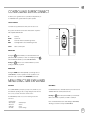
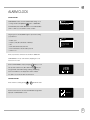
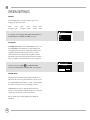
Your radio uses a joystick based control system for ease of use.
The joystick controller has four functions and is used in conjunction
with a separate SELECT button.
UP
DOWN
LEFT
RIGHT
Scrolls Up
Scrolls Down
Scrolls Left and moves back through menus
Scrolls Right and moves forward through menus
SELECT
Selects current option
‘UP’
‘LEFT’
(Back)
‘RIGHT’
(Forward)
‘DOWN’
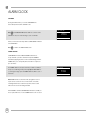
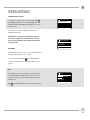
MENU BUTTON
Pressing the
button will take you to the Mode Menu for the
particular mode of operation you are in. For example, pressing
when in DAB Mode will take you to the DAB MODE MENU.
Pressing the
button for a second time will return you to the
‘playing screen’ that you just left.
MODE BUTTON
Pressing the MODE button will sequentially cycle through each of
SUPERCONNECT’s modes of operation. It is also possible to move
between modes of operation via the MAIN MENU (see below).
MENU STRUCTURE EXPLAINED
MAIN MENU
MODE MENUS
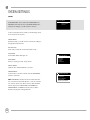
This is SUPERCONNECT’s principle (top level) menu, and allows you to
enter different operating modes, change settings and view information such as your radio’s ID number software version.
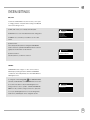
The Mode Menus are so called because they show the functions
available within the currently selected mode.
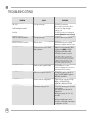
The MAIN MENU provides access to the following modes and
sub-menus:
• Internet radio
• Music player
• Bluetooth
• DAB radio
• FM radio
• Auxiliary Input
• Alarms
• Sleep
• System settings
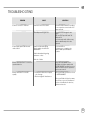
Pressing the
button at any time will take you to the Mode
Menu for the mode of operation your radio is currently in.
Each of the Mode Menus also includes a listing for MAIN MENU,
allowing you to return to the top level MAIN MENU.
07