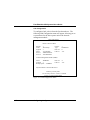
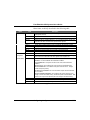
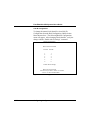
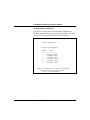
1
Fast EtherHub 3500 System &INO<GG<ODJI<I?2N@MN$PD?@ ♦ #<NO"OC@M%P=D ♦ #<NO"OC@M%P=HD0+*- Installation and User’s Guide Fast EtherHub 3500 System Intelligent Fast Ethernet Stackable Hub with 12 100BASE-TX Ports; including SNMP Management Support Copyright (c) 1996 by Accton Technology Corporation. All rights reserved. No part of this document may be copied or reproduced in any form or by any means without the prior written consent of Accton Technology Corporation. Accton makes no warranties with respect to this documentation and disclaims any implied warranties of merchantability, quality, or fitness for any particular purpose. The information in this document is subject to change without notice. Accton reserves the right to make revisions to this publication without obligation to notify any person or entity of any such changes. Before operating this product, please review the statements on electomagnetic emission interference and safety compliance in Appendix D. International Headquarters USA Headquarters No. 1 Creation Road III, Science-based Industrial Park Hsinchu 300, Taiwan, R.O.C. Phone: 886-3-5770-270 FAX: 886-3-5770-267 BBS: 886-3-5770-654 Internet: [email protected] 1962 Zanker Road San Jose, CA 95112 Phone: 408-452-8900 FAX: 408-452-8988 BBS: 408-452-8828 FAST FAX: 408-452-8811 Accton, EtherHub, SmartWatch, SmartExtender and AccView and are trademarks or registered trademarks of Accton Technology Corporation. Other trademarks or brand names mentioned herein are trademarks or registered trademarks of their respective companies. EH3512I-TX EH3512M-TX E1296-R01 150136-101 Package Contents Carefully unpack the contents of the package and verify them against the checklist given below. This checklist applies to all the Fast EtherHub 3500 Series models unless otherwise specified. Package Checklist æ Fast EtherHub-12i Intelligent Fast Ethernet Stackable Hub with 12 100BASE-TX Ports (Model No. EH3512I-TX) or Fast EtherHub-12mi SNMP Intelligent Fast Ethernet Stackable Hub with 12 100BASE-TX Ports; including SNMP Managment Support (Model No. EH3512M-TX) æ Two mounting brackets æ Four rubber foot pads æ One AC power cord æ One 20 cm FlexBus 3500 stack cable æ Installation manual æ Owner registration card @ Please inform your dealer immediately should there be any wrong, missing, or damaged parts. If possible, retain the carton, including the original packing materials. Use them again to repack the unit in case there is a need to return it for repair. To qualify for product updates and product warranty registration, fill in the Owner Registration Card and return it to Accton Technology Corporation. Package Contents i Quick Installation Accton’s Fast EtherHub 3500 models each contain 12 Fast Ethernet (100BASE-TX) RJ-45 ports, one MDI daisy-chain port, and one slot for an optional connection using 100BASE-TX (10BASE-T), 100BASE-T4 or 100BASE-FX. The smart design built into the front display panel and configure options provide a friendly interface that simplifies installation and network troubleshooting. If you are already familiar with basic network operations, you should be able to install this hub as described below: 1. Unpack the Fast EtherHub 3500 unit. 2. Find a location close to the network devices you need to connect, and within easy reach of an electrical outlet. These hubs are suitable for desktop or rack mounting 3. Mount the hub on a desktop or any other flat surface. If you are installing multiple hubs, you can stack them on top of each other (after attaching the foot pads), or install them in a standard EIA 19-inch rack. Attach PCs to the station ports 4. Connect any devices that use a standard network interface to the RJ-45 (MDI-X) station ports (e.g., a workstation, server or router). Use 100W Category 5 unshielded twistedpair (UTP) or 100W shielded twisted-pair (STP) cable. Also be sure that the length of any twisted-pair connection does not exceed 100 meters. (Refer to Chapter 2 for a more detailed description of calculating the maximum cable length permitted between two end nodes.) Attach each hub in the stack with FlexBus 3500 stack cable 5. If you are stacking multiple hubs, connect the FlexBus 3500 stack cable between the “Out” and “In” backplane ports on adjacent hubs. Run a simple chain starting at the Out port on the top hub in the stack, and ending at the In port on the bottom hub in the stack. No more than 6 hubs can be connected via the backplane bus. Quick Installation iii Fast EtherHub 3500 System User’s Guide Attach each hub to one of the backplane segments Use the SmartExtender Module to interconnect different segments in the stack Or interconnect the stack’s segments by attaching the daisychain port to a switch, or the station ports to a router Attach to the extended network via the daisy-chain port 6. Connect each hub to one of the 3 Fast Ethernet segments embedded in the backplane bus using either on-board configuration (Chapter 4) or optional network management software (e.g., AccView/Open). You can leave a hub isolated from the backplane if required for your network environment (e.g., to restrict network access for the attached user group). However, you should be careful to structure your network connections so that nodes which communicate frequently are located in the same segment. (Factory default is Segment 1.) 7. Bridge the different backplane segments in the Fast Ethernet 3500 stack by running a connection from the optional 100BASE-TX extender module on this hub to any station port on another hub in the stack that has been assigned to a different segment. Remember that devices connected to the switching port exist in a separate segment (and unless also connected to the FlexBus management channel) cannot be controlled by a management agent in the stack. When connecting a hub to the expansion port, the maximum cable length is 100 meters. 8. If you do not have any available SmartExtender Modules, the different segments in a Fast EtherHub 3500 stack can also be combined into an interconnected network by running a cable from the hubs’ daisy-chain ports (i.e., using port 12MDI on hubs attached to the different segments) to a network interconnection device such a switch; or by running a cable from the hubs’ station ports (i.e., using ports on hubs attached to different segments) to a router. 9. You can also attach the overall stack to a network interconnection device via the daisy-chain port (when connecting to a switch) or via a station port (when connecting to a router). Run straight-through twisted-pair cable from the hub to the other device. When attaching to a switch, run cable from the MDI daisy-chain port on this hub to any (MDI-X) station port on the switch (or vice versa). Note: When using the 12MDI daisy-chain port, remember that port 12X cannot be used. iv Quick Installation Fast EtherHub 3500 System User’s Guide Or attach to the extended network via the SmartExtender Module 10. If an optional SmartExtender Module is installed in the expansion port, it can be used to make a bridged connection from this hub to another network device using 100BASE-TX The SmartExtender Module can (10BASE-T), 100BASE-T4 or 100BASE-FX media types. be used to attach to another When connecting a node to the expansion port, the maxinetwork device that uses a different media type mum cable length is 100 meters for twisted-pair cable, and 2 kilometers for fiber. (Refer to Chapter 2 for a more detailed description of calculating the maximum length permitted for fiber optic cable.) Attach the SmartExtender Module You can use the extender module to bridge this hub to to a hub, switch, bridge or router another Ethernet or Fast Ethernet hub or stack; or to attach it to a network interconnection device, such as a switch, bridge or router. However, when using the expansion port to cascade to other networking devices outside the stack, note that the maximum cascade length should be limited to 7 devices. Transmission speed is automatically For integrating legacy networks, the 100BASE-TX extender set for any connection made to the module provides for connection via either 100BASE-TX or SmartExtender Module 10BASE-T. All 100BASE entender modules use auto-sensing to set the transmission speed at 10 or 100 Mbps. In other words, this module can correctly set the transmission speed for the attached device, even if it does not support auto-negotiation. Transmission mode automatically The extender modules, except for 100BASE-T4, support both configured for the connected device half-duplex and full-duplex communications. However, for only if it supports auto-negotiation this hub to correctly set the transmission mode, the attached device must also support auto-negotiation. If auto-negotiation fails, the transmission mode defaults to half duplex. If this setting is not suitable, then the transmission mode must be manually configured via on-board configuration (Chapter 4) or optional network management software (e.g., AccView/Open). To reactivate auto-negotiation, just unplug a connection from Use half duplex for a the port on the hub and plug it in again. Remember that fullshared collision domain duplex mode can only be used for a dedicated link, such as that provided by the SmartExtender Module. When connecting to a shared collision domain (i.e., another hub) set the transmission mode for half duplex. Quick Installation v Fast EtherHub 3500 System User’s Guide Difference in connecting to the extended network via the daisychain port or SmartExtenter Module Check your connections The Fast EtherHub 3500 stack can be connected to a larger network using any device such as a switch, bridge or router. Depending on your network configuration, you may attain better performance by making a direct connection from the daisy-chain port (or a station port) on this hub to an interconnection device. Making a connection from an extender module may introduce slightly more delay. 11. Verify network communications by ensuring that • you have made all the necessary connections • you can access any connected resources • the hub’s indicators are functioning properly If you encounter any problems in installing the Fast EtherHub 3500 system, refer to Chapter 2 for a detailed description of installation procedures, or to Appendix A for help in troubleshooting. vi Quick Installation About this Guide This guide is designed for the experienced network installer. It describes how to install and operate Accton’s Fast EtherHub 3500 system. After reading this manual, you should be able to use the front display panel and configure options to manage all your network connections. This manual covers the following topics: Chapter 1 - Product Overview Brief description of Fast Ethernet, followed by a description of this hub and a summary of its important features and specifications. Chapter 2 - Installing the System Installing a Fast EtherHub 3500 and making basic network connections. Also includes a description of significant components on the hub including ports and indicators. Chapter 3 - Setting up Network Connections Shows sample network configurations for a local area network. Chapter 4 - Configuring the System Describes how to manage the system via the on-board configuration program. Chapter 5 - Hardware Reference Detailed description of indicator panel and ports. Appendices - Troubleshooting, cable assignments, and product specifications. About this Guide vii Contents Chapter 1: Product Overview 1-1 Introduction to Fast Ethernet Brief Description of the Fast EtherHub 3500 System Distinguishing Factors of Fast EtherHub 3500 System Basic Features of Fast EtherHub 3500 System Data Switching with the SmartExtender Modules Switching Technology Configuration Options for the SmartExtender Modules Switching Methods 1-1 1-1 1-5 1-6 1-9 1-9 1-9 1-10 Chapter 2: Installing the System 2-1 Pre-Installation Requirements Hardware Installation Stacking Hubs without a Rack Mounting Hubs in a Rack Connecting the Hub System Making a Connection via an MDI-X Station Port Connecting to the Stack’s Backplane Making a Connection via the MDI Daisy-Chain Port Connecting to a SmartExtender Module Installing a Backup Power Supply Powering on the Hub Diagnostic Tests Hot Remove Configuring a Manageable Stack Installing an SNMP Backup Agent Verifying Port Status Verifying System Operation 2-1 2-2 2-2 2-3 2-4 2-4 2-5 2-6 2-6 2-11 2-12 2-12 2-13 2-14 2-14 2-15 2-15 Contents ix Fast EtherHub 3500 System User’s Guide x Chapter 3: Setting up Network Connections 3-1 Special Architecture Used for the Fast EtherHub 3500 Stack Multi-Segment Architecture FlexBus Management Link Hub ID Setting Using Management Agents Port Backup Function Security Features Sample Network Configurations Attaching the Stack to One Segment Attaching the Stack to Multiple Segments Isolating Specific Hub Connections Isolating Each Hub Extending the Network with Alternate Connections Linking the Stack to a Management Station Interconnecting the Segments Connecting Remote Stacks Operating in the Novell NetWare IPX Environment Operating in the TCP/IP Environment Connecting to the Network Backbone 3-1 3-1 3-2 3-2 3-2 3-4 3-4 3-5 3-5 3-6 3-7 3-8 3-9 3-10 3-11 3-12 3-13 3-14 3-15 Chapter 4: Configuring the System 4-1 Making the Connections Required for System Configuration Direct Connection Network Connection Local In-Band Telnet Connection Local In-Band Network Connection Remote Connection Configuring the Fast EtherHub Site Configuring the Remote Site Remote Configuration Methods Accessing the Configuration Management Program Configuring Your System with the On-board Program Using the Fast EtherHub 3500 System Configuration Program System Configuration Program for the Fast EtherHub-12i Configuring the SmartExtender Port 4-1 4-2 4-2 4-3 4-3 4-4 4-4 4-4 4-4 4-5 4-5 4-7 4-8 4-9 Contents Fast EtherHub 3500 System User’s Guide System Configuration Program for the 12mi and Stack Exiting the Configuration Program Restarting the Agent Displaying System Information Configuring the SNMP Agent Configuring SNMP Communities Configuring IP Trap Managers Configuring IPX Trap Managers Changing the Segment Configuration Configuring Hub Parameters Configuring Port Parameters Defining Backup Ports Port Intrusion Control Downloading System Software via a TFTP Server Xmodem Download Changing User Passwords Console Lockout Segment Statistics Hub Statistics Port Statistics 4-11 4-12 4-13 4-14 4-15 4-16 4-17 4-18 4-19 4-21 4-25 4-29 4-30 4-32 4-34 4-35 4-36 4-37 4-38 4-39 Chapter 5: Hardware Reference 5-1 Indicator Panel Power Indicator SmartExtender Module Indicator Interhub SNMP Segment Indicators Management Agent Indicators Hub ID Indicator Serial Terminator Isolation Utilization Indicators Collision Indicators Port Status Indicators Diagnostic Test Indicators 5-2 5-2 5-2 5-3 5-4 5-4 5-5 5-5 5-6 5-7 5-7 5-7 5-8 5-10 5-11 Contents xi Fast EtherHub 3500 System User’s Guide Network Connections Station Ports Daisy-Chain Port Serial Port Rear Panel Components Power Supply Modules FlexBus Ports In Out 5-13 5-13 5-13 5-14 5-15 5-15 5-16 5-16 5-16 Appendix A: Troubleshooting A-1 Diagnosing Hub Indicators System Diagnostics Power and Cooling Problems Installation Physical Configuration System Integrity A-1 A-2 A-2 A-2 A-4 A-4 Appendix B: Pin Assignments RJ-45 Port DB9 Serial Port Pin Description Hub’s 9-Pin Serial Port to PC’s 9-Pin COM Port Hub’s 9-Pin Serial Port to PC’s 25-Pin DTE Port Hub’s 9-Pin Serial Port to Modem’s 25-Pin DCE Port Appendix C: Product Specifications xii B-1 B-1 B-2 B-3 B-4 B-5 C-1 Product Specifications C-1 Appendix D: Regulatory Standards D-1 EMI Warning FCC Class A Certification Voluntary Control Council for Interference (VCCI-1) EN55022 Declaration of Conformance CE Mark Declaration of Conformance Safety Compliance D-1 D-1 D-2 D-3 D-3 D-4 Contents Fast EtherHub 3500 System User’s Guide Underwriters Laboratories Compliance Statement Sicherheitshinweise Appendix E: Product Support Services Product Registration Problem Report Hardware Repair Service Software Update and Upgrade Service Bulletin Board Service (BBS) Interactive Fast Fax (U.S.A. office) Technical Support Limited Warranty Customer Remedies Return Process Accton Offices Ordering Information D-4 D-5 E-1 E-1 E-1 E-1 E-2 E-2 E-3 E-3 E-4 E-4 E-5 E-6 E-7 Glossary Index Contents xiii Fast EtherHub 3500 System User’s Guide List of Figures Figure 2-1 Figure 2-2 Figure 3-1 Figure 3-2 Figure 3-3 Figure 3-4 Figure 3-5 Figure 3-6 Figure 3-7 Figure 3-8 Figure 3-9 Figure 3-10 Figure 3-11 Figure 4-1 Figure 4-2 Figure 4-3 Figure 4-4 Figure 4-5 Figure 4-6 Figure 4-7 Figure 4-8 Figure 4-9 Figure 4-10 Figure 4-11 Figure 4-12 Figure 4-13 Figure 4-14 Figure 4-15 Figure 4-16 Figure 4-17 Figure 4-18 Figure 4-19 Figure 4-20 Figure 4-21 Figure 4-22 Figure 4-23 Figure 4-24 xiv Contents Stacking Hubs without a Rack Mounting Hubs Using a Mounting Rack Attaching All Hubs in Stack to One Segment Attaching Hubs in Stack to Three Segments Linking Part of the Stacked Hubs to a Segment Stacked Hubs Not Linked to a Segment Linking Stacked Hubs to Unmanaged Hubs Linking Stacked Hubs to an NMS Linking Segments in a Stacked System Connecting Remote Stacks System Applied in Novell NetWare IPX Environment System Applied in TCP/IP Environment Connecting to the Network Backbone Main Configuration Menu (12i only) Configuration Menu for Extender Module (12i only) Main Configuration Menu Screen Messages for System Resart System Information Menu SNMP Configuration Menu SNMP Communities Menu IP Trap Managers Menu IPX Trap Managers Menu Segment Configuration Menu Hub Configuration: Hub Selection Menu Hub Configuration Menu Hub ID Configuration Menu Port Configuration: Port Selection Menu Port Configuration Menu SEM Port Configuration Menu Port Backups Menu Port Intrusion Control: Hub Selection Menu Port Intrusion Control Menu TFTP Download Menu Xmodem Download Menu User Passwords Menu Console Lockout Menu Segment Statistics Window 2-2 2-3 3-5 3-6 3-7 3-8 3-9 3-10 3-11 3-12 3-13 3-14 3-15 4-8 4-9 4-11 4-13 4-14 4-15 4-16 4-17 4-18 4-19 4-21 4-22 4-24 4-25 4-26 4-27 4-29 4-30 4-31 4-32 4-34 4-35 4-36 4-37 Fast EtherHub 3500 System User’s Guide Figure 4-25 Figure 4-26 Figure 4-27 Figure 4-28 Figure 4-29 Figure 5-1 Figure 5-2 Figure 5-3 Figure B-1 Figure B-2 Hub Statistics: Hub Selection Menu Hub Statistics Window Port Statistics: Port Selection Menu Port Statistics Menu SEM Port Statistics Menu Front Panel of EtherHub-12mi Indicators for EtherHub-12mi Rear Panel RJ-45 Connector (on the Hub Side) DB9 Serial Port (on the Hub Side) 4-38 4-38 4-39 4-40 4-42 5-1 5-2 5-15 B-1 B-2 List of Tables Table 2.1 Table 2.2 Table 2.3 Table 2.4 Table 2.5 Table 4.1 Table 4.2 Table 4.3 Table 4.4 Table 4.5 Table 4.6 Table 4.7 Table 4.8 Table 4.9 Table 4.10 Table 4.11 Table 4.12 Table 4.13 Table 4.14 Table 4.15 Table 4.16 Table 4.17 Table 4.18 Table 4.19 Table 4.20 Table 4.21 Contents Calculating the Power Budget for Fiber Optics Power Budget for Common Guage Fiber Optics Diagnostic Test Functions Checking Key LED Indicators Maximum Cable Length Configuration Options in Main Menu (12i only) Configuration Options for Extender Module (12i only) Main Configuration Menu System Information Menu SNMP Configuration Menu SNMP Communities Menu IP Trap Managers Menu IPX Trap Managers Menu Segment Configuration Menu Hub Configuration Menu Port Configuration Menu SEM Port Configuration Menu Port Backups Menu Port Intrusion Control Menu TFTP Download Menu Xmodem Download Menu User Passwords Menu Console Lockout Menu Segment Statistics Menu Hub Statistics Menu Port Statistics Menu 2-8 2-9 2-13 2-15 2-16 4-9 4-10 4-12 4-14 4-15 4-16 4-17 4-18 4-20 4-23 4-26 4-28 4-30 4-31 4-33 4-34 4-35 4-36 4-37 4-39 4-41 xv Fast EtherHub 3500 System User’s Guide Table 4.22 Table 5.1 Table 5.2 Table 5.3 Table 5.4 Table 5.5 Table 5.6 Table 5.7 Table 5.8 Table 5.10 Table 5.11 Table 5.12 Table 5.13 Table 5.14 Table 5.15 Table 5.16 Table 5.17 Table B.1 Table B.2 Table B.3 Table B.4 Table B.5 Table B.6 Table B.7 Table E.1 T xvi Contents SEM Port Statistics Menu Power Indicator SmartExtender Module Indicator SmartExtender Module Indicators Interhub Indicator SNMP Indicator Management Agent Indicators Hub Indicators Serial Indicator Terminator Indicator Isolation Indicator Utilization Indicators Collision Indicators Partition/Disable Indicators Link/Traffic Indicators Diagnostic Indicators Diagnostic Results RJ-45 Pin Assignments DB9 Port Pin Assignments Full-Pin Connection from Hub’s 9-Pin Serial Port to PC’s 9-Pin COM Port Three-Pin Connection from Hub’s 9-Pin Serial Port to PC’s 9-Pin COM Port Full-Pin Connection from Hub’s 9-Pin Serial Port to PC’s 25-Pin DTE Port Three-Pin Connection from Hub’s 9-Pin Serial Port to PC’s 25-Pin DTE Port Hub’s 9-Pin Serial Port to Modem’s 25-Pin DCE Port Pin Assignments Parameters for SmartExtender Modules 4-42 5-2 5-2 5-3 5-3 5-4 5-5 5-6 5-6 5-7 5-7 5-7 5-8 5-9 5-10 5-11 5-12 B-1 B-2 B-3 B-3 B-4 B-4 B-5 E-7 Chapter 1: Product Overview Introduction to Fast Ethernet Standard 10 Mbps Ethernet has served well for past generations of 80286 and 80386 machines performing simple file transfers. However, with the inevitable growth in corporate network size and the introduction of fully-functional 32-bit PC architectures, and operating systems running complex applications, 10 Mbps Ethernet has become a serious bottleneck. With the recent flood of choices for upgrading media bandwidth, 100 Mbps Fast Ethernet has become the most popular choice because of its low cost, compatibility with existing Ethernet applications, and the fact that it can run on top of an installed base of twisted-pair cabling. Moreover, by using a dual-speed switch (10 or 100 Mbps), Fast Ethernet can be easily integrated into an existing 10 Mbps Ethernet environment with no need for protocol translation or changes to network software. It also includes specifications for a media-independent interface (MII), which permits a switched connection to any of the 100BASE-T sublayers; i.e., 100BASETX (10BASE-T), 100BASE-FX or 100BASE-T4. Brief Description of the Fast EtherHub 3500 System The EtherHub 3500 System is a powerful and innovative LAN network enhancement and management product series. Each component in the system supports a Fast Ethernet multi-segment bus architecture that enhances traffic management and network bandwidth utilization. This system offers the network manager a wide range of flexible configuration options, allowing you to increase your network’s bandwidth tenfold or more. In addition, the entire installation can be monitored and controlled via SNMP protocol through any network management station. Product Overview 1-1 Fast EtherHub 3500 System User’s Guide Moreover, the Fast EtherHub 3500 System provides advanced network security features including “Intrusion Protection” which ensures that only designated workstations are able to transmit packets onto the network. Management access via the out-of-band serial port or in-band via telnet is also password protected. The basic components of this network system include: Full Connectivity • Provides 12 RJ-45 (MDI-X) 100BASE-TX Fast Ethernet (shielded) station ports for connecting devices to the network using straight-through shielded or unshielded twisted-pair cable (100W Cat 5 UTP or 100WSTP) • 1 RJ-45 (MDI) daisy-chain port for connection to a switching hub, eliminating the need for crossover cables • 1 slot for optional SmartExtender Modules which provide a connection to 100BASE-TX (10BASE-T), 100BASE-T4 or 100BASE-FX via a switching port • A multi-segment bus architecture that enhances traffic management and network bandwidth utilization • 2 FlexBus ports for connecting to other hubs in a Fast EtherHub 3500 stack via FlexBus 3500 stack cable • On-board management via the RS232 serial port connected directly to a terminal, or to a local or remote computer (that provides a standard RS232 port) The specific components are the: Fast EtherHub-12i Intelligent Fast Ethernet Stackable Hub with 12 100BASE-TX Ports The Fast EtherHub-12i conforms to the IEEE 802.3u repeater specification. It also serves as an intelligent hub which collects port statistics and records events for system administration. Basic configuration is provided by the on-board configuration program. 1-2 Product Overview Fast EtherHub 3500 System User’s Guide This hub can be used in a stand-alone configuration to form a simple Fast Ethernet LAN networking 2 to 12 computers using the RJ-45 station ports. Further network expansion can be achieved using the embedded tri-segment backplane, the MDI daisy-chain port, or one of the optional SmartExtender Modules. Moreover, when stacked with other intelligent hubs through the FlexBus ports and connected to the Fast EtherHub-12mi SNMP management device, it can be monitored and controlled through in-band or out-of-band channels. Fast EtherHub-12mi SNMP Intelligent Fast Ethernet Stackable Hub with 12 100BASE-TX Ports; including SNMP Managment Support This model conforms to both the IEEE 802.3u repeater specification and the Simple Network Management Protocol (SNMP). It not only functions as a 12-port Fast Ethernet repeater, but also provides an on-board SNMP-based network management agent for monitoring and controlling various network components. It can monitor up to 6 intelligent hubs connected to the same stack (including itself) through the FlexBus port connection. This Fast EtherHub provides SNMP management for the connected stack via various Management Information Bases (MIBs), including MIB II, repeater MIB, and Accton’s private MIB. SmartExtender Module • 100BASE-TX (EM3551-TX) Provides two RJ-45 ports, both of which can be connected to 10BASE-T or 100BASE-TX media types. Transmission speed is automatically set to 10 or 100 Mbps via autosensing, and half or full duplex via auto-negotiation. • 100BASE-T4 (EM3551-T4) Provides two RJ-45 ports for 100BASE-T4 connection. Transmission speed is automatically set to 10 or 100 Mbps Product Overview 1-3 Fast EtherHub 3500 System User’s Guide via auto-sensing. Transmission mode for 100BASE-T4 is fixed at half duplex. • 100BASE-FX (EM3551-FX-SC or EM3551-FX-ST) Provides two SC or ST type connectors for 100BASE-FX connection. Transmission mode is automatically set to half or full duplex via auto-negotiation. Transmission speed is fixed at 100 Mbps. Power Module Power Module (EM3550-PWR) Slide-in power module for use in the slots on the back of hub. When using two modules, the load is shared equally between both, reducing the chance of failure, but still providing backup power in case either module should fail. In-Band Network Managment Software AccView/Open (SW6102) This Windows-based network management software package analyzes and displays data received from the Fast EtherHub 3500 system. This package allows the network supervisor to access information from and set parameters for any hub in stack by transmiting commands to the appropriate management agent. AccView should be installed on the network management station designated to manage the Fast EtherHub 3500 stack. The workstation may communicate with the stack via a network connection or from a remote site using SLIP run over TCP/IP. If segmented architecture is used, the network management station should be connected to the same segment as the SNMP management agent (i.e., Fast EtherHub-12mi). The minimal configuration for network management station includes a 386 workstation with 10MB of available space on the hard drive, 2 MB on-board memory, a VGA display, and Windows version 3.1 or higher. 1-4 Product Overview Fast EtherHub 3500 System User’s Guide Distinguishing Factors of Fast EtherHub 3500 System This system provides the following key features: • Provides multi-segment architecture allowing the network to be split into three segments • Supports fault-tolerant configuration by allowing port link backup and agent backup • Supports management functions via SNMP • Supports on-board management (using Accton’s proprietary Fast EtherHub 3500 System Configuration Program), and full software configurable in-band management using the optional AccView/Open (network management software) • The on-board management agents support nearly any network environment by providing management options via SNMP/IP, SNMP/IPX and SNMP/Ethernet • Provides extensive security features including port intrusion protection, as well as password protection for out-of-band access or in-band telnet access • Supports redundant power supply Product Overview 1-5 Fast EtherHub 3500 System User’s Guide Basic Features of Fast EtherHub 3500 System In addition to all the features mentioned above, the system provides: Basic Repeater Functions • Repeats all incoming frames to the connected segment • Automatically partitions and reconnects devices which experience excessive collisions • Jabber lockup protection provided by disabling any port that receives 64 Kbytes of continues data, and re-enabling the port after the condition improves Outstanding Performance • Total bandwidth of up to 300 Mbps • The backplane contains 3 separate Ethernet segments, and a high-speed management channel • Manages up to 6 concentrators using the FlexBus stack cable Extensive Management Capabilities • An extensive indicator panel for reporting network activity, and unit configuration, and for facilitating problem diagnosis • Menu-driven configuration program can be accessed via a local or remote terminal connection to the hub’s serial port • The Fast EtherHub model with the SNMP agent supports in-band network management using optional network management software such as Accton’s AccView/Open (not included with this package) to monitor and control a stacked system • Provides one serial 9-pin RS232 port for out-of-band or remote in-band network management • BOOTP support for dynamic address assignment • Flash ROM on board the Fast EtherHub-12mi models for easily updating the SNMP agent 1-6 Product Overview Fast EtherHub 3500 System User’s Guide • Firmware update supported for the Fast EtherHub-12mi models via out-of-band Xmodem file transfer through the serial port, or in-band TFTP file transfer over the network Networking Flexibility (via SmartExtender Modules) • One slot supports optional slide-in network extender modules for connection to 10BASE-T, 100BASE-TX, 100BASE-T4 or 100BASE-FX (on a separate segment) • Transparent bridging (between stack and external device) via optional network extender modules • Uses adaptive cut-through switching (which dynamically changes between fragment free cut-through and store-andforward depending on the CRC error rate) • 100BASE-TX SmartExtender module automatically senses transmission speed (at 100 Mbps or 10 Mbps) • 100BASE-TX and 100BASE-FX SmartExtender modules support two interface modes: full duplex or half duplex — auto-negotiates transmission mode for full duplex and half duplex (if same feature is supported by attached device); otherwise can be manually configured • Automatically learns MAC addresses to build the routing information database • Automatically filters local traffic • Transparent to all higher level protocols Easy Installation • Flexible installation for desktop or rack (standard 19” size) • Plug-and-play • Self-diagnostics • Automatic polarity detection and correction permits automatic recovery due to wiring errors • Automatic ID assignment and auto-terminator setting for auto-configuration Product Overview 1-7 Fast EtherHub 3500 System User’s Guide • Adapts to universal wide range voltage power (i.e., 100V AC to 240V AC 10%, 50~60 3Hz) • Provides a slot for an optional backup power supply Complete Standards Conformance • Conforms to IEEE 802.3u Class I repeater specification and 100BASE-TX standard (i.e., 100 Mbps Fast Ethernet) • Optional SmartExtender Modules conform to relevant IEEE specifications and standards for respective media types • Supports MIB II, Repeater MIB, Ethernet MIB, and Accton’s private MIB • Conforms to Simple Network Management Protocol (SNMP) 1-8 Product Overview Fast EtherHub 3500 System User’s Guide Data Switching with the SmartExtender Modules Switching Technology The SmartExtender Modules that plug into the expansion slot on the front panel of the Fast Ethernet 3500 series use advanced switching techniques to provide a high-speed network backbone. Each extender module acts as a two-port Ethernet switch which effectively partitions the stack from the backbone. The module scans the destination address from the packet header, searches the routing table provided for the incoming port and forwards the packet only if required, often before fully received. A learning function stores the address and corresponding segment identifier of each incoming and outgoing packet in a routing table. This information is subsequently used to filter packets whose destination address is on the same segment as the source address. This confines network traffic to its respective domain, reducing the overall load on the network. Configuration Options for the SmartExtender Modules Only the 100BASE-TX and 100BASE-FX media support full-duplex operation. The SmartExtender Modules can be connected to either a subnetwork, or directly to a server or key workstation. In addition to partitioning an overloaded network, they provide a connection between legacy 10BASE-T networks and the newer generation 100BASE-TX, and can be configured to operate in either full-duplex or half-duplex data transfer mode to support the interconnection requirements of other high-speed devices. These modules perform adaptive cut-through switching, which is capable of instantly forwarding or filtering a packet according to the destination address scanned from the packet header. This technique transmits packets with near-zero latency. Product Overview 1-9 Fast EtherHub 3500 System User’s Guide As a device functioning on the media access control (MAC) layer, the extender modules are protocol independent, and therefore compatible with IEEE802.3, IEEE802.3u, TCP/IP, NetWare, DECnet and XNS protocols. They can provide a connection between conventional 10BASE-T and high-speed 100BASE-TX networks; or can serve as a 2-port bridge in a 100BASE-TX or 100BASE-FX environment. Moreover, where traditional 100BASE-TX networks restrict the maximum distance between end-nodes to 205 meters, these modules break down this barrier. By breaking your network into smaller and more manageable segments, each linked to the larger network with a SmartExtender Module, the maximum distance for communications between end-nodes is unlimited (depending on the specific timing requirements of your network applications). Switching Methods Traditional bridges and routers use a switching method called store-and-forward in which the entire frame must be received before performing a table look-up for the destination node and forwarding the packet to the corresponding port. As a result, each packet experiences a hefty delay. It may be necessary to use store-and-forward when a lot data errors are occurring over the network, or when connecting to very slow devices. Compared to this “conservative” mode of operation, fragmentfree cut-through switching significantly reduces packet transmission delay by picking the destination address out of the header as soon as the first full 64 bytes has been received. This technique directs the frame to the appropriate segment long before the full packet has been received. It also cleans up the data stream by preventing runts from being passed along, thereby improving data reliability. Although fragment-free cut-though switching is recommended as the fastest method for most applications, store and forward is also supported by the SmartExtender Modules to guarantee 1-10 Product Overview Fast EtherHub 3500 System User’s Guide flawless performance. To ensure that you can manage any kind of network load, the extender modules provide adaptive cutthrough switching based on Accton’s smart algorithm. This method dynamically changes the way it handles data based on the current error rate. This switching strategy start at fragmentfree for a clean to moderately dirty data environment, and changes to store-and-forward for a highly contentious environment. By using this method, the SmartExtender Modules deliver the best networking performance under any environment. Moreover, in addition to using adaptive switching to optimize throughput, these modules also support back pressure to eliminate frame loss after their buffers fill by “blocking” unwanted traffic from being passed onto a segment. Product Overview 1-11 Chapter 2: Installing the System This chapter describes how to install the Fast EtherHub unit and establish network connections. You may install this hub on any level surface (e.g., a table or shelf) or in a standard equipment rack. However, please take note of the following minimum site requirements before you begin. Pre-Installation Requirements Before you start actual hardware installation, make sure you can provide the right operating environment, including power requirements, sufficient physical space, and proximity to other network devices that are to be connected. Verify the following installation requirements: • Power requirements: 100 to 240 VAC (± 10%) at 50 to 60 Hz (± 3Hz). The hub’s power supply automatically adjusts to accept the input voltage level. • The hub should be located in a cool dry place, with at least 10 cm. of space at the front and back for ventilation. • Place the switch out of direct sunlight, and away from heat sources or areas with a high amount of electromagnetic interference. • If you intend to mount the hub on a rack, make sure you have the mounting screws, brackets, bolts and nuts, and the right tools. • Be sure the network cables and connectors needed for installation are available. Installing the System 2-1 Fast EtherHub 3500 System User’s Guide Hardware Installation F This hub is suitable for desktop or rack-mount installation. A good location is at the center of all the devices you want to link, close to a collapsed backbone, and near a power outlet. These hubs can be stacked with other hubs using a mounting rack or directly on top of one another. Refer to the sections on Stacking Hubs without a Rack or Mounting Hubs in a Rack for a description of these methods. If you don’t want to stack the hub with other hubs now, or you plan to use the hub in a stand-alone configuration, go to the section on Connecting the Hub System . Stacking Hubs without a Rack If you need to install a redundant power module, refer to Installing a Backup Power Supply on page 2-11, and complete that procedure before stacking the hub. The hub can be stacked anywhere there is a sufficiently large flat space, such as on a table or desktop. 1. Stick the self-adhesive rubber foot pads (that come with this package) on each of the 4 hollow spaces located on the bottom of the first hub. 2. Place the first hub on a firm and flat surface in the area where you want the stack to be installed. 3. Attach the rubber feet on each hub before stacking them. They cushion the hub against shock/vibrations and provide space between each hub for ventilation. Figure 2-1 Stacking Hubs without a Rack 2-2 Installing the System Fast EtherHub 3500 System User’s Guide Mounting Hubs in a Rack If you need to install a redundant power module, refer to Installing a Backup Power Supply on page 2-11, and complete that procedure before stacking the hub. Please comply with the following instructions to ensure that your hub is securely mounted in the rack. 1. Use an standard EIA 19-inch rack. 2. Use a Phillips (i.e., cross-head) screwdriver to attach the brackets to the sides of the hub. 3. Position the hub in the rack by lining up the holes in the brackets with the appropriate holes on the rack, and then use the supplied screws to mount the hub in the rack. Figure 2-2 Mounting Hubs Using a Mounting Rack Installing the System 2-3 Fast EtherHub 3500 System User’s Guide Connecting the Hub System Remember to label all your connections at both ends of the cable to facilitate troubleshooting or future changes to network configuration. The Fast EtherHub has 12 RJ-45 shielded ports (i.e., 100BASE-TX) that support connections to 100 Mbps Fast Ethernet. Ports 1 - 12 (MDI-X) allow you to connect to devices such as a workstation, server or router. While Port 12 (MDI) lets you easily cascade to a compatible switch (i.e., connecting from MDI to MDI-X ports on either device). This hub also provides an expansion slot for plugging in optional SmartExtender Modules. These modules support a single connection to 100BASE-TX (10BASE-T), 100BASE-T4 or 100BASE-FX. They provide a convenient way to attach to devices which use an alternate media type (e.g., linking fiber optic cable to a remote device). The transmission speed for ports on the optional 100BASE-TX SmartExtender Module is automatically set at 10 or 100 Mbps to match the operating speed of the attached device. Moreover, the transmission mode of the ports on the optional 100BASE-TX and 100BASE-FX extender modules is automatically set at full or half duplex to match the optimum capability of the attached device. Making a Connection via an MDI-X Station Port You can connect an RJ-45 station port on the hub to any device that uses a standard LAN interface such as a workstation or server, or also to a network interconnection device such as a bridge or router (depending on the port type implemented). 1. Prepare the network devices you wish to network. Make sure you have installed suitable 100BASE-TX network interface cards before making a connection to any of the hub’s station ports. You also need to prepare straightthrough 100W Category 5 shielded or unshielded twisted-pair cables with RJ-45 plugs at both ends. 2-4 Installing the System Fast EtherHub 3500 System User’s Guide 2. Connect one end of the cable to the RJ-45 port of the network interface card, and the other end to any available (MDI-X) station port on the hub. Just remember that if you use Port 12MDI-X, the daisy-chain port (12MDI) cannot be used. When inserting an RJ-45 plug, be sure the tab on the plug clicks into position to ensure that it is properly seated. Using the hub in a stand-alone configuration, you can network up to 12 nodes. I Do not plug a phone jack connector into the RJ-45 port. This may damage the switch. Instead, use only twisted-pair cables with RJ-45 connectors that conform with FCC standards. Notes: 1. Make sure each twisted-pair cable does not exceed 100 meters. 2. We advise using Category 5 cable for all network connections to avoid any confusion or inconvenience in the future when you upgrade attached devices to Fast Ethernet. 3. You may also connect a device to the switching port located on hub’s front panel if required. However, be sure you use a SmartExtender Module that meets your communication requirements. Refer to SmartExtender Module in Chapter 1 for more details. 4. To facilitate troubleshooting, label all network cables to indicate the attached device and location. Connecting to the Stack’s Backplane Plug one end of the FlexBus 3500 stack cable (provided with the base package) in the Out port of the top hub and the other end to the In port of the next hub. Repeat this step for each hub in the stack. Form a simple chain starting at the Out port on the first hub and ending at the In port on the last hub. Refer to FlexBus Ports in Chapter 5 for related information. F Hubs in a stack can only be grouped into segments through the FlexBus 3500 stack cable. You should therefore use the FlexBus ports to make Out to In connections in a stack. Hubs in a stack can only be managed by the network management agent through the stack cable. In a managed stack, you should therefore use the stack ports to make Out to In connections, and include a management agent (i.e., a Fast EtherHub-12mi) in the chain. You can also cascade hubs using the daisy-chain port (Port 12MDI). However, hubs cascaded using the daisy-chain port cannot be managed by the management agent. See the next section for details. Installing the System 2-5 Fast EtherHub 3500 System User’s Guide Making a Connection via the MDI Daisy-Chain Port The Fast EtherHub 3500 hubs are Class I repeaters. Class I repeaters cannot be cascaded to another repeater in the same collision domain. The daisy-chain port can only be cascaded to another device which breaks up the collision domain (e.g., an Ethernet switch). Stackable Fast Ethernet hubs are generally restricted to Class I repeater types due to the timing requirements for passing traffic and management data across the stack’s backplane. Although Class I repeaters cannot be cascaded to another device in the same collision domain via the daisy-chain port, more powerful interconnection options are provided via the hub’s backplane and optional SmartExtender Modules. The daisy-chain port can only be cascaded to another device which breaks up the collision domain (e.g., an Ethernet switch). Prepare straight-through 100W Category 5 shielded or unshielded twisted-pair cables with RJ-45 plugs at both ends. Connect one end of the cable to the 12MDI port on this hub, and the other end to a standard MDI-X station port on the other device. Remember that when using the daisy-chain port (12MDI), station port (12MDI-X) cannot be used. When inserting an RJ-45 plug, be sure the tab on the plug clicks into position to ensure that it is properly seated. Notes: 1. Make sure the twisted-pair cable does not exceed 100 meters. 2. To connect to a switch, you may also run straight-through twistedpair cabling from a station port on this hub to a crossover port on the switch. However, if you must connect to a switch via station ports at both ends of the cable, use crossover cabling. Connecting to a SmartExtender Module The Fast Ethernet 3500 Series includes a network expansion slot on the front panel that supports connection to 100BASE-TX (10BASE-T), 100BASE-T4 or 100BASE-FX. Each SmartExtender Module acts as a two-port switch that can forward and filter data frames at line speed. One port is connected to the hub’s internal repeater bus, while the other port (on the hub’s front panel) can be used to connect the hub to any compatible network device. The optional extender modules include: 2-6 Installing the System Fast EtherHub 3500 System User’s Guide 10BASE-T 100BASE-TX 100BASE-T4 100BASE-FX - EM3551-TX SmartExtender Module - EM3551-TX SmartExtender Module - EM3551-T4 SmartExtender Module - EM3551-FX-ST SmartExtender Module EM3551-FX-SC SmartExtender Module Note: The EM3551-TX automatically adjusts to 10 or 100 Mbps using auto-sensing. Refer to SmartExtender Module in Chapter 1. I Retain the face plate for possible future use. I The SmartExtender Modules and not hot-swappable. Be sure the hub is powered off when installing these modules Avoid running your cables near equipment that may generate electromagnetic interference. The SmartExtender Modules are not hot-swappable. Be sure you power off the hub before installing any of these modules. Installing a SmartExtender Module - If you need to install an extender module, take the following steps: 1. Disconnect power to the hub. 2. Remove the face plate on the expansion slot (or a previously installed SmartExtender Module) by removing the two screws with a Phillips (i.e., cross-head) screwdriver. 3. Before opening the package that contains the extender module, touch the bag to the hub casing to discharge any potential static electricity. 4. Remove the module from the anti-static shielded bag. 5. Holding the module level, gently push it all the way into the expansion slot, ensuring that it firmly engages with the connector. 6. If you are sure the module is properly mated with the connector, replace the retainer screws to secure the module in the expansion slot. 7. Run corresponding media type between the extender module and the target device. Connecting Twisted-pair Cabling - For the 100BASE-TX and 100BASE-T4 modules, prepare Category 5 straight-through twisted-pair cables with RJ-45 plugs at both ends. When connecting the module directly to an end-node device (e.g., a workstation or file server), a bridge or router, run cable from the MDI-X port on the SmartExtender Module to the target device. However, when connecting the module to a hub or switch, Installing the System 2-7 Fast EtherHub 3500 System User’s Guide connect one end of the cable to the MDI port on the extender module, and the other end to the MDI-X port on the target device (or vice versa). When inserting an RJ-45 plug, be sure the tab on the plug clicks into position to ensure that it is properly seated. Note that as a general rule, the length of any twisted-pair cable should not exceed 100 meters. Connecting Fiber Optic Cabling - For the 100BASE-FX module, prepare fiber optic cable with SC or ST connectors at both ends. When connecting the module directly to an end-node device (e.g., workstation or file server), run cable from the Rx (Tx) port on the module to the Tx (Rx) port on the target device. Also, when daisy-chaining SmartExtender Modules, make similar connections between the current module and the next device in the stack. When inserting a cable, be sure the tab on the plug clicks into position, to ensure that it is properly seated. Note that as a general rule, the length of fiber optic cable should not exceed 2 kilometers. However, power budgeting must be considered when calculating the maximum cable length for your specific environment (as described later in this chapter). - When using fiber optic cabling, the maximum length between two hubs can be up to 2 kilometers. However, you must consider power loss when calculating the actual length of cable that can be used with your system. You can calculate power loss with the following formula: Distance Limit and Power Loss in Fiber Optics m = (p dB - i dB) c dB/km Variable m p dB i dB c dB/km Description cable length (kilometers) power budget intervening devices (e.g., patch cables and splices) loss per kilometer of cable Table 2.1 Calculating the Power Budget for Fiber Optics 2-8 Installing the System Fast EtherHub 3500 System User’s Guide Note: To determine the power loss incurred by intervening devices and specific cable type, inquire with the manufacturer. The power budget depends on the gauge of cable as shown below. Gauge of Fiber Cable 50/125 mm 62.5/125 mm Power Budget 9.2 dB 13 dB Table 2.2 Power Budget for Common Guage Fiber Optics For a sample calculation, assume the following values: • cable gauge - 62.5/125 mm, which means a 13 dB power budget, • 2 patch panels along the path, each with 1.5 dB power loss, • 1 splice with 1 dB power loss, and • inherent power loss in the cable is 4 dB/km The maximum cable length is therefore: m = 13 dB - 4 dB = 2.25 km 4 dB/km I When the 100BASE-FX link is set for the full-duplex communications (i.e., a dedicated connection), cable length should not exceed 2 kilometers. However, when the link is set for half-duplex communications (i.e., a shared collision domain), cable length should not exceed 412 meters (IEEE 802.3u). Note: Even though your calculations for power loss may indicate a longer permissible length based on signal strength (as seen in the preceeding example), we advise remaining within the recommended limits. Maximum Segment Length - In contrast to cascading devices through repeater ports, cascading through the SmartExtender Module breaks up the collision domain. The number of devices that can be cascaded is therefore theoretically unlimited. However, in practice, the length of a cascade (even one passing through switching ports, as implemented in the extender modules) may be limited by the time-out requirements of the particular applications running over the network. Considering these delay factors, the IEEE 802.1D standard (i.e., RFC for MAC bridges) recommends restricting the number of interconnection devices between any two nodes to seven. Installing the System 2-9 Fast EtherHub 3500 System User’s Guide Setting the Communication Mode - The 100BASE-TX and 100BASE-FX SmartExtender Modules both support half and full-duplex communications. The hub uses auto-negotiation to determine the transmission mode for any new connection made to these modules. However, if a connected device does not also support auto-negotiation, and a link cannot be established using half duplex (i.e., the last state tested by auto-negotiation), then you must manually set the transmission mode for the concerned port to full or half duplex via on-board configuration (Chapter 4) or using optional network management software. Bridging Functions - The SmartExtender Modules form a separate segment (i.e., collision domain) from the rest of the ports in the stack. They therefore provide fully transparent bridging functions which automatically learns node addresses required to filter and forward traffic based on the destination address (i.e., traffic is filtered if the destination address is in the local collision domain, or forwarded if the destination is in another segment). Note: Devices connected to the SmartExtender Module exist in a separate segment, and cannot be controlled by a management agent in the stack. Switching Functions - These modules also provide functions commonly found on an Ethernet switch. The scheme used to process data packets is automatically adjusted to optimize system performance. Fragment-free cut-through or store-andforward processing may be used depending on the current error rate. (Refer to Data Switching with the SmartExtender Modules in Chapter 1 for a detailed discussion of these processing methods.) In addition to the features listed above, the extender modules also use back pressure to eliminate frame loss when its buffers fill, by “slowing” the traffic received from end stations or segments connected directly to this port. 2-10 Installing the System Fast EtherHub 3500 System User’s Guide SEM RJ-45 SEM SEG1 SEG2 RJ-45 SEG3 This stack has been fully interconnected using two extender modules. Interconnecting Stack Segments - Hubs can be completely isolated from the stack, or can be attached to any of the three available segments embedded in the backplane. When attached to a segment (i.e., common collision domian), the hub can communicate with all other devices attached to that segment. (Refer to the discussion on Mult-Segment Architecture in Chapter 3, and to Configuring Hub Parameters in Chapter 4.) A Fast EtherHub stack can be split into three separate (isolated) segments. The best way to interconnect these different segments is to connect a (100BASE-TX) SmartExtender Module to a repeater port on a hub in a different segment, using an MDI to MDI-X connection. Two extender modules can be used in this way to connect all three segments You can also make a direct connection between extender modules (i.e., similar media types) that exist in two different segments in the stack. However, this approach is not only more costly, but also entails a slightly higher transit delay for trafffic passing between the segments. The last alternative is to connect different segments via a Fast Ethernet switch or router. Because this is the most expensive approach, we do not advise it unless you already have a suitable interconnection device available. Installing a Backup Power Supply If you need to install a backup power module, take these steps: 1. Remove the face plate on the optional power bay (or a previously installed power module) by turning the two retaining knobs on the rear panel counterclockwise. 2. Holding the module level, gently push it all the way into the empty bay, ensuring that it firmly engages with the connector. 3. After you are sure the module is properly seated in the bay, tighten the retaining knobs to secure it in place. 4. Connect power to the backup power supply. Use separate AC circuits to provide optimal backup capability. Note: Leave at least 12 inches clearance in the back of the hub (or stack) to facilitate system maintenance (e.g., removing power modules). Installing the System 2-11 Fast EtherHub 3500 System User’s Guide Powering on the Hub 1. Plug one end of the power cord into a power outlet, and the other end into the power socket at the rear of the hub (in that order for reasons of safety). Then plug in the backup power module if you purchased this option. For reliable backup, connect the backup power module to a separate AC circuit. 2. Check the LED indicator marked PWR1 (or PWR2) on the front panel to see if it is on. The unit will automatically select the setting that matches the connected input voltage. Therefore, no additional adjustments are necessary when connecting it to any input voltage within the range marked on the rear panel. 3. The hub performs a self-diagnostic test upon power-on. (Note that this test takes about 15 seconds to complete.) For details about the system self-diagnostic test, refer to the following section. I The unit supports a "hot remove" feature which permits you to connect/disconnect network cables without powering off the hub and without disrupting the operation of the hubs in stack. However, when changing SmartExtender Modules or power supply modules, first disconnect power to the concerned hub. Diagnostic Tests Upon power on, the system performs an internal self-diagnostic test of major hub components. If any component fails during the test, the hub will try to complete the diagnostic procedure. Otherwise, the system will hang. For related information, refer to Diagnostics Test Indicators in Chapter 5. 2-12 Installing the System Fast EtherHub 3500 System User’s Guide The following table shows the components to be tested. Test Function/Component Fast EtherHub-12i Fast EtherHub-12mi Boot ROM All tests listed for Fast EtherHub-12i Hub Configuration EEPROM and then the following tests: RAM for Repeater Board CPU Console I/O Repeater Information Base SRAM Flash ROM for SNMP Firmware Repeater Interface Controller EEPROM for Stack Configuration Routing Table for Internal SEM Port DRAM Buffer for Management Program Input Queue for Internal SEM Port Management Bus Output Buffer Output Queue for Internal SEM Port Management Bus Input Buffer Routing Table for External SEM Port Network Interface Controller Input Queue for External SEM Port Output Queue for External SEM Port Table 2.3 Diagnostic Test Functions Hot Remove The Fast EtherHub 3500 System supports “hot remove” capability that allows you to connect/disconnect hubs or media connectors from the system with minimal disruption to the network. You can remove any network cabling without affecting traffic passing across the internal repeater bus. However, if the FlexBus 3500 stack cable is disconnected at any point in the stack, or is not properly terminated, all Ethernet and management traffic passing across the stack’s backplane will be disrupted. I When changing modules in the expansion slot or changing power supply modules, first disconnect power to the concerned hub. Installing the System 2-13 Fast EtherHub 3500 System User’s Guide Configuring a Manageable Stack To manage the stack with the on-board configuration program or any optional network management software, the stack must include an EtherHub-12mi (i.e., a unit with an SNMP agent). Moreover, the network management station must be able to access the segment containing the management agent. You should also consider adding a backup SNMP agent to provide greater management reliability for critical applications. The procedures required to install a backup agent is described below. Installing an SNMP Backup Agent The on-board configuration program only provides access to the private MIB. To gain full SNMP functionality, you must use optional network management software (e.g., AccView/Open). Just add the backup agent(s) to the stack and let the system automatically choose the Master agent and the Slave agent based on longest up-time. The Master indicator on the device chosen as the primary agent will turn ON. The Backup indicator will turn ON for all other hubs (attached to the same segment) that contain SNMP agents. Note: If you attach SNMP agents to separate segments, be sure they are assigned unique IP addresses via on-board configuration (as described under Changing the Segment Configuration in Chapter 4). 2-14 Installing the System Fast EtherHub 3500 System User’s Guide Verifying Port Status Check each connection by viewing the port status indicators listed below. (For a more detailed description on these indicators, refer to Chapter 5.) LED State Indication Link On Port has established a valid network connection. Traffic Blinking Traffic is traversing the port. Tx/Rx1 Blinking Traffic is traversing the port. 1001 On Communications have been set to a speed of 100 Mbps. FDX1 On Communications have been set to full-duplex mode. 1 - The indicators appear on the front of the SmartExtender Module. Table 2.4 Checking Key LED Indicators If the Link status indicator is not functioning properly, or you experience any other difficulties in setting up the switch, refer to Appendix A. Verifying System Operation Verify that all attached devices have a valid connection. The hub monitors link status for each port. If any device is properly connected to the hub and transmitting a link beat signal, the Link indicator lights for the corresponding port. If the Link indicator fails to light when you connect a device to the hub, check the following items • Be sure the media cable is properly attached to the connected device and the hub. Verify that the cable connector snaps into place when attached. • See if the media cable is functioning properly by using it for another port and attached device that displays valid indications when connected to the network. Installing the System 2-15 Fast EtherHub 3500 System User’s Guide • Verify that you have not exceeded the specified limits for any attached media type as summarized in the following table: Media Type Twisted Pair Fiber Opitc Maximum Length (meters) 100 412 (at half duplex) 2000 (at full duplex) Table 2.5 Maximum Cable Length • If a computer is attached to the hub, verify that its adapter card is functioning properly by trying it in another computer that has been successfully connected to the network. • When using the 100BASE-TX or 100BASE-FX SmartExtender Module, both sides of each connection must use the same transmission mode (i.e., full or half duplex). If the device connected to the hub operates at full duplex but does not support auto-negotiation, then you must manually set the transmission mode with the configure button. (Refer to section on Communication Mode earlier in this chapter.) If you still can’t resolve the problem, please refer to Troubleshooting in Appendix A. 2-16 Installing the System Chapter 3: Setting up Network Connections Special Architecture Used for the Fast EtherHub 3500 Stack Multi-Segment Architecture The Fast EtherHub 3500 system supports multi-segment configuration through the FlexBus cabling. Three Ethernet segments (i.e., separate collision domains) are embedded in the hub’s FlexBus port (i.e., the stack’s backplane). You can choose to attach a hub to one of these segments, or to leave it isolated except for the management channel. Nodes attached to a specific segment (e.g., Segment 1) can only communicate with nodes attached to the same segment (unless the segments are interconnected with a device such as an Ethernet switch). This type of architecture makes the system more flexible, provides better traffic load sharing and data protection, improves network bandwidth utilization, and simplifies troubleshooting. Carefully plan your network setup to make this architecture work well for your system. Form a common domain for devices that need to frequently communicate with each other by attaching them to the same segment. In this way you can arrange network resources to balance traffic and thereby increase overall network efficiency. To combine the segments into an interconnected network (while at the same time retaining the higher effective bandwidth and segment integrity provided by the multi-segment architecture), attach each segment to a switch or similar interconnection device, such as one of Accton’s Fast Ethernet Switches. Setting Up Network Connections 3-1 Fast EtherHub 3500 System User’s Guide FlexBus 3500 Management Link The management link in a chain of cascaded hubs must be connected to manage the stack as a single unit. This means that only hubs connected using the FlexBus can be controlled by an SNMP management agent (i.e., Fast EtherHub-12mi). At most, 6 hubs can be managed and linked together using the FlexBus connection. Hub ID Setting In a stacked system, each hub should have a unique ID number to identify itself. Each hub automatically sets an ID number if attached to an SNMP management agent through the FlexBus port (i.e., Fast EtherHub-12mi). When a new hub is inserted in the stack, the next available hub identifier is assigned to the new hub (i.e., the identifier numbers are not changed for previously configured hubs). When the stack includes a management agent, you can also set hub IDs using the on-board configuration program. Refer to Configuring Hub Parameters in Chapter 4 for more information. Using Management Agents The Fast EtherHub-12mi SNMP includes an SNMP management agent. To add SNMP functionality to the entire stack, this hub type must be included in the stack. To provide in-band access to the agent you must also attach your network management station to a the segment that includes the management agent. 3-2 Setting Up Network Connections Fast EtherHub 3500 System User’s Guide Multiple Agents The on-board configuration program only provides access to the private MIB. To gain full SNMP functionality, you must use optional network management software (e.g., AccView/Open). You may include multiple agents in a stack. To provide a failsafe backup management agent, include it in the same segment with the Master agent. You may also use several active agents in the same stack. However, they must be attached to different segments and have unique IP addresses. SNMP Backup Agent The Fast EtherHub 3500 system supports a backup function for the management agent. This special function allows the stack to have two or more SNMP network management agents attached to the same segment, wherein one agent is configured as the Master agent and the other(s) as a Slave (i.e., Backup) agent. The agent in slave mode behaves as a Fast EtherHub-12i. But if the Master agent fails, the Slave agent takes over its functions using the latest data mirrored from the Master, including its IP address. Note that to manage the stack out-of-band after the Slave has assumed control, you must plug your PC or modem into the Serial port of the Slave agent. If you are using optional network management software, just ensure that your network management station can access the new control agent via its current network connection. Note: Placing redundant agents in a segment will cause the system to set the agent with longest up-time as the Master, and the other(s) as a slave. If more than one slave exists in a segment, the slave higher up in the FlexBus chain will be chosen to function as the Master if it fails. Setting Up Network Connections 3-3 Fast EtherHub 3500 System User’s Guide Port Backup Function The Fast EtherHub 3500 system supports a port backup function (i.e., a redundant link). A hub system can have up to 18 pairs of redundant links. These links are configurable using the in-band or out-of-band management program. When a primary link fails, the secondary (i.e., backup) link automatically takes over. Notes: 1. To prevent traffic from looping, the primary port is enabled and the backup port disabled. If the system is functioning normally, the Link indicator for the primary port and the Partition indicator for the backup port will be on. 2. It is common practice to attach these links to the same physical device (e.g., two separate adapter cards on a critical server). However, to provide more flexibility, this is not enforced by the configuration program. Security Features Intrusion Protection Any repeater port on the hub can be configured with a preferred source address. If an unauthorized intruder is detected, the network management station can be notified, or a trap can be sent and the port disabled. 3-4 Setting Up Network Connections Fast EtherHub 3500 System User’s Guide Sample Network Configurations The Fast EtherHub 3500 series stackable hubs are designed to provide flexibility in configuring network connections. This hub can be used as a simple stand-alone hub or connected to other network interconnection devices in various configurations. This section includes sample applications, most of which take advantage of the multi-segment architecture. Pay attention to the examples that illustrate how to segment a hub stack. This procedure can extend network bandwidth up to 300 Mbps. Attaching the Stack to One Segment You can attach all the hubs in a stacked system to the same segment. In this example, a stacked system using the FlexBus port connection is connected to segment 1. Putting all hubs in the same segment groups all nodes attached to the stack in a single collision domain. All Ethernet frames transmitted by any node are seen by every other node in the stack. For a heavily loaded network, you can significantly improve performance by configuring the stack into separate segments as shown in the next example. SEGMENT 1 EtherHub3500 ID1 MANAGEMENT CHANNEL EtherHub3500 HUB SEGMENT 1 SEG. LINK 1 ID2 SEG. LINK 2 EtherHub3500 HUB SEGMENT 1 ID3 SEG. LINK 3 EtherHub3500 HUB SEGMENT 1 ID4 SEGMENT 1 ID5 SEGMENT 1 ID6 EtherHub3500 HUB EtherHub3500 HUB FlexBus 3500 Cable Figure 3-1 Attaching All Hubs in Stack to One Segment Setting Up Network Connections 3-5 Fast EtherHub 3500 System User’s Guide Attaching the Stack to Multiple Segments This example shows 3 independent Ethernet LANs in a stacked system. Hubs 1 and 2 are attached to segment 1, while hubs 3 and 4 are attached to segment 2, and hubs 5 and 6 are attached to segment 3. This configuration serves to both balance the network load and improve performance. Using three separate segments provides 300 Mbps of Ethernet bandwidth to the overall stack. Moreover, using a segmented configuration serves to confine the effects of heavy loading or network problems to a single segment. SEGMENT 1 ID 1 SEGMENT 1 ID 2 SEGMENT 2 ID 3 EtherHub3500 AGENT MANAGEMENT CHANNEL EtherHub3500 HUB SEGMENT 2 ID 4 SEGMENT 3 ID 5 SEGMENT 3 ID 6 SEG. LINK 1 SEG. LINK 2 EtherHub3500 HUB SEG. LINK 3 EtherHub3500 HUB EtherHub3500 HUB EtherHub3500 HUB FlexBus 3500 Cable Figure 3-2 Attaching Hubs in Stack to Three Segments F 3-6 Traffic in each segment is restricted to that segment and cannot pass to another segment without a device such as a SmartExtender Module or one of Accton’s Fast Ethernet Switches to link them. Setting Up Network Connections Fast EtherHub 3500 System User’s Guide Isolating Specific Hub Connections You can interconnect or isolate the hubs in a stack using a multi-segment configuration. In a stacked system, some hubs may be connected to a segment while others are isolated (not attached to any segment). In this example, hubs 1 and 2 are attached to segment 1, while hubs 3 and 4 are attached to segment 2. However, hubs 5 and 6 are not connected to any segment. These hubs form isolated segments. With careful planning, you can restrict access for specific user groups to required connections only. SEGMENT 1 ID 1 EtherHub3500 AGENT EtherHub3500 HUB SEGMENT 1 ID 2 SEGMENT 2 ID 3 SEGMENT 2 ID 4 ISOLATED ID 5 ISOLATED ID 6 MANAGEMENT CHANNEL SEG. LINK 1 EtherHub3500 HUB SEG. LINK 2 SEG. LINK 3 EtherHub3500 HUB EtherHub3500 HUB EtherHub3500 HUB FlexBus 3500 Cable Figure 3-3 Linking Part of the Stacked Hubs to a Segment F When hubs are isolated, they cannot communicate with any other device in the stack via the FlexBus. Setting Up Network Connections 3-7 Fast EtherHub 3500 System User’s Guide Isolating Each Hub In this example, each hub in the stack is an independent segment (i.e., isolated collision domain). Hubs 2 to 6 are not connected to any of the 3 segments embedded in the FlexBus 3500 cable. ID 1 E the rH ub 350 0 A G E NT M AN AG E M E N T C H ANN E L E therH ub3500 HU B ID 2 S E G . L IN K 1 S E G . L IN K 2 E therH ub3500 HU B ID 3 ID 4 S E G . L IN K 3 E therH ub3500 HU B E therH ub3500 HU B ID 5 ID 6 E therH ub3500 HU B FlexB us 35 00 C ab le Figure 3-4 Stacked Hubs Not Linked to a Segment F 3-8 If the Fast EtherHub-12mi is isolated from the backplane (i.e., not attached to any of the 3 segments), the stack can still be managed with the out-of-band configuration program via the management channel embedded in the FlexBus 3500 cable. Setting Up Network Connections Fast EtherHub 3500 System User’s Guide Extending the Network with Alternate Connections You can extend your network by connecting any of the hubs in a stacked system to other compatible hubs via the SmartExtender Module. In the diagram below, a stand-alone hub is connected to hub 3 in the stacked system using the extender module. However, remember that the Fast EtherHub 3500 Agent can only manage hubs connected to it through the FlexBus connection. SEGMENT 1 ID 1 EtherHub3500 AGENT MANAGEMENT CHANNEL EtherHub3500 HUB SEGMENT 1 SEGMENT 2 ID 2 ID 3 SEGMENT 2 ID 4 SEGMENT 3 ID 5 SEGMENT 3 ID 6 SEG. LINK 1 SEG. LINK 2 EtherHub3500 HUB SEG. LINK 3 EtherHub3500 HUB EtherHub3500 HUB EtherHub3500 HUB EtherHub3500 FlexBus 3500 Cable Figure 3-5 Linking Stacked Hubs to Unmanaged Hubs via the SmartExtender Module Setting Up Network Connections 3-9 Fast EtherHub 3500 System User’s Guide Linking the Stack to a Management Station In a stacked system, connect the in-band management workstation to the same segment that the management agent is attached to. In this example, the management agent is attached to segment 1. Thus, the in-band management workstation (e.g., a PC running AccView/Open) should also be connected to segment 1. SEGMENT 1 EtherHub 3500 AGENT MANAGEMENT CHANNEL EtherHub3500 HUB SEG. LINK 1 SEGMENT 1 SEG. LINK 2 EtherHub3500 HUB SEG. LINK 3 SEGMENT 2 EtherHub3500 HUB SEGMENT 2 EtherHub3500 HUB SEGMENT 3 ACCVIEW EtherHub3500 HUB SEGMENT 3 AccView Station (Segment 1) FlexBus 3500 Cable Figure 3-6 Linking Stacked Hubs to a Network Management Station 3-10 Setting Up Network Connections Fast EtherHub 3500 System User’s Guide Interconnecting the Segments The 3 segments within a stacked system can be combined into an interconnected network using the SmartExtender Modules. For example, you can connect all the segments in the stack using just two extender modules as shown below. Using this approach, you provide a higher bandwidth by using three separate collision domains, but still permit stations to communicate with nodes in other segments, as required. ETHERHUB3500 AGENT SEGMENT 1 ACCVIEW ETHERHUB3500 HUB SEGMENT 1 AccView Station Inter-Segment Link ETHERHUB3500 HUB SEGMENT 2 ETHERHUB3500 HUB SEGMENT 2 Inter-Segment Link ETHERHUB3500 HUB SEGMENT 3 ETHERHUB3500 HUB FlexBus 3500 Cable SEGMENT 3 Figure 3-7 Linking Segments in a Stacked System Setting Up Network Connections 3-11 Fast EtherHub 3500 System User’s Guide Connecting Remote Stacks Fast EtherHub stacks can be connected by using the SmartExtender Modules. For example, you can connect two stacks by running a cable from the extender module in one stack to any station port in a remote stack. When using twisted-pair cable, the maximum cable length is 100 meters. Also note that when you connect directly to a repeater bus in this manner, the transmission mode is limited to half duplex. You can connect stacks over an even greater distance if you run fiber optic cable between SmartExtender Modules in both stacks. When you connect to switching ports at both ends of the cable, the transmission mode is automatically set to full duplex, allowing you can run a fiber optic link up to 2 kilometers. However, if you must operate at half duplex, then the maximum separation between stacks is 412 meters . STACK 1 ETHERHUB3500 HUB ETHERHUB3500 HUB STACK 1 Remote Stack Link (Up to 100 meters with twisted-pair cable) ETHERHUB3500 HUB STACK 2 ETHERHUB3500 HUB STACK 2 Remote Stack Link (Up to 2 kilometers with fiber optic cable) ETHERHUB3500 HUB STACK 3 ETHERHUB3500 HUB STACK 3 Figure 3-8 Connecting Remote Stacks 3-12 Setting Up Network Connections FlexBus 3500 Cable Fast EtherHub 3500 System User’s Guide Operating in the Novell NetWare IPX Environment If you’re using Novell NetWare server as your Network Operating System, you can have up to 3 LAN adapters installed in the File Server. With this type of setup, the network is perceived as logically divided into different collision domains, but the File Server is still accessible by all nodes. As shown in the following figure, three LAN adapters installed in a NetWare server are each connected to a hub in the stack with IPX Protocol bound to each adapter. The first adapter is attached to segment 1 with IPX network number 102; the second adapter is attached to segment 2 with IPX network number 103; and the third one is connected to segment 3 with IPX network number 104. EtherHub 3500 Agent SEGMENT 1 IPX net number=102 SEGMENT 1 EtherHub 3500 Hub SEGMENT 1 EtherHub 3500 Hub SEGMENT 2 IPX net number=103 SEGMENT 2 EtherHub 3500 Hub SEGMENT 2 EtherHub 1500 Hub SEGMENT 3 IPX net number=104 NOVELL NetWare Server EtherHub 1500 Hub SEGMENT 3 SEGMENT 3 Figure 3-9 System Applied in Novell NetWare IPX Environment Setting Up Network Connections 3-13 Fast EtherHub 3500 System User’s Guide Operating in the TCP/IP Environment In TCP/IP Internet environment, gateways are used to improve performance and regulate network traffic by confining most network activity to their respective local network, and still maintain communication links among LANs of the same or different architectures. You can implement an IP subnet gateway if you have an IP network address (e.g., 140.20.0.0). For example, in a Fast EtherHub 3500 system (as shown in the figure below), you can attach three LAN adapters to your subnet gateway using a UNIX server. Perform the following steps. Assign IP addresses from 140.20.1.1 ~ 140.20.1.254 to nodes on segment 1, and set their subnet mask to 255.255.255.0. Assign IP addresses from 140.20.2.1 ~ 140.20.2.254 to nodes on segment 3, and set their subnet mask to 255.255.255.0. Assign IP addresses from 140.20.3.1 ~ 140.20.3.254 to nodes on segment 2, and set their subnet mask to 255.255.255.0. Assign IP address 140.20.1.10 to the first adapter, 140.20.2.20 to the second adapter, and 140.20.3.30 to the third one. SEGMENT 1 EtherHub 3500 Agent SEGMENT 1 EtherHub 3500 Hub SEGMENT 1 IP EtherHub 3500 Hub = 140.20.1.10 SEGMENT 2 SEGMENT 2 IP = 140.20.2.20 EtherHub 3500 Hub SEGMENT 2 IP =140.20.3.30 EtherHub 3500 Hub SEGMENT 3 SEGMENT 3 EtherHub 3500 Hub SEGMENT 3 NOVELL NetWare Server, Unix Server(e.g., SCO Unix) SubnetMask = 255.255.255.0 for all segments Figure 3-10 System Applied in TCP/IP Environment 3-14 Setting Up Network Connections Fast EtherHub 3500 System User’s Guide Connecting to the Network Backbone The stack can be connected to the network backbone by attaching it to a device such as a Fast Ethernet switch. The following figure shows a direct connection from the stack’s daisy-chain port to a 100BASE-TX switch which is serving as collapsed network backbone. SEGMENT 1 ETHERHUB3500 AGENT ACCVIEW ETHERHUB3500 HUB SEGMENT 1 AccView Station ETHERHUB3500 HUB SEGMENT 2 ETHERHUB3500 HUB SEGMENT 2 ETHERHUB3500 HUB SEGMENT 3 ETHERHUB3500 HUB FlexBus 3500 Cable SEGMENT 3 Links to Network Collapsed Backbone Fast Ethernet Switch Figure 3-11 Connecting to the Network Backbone Setting Up Network Connections 3-15 Chapter 4: Configuring the System Making the Connections Required for System Configuration The Fast EtherHub 3500 series provides a menu-driven configuration program. This program can be accessed by making a connection to the serial port on the front of the hub (using a terminal or a computer running a terminal emulation program). Moreover, when configuring the Fast EtherHub-12mi, you can Telnet into the hub from any computer attached to the network, or call into the hub from a remote computer using a modem connection. The Fast EtherHub-12mi also provides an on-board management program based on Simple Network Management Protocol (SNMP). This agent allows you to manage the hub (and connected stack) from any PC attached to the network with optional in-band network management software (e.g., AccView/Open). This kind of software provides advanced management functions using a straight-forward graphical interface. You can even use this kind of software to control these hubs over a remote modem connection by running SLIP protocol over TCP/IP. This chapter describes how to perform basic configuration, and manage the overall stack, via: • Direct connection - making a local connection via the hub’s serial port to the on-board menu-driven configuration program. • Network connection - Telneting over the network to the onboard menu-driven configuration program; or making a network connection to the SNMP agent using optional network management software (e.g., AccView/Open). Configuring the System 4-1 Fast EtherHub 3500 System User’s Guide • Remote connection - making a modem connection via the hub’s serial port to the on-board menu-driven configuration program; or using SLIP over TCP/IP from a remote site to access the hub with optional network management software. Direct Connection The Fast EtherHub-12i does not include a management agent. Configuration options for this model are therefore limited to direct connection only. Moreover, configuration via the management port on this model is limited to this hub only (i.e., the attached stack cannot be managed with this model). F Attach a VT100 compatible terminal, or a PC running a terminal emulation program, to the DB9 serial port on the front of any Fast EtherHub 3500 model. Use a null modem connection that complies with the wiring assignments provided in Appendix B. When attaching to a PC, set terminal emulation type to VT100, specify the port used by your PC (i.e., COM 1~4), and then set communications to 8 data bits, 1 stop bit, no parity, and 9600 bps. Set flow control to “none,” and be sure the modem is configured to generate Data Set Ready (DSR) signals. The Fast EtherHub-12i can only be managed via a direct connection, or via a Fast EtherHub-12mi unit located in the same stack. Network Connection To access the on-board management agent on the Fast EtherHub-12mi, connect a PC to any available port on the stacked system. If proper network interconnections are available, you can access the management agent from anywhere in the attached network. However, if the stack segments are not interconnected, you must connect to the segment containing the SNMP management agent. 4-2 Configuring the System Fast EtherHub 3500 System User’s Guide Local In-Band Telnet Connection Before accessing a hub using a Telnet connection, be sure you have already set the agent’s IP address via the onboard configuration program or boot protocol. Prior to accessing the hub via an in-band Telnet connection, you must first configure it with a valid IP address, subnet mask, and default gateway using an out-of-band connection or boot protocol. (Refer to Using the Fast EtherHub 3500 Configuration Program later in this chapter.) After configuring the hub’s IP parameters, you can Telnet into its on-board menu-driven configuration program from anywhere within the attached network. Local In-Band Network Connection If you want to use optional network management software (e.g., Accton’s AccView/Open) to configure the Fast EtherHub 3500 System, then first set up your Network Management Station (NMS). The in-band NMS is the personal computer used to run your network management software. Before accessing a hub using in-band management software, be sure you have already set the agent’s IP address via the on-board configuration program or boot protocol. If proper network connections are available, you can access the on-board management agent from anywhere in the attached network. However, prior to accessing the Fast EtherHub-12mi via in-band management software, you must first configure the hub with a valid IP address, subnet mask, and default gateway using a direct connection or boot protocol. Accton provides optional Windows-based network management software called AccView/Open. Any PC running the AccView/ Open program can serve as your in-band network management station. You may purchase this package through your Accton dealer. Also note that the AccView/Open Fast EtherHub 3500 Manager module can be easily integrated into most third-party management platforms. F After completing hardware installation, configure the hub using the out-of-band program or optional in-band network management software (e.g., AccView/Open). Refer to the following sections for details on on-board configuration. Refer to the appropriate manual for information on optional in-band management software. Configuring the System 4-3 Fast EtherHub 3500 System User’s Guide Remote Connection If you want to use a remote PC to configure either of the Fast EtherHub-12mi models via modem connections, at the remote site make sure the modem’s baud rate is 9600 and that the AT command set is supported. Configuring the Fast EtherHub Site Connect your modem and PC at the remote site. Dial into the management agent, and remotely configure the hub using the onboard configuration program; or directly attach to the network via a SLIP connection and perform configuration or management functions using in-band network management software. Connect the hub’s DB9 serial port to the modem’s serial port using standard serial cabling. (Refer to Appendix B for pin assignments). For most modems, which use a 25-pin port, you will have to provide an RS232 cable with a 9-pin connector on one end and a 25-pin connection on the other end. You do not have to set the modem communication parameters at the hub’s site, because the hub will automatically configure it to autoanswer mode. Just set it to force Data Set Ready (DSR) signals. Configuring the Remote Site At the remote site, connect the PC’s COM port (COM 1~4) to the modem’s serial port. Set terminal emulation type to VT100, specify the port used by your PC (i.e., COM 1~4), and then set communications to 8 data bits, 1 stop bit, no parity, and 9600 bps. Also be sure you set the flow control to “none.” Remote Configuration Methods - If you establish a remote connection as described in the previous section, you can use the on-board management functions on the Fast EtherHub-12mi via a terminal emulation program. See the section on Using the Fast EtherHub 3500 System Configuration Program later in this chapter for more information. However, note that the on-board configuration functions only provide access to the hub’s private MIB. To access the full range of SNMP management functions, you must use optional network management software (e.g., AccView/Open). Remote On-Board 4-4 Configuring the System Fast EtherHub 3500 System User’s Guide Before accessing a hub using Remote In-Band - You can also make a remote network in-band management software connection to the Fast EtherHub-12mi via the serial port using from a remote site, be sure you SLIP protocol over TCP/IP. Using this kind of connection, you have already set the hub’s serial IP address via the on-board can manage the hub or other attached network devices using inconfiguration program or boot band network management software. Note that the system protocol. functions similar to a router when you use IP protocol over a SLIP link to the serial port, providing direct access to all attached network resources (depending on your assigned user privileges). Note: The winsocket used by both Windows 95 and Windows NT include the SLIP protocol. Accessing the Configuration Management Program There are two methods for configuring the EtherHub 3500 system - using the on-board configuration program, or using network management software (e.g., AccView/Open). Contact your Accton dealer for more information on AccView/Open. Configuring Your System with the On-board Program On-board configuration requires a terminal or a computer running a terminal emulation program as your working platform. There are three valid connection types to the hub: • Onsite connection The workstation, normally within the vicinity of the hub, is directly connected to the serial port on the hub. • Telnet connection The workstation is connected to a remote Fast EtherHub 3500 hub via a networked Telnet connection. • Modem connection The workstation is connected to a remote Fast EtherHub 3500 hub via modems. Configuring the System 4-5 Fast EtherHub 3500 System User’s Guide The physical setup and connections required for on-board management are described in greater detail at the beginning of this chapter. To open the Fast EtherHub 3500 System Configuration Program, do the following: 1. Activate the Fast EtherHub 3500 System Configuration Program from a local console, via Telnet, or via modem connection as described below. From a local console Be sure you have already run a cable from your terminal or PC’s Com port to the serial port on the target hub as described earlier in this chapter. When connecting a PC to the hub, use a terminal emulation package to connect to the specific Com port that is attached to the hub. Configure the connection for 9600 baud, 8 data bits, no parity bits, 1 stop bit, and no flow control. Also be sure the modem is configured to force DSR signals. Then open the connection. From a telnet connection Telnet into the target hub using its assigned IP address. When telneting into the hub, be sure the telnet application has disabled Windows cursor control. If you are using Microsoft Telnet, this can be accomplished by selecting “VT100 Arrows” from the Terminal Options menu. From a remote modem connection Be sure you have attached a modem to both your local PC and the remote hub as described earlier in this chapter. Use a terminal emulation package to connect to the Com port that is attached to the modem. Configure the connection for 9600 baud, 8 data bits, no parity bits, and 1 stop bit. Then dial in to the hub. If the screen is blank, press the <Enter> key several times until the the login screen appears. If diagnostic messages indicate a failure, refer to Troubleshooting in Appendix A. Once the connection has been properly established, the login screen for the on-board configuration program should appear. 4-6 Configuring the System Fast EtherHub 3500 System User’s Guide 2. The login procedure for the Fast EtherHub-12i configuration program requires a password only. Access priviledges are Read/Write, and the default password is “admin.” When logging into the Fast EtherHub-12mi configuration program, you must provide both a user name and password. The default user names are “admin” and “guest.” The Administrator account has read/write access, and the Guest has read-only access. For initial configurations, the password is blank. Just press the <Enter> key. Administrator is the highest privilege level in the Fast EtherHub-12mi configuration program. The administrator should define a password, record it and put it in a safe place. If you have not already done so, select the User Passwords field under the Configuration Panel and enter a password. The configuration parameters you can access after logging into the system are described in the following section. Using the Fast EtherHub 3500 System Configuration Program Accton provides a proprietary, user-friendly, menu driven onboard configuration program (i.e., the Fast EtherHub 3500 System Configuration Program). The configuration program differs for the Fast EtherHub-12i and the Fast EtherHub-12mi. The connection types allowed and options provided by this configuration program are summarized below: • The Fast EtherHub-12i is designed as a manageable hub, without an on-board SNMP agent. Therefore, when an SNMP agent (i.e., the Fast EtherHub-12mi) is connected to this hub via the backplane bus, its management port will be disabled, and configuration must be carried out using the agent. However, if this hub is not connected to an agent, you can configure it by making a direct connection to the management port. Configuring the System 4-7 Fast EtherHub 3500 System User’s Guide • When configuring a Fast EtherHub-12mi or the connected stack, you can use a direct connection to the managment port, use a Telnet connection from a networked computer, or use a standard modem connection from a remote computer. System Configuration Program for the Fast EtherHub-12i With this program you can carry out basic configuration on the attached hub, such as setting the hub ID, connecting to the required backplane segment, or configuring the SmartExtender Module. Set up a direct connection to the hub, and enter the password “admin” (if you have not yet changed the password). The following menu will be displayed after logging on. ************************************************** * Accton Fast EtherHub-12i * ************************************************** Status ------Hub ID Segment : 1 : 1 Isolate : OFF Command ------------h = Set hub ID s = Set segment e = Set SEM status c = Change password w = Write values into EEPROM i = Change isolation status q = Exit Enter command : Figure 4-1 Main Configuration Menu (12i only) Note: Input options for the selected item are displayed at the bottom of the interface screen. 4-8 Configuring the System Fast EtherHub 3500 System User’s Guide Menu selections are briefly described in the following table. Field Command Set hub ID Set Segment Set SEM status Change password Write values to EEPROM Change isolation status Exit Description Press “h” to set the hub identifier to any value from 1 ~ 6. When stacked with a management agent, note that all hub identifiers are automatically configured. Press “s” to attach the hub to backplane segment 1 ~ 3. Press “e” to display the menu for the SmartExtender Module. Refer to the following table for a description of the configuration options for this module. Press “c” to change the password. Passwords can be up to 5 characters long and are case sensitive. Press “w” to write all configuration changes to nonvolatile memory. You must save your changes, or they will be lost the next time you restart the system. You can isolate the hub from the backplane, or reattach it to the backplane. Press “q” to quit the cofiguration menu and return to the command prompt. Table 4.1 Configuration Options in Main Menu (12i only) Configuring the SmartExtender Module To configure the SmartExtender Module, press “e”. The following menu will be displayed. *********************************************** * Accton Fast EtherHub-12i * *********************************************** SEM Status ---------Duplex : negotiated full-duplex Forward : adaptive cut-through Back Pressure : disable =============================== Command ------d = Set duplex mode m = Set forward mode b = Set back pressure r = Return to Main Menu Enter command : Figure 4-2 Configuration Menu for SmartExtender Module (12i only) Note: Input options for the selected item are displayed at the bottom of the interface screen. Configuring the System 4-9 Fast EtherHub 3500 System User’s Guide The current settings for the extender module are displayed in the status field. Menu selections are briefly described in the following table. Field Command Set duplex Set forward mode Set back pressure Return to Main Menu Description Press “d” to set the transmission mode to half-duplex, full-duplex or autonegotiation. All Fast EtherHubs are set to auto-negotiation when powered up. Any changes to transmission mode will be lost if the power to the hub is reset. Press “f” to set the frame forwarding mode to adaptive cut-through or store & forward. Press “b” to enable or disable back pressure. Press “r” to return to the Main Menu. Table 4.2 Configuration Options for SmartExtender Module (12i only) 4-10 Configuring the System Fast EtherHub 3500 System User’s Guide System Configuration Program for the Fast EtherHub-12mi and Stack With this program you can define system parameters, manage and control stacked hubs and associated ports, and monitor network conditions. Set up a management connection to the hub, and enter a user name and password. User names are “admin” (read/write access) or “guest” (read access). No password is configured for the default configuration. The following menu will be displayed after logging on. Main Menu ========= Exit Restart System System Information ... Configuration Panels: SNMP Configuration ... Segment Configuration ... Hub Configuration ... Port Configuration ... Port Backups ... Port Intrusion Control ... TFTP Download ... Xmodem Download ... User Passwords ... Console Lockout ... Statistics Panels: Segment Statistics ... Hub Statistics ... Port Statistics ... Exit this User Interface program. Use arrow keys to move. <Enter> to confirm. <Ctrl+E> to exit this program. Figure 4-3 Main Configuration Menu Note: Input options for the selected item are displayed at the bottom of the interface screen. For items which require you to choose an option, follow your input by pressing the [Enter] key. Use <Ctrl+L> to scroll through an options list, <Ctrl+T> to move to an upper level menu, or <Ctrl+E> to close the configuration program. Configuring the System 4-11 Fast EtherHub 3500 System User’s Guide To select a configuration item, use the arrow keys to position the cursor (i.e., the highlighted box), and then press the [Enter] key. Configuration items followed by dots (...) open up another menu screen. Menu selections are briefly described in the following table. Field Exit Restart System System Information Configuration SNMP Configuration Segment Configuration Hub Configuration Main Port Configuration Port Backups Port Intrusion Control TFTP Download Xmodem Download User Passwords Console Lockout Statistics Segment Statistics Hub Statistics Port Statistics Description Exits the program and returns to the operating system. Restarts the on-board management agent. Identifies the system. Configures communities, as well as IP and IPX trap managers. Configures IP, IPX and SNMP parameters for each segment. Isolates/attaches a hub, or sets the hub’s segment; defines attached segment for Network Management Module, and sets bootup option; also sets protocol status for SNMP/IP, SNMP/IPX and SNMP/Ethernet. Disables/enables a port, shows link and partition state, as well as allowing you to set the communication mode to full or half-duplex for the SmartExtender Module. Sets up to 18 pairs of backup ports. Each pair contains a master and slave port. The slave port is normally disabled. When master port fails, the system disables the master port and enables the slave port to maintain the link. Sets the authorized entry address, and defines response for detected intrusion. Downloads new version of firmware to update your system (via in-band). Downloads new version of firmware to update your system (via on-board program). Defines password for administrator and guest. Sets the time the system will wait without receiving any keyboard input before logging you off the configuration program. Displays network performance for each hub segment. Displays network performance for each hub. Displays network performance for each port. Table 4.3 Main Configuration Menu Exiting the Configuration Program Use the Exit command under the Main Menu to close the configuration program. Note that this command and <Ctrl+E> have the same effect. 4-12 Configuring the System Fast EtherHub 3500 System User’s Guide Restarting the Agent Use the Restart System command under the Main Menu to reset the agent and all devices managed by the agent. The hardware configuration for the agent and system tests are displayed on the management console, similar to the messages shown in the following example. SYSTEM CONFIGURATION: --------------------EPROM size: 128KB (configured) Flash ROM size: 512KB EEPROM size: 8KB DRAM size: 4MB no SRAM detected SRAM size: 0KB Input FIFO: 1024 bytes Output FIFO: 1024 bytes SYSTEM TESTS: ------------Console I/O test... !"#$%&’()*+,./0123456789:;<=>?@ABCDEFGHIJKLMNOPQRSTUVWXYZ [\]^_‘abcdefghijklmnopqrstuvwxyz{|}~ Flash ROM test... Checksum test passed EEPROM header test... Checksum test passed DRAM test... Address ripple test passed Walking 0 test passed Walking 1 test passed Refresh test passed SRAM test... No SRAM detected Output FIFO testing OK ! SIZE 1024 bytes Input FIFO testing OK ! SIZE 1024 bytes SYSTEM TESTS COMPLETED ---------------------- Figure 4-4 Screen Messages for System Resart Configuring the System 4-13 Fast EtherHub 3500 System User’s Guide Displaying System Information Use the System Information command to display and modify general information about the EtherHub stack, or for quick system identification. View a description of the system similar to that displayed in the following example: System Information Return to Previous Panel System Description : Accton Fast EtherHub 3500 System System Object ID : 1.3.6.1.4.1.2.6.37 System Up Time : 602343 (0 day 1 hr 40 min 23 sec) System Name : R&D Stack Contact : Mark Spitz Location : 2nd floor Return to previous panel. Use arrow keys to move. <Enter> to confirm. <Ctrl+T> to return to Main Menu. Figure 4-5 System Information Menu Menu items are briefly described in the following table. Field System Description System Object ID System Up Time System Name Contact Location Description Model name of the EtherHub unit Object identifier as defined in MIB II Length of time the EtherHub management agent has been running Name assigned to the EtherHub system Contact person for the system Specifies area or location where the system is located Table 4.4 System Information Menu 4-14 Configuring the System Fast EtherHub 3500 System User’s Guide Configuring the SNMP Agent When using SNMP-based network management software (e.g., the optional AccView/Open package), you must specify basic parameters that control management access to the system. Use the SNMP Configuration menu to display the following screen: parameters: SNMP Configuration Return to Previous Panel Send Authentication Fail Trap : YES SNMP Communities ... IP Trap Managers ... IPX Trap Managers ... Display or work with IPX trap managers. Use arrow keys to move. <Enter> to confirm. <Ctrl+T> to return to Main Menu. Figure 4-6 SNMP Configuration Menu Menu items are briefly described in the following table. Field Send Authentication Fail Trap SNMP Communities IP Trap Managers IPX Trap Managers Description Issue a trap message if anyone attempts to access the configuration program without the proper user name and password. The community strings authorized for SNMP or trap management access. All community strings used for IP and IPX Trap Managers must be listed in this table. IP management stations selected to receive trap messages from the system. IPX management stations selected to receive trap messages from the system. Table 4.5 SNMP Configuration Menu Configuring the System 4-15 Fast EtherHub 3500 System User’s Guide Configuring SNMP Communities Access to the hub’s on-board management agent via in-band management software is controlled with community strings. Use the SNMP Communities command to edit community strings and access rights as shown below: SNMP Communities Return to Previous Panel Community Name 1. public 2. xray 3. 4. 5. Access READ ONLY READ/WRITE READ ONLY READ ONLY READ ONLY Status ENABLED ENABLED DISABLED DISABLED DISABLED Return to previous panel. Use arrow keys to move. <Enter> to confirm. <Ctrl+T> to return to Main Menu. Figure 4-7 SNMP Communities Menu Menu items are briefly described in the following table. Field Community Name Access Status Description A community entry authorized for management access. Management access is restricted to Read Only or Read/Write. The current entry can be ENABLED or DISABLED. Table 4.6 SNMP Communities Menu 4-16 Configuring the System Fast EtherHub 3500 System User’s Guide Configuring IP Trap Managers When the hub experiences an unusual event, a message is issued to all listed network managers. Networks compliant with Internet Protocol (IP) can pass trap messages to IP Trap Managers as shown below: IP Trap Managers Return to Previous Panel IP Address 1. 2. 3. 4. 5. Community Name 203.70.236.106 0.0.0.0 0.0.0.0 0.0.0.0 0.0.0.0 public public public public public Status ENABLED DISABLED DISABLED DISABLED DISABLED Return to previous panel. Use arrow keys to move. <Enter> to confirm. <Ctrl+T> to return to Main Menu. Figure 4-8 IP Trap Managers Menu Menu items are briefly described in the following table. Field IP Address Community Name Status Description IP address of the trap receiver. (Use dotted decimal notation.) The community string required for trap access. The current entry can be ENABLED or DISABLED. Table 4.7 IP Trap Managers Menu Configuring the System 4-17 Fast EtherHub 3500 System User’s Guide Configuring IPX Trap Managers When the hub experiences an unusual event, a message is issued to all listed network managers. Networks compliant with Internetwork Packet Exchange (NetWare IPX) protocol can pass trap messages to IPX Trap Managers as shown below: IPX Trap Managers Return to Previous Panel IPX Address 1. 2. 3. 4. 5. Community Name 00-00-13-52:00-00-00-00-E8-90 00-00-00-00:00-00-00-00-00-00 00-00-00-00:00-00-00-00-00-00 00-00-00-00:00-00-00-00-00-00 00-00-00-00:00-00-00-00-00-00 public public public public public Status ENABLED DISABLED DISABLED DISABLED DISABLED Return to previous panel. Use arrow keys to move. <Enter> to confirm. <Ctrl+T> to return to Main Menu. Figure 4-9 IPX Trap Managers Menu Menu items are briefly described in the following table. Field IPX Address Community Name Status Description IPX address of the trap receiver. (Provide dotted decimal notation with both the network and MAC address components.) The community string required for trap management access. The status of the current entry can be set to ENABLED or DISABLED. Table 4.8 IPX Trap Managers Menu 4-18 Configuring the System Fast EtherHub 3500 System User’s Guide Changing the Segment Configuration When accessing the EtherHub system with in-band tools such as SNMP, Telnet or TFTP, you must configure the hub to use IP, IPX or SNMP over Ethernet protocols. Use the Segment Configuration menu to display the following screen: Segment Configuration Return to Previous Panel Segment 1 : R&D Segment 2 Segment 3 : 203.70.236.1 : 255.255.255.0 : 203.70.236.254 : 203.70.236.9 Save to EEPROM 203.70.236.2 255.255.255.0 0.0.0.0 0.0.0.0 Save to EEPROM 203.70.236.3 255.255.255.0 0.0.0.0 0.0.0.0 Save to EEPROM IPX Frame Type Internal IPX Network : IPX 802.2 FRAME : AC-B3-00-56 IPX 802.2 FRAME AC-B3-00-56 IPX 802.2 FRAME AC-B3-00-56 IP Protocol IPX Protocol SNMP Over Ethernet : ENABLED : DISABLED : DISABLED ENABLED DISABLED DISABLED ENABLED DISABLED DISABLED Segment Name IP Configuration : IP Address Subnet Mask Gateway IP Serial IP IP configuration of segment 1 saved to EEPROM and enabled! Use arrow keys to move. <Enter> to confirm. <Ctrl+T> to return to Main Menu. Figure 4-10 Segment Configuration Menu Configuring the System 4-19 Fast EtherHub 3500 System User’s Guide Menu items are briefly described in the following table. Field Segment Name IP Configuration IP Address Subnet Mask Gateway IP Serial IP Save to EEPROM IPX Frame Type Internal IPX Network IP Protocol IPX Protocol SNMP over Ethernet Description A name you can assign to the segment. The hub system may be run on SNMP protocol over UDP/IP transport protocol. In this environment, all systems on the Internet, such as network interconnection devices and Network Management Stations (e.g., the PC running AccView) are assigned an IP address. When accessing the hub from a remote site, you will also have to assign an IP address to the management port. IP address of the segment you’re managing. Subnet mask of the agent you’ve selected. This mask identifies the host address bits used for routing to specific subnets. Gateway used in passing trap messages from the hub agent to the management station. IP address used to access the on-board configuration program via an out-of-band SLIP connection to the management port. This command saves the IP address for the selected segment in nonvolatile memory, and makes it effective immediately. The selected format used on the LAN; i.e., this type is that used by the IPX network where the hub is installed. If the specified frame type is not detected, the hub will automatically detect the current type. (Values: 802.3, Ethernet II, SNAP, 802.2) This address is composed of Net Number which identifies the IPX network number for the connected slot. Protocol suite selection. Protocol suite selection. Protocol suite selection. Table 4.9 Segment Configuration Menu 4-20 Configuring the System Fast EtherHub 3500 System User’s Guide Configuring Hub Parameters Use the Hub Configuration menu under the Configuration Panel to configure any hub in the stack. This menu is used to configure the repeater and management modules. Use the following menu to select the required hub, or to change the numeric identifier for any hub in stack. Hub Configuration: Hub Selection Menu Return to Previous Panel Hub 1 Configuration ... Hub 2 Configuration ... Hub 3 Configuration ... Hub 4 Configuration ... Hub 5 Configuration ... Hub 6 Configuration ... Hub ID Configuration ... Display or work with hub ID configuration. Use arrow keys to move. <Enter> to confirm. <Ctrl+T> to return to Main Menu. Figure 4-11 Hub Configuration: Hub Selection Menu Configuring the System 4-21 Fast EtherHub 3500 System User’s Guide Hub Configuration To configure a hub, select it from the list shown above. The following Hub Configuration menu will appear, allowing you to set parameters for the base repeater unit or the network management module. Hub Configuration Return to Previous Panel Hub ID Name Segment Status Power 1 Power 2 :1 : H/W Group :1 : ATTACHED : OPERATIONAL : NOT PRESENT Position Type H/W Ver F/W Ver :1 : EH3512M-TX :0 : 1.05 Network Management Module (NMM) : Status : PRIMARY Segment : 1 Bootup Option : NORMAL H/W Ver F/W Ver :4 : 1.09 Physical Address : 00-04-AC-B3-00-31 Return to previous panel. Use arrow keys to move. <Enter> to confirm. <Ctrl+T> to return to Main Menu. Figure 4-12 Hub Configuration Menu 4-22 Configuring the System Fast EtherHub 3500 System User’s Guide Menu items are briefly described in the following table. Board (Repeater Unit) Field Hub ID Network Management Power 1 Power 2 Position Type H/W Ver F/W Ver Status Segment Module (NMM) Bootup Option Description Hub identifier within the stack. (Up to 6 hubs may be connected via the FlexBus management channel.) Any user-defined name for the selected hub. The hub may be isolated from the backplane or attached to the backplane. Attach the hub to a specified segment (1 ~ 3). The segment indicator will light up to show that it has been connected to the specified stack segment. Shows status of power module in Slot 1 as Operational, Not Present, or Failed. Shows status of power module in Slot 2 as Operational, Not Present, or Failed. The physical position in the stack. Indicates hub type as EH3512I-TX or EH3512M-TX. Indicates the current hardware version number of the repeater board. Indicates the current firmware version number of the repeater board. Defines the status of the Network Management Module as Primary or Backup. The backplane segment the NMM is attached to. Note that the management agent does not have to be attached to the same segment as the repeater unit. Specifies bootup method as - H/W Ver F/W Ver Physical Address NORMAL - Use on-board ROM code and default IP address. TFTP DOWNLOAD - Get system code from TFTP server (and use default IP address). BOOTP GET IP - Get IP address from server (and use on-board ROM code). BOOTP DOWNLOAD - Get IP address and system code from server. Image is stored in temporary memory. NO BOOTP TFTP REQUEST - Do not issue BOOTP request. Wait for download via out-of-band. BOOTP UPGRADE FIRMWARE - Get IP address and system code from server. Image is stored in nonvolatile memory, and BOOTP option reset to NORMAL. Note that this is the only in-band option that places the image in nonvolatile memory. Indicates the current hardware version number for the managment board. Indicates the current firmware version number for the managment board. MAC address of the management agent. Name Status Segment Table 4.10 Hub Configuration Menu Configuring the System 4-23 Fast EtherHub 3500 System User’s Guide Hub ID Configuration To change the numeric hub identifier, select Hub ID Configuration from the Hub Configuration: Hub Selection Menu shown above. The following Hub ID Configuration menu will appear. After changing a hub identifier, verify the change with the “Enable Above Settings” command. Hub ID Configuration Return to Previous Panel Position Hub ID 1. 2. 3. 4. 5. 6. 1 2 3 4 5 6 Enable Above Settings Return to previous panel. Use arrow keys to move. <Enter> to confirm. <Ctrl+T> to return to Main Menu. Figure 4-13 Hub ID Configuration Menu 4-24 Configuring the System Fast EtherHub 3500 System User’s Guide Configuring Port Parameters Use the Port Configuration menu under the Configuration Panel to configure the ports for any hub in the stack. Select the port type for the required hub from the following menu. Port Configuration: Port Selection Menu Return to Previous Panel Select port to get configuration Hub ID | Port ID ----------+-----------------------1 | 1 through 12 SEM 2 | 1 through 12 SEM 3 | 1 through 12 SEM 4 | 1 through 12 SEM 5 | 1 through 12 SEM 6 | 1 through 12 SEM Display or work with hub 1 ports 1 through 12 configuration. Use arrow keys to move. <Enter> to confirm. <Ctrl+T> to return to Main Menu. Figure 4-14 Port Configuration: Port Selection Menu Configuring the System 4-25 Fast EtherHub 3500 System User’s Guide Configuring Repeater Ports If you select the repeater port type (i.e., 1 through 12), the Port Configuration Menu will open. This menu displays the ID and stack position of the selected hub, and also allows you to enable/disable any repeater port in the selected hub. Port Configuration Return to Previous Panel Hub ID : 1 Position : 1 Port ID Name Type Admin Status Oper Status Link State 1. 100BASE-TX ENABLED ENABLED DOWN 2. 100BASE-TX ENABLED DISABLED DOWN 3. 100BASE-TX ENABLED ENABLED DOWN 4. 100BASE-TX ENABLED ENABLED DOWN 5. 100BASE-TX ENABLED ENABLED DOWN 6. 100BASE-TX ENABLED ENABLED DOWN 7. 100BASE-TX ENABLED ENABLED DOWN 8. 100BASE-TX ENABLED ENABLED DOWN 9. 100BASE-TX ENABLED ENABLED DOWN 10. Steve 100BASE-TX ENABLED ENABLED UP 11. 100BASE-TX ENABLED ENABLED DOWN 12. 100BASE-TX ENABLED ENABLED DOWN Partition NOT PART NOT PART NOT PART NOT PART NOT PART NOT PART NOT PART NOT PART NOT PART NOT PART NOT PART NOT PART Return to previous panel. Use arrow keys to move. <Enter> to confirm. <Ctrl+T> to return to Main Menu. Figure 4-15 Port Configuration Menu Menu items are briefly described in the following table. Field Hub ID Position Port ID Name Type Admin Status1 Oper Status1 Link State Partition Description Hub identifier within the stack. The physical position in the stack (as determined by its position from the top of the FlexBus chain). Numeric identifier 1~12 or SEM (i.e., SmartExtender Module). User-defined name for selected port. Connection type for the repeater Ports 1~12 is 100BASE-TX. Any port may be set by the operator to ENABLED or DISABLED. Reflects the port’s actual status as ENABLED or DISABLED. Indicates if the port has a valid connection to an external device. Indicates if the port is partitioned. (Refer to Partition/Disable Indicators in Chapter 5 for a more detailed description of the reasons a port may be partitioned.) 1 - If the port is set to ENABLED by the administrator, but used as a backup port, Admin Status and Oper Status will differ. Table 4.11 Port Configuration Menu 4-26 Configuring the System Fast EtherHub 3500 System User’s Guide Configuring the SmartExtender Module If you select the SmartExtender Module (i.e., SEM), the SEM Port Configuration Menu will open. This menu allows you to configure various communication parameters for this module. SEM Port Configuration Return to Previous Panel Hub ID : 1 Port ID : SEM Position : 1 Name : Uplink Link State : UP Type : 100BASE-TX Speed : 10M Admin Status : ENABLED Oper Status : ENABLED Duplex Mode : HALF-DUPLEX Duplex In Use : HALF-DUPLEX Back Pressure : DISABLED Forwarding Mode : STORE AND FORWARD Forwarding In Use : STORE AND FORWARD Return to previous panel. Use arrow keys to move. <Enter> to make changes. <Ctrl+T> to return to Main Menu. Figure 4-16 SEM Port Configuration Menu Configuring the System 4-27 Fast EtherHub 3500 System User’s Guide Menu items are briefly described in the following table. Field Hub ID Position Port ID Name Link State Type Description Hub identifier within the stack. The physical position in the stack (as determined by its position from the top of the FlexBus chain). Identifies this port as the SmartExtender Module. User-defined name for selected port. Indicates if the port has a valid connection to an external device. Connection types for the SmartExtender Module include 100BASE-TX (10BASE-T), 100BASE-T4, 100BASE-FX. Speed The 100BASE-TX module relies on auto-detection to set the speed at 10 or 100 Mbps, while the 100BASE-T4 and 100BASE-FX modules are fixed at 100 Mbps. Admin Status1 Any port may be set by the operator to ENABLED or DISABLED. Oper Status1 Reflects the port’s actual status as ENABLED or DISABLED. Duplex Mode The extender module for 100BASE-TX (10BASE-T) and 100BASE-FX can be set to half or full duplex. Duplex In Use Displays the actual duplex mode in use based on the results of auto-negotiation. Back Pressure When the internal buffers on this port begin to fill, it can be configured to signal the connected device to slow transmission by setting this field to ENABLED. Forwarding Mode The scheme by which frames are processed and forwarded through this module can be set to Adaptive Cut-through or Store and Forward. Forwarding In Use Indicates the actual forwarding mode in use based on the current error rate. 1 - If the port is set to ENABLED by the administrator, but used as a backup port, Admin Status and Oper Status will differ. Table 4.12 SEM Port Configuration Menu 4-28 Configuring the System Fast EtherHub 3500 System User’s Guide Defining Backup Ports Use the Port Backups menu under the Configuration Panel to define up to 6 master/slave port pairs. If the connection to the master port fails, the slave port will automatically take over. For greater reliability, primary and secondary ports should be located on different hubs. Use the following menu to specify and activate port backup pairs. Backup Set 1. 2. 3. 4. 5. 6. Port Backups Return to Previous Panel Primary Port Secondary Port Hub: 1 Port: 1 Hub: 1 Port: 1 Hub: 1 Port: 4 Hub: 1 Port: 1 Hub: 1 Port: 1 Hub: 1 Port: 1 Hub: 1 Port: 1 Hub: 1 Port: 1 Hub: 1 Port: 1 Hub: 1 Port: 2 Hub: 1 Port: 2 Hub: 1 Port: 1 Action INACTIVE INACTIVE INACTIVE INACTIVE INACTIVE INACTIVE Return to previous panel. Use arrow keys to move. <Enter> to make changes. <Ctrl+T> to return to Main Menu. Figure 4-17 Port Backups Menu Menu items are briefly described in the following table. Field Backup Set Primary Port Hub Port Secondary Port Hub Port Action Description Identifier for up to 18 backup port pairs. Pair member serving as the primary link. Hub ID for the master port. Port identifier for the master port. Pair member serving as the backup link. Hub ID for the slave port. Port identifier for the slave port. Each backup pair can be set to ACTIVE or INACTIVE. BACKUP is displayed if the primary port is not currently linked. STAND-BY is displayed if the backup port is not currently linked. Table 4.13 Port Backups Menu Configuring the System 4-29 Fast EtherHub 3500 System User’s Guide Port Intrusion Control Use the Port Intrusion Control menu under the Configuration Panel to restrict access for any port to an authorized source address. Select the required hub from the following menu. Port Intrusion Control: Hub Selection Menu Return to Previous Panel Hub 1 Port Intrusion Control ... Hub 2 Port Intrusion Control ... Hub 3 Port Intrusion Control ... Hub 4 Port Intrusion Control ... Hub 5 Port Intrusion Control ... Hub 6 Port Intrusion Control ... Return to previous panel. Use arrow keys to move. <Enter> to confirm. <Ctrl+T> to return to Main Menu. Figure 4-18 Port Intrusion Control: Hub Selection Menu 4-30 Configuring the System Fast EtherHub 3500 System User’s Guide Use the Port Intrusion Control Menu to define the MAC address for the device authorized to access a port, and set the response type, as shown in the following example. Port Intrusion Control Return to Previous Panel Hub ID : 1 Port ID 1. 2. 3. 4. 5. 6. 7. 8. 9. 10. 11. 12. Position : 1 Authorized Address 00-00-00-00-00-00 00-00-00-00-00-00 00-00-00-00-00-00 00-00-00-00-00-00 00-00-00-00-00-00 00-00-00-00-00-00 00-00-00-00-00-00 00-00-00-00-00-00 00-00-00-00-00-00 00-00-E8-90-1B-73 00-00-00-00-00-00 00-00-00-00-00-00 Intrusion Action INACTIVE INACTIVE INACTIVE INACTIVE INACTIVE INACTIVE INACTIVE INACTIVE INACTIVE WARNING & DISABLE INACTIVE INACTIVE Return to previous panel. Use arrow keys to move. <Enter> to make changes. <Ctrl+T> to return to Main Menu. Figure 4-19 Port Intrusion Control Menu Menu items are briefly described in the following table. Field Hub ID Position Port Authorized Address Intrusion Action Description Hub identifier within the stack. The physical position in the stack (as determined by its position from the top of the FlexBus chain). Selects any station port (1~12) on the hub. Defines the MAC address that is authorized to attach to this port. Response to a detected intrusion can be set to: INACTIVE - no action taken, WARNING - trap message is issued to the management station, or WARNING & DISABLE - trap message is issued and port is disabled. Note: If a port is disabled by an unauthorized intrusion attempt, it must be manually re-enabled using the Oper Status field in the Port Configuration menu. Table 4.14 Port Intrusion Control Menu Configuring the System 4-31 Fast EtherHub 3500 System User’s Guide Downloading System Software via a TFTP Server Use the TFTP Download command under the Configuration Panel to download firmware updates into the hub. You may upgrade firmware from a server attached to the local network, or remotely via a serial link using TFTP over SLIP. Specify the IP address for the TFTP server, the filename, and the download mode. The download file should be a binary file from Accton; otherwise the agent will not accept it. Also be sure that you have already set the required bootup option for the target hub under the Hub Configuration menu. Download status is indicated by messages at the bottom of the screen. Firmware is first loaded into a temporary buffer. If you selected download for permanent use, it will then be transferred to nonvolatile memory. After you download the firmware, the agent will be reset and you will have to log back into the configuration program again. The following screen shows an example of the TFTP download menu. TFTP Download Return to Previous Panel Download Server IP : 203.70.236.12 Download Filename : acc110.bin Download Mode : PERMANENT Start TFTP Download Return to previous panel. Use arrow keys to move. <Enter> to confirm. <Ctrl+T> to return to Main Menu. Figure 4-20 TFTP Download Menu 4-32 Configuring the System Fast EtherHub 3500 System User’s Guide Menu items are briefly described in the following table. Field Download Server IP Download Filename Download Mode Description IP address of a TFTP server. (TFTP stands for Trivial File Transfer Protocol.) The *.bin file to download. You can download to permanent flash ROM or temporary storage in RAM (for test purposes). However, if you download to temporary memory, this firmware will be lost upon power off. To update new agent firmware for permanent use, it must be downloaded to flash ROM. Start TFTP Download Initiates download process. Table 4.15 TFTP Download Menu Configuring the System 4-33 Fast EtherHub 3500 System User’s Guide Xmodem Download Use the Xmodem Download menu under the Configuration Panel to download firmware to the hub. The Xmodem protocol is used to transfer binary files over a PC connection (i.e., using terminal emulation or modem access software). Specify the download mode and select Process Download. Open the file transfer utility in your terminal emulation or modem access program, specify the filename, and then start file transfer. When transferring files from you computer, be sure you specify “Send” or “Upload” file. The file should be a binary file from Accton; otherwise the agent will not accept it. Also be sure that you have already set the required bootup option for the target hub under the Hub Configuration menu. File transfer status is indicated by messages at the bottom of the screen. Firmware is first loaded into a temporary buffer. If you selected download for permanent use, it will then be transferred to nonvolatile memory. After you finish transfering the firmware, the agent will be reset and you will have to log back into the configuration program again. The following screen shows an example of the Xmodem Download menu. Xmodem Download Return to Previous Panel Download Mode : TEMPORARY Process Download Return to previous panel. Use arrow keys to move. <Enter> to confirm. <Ctrl+T> to return to Main Menu. Figure 4-21 Xmodem Download Menu Menu items are briefly described in the following table. Field Download Mode Process Download Description You can download to permanent flash ROM or temporary storage in RAM (for test purposes only). Initiate the file transfer process. Table 4.16 Xmodem Download Menu 4-34 Configuring the System Fast EtherHub 3500 System User’s Guide Changing User Passwords The on-board configuration program includes two fixed user types, including Admin and Guest. The access privilege is Read/Write for administrator and Read Only for guest. The default user names are “admin” and “guest,” without passwords. The administrator is the only user with write access for agent parameters. You should therefore assign a password to administrator as soon as possible, and store it in a safe place. The User Passwords menu is shown below. User Passwords Return to Previous Panel User Type Admin Guest User Name : admin : guest Password pluto Return to previous panel. Use arrow keys to move. <Enter> to confirm. <Ctrl+T> to return to Main Menu. Figure 4-22 User Passwords Menu Menu items are briefly described in the following table. Field User Type User Name Password Description There are only two fixed user types - Admin and Guest. The respective access rights are Read/Write and Read Only. The login name required for access to the management agent. (not case sensitive) The password that must be provided with the user name to access the system. (not case sensitive) Table 4.17 User Passwords Menu Configuring the System 4-35 Fast EtherHub 3500 System User’s Guide Console Lockout This function instructs the configuration program to automatically lock the console if no keyboard input is detected for the defined delay time. The Console Lockout menu is shown below. Console Lockout Return to Previous Panel Status : ON Delay Time : 20 Minutes Return to previous panel. Use arrow keys to move. <Enter> to confirm. <Ctrl+T> to return to Main Menu. Figure 4-23 Console Lockout Menu Menu items are briefly described in the following table. Field Status Delay Time Description The console lockout feature can be turned on or off. The delay time for console lockout can set for any value in the range of 0 ~ 99 minutes. Table 4.18 Console Lockout Menu 4-36 Configuring the System Fast EtherHub 3500 System User’s Guide Segment Statistics Displays statistics for the stack’s segments. These values can be used to indicate the approximate load balance in your stack. If the loading is severly unbalanced, you may consider adjusting your network connections or segment assignments. The Segment Statistics window is shown below. Screen statistics are not automatically refreshed from the agent. Select Refresh Statistics to update the displayed values. Segment Statistics Return to Previous Panel Refresh Statistics The values displayed have been accumulated since the last system reboot or counter reset. Segment 1 Frames Bytes Collisions Alignment Errors CRC Errors Total Errors Symbol Errors : : : : : : : 19271 3767321 57 0 0 0 0 Segment 2 Segment 3 0 0 0 0 0 0 0 0 0 0 0 0 0 0 Return to previous panel. Use arrow keys to move. <Enter> to confirm. <Ctrl+T> to return to Main Menu. Figure 4-24 Segment Statistics Window Displayed items are briefly described in the following table. Field Refresh Statistics Frames Bytes Collisions Alignment Errors CRC Errors Total Errors Symbol Errors Description Fetch the current statistics stored in the agent’s counters. Number of frames passing through this device. Number of bytes passing through this device. Number of simultaneous node transmissions detected by this device. Number of mis-synchronized data packets detected by this device. Number of Ethernet Cyclic Redundancy Check errors detected by this device. Total number of errors, including FCS, alignment, FramesTooLong, ShortEvents, LateEvents, Jabber, and DataRateMismatches detected on this device. Number of symbol errors (i.e., code-group errors including collision artifacts or transmission errors). Note that these errors are unique to 100 Mbps analog signals. Table 4.19 Segment Statistics Menu Configuring the System 4-37 Fast EtherHub 3500 System User’s Guide Hub Statistics Displays statistics for any hub in the stack. Select the required hub from the following menu. Hub Statistics: Hub Selection Menu Return to Previous Panel Hub 1 Statistics ... Hub 2 Statistics ... Hub 3 Statistics ... Hub 4 Statistics ... Hub 5 Statistics ... Hub 6 Statistics ... Return to previous panel. Use arrow keys to move. <Enter> to confirm. <Ctrl+T> to return to Main Menu. Figure 4-25 Hub Statistics: Hub Selection Menu Hub statistics can be used to check on the general health of your hardware and network connections. If any of the error indications are extremely high (e.g., collisions or CRC errors), you should take appropriate measure to resolve the problem. Screen statistics are not automatically refreshed from the agent. Select Refresh Statistics to update the displayed values. The values displayed have been accumulated since the last system reboot or counter reset. Hub Statistics Return to Previous Panel Refresh Statistics Hub ID : 1 Position : 1 Frames Bytes Collisions Alignment Errors CRC Errors Total Errors Symbol Errors : : : : : : : 20116 3860016 64 0 0 0 0 Return to previous panel. Use arrow keys to move. <Enter> to confirm. <Ctrl+T> to return to Main Menu. Figure 4-26 Hub Statistics Window 4-38 Configuring the System Fast EtherHub 3500 System User’s Guide Displayed items are briefly described in the following table. Field Hub ID Position Frames Bytes Collisions Alignment Errors CRC Errors Total Errors Symbol Errors Description Hub identifier within the stack. The physical position in the stack (as determined by its position from the top of the FlexBus chain). Number of frames passing through this device. Number of bytes passing through this device. Number of simultaneous node transmissions detected by this device. Number of mis-synchronized data packets detected by this device. Number of Ethernet Cyclic Redundancy Check errors detected by this device. Total number of errors, including FCS, alignment, FramesTooLong, ShortEvents, LateEvents, Jabber, and DataRateMismatches detected on this device. Number of symbol errors (i.e., code-group errors including collision artifacts or transmission errors). Note that these errors are unique to 100 Mbps analog signals. Table 4.20 Hub Statistics Menu Port Statistics Displays statistics for any port in the stack. Select the required port from the following menu. Port Statistics: Port Selection Menu Return to Previous Panel Select port to get statistics Hub ID | Port ID ---------+------------------------------------------------1 | 1 2 3 4 5 6 7 8 9 10 11 12 SEM 2 | 1 2 3 4 5 6 7 8 9 10 11 12 SEM 3 | 1 2 3 4 5 6 7 8 9 10 11 12 SEM 4 | 1 2 3 4 5 6 7 8 9 10 11 12 SEM 5 | 1 2 3 4 5 6 7 8 9 10 11 12 SEM 6 | 1 2 3 4 5 6 7 8 9 10 11 12 SEM Return to previous panel. Use arrow keys to move. <Enter> to confirm. <Ctrl+T> to return to Main Menu. Figure 4-27 Port Statistics: Port Selection Menu Configuring the System 4-39 Fast EtherHub 3500 System User’s Guide Statistics for Repeater Ports Statistics for repeater ports covers a wide range of Ethernet variables. If any of the error indications are extremely high, there may be a problem with the port, the attached device, or the network cabling. (The System Diagnostics section in Appendix A provides help on troubleshooting.) The Port Statistics window is shown below. Screen statistics are not automatically refreshed from the agent. Select Refresh Statistics to update the displayed values. The values displayed have been accumulated since the last system reboot or counter reset. Port Statistics Return to Previous Panel Refresh Statistics Hub ID : 1 Port ID : 10 Readable Frames Readable Octets FCS Errors Alignment Errors Frames Too Long Short Events Runts Collisions Position : 1 : 20524 : 3904366 : 0 : 0 : 0 : 0 : 2 : 65 Late Events : 0 Data Rate Mismatches : 0 Auto Partitions : 0 Total Errors : 0 LSA Changes : 1 Last Source Address : 00-00-E8-90-1B-73 Symbol Errors : 0 Return to previous panel. Use arrow keys to move. <Enter> to confirm. <Ctrl+T> to return to Main Menu. Figure 4-28 Port Statistics Menu 4-40 Configuring the System Fast EtherHub 3500 System User’s Guide Displayed items are briefly described in the following table. Field Hub ID Position Port ID Readable Frames Readable Octets FCS Errors Alignment Errors Frames Too Long Short Events Runts Collisions Late Events Data Rate Mis. Auto Partitions Total Errors LSA Changes Last Source Addr. Symbol Errors Description Hub identifier within the stack. The physical position in the stack (as determined by its position from the top of the FlexBus chain). Port identifier on the hub. Number of good frames received. Number of good octets received. Number of Frame Control Sequence errors. Number of mis-synchronized data packets detected by this device. Number of times frame length has exceeded the maximum allowable size (i.e., 1518 bytes). Number of short fragments. Number of fragments (that were too long to qualify as short events). Number of simultaneous node transmissions detected by this device. Number of frames where a collision occurred late in the transmission. Number of frames for which the data rate does not match the local frequency. Number of times this port has been automatically partitioned due to jabber. Total number of errors, including FCS, alignment, FramesTooLong, ShortEvents, LateEvents, Jabber, and DataRateMismatches detected on this device. Number of times the source address has changed. Last source address. Number of symbol errors (i.e., code-group errors including collision artifacts or transmission errors). Note that these errors are unique to 100 Mbps analog signals. Table 4.21 Port Statistics Menu Configuring the System 4-41 Fast EtherHub 3500 System User’s Guide Statistics for SmartExtender Module Statistics for the SmartExtender Module includes the basic Ethernet variables shown below. Screen statistics are not automatically refreshed from the agent. Select Refresh Statistics to update the displayed values. The values displayed have been accumulated since the last system reboot or counter reset. SEM Port Statistics Return to Previous Panel Refresh Statistics Hub ID : 1 Port ID : SEM In Frames In Octets In Discarded Out Frames Out Octets Out Discarded Position : 1 : 4265954 : 842532471 : 744817 : 24808 : 4432038 : 1202 FCS Errors Frames Too Long Runts Collisions : : : : 52 0 33 11678 Return to previous panel. Use arrow keys to move. <Enter> to confirm. <Ctrl+T> to return to Main Menu. Figure 4-29 SEM Port Statistics Menu Displayed items are briefly described in the following table. Field Hub ID Position Port ID In Frames In Octets In Discarded Out Frames Out Octets Out Discarded FCS Errors Frames Too Long Runts Collisions Description Hub identifier within the stack. The physical position in the stack (as determined by its position from the top of the FlexBus chain). Port identifier on the hub. Number of frames received. Number of octets received. Number of frames received and filtered. Number of frames transmitted. Number of octets transmitted. Number of frames transmitted and filtered (i.e., at the repeater to SEM interface). Number of Frame Control Sequence errors. Number of times frame length has exceeded the maximum allowable size (i.e., 1518 bytes) Number of fragments (that were too long to qualify as short events). Number of simultaneous node transmissions detected by this device. Table 4.22 SEM Port Statistics Menu 4-42 Configuring the System Chapter 5: Hardware Reference Before connecting any network device to this hub, please review Chapter 2 for information on system installation, Chapter 3 for a brief look at common network architectures, and Chapter 4 for information on system configuration via the menu-driven interface. This chapter describes the hardware features of the Fast EtherHub 3500 Series. If you are not sure how to make network connections, or do not understand the hub’s indicators, you should refer to this chapter. The Fast EtherHub 3500 Series provides a manageable 100 Mbps Fast Ethernet stack. It also supports optional network expansion modules that can be used to connect the hub (or stack) to the extended network with 100BASE-TX (10BASE-T), 100BASE-FX or 100BASE-T4 media types. Moreover, these extender modules serve to break up the local collision domain, allowing you to overcome the limited network diameter (i.e., two-hub limit) normally associated with Fast Ethernet. This hub provides a simple interface for configuring or monitoring network connections. Figure 5.1 shows the front panel, which includes a comprehensive array of indicators, 12 RJ-45 station ports, and a slot for plugging in an optional SmartExtender Module. Each Fast EtherHub 3500 model has similar indicators and other front panel components. However, note that LEDs corresponding to the SNMP agent (i.e., Master and Backup) are not provided for the Fast EtherHub-12i. Figure 5-1 Front Panel of EtherHub-12mi Hardware Reference 5-1 Fast EtherHub 3500 System User’s Guide Indicator Panel The SmartWatch panel includes comprehensive indicators for monitoring the hub. It displays the status of the network connections for each port, the hub’s connection to the stack, and the status of the on-board SNMP agent. (Note that Master and Backup LEDs are not provided for the Fast EtherHub-12i.) A quick glance can provide critical information, such as if a power module has failed or if a problem exists on the network. The following sections describe the function of each indicator. Figure 5-2 Indicators for the EtherHub-12mi Power Indicator Color: Label: Function: State ON OFF BLINKING Green PWR 1 / PWR 2 Indicators for primary and backup power modules. Indication Unit is receiving power via indicated module. Power is disconnected; or module not installed. Power supply module has failed. Table 5.1 Power Indicator SmartExtender Module Indicator Color: Label: Function: State ON OFF BLINKING Green SEM Displays status of the SmartExtender Module. Indication Unit is installed and functioning properly. No module is installed in the expansion slot. Module has failed. Table 5.2 SmartExtender Module Indicator 5-2 Hardware Reference Fast EtherHub 3500 System User’s Guide There are four optional SmartExtender Modules as described under Connecting to a SmartExtender Module in Chapter 2. The indicators provided with each module are described below. EM3551-TX for 100BASE-TX or 10BASE-T EM3551-T4 for 100BASE-T4 EM3551-FX-ST for 100BASE-FX EM3551-FX-SC for 100BASE-FX LED State 100 ON OFF FDX ON OFF Col BLINKING Link ON Tx ON Rx ON Indication Port is set at 100 Mbps. Port is set at 10 Mbps. Port is set for full-duplex operation. Port is set for half-duplex operation. Packet collisions, blinking is proportional to collision rate. Port has a valid network connection. Port is transmitting packets. Port is receiving packets. Table 5.3 SmartExtender Module Indicators Interhub Color: Label: Function: Green Interhub Indicates a valid connection between hub and agent. LED Activity BLINKING LIGHT Condition ON NO LIGHT OFF Indication Hub has a valid connection to the Agent through the FlexBus 3500 port on the backplane. Hub is in a stand-alone configuration; or hub does not have a valid connection to the network system it monitors. Table 5.4 Interhub Indicator Hardware Reference 5-3 Fast EtherHub 3500 System User’s Guide SNMP Color: Label: Function: Green SNMP Indicates that an SNMP frame is being received by the Agent. LED Activity BLINKING LIGHT NO LIGHT Condition ON OFF Indication Hub is presently receiving an SNMP frame. Hub is not receiving an SNMP frame. Table 5.5 SNMP Indicator In a stacked system where a Master and Slave agent exist, the SNMP LED of the active agent will blink if an SNMP frame is received. Normally, this would mean that the Master agent’s SNMP LED will be ON. However, if the Master agent fails, the Slave agent’s SNMP LED should light up. See the section on Master Agent in Chapter 4 for related information. Segment Indicators Color: Label: Function: Green Segment Indicates which segment is attached to the hub There are 3 Ethernet segments embedded in the FlexBus 3500 ports located on the backplane of the Fast EtherHub 3500 series. These units can be attached to any one of the three Ethernet segments (or may be completely isolated from the backplane). The indicators show which segment the unit is connected to. F The Fast EtherHubs can be completely isolated except for the management channel (in which case all segment indicators will be extinguished). If a segment LED is flashing, this indicates that the FlexBus cable is not securely plugged into the backplane connector, or the backplane connection has malfunctioned. 5-4 Hardware Reference Fast EtherHub 3500 System User’s Guide Management Agent Indicators Color: Labels: Function: LED Green Master, Backup Displays the status of on-board management agents. Master Condition ON Backup OFF ON OFF Indication SNMP module is installed and functioning as the primary agent. SNMP module is not installed or has failed. SNMP module is installed and functioning as a backup agent. SNMP module may not be installed. If one is installed, it may be functioning as the primary agent; otherwise it may have been set up as a backup agent and has failed. Table 5.6 Management Agent Indicators Hub ID Indicator Color: Label: Function: Green Hub ID Indicates Unit ID Setting. In a stacked system, each hub unit has a unique ID. The Fast EtherHub 3500 hub series is equipped with a function that automatically sets the hub ID, freeing the user from this task. The table below shows possible display combinations for the hub unit’s ID LED indicators marked “1 2 4” and their corresponding meaning. These LEDs display the binary equivalent of the selected ID number (displayed left to right). In normal operation, the LEDS turned ON display a steady light; while in configuration mode, they blink. Hardware Reference 5-5 Fast EtherHub 3500 System User’s Guide Hub ID LED 1 Hub ID LED 2 Hub ID LED 4 Hub ID Number Setting ON ON ON (DEFAULT) Used for automatic Hub ID setting. ON OFF OFF Hub ID 1 OFF ON OFF Hub ID 2 ON ON OFF Hub ID 3 OFF OFF ON Hub ID 4 ON OFF ON Hub ID 5 OFF ON ON Hub ID 6 Table 5.7 Hub Indicators Serial Color: Label: Function: Green Serial Indicates connection to a management console. LED Activity BLINKING LIGHT Condition ON NO LIGHT OFF Table 5.8 Serial Indicator 5-6 Hardware Reference Indication Agent has a valid connection to a management console using its RS232 serial port. A valid link only occurs when the management console is sending a message to or receiving a message from the agent. No connection to a management console. Fast EtherHub 3500 System User’s Guide Terminator Color: Label: Function: This LED shows if the hub is connected to the stack’s backplane and the FlexBus cable properly terminated. Green Terminator Indicates if a unit is located in a terminal position in a stacked system. The unit has an auto-terminate function that is enabled when it is at the end of a stack. Note that in a stand-alone configuration, this LED is ON because of the auto-terminate function. LED Activity STEADY LIGHT Condition ON NO LIGHT OFF Indication The hub is at the end of a stacked system or in a stand-alone configuration. The hub is connected to a stacked system, but not at the terminal position of a stack. Table 5.9 Terminator Indicator Isolation Color: Label: Function: Green Isolation Indicates the hub is isolated from all Ethernet segments in the stack’s backplane. LED Activity STEADY LIGHT NO LIGHT Condition ON OFF Indication Hub is isolated from all segments. Hub is attached to one of the 3 segments of the backplane. Table 5.10 Isolation Indicator Utilization Indicators Color: Label: Label (%) 1, 5, 15 30, 65+ Green and yellow Utilization Color Green Yellow Function Indicates percentage of LAN bandwidth in use by valid data. Table 5.11 Utilization Indicators Hardware Reference 5-7 Fast EtherHub 3500 System User’s Guide There are 5 LEDs representing the percentage of network bandwidth in use by the attached (or isolated) segment. When active, these LEDs look like a stereo’s equalizer display. The hub updates this display every 0.5 seconds. For example, if network utilization reaches 1%, the LED labeled 1 will light. However, if network utilization rises above 1% (e.g., 30%), the LED labeled 30 and all the other LEDs before it (i.e., 1, 5, and 15) will light in rapid succession. These LEDs monitor the share of valid network frames transmitted by this hub within a 100 Mbps bandwidth. They provide a quick way to monitor the current traffic load relative to the capacity available to the attached/isolated segment. Collision Indicators Color: Label: Label (%) 1, 3, 5 10, 15+ Green and yellow Collision Color Green Yellow Function Shows percentage of packet collisions occurring out of the total packets received by the hub. Table 5.12 Collision Indicators Collisions occur when two or more devices connected to a hub attempt to transmit data simultaneously on the network. When a collision occurs, devices pause and then re-transmit after a pseudo-random wait period. Because wait periods differ among devices, successive collisions become increasingly improbable. The Collision LEDs assist the network manager in monitoring the percentage of packet collisions occurring relative to the total packets received by the hub. Similar to Utilization LEDs, the Collision LEDs have 5 numbers representing collision percentage. When collisions reach a level marked on the LED display, the corresponding LED lights up. 5-8 Hardware Reference Fast EtherHub 3500 System User’s Guide For example, if packet collisions reach 1%, the LED labeled 1 will light up. However, if collisions go beyond 1% (e.g., 15%), the LED labeled 15+ and all the other LEDs before it (i.e., 1, 3, 5, and 10) will also light up in rapid succession. F When more than 31 consecutive collisions occur on the cable segment connected to a port, that port is automatically partitioned by the hub. The hub automatically reconnects this port when a data packet longer than 512 bits (normal) is transmitted or received by the partitioned port without collision. This applies to all STP station ports and the cascade port. Partition/Disable Indicators Color: Label: Function: State ON Yellow Partition/Disable Indicates port has been partitioned due to network error or intentionally disabled. Condition Partitioned OFF OK BLINKING Disabled Indication Indicates port has been partitioned due to an abnormal network condition. Port is in good condition. Indicates the port has been disabled via agent software. Table 5.13 Partition/Disable Indicators Partition - A port is temporarily partitioned when a line error or too many collisions are detected on the attached segment. While automatically partitioned, the port continues to receive data from the segment. However, data is not transmitted onto the segment. When the problem is corrected or a valid data packet is received through the port, it is automatically reconnected. When partitioning occurs, the port’s Partition LED will be continually lit. Otherwise, this LED should be OFF. Hardware Reference 5-9 Fast EtherHub 3500 System User’s Guide Disable - Disabling a F port is the same as manually partitioning it, except that you must also manually reconnect it. For example, to prevent a certain device from accessing the network or to reduce network traffic you may opt to disable the port. No incoming packet transmission can occur on a disabled port. Ports can be disabled/enabled using the on-board configuration program or via optional network management software. They can also be enabled by restarting the system, which restores the factory default settings. The Partition/Disable LEDs are also used as diagnostic LEDs. Please refer to Diagnostic Test Indicators for more information. Port Status Indicators There are 12 pairs of port status indicators. Each pair consists of a Link/Activity LED (in the top row) and Partition/Disable LED (in the bottom row). The last pair displays status for both the 12MDI-X and 12MDI port, either of which is currently in use. Also note that port status for the memory extender modules is displayed directly on the module as described in the section on SmartExtender Module Indicator earlier in this chapter. Link/Traffic Indicators Color: Label: Function: State ON OFF BLINKING Green Link/Traffic Indicates port link and activity. Indication Indicates a valid link has been established on this port. No valid link has been established on this port. Indicates that the port is receiving packets; rate of blinking corresponds to amount of traffic passing through this port. Table 5.14 Link/Traffic Indicators 5-10 Hardware Reference Fast EtherHub 3500 System User’s Guide Link - The Link LED should light up when a device (e.g., computer, hub or router) establishes a valid connection via the RJ-45 port. Troubleshooting - If the Link LED does not light up when a device is connected to a port, check that both the hub and connected device are powered on. For devices connected to the hub using twisted-pair cable, check that the cable length does not exceed 100 meters. You should use standard, straight-through cables and not crossover or other specialized cables. Traffic - Refers to the movement of packets received by the port. A port’s Traffic LED will blink in proportion to the rate of traffic passing through the port. It will remain ON during high traffic rates. The network manager can easily determine the activity on a port by viewing this LED. Diagnostic Test Indicators The RJ-45 Partition/Disable LEDs not only monitor the partition or disabling of an RJ-45 port, they also monitor diagnostic test results. State Indication ON Corresponding hardware component failed the diagnostic test. OFF Corresponding hardware component successfully passed the diagnostic test. Table 5.15 Diagnostic Indicators Hardware Reference 5-11 Fast EtherHub 3500 System User’s Guide After power on, the hub automatically performs a diagnostic test. The diagnostic tests display results for the repeater board via the Partition/Disable LEDs on the front panel. Test results for the agent board can only be seen via a console connection to the serial port. The following table shows how test results for the repeater board are indicated by the Partition/Disable LEDs. Partition/Disabled LED Indicator 1 2 3 4 5 7 8 9 10 11 12 Test Function/Component of Repeater Board Boot ROM Hub Configuration EEPROM RAM for Repeater Board CPU Repeater Information Base SRAM Repeater Interface Controller Routing Table for Internal SEM Port Input Queue for Internal SEM Port Output Queue for Internal SEM Port Routing Table for External SEM Port Input Queue for External SEM Port Output Queue for External SEM Port Table 5.16 Diagnostic Results for Repeater Board The system tests each component one at a time. The corresponding indicator will display a blinking light (ON) after test completion to show which component failed the test. The unit will complete the test cycle even if a problem is detected on any component. If all Partition/Disable LEDs are off, then all the tested components have successfully passed diagnostics. You must have a console connected to serial port to view the results of diagnostic testing for the agent board. 5-12 Hardware Reference Fast EtherHub 3500 System User’s Guide Network Connections The front panel on the Fast EtherHub 3500 Series provides the following network options: • Connections to end-node devices using RJ-45 station ports. • Cascaded connection to a compatible switch or router using the daisy-chain port. • Backbone connection using the SmartExtender Modules for 100BASE-TX (10BASE-T), 100BASE-T4 or 100BASE-FX. Station Ports The hub has 12 RJ-45 station ports that can be used to connect end-node devices (e.g., file servers, workstations or printers). Be sure you have a Fast Ethernet network interface card installed in the device to be connected to the hub. Then connect it to any available RJ-45 station port on the hub (i.e., 1X ~ 12MDI-X) using straight-through shielded or unshielded (100W STP or UTP) twisted-pair cable. Daisy-Chain Port A compatible switch or other network interconnection device can be attached to the 12MDI daisy-chain port. Use straight-through shielded or unshielded (100 W STP or UTP) twisted-pair cable to connect to an MDI-X station port on the target device. Note that this device is a Class I hub and cannot be cascade to another repeater hub within the same collision domain. Refer to the section on Making a Connection via the MDI Daisy-Chain Port in Chapter 2 for a detailed description on cascading. Hardware Reference 5-13 Fast EtherHub 3500 System User’s Guide Serial Port Use the UTP cable and connection converter provided with your unit for plugging into a PC or modem as described in Chapter 4. Note that configuration options provided for the Fast EtherHub12i are limited because this model does not include an agent. Moreover, configuration via the serial port on this model is limited to the attached hub only (i.e., it cannot manage other hubs in the stack). 5-14 The unit has one 9-pin RS232 male connector labeled Serial. It can be used to perform basic configuration or to establish a network management connection with the hub. By using a direct or remote connection, in conjunction with a terminal emulation program (that supports Xmodem protocol), you can access the on-board Fast EtherHub 3500 System Configuration Program. This program can be used to configure the attached hub or stack, or to upgrade system firmware. Complete details on how to set up a connection to the serial port and how to use the on-board configuration program are included in Chapter 4. The Fast EtherHub 3500 Series also supports in-band management (with optional network management software e.g., AccView/Open) via a remote connection by connecting to the serial port using SLIP protocol. In this manner you can carry out full SNMP management remotely via a modem connection. (Refer to Remote Connection in Chapter 4.) Hardware Reference Fast EtherHub 3500 System User’s Guide Rear Panel Components The rear panel is also similar for all versions. Figure 5.3 shows the rear panel, which includes a primary power supply, a slot for an optional secondary power supply module, and two backplane connectors used for stacking up to 6 hubs. For easier management and control of the hub, familiarize yourself with the indicators, ports, and backplane connectors provided by the hub. Figure 5-3 Rear Panel Power Supply Modules The Fast EtherHub 3500 series supports both a primary and backup power supply. The backup power supply is optional (Part Number EM3550-PWR). When using two modules, the load is shared equally between both, reducing the chance of failure, but still providing backup power in case either module should fail. By connecting the power supplies to separate AC circuits, you can also provide backup in case an AC supply circuit should fail. This ensures that there will be no interruption to network or agent processes in case of a limited power failure. The power socket accepts AC power from 100 to 240V (± 10%) at 50 to 60 Hz (± 3Hz). The hub is equipped with a universal full-range power source. Hardware Reference 5-15 Fast EtherHub 3500 System User’s Guide FlexBus 3500 Ports The unit has two SCSI FlexBus connectors labeled In and Out for combining the hub with other compatible hubs to form a single repeater stack. The FlexBus 3500 stack cable that comes with this package is used specifically for these ports. Only hubs cascaded through the In and Out connection can be managed by a network management agent. In Using a FlexBus 3500 cable, connect this port to the “ Out” port of any Fast EtherHub 3500 series hub. Out Using a FlexBus 3500 cable, connect this port to the “ In” port of any Fast EtherHub 3500 series hub. F 5-16 The unit also supports “hot remove” for the FlexBus cable. This allows you to unplug the FlexBus cable while the unit is powered on. However, note that inter-hub traffic may be disrupted while the FlexBus cable is unplugged. Hardware Reference Appendix A: Troubleshooting Diagnosing Hub Indicators The Fast EtherHub 3500 Series can be easily monitored through its comprehensive panel indicators. These indicators assist the network manager in identifying problems the hub may encounter. This section describes common problems you may encounter and possible solutions. Symptom: Link indicator does not light up (green) after making a connection. Network interface (e.g., a network adapter card on the attached device), network cable, or hub port is defective. Solution: Verify that the hub and attached device are powered on. Be sure the cable is plugged into both the hub and corresponding device. Verify that the proper cable type is used and its length does not exceed specified limits (Chapter 2). Check the adapter on the attached device and cable connections for possible defects. Replace the defective adapter or cable if necessary. Cause: Symptom: Power indicator does not light up (green) after power on. Defective power outlet, power cord, or internal power supply. Solution: Check the power outlet by plugging in another device that is functioning properly. Check the power cord with another device. If these measures fail to resolve the problem, have the unit’s power supply replaced by a qualified Accton distributor. Cause: Use the diagnostic procedures described in Chapter 2 to verify that all other system components are functioning properly. If any component fails the diagnostic test, contact your Accton distributor for assistance. Troubleshooting A-1 Fast EtherHub 3500 System User’s Guide System Diagnostics Power and Cooling Problems If the power indicator does not turn on when the power cord is plugged in, you may have a problem with the power outlet, power cord, or internal power supply as explained in the previous section. However, if the unit powers off after running for a while, check for loose power connections, power losses or surges at the power outlet, and verify that the fans on back of the unit are unobstructed and running prior to shutdown. If you still cannot isolate the problem, then the internal power supply may be defective. In this case, contact your Accton distributor for assistance. Installation Verify that all system components have been properly installed. If one or more components appear to be malfunctioning (e.g., the power cord or network cabling), test them in an alternate environment where you are sure that all the other components are functioning properly. Transmission Mode If any devices are attached to the 100BASE-TX or FX SmartExtender Module, and operate at full duplex but do not support auto-negotiation, then you must manually set the transmission mode for this port on the hub. (Refer to Configuring Port Parameters in Chapter 5.) The default method of selecting the transmission mode for the 100BASE-TX and FX extender module is auto-negotiation. Therefore, if the Link signal is disrupted (e.g., by unplugging the network cable and plugging it back in again, or by resetting the power), the port will try to reestablish communications with the attached device via auto-negotiation. If auto-negotiation fails, A-2 Troubleshooting Fast EtherHub 3500 System User’s Guide then communications are set to half duplex by default. Based on this type of industry-standard connection policy, if you are using a full-duplex device that does not support auto-negotiation, communications can be easily lost (i.e., reset to the wrong mode) whenever the attached device is reset or experiences a power fluctuation. The best way to resolve this problem is to upgrade these devices to versions which support autonegotiation. Cabling 1. Verify that the cabling type is correct. Be sure all cable connectors are securely seated in the required ports. Use 100W cable for all twisted-pair connections to 100BASE-TX or T4 ports. Use Category 5 cable for all 100 Mbps Fast Ethernet connections; or use Category 3, 4 or 5 cable when making 10 Mbps Ethernet connections to the 100BASE-TX extender module. 2. Verify that the cabling type is correct. Be sure all cable connectors are securely seated in the required ports. Straight-through cable should be used for all standard twisted-pair connections. 3. When cascading two devices using RJ-45 station ports at both ends of the cable (i.e., not an MDI port), make sure a crossover cable is used. Crossover cable should only be used if the a daisy-chain port is not available. 4. Make sure all devices are connected to the network. Equipment may have been unintentionally disconnected from the network. External Adapters Make sure the network adapter cards installed in the workstations are compatible and are in good working condition. Troubleshooting A-3 Fast EtherHub 3500 System User’s Guide Physical Configuration If problems occur after altering the network configuration, restore the original connections, and try to track the problem down by implementing the new changes, one step at a time. Ensure that cable distances and other physical aspects of the installation do not exceed recommendations (Chapter 2). System Integrity As a last resort verify the hub’s integrity with a power-on reset. Turn the power to the hub off and then on several times. If the problem still persists and you have completed all the preceding diagnoses, then contact your Accton distributor for further assistance. (Refer to Appendix E.) A-4 Troubleshooting Appendix B: Pin Assignments RJ-45 Port Figure B-1 RJ-45 Connector (on the Hub Side) RJ-45 station ports (MDI-X) can be attached to any devices which use a standard LAN interface (e.g., a workstation, server or router). RJ-45 daisy-chain ports (MDI) can be cascaded to a station port on similar networking devices (e.g., a switch). Use unshielded twisted-pair (UTP) or shielded twisted-pair (STP) cable for RJ-45 connections: 100W Category 3, 4 or 5 cable for 10 Mbps connections or 100W Category 5 cable for 100 Mbps connections. Also be sure that the length of any twisted-pair connection does not exceed 100 meters. Pin 1 2 3 6 4,5,7,8 Assignment for MDI-X Station Ports 1 ~ 12 Input Receive Data + Input Receive Data Output Transmit Data + Output Transmit Data Not Used Assignment for Cascade Port 12MDI Output Transmit Data + Output Transmit Data Input Receive Data + Input Receive Data Not Used Table B.1 RJ-45 Pin Assignments Schematics for both straight and crossover twisted-pair cable are shown below. Straight-Through (Hub) 1 2 3 6 IRD+ IRDOTD+ OTD- (Adapter) 1 2 3 6 OTD+ OTDIRD+ IRD- Pin Assignments Crossover (Hub) 1 2 3 6 IRD+ IRDOTD+ OTD- (Hub) 1 2 3 6 IRD+ IRDOTD+ OTD- B-1 Fast EtherHub 3500 System User’s Guide DB9 Serial Port Pin Description The DB9 serial port on the front panel is used to connect the hub to a management device. The on-board menu-driven configuration program can be accessed from a terminal, a PC running a terminal emulation program, or from a remote location via a modem connection. In-band management software (which usually provides a graphical interface) can also be used to manage the hub from a remote location via a modem connection, by running SLIP over TCP/IP. You can use the managment port to configure port settings (e.g., enabled or disabled), or to update device firmware. The pin assignments used to connect various device types to the hub’s managment port are provided in the following tables. Figure B-2 DB9 Serial Port (on the Hub Side) EIA Circuit CF BB BA CD AB CC CA CB CE CCITT Signal 109 104 103 108.2 102 107 105 106 125 Hub’s DB9 DTE Pin # Description DCD (Data Carrier Detected) RxD (Received Data) TxD (Transmitted Data) DTR (Data Terminal Ready) SG (Signal Ground) DSR (Data Set Ready) RTS (Request-to-Send) CTS (Clear-to-Send) RI (Ring Indicator) 1 2 3 4 5 6 7 8 9 PC DB9 DTE Pin # 1 2 3 4 5 6 7 8 9 Table B.2 DB9 Port Pin Assignments B-2 Pin Assignments Modem DB25 DCE Pin # 8 3 2 20 7 6 4 5 22 Signal Direction DTE -DCE < -------< --------------- > -------- > ---------< --------------- > < -------< -------- Fast EtherHub 3500 System User’s Guide Hub’s 9-Pin Serial Port to PC's 9-Pin COM Port Hub’s 9-Pin Serial Port 1 DCD 2 RXD 3 TXD 4 DTR 5 SGND 6 DSR 7 RTS 8 CTS 9 RI Cable Wiring PC's 9-Pin COM Port 1 DCD 2 RXD 3 TXD 4 DTR 5 SGND 6 DSR 7 RTS 8 CTS 9 RI Table B.3 Full-Pin Connection from Hub’s 9-Pin Serial Port to PC's 9-Pin COM Port Hub’s 9-Pin Serial Port 1 DCD 2 RXD 3 TXD 4 DTR 5 SGND 6 DSR 7 RTS 8 CTS 9 RI Cable Wiring PC's 9-Pin COM Port 1 DCD 2 RXD 3 TXD 4 DTR 5 SGND 6 DSR 7 RTS 8 CTS 9 RI Table B.4 Three-Pin Connection from Hub’s 9-Pin Serial Port to PC's 9-Pin COM Port Pin Assignments B-3 Fast EtherHub 3500 System User’s Guide Hub’s 9-Pin Serial Port to PC's 25-Pin DTE Port Hub’s 9-Pin Serial Port 1 DCD 2 RXD 3 TXD 4 DTR 5 SGND 6 DSR 7 RTS 8 CTS 9 RI Cable Wiring PC’s 25-Pin DTE Port 4 RTS 3 TXD 2 RXD 6 DSR 7 SGND 20 DTR 5 CTS 8 DCD 22 RI Table B.5 Full-Pin Connection from Hub’s 9-Pin Serial Port to PC’s 25-Pin DTE Port Hub’s 9-Pin Serial Port 1 DCD 2 RXD 3 TXD 4 DTR 5 SGND 6 DSR 7 RTS 8 CTS 9 RI Cable Wiring PC’s 25-Pin DTE Port 4 RTS 3 TXD 2 RXD 6 DSR 7 SGND 20 DTR 5 CTS 8 DCD 22 RI Table B.6 Three-Pin Connection from Hub’s 9-Pin Serial Port to PC’s 25-Pin DTE Port B-4 Pin Assignments Fast EtherHub 3500 System User’s Guide Hub’s 9-Pin Serial Port to Modem's 25-Pin DCE Port Hub’s 9-Pin Serial Port 1 2 3 4 5 6 7 8 9 Modem's 25-Pin DCE Port < ---------- DCD ---------< ---------- RXD --------------------- TXD -------- > ------------ DTR -------- > ----------- SGND --------< ---------- DSR --------------------- RTS -------- > < --------- CTS ----------< ----------- RI ------------ 8 3 2 20 7 6 4 5 22 Table B.7 Hub’s 9-Pin Serial Port to Modem's 25-Pin DCE Port Pin Assignments Pin Assignments B-5 Appendix C: Product Specifications Product Specifications Repeater Board Access Method Standards Conformance Communication Rate Media Supported Number of Ports Configuration Indicator Panel Microprocessor Fault Tolerance Dimensions Power Input Power Consumption Temperature Humidity Certification Emissions Immunity Safety Product Specifications CSMA/CD, 100 Mbps IEEE 802.3u 100BASE-TX 100 Mbps on Ports 1 - 12 100WCat 5 twisted-pair (2-pair) 12 100BASE-TX RJ-45 shielded station ports (Port 12 provides MDI-X or MDI connection); 2 backplane ports for stack interconnection; and 1 serial port for system management On-board configuration via serial port or Telnet; or with optional in-band management software via a local network connection or via a remote modem link using SLIP over TCP/IP Comprehensive array of LEDs for displaying hub ID, network utilization, collision rate, SmartExtender Module, management agents, segment attachment, port link/activity, and port partition/disable 8031 (Fast EtherHub-12i); i960 (Fast EtherHub-12mi) Hot swappable modules; backup SNMP agent; redundant port links; and redundant power supply 440mm x 320mm x 65mm (17.3[ x 12.6[ x 2.6[) 100 to 240 VAC (10%), 50 to 60 Hz ( 3%) 1.5 Amp @ 100VAC, 0.8 Amp @ 230VAC 5°C to 40°C (Standard Operating) 5% to 85% (Noncondensing) CE Mark FCC Class A, VCCI Class 1, CISPR Class A IEC 801-2,3,4,6, EN60555-2 Class A, EN60555-3 UL, CSA, TÜV/GS, IEC 950 C-1 Fast EtherHub 3500 System User’s Guide Repeater Stack Expansion Expansion Interface Configuration Segmentation Up to 6 modules (72 station ports) FlexBus 3500 stack cable (68 wires) Automatic hub-ID and bus termination Supports 3 or more segments in a stack Extender Port Access Method Standards Conformance Communication Rate Communication Mode CSMA/CD, 10 Mbps or 100 Mbps IEEE 802.3u 100BASE-TX, FX, T4 10 or 100 Mbps (via auto-detection) Full or half duplex for 100BASE-TX & FX, (via auto-negotiation); half duplex for T4 100BASE-TX 100Wtwisted-pair (2-pair); Cat 5 for 100 Mbps, or Cat 3,4,5 for 10 Mbps 100BASE-T4 100WCat 5 twisted-pair (4-pair) 100BASE-FX 50/125 mm or 62.5/125 mm multimode fiber 1 100BASE-TX or T4 RJ-45 port, or 1 100BASE-FX SC or ST type port; (TX, T4 provides MDI-X or MDI connection) Comprehensive array of LEDs for displaying port link, collision, activity, transmission speed, transmission mode Media Supported Number of Ports Indicator Panel Switching Criteria Network Bridging Function Switching Method Maximum Filtering Rate Maximum Forwarding Rate Network Latency Address Table Queue Buffer C-2 Product Specifications filtering, forwarding and learning adaptive cut-through: fragment-free or store-and-forward line speed line speed less than 20 microseconds 4K entries/port 160K bytes Appendix D: Regulatory Standards EMI Warning FCC Class A Certification This device complies with Part 15 of the FCC Rules. Operation is subject to the following conditions: 1. This device may not cause harmful interference, and 2. This device must accept any interference received,including interference that may cause undesired operation. Warning: This equipment generates, uses, and can radiate radio frequency energy and, if not installed and used in accordance with the instruction manual, may cause interference to radio communications. It has been tested and found to comply with the limits for a Class A digital device pursuant to Subpart B of Part 15 of FCC Rules, which are designed to provide reasonable protection against such interference when operated in a commercial environment. Operation of this equipment in a residential area is likely to cause interference, in which case the user, at his own expense, will be required to take whatever measures are required to correct the interference. Warnings 1. Wear an anti-static wrist strap or take other suitable measures to prevent electrostatic discharge whenever handling this equipment. 2. When connecting this hub to a power outlet, connect the field ground lead on the tri-pole power plug to a valid earth ground line to prevent electrical hazards. You may find the following booklet prepared by the Federal Communications Commission helpful: The Interference Handbook This booklet is available from the U.S. Government Printing Office. Washington, D.C. 20402. Stock No. 004-000-00345-4. Regulatory Standards D-1 Fast EtherHub 3500 System User’s Guide Note: In order to maintain compliance with the limits of a Class A digital device, Accton requires that you use a quality interface cable when connecting to this device. Changes or modifications not expressly approved by Accton could void the user’s authority to operate this equipment. Suggested cable type is: • 2-pair 100WSTP/UTP for RJ-45 connections: 100BASE-TX (10BASE-T) • 4-pair 100WSTP/UTP for RJ-45 connections: 100BASE-T4 • 50/125 or 62.5/125 mm multi-mode cable for fiber optic connections: 100BASE-FX Voluntary Control Council for Interference (VCCI-1) This equipment is in the 1st Class category (information equipment to be used in commercial and/or industrial areas) and conforms to the standards set by the Voluntary Control Council for Interference by Data Processing Equipment and Electronic Office Machines aimed at preventing radio interference in commercial and/or industrial areas. Consequently, when used in a residential area or in an adjacent area thereto, radio interference may be caused to radios and TV receivers, etc. Read the instructions for correct handling. This product also complies with CISPR22 Class A (EN55022 Class A). D-2 Regulatory Standards Fast EtherHub 3500 System User’s Guide EN55022 Declaration of Conformance This is to certify that the Accton Ethernet Hub is shielded against the generation of radio interference in accordance with the application of Council Directive 89/336/EEC, Article 4a. Conformity is declared by the application of EN55022:1987 Class A (CISPR 22:1985/BS 6527:1988). CE Mark Declaration of Conformance This is to certify that this product complies with ISO/IEC Guide 22 and EN45014. It conforms to the following specifications: EMC: EN55022(1988)/CISPR-22(1985) class A EN60555-2(1995) class A EN60555-3 IEC 1000-4-2(1995)/IEC 801-2(1991) 4kV CD, 8kV AD IEC 1000-4-3(1995)/IEC 801-3(1984) 3V/m IEC 1000-4-4(1995)/IEC 801-4(1988) 1kV - (power line) 0.5kV - (signal line) This product complies with the requirements of the Low Voltage Directive 73/23/EEC and the EMC Directive 89/336/EEC. Regulatory Standards D-3 Fast EtherHub 3500 System User’s Guide Safety Compliance Underwriters Laboratories Compliance Statement Important! Before making connections, make sure you have the correct Cord Set. Check it (read the label on the cable) against the following specification list. Operating Voltage 120 Volts 240 Volts (For North America) 240 Volts (For Europe only) Cord Set Specifications UL Listed/CSA Certified Cord Set Minimum 18 AWG Type SVT or SJT three conductor cord Maximum length of 15 feet Parallel blade, grounding type attachment plug rated 15A, 125V UL Listed/CSA Certified Cord Set Minimum 18 AWG Type SVT or SJT three conductor cord Maximum length of 15 feet Tandem blade, grounding type attachment plug rated 15A, 125V Cord Set with H05VV-F cord having three conductors with minimum diameter of 0.75 mm2 IEC-320 receptacle Male plug rated 6A, 250V The unit automatically matches the connected input voltage. Therefore, no additional adjustments are necessary when connecting it to any input voltage within the range marked on the rear panel. Do not plug a phone jack connector into any of the RJ-45 ports. This may damage the hub. Les raccordeurs ne sont pas utilisé pour le système téléphonique! D-4 Regulatory Standards Fast EtherHub 3500 System User’s Guide Sicherheitshinweise 1. Die Steckdose muß sich in der Nähe des Gerätes befinden und leicht zugänglich sein. 2. Zum Reinigen den Stecker aus der Steckdose ziehen. Beim Reinigen keine Flüssigreiniger oder Sprays verwenden, sondern ein angefeuchtetes Tuch. 3. Das produkt gerät nicht in Naßräume oder in der Nähe von Wasser benutzen, wie z.B. Badezimmer, Schwimmbad, Spülbecken usw. . Das Eindringen von Wasser kann zur Zerstörung des Gerätes führen. 4. Das produkt gerät nicht auf einer unstabilen Unterlage, wie z.B. Rollwagen, Gestell usw., aufstellen. Es könnte herunterfallen und Verletzungen oder Beschädigungen von Mensch und Gerät verursachen. 5. Die Belüftungsöffnungen nicht blockieren oder auf falscher Oberfläche, wie Bett, Sofa usw., stellen. Durch die Blockierung kann es zur Zerstörung des Gerätes durch Überhitzung kommen. 6. Versuchen Sie niemals dieses Gerät selbst zu warten, da beim Öffnen oder Abnehmen des Gehäuses die Gefahr eines elektrischen Schlages besteht. 7. Keine Gegenstände auf das Anschlußkabel stellen, damit es nicht durch scharfe Kanten zerstört werden kann. 8. Keinerlei Gegenstände durch die Öffungen in das Gerät stecken, da es dadurch sonst zu Kurzschlässen kommen kann. 9. Bei Störungen des Gerätes den Wartungsdienst verständigen. 10. Bei Reperaturen dürfen nur Orginalersatzteile oder Bauteile mit gleichen Eigenschaften verwendet werden. Andere Bauteile können Feuer, elektrischen Schlag oder andere Gefahren verursachen. 11. Nach Beendigung von Wartungsarbeiten oder Reperaturen durch den Kundendienst sollte die Sicherheitsprüfung durchgeführt werden. 12. Bei längerem Stillstand des Gerätes, ist diese von der Versorgungsspannung zu trennen. Dies verhindert eine Beschädigung des Gerätes durch eine Überspannung in der Zuleitung. 13. Der arbeitsplatzbezogene Lärmschutzpegel nach DIN 45 635 ist kleiner 70dB (A). Regulatory Standards D-5 Appendix E: Product Support Services Product Registration Fill in the Owner Registration Card and mail it to Accton Technology Corporation. Accton will keep your record and inform you of any new Accton unit developments. Problem Report If problems occur during unit operation, please check the adapter configuration settings, cables, connectors, network terminators, hardware compatibility and other network components. Write a description of the problem, including what problems occurred, when they occurred, duration of the problems, the unit number, serial number, hardware, software and the DOS version that you are using. Then contact your dealer or Accton Technology Corporation for assistance. Hardware Repair Service You must get an RMA (Return Materials Authorization) number before returning any hardware for repair. To obtain this number please inform Accton of your company name, address, unit name and model number, contact person, telephone number, and a problem description list. If your unit is under repair warranty you must also give your purchase date. Carefully pack your hardware. If possible, use the original carton. Mark the RMA number on the carton and send it to your dealer. After repair, Accton will inform you of the date of delivery and the exact amount due. Please send the payment by T/T (Telegram Transfer), and Accton will send you the fixed component after receiving payment. With or without warranty, if the hardware is found to be free of defects, you will only be charged for testing and handling. Product Support Services E-1 Fast EtherHub 3500 System User’s Guide Software Update and Upgrade Service Accton constantly improves its software units by adding enhancements and new features. Minor software updates are free of charge. If greater changes have been made to the software, Accton offers software upgrade services at a specially reduced price. Bulletin Board Service (BBS) • In countries other than the U.S., call 886-3-5770-654 to reach Accton Taiwan’s modem line. Modems with 14400 through 2400 baud are supported. Choose 8 data bits, 1 stop bit and no parity. Standard VT100 terminal emulation is supported • In the United States, call 408-452-8828 to reach the Accton USA’s BBS line. Modems with 14400 through 2400 baud are supported. Choose 8 data bits, 1 stop bit and no parity. Standard VT100 terminal emulation is supported. Interactive Fast fax (U.S.A. office) Printed technical documentation can be sent to your fax machine, 24hours a day. • E-2 Call 408-452-8811 to reach Accton’s interactive Fast fax service. You will need a Touch-Tone phone and a fax machine (or equivalent). Choose document 911 for a listing of technical bulletins. Product Support Services Fast EtherHub 3500 System User’s Guide Technical Support Your dealer or installer is the person who understands your network and Accton units. If neither is available to help you, Accton technical support engineers are available by fax, mail or phone. • Send your technical questions by fax to: International Headquarters: 886-3-5770-267 USA Headquarters: 408-452-8988 • To obtain software upgrades connect via ftp to ftp.accton.com.tw • Send your technical questions by email to [email protected] • Mail your technical questions to: International Headquarters Accton Technology Corporation Attn: Technical Support No. 1 Creation Road III Science-based Industrial Park Hsinchu 300, Taiwan, R.O.C. USA Headquarters Accton Technology Corporation Attn: Technical Support 1962 Zanker Road, San Jose, CA 95112, U.S.A. During local business hours, call: International Headquarters (Monday through Friday, 8 am to 6 p.m.): 886-3-5770-270 Product Support Services USA Headquarters (Monday through Friday, 7 am to 5 p.m. Pacific Time): 408-452-8900 or 800-926-9288 E-3 Fast EtherHub 3500 System User’s Guide Limited Warranty Accton warrants to the original owner that the product delivered in this package will be free from defects in material and workmanship for the lifetime of the product. For the warranty to apply, you must register your purchase by returning the registration card indicating the date of purchase and including proof of purchase. There will be a minimal charge to replace consumable components, such as fuses, power transformers, and mechanical cooling devices. The warranty does not cover the product if it is damaged in the process of being installed. Accton recommends that you have the company from whom you purchased this product install it. THE ABOVE WARRANTY IS IN LIEU OF ANY OTHER WARRANTY, WHETHER EXPRESS, IMPLIED OR STATUTORY, INCLUDING BUT NOT LIMITED TO ANY WARRANTY OF MERCHANTABILITY, FITNESS FOR A PARTICULAR PURPOSE, OR ANY WARRANTY ARISING OUT OF ANY PROPOSAL, SPECIFICATION OR SAMPLE. ACCTON SHALL NOT BE LIABLE FOR INCIDENTAL OR CONSEQUENTIAL DAMAGES. ACCTON NEITHER ASSUMES NOR AUTHORIZES ANY PERSON TO ASSUME FOR IT ANY OTHER LIABILITY. Customer Remedies If the product is found to be defective within the first two years from the later of date of purchase or date of manufacture, Accton’s entire liability and your exclusive remedy for any breach of warranty, shall be, at its option, to repair or replace the product at no charge except as set forth below. If the product is found to be defective after two years from the later of date of purchase or date of manufacture, Accton will charge a process and handling fee, provided that you deliver the product along with a return material authorization (RMA) number either to the company from whom you purchased it or to Accton. Accton warrants the repaired or replaced product to be free from defects in material and workmanship for the remainder of the original product’s warranty period. Consumable components are warranted only for two years. E-4 Product Support Services Fast EtherHub 3500 System User’s Guide Return Process Before you may return any Accton product to Accton, you must request an RMA number by calling, faxing or writing Accton’s Service Department at the address listed below. If you ship the product, you must assume the risk of damage or loss in transit. You must use the original container (or the equivalent) and pay the shipping charge. Accton may replace or repair the product with either a new or reconditioned product, and the returned product becomes Accton’s property. At Accton’s sole discretion, Accton will issue a credit for either a comparable replacement Accton product or credit the original purchase price towards the purchase of any Accton product for any unrepairable, defective product. This warranty does not cover replacement of products damaged by abuse, accident, misuse, neglect, alteration, repair, disaster, improper installation or improper testing. ACCTON SHALL NOT BE HELD LIABLE FOR ANY LOSS OF PROFITS, LOSS OF USE, INCIDENTAL, CONSEQUENTIAL OR SPECIAL DAMAGES CAUSED BY THE USE OF THIS PRODUCT OR INABILITY TO USE IT, EVEN IF THE COMPANY OR ACCTON HAS BEEN ADVISED OF SUCH LIABILITY OR OTHER SPECIAL CLAIMS. If you purchased this product in the USA, be aware that some states do not allow limitations on how long an implied warranty lasts, so the above limitations may not apply to you. Some states do not allow the exclusion or limitation of incidental or consequential damages, so the above limitations or exclusions may not apply to you. This warranty gives you specific legal rights and you may have other rights which vary from state to state. All parts or components contained in this product are covered by Accton’s Limited Lifetime Warranty for this product. The product may contain fully tested, recycled parts, warranted as if new. For warranty information: All territories except North and South America: Accton Technology Corporation, International Headquarters No. 1, Creation Rd. III, Science-based Industrial Park, Hsinchu 300, Taiwan, R.O.C. Phone: 886-3-5770-270 fax: 886-3-5770-267 BBS: 886-3-5770-654 North and South America: Accton Technology Corporation, USA Headquarters 1962 Zanker Road, San Jose, CA 95112, U.S.A. Phone: 408-452-8900 fax: 408-452-8988 BBS: 408-452-8828 Product Support Services E-5 Fast EtherHub 3500 System User’s Guide Accton Offices Accton Australia, Unit 23, No.27 Doomben Ave., Eastwood, N.S.W. 2122, Australia Phone: 612-8582436 fax: 612-8581723 Accton Technology Corporation International Headquarters, No. 1 Creation Rd. III, Science-based Industrial Park, Hsinchu 300, Taiwan, R.O.C. Hsinchu: Phone: 886-3-5770-270, fax: 886-3-5770-267, 886-3-5775-541 BBS: 886-3-5770-654 Taipei: Phone: 886-2-577-1220 to 9 fax: 886-2-577-0816 Accton Deutschland, Bahnhofstr. 6, 65623 Hahnstatten, Germany Phone: 49-64-30-22-17 fax: 49-64-30-22-70 Accton USA, 1962 Zanker Road, San Jose, CA 95112, USA Phone: 408-452-8900, 408-452-8080 fax: 408-452-8988 BBS: 408-452-8828 FAST fax: 408-452-8811 Accton UK, The Mill Horton Road, Stanwell Moor, Staines. Middx. TW19 6BJ United Kingdom Phone: 44-1753-687677, 44-1753-680109 fax: 44-1753-689010 E-6 Accton Japan, Kano Bldg. 7F, 1-25-1 Nishi-Gotanda, Shinagawa-ku, 141 Tokyo, Japan Phone: 81-3-3495-1351 fax: 81-3-3495-1352 Product Support Services Fast EtherHub 3500 System User’s Guide Ordering Information • Fast EtherHub-12i Intelligent Fast Ethernet Stackable Hub with 12 100BASE-TX Ports (EH3512I-TX) • Fast EtherHub-12mi SNMP (EH3512M-TX) Intelligent Fast Ethernet Stackable Hub with 12 100BASE-TX Ports; including SNMP Managment Support • SmartExtender Modules Slide in module with 1 100BASE-TX, 100BASE-T4 or 100BASE-FX Uplink Port The 100BASE-TX module runs at 10 or 100 Mbps (via auto-detection). The 100BASE-TX and 100BASE-FX modules run at half or full duplex (via auto-negotiation). See Table E-1. 100BASE-TX (EM3551-TX) 100BASE-T4 (EM3551-T4) 100BASE-FX (EM3551-FX-SC or EM3551-FX-ST) • Redundant Power Supply (EM3550-PWR) Serves as a redundant power supply or a replacement for the primary power supply. • AccView/Open (SW6102) Windows-based network management software. • FlexBus 3500 Stack Cable (EC3550) 20cm stack cable with connectors The operational parameters supported by the different SmartExtender modules are shown in the following table. Module 100BASE-TX 100BASE-T4 100BASE-FX 10 Mbps 100 Mbps [ [ [ [ Half Dulex Full Duplex [ [ [ [ [ Table E.1 Parameters for SmartExtender Modules Product Support Services E-7 Glossary 10BASE-T IEEE’s specifications for running 10 Mbps Ethernet using twisted-pair cable (100W STP or UTP). The maximum length of cable for a point-to-point connection is 100 meters, and the maximum number of nodes is 1024. 100BASE-TX IEEE’s specifications for 100 Mbps Ethernet using 2-pairs of Category 5 twisted-pair cable. The Fast EtherHub 3500 models require 100 W STP or UTP cable. The maximum length of cable for a point-topoint connection is 100 meters, and the maximum number of nodes is 1024. 100BASE-T4 IEEE’s specifications for 100 Mbps Ethernet using 4-pairs of Category 3, 4 or 5 twisted-pair cable. The 100BASE-T4 SmartExtender Module requires 100 W STP or UTP cable. The maximum length of cable for a point-to-point connection is 100 meters, and the maximum number of nodes is 1024. 100BASE-FX IEEE’s specifications for 100 Mbps Ethernet using multimode fiber optic cable. The 100BASE-FX SmartExtender Module must be used to support fiber optic cable with SC or ST type connectors. The maximum length for a point-to-point connection is 2 kilometers at full duplex, or 412 meters at half duplex. AccView/Open AccView/Open is a complete network management product with modules for managing Accton devices. BOOTP Boostrap protocol used to load the operating system for devices connected to the network. Glossary 1 Fast EtherHub 3500 System User’s Guide Collision A condition in which two packets transmitted over a medium interfere with each other. Their interference makes both signals unintelligible. The transmitting devices have to halt transmission for a random period of time before trying to send data again. Note that collisions do not occur on fullduplex connections. Configuration The way to set up a computer, server, or local area network. Connection A logical binding between two or more users of an interconnection service. Daisy-Chain Port An MDI RJ-45 port used to cascade compatible devices in a daisy-chain configuration using straightthrough twisted-pair cable. To cascade two devices, either run a connection from the daisy-chain port on one device to a station port on the other device, or cascade the two devices by running crossover cable between MDI-X station ports on both devices. Remember that this is a Class I Fast Ethernet Repeater and cannot be cascaded to another device in the same collision domain. Ethernet A network communication system developed and standardized by DEC, Intel, and Xerox, using baseband transmission, CSMA/CD access, logical bus topology, and coaxial cable. The successor IEEE 802.3 standard provides for integration into the OSI model and extends the physical layer and media with repeaters and implementations that operate on fiber optics, broadband, and twisted-pair. Fast Ethernet 100 Mbps network communication system based on Ethernet and the CSMA/CD access method. Fast EtherHub 3500 System Accton’s Fast Ethernet enhancement and management products. Each component in the system carries a multi-segment bus architecture that enhances traffic management and network bandwidth utilization. File Transfer Protocol (FTP) An application protocol used for transferring files to network devices. 2 Glossary Fast EtherHub 3500 System User’s Guide FlexBus Ports SCSI ports found at the backplane of the EtherHub labeled In and Out. These ports are used for linking the hub to other compatible hubs using Accton’s FlexBus 3500 cable. IEEE 802.3 Standard Standard for the physical and electrical connections in local area networks developed by the IEEE (Institute of Electrical and Electronics Engineers). The IEEE 802.3u standard covers these same issues for 100 Mbps networks. In-Band A way of communicating with a network device via a local network connection. Jabber Refers to an abnormal Ethernet frame transmission. The frames causing jabber are normally much too long. It may come from a malfunctioning Ethernet card and may cause data loss for all network users. LED Light emitting diode on the front panel of the EtherHub used for monitoring a hub or network condition. MAC (Media Access Control) A portion of the networking protocol that governs access to the transmission medium, facilitating the exchange of data between network nodes. MDI Port (Medium Dependent Interface) MDI is the IEEE standard for the twisted-pair interface to 10BASE-T (or 100BASE-TX) . This RJ-45 port can be used with straight-through cable to connect the hub to a network interconnection device, such a switch. Pin-out assignments are shown in Appendix B. MDI-X Port (Medium Dependent Interface - Crossed) This RJ-45 port, which crosses the receive and transmit signals internally, can be used with straightthrough cable to connect the switch to any device that has a standard network interface (e.g., workstation, server or router). Pin-out assignments are shown in Appendix B. Glossary 3 Fast EtherHub 3500 System User’s Guide MIB (Management Information Base) An acronym for Management Information Base. It is a set of database objects that contains information about the device. MII (Media Independent Interface) IEEE’s specifications for a multi-media interface that supports 100BASE-TX, 100BASE-T4, 100BASE-FX or 10BASE-T. Multi-Segment Architecture Type of architecture that enhances traffic management and network bandwidth utilization by segregating network traffic. Network Management Station The computer used to run SNMP management software (e.g., AccView/Open). It is used by the network manager to monitor the network. Out-of-Band A way of communicating with a network device from outside the standard network channels. RJ-45 Connector Most common terminator for twisted-pair wiring. SLIP (Serial Line Internet Protocol) Internet protocol used to transfer IP datagrams over serial lines. SNMP (Simple Network Management Protocol) The application protocol offering network management services in the Internet suit of protocols. Star Topology Physical connections for RJ-45 ports are limited to a star configuration (i.e., similar to a hub and spoke arrangement). This topology also requires that only one path exists between any two nodes, and that data transmitted by any node is concurrently available to all other nodes within the same local network (i.e., immediate collision domain). 4 Glossary Fast EtherHub 3500 System User’s Guide Station Port (MDI-X) MDI-X ports which are used for connecting the hub to any workstation or server that has a properly installed network adapter card. (For port 12, the selector switch must be set toMDI-X.) STP (Shielded Twisted-Pair) 100W Category 5 twisted-pair wire covered with an external aluminum-foil or woven-copper shield designed to reduce excessive noise pick up or radiation. The STP cable refered to in this manual is also sometimes called screened twisted-pair (ScTP). Its impedance is 100 Wand has the same pin assignment as UTP. This cable should not be confused with the older 150 Wcable type designed by IBM. UTP (Unshielded Twisted-Pair) Cable composed of insulated wires twisted together to reduce electrical interference. Xmodem A protocol used to transfer files between devices. Data is grouped in 128-bytes blocks and errorcorrected. Glossary 5 Index A Accessing the Configuration Management Program • 4-5 AccView/Open • 1-4 Applications Attaching the Stack to Multiple Segments • 3-6 Attaching the Stack to One Segment • 3-5 Connecting Remote Stacks • 3-12 Connecting to the Network Backbone • 3-15 Extending the Network with Alternate Connections • 3-9 Interconnecting the Segments • 3-11 Isolating Each Hub • 3-8 Isolating Specific Hub Connections • 3-7 Linking a Stack to a Network Management Station • 3-10 Operating in Novell NetWare IPX Environment • 3-13 Operating in TCP/IP Environment • 3-14 B Backup Port Parameters • 4-29 Bridging Functions • 2-10 Bytes • 4-37, 4-39 C Collision • 5-8 Communication Mode Selection • 2-10 Setting • 2-10 Configuration Parameters Authorized Port Address • 4-31 Bootup Option • 4-23 Community Name • 4-16 Download Filename • 4-33 Download Mode • 4-33 Download Server IP • 4-33 Gateway IP • 4-20 Half/Full Duplex • 4-28 Hub ID • 4-23 Hub Position • 4-23 IPX Frame Type • 4-20 Link State • 4-26, 4-28 Partition • 4-26 Segment Assignment • 4-23 Serial IP • 4-20 Subnet Mask • 4-20 Transmission Speed • 4-28 Upload Mode • 4-34 User Type • 4-35 Configuration Program Fast EtherHub-12i • 4-8 Fast EtherHub-12mi • 4-11 Stack • 4-11 Configuring the System • 4-1 Configuring with the On-board Program • 4-5 Connecting Fiber-optic Cabling • 2-8 Connecting the Hub System • 2-4 Connecting to MDI Daisy-chain Port • 2-6 Connecting to MDI-X Station Port • 2-4 Connecting to SmartExtender Module • 2-6 Connecting to the Stack’s Backplane • 2-5 Connecting Twisted-pair Cabling • 2-7 Console Lockout • 4-36 Console Port • see Serial Port Cut-through Switching • 1-9 D Daisy-chain Port • 5-13 Diagnostic Tests • 2-12 Disable • 5-10 Distance Limit and Power Loss in Fiber Optics • 2-8 Downloading System Software TFTP Server • 4-32 Xmodem Protocol • 4-34 Index 1 Fast EtherHub 3500 System User’s Guide Isolation • 5-7 Link • 5-3 Link/Activity • 5-10 Management Agents • 5-5 Master • 5-5 Partition/Disable • 5-9 Port Status • 5-10 Power • 5-2 Rx • 5-3 Segment • 5-4 Serial • 5-6 SmartExtender Module • 5-2 SNMP • 5-4 Terminator • 5-7 Tx • 5-3 Utilization • 5-7 Installation Mounting Hubs in a Rack • 2-3 Stacking Hubs without a Rack • 2-2 Installing a Backup Power Supply • 2-11 Installing a SmartExtender Module • 2-7 Installing an SNMP Backup Agent • 2-14 Installing the System • 2-1 Interhub • 5-3 Internal Management Module • 1-4 IP Trap Managers • 4-17 IPX Trap Managers • 4-18 E EMI Warning • D-1 F Fast EtherHub 3500 • 1-1 Fast EtherHub-12i • 1-2 Fast EtherHub-12mi SNMP • 1-3 FCC Warning • D-1 Filtering Packets • 1-9 Flash ROM • 4-33 FlexBus 3500 Management Link • 3-2 FlexBus 3500 Ports • 5-16 Stack In • 5-16 Stack Out • 5-16 Forwarding Packets • 1-9 H Hardware Installation • 2-1 Hardware Reference • 5-1 Hot Remove Function • 2-13 Hub Configuration • 4-21 Hub ID Configuration • 4-24 Hub ID Setting • 3-2 Hub IDs • 5-5 Hub Security • 4-30 Hub Statistics • 4-38 L LEDs (see Indicators) Limited Warranty • E-4 Link • 5-11 Link Indicator • 2-15 I Indicator Panel • 5-2 Indicators 100 • 5-3 Backup • 5-5 Collision • 5-3, 5-8 Diagnostic Test Indicators • 5-11 FDX • 5-3 Hub ID • 5-5 Interhub • 5-3 2 M Management Agents • 3-2 Management Ports (see FlexBus Ports) Index Fast EtherHub 3500 System User’s Guide Maximum Segment Length • 2-9 Multi-segment Architecture • 3-1 Multiple Agents • 3-3 N Network Connection MDI Daisy-chain Port • 2-6 MDI-X Station Port • 2-4 Verifying • 2-15 Network Connections • 5-13 Network Managment Software • 1-4 O On-board Configuration Program Configuring the Remote Site • 4-4 Remote Configuration Methods • 4-4 Remote Out-of-band Connection • 4-4 Setting Communication Parameters • 4-4 Ordering Information • E-7 P Package Contents • i Partition • 4-26, 5-9 Passwords Changing • 4-35 Pin Assignments Crossover Cable • B-1 Hub’s 9-Pin Serial Port to Modem's 25-Pin DCE Port • B-3 Hub’s 9-Pin Serial Port to PC's 25-Pin DTE Port • B-4 Hub’s 9-Pin Serial Port to PC's 9-Pin COM Port • B-3 RJ-45 Port • B-1 Serial Port • B-2 Port Attachment 10BASE-FX • 2-7 10BASE-T • 2-7 10BASE-T4 • 2-7 10BASE-TX • 2-7 Port Backup • 3-4 Index Port Intrusion Control • 4-30 Port Parameters • 4-26 Port Statistics • 4-39 Port Status Verifying • 2-15 Ports FlexBus • 5-16 Management Port • 5-14 MDI • 5-13 MDI-X • 5-13 Serial Port • 5-14 Power Module • 1-4 Power Supply Modules • 5-15 Powering on the Hub • 2-12 Pre-Installation Requirements • 2-1 Product Features • 1-5, 1-6 Product Specifications • C-1 Extender Port • C-2 Repeater Board • C-1 Repeater Stack • C-2 Switching Criteria • C-2 Product Support Services • E-1 Bulletin Board Service • E-2 Hardware Repair Service • E-1 Interactive Fast Fax • E-3 Software Update and Upgrade Service • E-2 Technical Support • E-3 Q Quick Installation • iii R Rear Panel • 5-15 Remote Configuration Methods Remote In-band • 4-5 Remote On-board • 4-4 Restarting the Agent • 4-13 3 Fast EtherHub 3500 System User’s Guide Collisions • 4-37, 4-39, 4-41 CRC Errors • 4-37, 4-39 Data Rate Mismatch • 4-41 FCS Errors • 4-41 Frames • 4-37, 4-39 Frames Too Long • 4-41 Late Events • 4-41 Runts • 4-41 Short Events • 4-41 Symbol Errors • 4-37, 4-39 Total Errors • 4-37, 4-39, 4-41 S Safety Compliance • D-4 Sample Network Configurations • 3-5 Security Features Intrusion Protection • 3-4 Segment Configuration • 4-19 Segment Statistics • 4-37 Segments Interconnecting • 2-11 Serial Port • 5-6, 5-14 Setting Up Network Connections • 3-1 SmartExtender Module • 1-3, 1-9 Parameters • 4-27 SNMP Agent • 4-15 SNMP Backup Agent • 3-3 SNMP Communities • 4-16 Stack Termination • 5-7 Station Ports • 5-13 Statistics Hub • 4-38 Port • 4-39 Repeater Ports • 4-40 Segment • 4-37 SmartExtender Module • 4-42 Switching Functions • 2-10 Switching Methods • 1-10 Switching Technology • 1-9 System Information • 4-14 System Configuration Setting Up Connections for • 4-1 System Configuration Options Direct Connection • 4-2 Local In-band Network Connection • 4-3 Local In-band Telnet Connection • 4-3 Network Connection • 4-2 Remote Connection • 4-4 System Operation Verifying • 2-15 System Statistics Allignment Errors • 4-37, 4-39, 4-41 Auto Partitions • 4-41 4 T Total Bandwidth • 1-6 Traffic • 5-11 Transmission Mode Selection • 2-10 Troubleshooting • 5-11, A-1 Cabling • A-3 Configuration • A-4 Hub Indicators • A-1 Installation • A-2 Power and Cooling • A-2 Twisted-pair Cable Category 3,4,5 • 2-4, A-3 U Using the System Configuration Program • 4-7 Utilization • 5-7 Index EH3512I-TX EH3512M-TX E1296-R01 150136-101