1
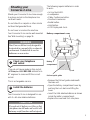
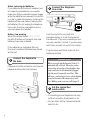
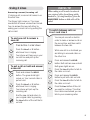
To make a handsfree call on
Line 2
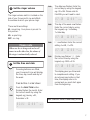
To switch from handset to
handsfree
Press buttons in order shown
f r ee
Han
ds
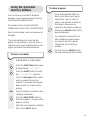
Press and hold down the Line 2
button.
Press the HANDSFREE button.
The Speaker light and Line 2 light
both come on. Release the Line 2
button.
ds
Han
Line 2
During a call:
f r ee
Press the HANDSFREE button.
The Speaker light comes on.
Place the handset on the base.
Your call is now on the loudspeaker.
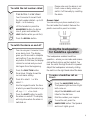
Adjust the VOLUME switch and
listen for the dial tone.
DIAL
Han
d
e
sfre
Dial the number your require.
To end the call, press the
HANDSFREE button. The Speaker
and Line 2 lights go out.
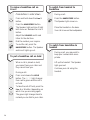
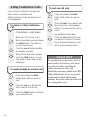
To put a handsfree call on hold
When a call is placed on hold,
you cannot hear your caller and
they cannot hear you.
During a call:
Press and release the HOLD
button. The IN USE light changes
from red to green and the call is
on hold.
Line 1
To take the call off hold, press the
Line 1 or 2 button (depending on
which line you are using again.
The green light changes back to
red and you can talk to your caller.
H
old
Line 2
10
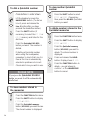
To switch from handsfree to
handset
During a call, you may wish to
keep your conversation more
private.
Lift up the handset. The Speaker
light goes out.
Continue your call using the
handset.