1
Help
If you have trouble making or receiving
calls, try checking the telephone line by
replacing your Converse 2-Line with a
known working product.
Phone does not ring for incoming calls
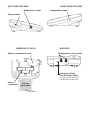
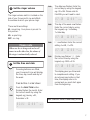
Check that the Ringer Volume switch is not
set to off.
Handsfree calls on the speaker are
quiet
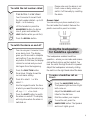
Check that the Speaker Volume switch is
not in the minimum position .
One of the IN USE lights is always on
If you have only one line connected to your
phone, check that it is connected to the
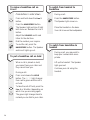
socket on the base marked L1 and that the
Connection Mode switch is set to x1.
Cannot get Line 2
Check that both telephone line cords are
connected and ‘clicked’ into place.
Check that the Connection Mode switch is
set to x2.
No lights come on
Check that batteries are fitted and that they
are not low on power.
HOLD does not work.
The HOLD button requires battery power
in order to work. It will stop working when
the display shows LOW BATTERY.
16
Display only works when handset is
lifted
Batteries need replacing immediately.
3-Way Conference Calls are quiet
In some circumstance, the volume and
quality of 3-Way Conference Calls may be
affected due to your Converse 2-Line
regulating the audible levels of 3-way calls.
If these levels become unacceptable then
BT’s Select Service 3-Way Calling will give
you an effective alternative.