1
Computer
20
Reebok i-Trainer.SE
Customer Support 0800 440 2459
Preset Programmes
21
Reebok i-Trainer.SE
reebokfitness.info
Target Time Programme
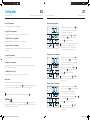
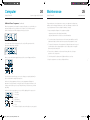
Your i-Trainer.SE has 6 preset programmes:
1.
• Target Time Programme
2. The time will be flashing on the screen
(the default is 30.00 minutes).
A programme where you can workout for a set amount of time.
Having turned the power on, press
once.
3. Adjust this time using the
and
to confirm setting.
buttons , press
• Target Distance Programme
4.
A programme where you can workout for a set distance.
Press
to begin your workout.
At the end of the programme, a long beep
will sound. Your workout data will then
be displayed for 30 seconds before the
console returns to its original screen.
• Target Calories Programme
A programme where you can workout until you have burnt a set number
of calories.
Target Distance Programme
• Interval Programme
A programme where you can workout at various speeds and resistances.
1.
• Endurance Programme
2. The distance will be flashing on the screen
(the default is 5.0km or 3.2 miles).
A programme where you can workout for a given time or distance over varied,
pre programmed resistances.
3. Adjust this distance using the
and
buttons, press
to confirm setting.
• 20 Minute Fitness Test
4.
A programme where you can assess your current fitness level.
To exercise without any preset programme:
to begin your workout.
Target Calories Programme
Turn the power to the cross trainer on. Press
and begin training immediately.
The console will record your distance, calories and time (counting up).
.
WARNING!
Failure to start training within 30 seconds of pressing the
button will result in
the programme stopping. The console will enter standby mode 3 minutes later if
no activity is detected in this time.
RFE 4489_RE014201_iTrainerSE_UMFINAL.indd 20-21
Press
You can press and hold the
or
buttons to adjust the target distance
more quickly.
Quick start
All programmes can be overridden at any time by pressing
Having turned the power on, press
to
select P2, and press
enter into program.
1.
to
Having turned the power on, press
select P3, and press
enter into program.
2. The target calories will be flashing on
the screen (the default is 50 calories).
3. Adjust the target calories using the
buttons, press
to confirm setting.
4.
Press
and
to begin your workout.
You can press and hold the
or
buttons to adjust the target calories
more quickly.
25/06/2010 16:09