1
01-Setup
7/20/99 9:25 AM
Page 6
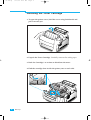
Installing the Toner Cartridge
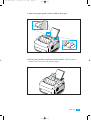
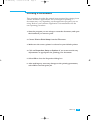
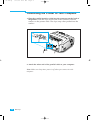
1. To open the printer cover, hold the cover using both hands and
pull it toward you.
2. Unpack the Toner Cartridge. Carefully remove the sealing tape.
3. Rock the Cartridge 5 or 6 times to distribute the toner.
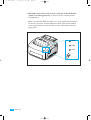
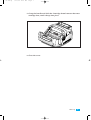
4. Find the cartridge slots inside the printer, one on each side.
8
Set Up