1
Showing dual chart types
(optional).
here
concept
your
of
description
short
a
Enter
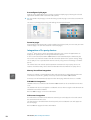
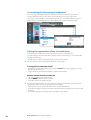
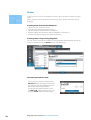
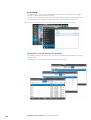
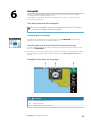
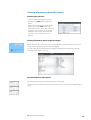
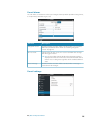
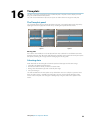
If you have different chart types available - embedded, in the card slot or on the Ethernet you can show two different chart types simulatanously on a page with two chart panels.
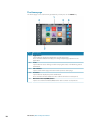
You can select a dual chart panel by pressing and holding the Chart application button on
the Home page, or by creating a Favorite page with two chart panels.
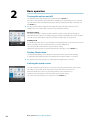
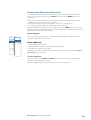
Selecting chart type
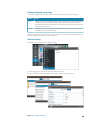
Chart type is set individually for each chart panel.
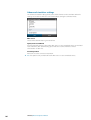
Tap one of the chart panels, and select one of the available chart types from the chart
options menu. Repeat the process for the second chart panel, and select an alternative chart
type for this panel.
Ú Note: To show charts from other than Navionics, Insight chart type must be selected.
If you have identical charts available - built in, in the card slot or on the Ethernet network the system will automatically select the chart with most chart details for your displayed
region.
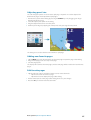
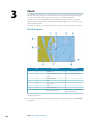
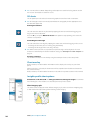
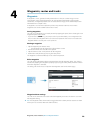
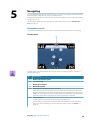
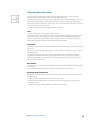
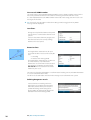
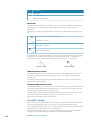
Vessel symbol
When a GPS and a suitable heading sensor are connected to the system, the vessel symbol
indicates vessel position and heading.
Without a heading sensor fitted, the vessel icon will orientate itself using COG (Course over
Ground). If no GPS is available the vessel symbol will include a question mark.
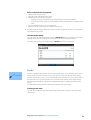
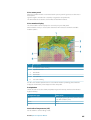
Chart scale
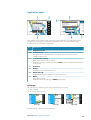
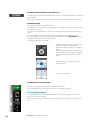
You zoom in and out on the chart by using the zoom panel icons, the rotary knob, or by
using 2 fingers to pinch (zoom out) and spread (zoom in).
Chart range scale and range rings interval (when turned on) will be shown in the lower right
corner of the chart panel.
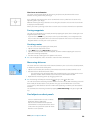
Panning the chart
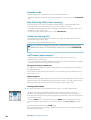
You can move the chart in any direction by dragging your finger in the desired direction.
Press the X key or tap the Clear cursor menu option to remove the cursor and cursor
window from the panel. This will also center the chart to vessel position.
heading
empty
an
is
This
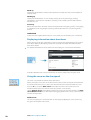
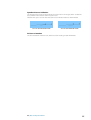
Positioning the vessel on the chart panel
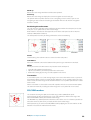
Chart orientation
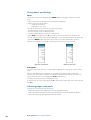
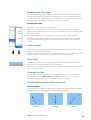
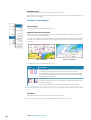
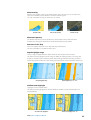
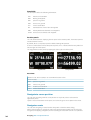
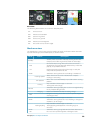
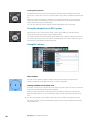
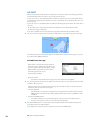
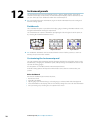
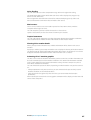
Several options are available for how the chart is rotated in the panel. The chart orientation
symbol in the panel’s upper right corner indicates the north direction.
North up
Charts | NSS evo2 Operator Manual
Heading up
Course up
21