1
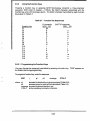
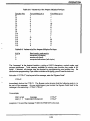
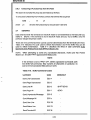
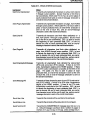
TABLE OF CONTENTS
Foreword
SECTION I - INSTALLATION
1.1
Installation Requirements
1.1.1
AC Power Cord and Plug
1.2
Installing the Display Unit
1.2.1
The Display Screen
1.2.1.1 Status Line
1.2.1.2 User Line
1.2.2
Interface Cable Connections
1.2.2.1 Optional Interface Connections
1.2.3
Keyboard Port Connection
1.3
ON/OFF Switch
1.3.1
Power On Procedures
1.3.2
Resetting the Terminal
1.4
The Keyboard
1.4.1
Main Keypad
1.4.1.1 Alphabet Keys: National Character Sets
1.4.1.2 Cursor Keys
1.4.1.3 Edit Keys
1.4.2
Control Keys
1.4.3
Numeric Keypad
1.5
Locking and Unlocking the Keyboard
1.6
Indicators
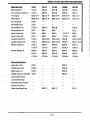
1 -1
1-3
1 -4
1 -5
1-6
1-6
1-7
1 -7
1 -9
1-10
1-10
1-11
1-12
1-12
1 -12
1-13
1-14
1-13
1-17
1-18
1-18
SECTION II - SETTING UP
2.1
Entering Set-up Mode
2.1.1
Set-up Lines
2.1.2
Modifying Parameters
2.1.3
Exiting and Saving Changes
2.1.4
Exiting with Temporary Changes
2.1.5
Retrieving Previous Values
2.1.6
Retrieving Default Values
2.2
Set-Up Lines
2.2.1
Set-Up Line 1
2.2.2
Set-Up Line 2
2.2.3
Set-UpLine3
2.2.4
Set-Up Line 4
2.2.5
Set-Up Line 5
2.2.6
Set-Up Line 6
2.2.7
Set-Up Line 7
2.2.8
Setting/Clearing Tab Stops
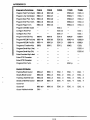
2-1
2-1
2-2
2-2
2-2
2-3
2-3
2-3
2-6
2-8
2-9
2-10
2-11
2-12
2-13
2-14
SECTION III - OPERATION
3.1
Operating Modes
3.1.1
Communications Mode
3.2
Displaying Data
3.2.1
Video Background
3.2.2
Video Attributes
3.2.2.1 Embedded Attributes
3.2.2.2 Non-Embedded Attributes
3.2.3
Displaying All Characters
3.2.4
Double-Size Characters
3.2.5
Special Graphics
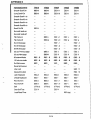
3-1
3-2
3-3
3-3
3-3
3-5
3-5
3-7
3-7
3-9