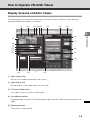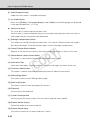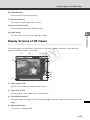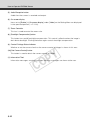
1
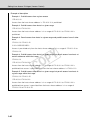
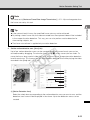
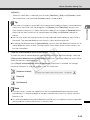
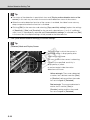
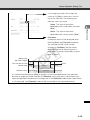
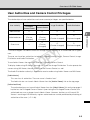
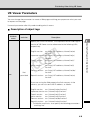
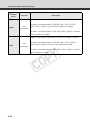
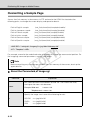
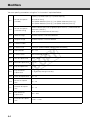
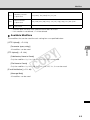
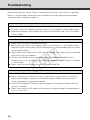
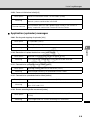
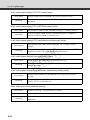
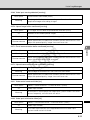
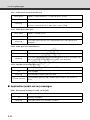
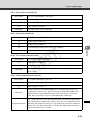
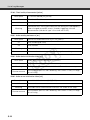
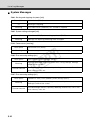
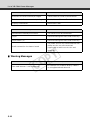
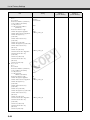
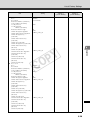
Distributing Video Using VB Viewer VB Viewer Parameters You can change the parameters to create a Web page matching your purpose or what you want to express on the page. Use each parameter after fully understanding what it means. Description of object tags Attribute name omission Description Y P O English version src="http://<IP address>/viewer/live/en/ live.html" Japanese version src="http://<IP address>/viewer/live/ja/ live.html" French version src="http://<IP address>/viewer/live/fr/ live.html" Italian version src="http://<IP address>/viewer/live/it/ live.html" German version src="http://<IP address>/viewer/live/de/ live.html" Spanish version src="http://<IP address>/viewer/live/es/ live.html" C src Not permitted If you are saving the Web page to the flash memory in the camera, you can also omit the IP address, as follows: English version src="/viewer/live/en/live.html" Japanese version src="/viewer/live/ja/live.html" French version src="/viewer/live/fr/live.html" Italian version src="/viewer/live/it/live.html" German version src="/viewer/live/de/live.html" Spanish version src="/viewer/live/es/live.html" * To hide the scroll bars, also specify the following parameters: scrolling="no" 4-9 Creating Web Pages for Video Distribution Specify the URI of VB Viewer. The Japanese version and English version of VB Viewer can be referenced at the following URIs, respectively: