1
Introduction
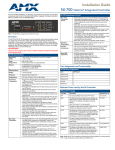
NI-700 Specifications (Cont.)
Rear Panel Components (Cont.):
IR RX
(Port 5)
• 4-pin 3.5 mm mini-Phoenix port is used to connect one or more (8 maximum)
IRX-SM+ swivel mount or IRX-DM+ Decora mount IR receivers.
• The IR RX port functions using AMX IR codes (38 KHz and 455 KHz) and works
ONLY with AMX IR Receivers such as the IRX-DM+ and IRX-SM+.
Digital I/O
(Port 4)
• Four-channel binary I/O port for contact closure with each input being capable of
voltage sensing.
• Input format is software selectable.
• Interactive power sensing for IR ports
• Channel range = 1 - 4
• All inputs are assigned to respective IR/Serial ports for "automatic" power control
through the use of software commands. Power control is provided via
commands such as: ’PON’, ’POF’, ’POD’, ’DELAY’, I/O Link etc.).
• Contact closure between GND and an I/O port is detected as a PUSH
• When used as voltage input - I/O port detects a low signal (0- 1.5 VDC) as a
PUSH and a high signal (3.5 - 5 VDC) as a RELEASE
• When used as an output - each I/O port acts as a switch to GND and is rated at
200 mA @ 12 VDC
• Single 6-pin 3.5 mm mini-Phoenix (female) connector provides I/O port
termination
Note: This IO uses 5V logic but can handle up to 12V without harm. It can handle
up to 12V on the input. At higher voltages you run a higher risk of surge damage.
IR/Serial
(Port 3)
• 4-pin 3.5 mm mini-Phoenix port is capable of generating IR with the use of an IR
Emitter (while in IR mode). This port can support high-frequency carriers of up
to 1.142 MHz and can also generate IR with no carrier frequency.
• The output is capable of three electrical formats: IR, Serial, and Data
• Single IR/Serial signal can be generated.
• Channel range = 1 - 255
• Channels 1 - 128 (output): IR commands
• Channels 129 - 253: used as reference channels
• Channel 254 (feedback): Power Fail (used with 'PON' and 'POF' commands)
• Channel 255 (feedback): Power status (when IO Link is set)
• IR ports support data mode (at limited baud rates and wiring distances).
• Single 2-pin 3.5 mm mini-Phoenix (female) connector provides IR port
termination
AXlink LED
• Green LED indicates the state of the AXlink connector port.
• Normal AXlink activity = 1 blink/second
• Abnormal AXlink activity = cycle of 3 consecutive blinks and then Off
AXlink port
• 4-pin 3.5 mm mini-Phoenix (male) connector provides data and power to external
control devices.
Ethernet port
• RJ-45 port for 10/100 Mbps communication. The Ethernet Port automatically
negotiates the connection speed (10 Mbps or 100 Mbps) and whether to use half
duplex or full duplex mode.
Ethernet Link/
Activity LED
• Ethernet Port: RJ-45 port for 10/100 Mbps communication. LEDs show
communication activity, connection status, speeds, and mode information:
SPD (speed) - Yellow LED lights On when the connection speed is 100 Mbps and
turns Off when the speed is 10 Mbps.
L/A (link/activity) - Green LED lights On when the Ethernet cables are connected
and terminated correctly, and blinks when receiving Ethernet data packets.
Power port
• 2-pin 3.5 mm mini-Phoenix (male) connector.
• Use a 12 VDC-compliant power supply to provide power to the NI-700 through
the 2-pin 3.5 mm mini-Phoenix connector on the rear panel.
NI-700 & NI-900 Hardware Reference Guide
3