1
Contents
1 Fibre Channel is a key technology for storage ................................1
Glossary
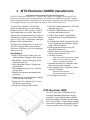
2 ATTO FibreCenter 3400R/D characteristics .....................................3
Specifications
ATTO FibreCenter 3400R
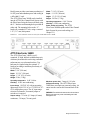
ATTO FibreCenter 3400D
3 ATTO FibreCenter installation options .............................................5
Quick start instructions
ATTO Fibre Channel Rack System
FibreCenter 3400D
3.1 Setting up the Fibre Channel Rack System ........................7
Fibre Channel Rack System dimensions
Operating environment
Air flow and cooling
Internal power distribution
Installing a power module
Removing a power module
3.2 Installing the ATTO FibreCenter 3400R ..............................9
Fibre Channel Rack System
Removing the FibreCenter
Cabling Fibre Channel ports
Determining Telnet status
3.3 Installing the ATTO FibreCenter 3400D ..............................11
Removing the FibreCenter 11
Cabling Fibre Channel ports
Determining Telnet status
3.4 Configuring the ATTO FibreCenter .....................................13
Configuring ports
Data transfer when setting up zones
FibreCenter behavior on reset or power-up
Example: set up one zone
Example: set up multiple zones
Example: change parameters
4 Command Line Interface use and guidance .....................................15
CLI command conventions
4.1 General use commands ........................................................17
Commit Zone
Help
Quit
Reset
Switch Delay
Verbose