1
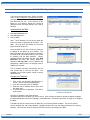
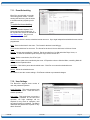
7.11. Event Scheduling
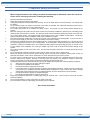
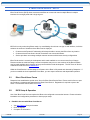
iBoot-G2+ can schedule up to eight
reoccurring power events. Set the
starting date and time, plus the action
to be taken and any repeat cycle for
each.
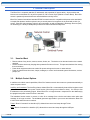
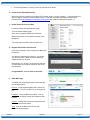
To enable the time scheduling
function:
Enter an accessible Network Time
Server and check the Enable box. A
list of public time servers is available at
http://www.ntp.org/ Set your local
time zone relative to GMT.
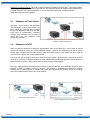
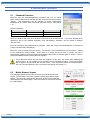
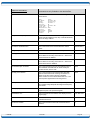
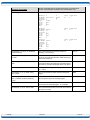
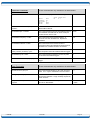
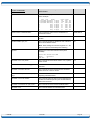
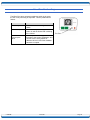
Once the time server is active, scheduled events can occur. Up to eight independent scheduled events can be
programmed.
Date: Set the initial date for the event. The format for the date is mm/dd/yyyy.
Time: Set the initial time for the event. The format for the time is hh:mm with hours in 24 hour format.
Repeat: Set the repeat multiplier, if desired. Set the number from 0 to 999 and either Days, Hours, or
Minutes. To have the schedule repeat every two days, set this number to 2.
Action: Set the event Action; On, Off or Cycle.
Outlet: Set the outlet to be controlled by the event. If Expansion units are linked to Main, controlling Main will
also control the Expansion Unit.
Hold/Run: Click Hold to pause the scheduled event. Click Run to re-start the scheduled event.
Delete: Delete the scheduled event.
Click Save to save the current settings. Click Reset to delete any unwanted changes.
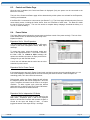
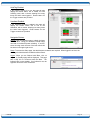
7.12. User Settings
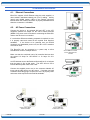
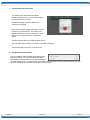
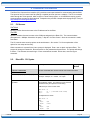
The iBoot-G2+ supports three modes of
user and password operation.
Login Required: This mode supports both
User and Admin users. Each user has a
settable password.
Auto Login: This mode does not require a
username of password for the User level
operation. No login challenge will be
required for any mode of operation, until
any setup function is requested. The Admin
username and password is required for any
admin functions.
V140506E
iBoot-G2+
Page 21