1
Setup Guide
Features
The Cortex HDC-1000 has been designed & engineered to provide digital music playback and manipulation features demanded by professional users. The HDC-1000 is designed to liberate DJs from the issues associated with PC-based solutions, by eliminating the need for a computer
during performance. The HDC-1000 also offers superior sound quality
and flexibility than that of a typical PC.
Jog Wheels
The Jog Wheels on the HDC-1000 provide highly precise control for a
variety of functions.
• Pitch Bend
Changes the pitch of the music being played back with the intensity relative to the direction and speed of rotation.
• FF/REW Search
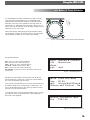
When the JOG MODE indicator is lit, rotating the JOG WHEEL will
advance quickly though the currently playing track, relative to the direction and speed of rotation.
• Frame Search
When the unit is in PAUSE mode, rotating the JOG WHEEL will advance
by frame, for the purpose of finding specific time locations or setting a
cue point.
• Selection
In any context which requires a selection from the user, the JOG WHEEL
may be used as a substitute for the NAVIGATOR keypad. It will still be
necessary to use the ENTER key in the center of the NAVIGATOR keypad
to confirm your selection.
Pitch Control
• 0.05% pitch precision
In order to provide more precise pitch adjustment, the unit is able to
advance in increments of 0.05%. This aids in beatmatching between two
musical programs. 0.05% precision is only available at 4 and 8% pitch
ranges.
• Multiple pitch ranges
With pitch ranges of 4, 8, 12, and 24%, the pitch control’s minimum and
maximum values can be altered to augment or reduce the amount of
pitch adjustment to a musical program.
• Pitch ON/OFF
By pressing the PITCH + and PITCH - buttons simultaneously, this toggles
whether or not the unit will respond to changes via the PITCH CONTROL
slide. The Pitch ON/OFF feature also functions as a pitch reset, when it
is used to turn the pitch OFF.
Cross-Platform USB Connectivity
The HDC-1000 offers an unparalled level of connectivity with all driverless USB devices. The Cortex line of products are the first to offer the
ability to manipulate music stored on USB devices such as hard drives,
flash memory, optical drives, and personal music players, regardless of
platform. Through this innovation, DJs are able to consolidate the
amount of equipment and music needed during a performance. Even
more USB devices can be connected with the use of a compatible USB
hub.
User-Upgradeable Firmware
Part of a good product is the manufacturer’s commitment to service after
the sale. With all Cortex products, upgradeable firmware ensures the
ability to improve the functionality and support for 3rd party storage
devices, even for units that are already in the field. Please consult the
Cortex website (http://www.cortex-pro.com) for software updates.
CD Audio Support
Despite the fact that a vast majority of people have access to USB storage devices or portable music players, the Cortex HDC-1000 supports
the playback of CD Audio discs through a compatible USB external CDROM, CD-RW, DVD-ROM, or DVD-RW drive. This is particularly useful
for DJs making a gradual migration, or for playing CDs provided by
clients. Note that both sides can share one optical drive, but only one
track can be played at a time. For dual-deck CD functionality, simply
connect two USB optical drives.
Database-Driven Music Management
The entire line of Cortex Digital Music Players allows for the management of music collections via a database-driven system. Using this
method, the database can be queried based on a number of different
criteria. This allows DJs to search by artist, title, genre, album, or search
string. Using this method allows the DJ to find a specific music selection
within seconds. The database is saved to the storage device the music is
being drawn from, so that it can be used with any Cortex unit, whether
it’s in your personal rig or at a club!
Cue Point Storage
Cue Points that have been memorized using the HDC-1000 are also
stored along with the database information on the active storage device.
Once a Cue Point has been stored, DJs have the ability to recall it each
time that track is loaded.
iPod Playlist Support
The HDC-1000 supports iPod Playlists, which can be created using Apple
iTunes®. When there are iPod Playlists available to be loaded, a menu
option will appear in the main Search Options menu
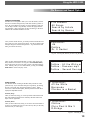
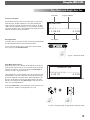
LCD Text Display
The backlit 80 character text display shows a variety of information,
including track titles, times, pitch, setup options, and search parameters.
Unlike a conventional player, the full text display allows more extensive
visualization of parameters.
4