1
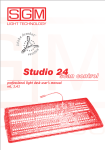
STUDIO SC USER GUIDE
To Clear All the Memory.............................................................................................................................................5
Manual Preset Section..................................................................................................................................................6
The single or double preset:.....................................................................................................................................7
To set the Single or Double Preset:..........................................................................................................................7
To operate a show manually:....................................................................................................................................7
To operate a show using the GO function:...............................................................................................................7
Flash Function:.........................................................................................................................................................8
Solo function:...........................................................................................................................................................8
Link function:...........................................................................................................................................................8
Chase Section...............................................................................................................................................................9
To set up a chase:.....................................................................................................................................................9
To run a chase:.........................................................................................................................................................9
To select the steps to be run:....................................................................................................................................9
Set the time of a Chase:............................................................................................................................................9
To allocate a Chase to a memory Register:............................................................................................................10
To run a chase on a memory Register:...................................................................................................................10
To clear a chase from a memory Register:.............................................................................................................10
To change the time of a chase allocated to a memory Register:............................................................................10
Registers Section........................................................................................................................................................11
Page button.............................................................................................................................................................11
To change the page of Registers:...........................................................................................................................11
Mode button...........................................................................................................................................................11
To change the mode of a Register key:..................................................................................................................11
To allocate a scene (preset) to a register:...............................................................................................................13
To clear a Register:.................................................................................................................................................13
To copy a scene from a register to another:..........................................................................................................13
To add a channel to an existing scene:...................................................................................................................13
Changing the level of a channel in a recorded Register:........................................................................................13
To fade in/out a Register in a set time:..................................................................................................................14
To cross fade between Registers:...........................................................................................................................14
To add a register to another to time:......................................................................................................................14
Patching Functions.....................................................................................................................................................15
Patching a dimming channel..................................................................................................................................15
Patching a Unit (Fixture) to the Scan Control........................................................................................................15
Scan Control Functions..............................................................................................................................................16
Manual use of the unit:...........................................................................................................................................16
To set the Active Effects of a Unit:........................................................................................................................16
To assign a shape to a unit:....................................................................................................................................16
To set up a program:...............................................................................................................................................17
To record positions and functions for each unit in each scene:.............................................................................17
To copy a scene into another:.................................................................................................................................17
To check each scene:..............................................................................................................................................17
To disable/enable scenes:.......................................................................................................................................17
To run a program in Direct mode:..........................................................................................................................17
To assign a program to a memory Register:...........................................................................................................18
Utility Functions.........................................................................................................................................................18
To set or modify the Working Area:......................................................................................................................18
To test a new Working Area..................................................................................................................................19
To reset a Unit:.......................................................................................................................................................20
To control the remote lamp ON/OFF of a Unit:.....................................................................................................20
Internal Library...........................................................................................................................................................21
Edit a New Unit......................................................................................................................................................21
To insert a new fixture configuration into the Studios’ library:............................................................................22
To insert the new fixture name:..............................................................................................................................22
To insert the Total DMX Channel:........................................................................................................................22
To assign the parameters’ name to the faders :......................................................................................................22
Press the right-hand Scroll button to enter the “Effect String” menu............................................................................22
To assign the DMX channels to the parameters:....................................................................................................23
To set the “Stand by values” to each parameters:..................................................................................................23
To set the parameter’s type:...................................................................................................................................23
To set the Pan and Tilt channels:...........................................................................................................................23
SGM Light Technology 12/12/2000 Ver. 2.04
3