1
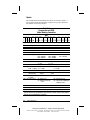
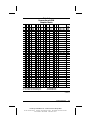
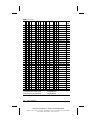
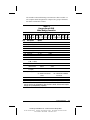
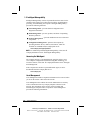
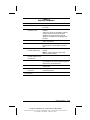
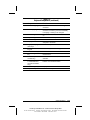
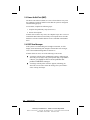
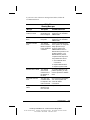
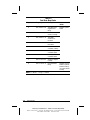
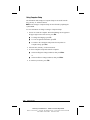
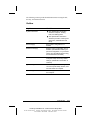
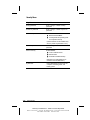
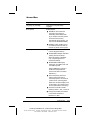
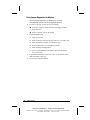
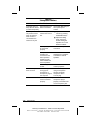
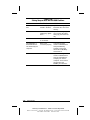
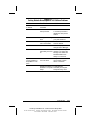
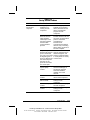
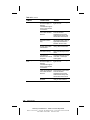
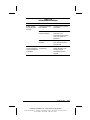
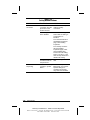
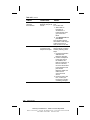
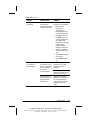
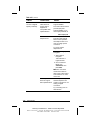
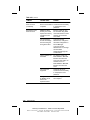
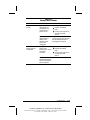
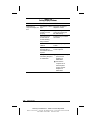
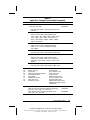
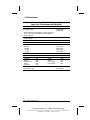
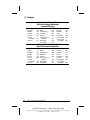
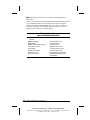
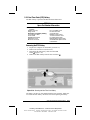
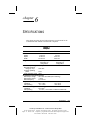
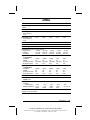
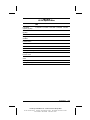
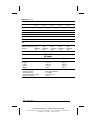
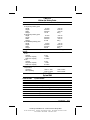
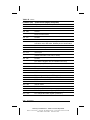
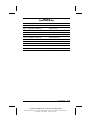
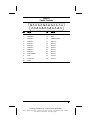
The Armada V300 model naming conventions are shown in Table 1-3.
The computer model designation is composed of a group of characters
that define each model’s features.
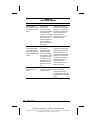
Table 1-3
Compaq Armada V300
Model Naming Convention
Key
A V 3
C1 500 T4X
6 D M 64
58 N S F
1 2 3 4 5-6 7-9 10-12 13-14 15 16 17-19 20-21 22 23 24
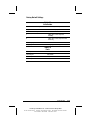
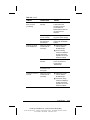
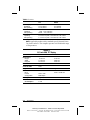
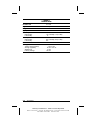
Key
Description
1
2
3
4
5-6
7-9
10
11
12
13-14
Brand designator
Segment designator
Series
Blank
Processor type
Processor speed
Panel type
Panel size
Panel resolution
Hard drive size
(in GB, 1-2 digits)
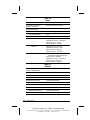
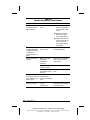
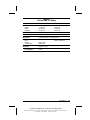
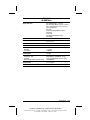
15 Optical drive
16 Integrated
communication
17-19 RAM (in MB,
2-3 digits)
20-21 Operating system
22
23
24
NAFTA
Pointing device
Security
Options
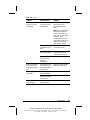
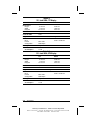
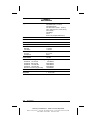
A = Armada
V = Versatility
3 = 300
C1 = Intel Celeron 1
500 = 500 MHz
T = TFT
4 = 14.x”
X = XGA
6 = 6.0 GB
466 = 466 MHz
H=HPA
3 = 13.x”
S= SVGA
4 = 4.3 GB
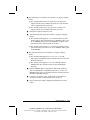
D = 24X Max CD-ROM drive
M = Mini PCI V.90 C = NIC/modem
modem
combo
64 = 64 MB
32 = 32 MB
98 = Windows 98
58 = Windows 95/98 dual
install*
N = NAFTA
P = TouchPad
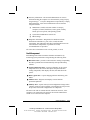
400 = 400 MHz
2 = 12.x”
0 = none
N4 = Windows NT 4.0
N2 = Windows NT 4.0/2000
dual install
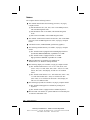
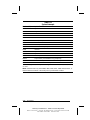
* End user must make a one-time selection between Windows 95 and Windows 98. If
end user desires rejected product(s) after selection is made, end user must acquire
and pay for rejected product(s) separately.
Product Description
COMPAQ CONFIDENTIAL - NEED TO KNOW REQUIRED
Writer: David Calvert Saved by: The Integrity Group Saved date: 09/12/00 2:36 PM
Part Number: 128679-005 File name: Ch01
1-7