1
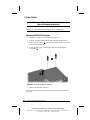
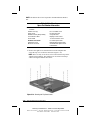
Removing a Memory Expansion Board
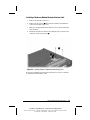
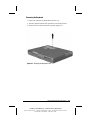
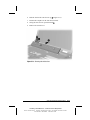
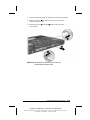
1. Prepare the computer for disassembly (Section 5.3).
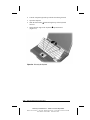
2. Remove the keyboard (Section 5.7).
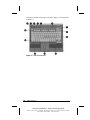
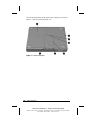
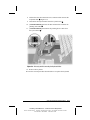
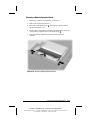
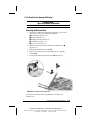
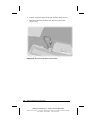
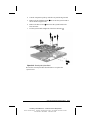
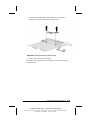
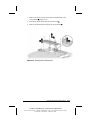
3. Spread the retaining tabs apart
tilts upward (Figure 5-10).
1.
The memory expansion board
4. Lift the edge of the memory expansion board and slide it gently out
of the memory expansion slot at a 45-degree angle 2 .
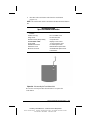
5. Place the memory expansion board in an electrostatic-safe
container.
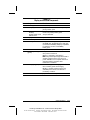
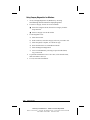
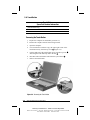
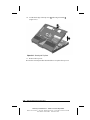
Figure 5-10. Removing a Memory Expansion Board
Removal and Replacement Procedures
COMPAQ CONFIDENTIAL - NEED TO KNOW REQUIRED
Writer: David Calvert Saved by: The Integrity Group Saved date: 09/12/00 3:47 PM
Part Number: 128679-005 File name: Ch05
5-13