1
Getting Started
The Dome CXtra software adds essential functionality to Dome
medical imaging display systems in diagnostic and referral settings.
By using the Dome CXtra suite of value-added services, you can
calibrate and maintain displays, run acceptance tests, and monitor
displays remotely. While the services operate as independent plugins, they each use the Reporting service for listing properties, logging
events, and saving history.
Display Compatibility
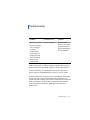
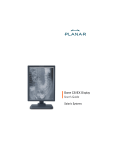
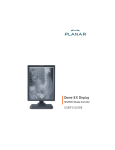
Dome CXtra services enhance the functionality of these
display systems:
• Dome CX
• Dome EX
• Dome QX
• GX2MP
• Select Desktops
You can also install the Dome CXtra software on systems using
third-party commodity monitors to enable DICOM calibration. See
“Enabling DICOM Calibration on Third-Party Monitors” on page 53.
NOTE: When you add or remove displays on the Windows desktop,
you must restart the Dome CXtra software by rebooting the system.
(Refer to ReadMe file for more information.)
WARNING: When the Dome CXtra application is running on the
system, power off the workstation before you either connect a DVI
cable to or disconnect a cable from the Dome display. Connecting or
disconnecting a DVI cable with the workstation power on may
corrupt the display EDID data.
Getting Started | 3