1
Platinum CCTV Surveillance Solutions
http://platinum-cctv.com
Section 5.0 – VDR-S Server Operation
5.2.5 Playback Controls
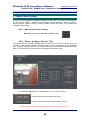
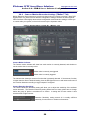
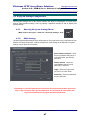
Playback controls will allow you to Play, Pause, Fast Forward, Play in Reverse, and move
between bookmarks with ease. The Alnet Interface is as easy as using a DVD Player, only more
powerful.
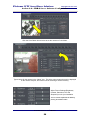
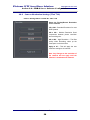
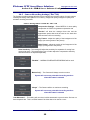
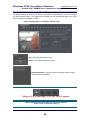
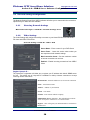
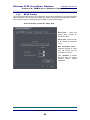
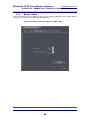
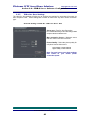
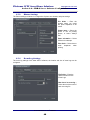
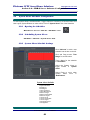
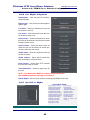
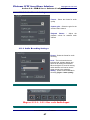
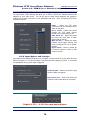
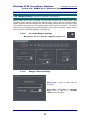
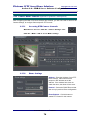
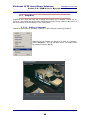
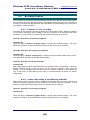
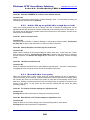
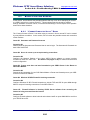
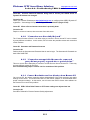
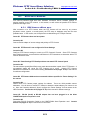
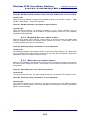
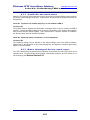
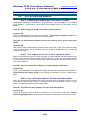
Playback controls – The Playback Controls can be found on
the right-hand side of the Playback Screen.
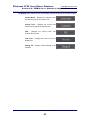
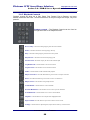
Reverse Play – This button will begin playing from the cursor backwards
Pause – This button will Pause a currently playing video clip
Play – This button will begin playing video from the cursor position
Play Increase – This button will increase the playing speed
Fast Forward – This button will play the video at the maximum speed
Step Backwards – Click this button to move back one frame
Step Forward – Click this button to move forward one frame
Audio – Click this button to enable or disable audio playback
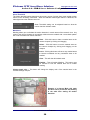
Object Search Area – Click this button then drag across screen to set Object search area
Zoom – Click this button then drag across screen to zoom in on selected area
Object Search – Click this button to begin Object Search
Set Bookmark – Click this button to create a bookmark
Previous Bookmark – Click this button to move cursor to previous bookmark
Next Bookmark – Click this button to move cursor to next bookmark
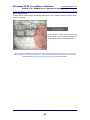
Snapshot – Click this button to take a snapshot of the highlighted camera
Export to AVI – Click this button to Export video visible on time bar to AVI
Settings – Click this button to adjust brightness, Object Search sensitivity, contrast and color
Alnet VDR-S Server User’s Manual
96