1
Section
Operating this unit
02
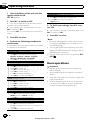
1 After installation of this unit, turn the
ignition switch to ON.
SET UP appears.
2
Turn M.C. to switch to YES.
# If you do not operate for 30 seconds, the set
up menu will not be displayed.
# If you prefer not to set up at this time, turn
M.C. to switch to NO.
If you select NO, you cannot set up in the set up
menu.
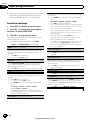
Demonstration (demo display setting)
1 Turn M.C. to set the demo display to off.
2 Press M.C. to confirm the selection.
Quit appears.
5 To finish your settings, turn M.C. to select YES.
# If you prefer to change your setting again, turn
M.C. to switch to NO.
6
Press M.C. to select.
Press M.C. to select.
co
1 Turn M.C. to select the desired language.
English—Français—Italiano—Español—
Deutsch—Nederlands—РУССКИЙ
2 Press M.C. to confirm the selection.
Basic operations
Calendar (setting the date)
0.
Turn M.C. to change the year.
Press M.C. to select day.
Turn M.C. to change the day.
Press M.C. to select month.
Turn M.C. to change the month.
Press M.C. to confirm the selection.
13
1
2
3
4
5
6
m
Language select (multi-language)
Clock (setting the clock)
1
2
3
4
Notes
! Because demonstration mode is the function
for displaying at stores, do not use this function while driving.
! You can set up the menu options in the initial
settings. For details about the settings, refer to
Initial settings on page 20.
! You can cancel set up menu by pressing SRC/
OFF.
a
4 Perform the following procedures to
set the menu.
To proceed to the next menu option, you need
to confirm your selection.
.u
3
Turn M.C. to adjust hour.
Press M.C. to select minute.
Turn M.C. to adjust minute.
Press M.C. to confirm the selection.
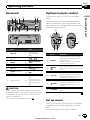
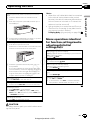
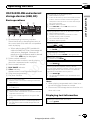
Important
! Handle gently when removing or attaching
the front panel.
! Avoid subjecting the front panel to excessive
shock.
! Keep the front panel out of direct sunlight and
high temperatures.
! To avoid damaging the device or vehicle interior, remove any cables and devices attached
to the front panel before detaching it.
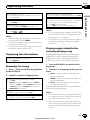
FM step (FM tuning step)
1 Turn M.C. to select the FM tuning step.
50kHz (50 kHz)—100kHz (100 kHz)
2 Press M.C. to confirm the selection.
Contrast (display contrast setting)
1 Turn M.C. to adjust the contrast level.
0 to 15 is displayed as the level is increased or decreased.
2 Press M.C. to confirm the selection.
6
En
Autogood products «130»