1
Quadro2x Manual II: Administrator's Guide
Administrator’s Menu
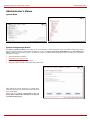
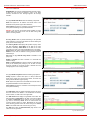
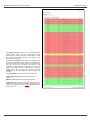
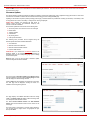
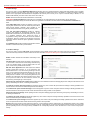
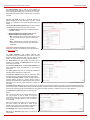
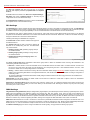
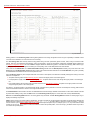
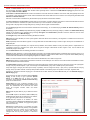
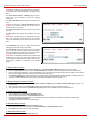
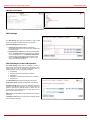
To reset the statistics counters press the Clear button.
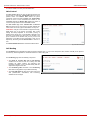
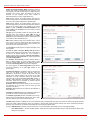
Gain Control
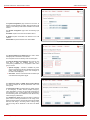
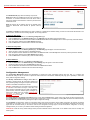
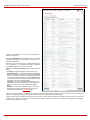
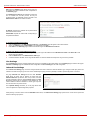
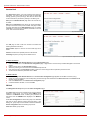
The Gain Control settings are used to define the transmit and
receive gains. For FXS lines, Transmit Gain defines the phone
speaker volume and Receive Gain defines the phone
microphone volume. For FXO lines/ISDN trunk Transmit Gain
defines the level of voice transmitted from Quadro to the
PSTN/ISDN network and Receive Gain defines the volume of
voice received by Quadro from the PSTN/ISDN network.
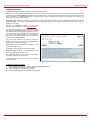
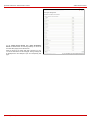
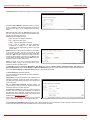
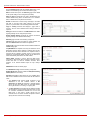
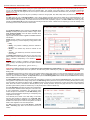
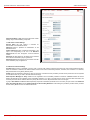
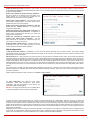
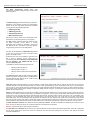
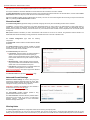
The Gain Control page offers Transmit Gain and Receive
Gain drop down lists for each line that contains allowed gain
values, which can be set up by the administrator for every line.
Please Note: If the gain control has been configured incorrectly,
DTMF digits may not be properly recognized. Gain control
settings are strictly dependent on the location (country) of
Quadro and the phone type. If a private PBX is attached to the
FXO port on the Quadro, the voice level in the handset of the
phone connected to the Quadro FXS port may be too loud
(depending on the PBX type and configuration), which can be
adjusted by decreasing the FXO Receive Gain to three or to
zero.
The Restore Default Gains button restores the default values.
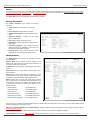
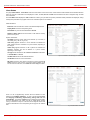
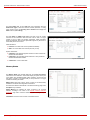
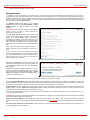
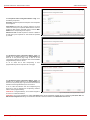
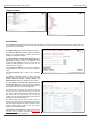
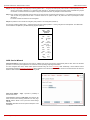
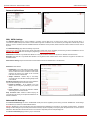
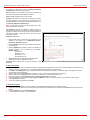
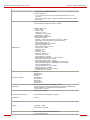
Fig. II-107: Gain Control page
Call Routing
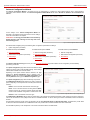
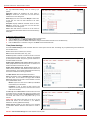
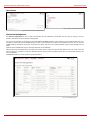
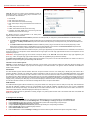
The Call Routing service simplifies the calling procedure for Quadro users, i.e., any kind of calls (internal, SIP, PSTN or IP-PSTN) can be placed in
the same way. No SIP registration is needed for extensions to make routing calls.
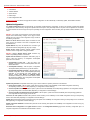
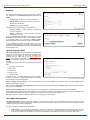
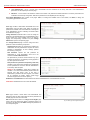
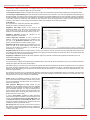
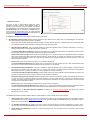
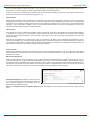
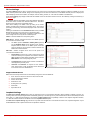
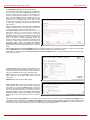
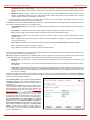
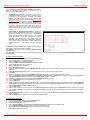
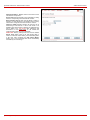
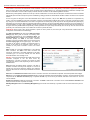
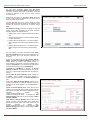
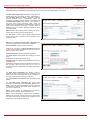
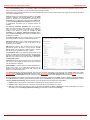
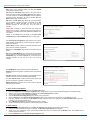
The Call Routing page offers the following components:
•
•
•
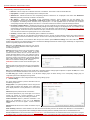
The Route all incoming SIP calls to Call Routing
checkbox that is used to route ALL incoming SIP calls
(whether the pattern matches the extension’s SIP
registration username or not) to the Call Routing table. No
digits will be stripped in this case.
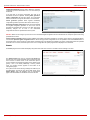
The Call Routing Table link leads to the Call Routing
table where routing patterns may be defined manually.
The Local AAA Table link leads to the page where local
AAA (Authentication, Authorization, and Accounting)
database can be managed.
Quadro2x, Quadro2xi; SW Version 3.1.x
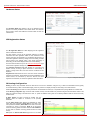
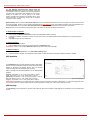
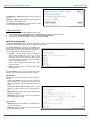
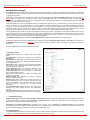
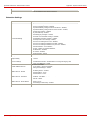
Fig. II-108: Call Routing page
58