1
EDCRASH
Creating the Vehicles
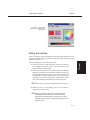
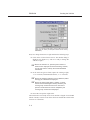
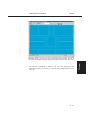
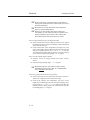
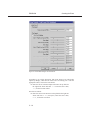
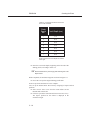
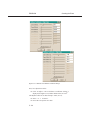
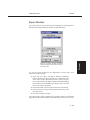
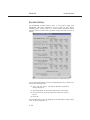
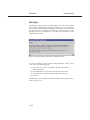
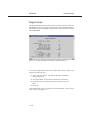
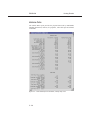
Figure 5-3 Vehicle Inertias dialog, used for editing the current
weight and yaw inertia (roll and pitch inertias are not used by
EDCRASH).
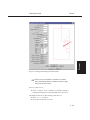
Next, let’s change the Escort’s weight. Perform the following steps:
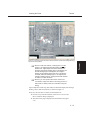
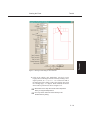
â Click on the CG and choose Inertias. The Inertias dialog is
displayed (see Figure 5-3), and we’re ready to change the
vehicle’s weight.
The vehicle’s roll, pitch and yaw moments of
+ NOTE:
inertia are also displayed in the Inertias dialog; however,
only the yaw inertia is used by the 3-DOF EDCRASH
calculations.
â In the Total Weight text field, replace the existing weight,
10283 Newtons, with the measured value, 11037 Newtons.
The weight is entered as a force (Newtons). Mass
+ NOTE:
units (kg) are calculated and displayed.
The dialog might display 10283.5, or similar
+ NOTE:
number because the weight is actually divided by the
current gravity constant and stored as mass. Extra
precision results when the mass is multiplied by the
current gravity constant and redisplayed.
â Press OK to accept the weight value.
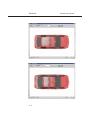
The Ford Escort is now ready for use in our tutorial. Using the viewer thumb
wheels or mouse, zoom in or out on the vehicle or translate the vehicle in the
viewer X or Y directions
5-6