1
1
OVERVIEW
MES INTERFACE FUNCTION
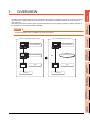
The MES interface function can be used on the GOT by installing the option OS (MES Interface).
This chapter describes the MES interface function.
2
POINT
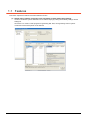
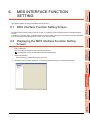
The MES interface function settings are configured on the MES interface function setting screen of GT Designer3.
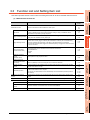
6. MES INTERFACE FUNCTION SETTING
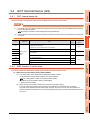
5.1 DB Interface Function
SPECIFICATIONS
3
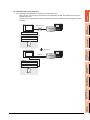
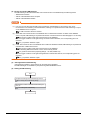
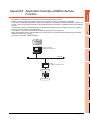
The DB interface function executes access to the database in units of jobs.
5.1.1
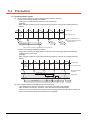
DB interface function operation
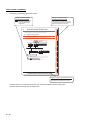
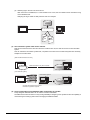
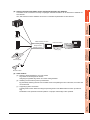
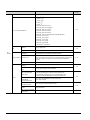
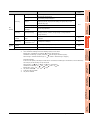
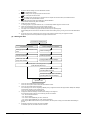
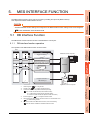
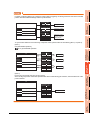
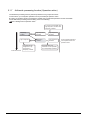
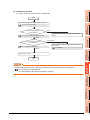
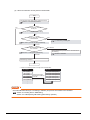
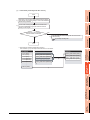
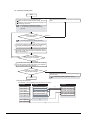
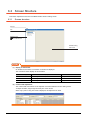
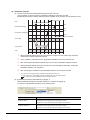
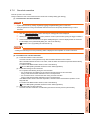
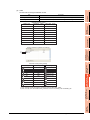
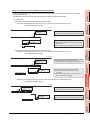
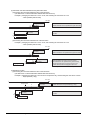
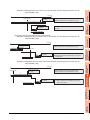
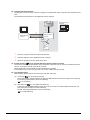
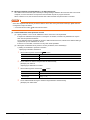
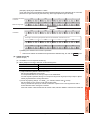
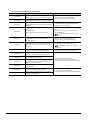
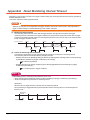
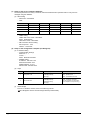
The operation of the DB interface function is shown below.
4
Job 1
Trigger monitoring *2
Component
GD1000
Database server computer
Action *3
Communication action 1 (Update)
Operation action 2
Communication action 3 (Insert)
Resource data send action 4
5
Database
MES INTERFACE
FUNCTION
Tag 1
SETTINGS AND
PROCEDURES BEFORE USE
OF THE MES INTERFACE
FUNCTION
GOT
Device *6
SYSTEM
CONFIGURATION
5.
Executed in
order
Communication action 10 (Select)
MES INTERFACE
FUNCTION SETTING
6
Program execution *4
DB buffering *5
*1
Execute
file
Application server computer
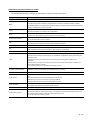
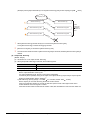
Collects tag data.
*2
*3
Activates a job.
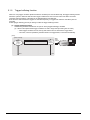
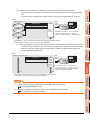
5.1.4 Trigger monitoring function
Accesses the database and performs arithmetic processing.
5.1.3 Tag function
7
DB CONNECTION
SERVICE AND SETTING
TOOL
*1
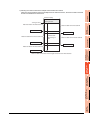
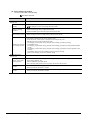
• 5.1.6 SQL text transmission (Communication action)
• 5.1.7 Arithmetic processing function (Operation action)
• 5.1.8 Resource data send function (Resource data send action)
*4
*5
Executes programs.
5.1.9 Program execution function
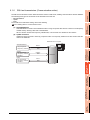
Temporarily stores SQL texts that cannot be sent due to a communication error.
*6
5.1.10 DB buffering function
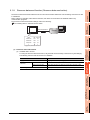
For devices usable for the MES interface function, refer to the following.
8
TROUBLE
SHOOTING
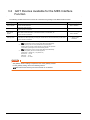
3.2 GOT Devices Available for the MES Interface Function
5.1 DB Interface Function
5-1