1
Installing and Operating the PG 720
Connecting the
PG 720 to S5
Programmable
Controllers
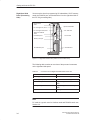
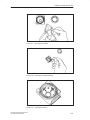
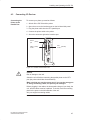
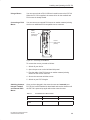
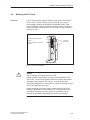
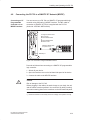
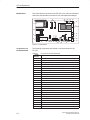
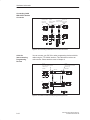
You can connect the PG 720 to a SIMATIC S5 programmable logic
controller using the COM1/TTY interface port. The cable for connecting
to SIMATIC S5 CPUs is supplied with the PG 720 ( Order
no.: 6ES5734-2BD20).
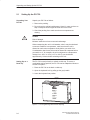
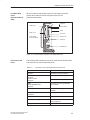
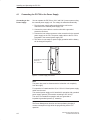
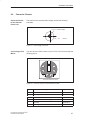
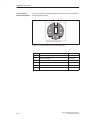
COM 1
(socket)
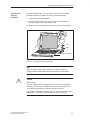
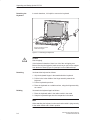
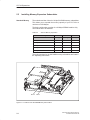
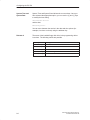
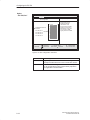
Figure 4-11 Connecting the PG 720 to an S5-Programmable Logic Controller
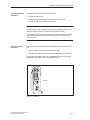
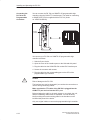
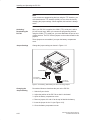
You connect your PG 720 to a SIMATIC S5 programmable logic
controller as follows:
1. Switch off your device.
2. Open the cover of the interface ports on the left-hand side panel.
3. Plug the cable into the COM1/RS-232 modem/PLC interface port.
4. Secure the connector with screws.
5. Plug the cable into the corresponding port on the CPU of the
programmable logic controller.
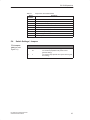
!
Caution
Risk of damage to the PG 720!
The interface port may be damaged if you confuse the connections or
use the wrong connecting cables.
Make sure that the TTY cable of the PG 720 is plugged into the
COM1/TTY port and not into the LPT1 port.
Before plugging the cable in, the static charge on your body, the unit,
and the connecting cables must be equalized. You can do this by
briefly touching the metal mounting plate for the interfaces on the
left-hand side panel of the device.
Only use original cables to connect the programmable logic controller.
4-18
PG 720 PII Programming Device
C79000-G7076-C756-02